door lock DODGE CALIBER 2010 1.G User Guide
[x] Cancel search | Manufacturer: DODGE, Model Year: 2010, Model line: CALIBER, Model: DODGE CALIBER 2010 1.GPages: 484, PDF Size: 6.43 MB
Page 28 of 484
To Exit Remote Start Mode and Drive the Vehicle
Before the end of the 15-minute cycle, press and release
the UNLOCK button on the RKE transmitter to unlock
the doors and disarm the Vehicle Security Alarm (if
equipped). Then, insert the key into the ignition switch
and turn the switch to the ON position.
NOTE:The ignition switch must be in the ON position
in order to drive the vehicle.
DOOR LOCKS
Manual Door Locks
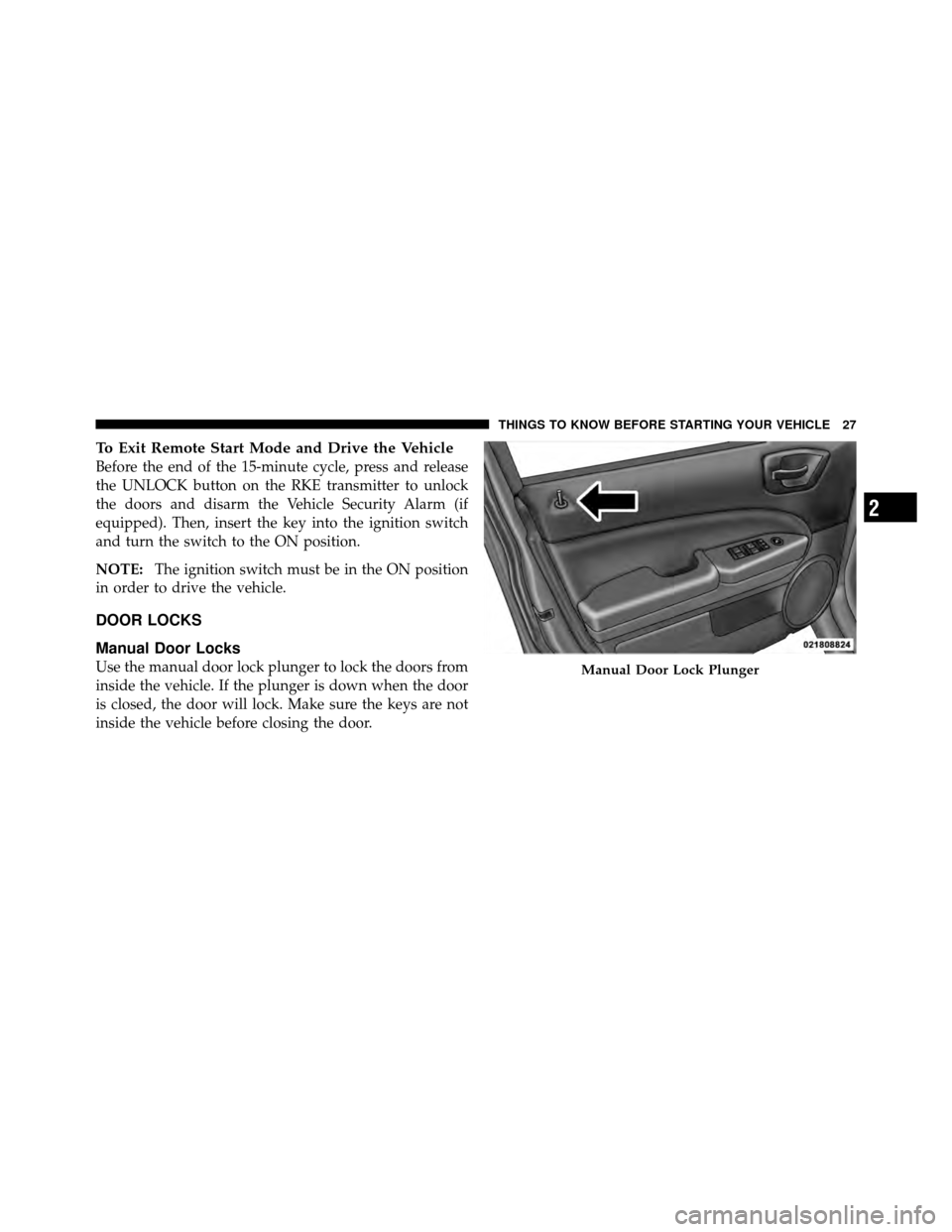
Use the manual door lock plunger to lock the doors from
inside the vehicle. If the plunger is down when the door
is closed, the door will lock. Make sure the keys are not
inside the vehicle before closing the door.Manual Door Lock Plunger
2
THINGS TO KNOW BEFORE STARTING YOUR VEHICLE 27
Page 29 of 484
WARNING!
•Do not leave children or animals inside parked
vehicles in hot weather. Interior heat build-up may
cause serious injury or death.
•For personal security and safety in the event of an
accident, lock the vehicle doors as you drive as
well as when you park and leave the vehicle.
•When leaving the vehicle, always remove the key
from the ignition lock and lock your vehicle. Do
not leave unattended children in the vehicle or
with access to an unlocked vehicle. Unsupervised
use of vehicle equipment may cause severe per-
sonal injuries and death.
CAUTION!
An unlocked vehicle is an invitation to thieves.
Always remove the key from the ignition and lock all
of the doors when leaving the vehicle unattended.
Power Door Locks
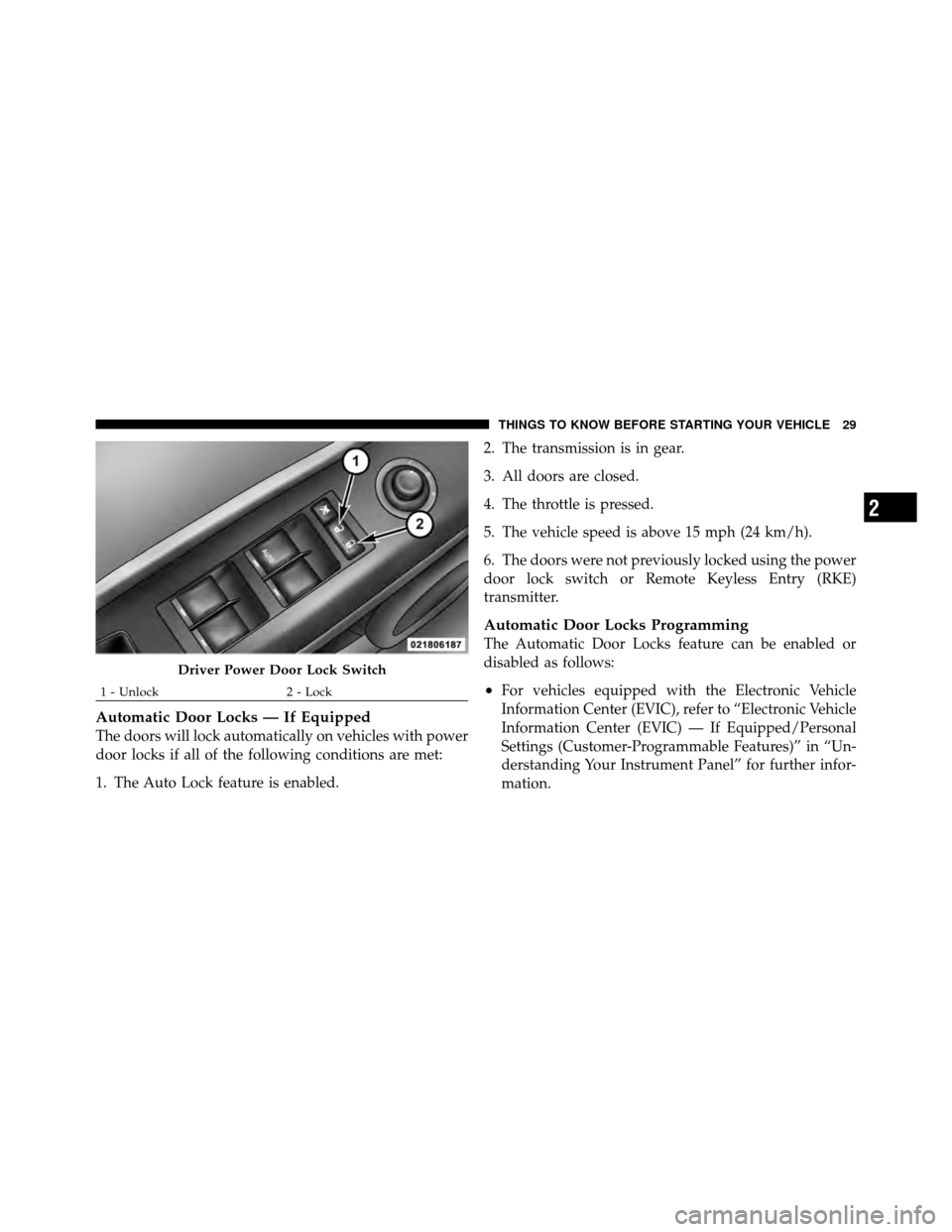
A power door lock switch is on each front door trim
panel. Press this switch to lock or unlock the doors and
liftgate.
NOTE:To prevent from locking the key in the vehicle,
the power door lock switch will not operate when the key
is in the ignition and either front door is open. A chime
will sound as a reminder to remove the key.
28 THINGS TO KNOW BEFORE STARTING YOUR VEHICLE
Page 30 of 484
Automatic Door Locks — If Equipped
The doors will lock automatically on vehicles with power
door locks if all of the following conditions are met:
1. The Auto Lock feature is enabled.2. The transmission is in gear.
3. All doors are closed.
4. The throttle is pressed.
5. The vehicle speed is above 15 mph (24 km/h).
6. The doors were not previously locked using the power
door lock switch or Remote Keyless Entry (RKE)
transmitter.
Automatic Door Locks Programming
The Automatic Door Locks feature can be enabled or
disabled as follows:
•For vehicles equipped with the Electronic Vehicle
Information Center (EVIC), refer to “Electronic Vehicle
Information Center (EVIC) — If Equipped/Personal
Settings (Customer-Programmable Features)” in “Un-
derstanding Your Instrument Panel” for further infor-
mation.
Driver Power Door Lock Switch
1 - Unlock
2 - Lock
2
THINGS TO KNOW BEFORE STARTING YOUR VEHICLE 29
Page 31 of 484
•For vehicles not equipped with the EVIC, perform the
following procedure:
1. Close all doors and place the key in the ignition
switch.
2. Within 15 seconds, cycle the ignition switch between
LOCK and ON and then back to LOCK four times ending
up in the LOCK position (do not start the engine).
3. Within 30 seconds, press the power door LOCK switch
to lock the doors.
4. A single chime will indicate the completion of the
programming.
5. Repeat these steps if you want to return this feature to
its previous setting. NOTE:
•If you do not hear the chime it means that the system
did not enter the programming mode and you will
need to repeat the procedure.
•Use the Automatic Door Locks feature in accordance
with local laws.
Automatic Unlock Doors on Exit
The doors will unlock automatically if:
1. The Automatic Unlock Doors On Exit feature is en-
abled.
2. The transmission was in gear and the vehicle speed
returned to 0 mph (0 km/h).
3. The transmission is in NEUTRAL or PARK.
4. The driver’s door is opened.
5. The doors were not previously unlocked.
30 THINGS TO KNOW BEFORE STARTING YOUR VEHICLE
Page 32 of 484
Automatic Unlock Doors on Exit Programming
The Automatic Unlock Doors On Exit feature can be
enabled or disabled as follows:
•For vehicles equipped with the EVIC, refer to “Elec-
tronic Vehicle Information Center (EVIC)/Personal
Settings (Customer-Programmable Features)” in “Un-
derstanding Your Instrument Panel” for further infor-
mation.
•For vehicles not equipped with the EVIC, perform the
following procedure:
1. Close all doors and place the key in the ignition.
2. Within 15 seconds, cycle the ignition switch between
LOCK and ON and then back to LOCK four times ending
up in the LOCK position (do not start the engine).
3. Within 30 seconds, press the power door UNLOCK
switch to unlock the doors. 4. A single chime will indicate the completion of the
programming.
5. Repeat these steps if you want to return this feature to
its previous setting.
NOTE:
•If you do not hear the chime it means that the system
did not enter the programming mode and you will
need to repeat the procedure.
•Use the Automatic Unlock Doors On Exit feature in
accordance with local laws.
Child-Protection Door Lock System (Rear Doors)
— If Equipped
To provide a safer environment for small children riding
in the rear seats, the rear doors are equipped with
Child-Protection Door Lock system.
2
THINGS TO KNOW BEFORE STARTING YOUR VEHICLE 31
Page 33 of 484
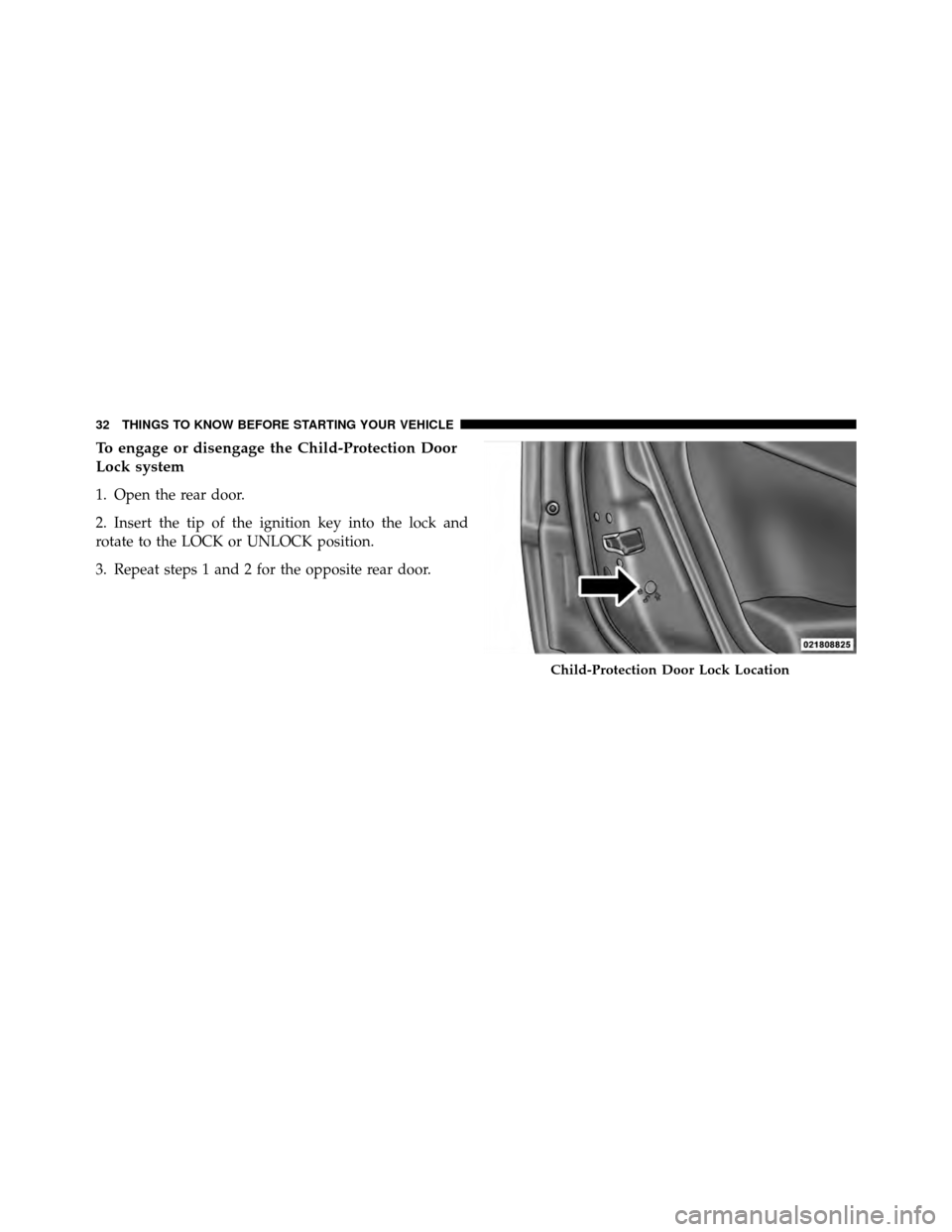
To engage or disengage the Child-Protection Door
Lock system
1. Open the rear door.
2. Insert the tip of the ignition key into the lock and
rotate to the LOCK or UNLOCK position.
3. Repeat steps 1 and 2 for the opposite rear door.
Child-Protection Door Lock Location
32 THINGS TO KNOW BEFORE STARTING YOUR VEHICLE
Page 34 of 484
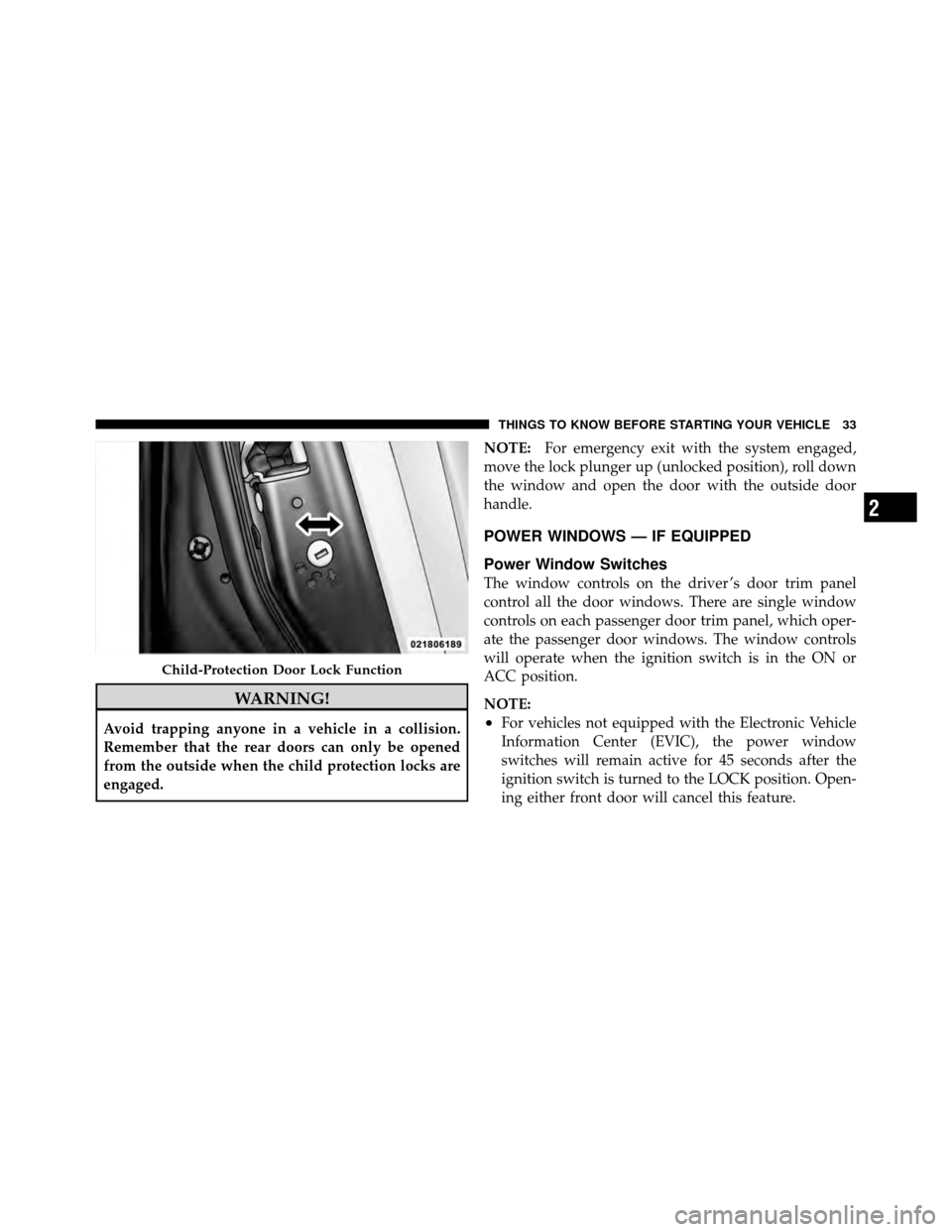
WARNING!
Avoid trapping anyone in a vehicle in a collision.
Remember that the rear doors can only be opened
from the outside when the child protection locks are
engaged.NOTE:
For emergency exit with the system engaged,
move the lock plunger up (unlocked position), roll down
the window and open the door with the outside door
handle.
POWER WINDOWS — IF EQUIPPED
Power Window Switches
The window controls on the driver ’s door trim panel
control all the door windows. There are single window
controls on each passenger door trim panel, which oper-
ate the passenger door windows. The window controls
will operate when the ignition switch is in the ON or
ACC position.
NOTE:
•For vehicles not equipped with the Electronic Vehicle
Information Center (EVIC), the power window
switches will remain active for 45 seconds after the
ignition switch is turned to the LOCK position. Open-
ing either front door will cancel this feature.
Child-Protection Door Lock Function
2
THINGS TO KNOW BEFORE STARTING YOUR VEHICLE 33
Page 35 of 484
•For vehicles equipped with the EVIC, the power
window switches will remain active for up to 10 min-
utes after the ignition switch is turned to the LOCK
position. Opening either front door will cancel this
feature. The time for this feature is programmable.
Refer to “Electronic Vehicle Information Center
(EVIC)/Personal Settings (Customer-Programmable
Features)” in “Understanding Your Instrument Panel”
for further information.
WARNING!
Never leave children in a vehicle with the key in the
ignition switch. Occupants, particularly unattended
children, can become entrapped by the windows
while operating the power window switches. Such
entrapment may result in serious injury or death.
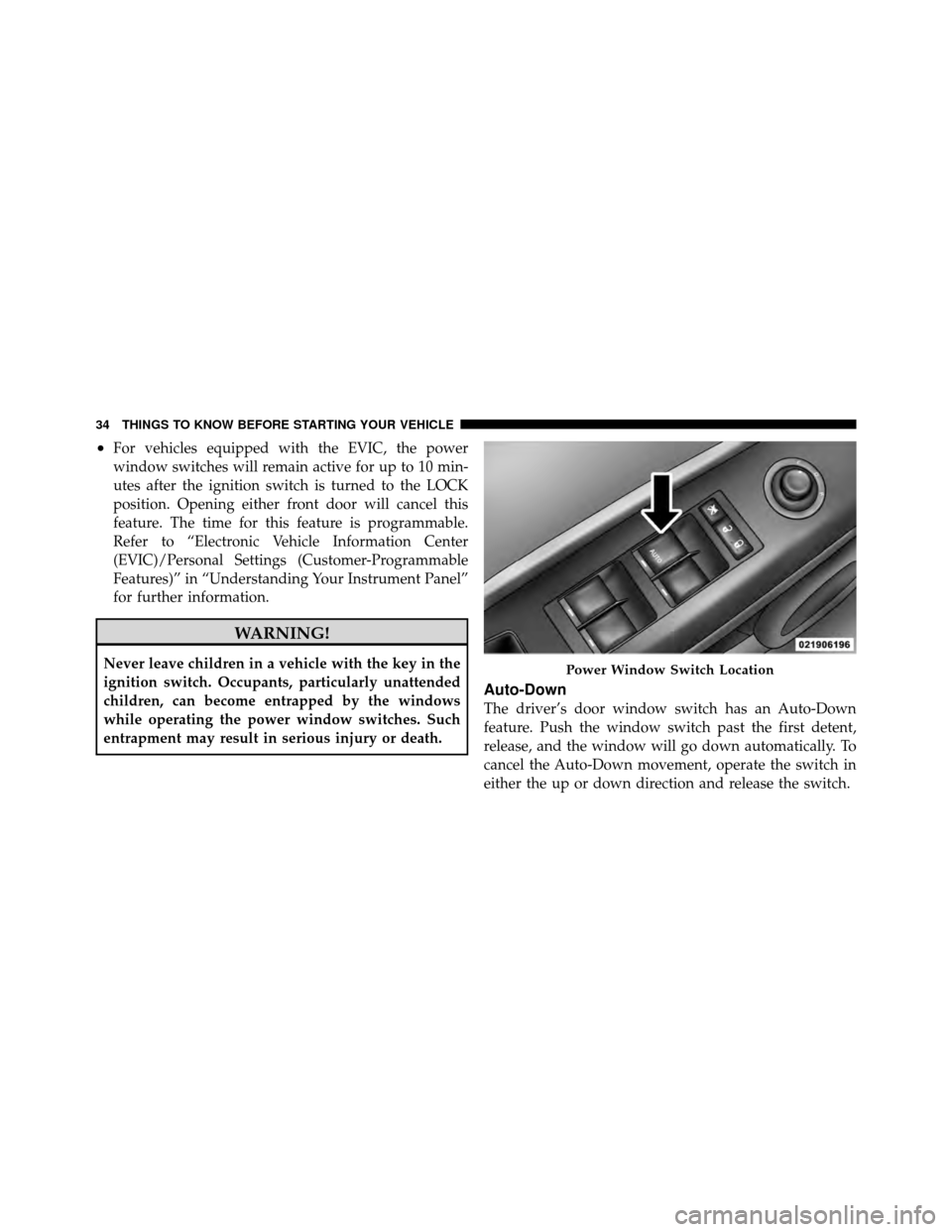
Auto-Down
The driver’s door window switch has an Auto-Down
feature. Push the window switch past the first detent,
release, and the window will go down automatically. To
cancel the Auto-Down movement, operate the switch in
either the up or down direction and release the switch.
Power Window Switch Location
34 THINGS TO KNOW BEFORE STARTING YOUR VEHICLE
Page 36 of 484
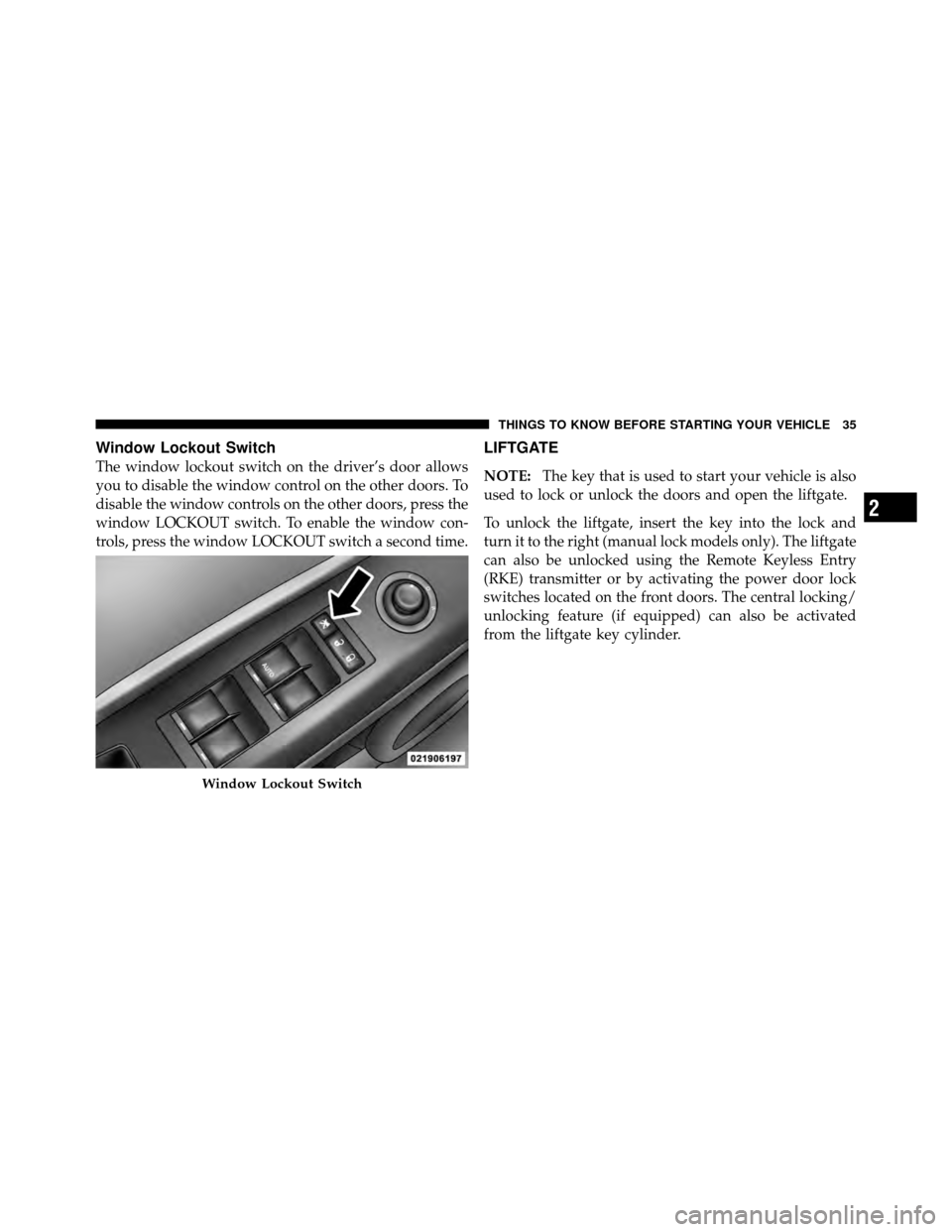
Window Lockout Switch
The window lockout switch on the driver’s door allows
you to disable the window control on the other doors. To
disable the window controls on the other doors, press the
window LOCKOUT switch. To enable the window con-
trols, press the window LOCKOUT switch a second time.
LIFTGATE
NOTE:The key that is used to start your vehicle is also
used to lock or unlock the doors and open the liftgate.
To unlock the liftgate, insert the key into the lock and
turn it to the right (manual lock models only). The liftgate
can also be unlocked using the Remote Keyless Entry
(RKE) transmitter or by activating the power door lock
switches located on the front doors. The central locking/
unlocking feature (if equipped) can also be activated
from the liftgate key cylinder.
Window Lockout Switch
2
THINGS TO KNOW BEFORE STARTING YOUR VEHICLE 35
Page 70 of 484
•Flash hazard lights as long as the battery has power or
until the ignition key is turned off.
•Turn on the interior lights, which remain on as long as
the battery has power or until the ignition key is
removed.
•Unlock the doors automatically.
If a Deployment Occurs
The front airbags are designed to deflate immediately
after deployment.
NOTE:Front and/or side airbags will not deploy in all
collisions. This does not mean something is wrong with
the airbag system.
If you do have a collision, which deploys the airbags, any
or all of the following may occur:
•The nylon airbag material may sometimes cause abra-
sions and/or skin reddening to the driver and front passenger as the airbags deploy and unfold. The
abrasions are similar to friction rope burns or those
you might get sliding along a carpet or gymnasium
floor. They are not caused by contact with chemicals.
They are not permanent and normally heal quickly.
However, if you haven’t healed significantly within a
few days, or if you have any blistering, see your doctor
immediately.
•As the airbags deflate, you may see some smoke-like
particles. The particles are a normal by-product of the
process that generates the non-toxic gas used for
airbag inflation. These airborne particles may irritate
the skin, eyes, nose, or throat. If you have skin or eye
irritation, rinse the area with cool water. For nose or
throat irritation, move to fresh air. If the irritation
continues, see your doctor. If these particles settle on
your clothing, follow the garment manufacturer’s in-
structions for cleaning.
2
THINGS TO KNOW BEFORE STARTING YOUR VEHICLE 69