light DODGE CALIBER 2010 1.G Workshop Manual
[x] Cancel search | Manufacturer: DODGE, Model Year: 2010, Model line: CALIBER, Model: DODGE CALIBER 2010 1.GPages: 484, PDF Size: 6.43 MB
Page 201 of 484
key when the vehicle has completely stopped and the
shift lever is placed in the NEUTRAL position. The light
should turn off. If the light remains lit with the engine
running, your vehicle will usually be drivable; however,
see an authorized dealer for service as soon as possible. If
the light is flashing when the engine is running, imme-
diate service is required and you may experience reduced
performance, an elevated/rough idle or engine stall and
your vehicle may require towing. The light will come on
when the ignition is first turned ON and remain on
briefly as a bulb check. If the light does not come on
during starting, have the system checked by an autho-
rized dealer.
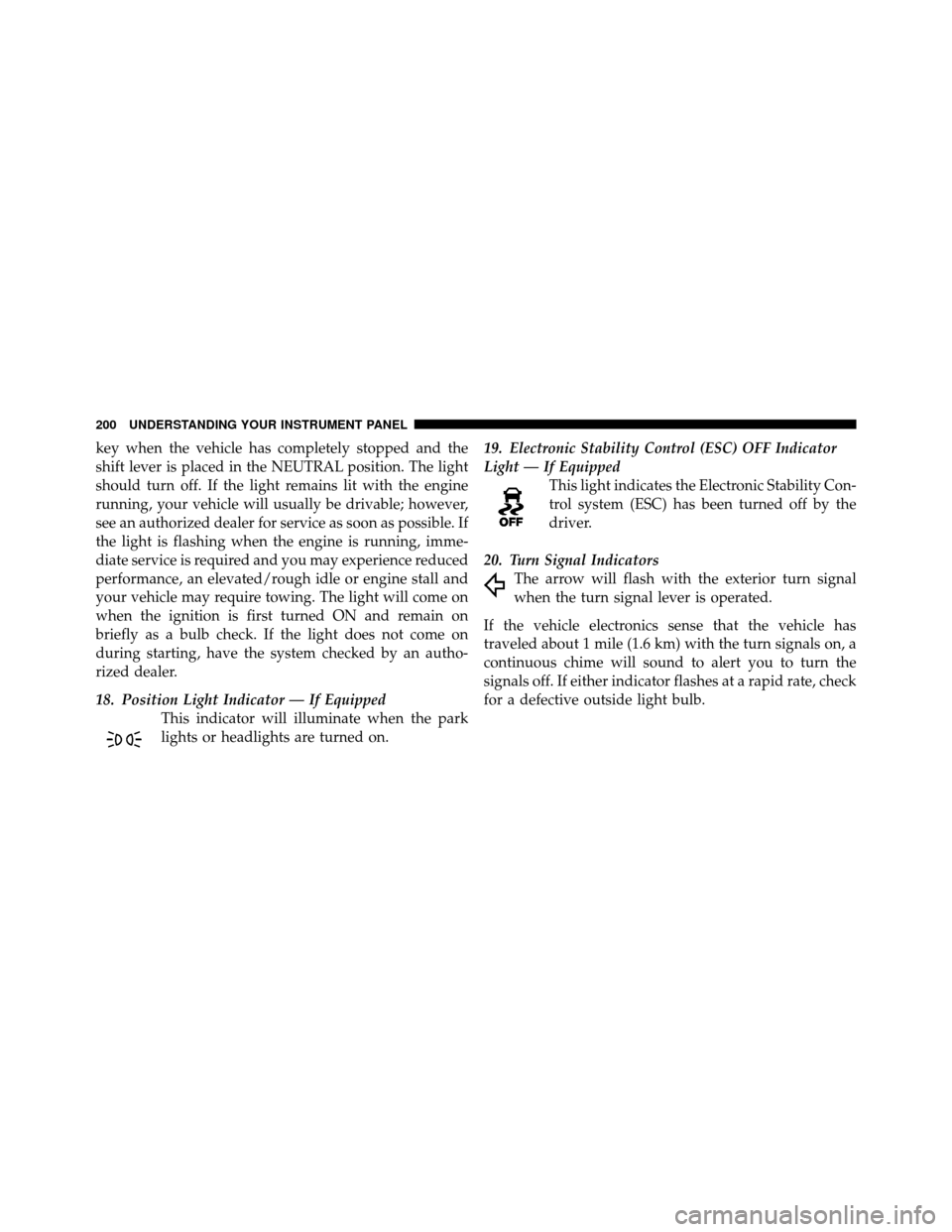
18. Position Light Indicator — If EquippedThis indicator will illuminate when the park
lights or headlights are turned on. 19. Electronic Stability Control (ESC) OFF Indicator
Light — If Equipped
This light indicates the Electronic Stability Con-
trol system (ESC) has been turned off by the
driver.
20. Turn Signal Indicators The arrow will flash with the exterior turn signal
when the turn signal lever is operated.
If the vehicle electronics sense that the vehicle has
traveled about 1 mile (1.6 km) with the turn signals on, a
continuous chime will sound to alert you to turn the
signals off. If either indicator flashes at a rapid rate, check
for a defective outside light bulb.
200 UNDERSTANDING YOUR INSTRUMENT PANEL
Page 202 of 484
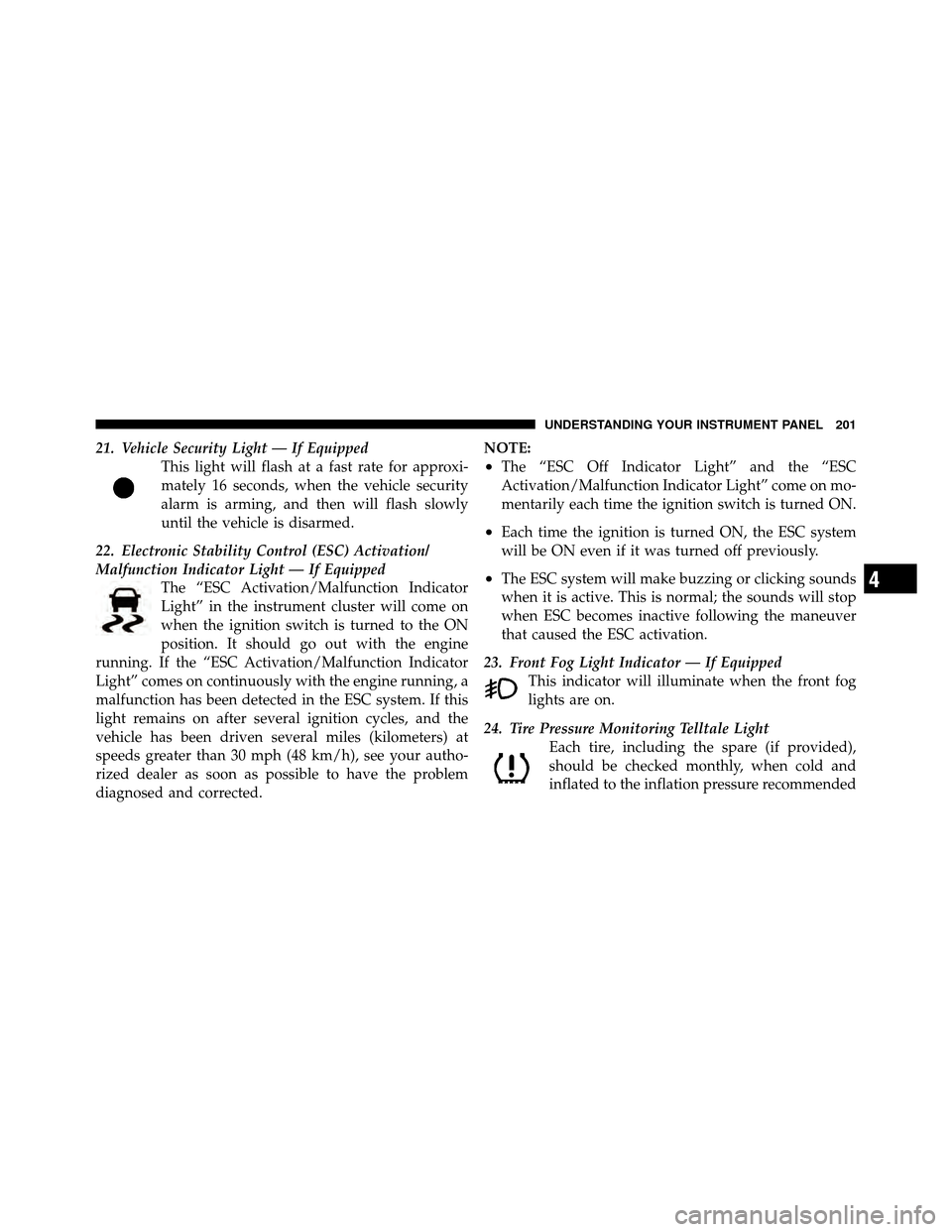
21. Vehicle Security Light — If EquippedThis light will flash at a fast rate for approxi-
mately 16 seconds, when the vehicle security
alarm is arming, and then will flash slowly
until the vehicle is disarmed.
22. Electronic Stability Control (ESC) Activation/
Malfunction Indicator Light — If Equipped The “ESC Activation/Malfunction Indicator
Light” in the instrument cluster will come on
when the ignition switch is turned to the ON
position. It should go out with the engine
running. If the “ESC Activation/Malfunction Indicator
Light” comes on continuously with the engine running, a
malfunction has been detected in the ESC system. If this
light remains on after several ignition cycles, and the
vehicle has been driven several miles (kilometers) at
speeds greater than 30 mph (48 km/h), see your autho-
rized dealer as soon as possible to have the problem
diagnosed and corrected. NOTE:
•The “ESC Off Indicator Light” and the “ESC
Activation/Malfunction Indicator Light” come on mo-
mentarily each time the ignition switch is turned ON.
•Each time the ignition is turned ON, the ESC system
will be ON even if it was turned off previously.
•The ESC system will make buzzing or clicking sounds
when it is active. This is normal; the sounds will stop
when ESC becomes inactive following the maneuver
that caused the ESC activation.
23. Front Fog Light Indicator — If Equipped This indicator will illuminate when the front fog
lights are on.
24. Tire Pressure Monitoring Telltale Light Each tire, including the spare (if provided),
should be checked monthly, when cold and
inflated to the inflation pressure recommended4
UNDERSTANDING YOUR INSTRUMENT PANEL 201
Page 204 of 484
tires or wheels on your vehicle, to ensure that the
replacement or alternate tires and wheels allow the TPMS
to continue to function properly.
CAUTION!
The TPMS has been optimized for the original
equipment tires and wheels. TPMS pressures and
warning have been established for the tire size
equipped on your vehicle. Undesirable system opera-
tion or sensor damage may result when using re-
placement equipment that is not of the same size,
type, and/or style. Aftermarket wheels can cause
sensor damage. Do not use tire sealant from a can, or
balance beads if your vehicle is equipped with a
TPMS, as damage to the sensors may result.25. Malfunction Indicator Light (MIL)
The Malfunction Indicator Light (MIL) is part of
an onboard diagnostic system, called OBD, that
monitors engine and automatic transmission con-
trol systems. The light will illuminate when the key is in
the ON position, before engine start. If the bulb does not
come on when turning the key from OFF to ON, have the
condition checked promptly.
Certain conditions such as a loose or missing gas cap,
poor fuel quality, etc., may illuminate the MIL after
engine start. The vehicle should be serviced if the light
stays on through several of your typical driving cycles. In
most situations, the vehicle will drive normally and will
not require towing.
4
UNDERSTANDING YOUR INSTRUMENT PANEL 203
Page 205 of 484
CAUTION!
Prolonged driving with the MIL on could cause
damage to the engine control system. It also could
affect fuel economy and drivability. If the MIL is
flashing, severe catalytic converter damage and
power loss will soon occur. Immediate service is
required.
WARNING!
A malfunctioning catalytic converter, as referenced
above, can reach higher temperatures than in normal
operating conditions. This can cause a fire if you
drive slowly or park over flammable substances such
as dry plants or wood or cardboard, etc. This could
result in death or serious injury to the driver, occu-
pants or others.26. Anti-Lock Brake (ABS) Light
This light monitors the Anti-Lock Brake System
(ABS). The light will turn on when the ignition
switch is turned to the ON position and may
stay on for as long as four seconds.
If the ABS light remains on or turns on while driving, it
indicates that the Anti-Lock portion of the brake system
is not functioning and that service is required. However,
the conventional brake system will continue to operate
normally if the BRAKE warning light is not on.
If the ABS light is on, the brake system should be serviced
as soon as possible to restore the benefits of Anti-Lock
brakes. If the ABS light does not turn on when the
Ignition switch is turned to the ON position, have the
light inspected by an authorized dealer.
204 UNDERSTANDING YOUR INSTRUMENT PANEL
Page 206 of 484
27. Transmission Temperature Warning Light — If
EquippedDuring sustained high speed driving on hot
days, the automatic transmission oil may be-
come too hot. If this happens, the Transmission
Temperature Warning Light will come on and
the vehicle will slow slightly until the automatic trans-
mission cools down enough to allow a return to the
requested speed. If the high speed is maintained, the
overheating will reoccur as before in a cyclic fashion.
CAUTION!
Continuous driving with the Transmission Tempera-
ture Warning Light illuminated will eventually cause
severe transmission damage or transmission failure.
WARNING!
Continued operation with the Transmission Tem-
perature Warning Light illuminated could cause the
fluid to boil over, come in contact with hot engine or
exhaust components causing a fire that may result in
personal injury.
28. High Beam Indicator This indicator shows that the high beam head-
lights are on. Push the multifunction lever forward
to switch the headlights to high beam, and pull toward
yourself (normal position) to return to low beam.
29. Electronic Vehicle Information Center (EVIC)
Display — If Equipped
When the appropriate conditions exist, this display
shows the EVIC messages.
4
UNDERSTANDING YOUR INSTRUMENT PANEL 205
Page 208 of 484
•Compass heading
•Outside temperature display
•Trip computer functions
•Uconnect™ Phone displays — If equipped
•Audio mode display
•Tire Pressure Monitor (TPM)
When the appropriate conditions exist, the EVIC displays
the following messages.
•Turn Signal On (with a continuous warning chime
after 1 mile (1.6 km) of distance travelled)
•Left Front Turn Signal Light Out (with a single chime)
•Left Rear Turn Signal Light Out (with a single chime)
•Right Front Turn Signal Light Out (with a single
chime)
•Right Rear Turn Signal Light Out (with a single chime)
•RKE Battery Low (with a single chime)
•Personal Settings Not Available – vehicle not in park
(automatic transmission) or vehicle is in motion
(manual transmission).
•Left/Right Front Door Ajar (one or more, with a single
chime if speed is above 1 mph/1 km/h)
•Left/Right Rear Door Ajar (one or more, with a single
chime if speed is above 1 mph/1 km/h)
•Door(s) Ajar (with a single chime if vehicle is in
motion)
•Gate Ajar (with a single chime)
•Headlamps or Park Lamps On
•Key In Ignition
•Check TPM System
4
UNDERSTANDING YOUR INSTRUMENT PANEL 207
Page 213 of 484
Auto Unlock On Exit
When ON is selected all the vehicle’s doors will unlock
when the driver’s door is opened if the vehicle is stopped
(manual transmission) or the vehicle is stopped and the
transmission is in PARK or NEUTRAL position (auto-
matic transmission). Press and hold the EVIC button
when in this display until “ON” or “OFF” appears to
make your selection.
Remote Unlock Driver’s Door 1st
When Driver’s Door 1st is selected only the driver’s door
will unlock on the first press of the Remote Keyless Entry
(RKE) transmitter UNLOCK button and require a second
press to unlock the remaining locked doors. When Re-
mote Unlock All Doors is selected, all of the doors will
unlock at the first press of the RKE transmitter UNLOCK
button. Press and hold the EVIC button when in this
display until “Driver’s Door 1st” or “All Doors” appears
to make your selection.
Sound Horn with Remote Key Lock
When ON is selected, a short horn sound will occur when
the RKE transmitter LOCK button is pressed. This feature
may be selected with or without the Flash Lights with
Remote Key Lock feature. Press and hold the EVIC
button when in this display until “ON” or “OFF” appears
to make your selection.
Flash Lights with Remote Key Lock
When ON is selected, the front and rear turn signals will
flash when the doors are locked or unlocked using the
RKE transmitter. This feature may be selected with or
without the sound horn on lock feature selected. Press
and hold the EVIC button when in this display until
“ON” or “OFF” appears to make your selection.
Delay Turning Headlights Off
When this feature is selected, the driver can choose to
have the headlights remain on for 0, 30, 60, or 90 seconds
212 UNDERSTANDING YOUR INSTRUMENT PANEL
Page 214 of 484
when exiting the vehicle. Press and hold the EVIC button
when in this display until 0, 30, 60, or 90 appears to make
your selection.
Delay Power Off to Accessories Until Exit
When this feature is selected, the power window
switches, radio, Uconnect™ Phone, power sunroof, and
power outlets will remain active for up to 10 minutes
after the ignition switch has been turned off. Opening a
vehicle door will cancel this feature. Press and hold the
EVIC button when in this display until “OFF”, “45 sec.”,
“5 min.”, or “10 min.” appears to make your selection.
Turn Headlights on with Remote Key Unlock
When this feature is selected, the headlights will activate
and remain on for up to 90 seconds when the doors are
unlocked using the RKE transmitter. Press and hold the
EVIC button when in this display until “OFF”, “30 sec.”,
“60 sec.”, or “90 sec.” appears to make your selection.
Confirmation of Voice Commands — If Equipped
When ON is selected all voice commands from the
Uconnect™ system are confirmed. Press and hold the
EVIC button when in this display until “ON” or “OFF”
appears to make your selection.
Illuminated Approach
When this feature is selected the headlights will activate
and remain on for up to 90 seconds when the doors are
unlocked using the RKE transmitter. Press and hold the
EVIC button when in this display until “OFF”, “30 sec.”,
“60 sec.”, or “90 sec.” appears to make your selection.
Hill Start Assist (HSA) — If Equipped
When on is selected, the HSA system is active. Refer to
“Electronic Brake Control System” in “Starting And
Operating” for system function and operating informa-
tion. To make your selection, press and release the EVIC
button until “On” or “Off” appears.
4
UNDERSTANDING YOUR INSTRUMENT PANEL 213
Page 216 of 484
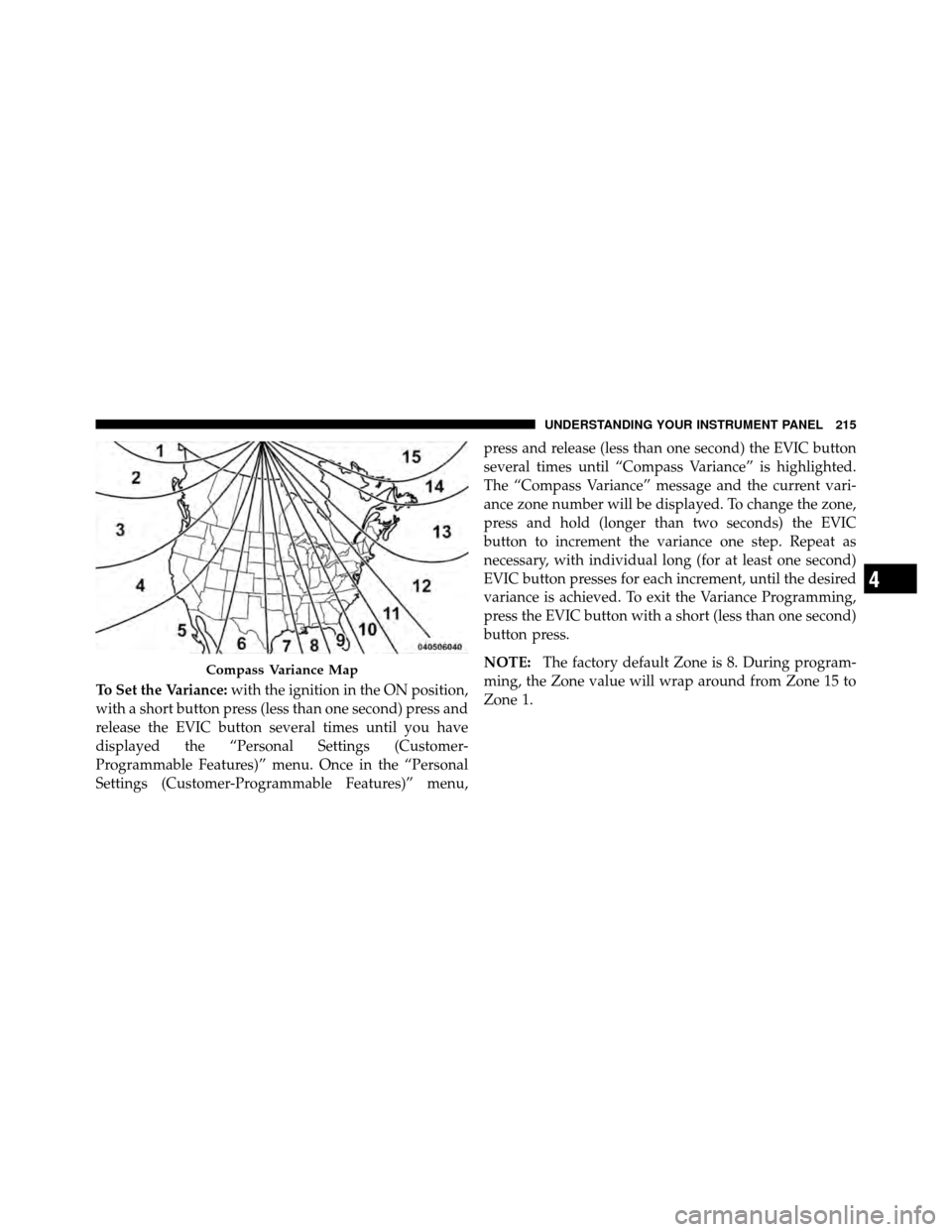
To Set the Variance:with the ignition in the ON position,
with a short button press (less than one second) press and
release the EVIC button several times until you have
displayed the “Personal Settings (Customer-
Programmable Features)” menu. Once in the “Personal
Settings (Customer-Programmable Features)” menu, press and release (less than one second) the EVIC button
several times until “Compass Variance” is highlighted.
The “Compass Variance” message and the current vari-
ance zone number will be displayed. To change the zone,
press and hold (longer than two seconds) the EVIC
button to increment the variance one step. Repeat as
necessary, with individual long (for at least one second)
EVIC button presses for each increment, until the desired
variance is achieved. To exit the Variance Programming,
press the EVIC button with a short (less than one second)
button press.
NOTE:
The factory default Zone is 8. During program-
ming, the Zone value will wrap around from Zone 15 to
Zone 1.
Compass Variance Map
4
UNDERSTANDING YOUR INSTRUMENT PANEL 215
Page 223 of 484
NOTE:Turn the TUNE/SCROLL control knob to scroll
through the entries. Push the AUDIO/SELECT button to
select an entry and make changes.
•DVD Enter - When the disc is in DVD Menu mode,
selecting DVD Enter will allow you to play the current
highlighted selection. Use the remote control to scroll
up and down the menu (if equipped).
•DISC Play/Pause - You can toggle between
playing the DVD and pausing the DVD by
pushing the SELECT button (if equipped).
•DVD Play Options - Selecting the DVD Play Options
will display the following:
•Subtitle – Repeatedly pressing SELECT will switch
subtitles to different subtitle languages that are
available on the disc (if equipped).
•Audio Stream – Repeatedly pressing SELECT will
switch to different audio languages (if supported on
the disc) (if equipped).
•Angle – Repeatedly pressing SELECT will change
the viewing angle if supported by the DVD disc (if
equipped).
NOTE:
•The available selections for each of the above entries
varies depending upon the disc.
•These selections can only be made while playing a
DVD.
•VES™ Power - Allows you to turn VES™ ON and
OFF (if equipped).
•VES™ Lock - Locks out rear VES™ remote controls (if
equipped).
222 UNDERSTANDING YOUR INSTRUMENT PANEL