warning DODGE CALIBER 2011 1.G Workshop Manual
[x] Cancel search | Manufacturer: DODGE, Model Year: 2011, Model line: CALIBER, Model: DODGE CALIBER 2011 1.GPages: 486, PDF Size: 2.88 MB
Page 139 of 486
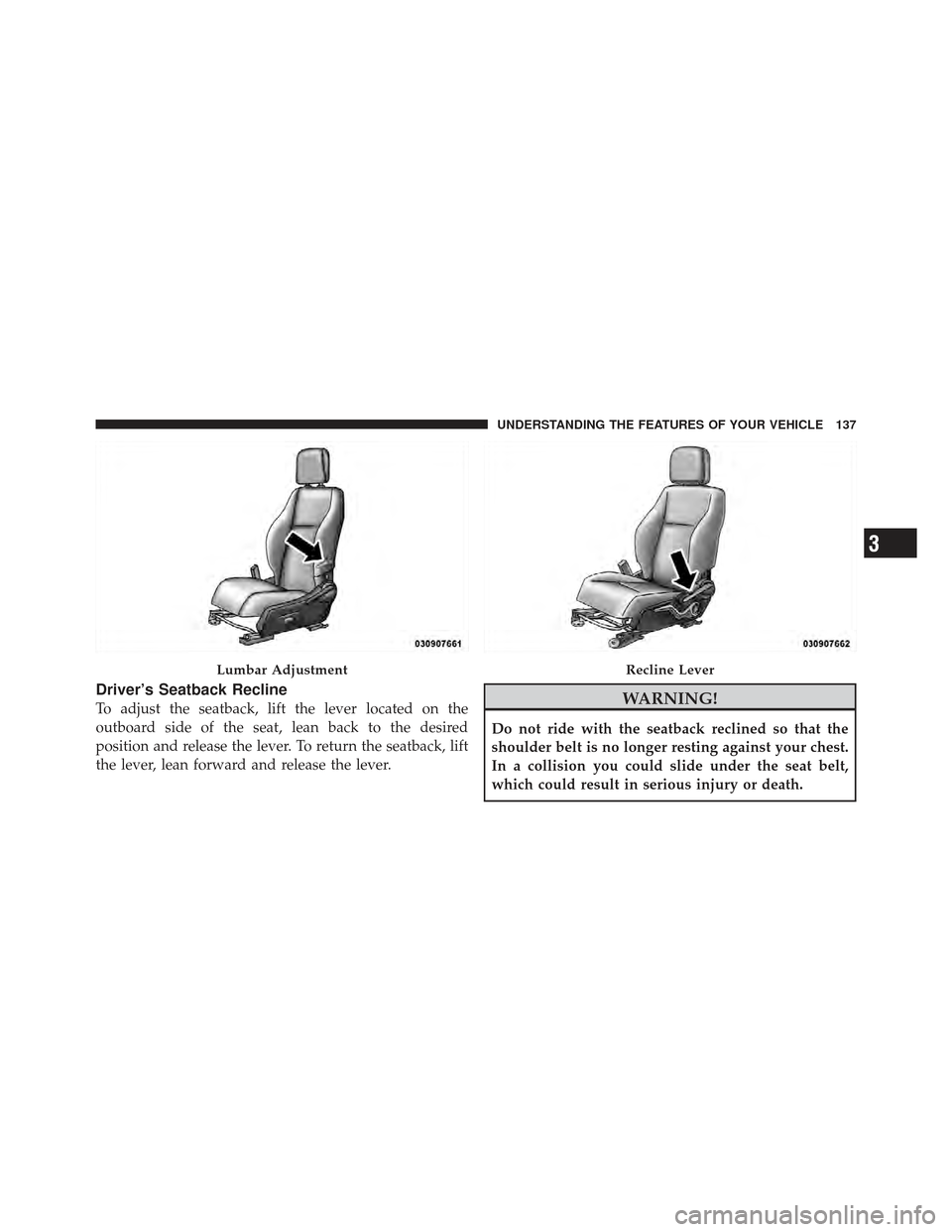
Driver’s Seatback Recline
To adjust the seatback, lift the lever located on the
outboard side of the seat, lean back to the desired
position and release the lever. To return the seatback, lift
the lever, lean forward and release the lever.WARNING!
Do not ride with the seatback reclined so that the
shoulder belt is no longer resting against your chest.
In a collision you could slide under the seat belt,
which could result in serious injury or death.
Lumbar AdjustmentRecline Lever
3
UNDERSTANDING THE FEATURES OF YOUR VEHICLE 137
Page 141 of 486
WARNING!
The head restraints for all occupants must be prop-
erly adjusted prior to operating the vehicle or occu-
pying a seat. Head restraints should never be ad-
justed while the vehicle is in motion. Driving a
vehicle with the head restraints improperly adjusted
or removed could cause serious injury or death in the
event of a collision.
Active Head Restraints — Front Seats
Active Head Restraints are passive, deployable compo-
nents, and vehicles with this equipment can not bereadily identified by any markings, only through visual
inspection of the head restraint. The head restraint will be
split in two halves, with the front half being soft foam
and trim, the back half being decorative plastic.
When AHRs deploy during a rear impact, the front half
of the head restraint extends forward to minimize the gap
between the back of the occupant’s head and the AHR.
This system is designed to help prevent or reduce the
extent of injuries to the driver and front passenger in
certain types of rear impacts. Refer to “Occupant Re-
straints” in “Things To Know Before Starting Your Ve-
hicle” for further information.
3
UNDERSTANDING THE FEATURES OF YOUR VEHICLE 139
Page 143 of 486
NOTE:
•The head restraints should only be removed by quali-
fied technicians, for service purposes only. If either of
the head restraints require removal, see your autho-
rized dealer.
•In the event of deployment of an Active Head Re-
straint, refer to “Occupant Restraints/Resetting Active
Head Restraints (AHR)” in “Things To Know Before
Starting Your Vehicle” for further information.
WARNING!
•Do not place items over the top of the Active Head
Restraint, such as coats, seat covers or portable
DVD players. These items may interfere with the
operation of the Active Head Restraint in the event
of a collision and could result in serious injury or
death.(Continued)
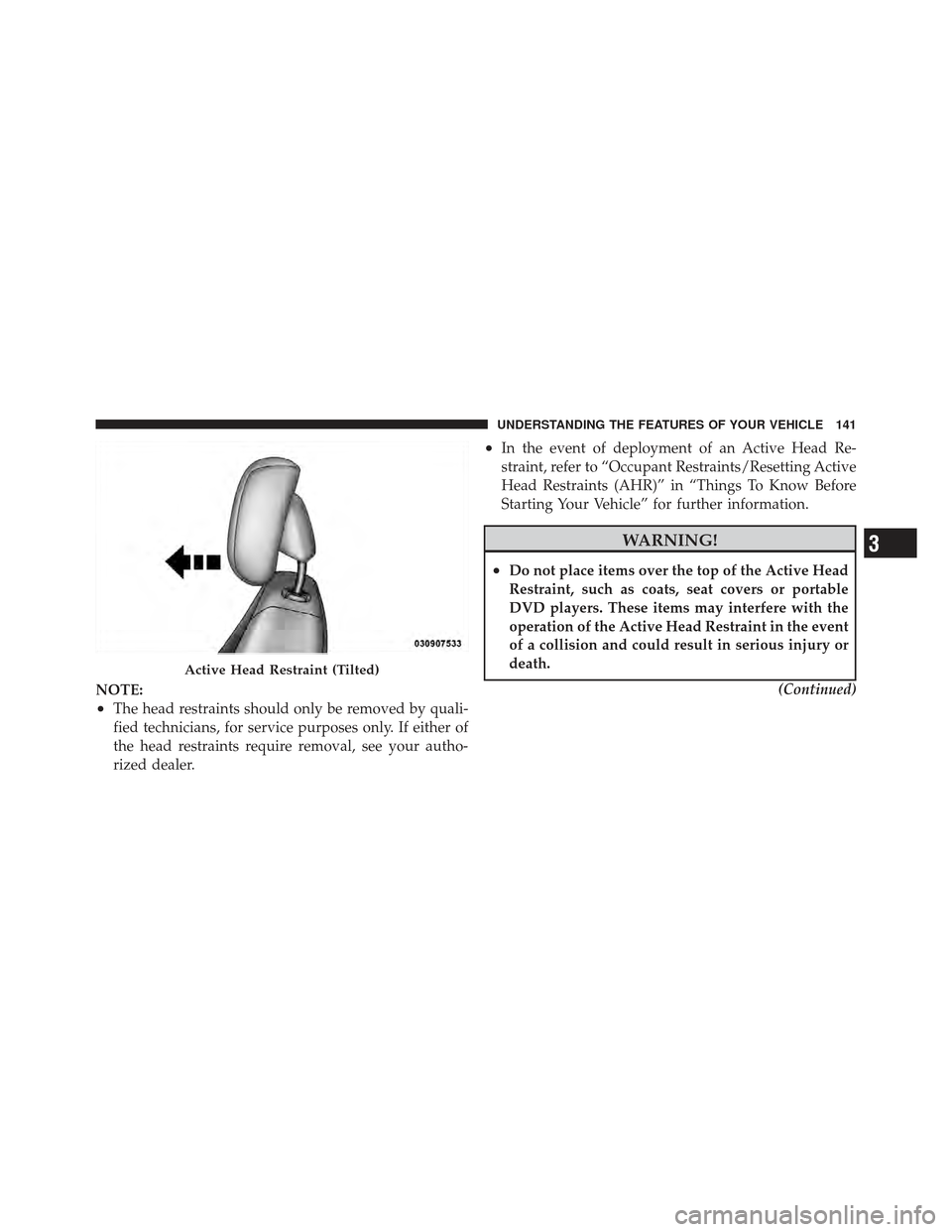
Active Head Restraint (Tilted)
3
UNDERSTANDING THE FEATURES OF YOUR VEHICLE 141
Page 144 of 486
WARNING! (Continued)
•Active Head Restraints may be deployed if they
are struck by an object such as a hand, foot or loose
cargo. To avoid accidental deployment of the Ac-
tive Head Restraint ensure that all cargo is se-
cured, as loose cargo could contact the Active Head
Restraint during sudden stops. Failure to follow
this warning could cause personal injury if the
Active Head Restraint is deployed.
Rear Head Restraints
The head restraints in the rear are non adjustable. Refer to
“Occupant Restraints” in “Things to Know Before Start-
ing Your Vehicle” for information on Tether routing.
Folding Rear Seat
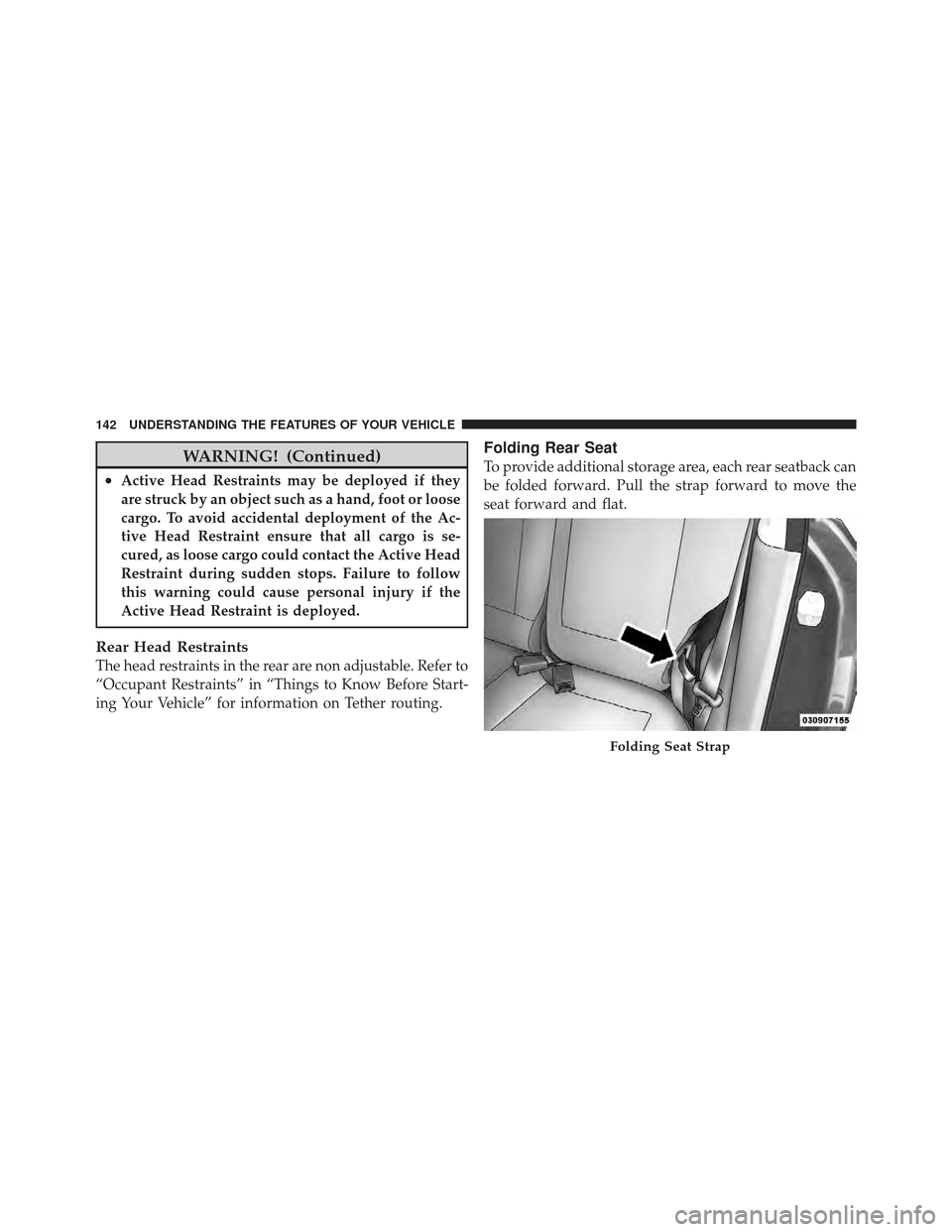
To provide additional storage area, each rear seatback can
be folded forward. Pull the strap forward to move the
seat forward and flat.
Folding Seat Strap
142 UNDERSTANDING THE FEATURES OF YOUR VEHICLE
Page 146 of 486
Then push the seatback to a reclined position, approxi-
mately 35 degrees maximum, and release the strap.
WARNING!
Do not ride with the seatback reclined so that the
shoulder belt is no longer resting against your chest.
In a collision you could slide under the seat belt,
which could result in serious injury or death.
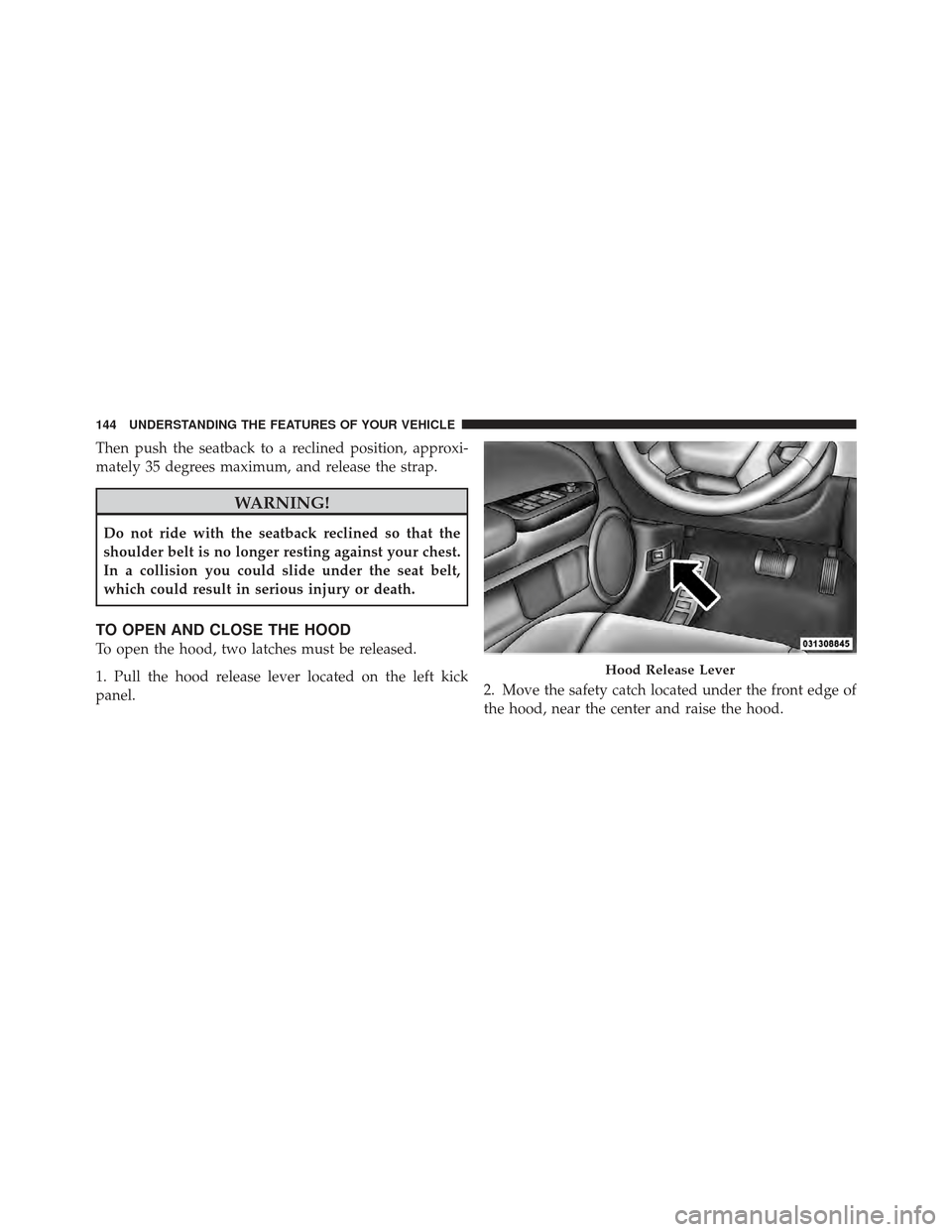
TO OPEN AND CLOSE THE HOOD
To open the hood, two latches must be released.
1. Pull the hood release lever located on the left kick
panel.2. Move the safety catch located under the front edge of
the hood, near the center and raise the hood.
Hood Release Lever
144 UNDERSTANDING THE FEATURES OF YOUR VEHICLE
Page 147 of 486
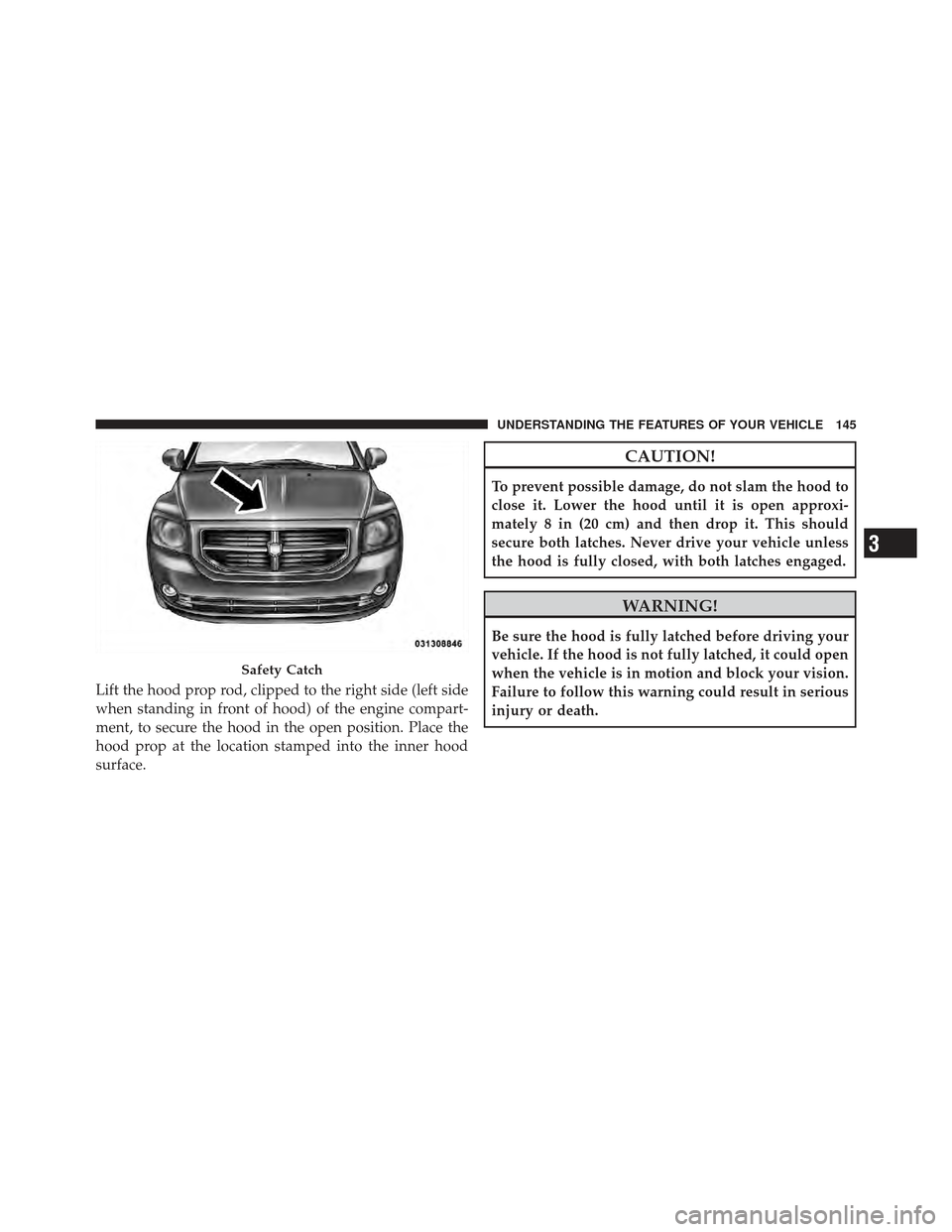
Lift the hood prop rod, clipped to the right side (left side
when standing in front of hood) of the engine compart-
ment, to secure the hood in the open position. Place the
hood prop at the location stamped into the inner hood
surface.
CAUTION!
To prevent possible damage, do not slam the hood to
close it. Lower the hood until it is open approxi-
mately 8 in (20 cm) and then drop it. This should
secure both latches. Never drive your vehicle unless
the hood is fully closed, with both latches engaged.
WARNING!
Be sure the hood is fully latched before driving your
vehicle. If the hood is not fully latched, it could open
when the vehicle is in motion and block your vision.
Failure to follow this warning could result in serious
injury or death.
Safety Catch
3
UNDERSTANDING THE FEATURES OF YOUR VEHICLE 145
Page 149 of 486
Daytime Running Lights — If Equipped
This feature may be performed by either low beam
headlights or by high beam headlights, depending on the
specific regulations of your geographical area. Daytime
Running Lights (DRL), may operate at a lower intensity
than the normal lamp operation. The high beam head-
lights will come on as Daytime Running Lights (DRL),
which is at a lower intensity than the normal high beams.
The DRL’s will come on whenever the ignition is ON, the
engine is running, the headlight switch is off, the parking
brake is off, the turn signal is off, and the shift lever is in
any position except for PARK.NOTE:
The DRLs will automatically turn off when the
turn signals or Hazard Warning flashers are in operation
and automatically turn back on when the turn signals
and Hazard Warning flashers are not operating.
Lights-On Reminder
If the headlights or parking lights are on after the ignition
is turned OFF, a chime will sound to alert the driver
when the driver’s door is opened.3
UNDERSTANDING THE FEATURES OF YOUR VEHICLE 147
Page 155 of 486
Intermittent Wiper System
Use the intermittent wiper when weather conditions
make a single wiping cycle, with a variable pause be-
tween cycles, desirable. Select the delay interval by
turning the end of the lever. Rotate the end of the lever
upward (clockwise) to decrease the delay time and
downward (counterclockwise) to increase the delay time.
The delay can be regulated from a maximum of approxi-
mately 18 seconds between cycles, to a cycle every
second.
NOTE:The wiper delay times depend on vehicle speed.
If the vehicle is moving less than 10 mph (16 km/h),
delay times will be doubled.
Windshield Washers
To use the washer, pull the control lever toward you and
hold while spray is desired. If the lever is pulled while in
the delay range, the wiper will operate in low-speed
while the lever is pulled and for two wipe cycles after the
lever is released, and then resume the intermittent inter-
val previously selected.
If the lever is pulled while in the off position, the wipers
will operate for two wipe cycles, then turn off.
WARNING!
Sudden loss of visibility through the windshield
could lead to a collision. You might not see other
vehicles or other obstacles. To avoid sudden icing of
the windshield during freezing weather, warm the
windshield with the defroster before and during
windshield washer use.
3
UNDERSTANDING THE FEATURES OF YOUR VEHICLE 153
Page 157 of 486
Push down on the lever to unlock the column. With one
hand firmly on the steering wheel, move the steering
column up or down as desired. Push the lever up to lock
the column firmly in place.
WARNING!
Do not adjust the steering column while driving.
Adjusting the steering column while driving or driv-
ing with the steering column unlocked, could cause
the driver to lose control of the vehicle. Be sure the
steering column is locked before driving your ve-
hicle. Failure to follow this warning may result in
serious injury or death.
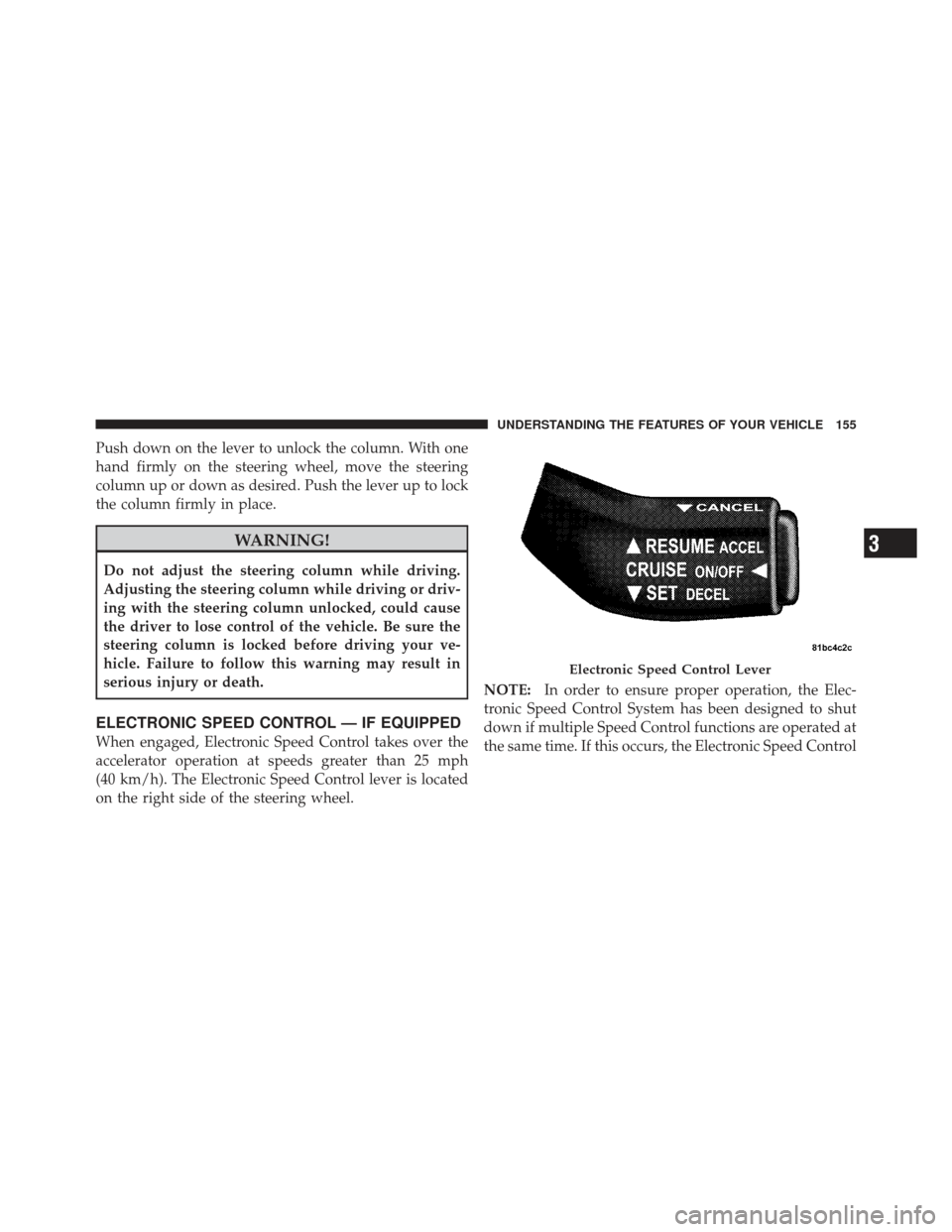
ELECTRONIC SPEED CONTROL — IF EQUIPPED
When engaged, Electronic Speed Control takes over the
accelerator operation at speeds greater than 25 mph
(40 km/h). The Electronic Speed Control lever is located
on the right side of the steering wheel.NOTE:
In order to ensure proper operation, the Elec-
tronic Speed Control System has been designed to shut
down if multiple Speed Control functions are operated at
the same time. If this occurs, the Electronic Speed Control
Electronic Speed Control Lever
3
UNDERSTANDING THE FEATURES OF YOUR VEHICLE 155
Page 158 of 486
System can be reactivated by pushing the Electronic
Speed Control ON/OFF button and resetting the desired
vehicle set speed.
To Activate
Push the ON/OFF button. The CRUISE indicator in the
instrument cluster will illuminate. To turn the system off,
push the ON/OFF button a second time. The CRUISE
indicator will turn off. The system should be turned off
when not in use.
WARNING!
Leaving the Electronic Speed Control system on
when not in use is dangerous. You could accidentally
set the system or cause it to go faster than you want.
You could lose control and have an accident. Always
leave the Electronic Speed Control system off when
you are not using it.
To Set A Desired Speed
Turn the Electronic Speed Control ON. When the vehicle
has reached the desired speed, press down on the Elec-
tronic Speed Control lever and release. Release the accel-
erator and the vehicle will operate at the selected speed.
NOTE:The vehicle should be traveling at a steady
speed and on level ground before pressing the SET lever.
To Deactivate
A soft tap on the brake pedal, pulling the Electronic
Speed Control lever toward you CANCEL, normal brak-
ing or pressing the clutch pedal while slowing the vehicle
will deactivate Electronic Speed Control without erasing
the set speed memory. Pressing the ON/OFF button or
turning the ignition switch OFF erases the set speed
memory.
156 UNDERSTANDING THE FEATURES OF YOUR VEHICLE