instrument panel DODGE CALIBER SRT 2008 1.G User Guide
[x] Cancel search | Manufacturer: DODGE, Model Year: 2008, Model line: CALIBER SRT, Model: DODGE CALIBER SRT 2008 1.GPages: 373, PDF Size: 3 MB
Page 93 of 373
Phone and Network Status Indicators
If available on the radio and/or on a premium display
such as the instrument panel cluster, and supported by
your cell phone, the UConnectŸ system will provide
notification to inform you of your phone and network
status when you are attempting to make a phone call
using UConnectŸ. The status is given for roaming,
network signal strength, phone battery strength, etc.
Dialing Using the Cellular Phone Keypad
You can dial a phone number with your cellular phone
keypad and still use the UConnectŸ system (while
dialing via the cell phone keypad, the user must exercise
caution and take precautionary safety measures). By
dialing a number with your paired BluetoothŸ cellular
phone, the audio will be played through your vehicle's
audio system. The UConnectŸ system will work the
same as if you dial the number using voice recognition.NOTE:Certain brands of mobile phones do not send the
dial ring to the UConnectŸ system to play it on the
vehicle audio system, so you will not hear it. Under this
situation, after successfully dialing a number, the user
may feel that the call did not go through even though the
call is in progress. Once your call is answered, you will
hear the audio.
Mute/Un-Mute (Mute Off)
When you mute the UConnectŸ system, you will still be
able to hear the conversation coming from the other
party, but the other party will not be able to hear you. In
order to mute the UConnectŸ system:
²Press the ªVoice Recognitionº button.
²Following the beep, say9Mute.9
In order to un-mute the UConnectŸ system:
²Press the ªVoice Recognitionº button.
²Following the beep, say9Mute-off.9
92 UNDERSTANDING THE FEATURES OF YOUR VEHICLE
Page 112 of 373
NOTE:The lights will remain on until the switch is
pressed a second time, so be sure they have been turned
off before leaving the vehicle. They will not turn off
automatically.
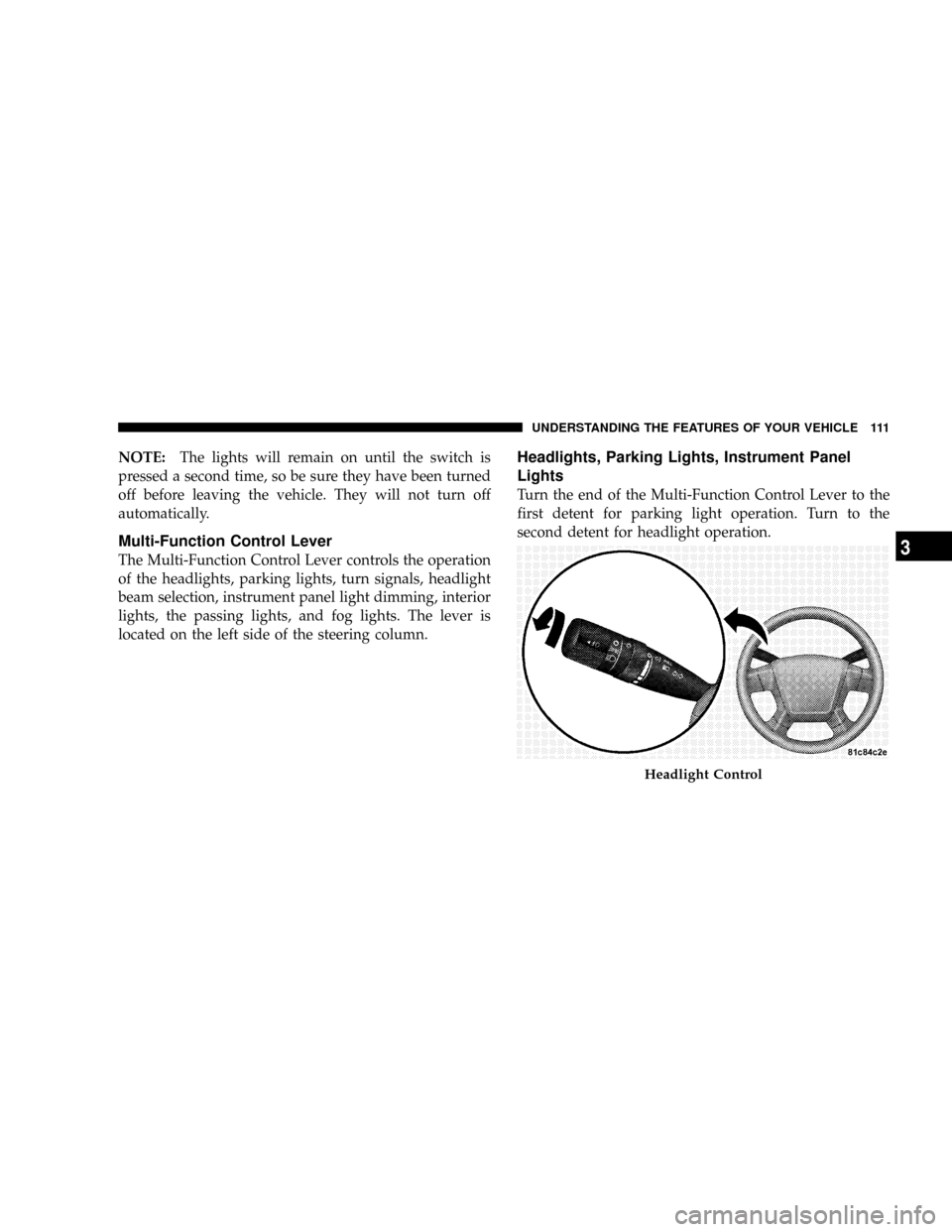
Multi-Function Control Lever
The Multi-Function Control Lever controls the operation
of the headlights, parking lights, turn signals, headlight
beam selection, instrument panel light dimming, interior
lights, the passing lights, and fog lights. The lever is
located on the left side of the steering column.
Headlights, Parking Lights, Instrument Panel
Lights
Turn the end of the Multi-Function Control Lever to the
first detent for parking light operation. Turn to the
second detent for headlight operation.
Headlight Control
UNDERSTANDING THE FEATURES OF YOUR VEHICLE 111
3
Page 113 of 373
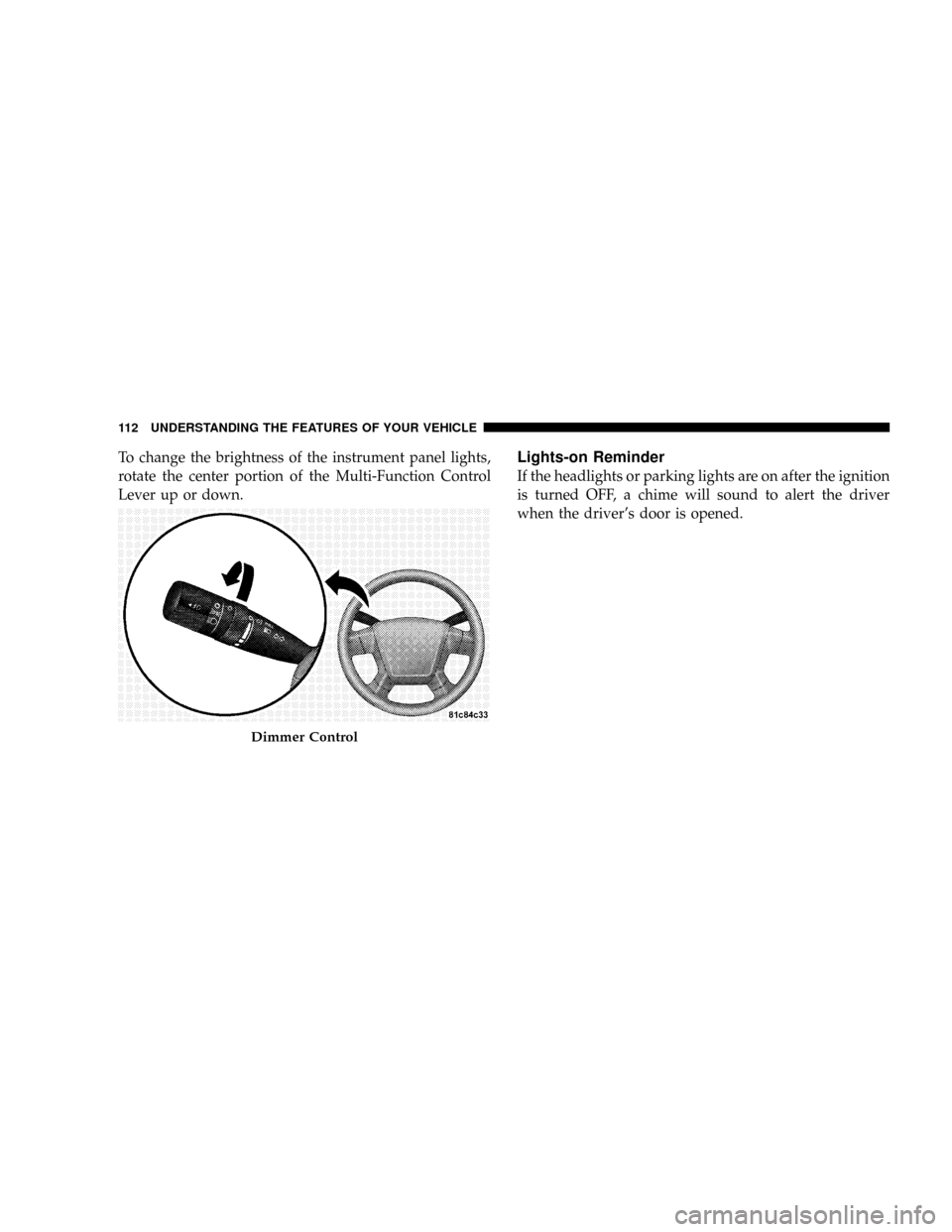
To change the brightness of the instrument panel lights,
rotate the center portion of the Multi-Function Control
Lever up or down.Lights-on Reminder
If the headlights or parking lights are on after the ignition
is turned OFF, a chime will sound to alert the driver
when the driver's door is opened.
Dimmer Control
112 UNDERSTANDING THE FEATURES OF YOUR VEHICLE
Page 152 of 373
UNDERSTANDING YOUR INSTRUMENT PANEL
CONTENTS
mInstrument Panel Features.................155
mInstrument ClusterÐBase.................156
mInstrument Cluster Descriptions............157
mElectronic Vehicle Information Center (EVIC) . . . 166
NEVIC Functions.......................168
NPerformance Pages Ð If Equipped.........169
NCompass/Temperature/Audio Ð
If Equipped.........................171
NAverage Fuel Economy.................172NDistance To Empty (DTE)...............172
NElapsed Time........................172
NTire Pressure Monitor (TPM) Ð
If Equipped.........................172
NPersonal Settings (Customer Programmable
Features)...........................173
mSetting The Compass Variance And Compass
Calibration...........................176
NCompass Variance.....................176
NCompass Calibration...................1784
Page 153 of 373
mRadio General Information................179
NRadio Broadcast Signals.................179
NTwo Types Of Signals..................179
NElectrical Disturbances..................179
NAM Reception.......................179
NFM Reception........................179
mElectronic Digital Clock..................180
NClock Setting Procedure.................180
mSales Code REF Ð AM/FM/CD (Single Disc)
Radio With Optional Satellite Radio And Hands
Free Phone Capability...................181
NOperating Instructions - Radio Mode.......181
NOperation Instructions - CD Mode.........185
NOperation Instructions - Auxiliary Mode.....187NOperating Instructions - Hands Free Phone Ð
If Equipped.........................188
NOperating Instructions - Satellite Radio Ð
If Equipped.........................188
mSales Code RAK ± AM/FM/Cassette/CD (6-Disc)
Radio With Optional Satellite Radio, Hands Free
Phone, Video, MP3, And WMA Capabilities....188
NOperating Instructions - Radio Mode.......189
NOperating Instructions Ð Tape Player.......193
NSeek Button.........................193
NFast Forward (FF).....................193
NRewind (RW)........................193
NTape Eject...........................193
NScan Button.........................194
152 UNDERSTANDING YOUR INSTRUMENT PANEL
Page 154 of 373
NChanging Tape Direction................194
NMetal Tape Selection...................194
NPinch Roller Release...................194
NNoise Reduction......................194
NOperation Instructions - (CD Mode For CD
Audio Play).........................194
NLoad/Eject Button (CD Mode For CD Audio
Play)..............................195
NNotes On Playing MP3 Files.............197
NOperation Instructions - (CD Mode For MP3
And WMA Audio Play).................200
NLoad/Eject Button (CD Mode For MP3 And
WMA Play).........................200
mSales Code REC Ð AM/FM/CD (6±Disc) Radio
With Navigation System..................202NOperating Instructions Ð Satellite Radio
(If Equipped)........................203
NREC Setting The Clock.................203
mSatellite Radio Ð If Equipped..............205
NSystem Activation.....................205
NElectronic Serial Number/Sirius Identification
Number (ESN/SID)....................206
NSelecting Satellite Mode In REF, And RAQ,
Radios.............................206
NSelecting a Channel....................207
NStoring And Selecting Pre-Set Channels......207
NUsing The PTY (Program Type) Button
(If Equipped)........................208
NPTY Button9Scan9.....................208
UNDERSTANDING YOUR INSTRUMENT PANEL 153
4
Page 155 of 373
NPTY Button9Seek9.....................208
NSatellite Antenna......................208
NReception Quality.....................209
mRemote Sound System Controls Ð If Equipped . . 209
NRadio Operation......................210
NCD Player..........................210mCD/DVD Disc Maintenance...............211
mRadio Operation And Cellular Phones........211
mTurbo Boost Gauge.....................212
mClimate Controls.......................213
NClimate Controls......................213
NAir Filtration System ± If Equipped........217
NOperating Tips.......................218
154 UNDERSTANDING YOUR INSTRUMENT PANEL
Page 156 of 373
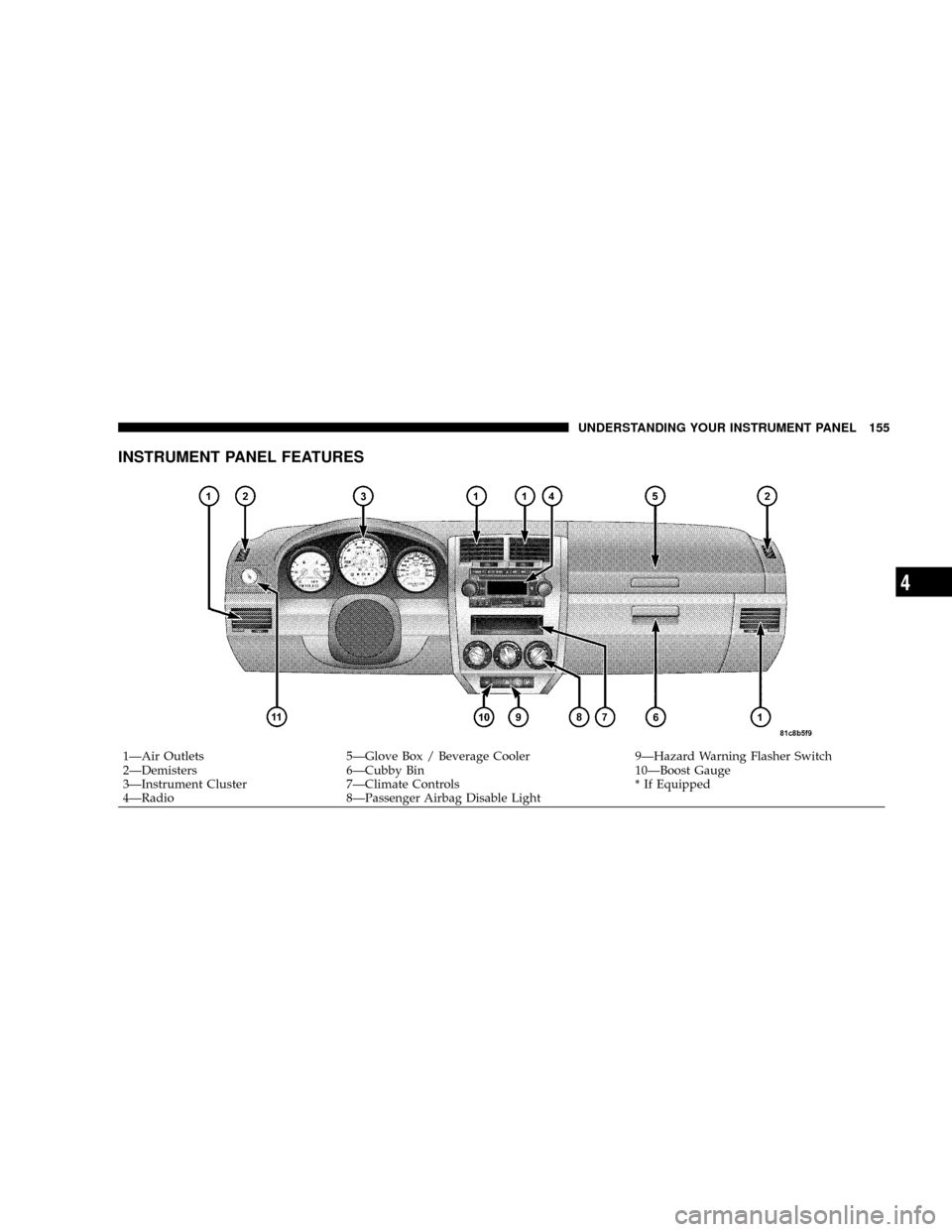
INSTRUMENT PANEL FEATURES
1ÐAir Outlets 5ÐGlove Box / Beverage Cooler 9ÐHazard Warning Flasher Switch
2ÐDemisters 6ÐCubby Bin 10ÐBoost Gauge
3ÐInstrument Cluster 7ÐClimate Controls * If Equipped
4ÐRadio 8ÐPassenger Airbag Disable LightUNDERSTANDING YOUR INSTRUMENT PANEL 155
4
Page 157 of 373
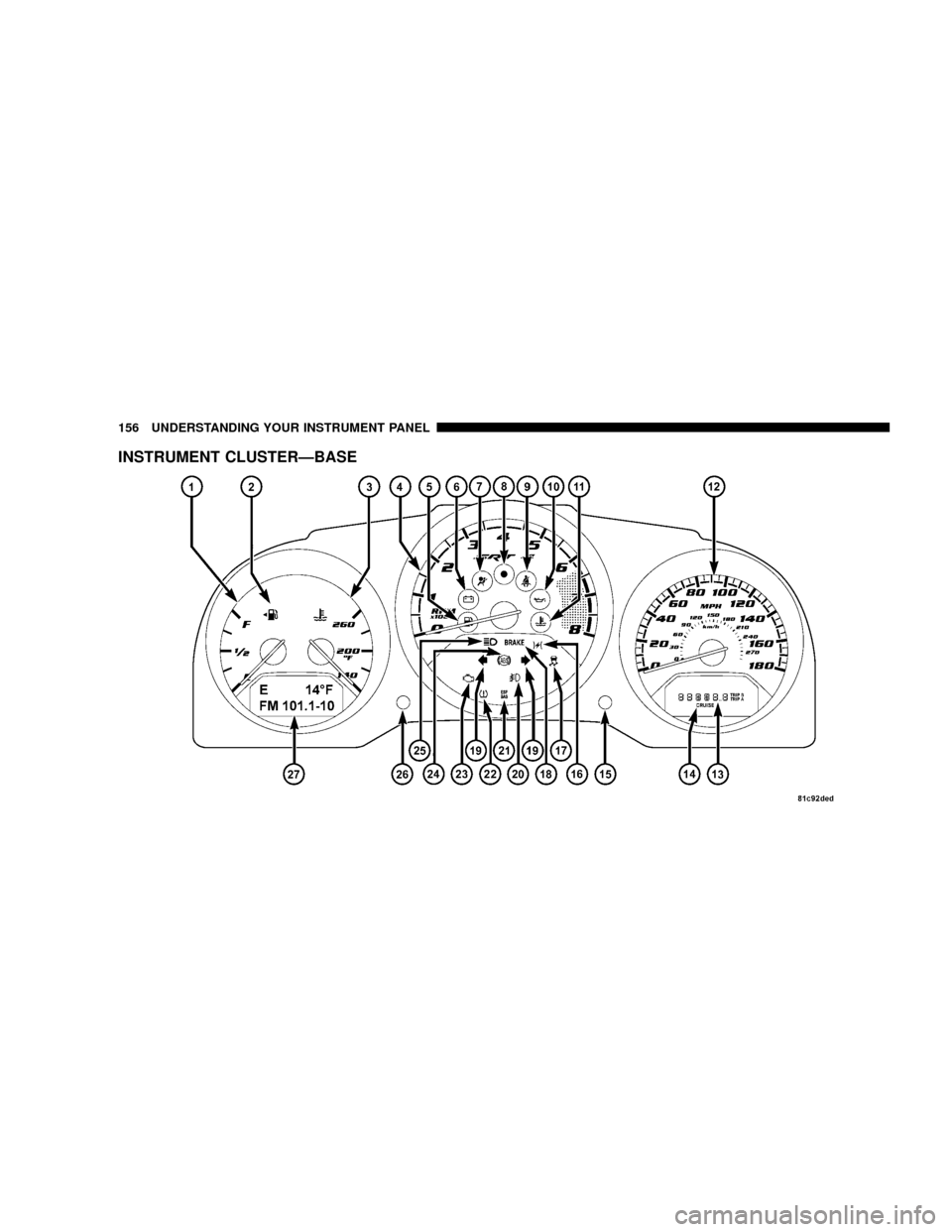
INSTRUMENT CLUSTERÐBASE
156 UNDERSTANDING YOUR INSTRUMENT PANEL
Page 158 of 373
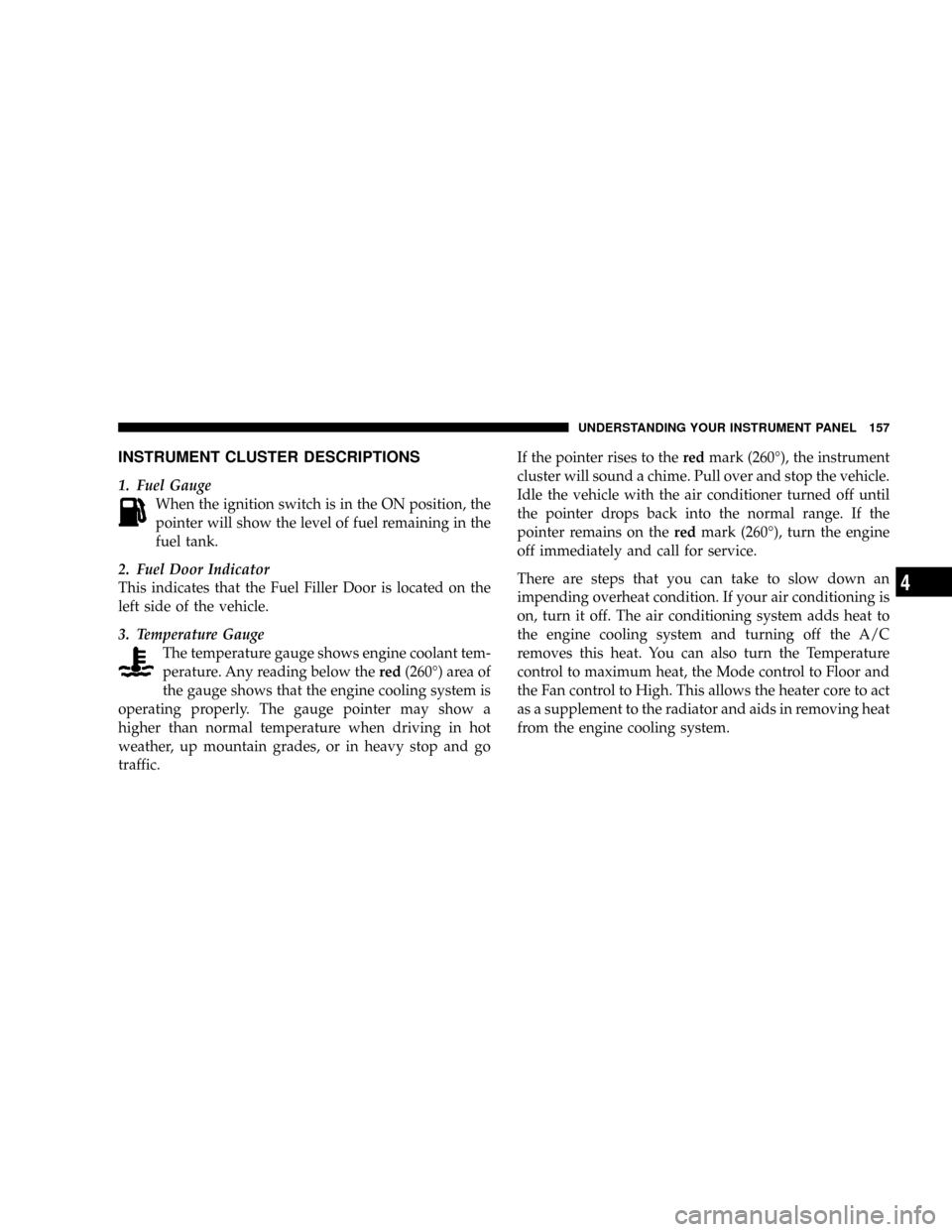
INSTRUMENT CLUSTER DESCRIPTIONS
1. Fuel Gauge
When the ignition switch is in the ON position, the
pointer will show the level of fuel remaining in the
fuel tank.
2. Fuel Door Indicator
This indicates that the Fuel Filler Door is located on the
left side of the vehicle.
3. Temperature Gauge
The temperature gauge shows engine coolant tem-
perature. Any reading below thered(260É) area of
the gauge shows that the engine cooling system is
operating properly. The gauge pointer may show a
higher than normal temperature when driving in hot
weather, up mountain grades, or in heavy stop and go
traffic.If the pointer rises to theredmark (260É), the instrument
cluster will sound a chime. Pull over and stop the vehicle.
Idle the vehicle with the air conditioner turned off until
the pointer drops back into the normal range. If the
pointer remains on theredmark (260É), turn the engine
off immediately and call for service.
There are steps that you can take to slow down an
impending overheat condition. If your air conditioning is
on, turn it off. The air conditioning system adds heat to
the engine cooling system and turning off the A/C
removes this heat. You can also turn the Temperature
control to maximum heat, the Mode control to Floor and
the Fan control to High. This allows the heater core to act
as a supplement to the radiator and aids in removing heat
from the engine cooling system.
UNDERSTANDING YOUR INSTRUMENT PANEL 157
4