light DODGE CALIBER SRT 2008 1.G Owner's Guide
[x] Cancel search | Manufacturer: DODGE, Model Year: 2008, Model line: CALIBER SRT, Model: DODGE CALIBER SRT 2008 1.GPages: 373, PDF Size: 3 MB
Page 125 of 373
Your vehicle should be parked outside of the garage
when programming.
1. Turn the ignition switch to the ON/RUN position.
2. Hold the battery side of the hand-held transmitter
away from the HomeLinktbutton you wish to program.
Place the hand-held transmitter 1±3 in (3-8 cm) away
from the HomeLinktbutton you wish to program while
keeping the indicator light in view.
3. Simultaneously press and hold both the chosen
HomeLinktbutton and the hand-held transmitter button
until the HomeLinktindicator changes from a slow to a
rapidly blinking light, then release both the HomeLinkt
and hand-held transmitter buttons.
Watch for the HomeLinktindicator to change flash rates.
When it changes, it is programmed. It may take up to 30
seconds, or longer in rare cases. The garage door may
open and close while you train.NOTE:
²Some gate operators and garage door openers may
require you to replace Step 3 with procedures noted in
the ªGate Operator/Canadian Programmingº section.
²After training a HomeLinktchannel, if the garage
door does not operate with HomeLinktand the ga-
rage door opener was manufactured after 1995, the
garage door opener may have a rolling code. If so,
proceed to the heading ªProgramming A Rolling Code
System.º
4. Press and hold the just-trained HomeLinktbutton
and observe the indicator light.
If the indicator light stays on constantly, programming is
complete and the garage door (or device) should activate
when the HomeLinktbutton is pressed.
124 UNDERSTANDING THE FEATURES OF YOUR VEHICLE
Page 126 of 373
If the indicator light blinks rapidly for two seconds, and
then turns to a constant light, continue with program-
ming for a Rolling Code.
5. PROGRAMMING A ROLLING CODE SYSTEM
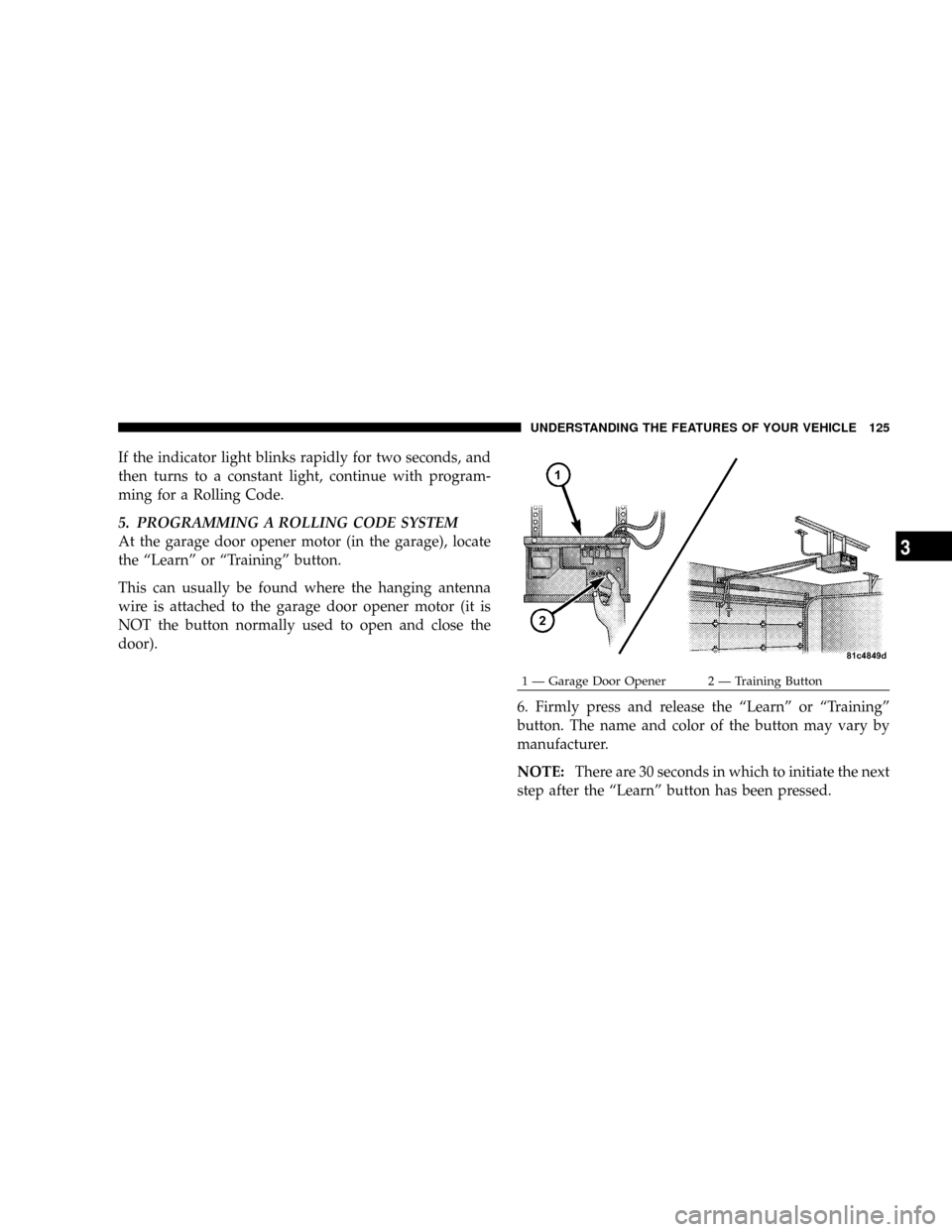
At the garage door opener motor (in the garage), locate
the ªLearnº or ªTrainingº button.
This can usually be found where the hanging antenna
wire is attached to the garage door opener motor (it is
NOT the button normally used to open and close the
door).
6. Firmly press and release the ªLearnº or ªTrainingº
button. The name and color of the button may vary by
manufacturer.
NOTE:There are 30 seconds in which to initiate the next
step after the ªLearnº button has been pressed.
1 Ð Garage Door Opener 2 Ð Training ButtonUNDERSTANDING THE FEATURES OF YOUR VEHICLE 125
3
Page 127 of 373
7. Return to the vehicle and press the programmed
HomeLinktbutton twice (holding the button for two
seconds each time). If the device is plugged in and
activates, programming is complete.
If the device does not activate, press the button a third
time (for two seconds) to complete the training.
If you have any problems, or require assistance, please
call toll-free 1±800±355±3515 or, on the Internet at
www.HomeLink.com for information or assistance.
To program the remaining two HomeLinktbuttons,
repeat each step for each remaining button. DO NOT
erase the channels.
Gate Operator/Canadian Programming
Canadian radio-frequency laws require transmitter sig-
nals to ªtime-outº (or quit) after several seconds of
transmission ± which may not be long enough for
HomeLinktto pick up the signal during programming.Similar to this Canadian law, some U.S. gate operators are
designed to ªtime-outº in the same manner.
It may be helpful to unplug the device during the cycling
process to prevent possible overheating of the garage
door or gate motor.
If you are having difficulties programming a garage door
opener or a gate operator, replace ªProgramming
HomeLinktº Step 3 with the following:
3. Continue to press and hold the HomeLinktbutton
while you press and release - every two seconds
(ªcycleº) your hand-held transmitter until HomeLinkt
has successfully accepted the frequency signal. The
indicator light will flash slowly and then rapidly when
fully trained.
If you unplugged the device for training, plug it back in
at this time.
Then proceed with Step 4 under ªProgramming
HomeLinktº earlier in this section.
126 UNDERSTANDING THE FEATURES OF YOUR VEHICLE
Page 128 of 373
Using HomeLinkT
To operate, simply press and release the programmed
HomeLinktbutton. Activation will now occur for the
trained device (i.e., garage door opener, gate operator,
Security system, entry door lock, home/office lighting,
etc. The hand-held transmitter of the device may also be
used at any time.
Reprogramming A Single HomeLinkTButton
To re-program a channel that has been previously
trained, follow these steps:
1. Turn the ignition switch to the ON/RUN position.
2. Press and hold the desired HomeLinktbutton until
the indicator light begins to flash after 20 seconds.Do not
release the button.
3.Without releasing the button,proceed with Program-
ming HomelinktStep 2 and follow all remaining steps.
Security
It is advised to erase all channels before you sell or turn
in your vehicle.
To do this, press and hold the two outside buttons for 20
seconds until the red indicator flashes. Note that all
channels will be erased. Individual channels cannot be
erased.
The HomeLinktUniversal Transceiver is disabled when
the Vehicle Security Alarm is active.
Troubleshooting Tips
If you are having trouble programming HomeLinkt, here
are some of the most common solutions:
²Replace the battery in the original transmitter.
²Press the ªLearnº button on the Garage Door Opener
to complete the training for a Rolling Code.
UNDERSTANDING THE FEATURES OF YOUR VEHICLE 127
3
Page 132 of 373
ESP (Electronic Stability Program)
This system enhances directional control and stability of
the vehicle under various driving conditions. ESP cor-
rects for over/under steering of the vehicle by applying
the brake of the appropriate wheel to assist in counter-
acting the over/under steer condition. Engine power
may also be reduced to help the vehicle maintain the
desired path. ESP uses sensors in the vehicle to determine
the vehicle path intended by the driver and compares it
to the actual path of the vehicle. When the actual path
does not match the intended path, ESP applies the brake
of the appropriate wheel to assist in counteracting the
oversteer or understeer condition.
²Oversteer - when the vehicle is turning more than
appropriate for the steering wheel position.
²Understeer - when the vehicle is turning less than
appropriate for the steering wheel position.
ESP/TCS Indicator Light
The ªESP/TCS Indicator Lightº located in the instrument
cluster, starts to flash as soon as the tires lose traction and
the ESP system becomes active. The ªESP/TCS Indicator
Lightº also flashes when TCS is active. If the ªESP/TCS
Indicator Lightº begins to flash during acceleration, ease
up on the accelerator and apply as little throttle as
possible. Be sure to adapt your speed and driving to the
prevailing road conditions.
UNDERSTANDING THE FEATURES OF YOUR VEHICLE 131
3
Page 133 of 373
WARNING!
²Electronic Stability Program (ESP) cannot prevent
the natural laws of physics from acting on the
vehicle, nor can it increase the traction afforded by
prevailing road conditions.
²ESP cannot prevent accidents, including those
resulting from excessive speed in turns, driving on
very slippery surfaces, or hydroplaning. Only a
safe, attentive, and skillful driver can prevent
accidents.
²The capabilities of an ESP-equipped vehicle must
never be exploited in a reckless or dangerous
manner which could jeopardize the user's safety
or the safety of others.
ESP Operating Modes
The ESP system has 2 available operating modes.
ESP ON
This is the normal operating mode for ESP. Whenever the
vehicle is started the ESP system will be in this mode.
This mode should be used for most driving situations.
ESP should only be turned to ªPartial ESPº for specific
reasons as noted below.
PARTIAL ESP
This mode is entered by momentarily depressing the
ªESP OFFº button.
When in ªPartial ESPº mode, the TCS portion of ESP has
been disabled, the thresholds for ESP activation are
raised, and the ªESP/TCS Indicator Lightº will be illu-
minated. This mode is intended to be used for a more
spirited driving experience, or if the vehicle is in deep
snow, sand, or gravel conditions and more wheel spin
than ESP would normally allow is required.
132 UNDERSTANDING THE FEATURES OF YOUR VEHICLE
Page 134 of 373
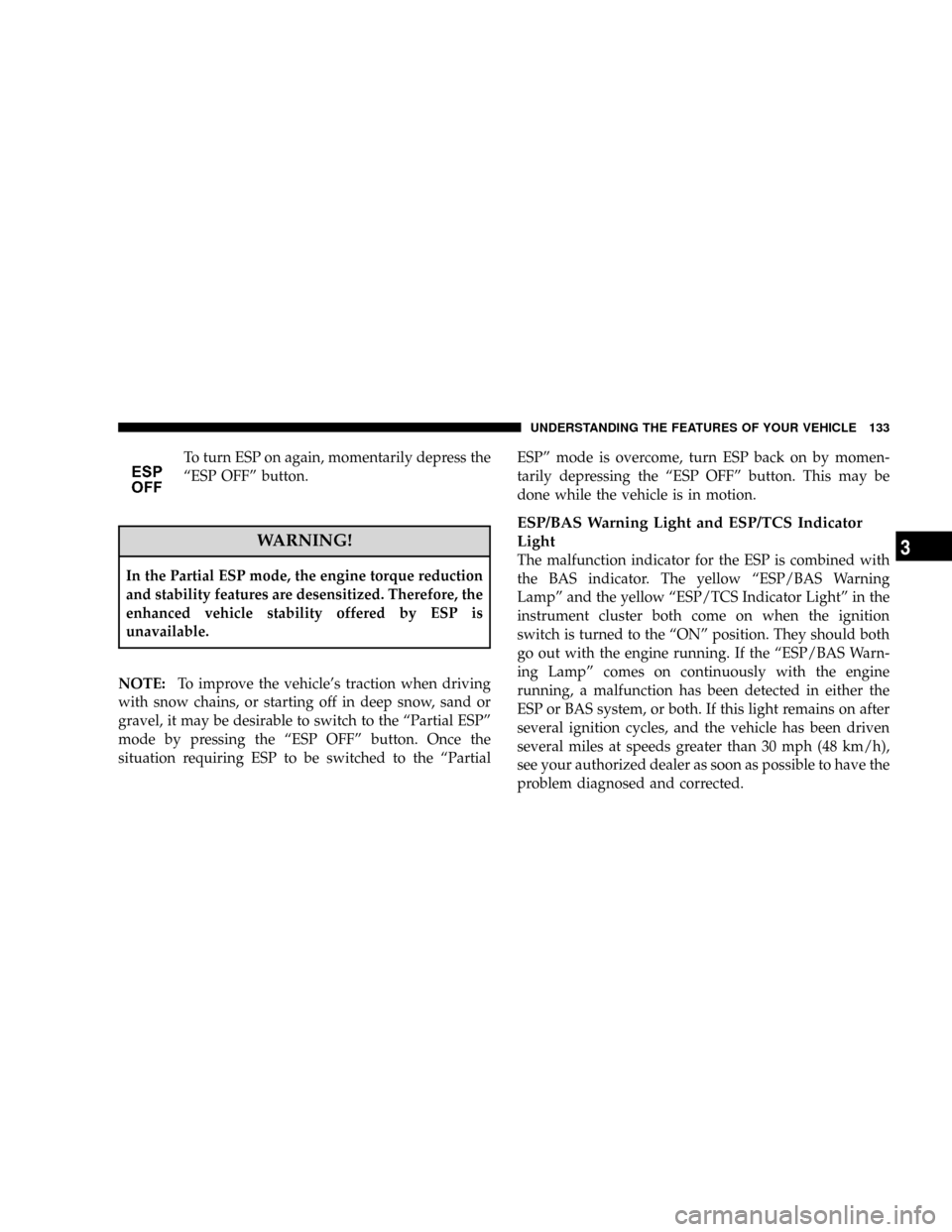
To turn ESP on again, momentarily depress the
ªESP OFFº button.
WARNING!
In the Partial ESP mode, the engine torque reduction
and stability features are desensitized. Therefore, the
enhanced vehicle stability offered by ESP is
unavailable.
NOTE:To improve the vehicle's traction when driving
with snow chains, or starting off in deep snow, sand or
gravel, it may be desirable to switch to the ªPartial ESPº
mode by pressing the ªESP OFFº button. Once the
situation requiring ESP to be switched to the ªPartialESPº mode is overcome, turn ESP back on by momen-
tarily depressing the ªESP OFFº button. This may be
done while the vehicle is in motion.
ESP/BAS Warning Light and ESP/TCS Indicator
Light
The malfunction indicator for the ESP is combined with
the BAS indicator. The yellow ªESP/BAS Warning
Lampº and the yellow ªESP/TCS Indicator Lightº in the
instrument cluster both come on when the ignition
switch is turned to the ªONº position. They should both
go out with the engine running. If the ªESP/BAS Warn-
ing Lampº comes on continuously with the engine
running, a malfunction has been detected in either the
ESP or BAS system, or both. If this light remains on after
several ignition cycles, and the vehicle has been driven
several miles at speeds greater than 30 mph (48 km/h),
see your authorized dealer as soon as possible to have the
problem diagnosed and corrected.
UNDERSTANDING THE FEATURES OF YOUR VEHICLE 133
3
Page 135 of 373
NOTE:
²The ªESP Indicator Lightº and the ªESP/BAS Warning
Lightº come on momentarily each time the ignition
switch is turned ON.
²Each time the ignition is turned ON, the ESP System
will be ON even if it was turned off previously.
²The ESP Control System will make buzzing or clicking
sounds when it is active. This is normal; the sounds
will stop when ESP becomes inactive following the
maneuver that caused the ESP activation.
POWER SUNROOF Ð IF EQUIPPED
The power sunroof switch is located in the reading lamp.
Power Sunroof Switch
134 UNDERSTANDING THE FEATURES OF YOUR VEHICLE
Page 141 of 373
Electrical Outlet Use With Engine Off
CAUTION!
²Many accessories that can be plugged in draw
power from the vehicle's battery, even when not in
use (i.e. cellular phones, etc.). Eventually, if
plugged in long enough, the vehicle's battery will
discharge sufficiently to degrade battery life
and/or prevent engine starting.
²Accessories that draw higher power (i.e. coolers,
vacuum cleaners, lights, etc.); will degrade the
battery even more quickly. Only use these inter-
mittently and with greater caution.
²After the use of high power draw accessories, or
long periods of the vehicle not being started (with
accessories still plugged in), the vehicle must be
driven a sufficient length of time to allow the
generator to recharge the vehicle's battery.
CONSOLE FEATURES
WARNING!
Do not operate this vehicle with the console compart-
ment lid in the open position. Cell phones, music
players, and other hand held electronic devices
should be stowed while driving. Use of these devices
while driving can cause an accident due to distrac-
tion, resulting in death or injury.
The floor console's sliding armrest moves forward 3
inches to accommodate shorter drivers. The armrest lid
also includes a unique flip pocket for holding or stowing
a phone or an MP3 player. The bin inside the console can
hold up to 10 CD jewel cases or other items securely out
of sight.
140 UNDERSTANDING THE FEATURES OF YOUR VEHICLE
Page 142 of 373
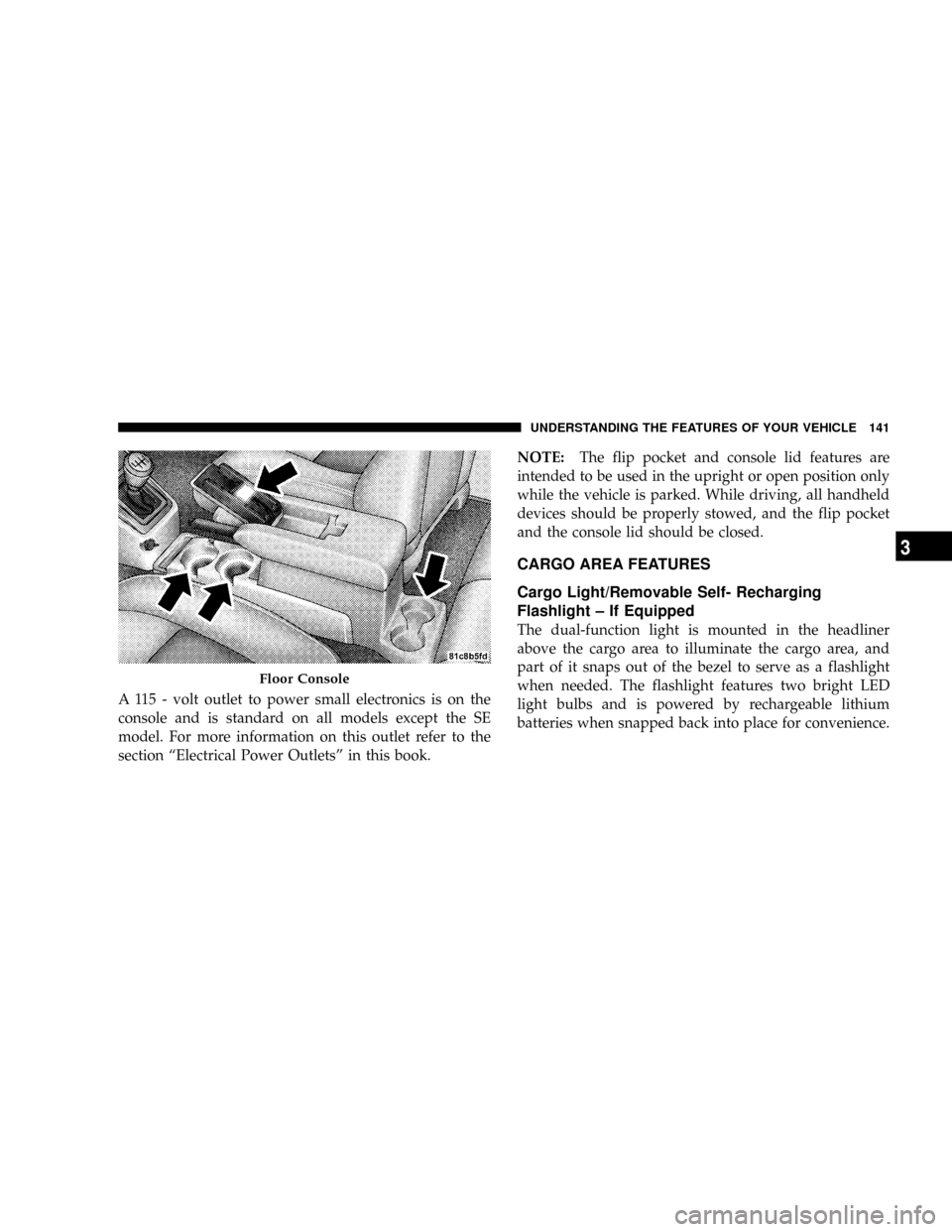
A 115 - volt outlet to power small electronics is on the
console and is standard on all models except the SE
model. For more information on this outlet refer to the
section ªElectrical Power Outletsº in this book.NOTE:The flip pocket and console lid features are
intended to be used in the upright or open position only
while the vehicle is parked. While driving, all handheld
devices should be properly stowed, and the flip pocket
and the console lid should be closed.
CARGO AREA FEATURES
Cargo Light/Removable Self- Recharging
Flashlight ± If Equipped
The dual-function light is mounted in the headliner
above the cargo area to illuminate the cargo area, and
part of it snaps out of the bezel to serve as a flashlight
when needed. The flashlight features two bright LED
light bulbs and is powered by rechargeable lithium
batteries when snapped back into place for convenience.
Floor Console
UNDERSTANDING THE FEATURES OF YOUR VEHICLE 141
3