turn signal DODGE CALIBER SRT 2008 1.G Owners Manual
[x] Cancel search | Manufacturer: DODGE, Model Year: 2008, Model line: CALIBER SRT, Model: DODGE CALIBER SRT 2008 1.GPages: 373, PDF Size: 3 MB
Page 13 of 373
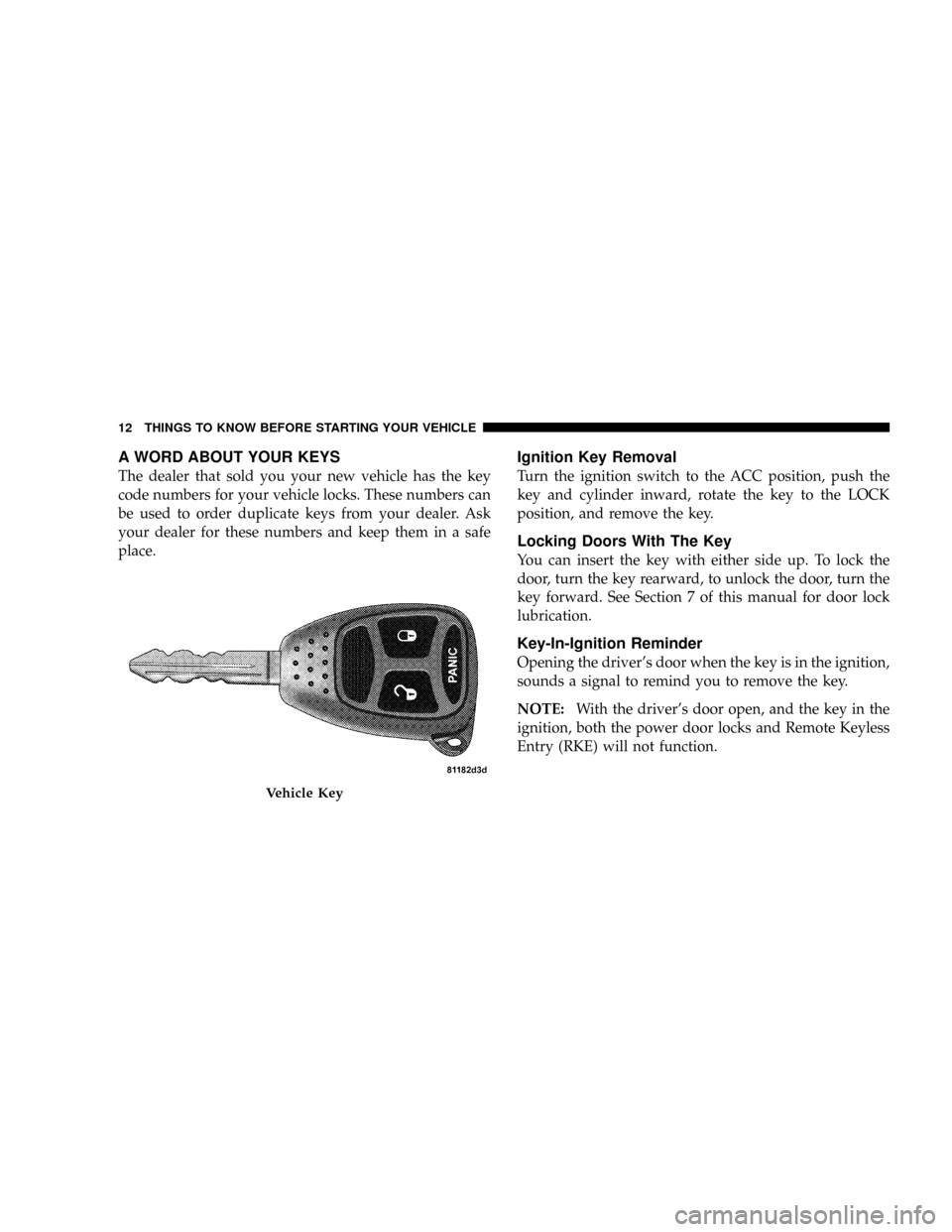
A WORD ABOUT YOUR KEYS
The dealer that sold you your new vehicle has the key
code numbers for your vehicle locks. These numbers can
be used to order duplicate keys from your dealer. Ask
your dealer for these numbers and keep them in a safe
place.
Ignition Key Removal
Turn the ignition switch to the ACC position, push the
key and cylinder inward, rotate the key to the LOCK
position, and remove the key.
Locking Doors With The Key
You can insert the key with either side up. To lock the
door, turn the key rearward, to unlock the door, turn the
key forward. See Section 7 of this manual for door lock
lubrication.
Key-In-Ignition Reminder
Opening the driver's door when the key is in the ignition,
sounds a signal to remind you to remove the key.
NOTE:With the driver's door open, and the key in the
ignition, both the power door locks and Remote Keyless
Entry (RKE) will not function.
Vehicle Key
12 THINGS TO KNOW BEFORE STARTING YOUR VEHICLE
Page 25 of 373
5. If the desired programming was not achieved or to
reactivate this feature, repeat the above steps.
To Lock the Doors and Liftgate
Press and release the LOCK button on the transmitter to
lock all doors. The turn signal lights will flash and the
horn will chip once to acknowledge the lock signal. If
desired, the ªSound Horn On Lockº feature can be
turned on or off. On electronic vehicle information center
(EVIC) equipped vehicles refer to ªPersonal Settingsº in
the ªElectronic Vehicle Information Center (EVIC)º sec-
tion of this manual. On non EVIC ± equipped vehicles
perform the following steps:
1. Press the LOCK button for 4 to 10 seconds.
2. While the LOCK button is pressed (after 4 seconds),
press the PANIC button. Release both buttons.The ªSound Horn On Lockº and ªFlash Lamps With
Lockº feature can be reactivated by repeating this proce-
dure.Using The Panic Alarm
To turn the panic alarm feature ON or OFF, press and
hold the PANIC button on the transmitter for at least one
second and release. When the panic alarm is on, the
headlights and park lights will flash, the horn will pulse
on and off and the interior lights will turn on.
The panic alarm will stay on for 3 minutes unless you
turn it off by pressing the PANIC button a second time or
if the vehicle speed is 5 mph (8 km/h) or greater.
NOTE:When you turn off the panic alarm by pressing
the PANIC button a second time, you may have to be
closer to the vehicle due to the radio frequency noises of
the system.
24 THINGS TO KNOW BEFORE STARTING YOUR VEHICLE
Page 68 of 373
Periodic Safety Checks You Should Make Outside
The Vehicle
Tires
Examine tires for excessive tread wear or uneven wear
patterns. Check for stones, nails, glass, or other objects
lodged in the tread. Inspect tread and sidewall for cuts or
cracks. Check wheel nuts for tightness, and tires (includ-
ing spare) for proper pressure.
Lights
Have someone observe the operation of exterior lights
while you work the controls. Check turn signal and high
beam indicator lights on the instrument panel.
Fluid Leaks
Check area under vehicle after overnight parking for fuel,
engine coolant, oil or other fluid leaks. Also, if gasoline
fumes are detected or fuel, power steering fluid, trans-
mission fluid or brake fluid leaks are suspected, the cause
should be located and corrected immediately.
THINGS TO KNOW BEFORE STARTING YOUR VEHICLE 67
2
Page 71 of 373
NManual Seat Height Adjustment...........104
NManual Lumbar......................105
NDriver's Seat Back Recline...............105
NAdjustable Head Restraints..............106
NFolding Rear Seat.....................107
NReclining Rear Seat Ð If Equipped.........108
mTo Open And Close The Hood.............109
mLights...............................110
NMap/Reading Lights...................110
NMulti-Function Control Lever.............111
NHeadlights, Parking Lights, Instrument Panel
Lights.............................111
NLights-On Reminder...................112NFog Lights Ð If Equipped...............113
NTurn Signals.........................113
NHighbeam/Lowbeam Select Switch.........114
NPassing Light........................115
mDaytime Running Lights (DRL) Ð If Equipped . . 115
NFunctionality........................115
mWindshield Wipers And Washers...........115
NWindshield Washers...................115
NMist Feature.........................116
NWindshield Wiper Operation.............117
NIntermittent Wiper System...............117
NAdding Washer Fluid..................118
mTilt Steering Column....................118
70 UNDERSTANDING THE FEATURES OF YOUR VEHICLE
Page 112 of 373
NOTE:The lights will remain on until the switch is
pressed a second time, so be sure they have been turned
off before leaving the vehicle. They will not turn off
automatically.
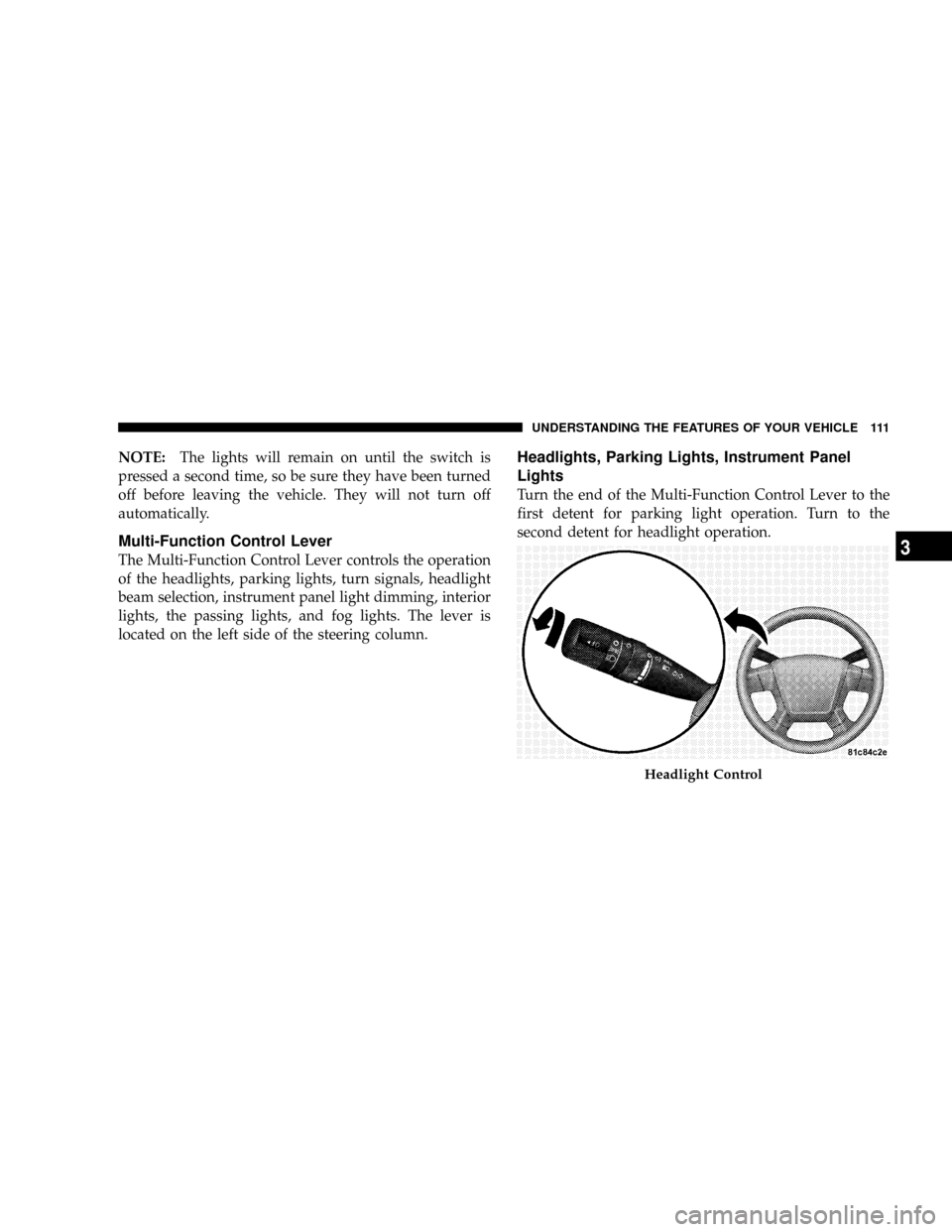
Multi-Function Control Lever
The Multi-Function Control Lever controls the operation
of the headlights, parking lights, turn signals, headlight
beam selection, instrument panel light dimming, interior
lights, the passing lights, and fog lights. The lever is
located on the left side of the steering column.
Headlights, Parking Lights, Instrument Panel
Lights
Turn the end of the Multi-Function Control Lever to the
first detent for parking light operation. Turn to the
second detent for headlight operation.
Headlight Control
UNDERSTANDING THE FEATURES OF YOUR VEHICLE 111
3
Page 114 of 373
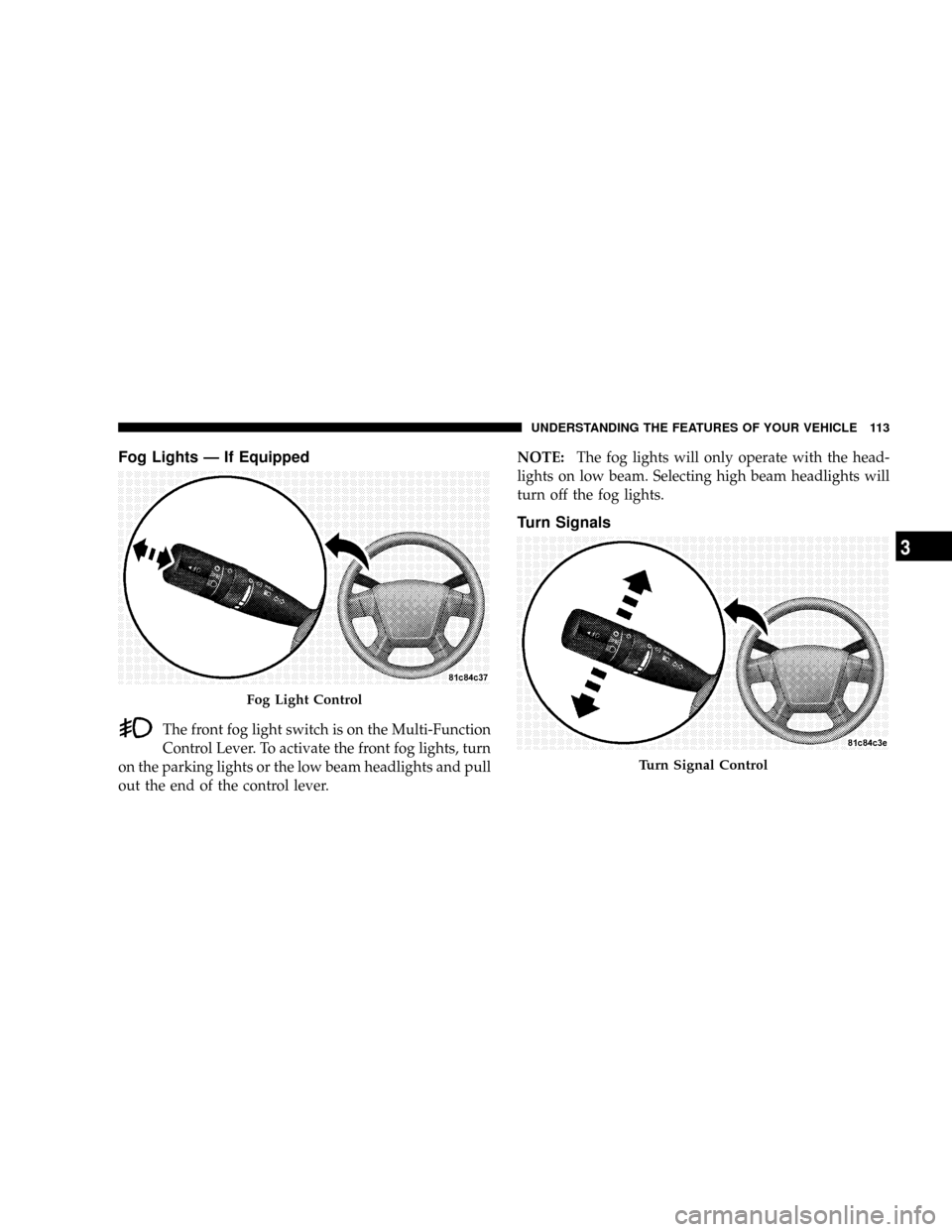
Fog Lights Ð If Equipped
The front fog light switch is on the Multi-Function
Control Lever. To activate the front fog lights, turn
on the parking lights or the low beam headlights and pull
out the end of the control lever.NOTE:The fog lights will only operate with the head-
lights on low beam. Selecting high beam headlights will
turn off the fog lights.
Turn Signals
Fog Light Control
Turn Signal Control
UNDERSTANDING THE FEATURES OF YOUR VEHICLE 113
3
Page 115 of 373
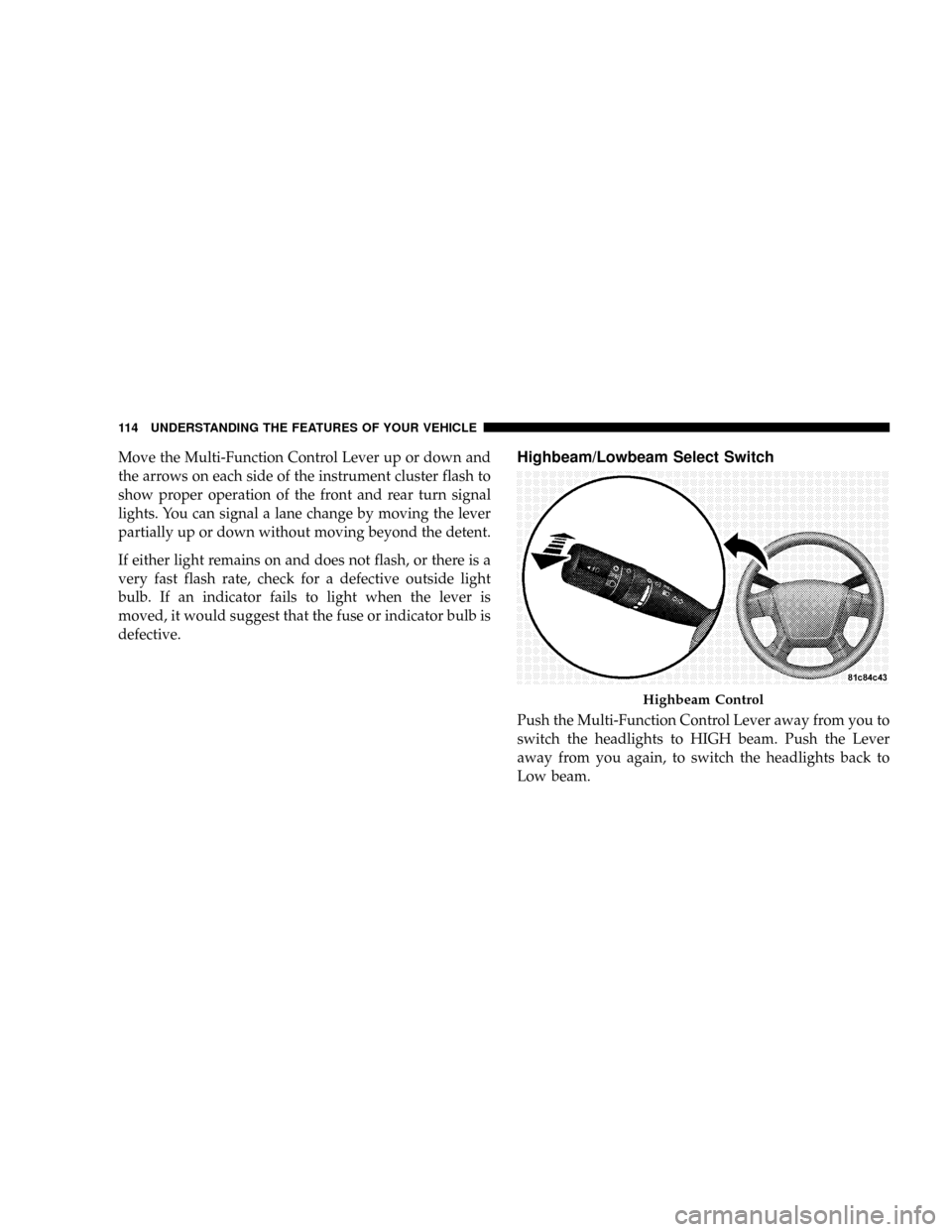
Move the Multi-Function Control Lever up or down and
the arrows on each side of the instrument cluster flash to
show proper operation of the front and rear turn signal
lights. You can signal a lane change by moving the lever
partially up or down without moving beyond the detent.
If either light remains on and does not flash, or there is a
very fast flash rate, check for a defective outside light
bulb. If an indicator fails to light when the lever is
moved, it would suggest that the fuse or indicator bulb is
defective.Highbeam/Lowbeam Select Switch
Push the Multi-Function Control Lever away from you to
switch the headlights to HIGH beam. Push the Lever
away from you again, to switch the headlights back to
Low beam.
Highbeam Control
114 UNDERSTANDING THE FEATURES OF YOUR VEHICLE
Page 116 of 373
Passing Light
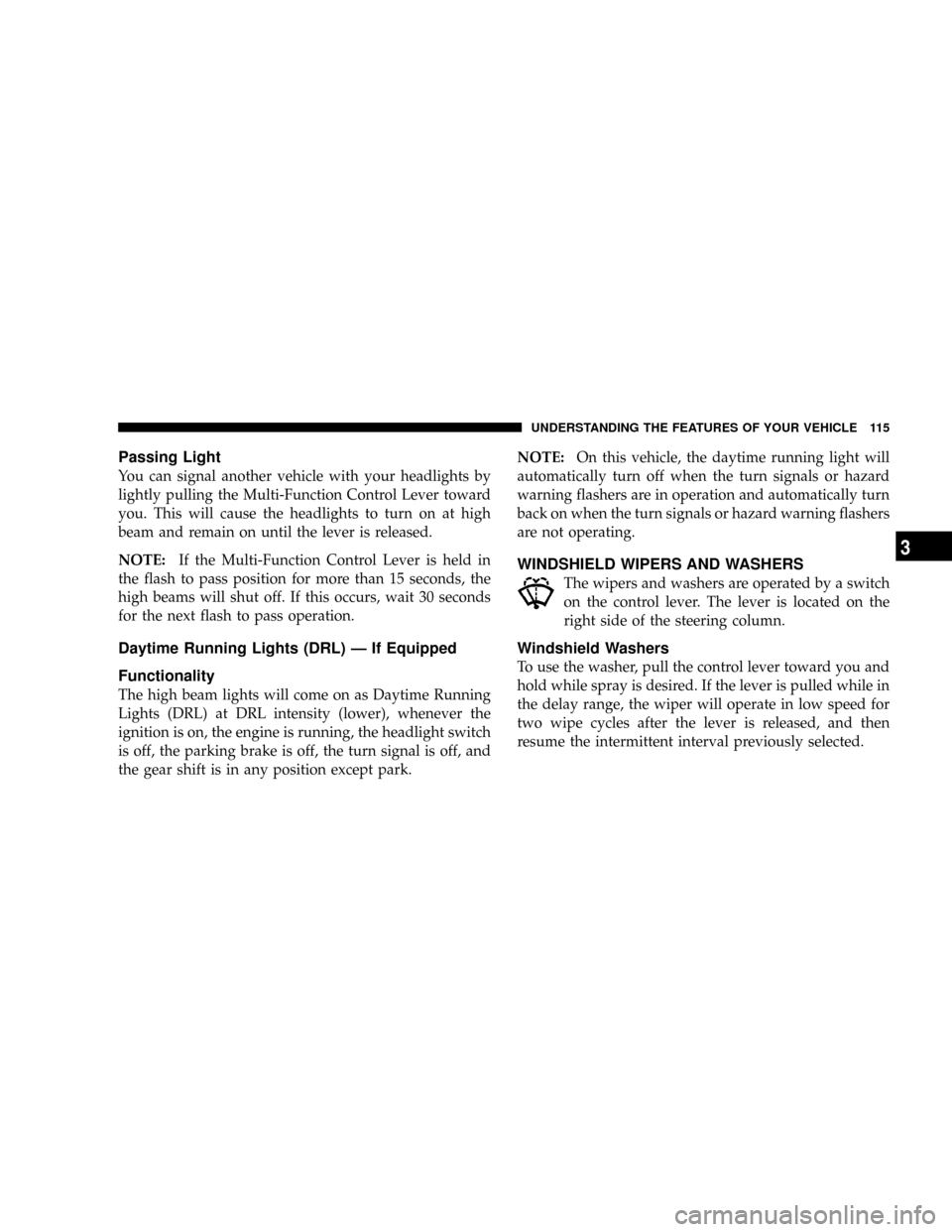
You can signal another vehicle with your headlights by
lightly pulling the Multi-Function Control Lever toward
you. This will cause the headlights to turn on at high
beam and remain on until the lever is released.
NOTE:If the Multi-Function Control Lever is held in
the flash to pass position for more than 15 seconds, the
high beams will shut off. If this occurs, wait 30 seconds
for the next flash to pass operation.
Daytime Running Lights (DRL) Ð If Equipped
Functionality
The high beam lights will come on as Daytime Running
Lights (DRL) at DRL intensity (lower), whenever the
ignition is on, the engine is running, the headlight switch
is off, the parking brake is off, the turn signal is off, and
the gear shift is in any position except park.NOTE:On this vehicle, the daytime running light will
automatically turn off when the turn signals or hazard
warning flashers are in operation and automatically turn
back on when the turn signals or hazard warning flashers
are not operating.
WINDSHIELD WIPERS AND WASHERS
The wipers and washers are operated by a switch
on the control lever. The lever is located on the
right side of the steering column.
Windshield Washers
To use the washer, pull the control lever toward you and
hold while spray is desired. If the lever is pulled while in
the delay range, the wiper will operate in low speed for
two wipe cycles after the lever is released, and then
resume the intermittent interval previously selected.
UNDERSTANDING THE FEATURES OF YOUR VEHICLE 115
3
Page 119 of 373
(counterclockwise) to increase the delay time. The delay
can be regulated from a maximum of approximately 18
seconds between cycles, to a cycle every second.
Adding Washer Fluid
The fluid reservoir for the windshield washers and the
rear window washer (If Equipped) is shared. It is located
in the front of the engine compartment on the passenger
side and should be checked for fluid level at regular
intervals. Fill the reservoir with windshield washer sol-
vent (not radiator antifreeze) and operate the system for
a few seconds to flush out the residual water.
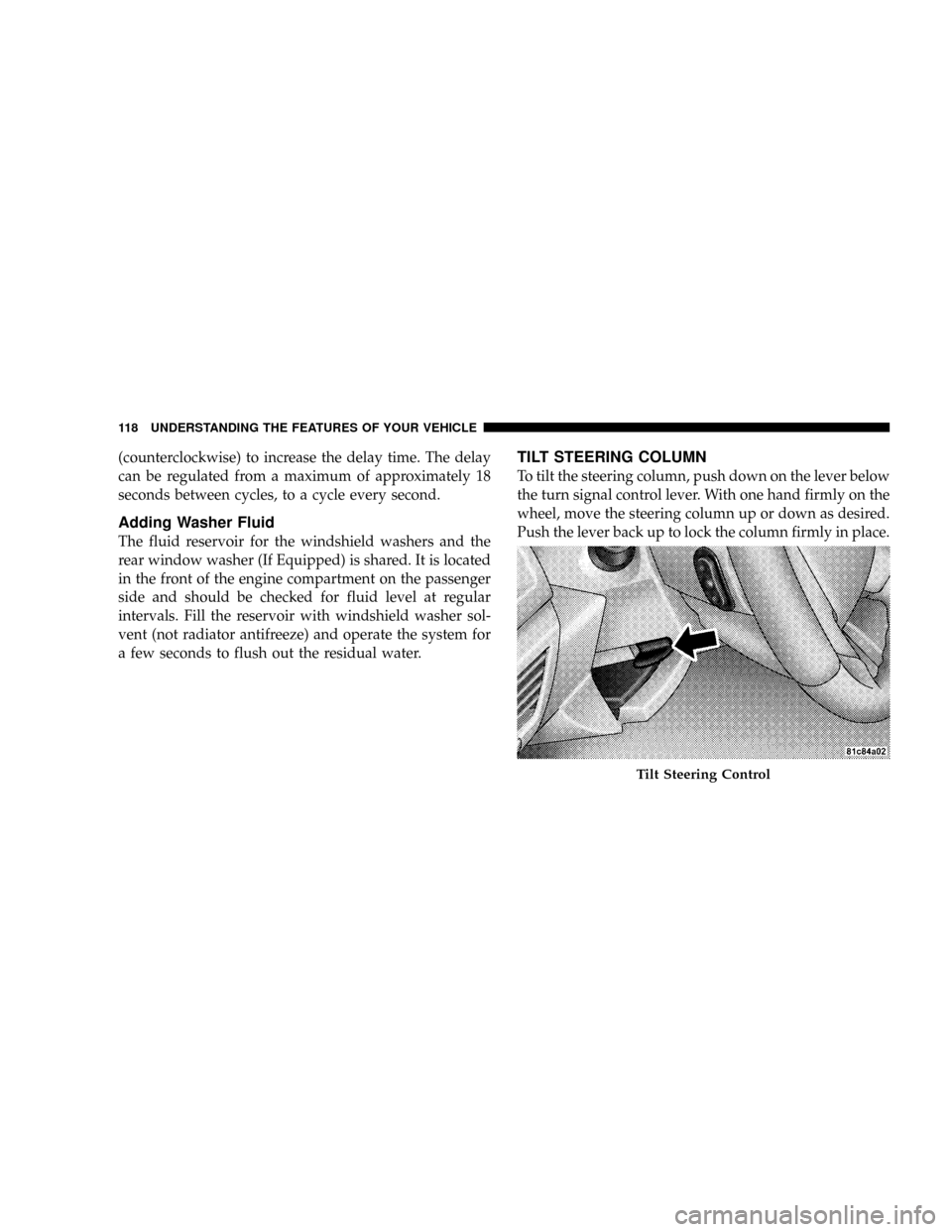
TILT STEERING COLUMN
To tilt the steering column, push down on the lever below
the turn signal control lever. With one hand firmly on the
wheel, move the steering column up or down as desired.
Push the lever back up to lock the column firmly in place.
Tilt Steering Control
118 UNDERSTANDING THE FEATURES OF YOUR VEHICLE
Page 127 of 373
7. Return to the vehicle and press the programmed
HomeLinktbutton twice (holding the button for two
seconds each time). If the device is plugged in and
activates, programming is complete.
If the device does not activate, press the button a third
time (for two seconds) to complete the training.
If you have any problems, or require assistance, please
call toll-free 1±800±355±3515 or, on the Internet at
www.HomeLink.com for information or assistance.
To program the remaining two HomeLinktbuttons,
repeat each step for each remaining button. DO NOT
erase the channels.
Gate Operator/Canadian Programming
Canadian radio-frequency laws require transmitter sig-
nals to ªtime-outº (or quit) after several seconds of
transmission ± which may not be long enough for
HomeLinktto pick up the signal during programming.Similar to this Canadian law, some U.S. gate operators are
designed to ªtime-outº in the same manner.
It may be helpful to unplug the device during the cycling
process to prevent possible overheating of the garage
door or gate motor.
If you are having difficulties programming a garage door
opener or a gate operator, replace ªProgramming
HomeLinktº Step 3 with the following:
3. Continue to press and hold the HomeLinktbutton
while you press and release - every two seconds
(ªcycleº) your hand-held transmitter until HomeLinkt
has successfully accepted the frequency signal. The
indicator light will flash slowly and then rapidly when
fully trained.
If you unplugged the device for training, plug it back in
at this time.
Then proceed with Step 4 under ªProgramming
HomeLinktº earlier in this section.
126 UNDERSTANDING THE FEATURES OF YOUR VEHICLE