instrument panel DODGE CARAVAN 2008 5.G Owner's Manual
[x] Cancel search | Manufacturer: DODGE, Model Year: 2008, Model line: CARAVAN, Model: DODGE CARAVAN 2008 5.GPages: 531, PDF Size: 7.72 MB
Page 198 of 531
when the overload is removed. The circuit breaker also
supplies power to the outlet in the removable floor
console, when in the front position. Refer to section 3
ªRemovable Floor Consoleº in this manual.
A third outlet is located on the driver's side, just to the
rear of the sliding door and is also controlled by the
ignition switch. The lower and rear outlets will not
accommodate a conventional cigar lighter unit.
NOTE:If desired, all of the power outlets can be
converted by your authorized dealer to provide power
with the ignition switch in the OFF position.
POWER INVERTER Ð IF EQUIPPED
A 110 volt, 150 watt inverter outlet (if equipped) converts
DC current to AC current and is located on the left rear
trim panel immediately behind the second row left
passenger seat. This outlet can be used to power small
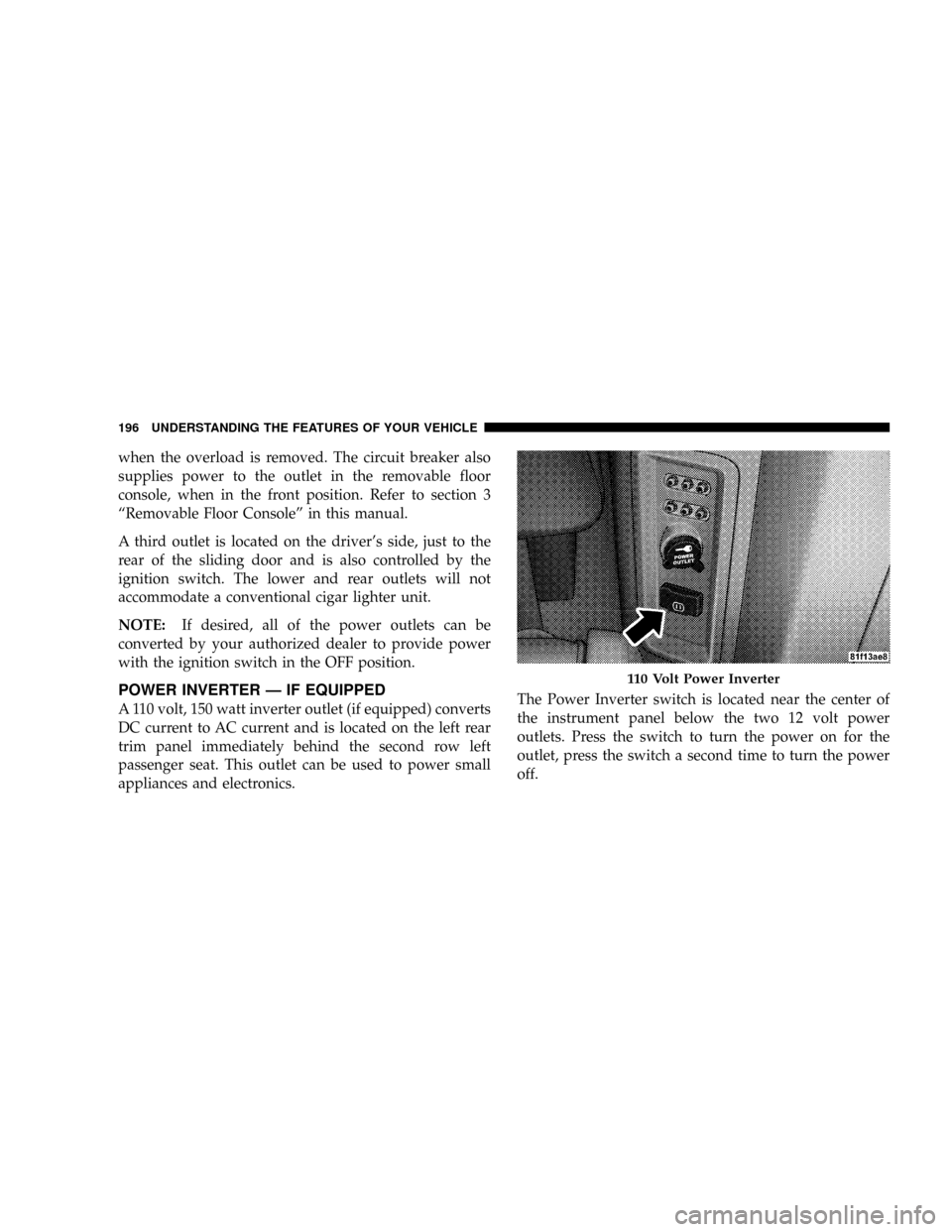
appliances and electronics.The Power Inverter switch is located near the center of
the instrument panel below the two 12 volt power
outlets. Press the switch to turn the power on for the
outlet, press the switch a second time to turn the power
off.
110 Volt Power Inverter
196 UNDERSTANDING THE FEATURES OF YOUR VEHICLE
Page 202 of 531
CUP HOLDERS AND CONVENIENCE TRAY
DRAWER
There are nine cup holders in the interior. Two cup
holders in the center front instrument panel, four in the
floor consoles and three more are located in the third row
quarter trim panel.
All liners are removable for cleaning. Pull the flexible
liner from the cup holder drawer or tray; starting at one
edge to ease removal. Refer to ªCleaning The Instrument
Panel Cup Holdersº in Section 7.
Instrument Panel Cup Holders
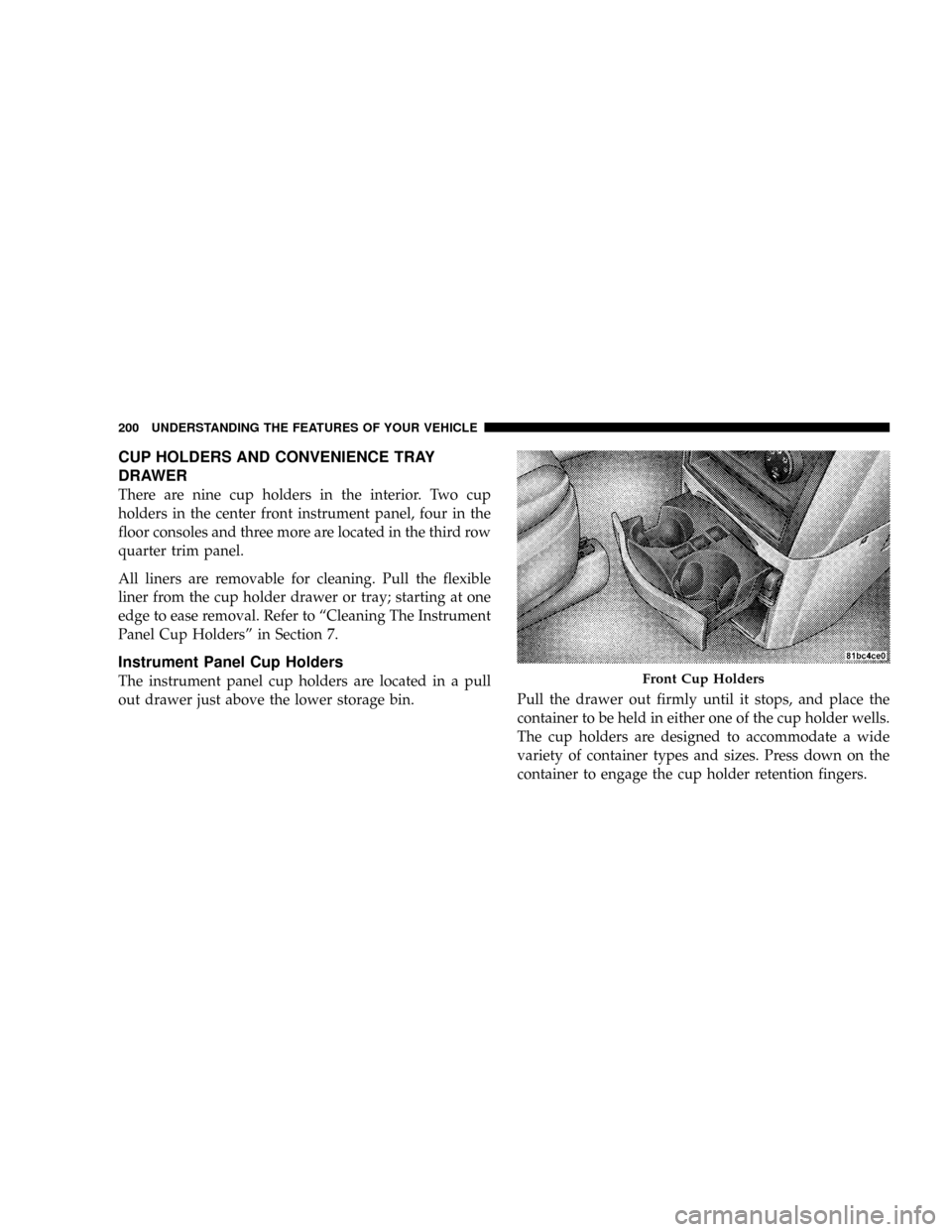
The instrument panel cup holders are located in a pull
out drawer just above the lower storage bin.Pull the drawer out firmly until it stops, and place the
container to be held in either one of the cup holder wells.
The cup holders are designed to accommodate a wide
variety of container types and sizes. Press down on the
container to engage the cup holder retention fingers.Front Cup Holders
200 UNDERSTANDING THE FEATURES OF YOUR VEHICLE
Page 203 of 531
Interior Bottle Holders
There are four bottle holders located in the interior. One
bottle holder is molded into each front interior door trim
panels, and one bottle holder is molded into each side
sliding interior door trim panel. Each holder accommo-
dates up to 20 oz. (.6 L) size plastic bottles.
Two outboard mesh pockets on intermediate seating. The
mesh pockets are flexible enough to hold juice boxes,
toys, games or MP3 players, etc.
Smokers Package Kit Ð If Equipped
With the optional authorized dealer-installed Smokers
Package Kit, a removable ash receiver is inserted into one
of the two cup holders in the center front instrument
panel. To install the ash receiver, align the receiver so the
thumb grip on the lid is facing rearward. Press the ash
receiver into either of the cup wells to secure. Pull
upward on the ash receiver to remove for cleaning
and/or storage.The left rear trim panel cup holder is designed to
accommodate a second ash receiver if desired.
CONSOLE FEATURES
There are two consoles available: Basic and Premium.
Basic Console
Basic Console features consist of the following:
²The basic console profile allows vehicle occupants to
easily pass through the first row to the second.
²Four cup holders can accept extra large size beverage
cups or 20 oz (.6 L) plastic bottles. The cup holders are
dishwasher safe for cleaning. To remove, pull the
flexible liner from the cup holder drawer or tray;
starting at one edge. Refer to ªCleaning The Instru-
ment Panel Cup Holdersº in Section 7 for more
detailed information.
²A Top Storage Tray.
UNDERSTANDING THE FEATURES OF YOUR VEHICLE 201
3
Page 221 of 531
UNDERSTANDING YOUR INSTRUMENT PANEL
CONTENTS
mInstrument Panels And Controls............223
mBase Instrument Cluster..................224
mPremium Instrument Cluster...............225
mInstrument Cluster Descriptions............226
mCompass Mini-Trip Computer (CMTC) Ð
If Equipped...........................238
NCompass Mini-Trip Computer (CMTC)
Odometer Displays....................238
NCompass Mini-Trip Computer (CMTC) Reset
Buttons............................238NCompass/Temperature Display...........240
mElectronic Vehicle Information Center (EVIC) Ð
If Equipped...........................241
NEVIC Displays.......................243
NTrip Functions.......................244
NCompass Display.....................246
NPersonal Settings
(Customer Programmable Features)........248
mRadio General Information................251
NRadio Broadcast Signals.................2514
Page 222 of 531
mSales Code REQ Ð AM/FM Stereo Radio And
6±Disc CD/DVD Changer
(MP3/WMA AUX Jack)..................252
NOperating Instructions - Radio Mode.......252
NOperation Instructions - (Disc Mode For CD
And MP3/WMA Audio Play, DVD-Video)....260
NNotes On Playing MP3/WMA Files........262
NList Button
(Disc Mode For MP3/WMA Play)..........265
NInfo Button
(Disc Mode For MP3/WMA Play)..........265
mSales Code RES Ð AM/FM Stereo Radio With
CD Player (MP3 AUX Jack)................268
NOperating Instructions - Radio Mode.......268NOperation Instructions - CD Mode For CD
And MP3 Audio Play..................274
NNotes On Playing MP3 Files.............276
NList Button (CD Mode For MP3 Play).......279
NInfo Button (CD Mode For MP3 Play).......279
mSales Code REN Ð Multimedia System Ð
If Equipped...........................280
NOperating Instructions Ð Satellite Radio
(If Equipped)........................281
NOperating Instructions Ð Voice Recognition
System (VR) (If Equipped)...............281
NOperating Instructions Ð Hands-Free
Communication (UConnectt) (If Equipped) . . . 281
NClock Setting Procedure.................281
220 UNDERSTANDING YOUR INSTRUMENT PANEL
Page 223 of 531
mSales Code RER Ð Multimedia System Ð
If Equipped...........................283
NOperating Instructions Ð Satellite Radio.....284
NOperating Instructions Ð Hands-Free
Communication (UConnectt) (If Equipped) . . . 284
NClock Setting Procedure.................285
mSatellite Radio Ð If Equipped
(REN/REQ/RER/RES/REU Radios Only).....287
NSystem Activation.....................287
NElectronic Serial Number/Sirius Identification
Number (ESN/SID)....................287
NSelecting Satellite Mode.................288
NSatellite Antenna......................288
NReception Quality.....................289NOperating Instructions - Satellite Mode......289
NOperating Instructions - Hands-Free Phone
(If Equipped)........................292
NOperating Instructions - Video Entertainment
System (VESt) (If Equipped).............292
mUniversal Consumer Interface (UCI) Ð
If Equipped...........................292
NConnecting The iPodtDevice............293
NControlling The iPodtUsing Radio Buttons . . . 293
NPlay Mode..........................293
NList Or Browse Mode..................295
mSirius Backseat TVŸ Ð If Equipped.........297
mVideo Entertainment System (VESt)Ð
If Equipped...........................297
UNDERSTANDING YOUR INSTRUMENT PANEL 221
4
Page 224 of 531
mRadio Operation And Cellular Phones........299
mRemote Sound System Controls Ð If Equipped . . 299
NRadio Operation......................299
NCD Player..........................300
mCD/DVD Maintenance...................300
mClimate Controls.......................301
NManual Heating, Ventilation And Air
Conditioning (HVAC) System.............301
NRear Manual Climate Control Zone Ð
If Equipped.........................307
NAutomatic Temperature Control (ATC) Ð
If Equipped.........................309NSummer Operation....................318
NWinter Operation.....................318
NVacation/Storage.....................318
NWindow Fogging.....................318
NOutside Air Intake....................319
NOperating Tips.......................319
NA/C Air Filter Ð If Equipped............320
mElectric Rear Window Defroster Ð
If Equipped...........................320
222 UNDERSTANDING YOUR INSTRUMENT PANEL
Page 225 of 531
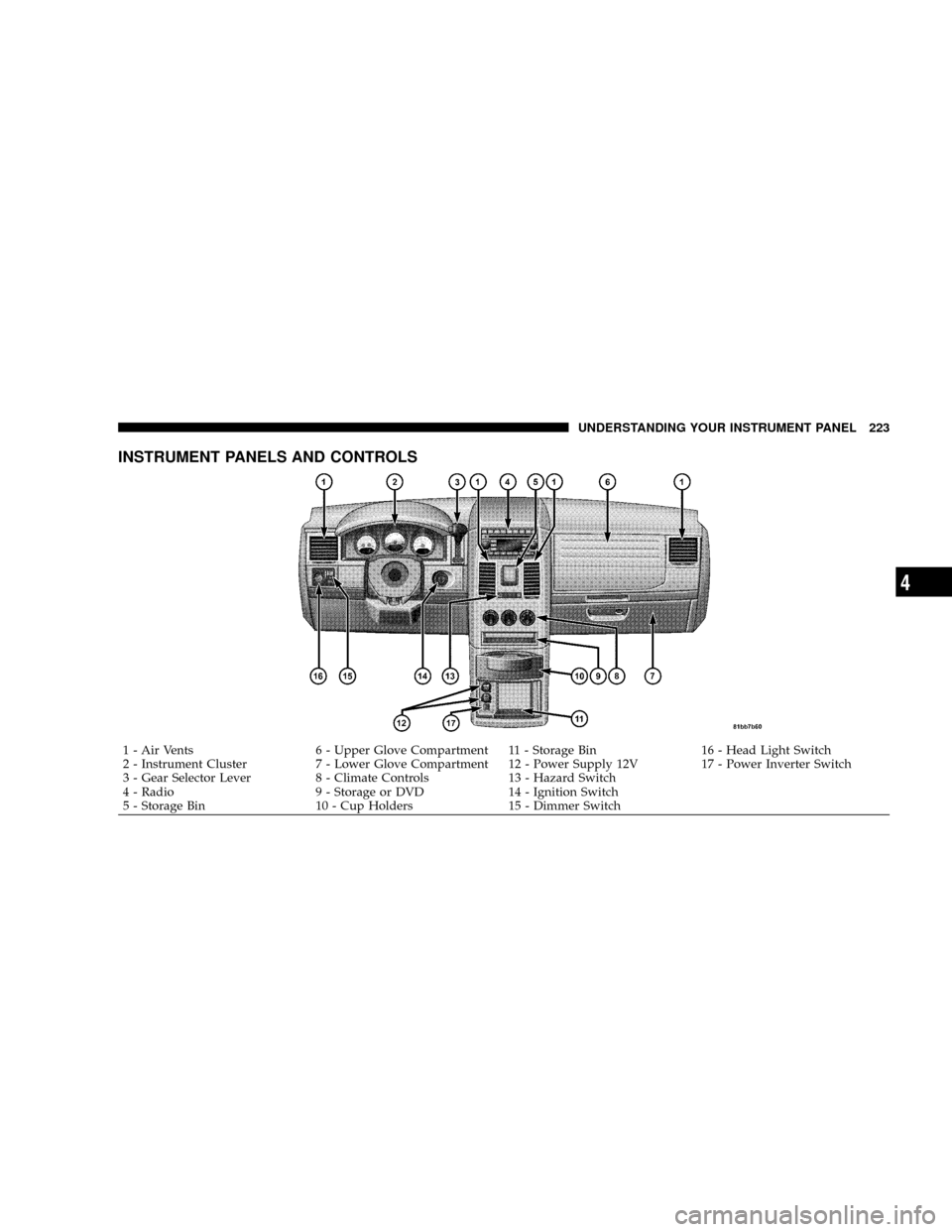
INSTRUMENT PANELS AND CONTROLS
1 - Air Vents 6 - Upper Glove Compartment 11 - Storage Bin 16 - Head Light Switch
2 - Instrument Cluster 7 - Lower Glove Compartment 12 - Power Supply 12V 17 - Power Inverter Switch
3 - Gear Selector Lever 8 - Climate Controls 13 - Hazard Switch
4 - Radio 9 - Storage or DVD 14 - Ignition Switch
5 - Storage Bin 10 - Cup Holders 15 - Dimmer SwitchUNDERSTANDING YOUR INSTRUMENT PANEL 223
4
Page 226 of 531
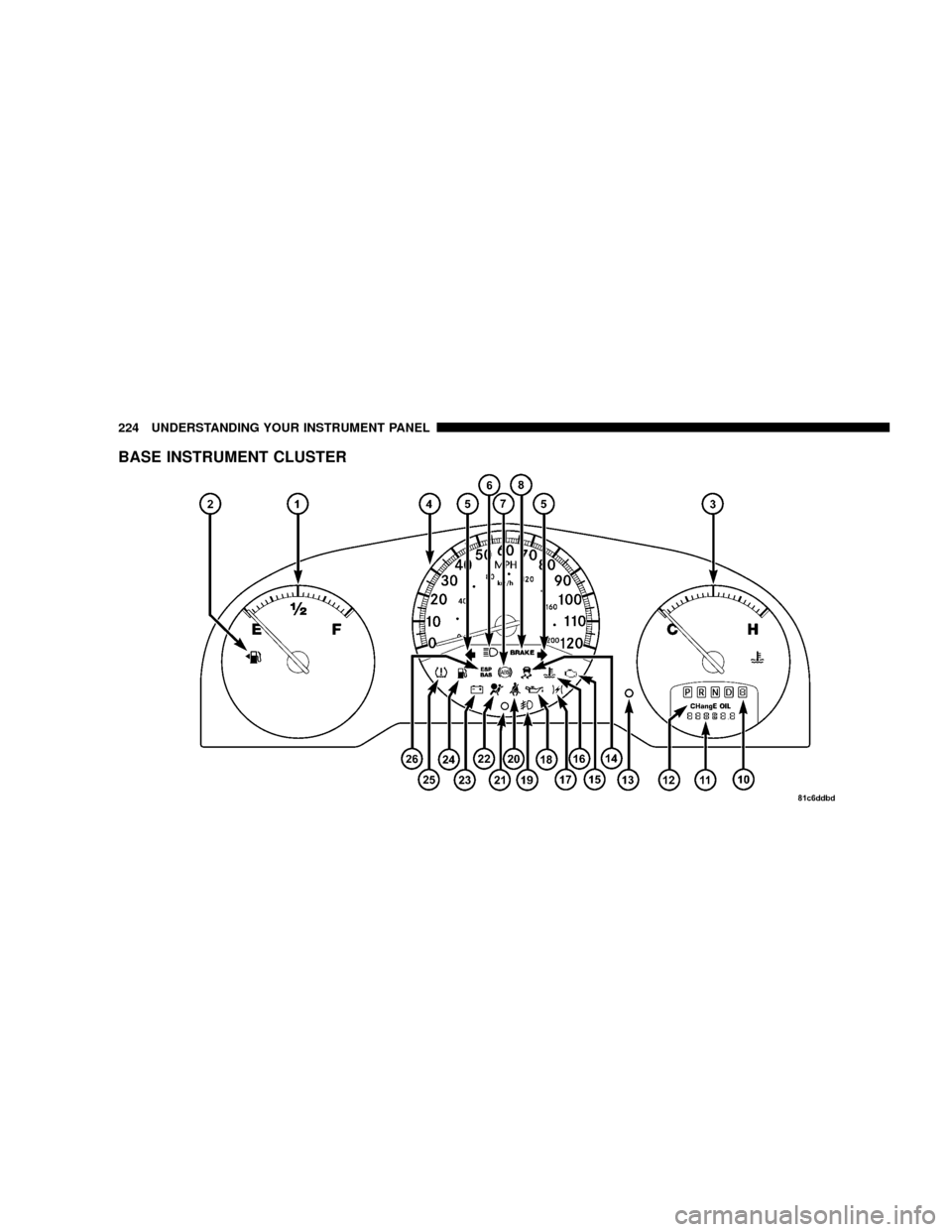
BASE INSTRUMENT CLUSTER
224 UNDERSTANDING YOUR INSTRUMENT PANEL
Page 227 of 531
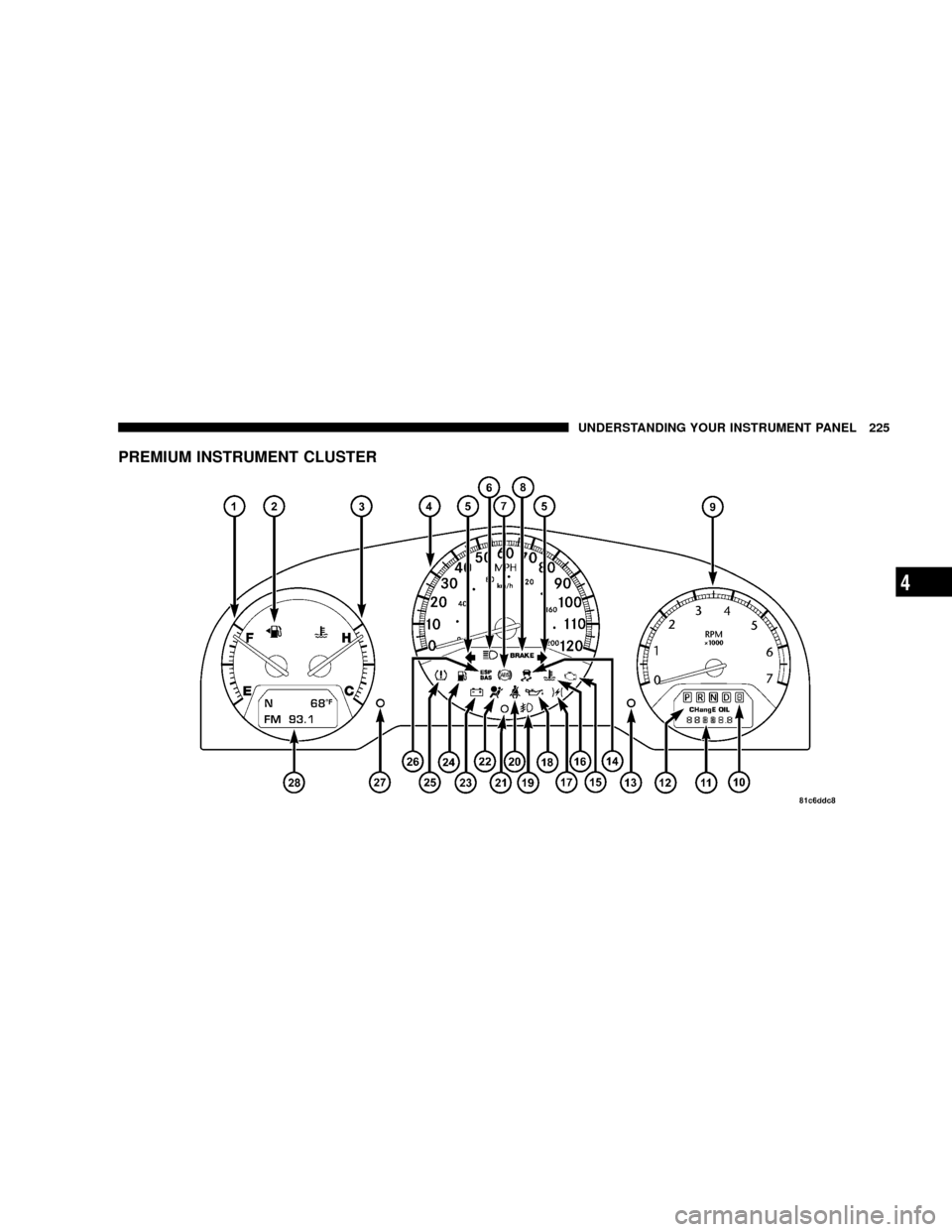
PREMIUM INSTRUMENT CLUSTER
UNDERSTANDING YOUR INSTRUMENT PANEL 225
4