light DODGE CARAVAN 2008 5.G Owner's Manual
[x] Cancel search | Manufacturer: DODGE, Model Year: 2008, Model line: CARAVAN, Model: DODGE CARAVAN 2008 5.GPages: 531, PDF Size: 7.72 MB
Page 77 of 531
²Turns on the interior lights, which remain on as long as
the battery has power or until the ignition key is
removed.
²Unlocks the doors automatically.
If A Deployment Occurs
The airbag systems are designed to deploy when the
Occupant Restraint Controller (ORC) detect a moderate-
to-severe collision, to help restrain the driver, front
passenger and rear passengers, and then immediately
deflate.
NOTE:A frontal collision that is not severe enough to
need airbag protection will not activate the system. This
does not mean something is wrong with the airbag
system.If you do have a collision which deploys the airbags, any
or all of the following may occur:
²The nylon airbag material may sometimes cause abra-
sions and/or skin reddening to the driver and front
passenger as the airbags deploy and unfold. The
abrasions are similar to friction rope burns or those
you might get sliding along a carpet or gymnasium
floor. They are not caused by contact with chemicals.
They are not permanent and normally heal quickly.
However, if you haven't healed significantly within a
few days, or if you have any blistering, see your doctor
immediately.
²As the airbags deflate, you may see some smoke-like
particles. The particles are a normal by-product of the
process that generates the nontoxic gas used for airbag
inflation. These airborne particles may irritate the skin,
eyes, nose, or throat. If you have skin or eye irritation,
rinse the area with cool water. For nose or throat
THINGS TO KNOW BEFORE STARTING YOUR VEHICLE 75
2
Page 79 of 531
WARNING!
Do not attempt to modify any part of your advanced
airbag system. The airbag may inflate accidentally or
may not function properly if modifications are made.
Take your vehicle to an authorized dealer for any
advanced airbag system service. If your seat, includ-
ing your trim cover and cushion, needs to be serviced
in any way (including removal or loosening/
tightening of seat attachment bolts), take the vehicle
to your authorized dealer. Only manufacturer ap-
proved seat accessories may be used. If it is necessary
to modify an advanced airbag system for persons
with disabilities, contact your authorized dealer.
NOTE:
Perchlorate Material Ð special handling may ap-
ply. See: www.dtsc.ca.gov/hazardouswaste/perchlorate.
Airbag Light
You will want to have the airbags ready to
inflate for your protection in a collision. While
the airbag system is designed to be mainte-
nance free, if any of the following occurs, have
an authorized dealer service the system immediately.
²The AIRBAG light does not come on during the
approximately four to six seconds when the ignition
switch is first turned ON.
²The light remains on after the approximately four to
six-second interval.
²The light comes on and remains on while driving.
NOTE:If the speedometer, tachometer, or any engine
related gauges are not working, the Occupant Restraint
Controller (ORC) may also be disabled. The airbags may
not be ready to inflate for your protection. Promptly
check the fuse block for blown fuses. Refer to the label
THINGS TO KNOW BEFORE STARTING YOUR VEHICLE 77
2
Page 81 of 531
accessing the electronic data stored, unless ordered to
download data by a court with legal jurisdiction (i.e.,
pursuant to a warrant). A copy of the data will be
provided to the custodial entity upon request. General
data that does not identify particular vehicles or crashes
may be released for incorporation in aggregate crash
databases, such as those maintained by the U.S. govern-
ment and various states. Data of a potentially sensitive
nature, such as would identify a particular driver, ve-
hicle, or crash, will be treated confidentially. Confidential
data will not be disclosed by DaimlerChrysler
Corporation to any third party except when:
1. Used for research purposes, such as to match data
with a particular crash record in an aggregate database,
provided confidentiality of personal data is thereafter
preserved.
2. Used in defense of litigation involving a
DaimlerChrysler Corporation product.3. Requested by police under a legal warrant.
4. Otherwise required by law.
Data Parameters That May Be Recorded:
²Diagnostic trouble code(s) and warning light status for
electronically-controlled safety systems, including the
airbag system
²Airbag disable light status (if equipped)
²9Time9of airbag deployment (in terms of ignition
cycles and vehicle mileage)
²Airbag deployment level (if applicable)
²Impact acceleration and angle
²Seat belt status
²Brake status (service and parking brakes)
²Accelerator status (including vehicle speed)
THINGS TO KNOW BEFORE STARTING YOUR VEHICLE 79
2
Page 96 of 531
Airbag Light
The light should come on and remain on for four seconds
as a bulb check when the ignition switch is first turned
ON. If the LED is not lit during starting and/or the light
stays on or comes ON while driving, have the system
checked by an authorized dealer.
Defroster
Check operation by selecting the defrost mode and place
the blower control on high speed. You should be able to
feel the air directed against the windshield.
NOTE:If the defroster is not working or you are unable
to feel air against the windshield in defrost mode, please
see your authorized dealer service center for repairs.
PERIODIC SAFETY CHECKS YOU SHOULD MAKE
OUTSIDE THE VEHICLE
Tires
Examine tires for excessive tread wear or uneven wear
patterns. Check for stones, nails, glass, or other objects
lodged in the tread. Inspect tread and sidewall for cuts or
cracks. Check wheel nuts for tightness, and tires (includ-
ing spare) for proper pressure.
Lights
Have someone observe the operation of exterior lights
while you work the controls. Check turn signal and high
beam indicator lights on the instrument panel.
Fluid Leaks
Check area under vehicle after overnight parking for fuel,
engine coolant, oil or other fluid leaks. Also, if gasoline
fumes are detected or fuel, power steering fluid, trans-
mission fluid or brake fluid leaks are suspected, the cause
should be located and corrected immediately.
94 THINGS TO KNOW BEFORE STARTING YOUR VEHICLE
Page 100 of 531
NSetting Memory Positions And Linking RKE
Transmitter To Memory.................156
mTo Open And Close The Hood.............158
NHood Safety Switch Ð If Equipped........159
mLights...............................160
NInterior Lighting......................160
NExterior Lights.......................162
mMultifunction Lever.....................166
NTurn Signals.........................166
mTilt Steering Column Ð If Equipped.........171
mRear Park Assist System Ð If Equipped.......171
NRear Park Assist Sensors................172
mAdjustable Pedals Ð If Equipped...........177mElectronic Speed Control Ð If Equipped......179
NActivating Electronic Speed Control........179
mOverhead Consoles.....................182
NFront Overhead Console Ð If Equipped.....182
mGarage Door Opener Ð If Equipped.........185
NProgramming HomeLinkt...............187
NGate Operator/Canadian Programming.....190
NSecurity............................191
NTroubleshooting Tips...................191
NGeneral Information...................191
mPower Sunroof Ð If Equipped.............192
NPower Sunroof Operation...............192
mElectrical Power Outlets Ð If Equipped.......195
98 UNDERSTANDING THE FEATURES OF YOUR VEHICLE
Page 102 of 531
MIRRORS
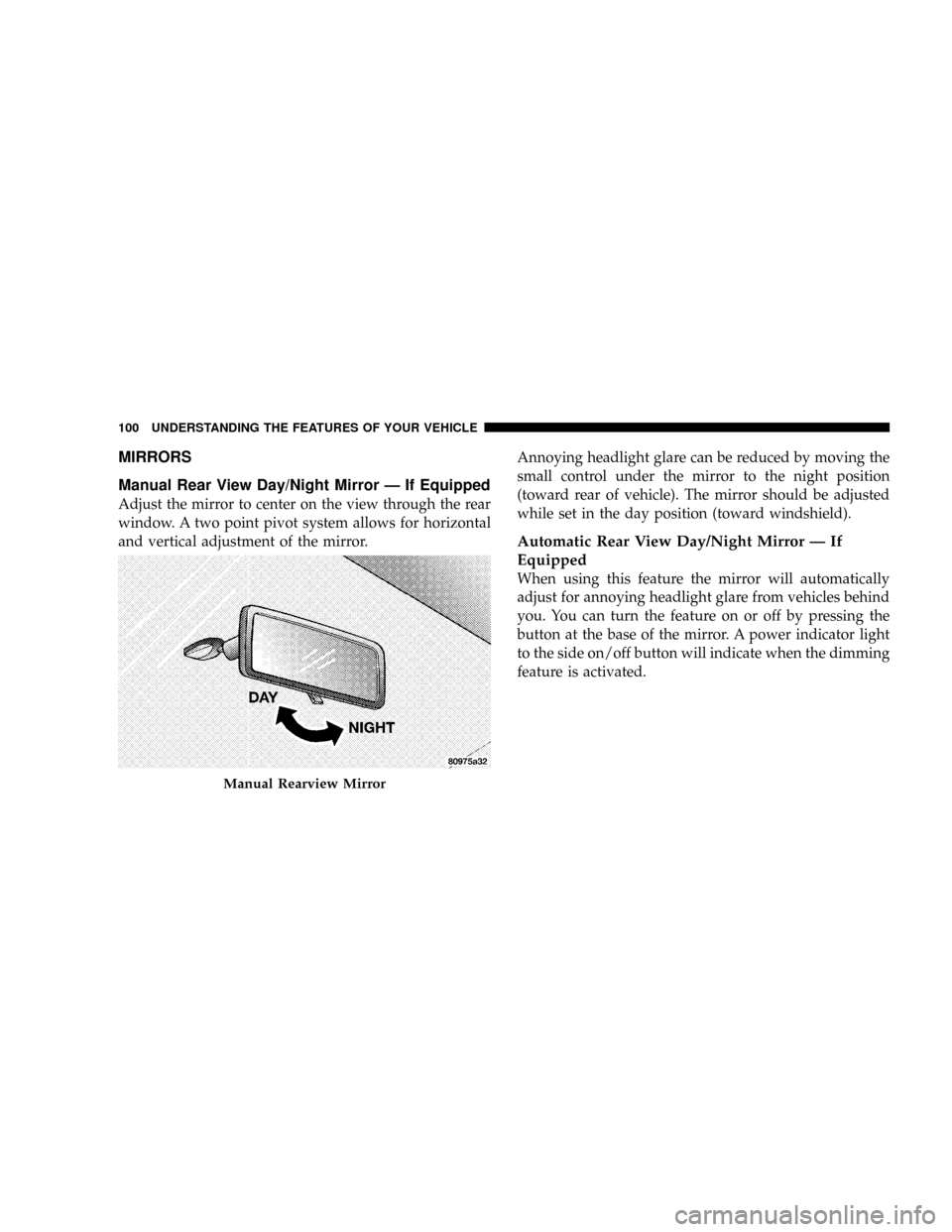
Manual Rear View Day/Night Mirror Ð If Equipped
Adjust the mirror to center on the view through the rear
window. A two point pivot system allows for horizontal
and vertical adjustment of the mirror.Annoying headlight glare can be reduced by moving the
small control under the mirror to the night position
(toward rear of vehicle). The mirror should be adjusted
while set in the day position (toward windshield).
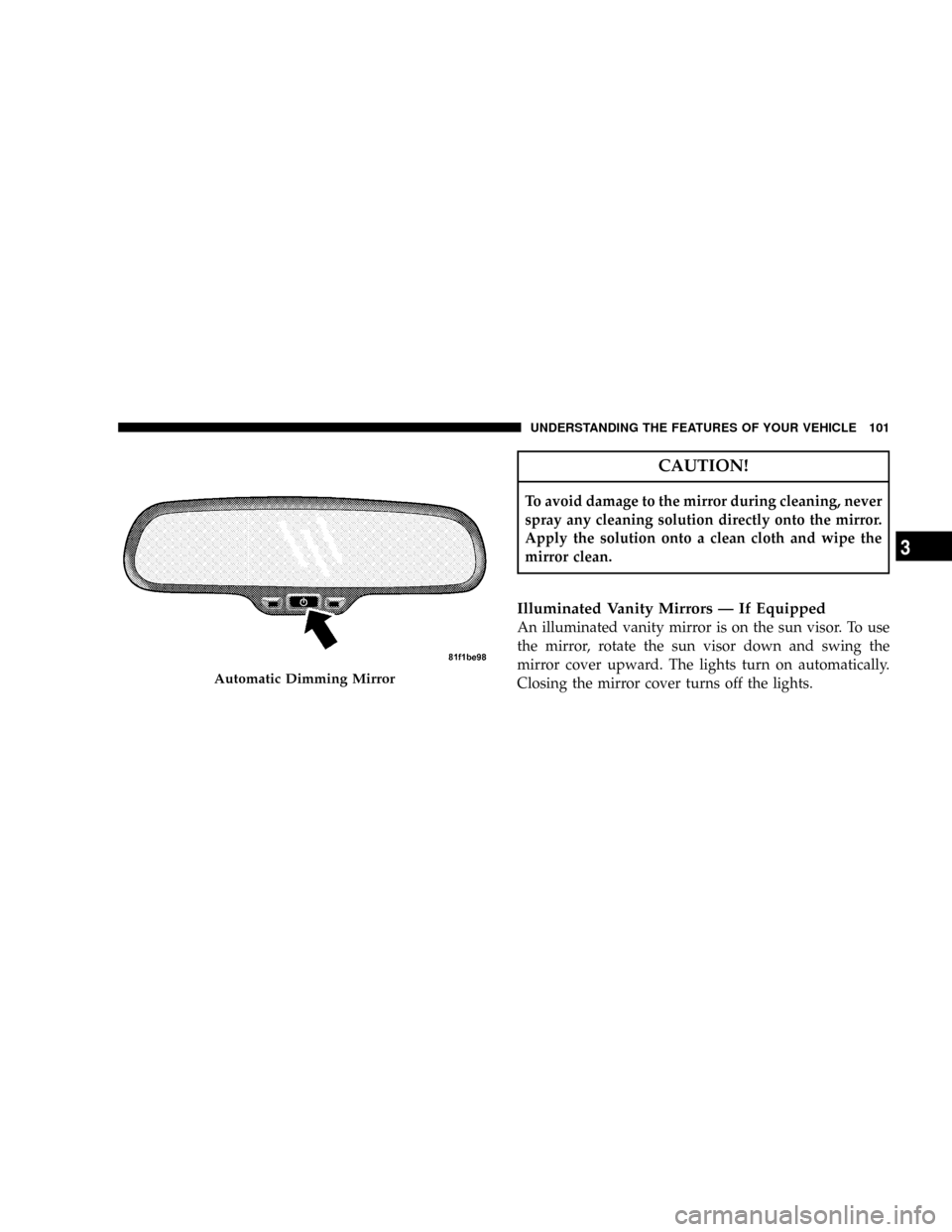
Automatic Rear View Day/Night Mirror Ð If
Equipped
When using this feature the mirror will automatically
adjust for annoying headlight glare from vehicles behind
you. You can turn the feature on or off by pressing the
button at the base of the mirror. A power indicator light
to the side on/off button will indicate when the dimming
feature is activated.
Manual Rearview Mirror
100 UNDERSTANDING THE FEATURES OF YOUR VEHICLE
Page 103 of 531
CAUTION!
To avoid damage to the mirror during cleaning, never
spray any cleaning solution directly onto the mirror.
Apply the solution onto a clean cloth and wipe the
mirror clean.
Illuminated Vanity Mirrors Ð If Equipped
An illuminated vanity mirror is on the sun visor. To use
the mirror, rotate the sun visor down and swing the
mirror cover upward. The lights turn on automatically.
Closing the mirror cover turns off the lights.
Automatic Dimming Mirror
UNDERSTANDING THE FEATURES OF YOUR VEHICLE 101
3
Page 104 of 531
EXTERIOR MIRRORS
Side View Mirrors
To receive maximum benefit, adjust the outside mirror(s)
to center on the adjacent lane of traffic with a slight
overlap of the view obtained on the inside mirror.
WARNING!
Vehicles and other objects seen in a outside convex
mirrors will look smaller and farther away than they
really are. Relying too much on side convex mirrors
could cause you to collide with another vehicle or
other object. Use your inside mirror when judging
the size or distance of a vehicle seen in a side convex
mirror.
Side View Manual Folding Mirrors
All exterior mirrors are hinged and may be moved either
forward or rearward to resist damage. The hinges have
three detent positions; full forward, full rearward, and
normal.
Driver's Auto-Dimming Side View Mirror Ð If
Equipped
This mirror automatically adjusts for annoying headlight
glare from vehicles behind you. You can turn this feature
on or off by pressing the button at the base of the
Rearview Mirror.
Power Remote Folding Side View Mirrors Ð If
Equipped
Press the power fold button to fold in the mirrors. Press
the button again to unfold the mirrors.
102 UNDERSTANDING THE FEATURES OF YOUR VEHICLE
Page 119 of 531
²After the9Ready9prompt and the following beep, say
9Emergency9and the UConnecttsystem will instruct
the paired cellular phone to call the emergency num-
ber. This feature is supported in the U.S., Canada, and
Mexico.
NOTE:The emergency number dialed is based on the
country where the vehicle is purchased (911 for the U.S.
and Canada and 060 for Mexico). The number dialed may
not be applicable with the available cellular service and
area.
The UConnecttsystem does slightly lower your chances
of successfully making a phone call as to that for the cell
phone directly.
Your phone must be turned on and paired to the
UConnecttsystem to allow use of this vehicle feature in
emergency situations, when the cell phone has network
coverage and stays paired to the UConnecttsystem.Towing Assistance
If you need towing assistance:
²Press the PHONE button to begin.
²After the9Ready9prompt and the following beep, say
9Towing Assistance.9
NOTE:The Towing Assistance number dialed is based
on the country where the vehicle is purchased (1-800-528-
2069 for the U.S., 1-877-213-4525 for Canada, 55-14-3454
for Mexico City and 1-800-712-3040 for outside Mexico
City in Mexico).
Please refer to the 24-Hour ªTowing Assistanceº cover-
age details in the Warranty Information Booklet and on
the 24±Hour Towing Assistance Card.
Paging
To learn how to page, refer to9Working with Automated
Systems.9Paging works properly except for pagers of
UNDERSTANDING THE FEATURES OF YOUR VEHICLE 117
3
Page 137 of 531
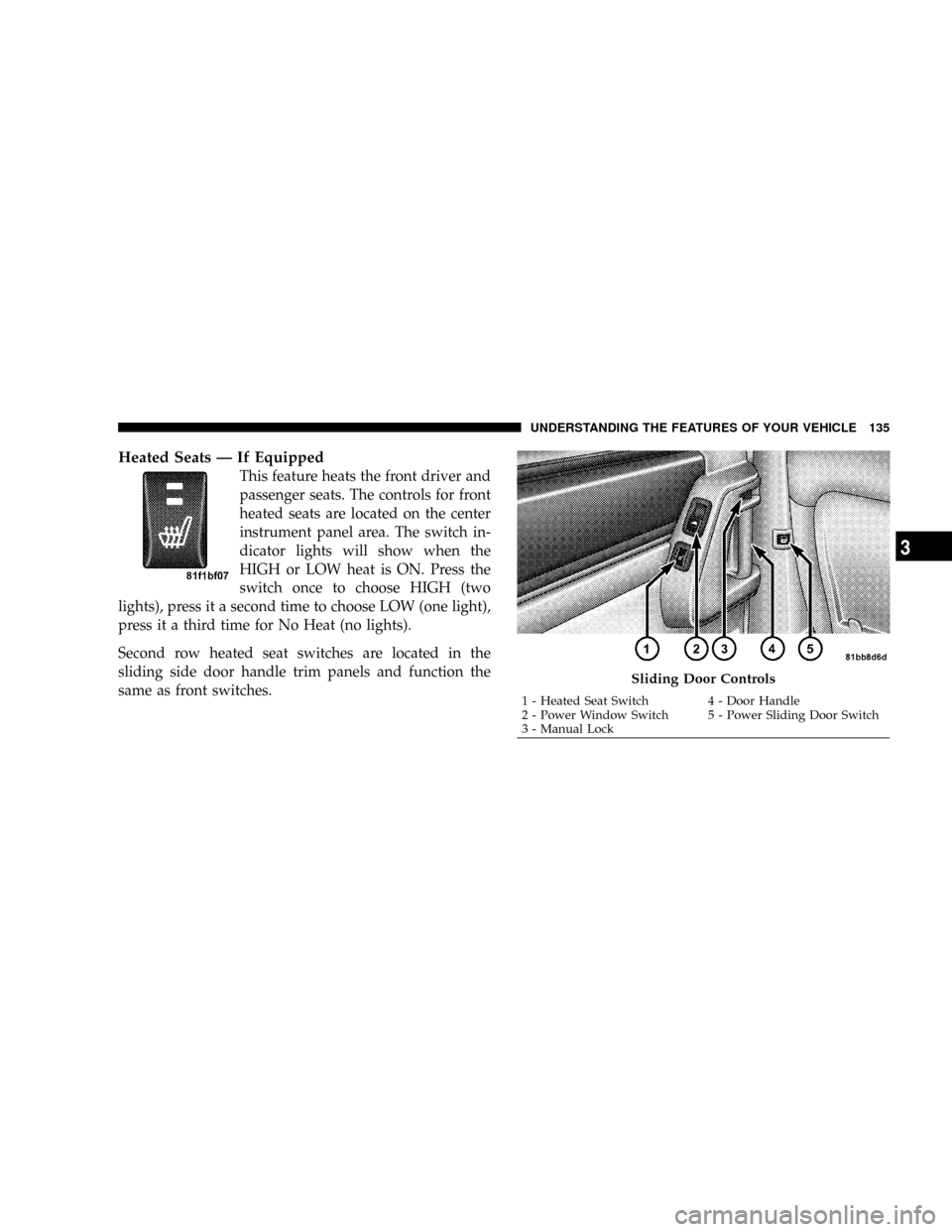
Heated Seats Ð If Equipped
This feature heats the front driver and
passenger seats. The controls for front
heated seats are located on the center
instrument panel area. The switch in-
dicator lights will show when the
HIGH or LOW heat is ON. Press the
switch once to choose HIGH (two
lights), press it a second time to choose LOW (one light),
press it a third time for No Heat (no lights).
Second row heated seat switches are located in the
sliding side door handle trim panels and function the
same as front switches.
Sliding Door Controls
1 - Heated Seat Switch 4 - Door Handle
2 - Power Window Switch 5 - Power Sliding Door Switch
3 - Manual LockUNDERSTANDING THE FEATURES OF YOUR VEHICLE 135
3