tow DODGE CARAVAN 2008 5.G Owner's Manual
[x] Cancel search | Manufacturer: DODGE, Model Year: 2008, Model line: CARAVAN, Model: DODGE CARAVAN 2008 5.GPages: 531, PDF Size: 7.72 MB
Page 179 of 531
If(SERVICE PARK ASSIST SYSTEM(appears in the
Electronic Vehicle Information Center (EVIC), after mak-
ing sure the rear bumper is clean, please see your
authorized dealer.
Should this wrench symbol display with the
letterPnext to it, your Park Sense System
needs servicing. Contact your authorized
dealer.
Cleaning The Rear Park Assist System
Clean the Rear Park Assist Sensors with water, car wash
soap and a soft cloth. Do not use rough or hard cloths. Do
not scratch or poke the sensors, otherwise, you could
damage the sensors.
ADJUSTABLE PEDALS Ð IF EQUIPPED
This feature allows both the brake and accelerator pedals to
move toward or away from the driver to provide improved
position with the steering wheel. The adjustable pedal
system is designed to allow a greater range of driver comfort
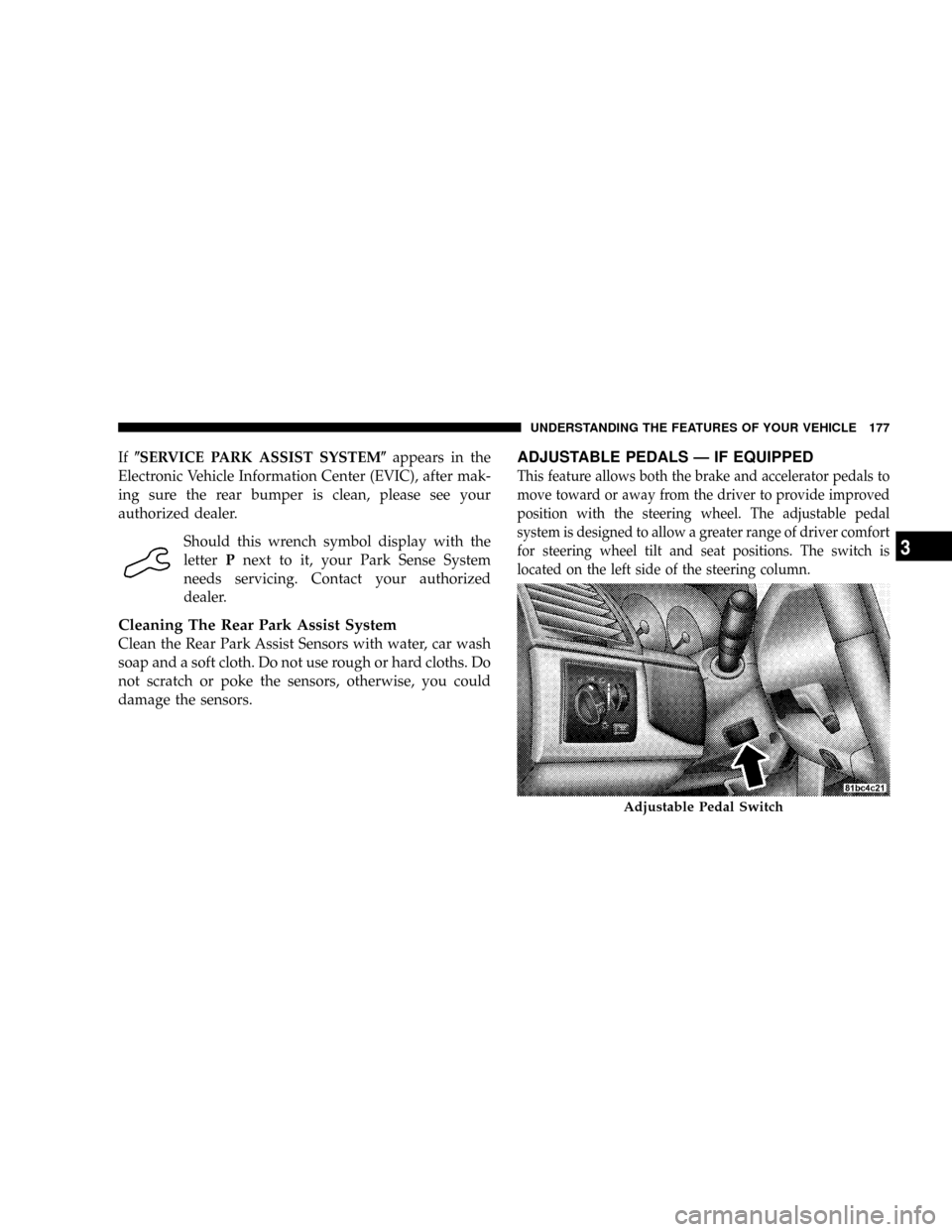
for steering wheel tilt and seat positions. The switch is
located on the left side of the steering column.
Adjustable Pedal Switch
UNDERSTANDING THE FEATURES OF YOUR VEHICLE 177
3
Page 180 of 531
Press the button forward to move the pedals forward
(toward the front of the vehicle).
Press the button rearward to move the pedals rearward
(toward the driver).
²The pedals can be adjusted with the ignition OFF.
²The pedals can be adjusted while driving.
²The pedalscannotbe adjusted when the vehicle is in
REVERSE or when the Electronic Speed Control Sys-
tem is ON. The following messages will be displayed
on vehicles equipped with the Electronic Vehicle In-
formation System (EVIC) if the pedals are attempted to
be adjusted when the system is locked out (ªAdjust-
able Pedal Disabled Ð Cruise Control Engagedº or
ªAdjustable Pedal Disabled Ð Vehicle In Reverseº).
CAUTION!
Do not place any article under the adjustable pedals
or impede its ability to move as it may cause damage
to the pedal controls. Pedal travel may become lim-
ited if movement is stopped by an obstruction in the
adjustable pedal's path.
178 UNDERSTANDING THE FEATURES OF YOUR VEHICLE
Page 182 of 531
Setting Electronic Speed Control at a Desired
Speed
When the vehicle has reached the desired speed, press
theSETlever downward and then release. Lift your foot
off the accelerator and the vehicle will operate at the
selected speed.
Deactivating Electronic Speed Control
A soft tap on the brake pedal or pulling the lever
CANCELtoward you, will deactivate the speed control
without erasing the set speed memory. Pushing the
ON/OFFbutton to theOFFposition or turning OFF the
ignition erases the set speed memory.
Resuming Speed
To resume a previously set speed, raise the lever
RESUME/ACCELupwards and release. Resume can be
used at any speed above 25 mph (40 km/h).
Varying The Speed Setting
When the speed control is SET, speed can be increased by
raising and holding theRESUME/ACCELlever up-
wards. When released, a new set speed will be estab-
lished.
Raising the leverRESUME/ACCELupwards once will
result in a 1 mph (1 km/h) speed increase. Each time the
lever is tapped upwards, speed increases so that tapping
the lever three times will increase speed by 3 mph (5
km/h), etc.
To decrease speed while speed control is SET, press the
leverSET/DECELdownward and hold. Release the lever
when the desired speed is reached, and the new speed
will be SET.
Tapping the leverSET/DECELdownward once will
result in a 1 mph (1 km/h) speed decrease. Each time the
lever is tapped downward, speed decreases.
180 UNDERSTANDING THE FEATURES OF YOUR VEHICLE
Page 213 of 531
Pull up on the storage bin latch to open the cover. Slide
the storage bin locking mechanism to the9unlocked9
position to allow greater access to the storage bin.
CAUTION!
The storage bin cover must lay flat and be locked to
avoid damage from contact with the front seat tracks,
which have minimal clearance to the cover.
WARNING!
In an accident, serious injury could result if the seat
storage bin covers are not properly latched.
²DO NOT drive the vehicle with the storage bin
covers open.
²Keep the storage bin covers closed and latched
while the vehicle is in motion.
²DO NOT use a storage bin latch as a tie down.
Removing The Floor Console With Stow 'n Go
Seating Ð If Equipped
The removable floor console has two power outlets,
storage tray, light, removable cell phone holder, tissue
holder, pen holder and a map holder. It can be removed
from the vehicle by pulling the release handle inside the
floor console.
UNDERSTANDING THE FEATURES OF YOUR VEHICLE 211
3
Page 216 of 531
Coat Hooks
Coat hooks are located along the headliner for the second
and third row seating positions. The coat hook load limit
is 10 lbs (4.5 kg). Exceeding the recommended load limit
can cause the coat hooks to break or disengage from the
vehicle.
Cargo Area Storage
The seats in your vehicle are in-line which enables you to
stow long objects, such as lumber or skis, on the floor
without moving the seats.
NOTE:With all rear seat backs folded,a4ftx8ft(1.2 m
x 2.4 m) sheet of building material may be stored on top
of the folded seats with the liftgate closed. The front seats
must be moved slightly forward of the rearmost position.
If the rear seats are removed no front seat adjustment is
needed and more than one 4 ftx8ft(1.2 m x 2.4 m) sheet
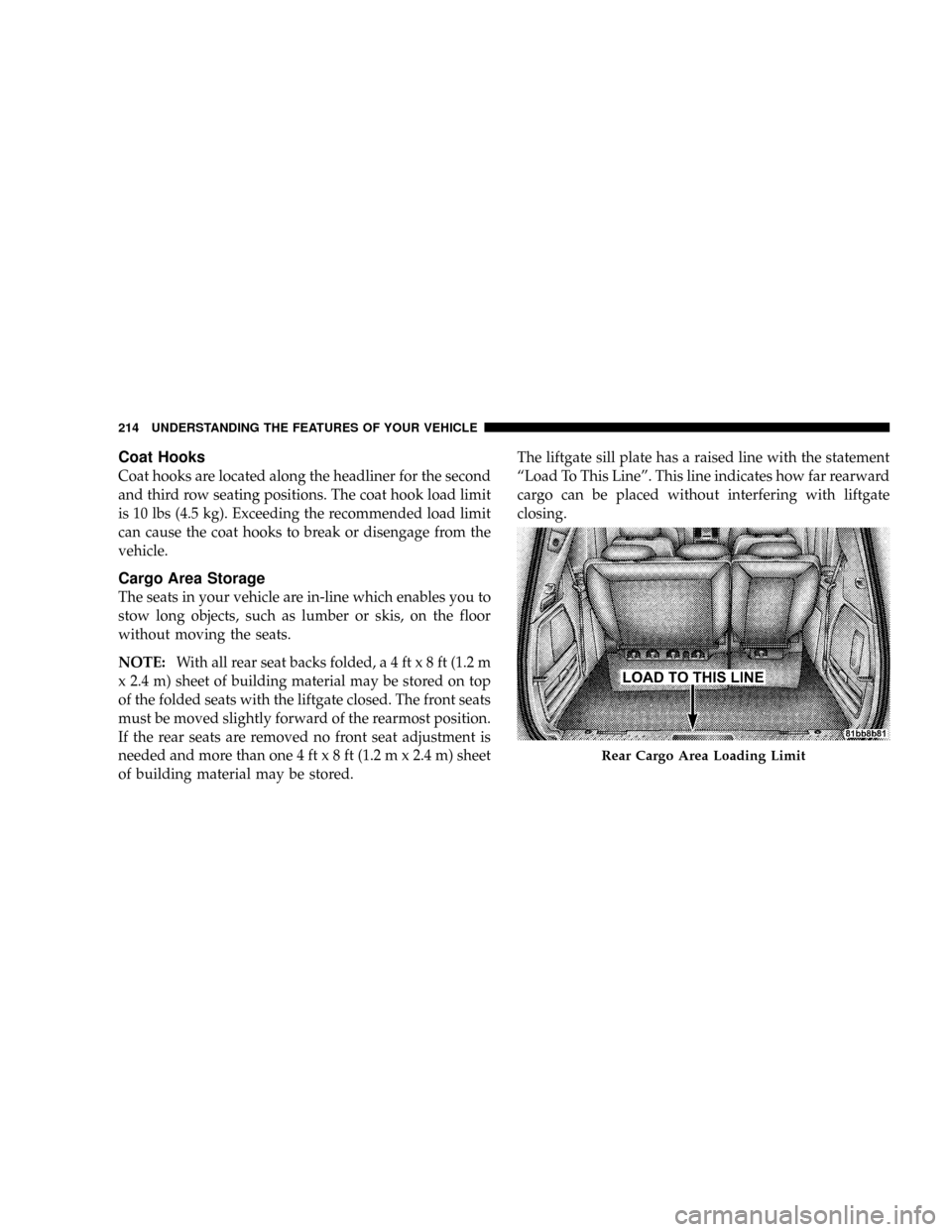
of building material may be stored.The liftgate sill plate has a raised line with the statement
ªLoad To This Lineº. This line indicates how far rearward
cargo can be placed without interfering with liftgate
closing.
Rear Cargo Area Loading Limit
214 UNDERSTANDING THE FEATURES OF YOUR VEHICLE
Page 228 of 531
INSTRUMENT CLUSTER DESCRIPTIONS
1. Fuel Gauge
The pointer shows the level of fuel in the fuel tank when
the ignition switch is in the ON position.
2. Fuel Door Reminder
The arrow in this symbol is a reminder that the
Fuel Filler Door is located on the left side of the
vehicle.
3. Temperature Gauge
The temperature gauge shows engine coolant tempera-
ture. Any reading within the normal range indicates that
the engine cooling system is operating satisfactorily.The gauge pointer will likely indicate a higher tempera-
ture when driving in hot weather, up mountain grades,
or when towing a trailer. It should not be allowed to
exceed the upper limits of the normal operating range.
CAUTION!
Driving with a hot engine cooling system could
damage your vehicle. If temperature gauge reads
ªHª, pull over and stop the vehicle. Idle the vehicle
with the air conditioner turned off until the pointer
drops back into the normal range. If the pointer
remains on the ªHº, and you hear continuous chimes,
turn the engine off immediately, and call an autho-
rized dealer for service.
226 UNDERSTANDING YOUR INSTRUMENT PANEL
Page 229 of 531
WARNING!
A hot engine cooling system is dangerous. You or
others could be badly burned by steam or boiling
coolant. You may want to call an authorized dealer if
your vehicle overheats. If you decide to look under
the hood yourself, see Section 7 of this manual.
Follow the warnings under the Cooling System Pres-
sure Cap paragraph.
4. Speedometer
Indicates vehicle speed.
5. Turn Signal Indicators
The arrow will flash with the exterior turn signal
when the turn signal lever is operated.
If the vehicle electronics sense that the vehicle has
traveled about one mile with the turn signals on, acontinuous chime will sound to alert you to turn the
signals off. If either indicator flashes at a rapid rate, check
for a defective outside light bulb.
6. High Beam Light
This light shows that the headlights are on high
beam. Pull the turn signal lever towards the
steering wheel to switch the headlights from high or low
beam.
7. Anti-Lock Brake System Light
This light monitors the Anti-Lock Brake Sys-
tem. The light will turn on when the ignition
switch is turned to the ON position and may
stay on for as long as four seconds.
If the ABS light remains on or turns on while driving, it
indicates that the Anti-Lock portion of the brake system
is not functioning and that service is required. However,
the conventional brake system will continue to operate
normally if the BRAKE warning light is not on.
UNDERSTANDING YOUR INSTRUMENT PANEL 227
4
Page 234 of 531
15. Malfunction Indicator Light
This light is part of an onboard diagnostic system
called OBD that monitors engine and automatic
transmission control systems. The light will illu-
minate when the key is in the ON position before engine
start. If the bulb does not come on when turning the key
from OFF to ON, have the condition checked promptly.
Certain conditions such as a loose or missing gas cap,
poor fuel quality, etc. may illuminate the light after
engine start. The vehicle should be serviced if the light
stays on through several of your typical driving cycles. In
most situations the vehicle will drive normally and will
not require towing.
The Malfunction Indicator Light flashes to alert to serious
conditions that could lead to immediate loss of power or
severe catalytic converter damage. The vehicle should be
serviced at an authorized dealer as soon as possible if this
occurs.16. Engine Temperature Warning Light
This light warns of an overheated engine condi-
tion. If the engine is critically hot, a continuous
chime will sound for four minutes. After the chime
turns off, the engine will still be critically hot until the
light turns off.
17. Electronic Throttle Control (ETC.) Light
This light informs you of a problem with the
Electronic Throttle Control system. If a prob-
lem is detected, the light will come on while the
engine is running. Cycle the ignition key when
the vehicle has completely stopped and the gear selector
is placed in the PARK position. The light should turn off.
If the light remains lit with the engine running your
vehicle will usually be drivable, however, see your dealer
for service as soon as possible. If the light is flashing
when the engine is running, immediate service is re-
quired and you may experience reduced performance, an
elevated/rough idle or engine stall and your vehicle may
232 UNDERSTANDING YOUR INSTRUMENT PANEL
Page 235 of 531
require towing. The light will come on when the ignition
is first turned ON and remain on briefly as a bulb check.
If the light does not come on during starting, have the
system checked by an authorized dealer.
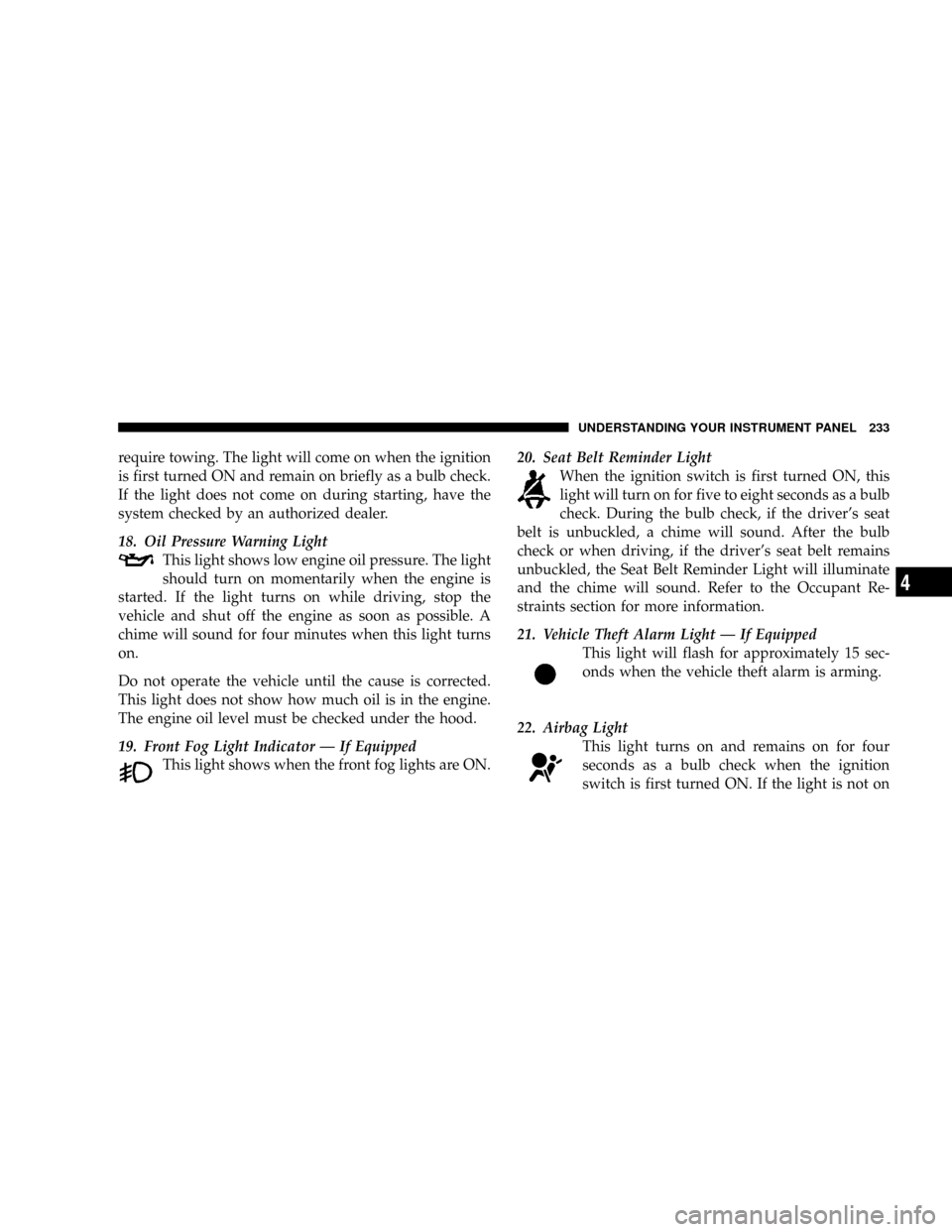
18. Oil Pressure Warning Light
This light shows low engine oil pressure. The light
should turn on momentarily when the engine is
started. If the light turns on while driving, stop the
vehicle and shut off the engine as soon as possible. A
chime will sound for four minutes when this light turns
on.
Do not operate the vehicle until the cause is corrected.
This light does not show how much oil is in the engine.
The engine oil level must be checked under the hood.
19. Front Fog Light Indicator Ð If Equipped
This light shows when the front fog lights are ON.20. Seat Belt Reminder Light
When the ignition switch is first turned ON, this
light will turn on for five to eight seconds as a bulb
check. During the bulb check, if the driver's seat
belt is unbuckled, a chime will sound. After the bulb
check or when driving, if the driver's seat belt remains
unbuckled, the Seat Belt Reminder Light will illuminate
and the chime will sound. Refer to the Occupant Re-
straints section for more information.
21. Vehicle Theft Alarm Light Ð If Equipped
This light will flash for approximately 15 sec-
onds when the vehicle theft alarm is arming.
22. Airbag Light
This light turns on and remains on for four
seconds as a bulb check when the ignition
switch is first turned ON. If the light is not on
UNDERSTANDING YOUR INSTRUMENT PANEL 233
4
Page 306 of 531
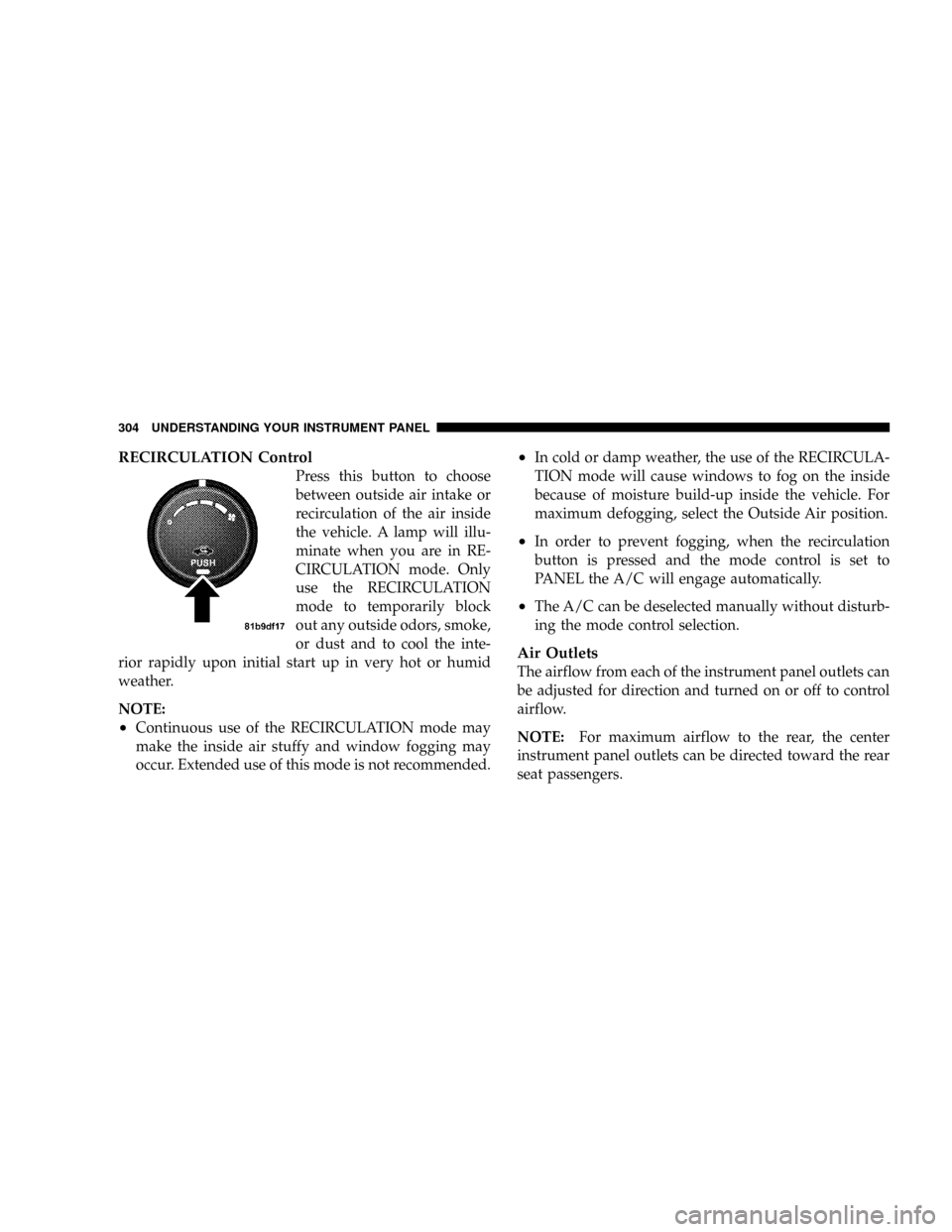
RECIRCULATION Control
Press this button to choose
between outside air intake or
recirculation of the air inside
the vehicle. A lamp will illu-
minate when you are in RE-
CIRCULATION mode. Only
use the RECIRCULATION
mode to temporarily block
out any outside odors, smoke,
or dust and to cool the inte-
rior rapidly upon initial start up in very hot or humid
weather.
NOTE:
²Continuous use of the RECIRCULATION mode may
make the inside air stuffy and window fogging may
occur. Extended use of this mode is not recommended.
²In cold or damp weather, the use of the RECIRCULA-
TION mode will cause windows to fog on the inside
because of moisture build-up inside the vehicle. For
maximum defogging, select the Outside Air position.
²In order to prevent fogging, when the recirculation
button is pressed and the mode control is set to
PANEL the A/C will engage automatically.
²The A/C can be deselected manually without disturb-
ing the mode control selection.
Air Outlets
The airflow from each of the instrument panel outlets can
be adjusted for direction and turned on or off to control
airflow.
NOTE:For maximum airflow to the rear, the center
instrument panel outlets can be directed toward the rear
seat passengers.
304 UNDERSTANDING YOUR INSTRUMENT PANEL