light DODGE CARAVAN 2009 Service Manual
[x] Cancel search | Manufacturer: DODGE, Model Year: 2009, Model line: CARAVAN, Model: DODGE CARAVAN 2009Pages: 534, PDF Size: 9.93 MB
Page 175 of 534
The interior lights will automatically turn off in approxi-
mately 10 minutes for the first activation and 90 seconds
every activation thereafter until the engine is started, if
one of the following occur:
•A door, sliding door or the liftgate is left open
•Any overhead reading light is left on
NOTE:The key must be out of the ignition switch or the
ignition switch must be in the OFF position for this
feature to operate.
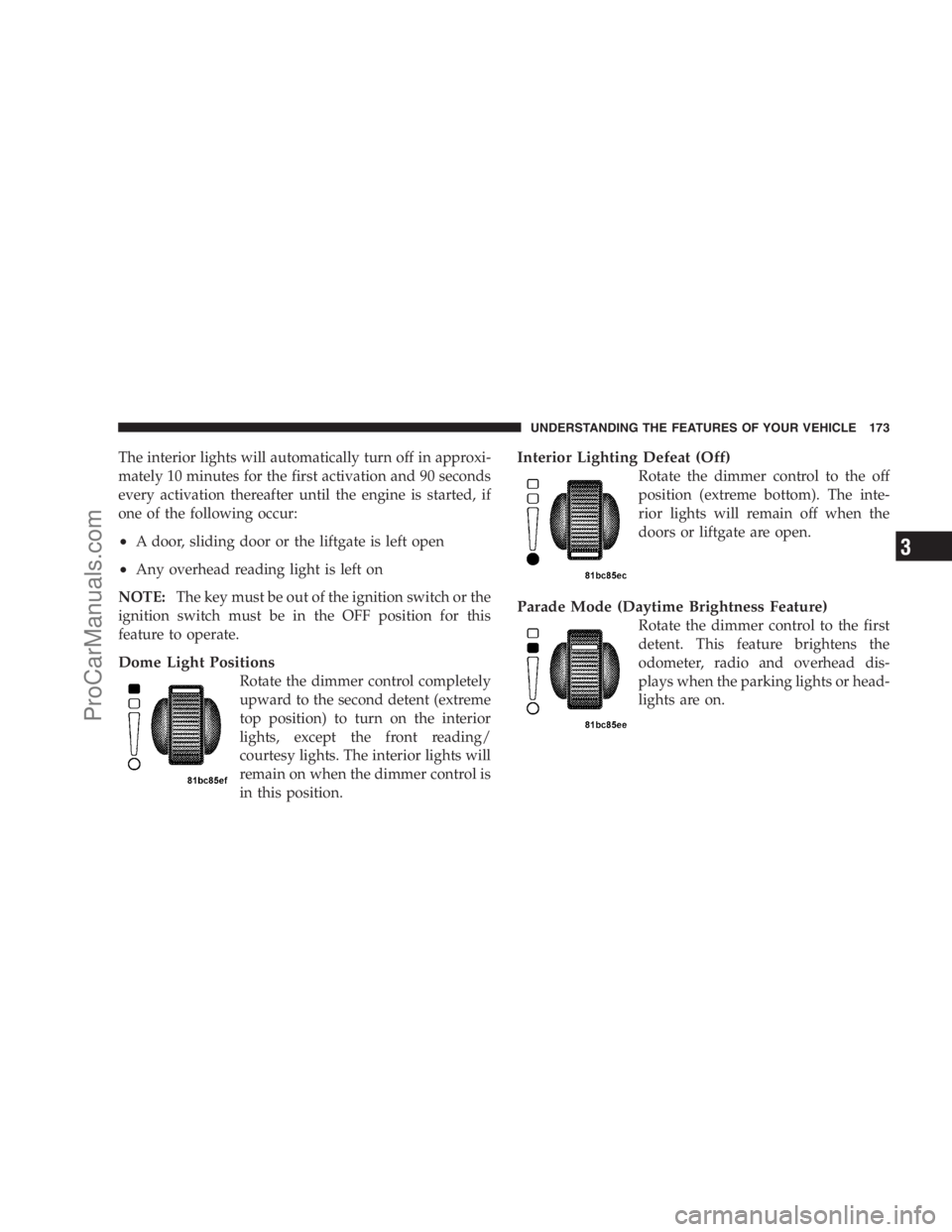
Dome Light Positions
Rotate the dimmer control completely
upward to the second detent (extreme
top position) to turn on the interior
lights, except the front reading/
courtesy lights. The interior lights will
remain on when the dimmer control is
in this position.
Interior Lighting Defeat (Off)
Rotate the dimmer control to the off
position (extreme bottom). The inte-
rior lights will remain off when the
doors or liftgate are open.
Parade Mode (Daytime Brightness Feature)
Rotate the dimmer control to the first
detent. This feature brightens the
odometer, radio and overhead dis-
plays when the parking lights or head-
lights are on.
UNDERSTANDING THE FEATURES OF YOUR VEHICLE 173
3
ProCarManuals.com
Page 176 of 534
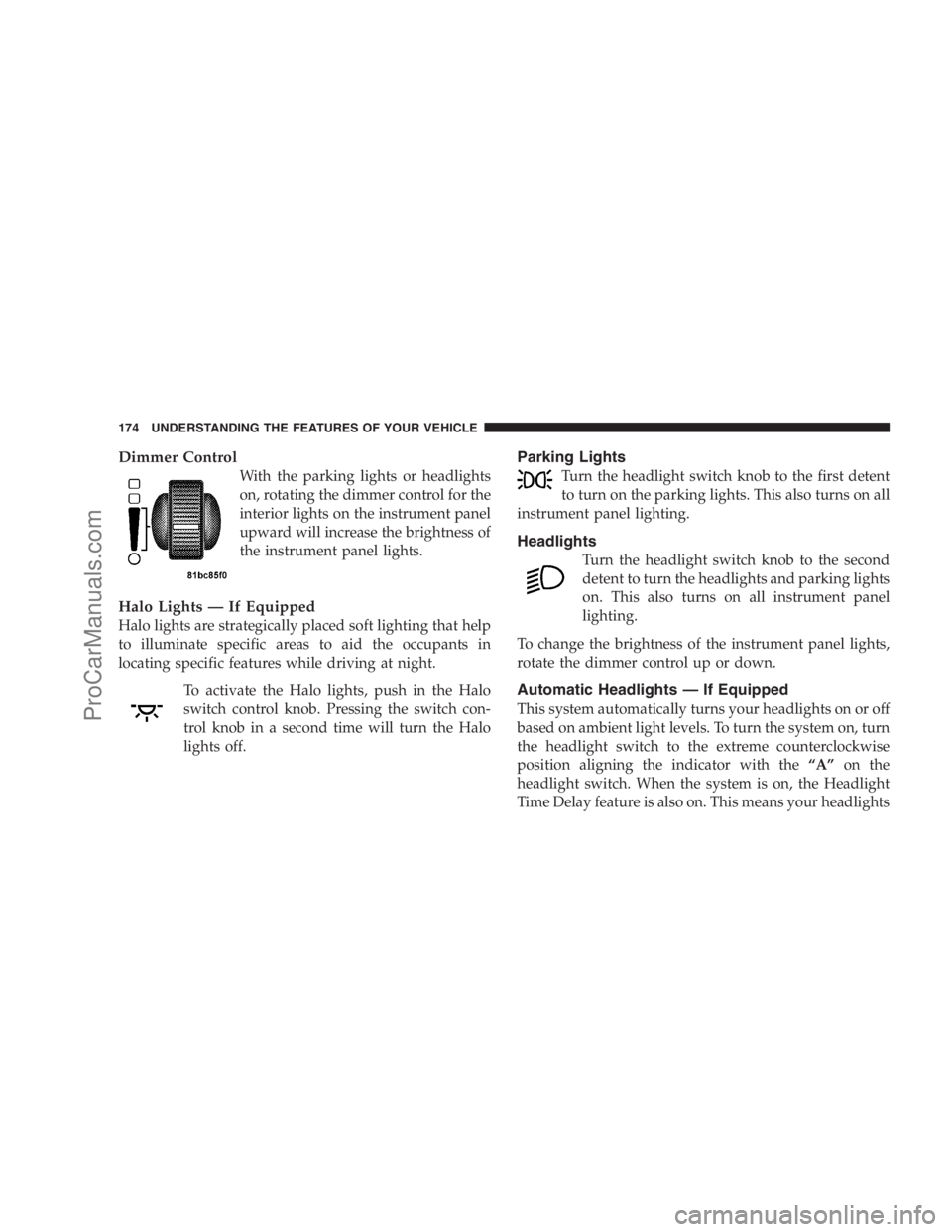
Dimmer Control
With the parking lights or headlights
on, rotating the dimmer control for the
interior lights on the instrument panel
upward will increase the brightness of
the instrument panel lights.
Halo Lights — If Equipped
Halo lights are strategically placed soft lighting that help
to illuminate specific areas to aid the occupants in
locating specific features while driving at night.
To activate the Halo lights, push in the Halo
switch control knob. Pressing the switch con-
trol knob in a second time will turn the Halo
lights off.
Parking Lights
Turn the headlight switch knob to the first detent
to turn on the parking lights. This also turns on all
instrument panel lighting.
Headlights
Turn the headlight switch knob to the second
detent to turn the headlights and parking lights
on. This also turns on all instrument panel
lighting.
To change the brightness of the instrument panel lights,
rotate the dimmer control up or down.
Automatic Headlights — If Equipped
This system automatically turns your headlights on or off
based on ambient light levels. To turn the system on, turn
the headlight switch to the extreme counterclockwise
position aligning the indicator with the“A”on the
headlight switch. When the system is on, the Headlight
Time Delay feature is also on. This means your headlights
174 UNDERSTANDING THE FEATURES OF YOUR VEHICLE
ProCarManuals.com
Page 177 of 534
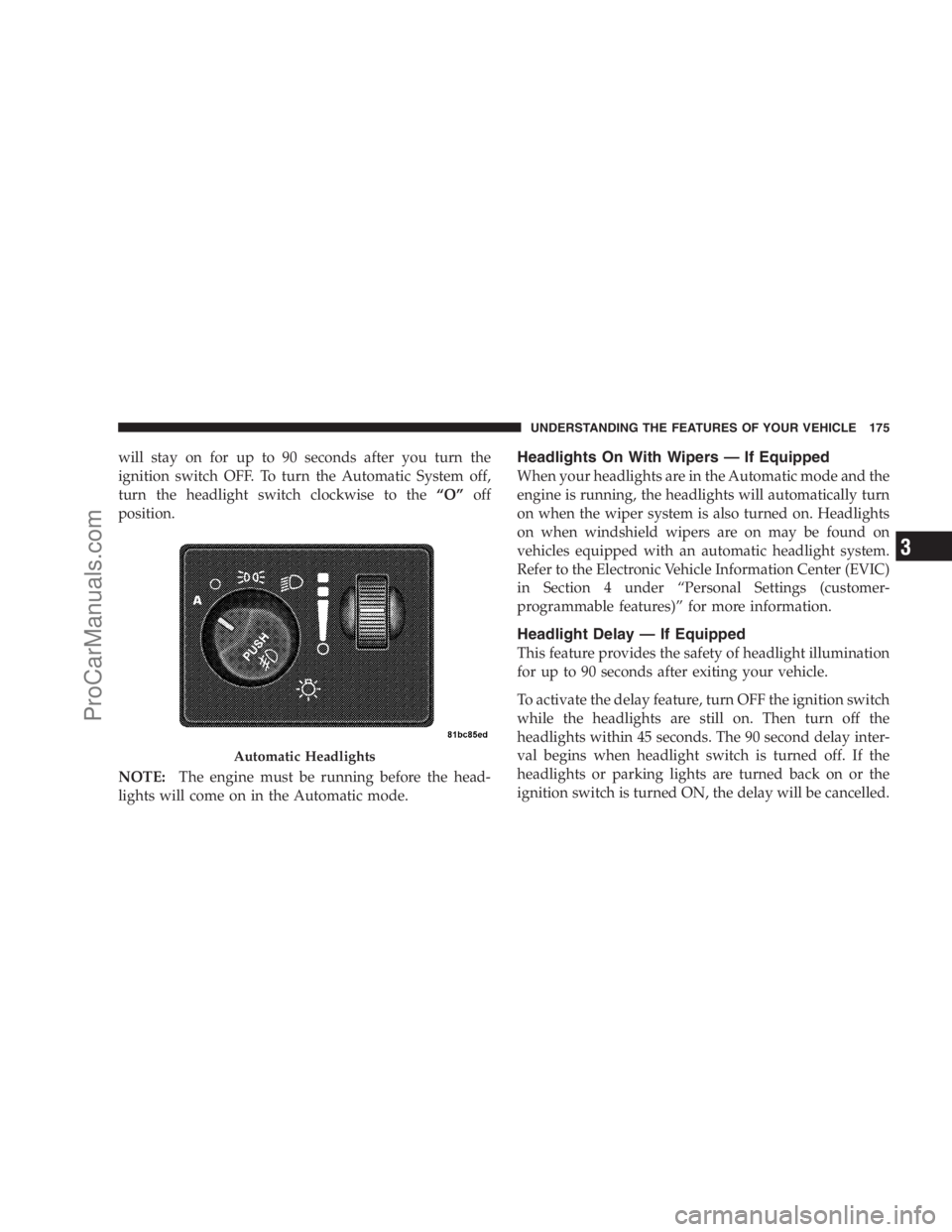
will stay on for up to 90 seconds after you turn the
ignition switch OFF. To turn the Automatic System off,
turn the headlight switch clockwise to the“O”off
position.
NOTE:The engine must be running before the head-
lights will come on in the Automatic mode.Headlights On With Wipers — If Equipped
When your headlights are in the Automatic mode and the
engine is running, the headlights will automatically turn
on when the wiper system is also turned on. Headlights
on when windshield wipers are on may be found on
vehicles equipped with an automatic headlight system.
Refer to the Electronic Vehicle Information Center (EVIC)
in Section 4 under “Personal Settings (customer-
programmable features)” for more information.
Headlight Delay — If Equipped
This feature provides the safety of headlight illumination
for up to 90 seconds after exiting your vehicle.
To activate the delay feature, turn OFF the ignition switch
while the headlights are still on. Then turn off the
headlights within 45 seconds. The 90 second delay inter-
val begins when headlight switch is turned off. If the
headlights or parking lights are turned back on or the
ignition switch is turned ON, the delay will be cancelled.
Automatic Headlights
UNDERSTANDING THE FEATURES OF YOUR VEHICLE 175
3
ProCarManuals.com
Page 178 of 534
When exiting the vehicle the driver can choose to have
the headlights remain on for 30, 60, or 90 seconds or not
remain on. To change the timer setting, see your autho-
rized dealer.
The headlight delay time is programmable on vehicles
equipped with an EVIC. Refer to “Delay Turning Head-
lights Off,” under “Personal Settings (Customer-
Programmable Features)” under “Electronic Vehicle In-
formation Center (EVIC)” in Section 4.
If the headlights are turned off before the ignition, they
will turn off in the normal manner.
NOTE:The headlights must be turned off within 45 sec-
onds of turning the ignition OFF to activate this feature.Lights-On Reminder
If the headlights or the parking lights are left on, or if the
dimmer control is in the extreme top position after the
ignition switch is turned OFF, a chime will sound when
the driver’s door is opened.
Daytime Running Lights (Canada/Fleet Vehicles
Only)
The headlights on your vehicle will illuminate when the
engine is started and the transmission is in any gear
except PARK. This provides a constant lights on condi-
tion until the ignition is turned OFF. The lights illuminate
at less than 50% of normal intensity. If the parking brake
is applied, the Daytime Running Lights (DRL) will turn
off. Also, if a turn signal is activated, the DRL lamp on the
same side of the vehicle will turn off for the duration of
the turn signal activation. Once the turn signal is no
longer active, the DRL lamp will illuminate.
176 UNDERSTANDING THE FEATURES OF YOUR VEHICLE
ProCarManuals.com
Page 179 of 534
Front Fog Lights — If Equipped
To activate the front fog lights, turn on the parking
lights or the low beam headlights and push in the
headlight switch control knob. Pressing the head-
light switch control knob in a second time will turn the
front fog lights off.
Battery Protection
This feature provides battery protection to avoid wearing
down the battery if the headlights, parking lights, or
front fog lights are left on for extended periods of time
when the ignition switch is in the LOCK position. After
eight minutes of the ignition switch being in the LOCK
position and the headlight switch in any position other
than OFF or AUTO, the lights will turn off automatically
until the next cycle of the ignition switch or headlight
switch.The battery protection feature will be disabled if the
ignition switch is turned to any other position other than
LOCK during the three minute delay.
Multifunction Lever
The multifunction lever is located on the left side of the
steering column.
The multifunction lever controls the:
•Turn Signals
•Headlight Beams Low/High
•Flash-To-Pass (Optical Horn)
•Front and Rear Wipers — Washer Functions
UNDERSTANDING THE FEATURES OF YOUR VEHICLE 177
3
ProCarManuals.com
Page 180 of 534
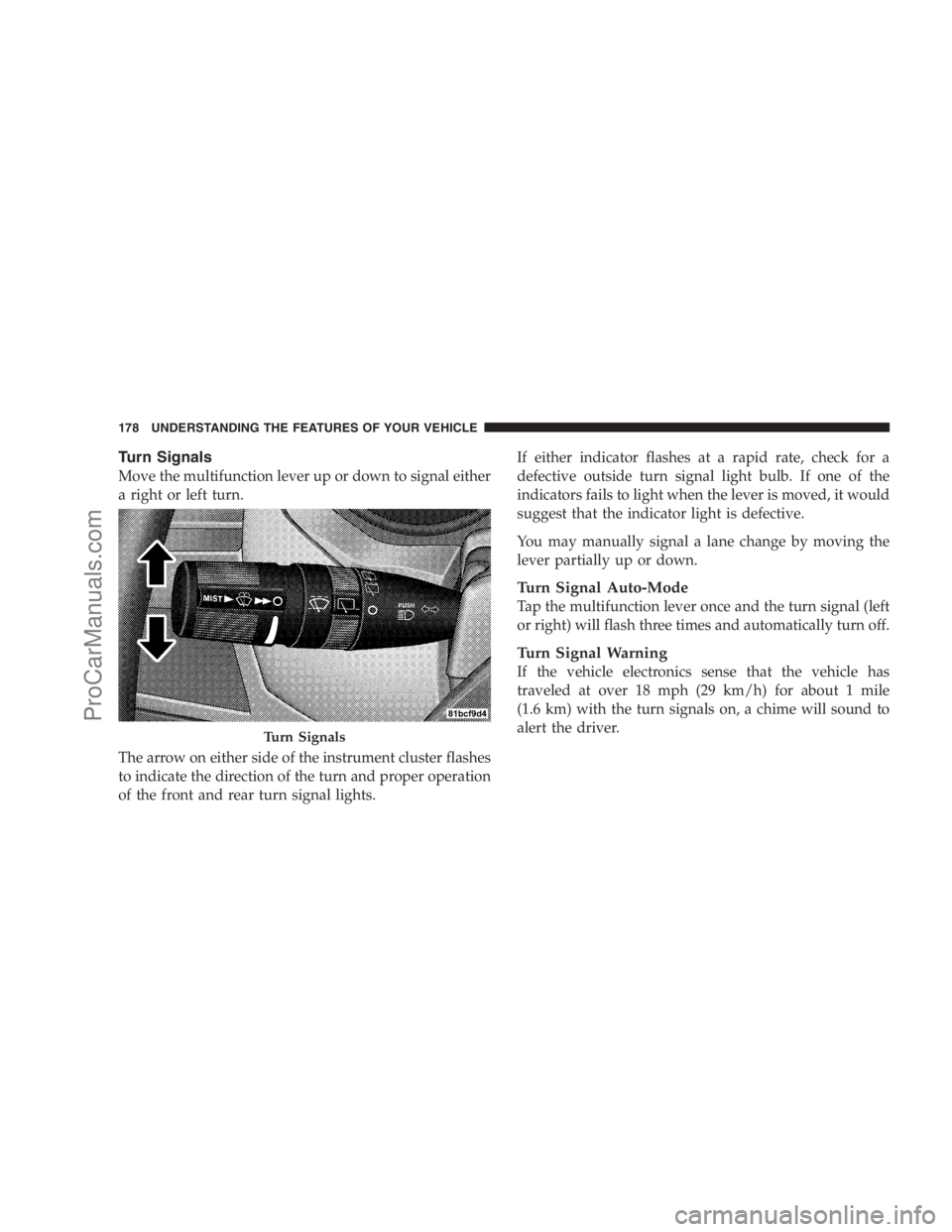
Turn Signals
Move the multifunction lever up or down to signal either
a right or left turn.
The arrow on either side of the instrument cluster flashes
to indicate the direction of the turn and proper operation
of the front and rear turn signal lights.If either indicator flashes at a rapid rate, check for a
defective outside turn signal light bulb. If one of the
indicators fails to light when the lever is moved, it would
suggest that the indicator light is defective.
You may manually signal a lane change by moving the
lever partially up or down.
Turn Signal Auto-Mode
Tap the multifunction lever once and the turn signal (left
or right) will flash three times and automatically turn off.
Turn Signal Warning
If the vehicle electronics sense that the vehicle has
traveled at over 18 mph (29 km/h) for about 1 mile
(1.6 km) with the turn signals on, a chime will sound to
alert the driver.
Turn Signals
178 UNDERSTANDING THE FEATURES OF YOUR VEHICLE
ProCarManuals.com
Page 181 of 534
High Beam/Low Beam Select Switch
When the headlights are turned on, pushing the multi-
function lever toward the instrument panel will switch
from Low beams to High beams. Pulling back to the
neutral position returns the headlights to the Low beam
operation.
Flash-To-Pass
You can signal another vehicle with your headlights by
lightly pulling the multifunction lever toward you. This
will cause the headlights to turn on at High beam and
remain on until the multifunction lever is released.
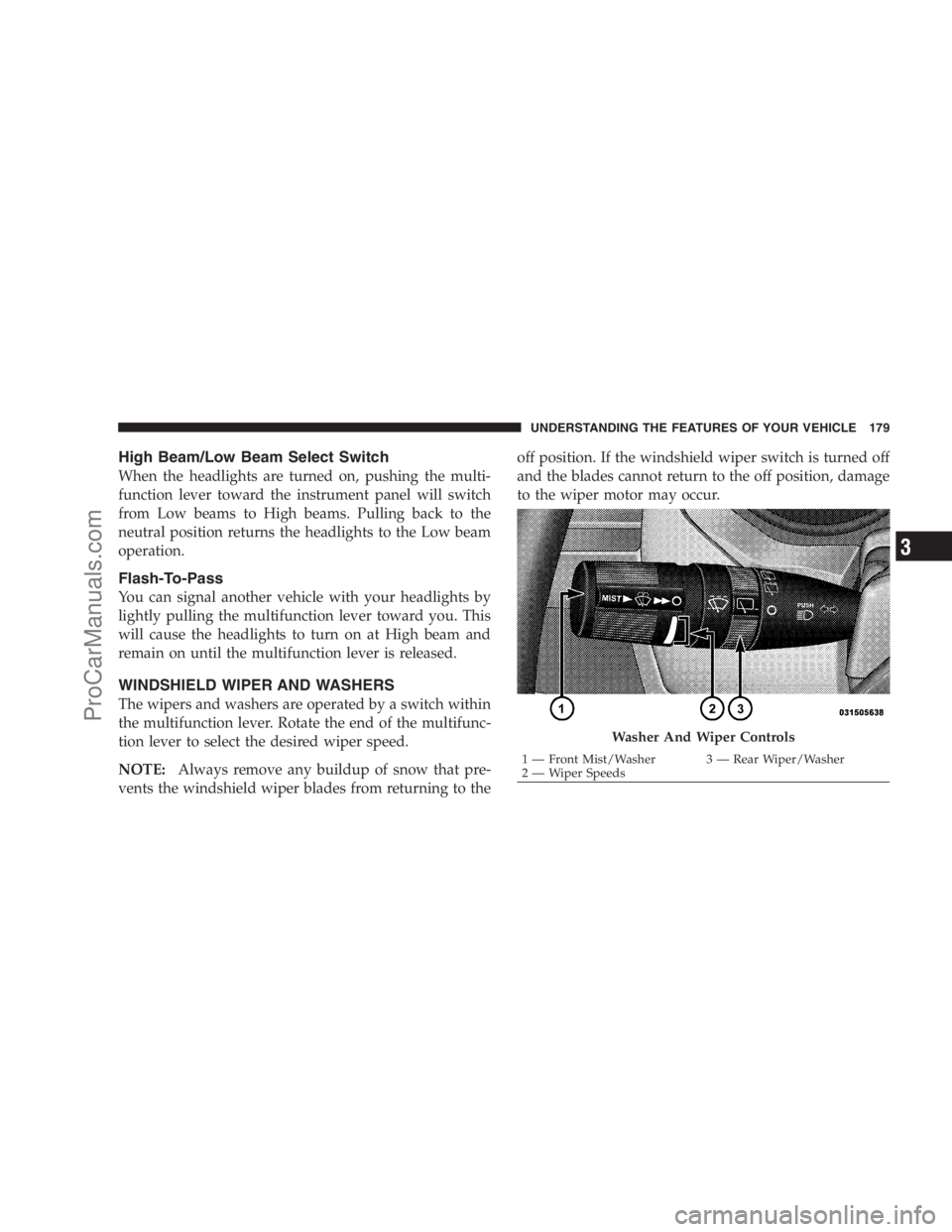
WINDSHIELD WIPER AND WASHERS
The wipers and washers are operated by a switch within
the multifunction lever. Rotate the end of the multifunc-
tion lever to select the desired wiper speed.
NOTE:Always remove any buildup of snow that pre-
vents the windshield wiper blades from returning to theoff position. If the windshield wiper switch is turned off
and the blades cannot return to the off position, damage
to the wiper motor may occur.
Washer And Wiper Controls
1 — Front Mist/Washer 3 — Rear Wiper/Washer
2 — Wiper SpeedsUNDERSTANDING THE FEATURES OF YOUR VEHICLE 179
3
ProCarManuals.com
Page 186 of 534
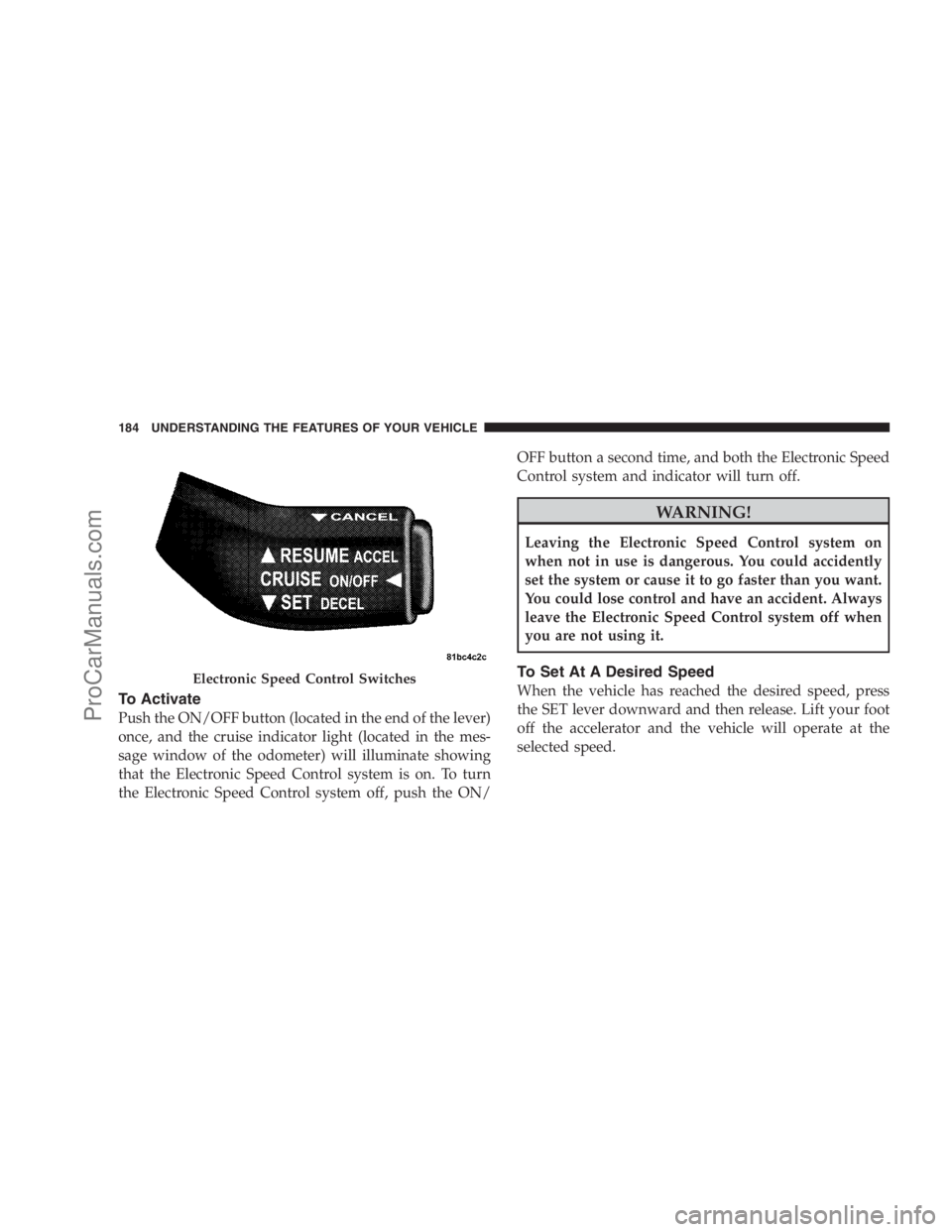
To Activate
Push the ON/OFF button (located in the end of the lever)
once, and the cruise indicator light (located in the mes-
sage window of the odometer) will illuminate showing
that the Electronic Speed Control system is on. To turn
the Electronic Speed Control system off, push the ON/OFF button a second time, and both the Electronic Speed
Control system and indicator will turn off.
WARNING!
Leaving the Electronic Speed Control system on
when not in use is dangerous. You could accidently
set the system or cause it to go faster than you want.
You could lose control and have an accident. Always
leave the Electronic Speed Control system off when
you are not using it.
To Set At A Desired Speed
When the vehicle has reached the desired speed, press
the SET lever downward and then release. Lift your foot
off the accelerator and the vehicle will operate at the
selected speed.Electronic Speed Control Switches
184 UNDERSTANDING THE FEATURES OF YOUR VEHICLE
ProCarManuals.com
Page 188 of 534
Speed Control system can be reactivated by pushing the
Electronic Speed Control switch ON/OFF button and
resetting the desired vehicle set speed.
Accelerating To Pass
Depress the accelerator as you normally would. When
the pedal is released, the vehicle will return to the set
speed.
NOTE:The Electronic Speed Control system maintains
speed up and down hills. A slight speed change on
moderate hills is normal.
Your vehicle may experience a downshift (automatic
transmissions only) while climbing uphill or descending
downhill. This downshift is necessary to maintain vehicle
set speed.
On steep hills, a greater speed loss or gain may occur, so
it may be preferable to drive without Electronic Speed
Control.
WARNING!
Electronic Speed Control can be dangerous where the
system cannot maintain a constant speed. Your ve-
hicle could go too fast for the conditions, and you
could lose control. An accident could be the result.
Do not use Electronic Speed Control in heavy traffic
or on roads that are winding, icy, snow-covered, or
slippery.
REAR PARK ASSIST SYSTEM — IF EQUIPPED
The Rear Park Assist system provides visible and audible
indications of the distance between the rear fascia and the
detected obstacle, when backing up. When backing up,
you should also use the inside rearview and outside
mirrors.
186 UNDERSTANDING THE FEATURES OF YOUR VEHICLE
ProCarManuals.com
Page 190 of 534
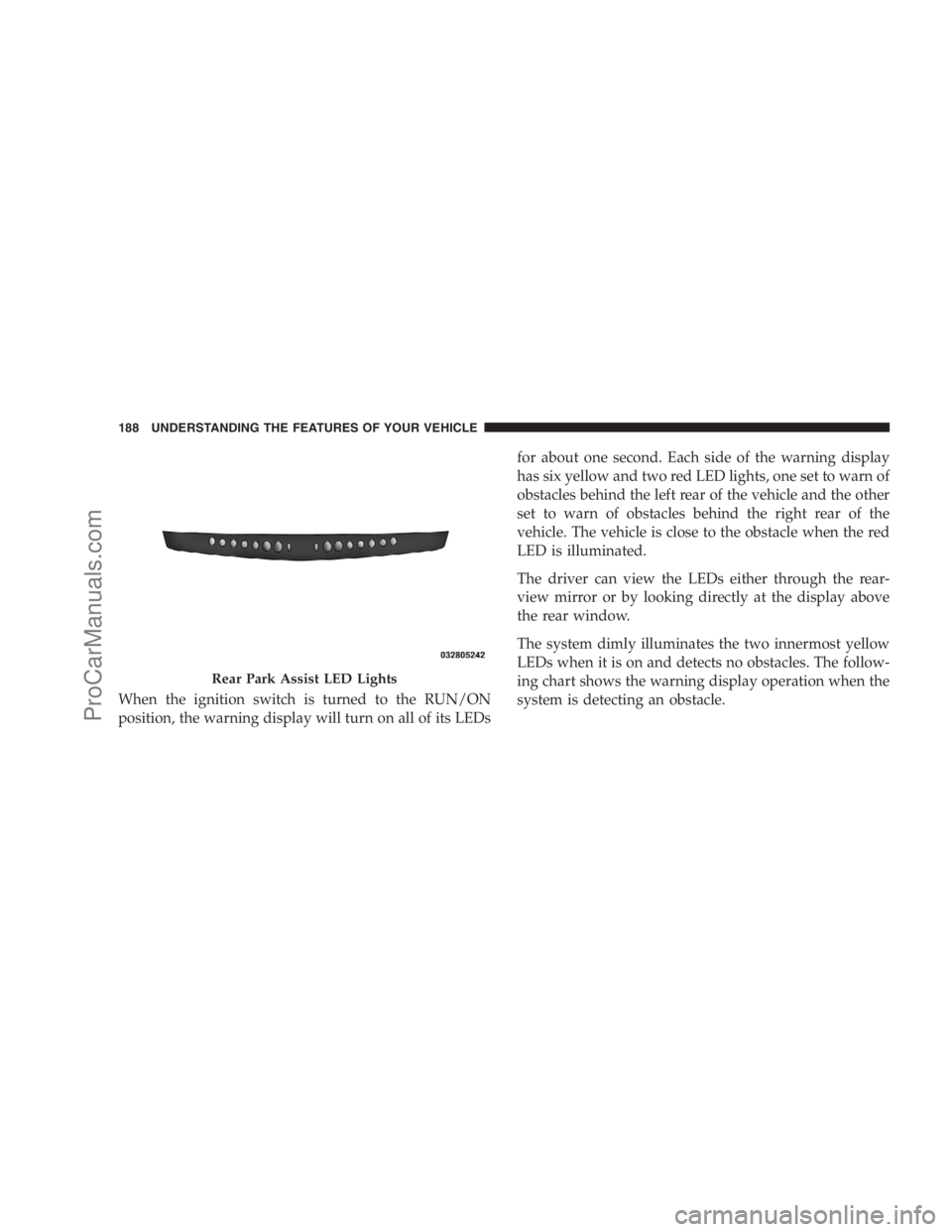
When the ignition switch is turned to the RUN/ON
position, the warning display will turn on all of its LEDsfor about one second. Each side of the warning display
has six yellow and two red LED lights, one set to warn of
obstacles behind the left rear of the vehicle and the other
set to warn of obstacles behind the right rear of the
vehicle. The vehicle is close to the obstacle when the red
LED is illuminated.
The driver can view the LEDs either through the rear-
view mirror or by looking directly at the display above
the rear window.
The system dimly illuminates the two innermost yellow
LEDs when it is on and detects no obstacles. The follow-
ing chart shows the warning display operation when the
system is detecting an obstacle.
Rear Park Assist LED Lights
188 UNDERSTANDING THE FEATURES OF YOUR VEHICLE
ProCarManuals.com