display DODGE CARAVAN 2010 Manual PDF
[x] Cancel search | Manufacturer: DODGE, Model Year: 2010, Model line: CARAVAN, Model: DODGE CARAVAN 2010Pages: 530, PDF Size: 9.59 MB
Page 314 of 530
NOTE:
•It is not necessary to move the temperature settings for
cold or hot vehicles. The system automatically adjusts
the temperature, mode and fan speed to provide
comfort as quickly as possible.
•The temperature can be displayed in English or Metric
units by selecting the “Display Units of Measure in”
customer-programmable feature. Refer to the “Elec-
tronic Vehicle Information Center (EVIC) — Customer-
Programmable Features” in this Section.
Rear Blower Control
The rear blower control knob can be manually set to off,
or any fixed blower speed, by rotating the knob from low
to high. This allows the rear seat occupants to control the
volume of air circulated in the rear of the vehicle.
CAUTION!
Interior air enters the Rear Automatic Temperature
Control System through an intake grille, located in
the right side trim panel behind the third row seats.
The heater outlets are located in the right side trim
panel, just behind the sliding door. Do not block or
place objects directly in front of the inlet grille or
heater outlets. The electrical system could overload
causing damage to the blower motor.
Rear Temperature Control
To change the temperature in the rear of the vehicle,
rotate the temperature knob counterclockwise to lower
the temperature, and clockwise to increase the tempera-
ture. The REAR temperature settings are displayed in the
front upper ATC panel.
When rear controls are locked by the front system, the
LOCK symbol on the temperature knob is illuminated
and any rear overhead adjustments are ignored.
4
UNDERSTANDING YOUR INSTRUMENT PANEL 313
ProCarManuals.com
Page 327 of 530
The electronically-controlled transmission provides a
precise shift schedule. The transmission electronics are
self-calibrating; therefore, the first few shifts on a new
vehicle may be somewhat abrupt. This is a normal
condition, and precision shifts will develop within a few
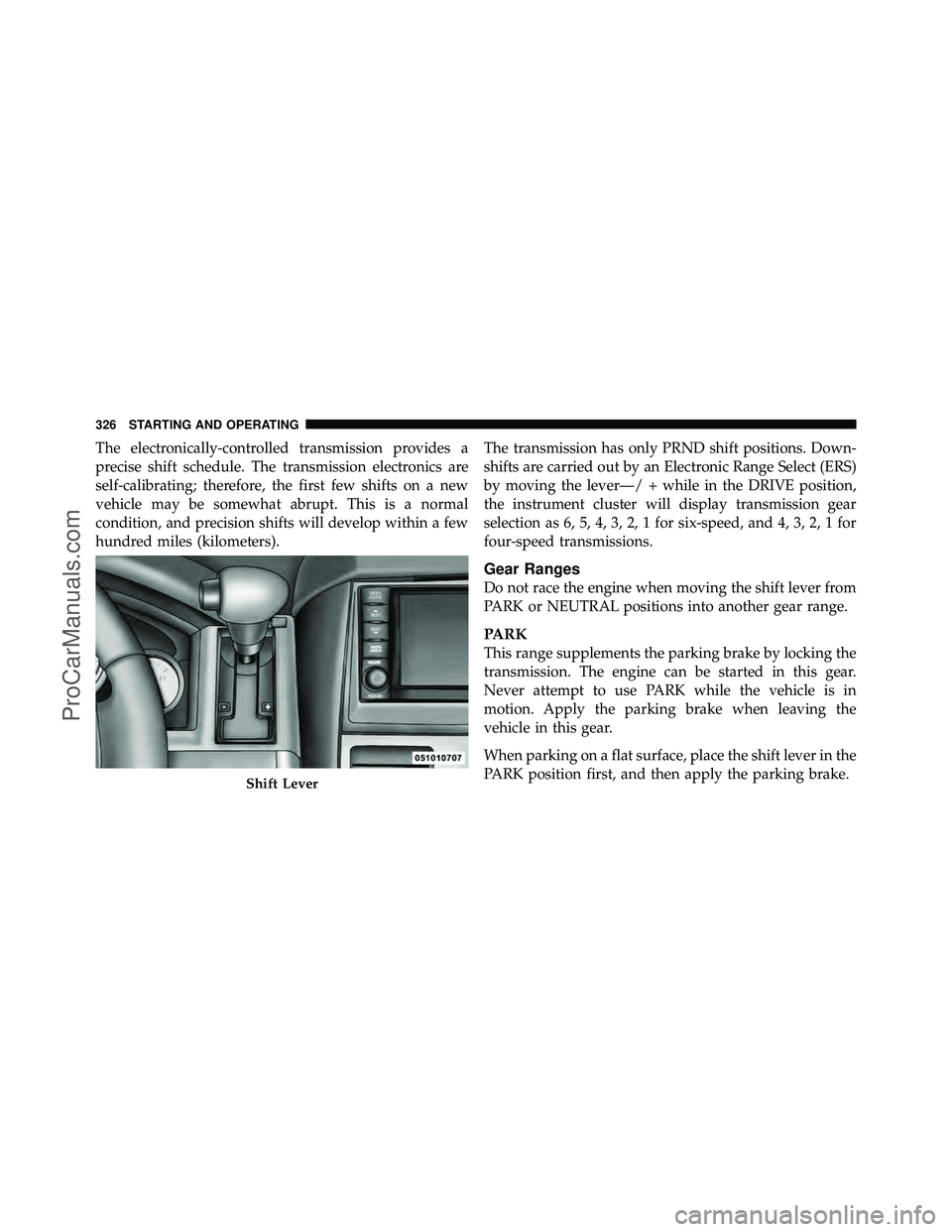
hundred miles (kilometers).The transmission has only PRND shift positions. Down-
shifts are carried out by an Electronic Range Select (ERS)
by moving the lever—/ + while in the DRIVE position,
the instrument cluster will display transmission gear
selection as 6, 5, 4, 3, 2, 1 for six-speed, and 4, 3, 2, 1 for
four-speed transmissions.
Gear Ranges
Do not race the engine when moving the shift lever from
PARK or NEUTRAL positions into another gear range.
PARK
This range supplements the parking brake by locking the
transmission. The engine can be started in this gear.
Never attempt to use PARK while the vehicle is in
motion. Apply the parking brake when leaving the
vehicle in this gear.
When parking on a flat surface, place the shift lever in the
PARK position first, and then apply the parking brake.
Shift Lever
326 STARTING AND OPERATING
ProCarManuals.com
Page 331 of 530
CAUTION!
If the transmission operating temperature exceeds
acceptable limits, the vehicle computer will override
DRIVE and select “5” range (on six-speed transmis-
sions) or “3” range (on four-speed transmissions) by
changing shift points. This is done to prevent trans-
mission damage due to overheating.
Electronic Range Select (ERS) Operation
The Electronic Range Select (ERS) shift control allows
you to move the shift lever to the left (-) or right (+) when
the shift lever is in the DRIVE position, this allows the
selection of the desired top gear. For example, if you shift
the transmission into third gear, the transmission will
never shift above third gear, but can shift down into
second or first gear automatically, when needed.Switching from ERS to DRIVE can be done at any vehicle
speed. To shift from DRIVE mode to ERS mode, move the
shift lever to the left (-) once. The current gear will be
maintained as the top gear. To disable ERS, simply press
and hold the shift lever to the right (+) until “D” is
displayed in the instrument cluster odometer.
WARNING!
Do not downshift for additional engine braking on a
slippery surface. The drive wheels could lose their
grip and the vehicle could skid, causing an accident
or personal injury.
330 STARTING AND OPERATING
ProCarManuals.com
Page 332 of 530
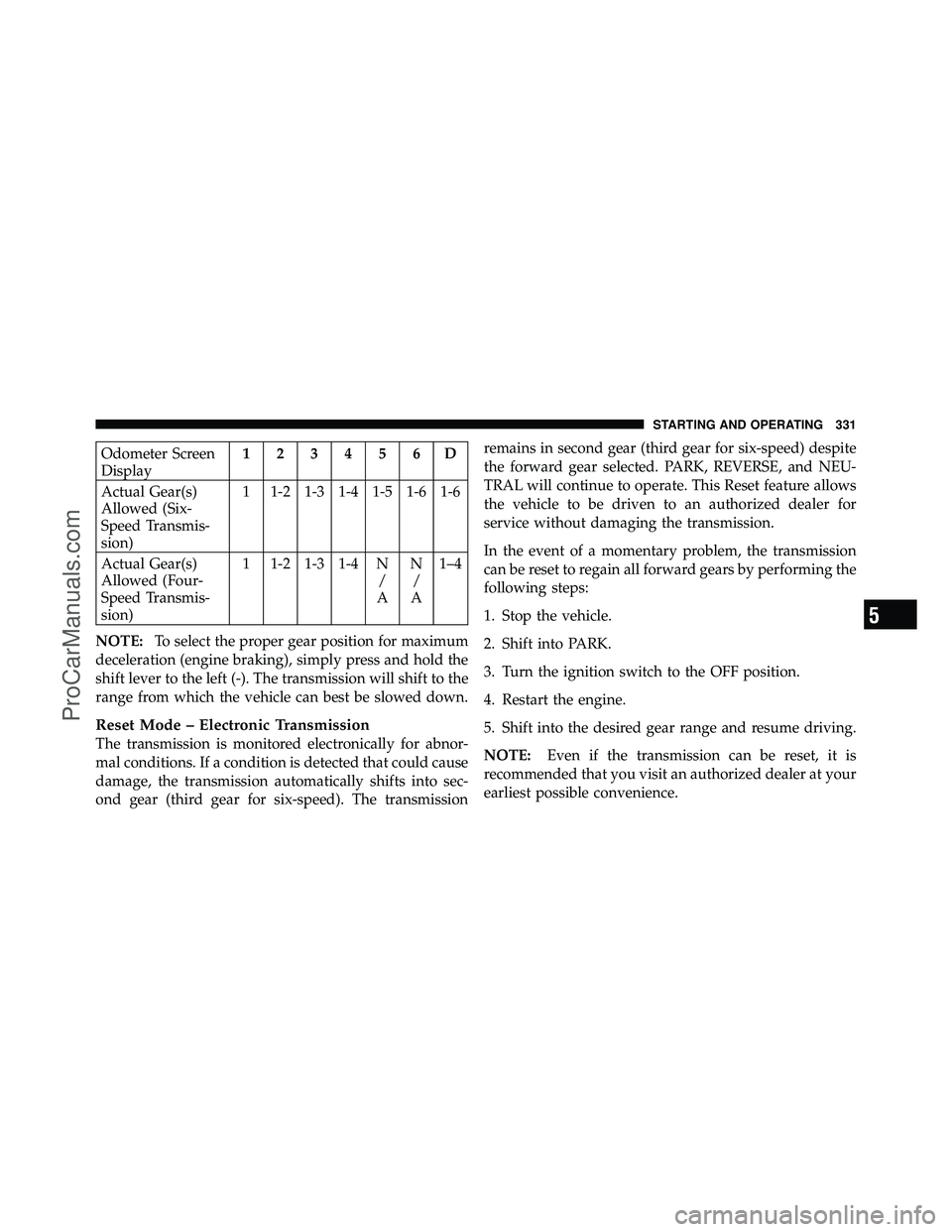
Odometer Screen
Display123456D
Actual Gear(s)
Allowed (Six-
Speed Transmis-
sion) 1 1-2 1-3 1-4 1-5 1-6 1-6
Actual Gear(s)
Allowed (Four-
Speed Transmis-
sion) 1 1-2 1-3 1-4 N
/
A N
/
A 1–4
NOTE: To select the proper gear position for maximum
deceleration (engine braking), simply press and hold the
shift lever to the left (-). The transmission will shift to the
range from which the vehicle can best be slowed down.
Reset Mode – Electronic Transmission
The transmission is monitored electronically for abnor-
mal conditions. If a condition is detected that could cause
damage, the transmission automatically shifts into sec-
ond gear (third gear for six-speed). The transmission remains in second gear (third gear for six-speed) despite
the forward gear selected. PARK, REVERSE, and NEU-
TRAL will continue to operate. This Reset feature allows
the vehicle to be driven to an authorized dealer for
service without damaging the transmission.
In the event of a momentary problem, the transmission
can be reset to regain all forward gears by performing the
following steps:
1. Stop the vehicle.
2. Shift into PARK.
3. Turn the ignition switch to the OFF position.
4. Restart the engine.
5. Shift into the desired gear range and resume driving.
NOTE:
Even if the transmission can be reset, it is
recommended that you visit an authorized dealer at your
earliest possible convenience.
5
STARTING AND OPERATING 331
ProCarManuals.com
Page 370 of 530
NOTE:It is particularly important to regularly check
and maintain proper tire pressure in all the tires.
The Premium TPMS consists of the following compo-
nents:
•Receiver Module
•Four TPMS Sensors
•Three Trigger Modules (mounted in three of the four
wheel wells)
•Various TPMS messages, which display in the Elec-
tronic Vehicle Information Center (EVIC), and graph-
ics displaying tire pressures
•Yellow TPMS Telltale Warning Light
TPMS Low Pressure Warnings
The “TPMS Telltale Warning Light” will illuminate in the
instrument cluster, and an audible chime will be acti-
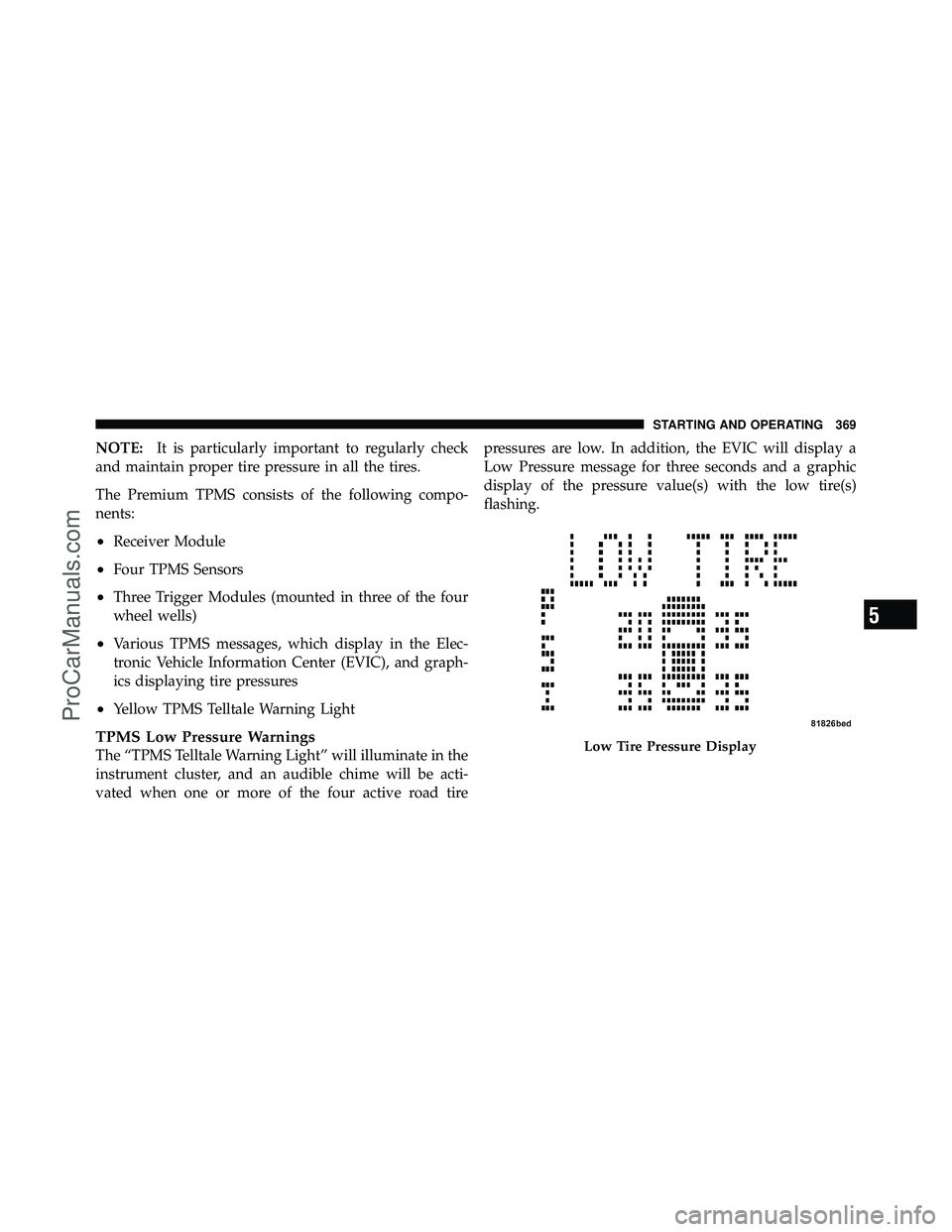
vated when one or more of the four active road tire pressures are low. In addition, the EVIC will display a
Low Pressure message for three seconds and a graphic
display of the pressure value(s) with the low tire(s)
flashing.Low Tire Pressure Display
5
STARTING AND OPERATING 369
ProCarManuals.com
Page 371 of 530
Should a low tire condition occur on any of the four
active road tire(s), you should stop as soon as possible,
and inflate the low tire(s) that is flashing on the graphic
display to the vehicle’s recommended cold tire pressure
value. The system will automatically update, the graphic
display of the pressure value(s) will stop flashing, and
the “TPMS Telltale Warning Light” will extinguish once
the updated tire pressure(s) have been received. The
vehicle may need to be driven for up to 20 minutes above
15 mph (25 km/h) to receive this information.
Check TPMS Message
The “TPMS Telltale Warning Light” will flash on and off
for 75 seconds, and remain on solid when a system fault
is detected. The system fault will also sound a chime. The
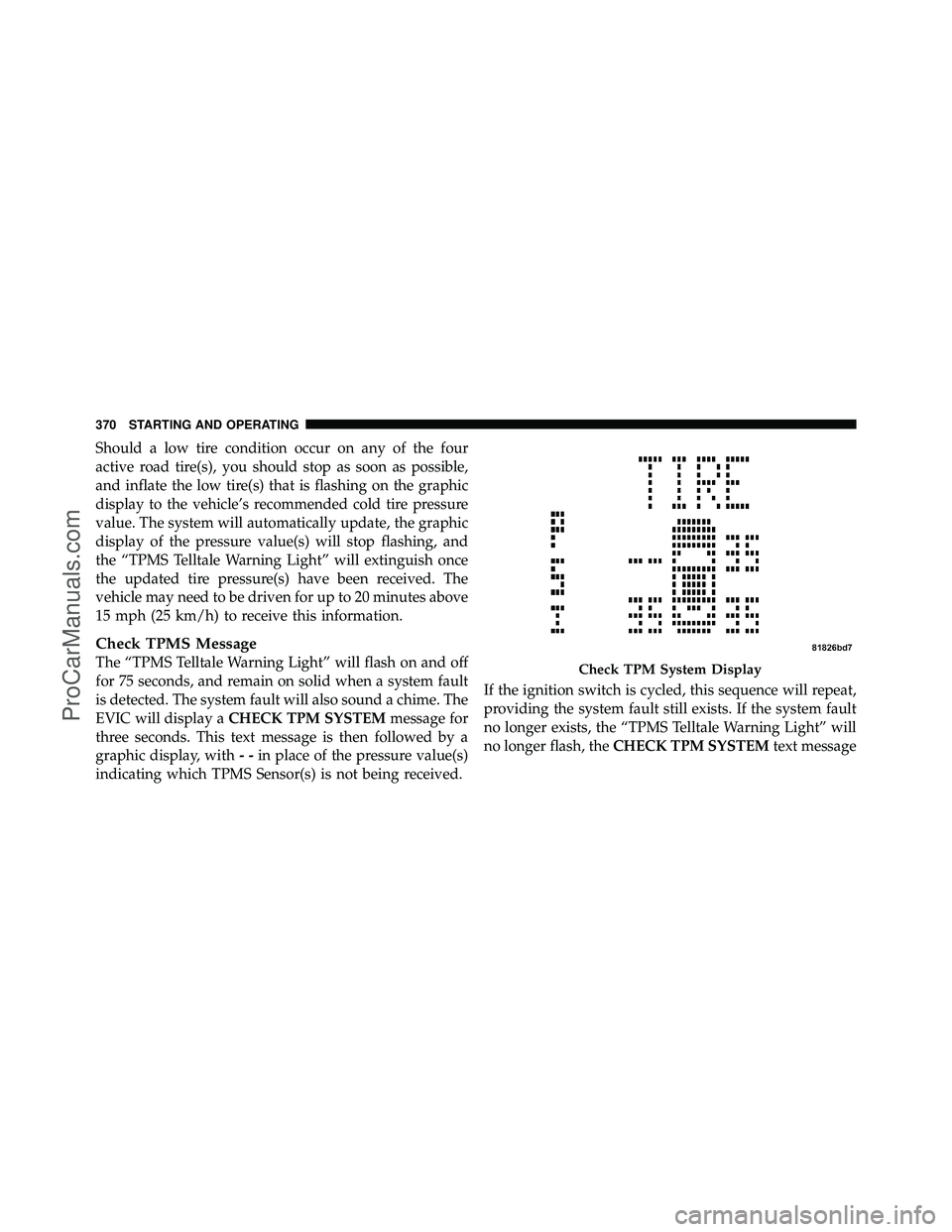
EVIC will display aCHECK TPM SYSTEM message for
three seconds. This text message is then followed by a
graphic display, with --in place of the pressure value(s)
indicating which TPMS Sensor(s) is not being received. If the ignition switch is cycled, this sequence will repeat,
providing the system fault still exists. If the system fault
no longer exists, the “TPMS Telltale Warning Light” will
no longer flash, the
CHECK TPM SYSTEM text messageCheck TPM System Display
370 STARTING AND OPERATING
ProCarManuals.com
Page 372 of 530
will not be present, and a pressure value will be dis-
played instead of dashes. A system fault can occur by any
of the following scenarios:
1. Jamming due to electronic devices or driving next to
facilities emitting the same radio frequencies as the TPMS
sensors.
2. Installing some form of aftermarket window tinting
that affects radio wave signals.
3. Accumulation of excessive snow and/or ice around
the wheels or wheel housings.
4. Using tire chains on the vehicle.
5. Using wheels/tires not equipped with TPMS sensors.
Vehicles with Compact Spare
1. The compact spare tire (if equipped) does not have a
TPMS. Therefore, the TPMS will not monitor the pressure
in the compact spare tire.2. If you install the compact spare tire in place of a road
tire that has a pressure below the low-pressure warning
limit, upon the next ignition switch cycle, the “TPMS
Telltale Warning Light” will remain on, a chime will
sound, and the EVIC will still display a flashing pressure
value in the graphic display.
3. After driving the vehicle for up to 20 minutes above
15 mph (25 km/h), the “TPMS Telltale Warning Light”
will flash on and off for 75 seconds and then remain on
solid. In addition, the EVIC will display a CHECK TPM
SYSTEM message for three seconds and then display
dashes (- -) in place of the pressure value.
4. For each subsequent ignition switch cycle, a chime will
sound, the “TPMS Telltale Warning Light” will flash on
and off for 75 seconds and then remain on solid, and the
EVIC will display a CHECK TPM SYSTEM message for
three seconds and then display dashes (- -) in place of the
pressure value.
5
STARTING AND OPERATING 371
ProCarManuals.com
Page 373 of 530
5. Once you repair or replace the original road tire, and
reinstall it on the vehicle in place of the compact spare,
the TPMS will update automatically. In addition, the
“TPMS Telltale Warning Light” will turn off and the
graphic in the EVIC will display a new pressure value
instead of dashes (- -), as long no tire pressure is below
the low pressure warning limit in any of the four active
road tires.
NOTE:The vehicle may need to be driven for up to
20 minutes above 15 mph (25 km/h) in order for the
TPMS to receive this information.
General Information
This device complies with Part 15 of the FCC rules and
RSS 210 of Industry Canada. Operation is subject to the
following conditions:
•This device may not cause harmful interference.
•This device must accept any interference received,
including interference that may cause undesired
operation.
The tire pressure sensors are regulated under one of the
following licenses:
United States ..................... KR5S120123
Canada ........................ 2671-S120123
FUEL REQUIREMENTS
3.3L and 3.8L Engine
All engines are designed to meet all emis-
sions regulations and provide excellent
fuel economy and performance when us-
ing high-quality unleaded “regular” gaso-
line having an octane rating of 87. The use
of premium gasoline is not recommended,
as it will not provide any benefit over regular gasoline in
these engines.
372 STARTING AND OPERATING
ProCarManuals.com
Page 384 of 530
•If the gas cap is not tightened properly, the MIL may
come on. Be sure the gas cap is tightened every time
the vehicle is refueled.
Loose Fuel Filler Cap Message
If the vehicle diagnostic system determines that the fuel
filler cap is loose, improperly installed, or damaged, a
“gASCAP” message will display in the odometer or a
“CHECK GASCAP” message will be displayed in the
Electronic Vehicle Information Center (EVIC). Refer to
“Electronic Vehicle Information Center” in “Understand-
ing Your Instrument Panel” for further information.
Tighten the fuel filler cap until a “clicking” sound is heard.
This is an indication that the fuel filler cap is properly
tightened. Refer to “Onboard Diagnostic System” in
“Maintaining Your Vehicle” for further information.
If the problem continues, the message will appear the
next time the vehicle is started. See your authorized
dealer as soon as possible.
VEHICLE LOADING
As required by National Highway Traffic Safety Admin-
istration regulations, your vehicle has a certification label
affixed to the driver’s side door or B-Pillar.
If seats are removed for carrying cargo, do not exceed the
specified GVWR and GAWR.
Vehicle Certification Label
Your vehicle has a Vehicle Certification Label attached to
the driver’s door B-Pillar.
The label contains the following information:
•Name of manufacturer
•Month and year of manufacture
•Gross Vehicle Weight Rating (GVWR)
•Gross Axle Weight Rating (GAWR) — Front
•Gross Axle Weight Rating (GAWR) — Rear
5
STARTING AND OPERATING 383
ProCarManuals.com
Page 434 of 530
ONBOARD DIAGNOSTIC SYSTEM — OBD II
Your vehicle is equipped with a sophisticated onboard
diagnostic system called OBD II. This system monitors
the performance of the emissions, engine, and automatic
transmission control systems. When these systems are
operating properly, your vehicle will provide excellent
performance and fuel economy, as well as engine emis-
sions well within current government regulations.
If any of these systems require service, the OBD II system
will turn on the “Malfunction Indicator Light (MIL).” It
will also store diagnostic codes and other information to
assist your service technician in making repairs. Al-
though your vehicle will usually be drivable and not
need towing, see your authorized dealer for service as
soon as possible.CAUTION!
•Prolonged driving with the MIL on could cause
further damage to the emission control system. It
could also affect fuel economy and driveability.
The vehicle must be serviced before any emissions
tests can be performed.
•If the MIL is flashing while the engine is running,
severe catalytic converter damage and power loss
will soon occur. Immediate service is required.
Loose Fuel Filler Cap Message
If the vehicle diagnostic system determines that the fuel
filler cap is loose, improperly installed, or damaged, a
“gASCAP” message will display in the odometer or a
“CHECK GASCAP” message will be displayed in the
Electronic Vehicle Information Center (EVIC). Refer to
7
MAINTAINING YOUR VEHICLE 433
ProCarManuals.com