instrument panel DODGE CHALLENGER 2009 3.G Owner's Guide
[x] Cancel search | Manufacturer: DODGE, Model Year: 2009, Model line: CHALLENGER, Model: DODGE CHALLENGER 2009 3.GPages: 469, PDF Size: 3.25 MB
Page 166 of 469
WARNING!
Driving a vehicle with the red brake light on is
dangerous. Part of the brake system may have failed.
It will take longer to stop the vehicle. You could have
an accident. Have the vehicle checked immediately.
Vehicles equipped with the Anti-Lock Brake System
(ABS), are also equipped with Electronic Brake Force
Distribution (EBD). In the event of an EBD failure, the
Brake Warning Light will turn on along with the ABS
Light. Immediate repair to the ABS system is required.
Operation of the Brake Warning Light can be checked by
turning the ignition switch from the OFF position to the
ON position. The light should illuminate for approxi-
mately two seconds. The light should then turn off unless
the parking brake is applied or a brake fault is detected.
If the light does not illuminate, have the light inspected
by an authorized dealer.The light also will turn on when the parking brake is
applied with the ignition switch in the ON position.
NOTE:This light shows only that the parking brake is
applied. It does not show the degree of brake application.
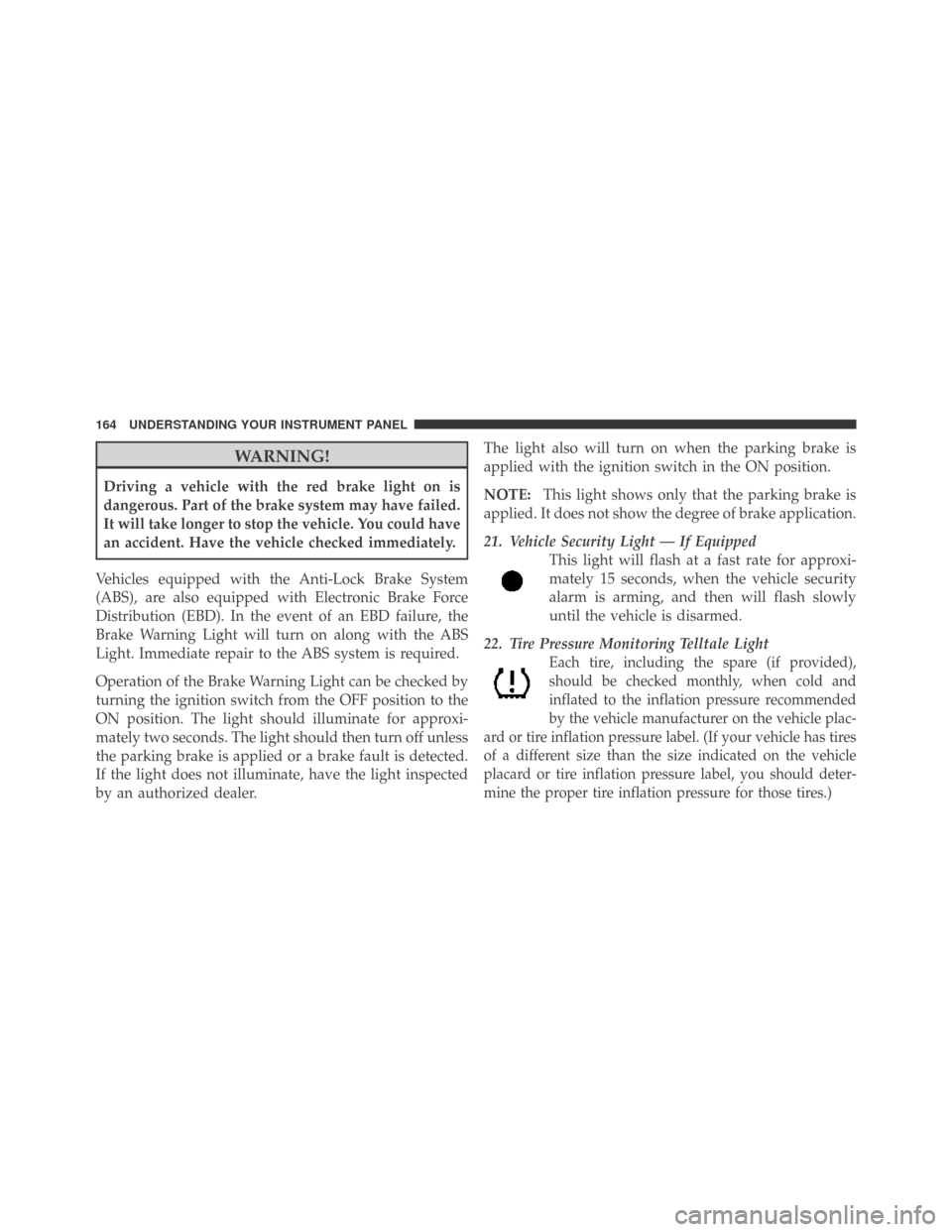
21. Vehicle Security Light — If Equipped
This light will flash at a fast rate for approxi-
mately 15 seconds, when the vehicle security
alarm is arming, and then will flash slowly
until the vehicle is disarmed.
22. Tire Pressure Monitoring Telltale Light
Each tire, including the spare (if provided),
should be checked monthly, when cold and
inflated to the inflation pressure recommended
by the vehicle manufacturer on the vehicle plac-
ard or tire inflation pressure label. (If your vehicle has tires
of a different size than the size indicated on the vehicle
placard or tire inflation pressure label, you should deter-
mine the proper tire inflation pressure for those tires.)
164 UNDERSTANDING YOUR INSTRUMENT PANEL
Page 167 of 469
As an added safety feature, your vehicle has been
equipped with a Tire Pressure Monitoring System
(TPMS) that illuminates a low tire pressure telltale when
one or more of your tires is significantly under-inflated.
Accordingly, when the low tire pressure telltale illumi-
nates, you should stop and check your tires as soon as
possible, and inflate them to the proper pressure. Driving
on a significantly under-inflated tire causes the tire to
overheat and can lead to tire failure. Under-inflation also
reduces fuel efficiency and tire tread life, and may affect
the vehicle’s handling and stopping ability.
Please note that the TPMS is not a substitute for proper
tire maintenance, and it is the driver ’s responsibility to
maintain correct tire pressure, even if under-inflation has
not reached the level to trigger illumination of the TPMS
low tire pressure telltale.
Your vehicle has also been equipped with a TPMS
malfunction indicator to indicate when the system is notoperating properly. The TPMS malfunction indicator is
combined with the low tire pressure telltale. When the
system detects a malfunction, the telltale will flash for
approximately one minute and then remain continuously
illuminated. This sequence will continue upon subse-
quent vehicle start-ups as long as the malfunction exists.
When the malfunction indicator is illuminated, the sys-
tem may not be able to detect or signal low tire pressure
as intended. TPMS malfunctions may occur for a variety
of reasons, including the installation of replacement or
alternate tires or wheels on the vehicle that prevent the
TPMS from functioning properly. Always check the
TPMS malfunction telltale after replacing one or more
tires or wheels on your vehicle, to ensure that the
replacement or alternate tires and wheels allow the TPMS
to continue to function properly.
4
UNDERSTANDING YOUR INSTRUMENT PANEL 165
Page 168 of 469
CAUTION!
The TPMS has been optimized for the original
equipment tires and wheels. TPMS pressures and
warning have been established for the tire size
equipped on your vehicle. Undesirable system opera-
tion or sensor damage may result when using re-
placement equipment that is not of the same size,
type, and/or style. Aftermarket wheels can cause
sensor damage. Do not use tire sealant from a can, or
balance beads if your vehicle is equipped with a
TPMS, as damage to the sensors may result.
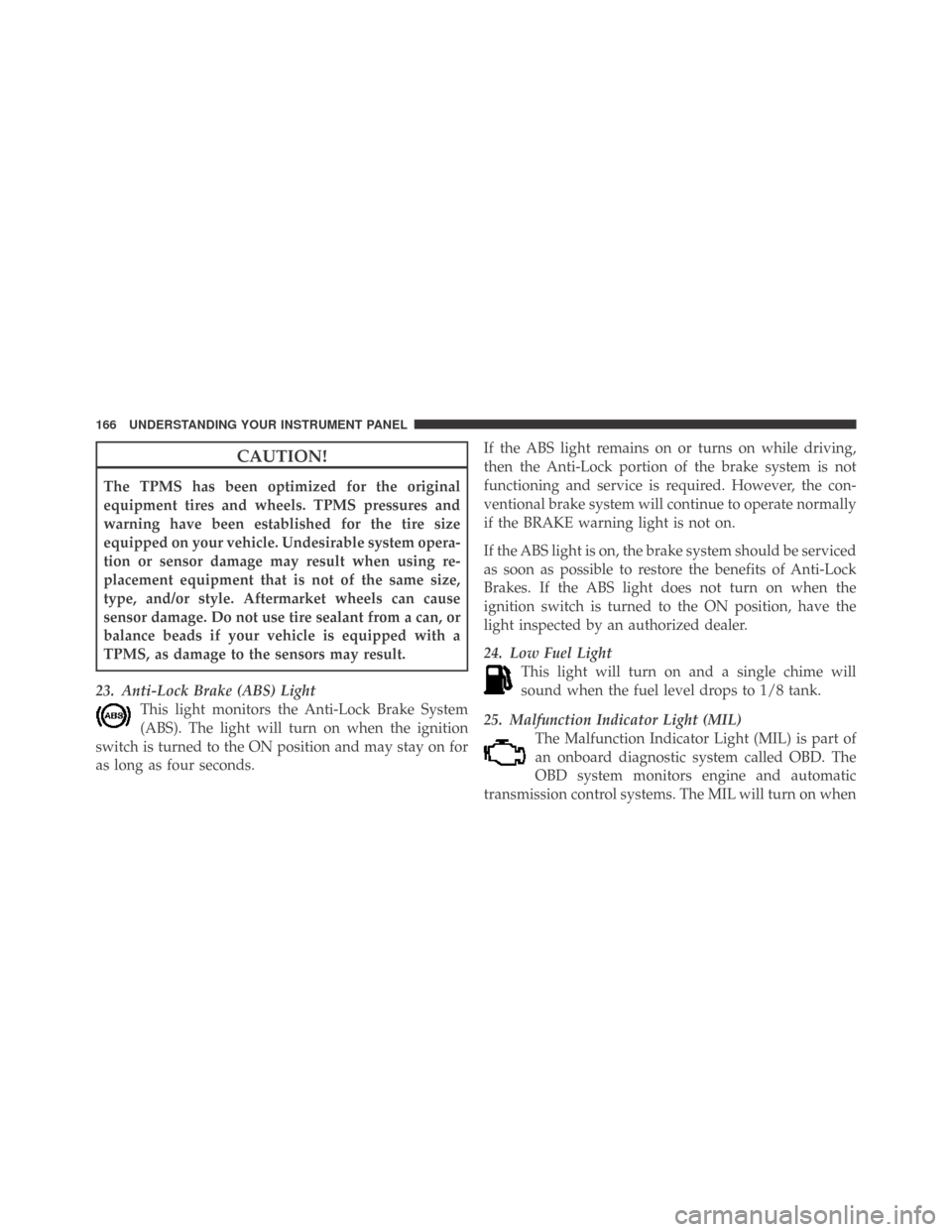
23. Anti-Lock Brake (ABS) Light
This light monitors the Anti-Lock Brake System
(ABS). The light will turn on when the ignition
switch is turned to the ON position and may stay on for
as long as four seconds.If the ABS light remains on or turns on while driving,
then the Anti-Lock portion of the brake system is not
functioning and service is required. However, the con-
ventional brake system will continue to operate normally
if the BRAKE warning light is not on.
If the ABS light is on, the brake system should be serviced
as soon as possible to restore the benefits of Anti-Lock
Brakes. If the ABS light does not turn on when the
ignition switch is turned to the ON position, have the
light inspected by an authorized dealer.
24. Low Fuel Light
This light will turn on and a single chime will
sound when the fuel level drops to 1/8 tank.
25. Malfunction Indicator Light (MIL)
The Malfunction Indicator Light (MIL) is part of
an onboard diagnostic system called OBD. The
OBD system monitors engine and automatic
transmission control systems. The MIL will turn on when
166 UNDERSTANDING YOUR INSTRUMENT PANEL
Page 169 of 469
the key is in the ON position before engine start. If the
MIL does not come on when turning the key from LOCK
to ON, have the condition checked promptly.
Certain conditions such as a loose or missing gas cap,
poor fuel quality, etc., may illuminate the MIL after
engine start. The vehicle should be serviced if the MIL
stays on through several of your typical driving cycles. In
most situations, the vehicle will drive normally and will
not require towing.
The MIL flashes to alert you to serious conditions that
could lead to immediate loss of power or severe catalytic
converter damage. The vehicle should be serviced as
soon as possible if this occurs.26. Door Ajar Indicator
This light will turn on to indicate that one or more door
may be ajar.
27. Decklid Ajar Indicator
This light will turn on to indicate that the decklid may be
ajar.
28. Windshield Washer Fluid Low Indicator
This light will turn on to indicate the windshield washer
fluid is low.
4
UNDERSTANDING YOUR INSTRUMENT PANEL 167
Page 170 of 469
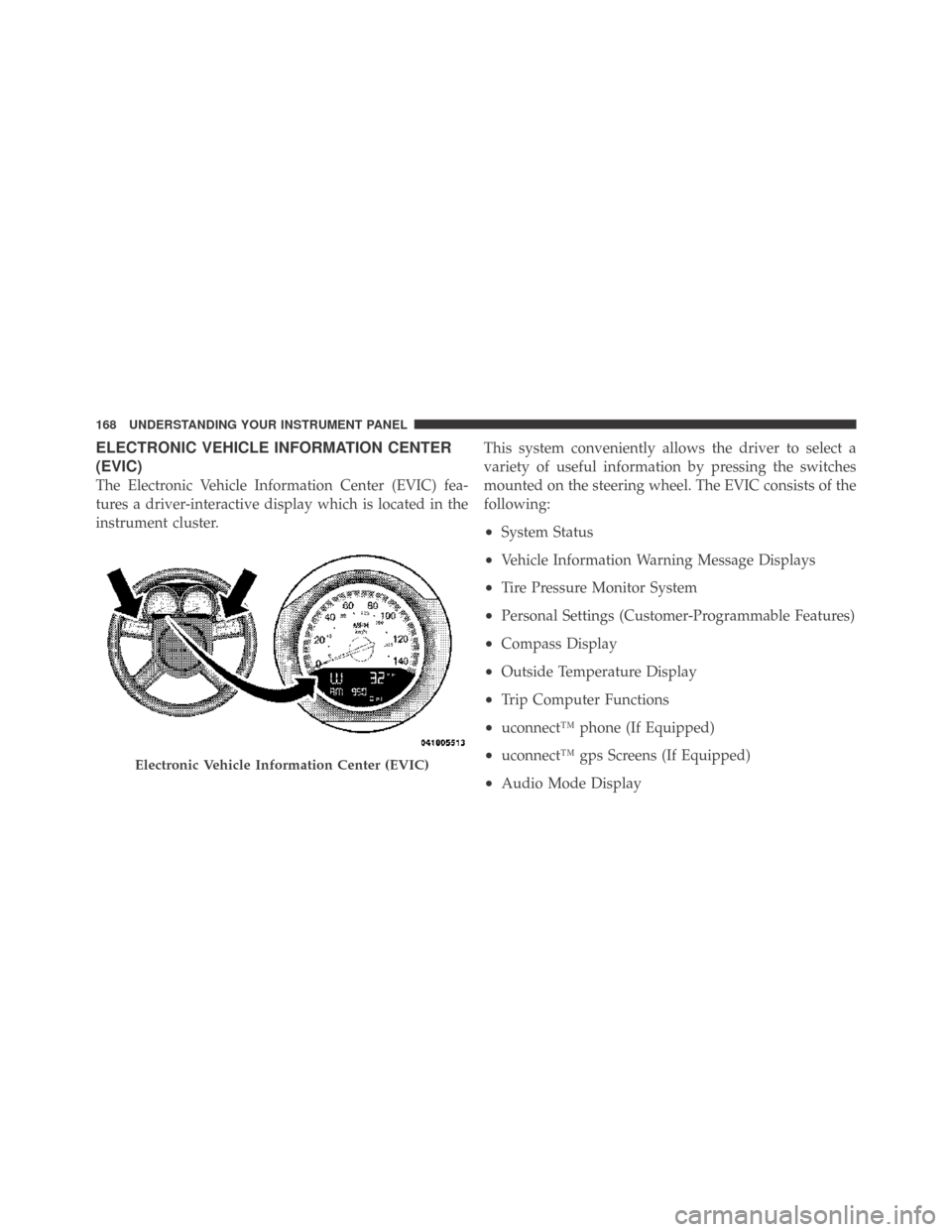
ELECTRONIC VEHICLE INFORMATION CENTER
(EVIC)
The Electronic Vehicle Information Center (EVIC) fea-
tures a driver-interactive display which is located in the
instrument cluster.This system conveniently allows the driver to select a
variety of useful information by pressing the switches
mounted on the steering wheel. The EVIC consists of the
following:
•System Status
•Vehicle Information Warning Message Displays
•Tire Pressure Monitor System
•Personal Settings (Customer-Programmable Features)
•Compass Display
•Outside Temperature Display
•Trip Computer Functions
•uconnect™ phone (If Equipped)
•uconnect™ gps Screens (If Equipped)
•Audio Mode Display
Electronic Vehicle Information Center (EVIC)
168 UNDERSTANDING YOUR INSTRUMENT PANEL
Page 171 of 469
![DODGE CHALLENGER 2009 3.G Owners Guide •Surround Sound Modes (If Equipped with Driver-
Selectable Surround [DSS])
The system allows the driver to select information by
pressing the following buttons mounted on the steering
wheel.
MENU Bu](/img/12/5533/w960_5533-170.png "DODGE CHALLENGER 2009 3.G Owners Guide •Surround Sound Modes (If Equipped with Driver-
Selectable Surround [DSS])
The system allows the driver to select information by
pressing the following buttons mounted on the steering
wheel.
MENU Bu")
•Surround Sound Modes (If Equipped with Driver-
Selectable Surround [DSS])
The system allows the driver to select information by
pressing the following buttons mounted on the steering
wheel.
MENU Button
Press and release the MENU button and the
mode displayed will change between Trip
Functions, Performance Pages, uconnect™ gps
(If Equipped), System Warnings, System Sta-
tus, Personal Settings, and Surround Sound (If
Equipped).
FUNCTION SELECT Button
Press the FUNCTION SELECT button to accept
a selection. The FUNCTION SELECT button
also functions as a remote sound system con-
trol. Refer to “Remote Sound System Controls”
in this section.SCROLL Button
Press the SCROLL button to scroll through Trip
Functions, Performance Pages, uconnect™ gps
(If Equipped), System Status Messages, and
Personal Settings (Customer-Programmable
Features). The SCROLL button also functions as a remote
sound system control. Refer to “Remote Sound System
Controls” in this section.
AUDIO MODE Button
Press the AUDIO MODE button to select the
Compass/Temp/Audio screen. Along with
compass reading and outside temperature, this
screen will display radio and media mode
information depending on which radio is in the vehicle.
Refer to “Remote Sound System Controls” in this section.
4
UNDERSTANDING YOUR INSTRUMENT PANEL 169
Page 172 of 469
Electronic Vehicle Information Center (EVIC)
Displays
When the appropriate conditions exist, the EVIC displays
the following messages.
•Turn Signal On (with a continuous warning chime if
the vehicle is driven more than 1 mile [1.6 km] with
either turn signal on)
•Left Front Turn Signal Light Out (with a single chime)
•Left Rear Turn Signal Light Out (with a single chime)
•Right Front Turn Signal Light Out (with a single
chime)
•Right Rear Turn Signal Light Out (with a single chime)
•Personal Settings Not Available – Vehicle Not in PARK
•Left/Right Door Ajar
•Door(s) Ajar (with a single chime if vehicle is in
motion)
•Trunk Ajar (with a single chime)
•Oil Change Required
•Low Washer Fluid (with a single chime)
•Channel # Transmit
•Channel # Training
•Channel # Trained
•Clearing Channels
•Channels Cleared
•Did Not Train
•Left Front Low Pressure (with a single chime)
•Left Rear Low Pressure (with a single chime)
170 UNDERSTANDING YOUR INSTRUMENT PANEL
Page 173 of 469
•Right Front Low Pressure (with a single chime)
•Right Rear Low Pressure (with a single chime)
•Check TPM System (with a single chime)
•ESP Off – Electronic Stability Program is deactivated
•ECO – Fuel Saver Indicator
•Check Gascap
•Key FOB Battery Low
•Service Keyless System
•Wrong Key
•Push Button or Insert Key/Turn To Run (refer to
“Remote Starting System” in Section 2)
•1–4 SKIPSHIFT
•Stereo (If Equipped with Driver-Selectable Surround
Sound [DSS])
•Audio Surround (If Equipped with Driver-Selectable
Surround Sound [DSS])
Engine Oil Change Indicator System
Oil Change Required
Your vehicle is equipped with an engine oil change
indicator system. The “Oil Change Required” message
will flash in the EVIC display for approximately 10 sec-
onds after a single chime has sounded, to indicate the
next scheduled oil change interval. The engine oil change
indicator system is duty cycle based, which means the
engine oil change interval may fluctuate, dependent
upon your personal driving style.
Unless reset, this message will continue to display each
time you turn the ignition switch to the ON/RUN
position. To turn off the message temporarily, press and
release the MENU button. To reset the oil change indica-
tor system (after performing the scheduled maintenance)
refer to the following procedure.
4
UNDERSTANDING YOUR INSTRUMENT PANEL 171
Page 174 of 469
1. Turn the ignition switch to the ON position (Do not
start the engine).
2. Fully depress the accelerator pedal, slowly, three times
within 10 seconds.
3. Turn the ignition switch to the OFF/LOCK position.
NOTE:If the indicator message illuminates when you
start the vehicle, the oil change indicator system did not
reset. If necessary, repeat this procedure.
Trip Functions
Press and release the MENU button until one of the
following Trip Functions displays in the EVIC:
•Average Fuel Economy/Fuel Saver Mode
•Distance To Empty
•Trip A
•Trip B
•Elapsed Time
•Display Units of Measure in
Press the SCROLL button to cycle through all the Trip
Computer functions.
The Trip Functions mode displays the following.
•Average Fuel Economy / Fuel Saver Mode — If
Equipped
Shows the average fuel economy since the last reset. When
the fuel economy is reset, the display will read “RESET” or
show dashes for two seconds. Then, the history informa-
tion will be erased, and the averaging will continue from
the last fuel average reading before the reset.
The FUEL SAVER MODE message will display above the
average fuel economy in the EVIC display. This message
will appear whenever MDS (if equipped) allows the
engine to operate on four cylinders, or if you are driving
in a fuel efficient manner.
172 UNDERSTANDING YOUR INSTRUMENT PANEL
Page 175 of 469
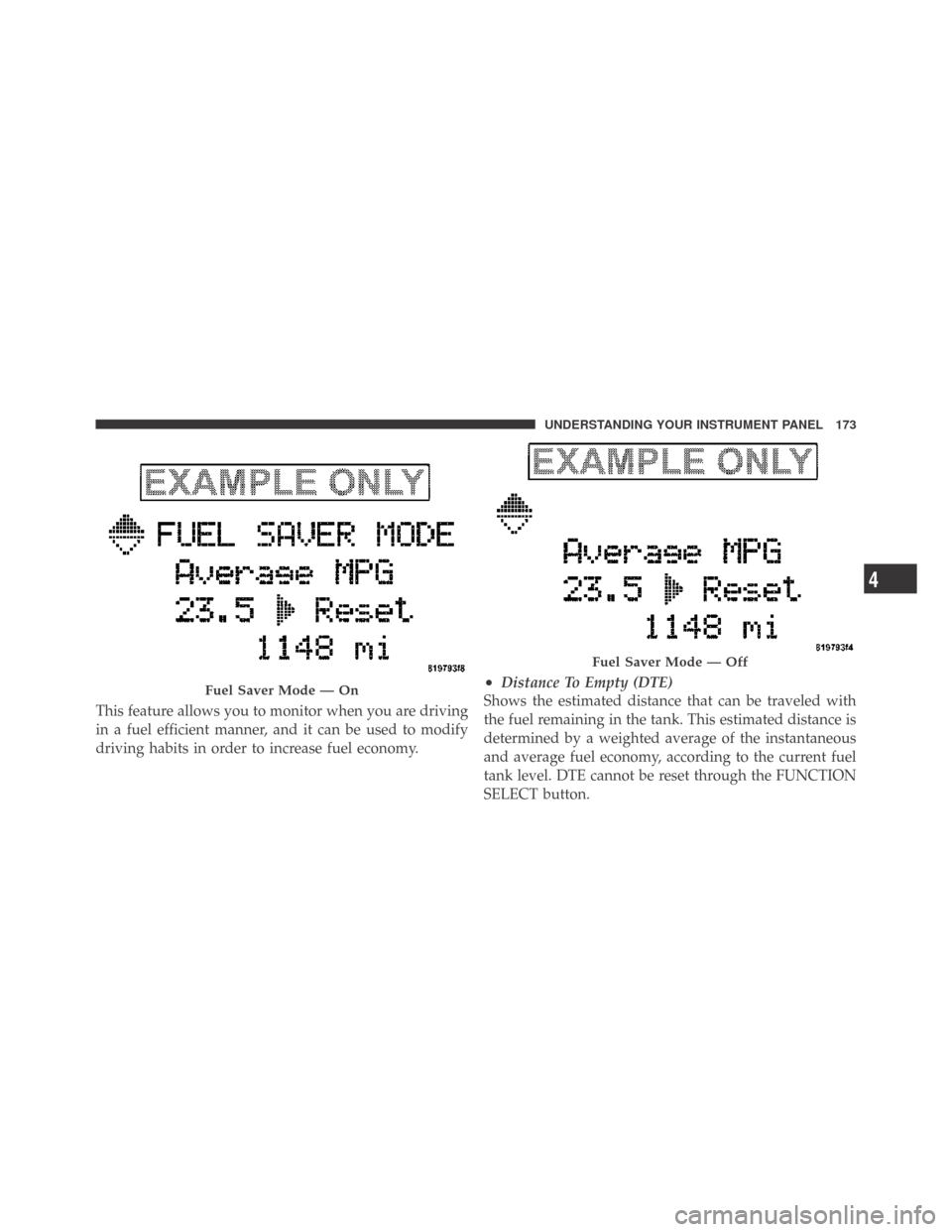
This feature allows you to monitor when you are driving
in a fuel efficient manner, and it can be used to modify
driving habits in order to increase fuel economy.
•Distance To Empty (DTE)
Shows the estimated distance that can be traveled with
the fuel remaining in the tank. This estimated distance is
determined by a weighted average of the instantaneous
and average fuel economy, according to the current fuel
tank level. DTE cannot be reset through the FUNCTION
SELECT button.Fuel Saver Mode — On
Fuel Saver Mode — Off
4
UNDERSTANDING YOUR INSTRUMENT PANEL 173