oil DODGE CHALLENGER 2010 3.G User Guide
[x] Cancel search | Manufacturer: DODGE, Model Year: 2010, Model line: CHALLENGER, Model: DODGE CHALLENGER 2010 3.GPages: 477, PDF Size: 4.79 MB
Page 182 of 477
Electronic Vehicle Information Center (EVIC)
Displays
When the appropriate conditions exist, the EVIC displays
the following messages.
•Turn Signal On (with a continuous warning chime if
the vehicle is driven more than 1 mile [1.6 km] with
either turn signal on)
•Left Front Turn Signal Light Out (with a single chime)
•Left Rear Turn Signal Light Out (with a single chime)
•Right Front Turn Signal Light Out (with a single
chime)
•Right Rear Turn Signal Light Out (with a single chime)
•Personal Settings Not Available – Vehicle Not in PARK
•Left/Right Door Ajar
•Door(s) Ajar (with a single chime if vehicle is in
motion)
•Trunk Ajar (with a single chime)
•Oil Change Required
•Low Washer Fluid (with a single chime)
•Channel # Transmit
•Channel # Training
•Channel # Trained
•Clearing Channels
•Channels Cleared
•Did Not Train
•Left Front Low Pressure (with a single chime)
•Left Rear Low Pressure (with a single chime)
180 UNDERSTANDING YOUR INSTRUMENT PANEL
Page 183 of 477
•Right Front Low Pressure (with a single chime)
•Right Rear Low Pressure (with a single chime)
•Check TPM System (with a single chime)
•ESP Off – Electronic Stability Program is deactivated
•ECO (Fuel Saver Indicator) — if equipped
•Check Gascap
•Key Fob Battery Low
•Service Keyless System
•Wrong Key
•Push Button or Insert Key/Turn To Run (refer to
“Remote Starting System” in “Things To Know Before
Starting Your Vehicle”)
•1–4 SKIPSHIFT
Engine Oil Change Indicator System
Oil Change Required
Your vehicle is equipped with an engine oil change
indicator system. The “Oil Change Required” message
will flash in the EVIC display for approximately 10 sec-
onds after a single chime has sounded, to indicate the
next scheduled oil change interval. The engine oil change
indicator system is duty cycle based, which means the
engine oil change interval may fluctuate, dependent
upon your personal driving style.
Unless reset, this message will continue to display each
time you turn the ignition switch to the ON/RUN
position. To turn off the message temporarily, press and
release the MENU button. To reset the oil change indica-
tor system (after performing the scheduled maintenance)
refer to the following procedure.
1. Turn the ignition switch to the ON position (Do not
start the engine).
4
UNDERSTANDING YOUR INSTRUMENT PANEL 181
Page 184 of 477
2. Fully depress the accelerator pedal, slowly, three times
within 10 seconds.
3. Turn the ignition switch to the OFF/LOCK position.
NOTE:If the indicator message illuminates when you
start the vehicle, the oil change indicator system did not
reset. If necessary, repeat this procedure.
Trip Functions
Press and release the MENU button until one of the
following Trip Functions displays in the EVIC:
•Average Fuel Economy/Fuel Saver Mode
•Distance To Empty
•Trip A
•Trip B
•Elapsed Time
•Display Units of Measure in Press the SCROLL button to cycle through all the Trip
Computer functions.
The Trip Functions mode displays the following.
•Average Fuel Economy / Fuel Saver Mode — If
Equipped
Shows the average fuel economy since the last reset.
When the fuel economy is reset, the display will read
“RESET” or show dashes for two seconds. Then, the
history information will be erased, and the averaging will
continue from the last fuel average reading before the
reset.
The FUEL SAVER MODE message will display above the
average fuel economy in the EVIC display. This message
will appear whenever MDS (if equipped) allows the
engine to operate on four cylinders, or if you are driving
in a fuel efficient manner.
182 UNDERSTANDING YOUR INSTRUMENT PANEL
Page 190 of 477
NOTE:Keep magnetic materials away from the top of
the instrument panel, such as iPod’s, Mobile Phones,
Laptops and Radar Detectors. This is where the compass
module is located, and it can cause interference with the
compass sensor, and it may give false readings.
1. Turn the ignition switch ON. 2. Press and hold the HOME button for approximately
two seconds.
3. Press the SCROLL button until “Compass Variance”
message and the last variance zone number displays in
the EVIC.
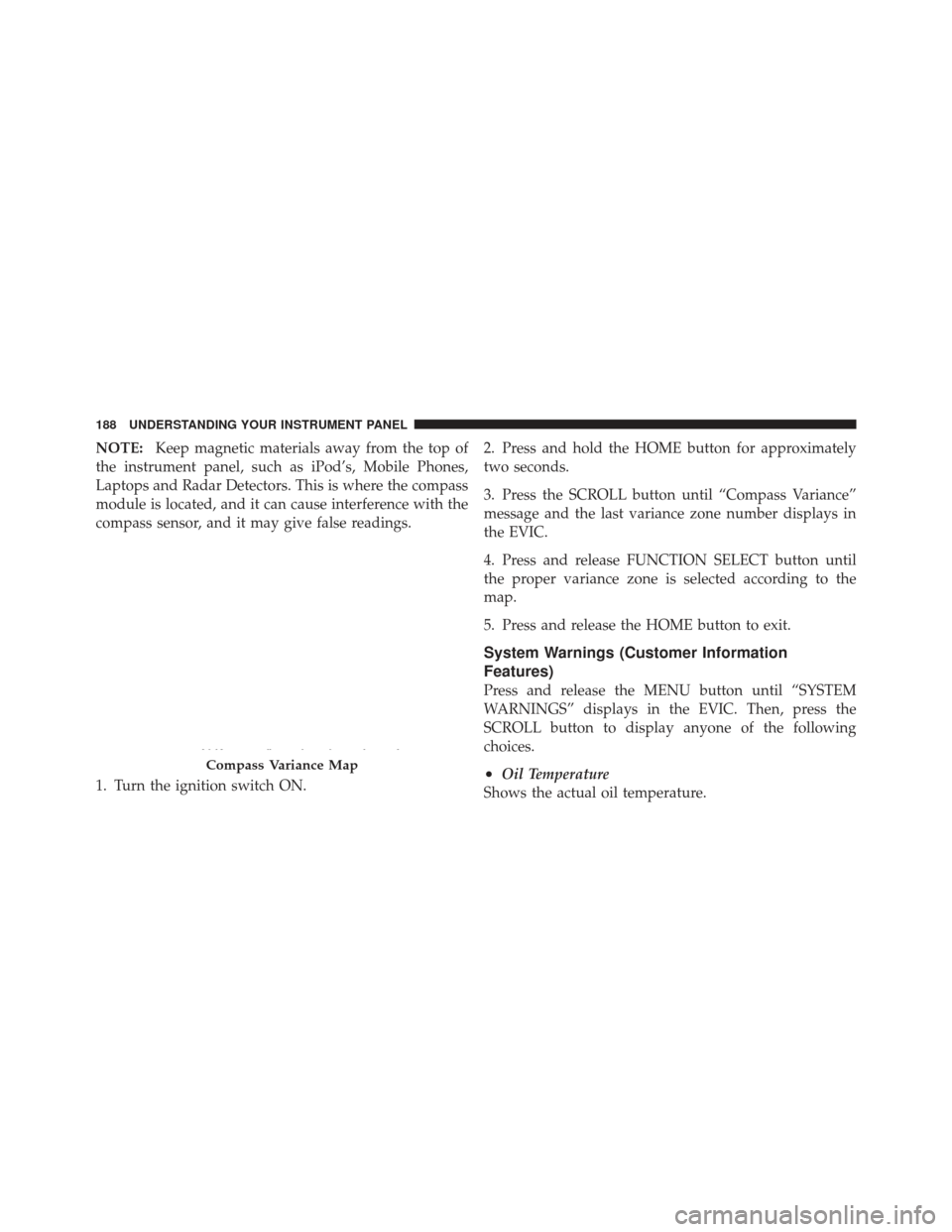
4. Press and release FUNCTION SELECT button until
the proper variance zone is selected according to the
map.
5. Press and release the HOME button to exit.
System Warnings (Customer Information
Features)
Press and release the MENU button until “SYSTEM
WARNINGS” displays in the EVIC. Then, press the
SCROLL button to display anyone of the following
choices.
•Oil Temperature
Shows the actual oil temperature.Compass Variance Map
188 UNDERSTANDING YOUR INSTRUMENT PANEL
Page 191 of 477
•Oil Pressure
Shows the actual oil pressure.
•Tire Pressure
Shows the actual tire pressure for each tire (EXCLUDING
THE SPARE TIRE).
Personal Settings (Customer-Programmable
Features)
Personal Settings allows the driver to set and recall
features when the transmission is in PARK.
Press and release the MENU button until Personal Set-
tings displays in the EVIC.
Use the SCROLL button to display one of the following
choices.
Language
When in this display you may select one of three lan-
guages for all display nomenclature, including the trip
functions and the Uconnect™ gps (if equipped). Press the FUNCTION SELECT button while in this display to
select English, Espanol, or Francais. Then, as you con-
tinue, the information will display in the selected lan-
guage.
NOTE:
The EVIC will not change the Uconnect™ lan-
guage selection.
Lock Doors Automatically at 15 mph (24 km/h)
When ON is selected, both doors will lock automatically
when the vehicle reaches a speed of 15 mph (24 km/h).
To make your selection, press and release the FUNC-
TION SELECT button until “ON” or “OFF” appears.
Unlock Doors Automatically on Exit
When ON is selected, both doors will unlock when the
vehicle is stopped and the transmission is in the PARK or
NEUTRAL position and the driver’s door is opened. To
make your selection, press and release the FUNCTION
SELECT button until “ON” or “OFF” appears.
4
UNDERSTANDING YOUR INSTRUMENT PANEL 189
Page 261 of 477
•The electronically-controlled transmission provides a
precise shift schedule. The transmission electronics are
self-calibrating. Therefore, the first few shifts on a new
vehicle may be somewhat abrupt or soft until after the
break-in period. This is a normal condition, and pre-
cision shifts will develop within a few shift cycles.
The shift lever is automatically locked while in the PARK
position. To move the shift lever out of the PARK
position, the brake pedal must be firmly pressed before
the shift lock will release.
Move the shift lever to the desired position only when the
engine is idling normally and the brake pedal is applied.
Do not release the brake pedal until ready to drive. The
vehicle may otherwise accelerate quickly when the shift
lever is in DRIVE or REVERSE position.WARNING!
Unintended movement of a vehicle could injure
those in and near the vehicle. As with all vehicles,
you should never exit a vehicle while the engine is
running. Before exiting a vehicle, you should always
shift the transmission into PARK, remove the key fob
from the ignition, and apply the parking brake. Once
the key fob is removed from the ignition, the shift
lever is locked in the PARK position, securing the
vehicle against unwanted movement. Furthermore,
you should never leave unattended children inside a
vehicle.
Over-Temperature Mode
The transmission electronics constantly monitor the
transmission oil temperature. If the transmission exceeds
normal operating temperature, the transmission will
change the way it shifts to help control the condition.
5
STARTING AND OPERATING 259
Page 272 of 477
CAUTION!
•Always check the depth of the standing water
before driving through it. Never drive through
standing water that is deeper than the bottom of
the tire rims mounted on the vehicle.
•Determine the condition of the road or the path
that is under water, and if there are any obstacles
in the way, before driving through the standing
water.
•Do not exceed 5 mph (8 km/h) when driving
through standing water. This will minimize wave
effects.(Continued)
CAUTION! (Continued)
•Driving through standing water may cause dam-
age to your vehicle’s drivetrain components. Al-
ways inspect your vehicle’s fluids (i.e., engine oil,
transmission, axle, etc.) for signs of contamination
(i.e., fluid that is milky or foamy in appearance)
after driving through standing water. Do not con-
tinue to operate the vehicle if any fluid appears
contaminated, as this may result in further dam-
age. Such damage is not covered by the New
Vehicle Limited Warranty.
•Getting water inside your vehicle’s engine can
cause it to lock up and stall out, and cause serious
internal damage to the engine. Such damage is not
covered by the New Vehicle Limited Warranty.
270 STARTING AND OPERATING
Page 304 of 477
Life Of Tire
The service life of a tire is dependent upon varying
factors including, but not limited to:
•Driving style
•Tire pressure
•Distance driven
WARNING!
Tires and the spare tire should be replaced after six
years, regardless of the remaining tread. Failure to
follow this warning can result in sudden tire failure.
You could lose control and have a collision resulting
in serious injury or death.
Keep dismounted tires in a cool, dry place with as little
exposure to light as possible. Protect tires from contact
with oil, grease, and gasoline.
Replacement Tires
The tires on your new vehicle provide a balance of many
characteristics. They should be inspected regularly for
wear and correct cold tire inflation pressure. The manu-
facturer strongly recommends that you use tires equiva-
lent to the originals in size, quality and performance
when replacement is needed. (Refer to the paragraph on
“Tread Wear Indicators”). Refer to the “Tire and Loading
Information” placard for the size designation of your tire.
The service description and load identification will be
found on the original equipment tire. Failure to use
equivalent replacement tires may adversely affect the
safety, handling, and ride of your vehicle. We recommend
that you contact your original equipment or an autho-
rized tire dealer with any questions you may have on tire
specifications or capability.
302 STARTING AND OPERATING
Page 318 of 477
CAUTION!
Do not use gasolines containing Methanol or E85
Ethanol. Use of these blends may result in starting
and driveability problems and may damage critical
fuel system components.
Problems that result from using methanol/gasoline or
E85 ethanol blends are not the responsibility of the
manufacturer. While MTBE is an oxygenate made from
methanol, it does not have the negative effects of
methanol.
E-85 Usage In Non-Flex Fuel Vehicles
Non-FFV vehicles are compatible with gasoline contain-
ing 10% ethanol (E10). Gasoline with higher ethanol
content may void the vehicle’s warranty.
If a Non-FFV vehicle is inadvertently fueled with E-85
fuel, the engine will have some or all of these symptoms:
•operate in a lean mode
•OBD II “Malfunction Indicator Light” on
•poor engine performance
•poor cold start and cold drivability
•increased risk for fuel system component corrosion
To fix a Non-FFV vehicle inadvertently fueled once with
E-85 perform the following:
•drain the fuel tank (see your authorized dealer)
•change the engine oil and oil filter
•disconnect and reconnect the battery to reset the
engine controller memory
More extensive repairs will be required for prolonged
exposure to E-85 fuel.
316 STARTING AND OPERATING
Page 348 of 477
3. Uncoil the Sealant Hose (6) and then remove the
yellow cap from the fitting at the end of the hose.
4. Place the TIREFIT kit flat on the ground next to the
deflated tire.
5. Remove the cap from the valve stem and then screw
the fitting at the end of the Sealant Hose (6) onto the
valve stem.
6. Uncoil the Power Plug (8) and then insert the plug into
the vehicle’s 12 Volt power outlet.
NOTE:Do not remove foreign objects (e.g., screws or
nails) from the tire.
(C) Injecting TIREFIT Sealant into the deflated
tire:
•
Always start the engine before turning ON the TIRE-
FIT kit. NOTE:
Manual transmission vehicles must have the
parking brake engaged and the shifter in NEUTRAL.
•After pressing the Power Button (4), the sealant (white
fluid) will flow from the Sealant Bottle (1) through the
Sealant Hose (6) and into the tire.
NOTE: Sealant may leak out through the puncture in
the tire.
If the sealant (white fluid) does not flow within 0 –
10 seconds through the Sealant Hose (6):
1. Press the Power Button (4) to turn OFF the TIREFIT
kit. Disconnect the Sealant Hose (6) from the valve stem.
Make sure the valve stem is free of debris. Reconnect the
Sealant Hose (6) to the valve stem. Check that the Mode
Select Knob (5) is in the sealant mode position and not air
mode. Press the Power Button (4) to turn ON the TIREFIT
kit.
346 WHAT TO DO IN EMERGENCIES