clock DODGE CHALLENGER 2010 3.G Owner's Manual
[x] Cancel search | Manufacturer: DODGE, Model Year: 2010, Model line: CHALLENGER, Model: DODGE CHALLENGER 2010 3.GPages: 477, PDF Size: 4.79 MB
Page 362 of 477
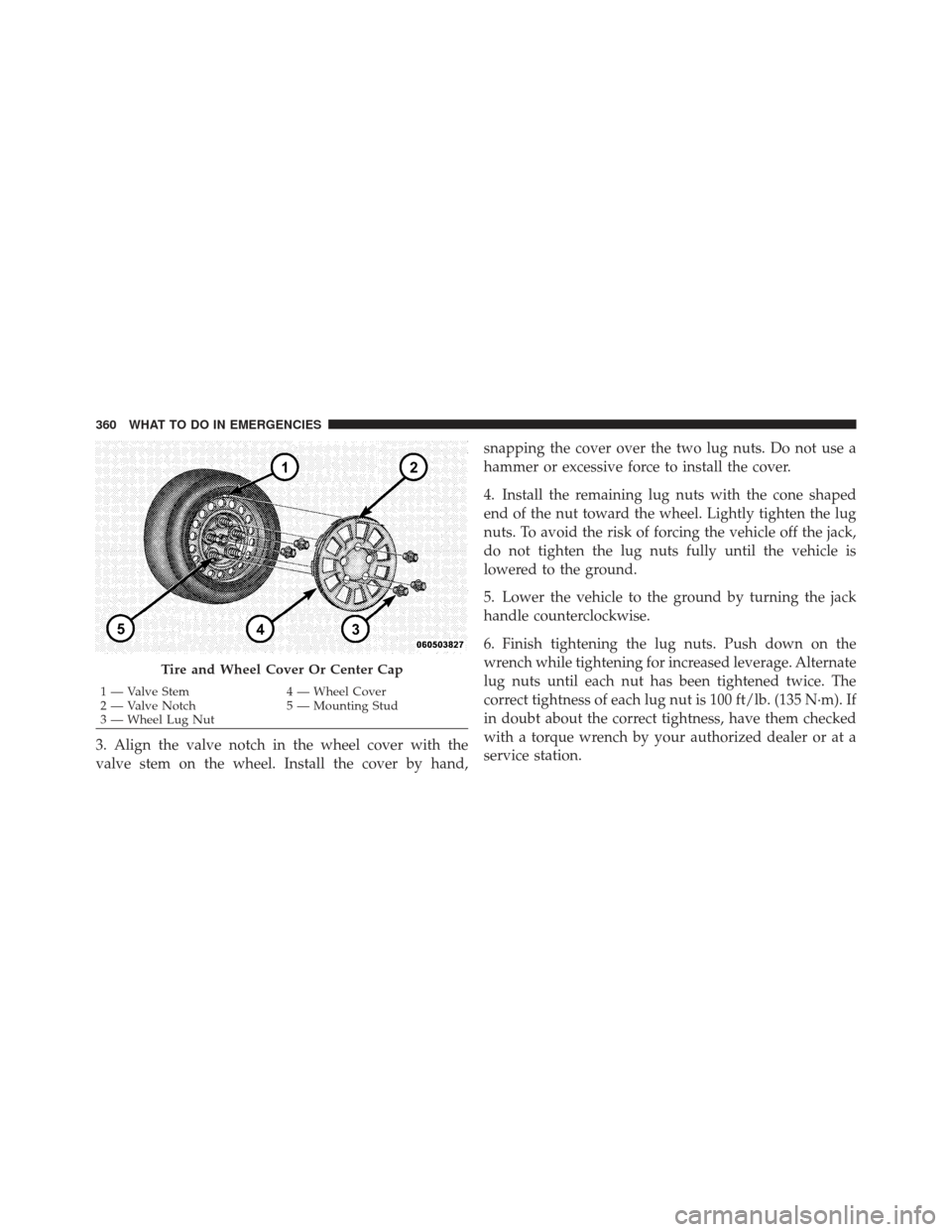
3. Align the valve notch in the wheel cover with the
valve stem on the wheel. Install the cover by hand,snapping the cover over the two lug nuts. Do not use a
hammer or excessive force to install the cover.
4. Install the remaining lug nuts with the cone shaped
end of the nut toward the wheel. Lightly tighten the lug
nuts. To avoid the risk of forcing the vehicle off the jack,
do not tighten the lug nuts fully until the vehicle is
lowered to the ground.
5. Lower the vehicle to the ground by turning the jack
handle counterclockwise.
6. Finish tightening the lug nuts. Push down on the
wrench while tightening for increased leverage. Alternate
lug nuts until each nut has been tightened twice. The
correct tightness of each lug nut is 100 ft/lb. (135 N·m). If
in doubt about the correct tightness, have them checked
with a torque wrench by your authorized dealer or at a
service station.
Tire and Wheel Cover Or Center Cap
1 — Valve Stem
4 — Wheel Cover
2 — Valve Notch 5 — Mounting Stud
3 — Wheel Lug Nut
360 WHAT TO DO IN EMERGENCIES
Page 418 of 477
WARNING!
A transient high tension occurs at the bulb sockets of
HID headlamps when the headlamp switch is turned
ON. It may cause serious electrical shock or electro-
cution if not serviced properly. See your authorized
dealer for service.
NOTE: On vehicles equipped with HID headlamps,
when the headlamps are turned on, there is a blue hue to
the lamps. This diminishes and becomes more white after
approximately 10 seconds, as the system charges.
Front/Rear Side Marker Lamp
1. Remove the front/rear side marker. Use a fiber stick or
similar tool to gently pry the lamp on the outboard side
to disengage the clip. NOTE:
•If a screwdriver is used, make sure a soft material is
placed between the vehicle body and tool so not to
scratch the paint.
2. Rotate the bulb’s socket counterclockwise, and remove
the bulb and socket assembly from the housing.
3. Pull the bulb out of the socket and insert the replace-
ment bulb.
4. Install the bulb and socket assembly into the housing,
and rotate the socket clockwise to lock it in place.
5. Reinstall the front/rear side marker.
416 MAINTAINING YOUR VEHICLE
Page 420 of 477
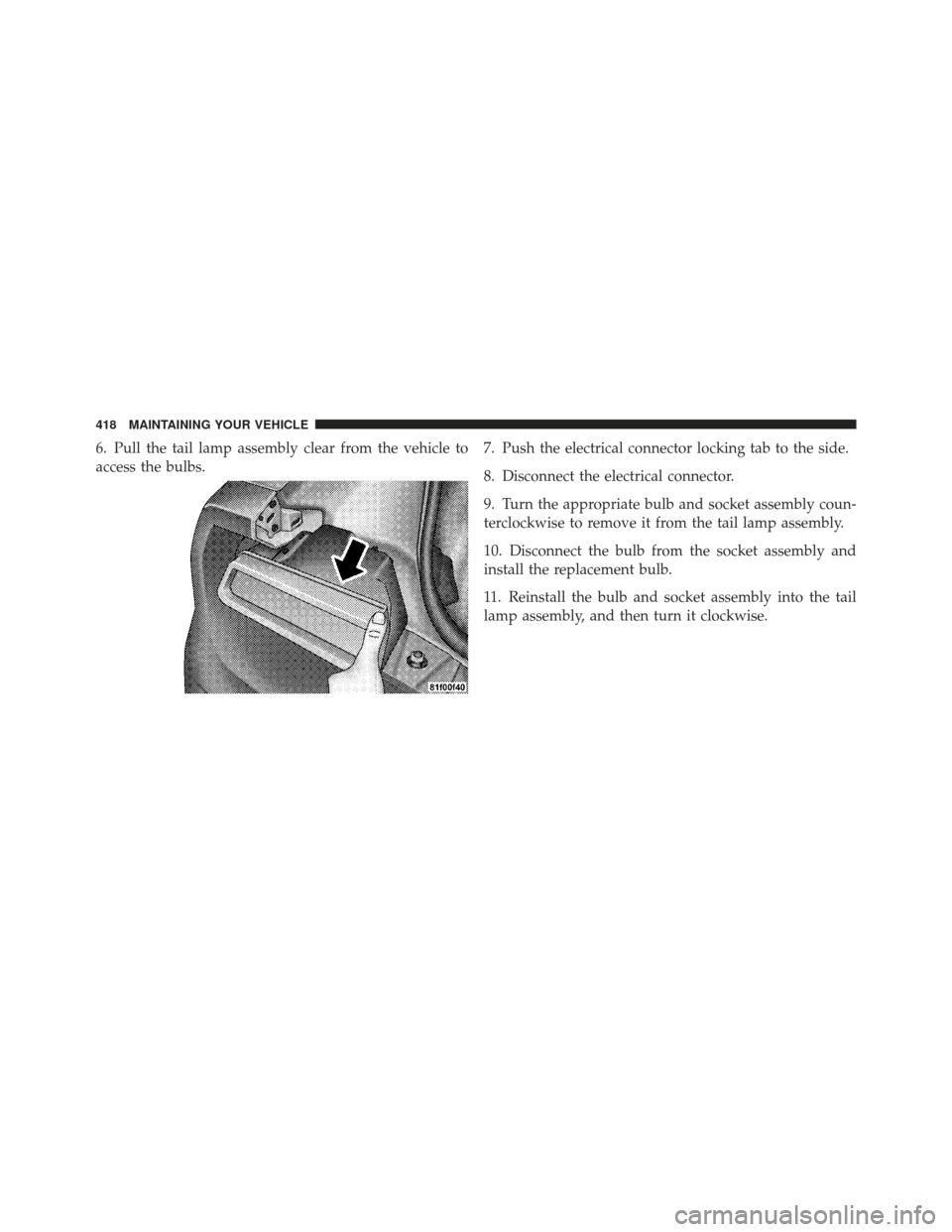
6. Pull the tail lamp assembly clear from the vehicle to
access the bulbs.7. Push the electrical connector locking tab to the side.
8. Disconnect the electrical connector.
9. Turn the appropriate bulb and socket assembly coun-
terclockwise to remove it from the tail lamp assembly.
10. Disconnect the bulb from the socket assembly and
install the replacement bulb.
11. Reinstall the bulb and socket assembly into the tail
lamp assembly, and then turn it clockwise.
418 MAINTAINING YOUR VEHICLE
Page 458 of 477
Bulb Replacement..................... 414,415
Bulbs, Light .......................... 75,414
Calibration, Compass ..................... 187
Capacities, Fluid ........................ 421
Caps, Filler Fuel ............................... 319
Oil (Engine) .......................... 380
Power Steering ........................ 272
Radiator (Coolant Pressure) ............... 393
Car Washes ............................ 402
Carbon Monoxide Warning ...............72,318
Cargo (Vehicle Loading) ................... 322
Cellular Phone ........................ 85,232
Center High Mounted Stop Light ............ 419
Certification Label ....................... 322
Changing A Flat Tire ..................... 351
Chart, Tire Sizing ........................ 288 Check Engine Light
(Malfunction Indicator Light)
............... 375
Checking Your Vehicle For Safety ............. 71
Checks, Safety ........................... 71
Child Restraint .................... 61,63,66,68
Child Restraint Tether Anchors .............65,66
Clean Air Gasoline ....................... 315
Cleaning Wheels ............................. 403
Windshield Wiper Blades ................ 386
Clock ........................ 193,194,198,208
Cold Weather Operation ................... 250
Compact Disc (CD) Maintenance ............. 231
Compact Spare Tire ...................... 299
Compass .............................. 186
Compass Calibration ..................... 187
Compass Variance ....................... 187
Computer, Trip/Travel .................... 182
456 INDEX
Page 471 of 477
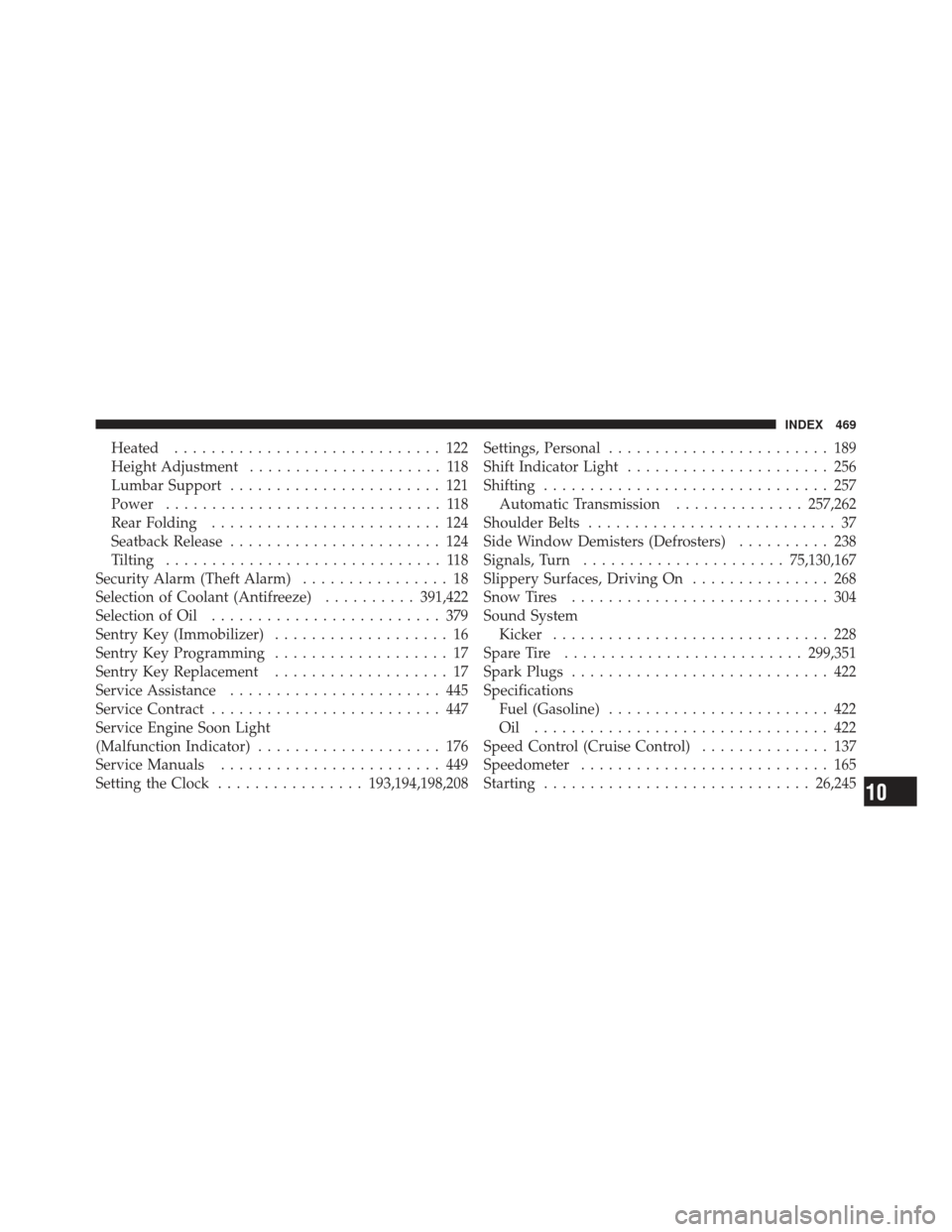
Heated............................. 122
Height Adjustment ..................... 118
Lumbar Support ....................... 121
Power .............................. 118
Rear Folding ......................... 124
Seatback Release ....................... 124
Tilting .............................. 118
Security Alarm (Theft Alarm) ................ 18
Selection of Coolant (Antifreeze) ..........391,422
Selection of Oil ......................... 379
Sentry Key (Immobilizer) ................... 16
Sentry Key Programming ................... 17
Sentry Key Replacement ................... 17
Service Assistance ....................... 445
Service Contract ......................... 447
Service Engine Soon Light
(Malfunction Indicator) .................... 176
Service Manuals ........................ 449
Setting the Clock ................ 193,194,198,208Settings, Personal
........................ 189
Shift Indicator Light ...................... 256
Shifting ............................... 257
Automatic Transmission ..............257,262
Shoulder Belts ........................... 37
Side Window Demisters (Defrosters) .......... 238
Signals, Turn ...................... 75,130,167
Slippery Surfaces, Driving On ............... 268
Snow Tires ............................ 304
Sound System Kicker .............................. 228
Spare Tire .......................... 299,351
Spark Plugs ............................ 422
Specifications Fuel (Gasoline) ........................ 422
Oil ................................ 422
Speed Control (Cruise Control) .............. 137
Speedometer ........................... 165
Starting ............................. 26,245
10
INDEX 469