light DODGE CHALLENGER 2018 Owners Manual
[x] Cancel search | Manufacturer: DODGE, Model Year: 2018, Model line: CHALLENGER, Model: DODGE CHALLENGER 2018Pages: 516, PDF Size: 5.17 MB
Page 458 of 516
When G-Force is selected, the following features will be
available:
•Vehicle Speed:
Measures the current speed of the vehicle in either mph
or km/h, starting at zero with no maximum value.
• Front G-Force:
Measures the braking force.
• Right G-Force:
Measures the left turn force.
• Left G-Forces:
Measures the right turn force.
• Rear G-Forces:
Measures the acceleration force.
NOTE: Front, Right, Left, and Rear G-Forces are all peak
values. These readings can be reset by clearing peak
G-Force on the instrument cluster. •
Steering Wheel Angle
Steering Wheel Angle utilizes the steering angle sensor to
measure the degree of the steering wheel relative to zero.
The zero degree measurement indicates a steering wheel
straight ahead position. When the steering angle value is
negative, a turn to the left is indicated, and when the
steering angle value is positive, a turn to the right is
indicated.
The friction circle display shows instantaneous G-Force as
a highlight and previous G-Force as dots within the circle.
The system records previous G-Force for three minutes. If
there are multiple samples at a given point, the color of the
dot will darken from blue to red. Vectors more frequent
will show in red; infrequent vectors will show in blue.
456 MULTIMEDIA
Page 477 of 516
•“Change source to Bluetooth”
• “Change source to AUX”
• “Change source to USB”
• “Play artist Beethoven”; “ Play albumGreatest Hits”; “
Play song Moonlight Sonata”; “ Play genreClassical”
TIP: Press the Browse button on the touchscreen to see all
of the music on your USB device. Your Voice Command
must match exactlyhow the artist, album, song and genre
information is displayed.
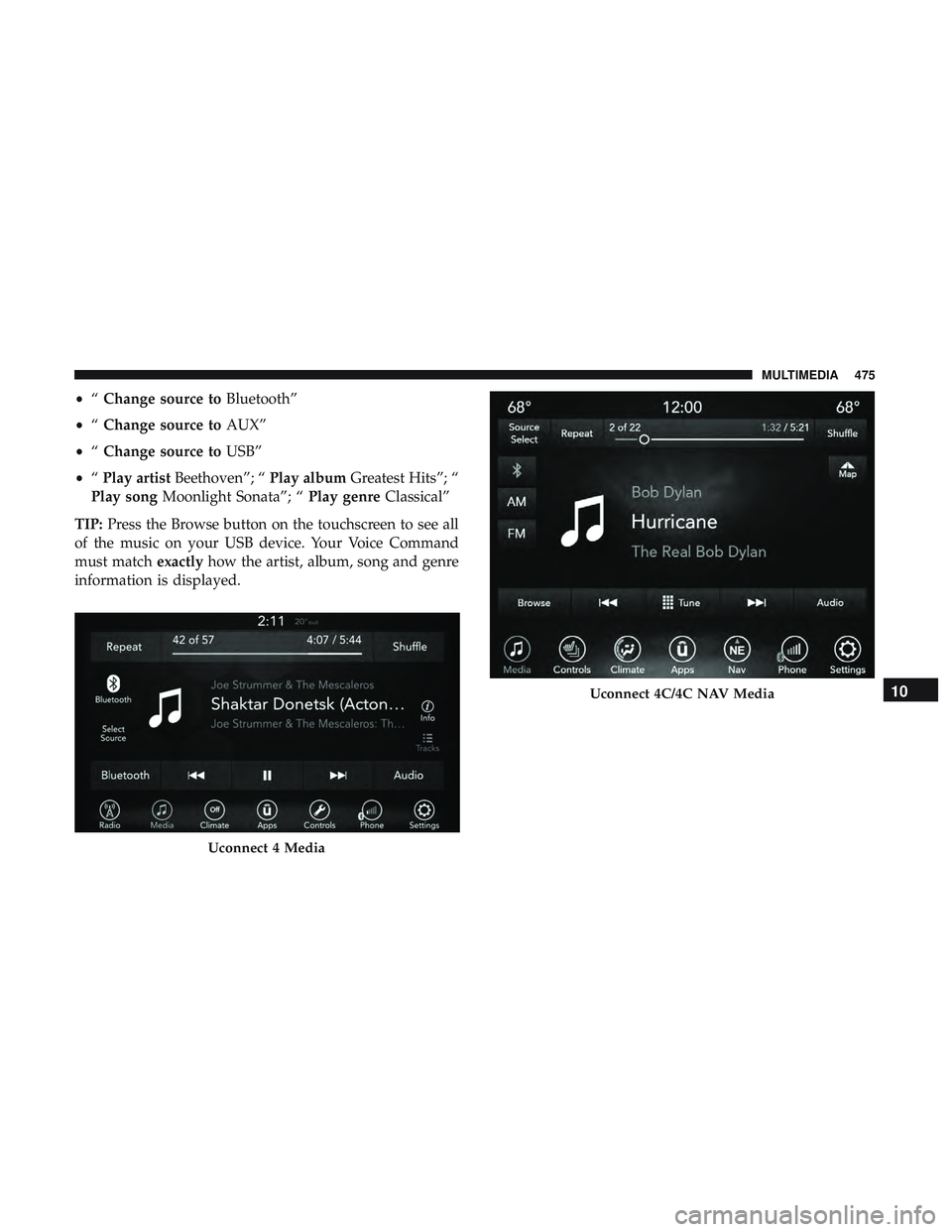
Uconnect 4 Media
Uconnect 4C/4C NAV Media10
MULTIMEDIA 475
Page 483 of 516
Send & Go
Vehicle Finder
Stolen Vehicle Assistance
Remote Vehicle Start**
Remote Horn & Lights
Roadside Assistance Call
Vehicle Health Reports**
Vehicle Health Alert**
Performance Pages Plus**
**If vehicle is equipped.
Register (4C/4C NAV)
To unlock the full potential of SiriusXM Guardian in your
vehicle, you must activate your SiriusXM Guardian ser-
vices.
1. Press the Apps icon on the bottom of your in-vehicletouchscreen.
2. Select the Activate Services icon from your list of apps. 3. Select “Customer Care” to speak with a SiriusXM
Guardian Customer Care agent who will activate ser-
vices in your vehicle, or select “Enter Email” to activate
on the web.
• U.S. residents visit: www.siriusxm.com/guardian.
• Canadian residents visit: www.siriusxm.ca/guardian.
Vehicle Health Report/Alert (4C/4C NAV)
Your vehicle will send you a monthly email report, which
summarizes the performance of your vehicle’s key systems
so you can stay on top of your vehicle’s maintenance needs
if you are registered for SiriusXM Guardian. Your vehicle
will also send you Vehicle Health Alerts when it detects
issues with its key systems that need your attention. For
further information, refer to your owner ’s manual.
10
MULTIMEDIA 481
Page 484 of 516
Mobile App (4C/4C NAV)
You’re only a few steps away from using remote com-
mands and sending a destination from your phone to your
vehicle.
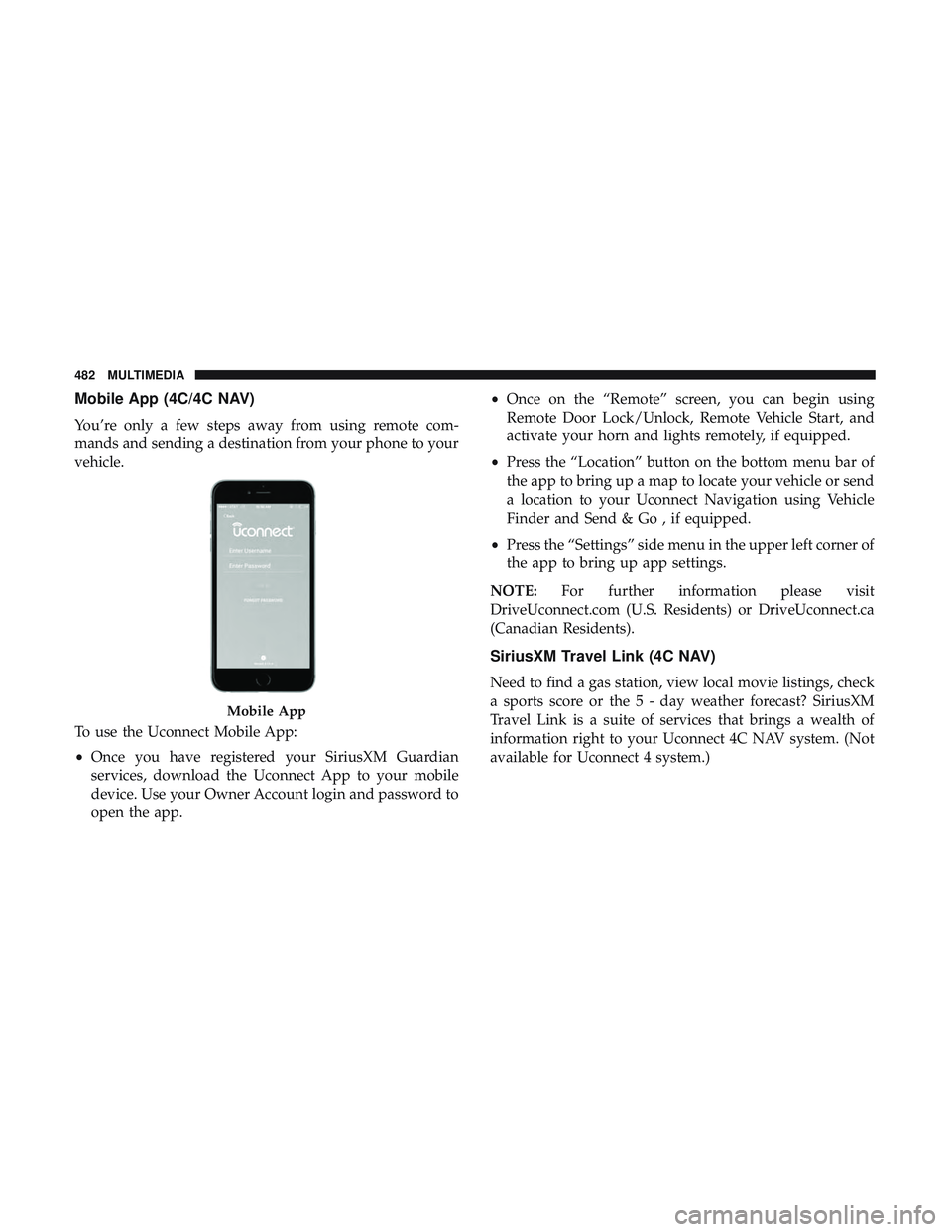
To use the Uconnect Mobile App:
•Once you have registered your SiriusXM Guardian
services, download the Uconnect App to your mobile
device. Use your Owner Account login and password to
open the app. •
Once on the “Remote” screen, you can begin using
Remote Door Lock/Unlock, Remote Vehicle Start, and
activate your horn and lights remotely, if equipped.
• Press the “Location” button on the bottom menu bar of
the app to bring up a map to locate your vehicle or send
a location to your Uconnect Navigation using Vehicle
Finder and Send & Go , if equipped.
• Press the “Settings” side menu in the upper left corner of
the app to bring up app settings.
NOTE: For further information please visit
DriveUconnect.com (U.S. Residents) or DriveUconnect.ca
(Canadian Residents).
SiriusXM Travel Link (4C NAV)
Need to find a gas station, view local movie listings, check
a sports score or the 5 - day weather forecast? SiriusXM
Travel Link is a suite of services that brings a wealth of
information right to your Uconnect 4C NAV system. (Not
available for Uconnect 4 system.)
Mobile App
482 MULTIMEDIA
Page 489 of 516
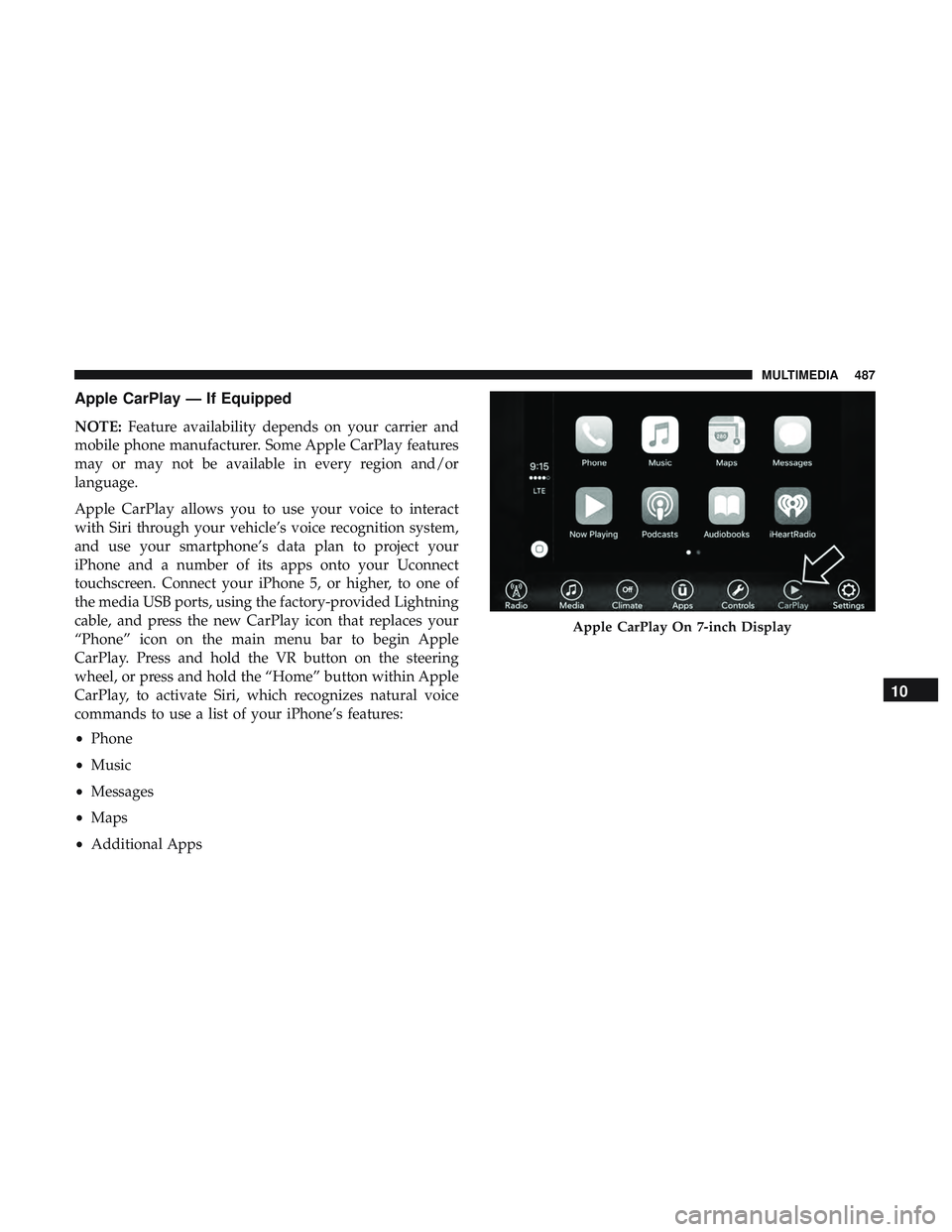
Apple CarPlay — If Equipped
NOTE:Feature availability depends on your carrier and
mobile phone manufacturer. Some Apple CarPlay features
may or may not be available in every region and/or
language.
Apple CarPlay allows you to use your voice to interact
with Siri through your vehicle’s voice recognition system,
and use your smartphone’s data plan to project your
iPhone and a number of its apps onto your Uconnect
touchscreen. Connect your iPhone 5, or higher, to one of
the media USB ports, using the factory-provided Lightning
cable, and press the new CarPlay icon that replaces your
“Phone” icon on the main menu bar to begin Apple
CarPlay. Press and hold the VR button on the steering
wheel, or press and hold the “Home” button within Apple
CarPlay, to activate Siri, which recognizes natural voice
commands to use a list of your iPhone’s features:
• Phone
• Music
• Messages
• Maps
• Additional Apps
Apple CarPlay On 7-inch Display
10
MULTIMEDIA 487
Page 491 of 516
Additional
Information
© 2021 FCA US LLC. All rights reserved. Mopar and
Uconnect are registered trademarks and Mopar Owner
Connect is a trademark of FCA US LLC. Android is a
trademark of Google Inc. SiriusXM and all related marks
and logos are trademarks of SiriusXM Radio Inc.
Uconnect System Support:
•U.S. residents visit DriveUconnect.com or call: 1-877-
855-8400(24 hours a day 7 days a week)
• Canadian residents visit DriveUconnect.ca or call: 1-800-
465-2001(English) or 1-800-387-9983(French)
SiriusXM Guardian services support:
• U.S. residents visit siriusxm.com/guardian or call:
1-844-796-4827
• Canadian residents visit www.siriusxm.ca/guardian or
call: 1-877-324-9091
CD/DVD DISC MAINTENANCE
To keep a CD/DVD in good condition, take the following
precautions:
1. Handle the disc by its edge; avoid touching the surface.
2. If the disc is stained, clean the surface with a soft cloth,
wiping from center to edge.
3. Do not apply paper or tape to the disc; avoid scratching the disc.
4. Do not use solvents such as benzene, thinner, cleaners, or anti-static sprays.
5. Store the disc in its case after playing.
6. Do not expose the disc to direct sunlight.
7. Do not store the disc where temperatures may become too high.
NOTE: If you experience difficulty in playing a particular
disc, it may be damaged (e.g., scratched, reflective coating
removed, a hair, moisture or dew on the disc), oversized, or
have protection encoding. Try a known good disc before
considering disc player service.
10
MULTIMEDIA 489
Page 496 of 516
to a TDD or a conventional teletypewriter (TTY) in the
United States, can communicate with the manufacturer by
dialing 1-800-380-CHRY.
Canadian residents with hearing difficulties that require
assistance can use the special needs relay service offered by
Bell Canada. For TTY teletypewriter users, dial 711 and for
Voice callers, dial 1-800-855-0511 to connect with a Bell
Relay Service operator.
Service Contract
You may have purchased a service contract for a vehicle to
help protect you from the high cost of unexpected repairs
after the manufacturer’s New Vehicle Limited Warranty
expires. The manufacturer stands behind only the manu-
facturer’s service contracts. If you purchased a manufac-
turer’s service contract, you will receive Plan Provisions
and an Owner Identification Card in the mail within three
weeks of the vehicle delivery date. If you have any
questions about the service contract, call the manufactur-
er’s Service Contract National Customer Hotline at 1-800-
521-9922 (Canadian residents, call (800) 465-2001 English /
(800) 387-9983 French).
The manufacturer will not stand behind any service con-
tract that is not the manufacturer’s service contract. It is notresponsible for any service contract other than the manu-
facturer’s service contract. If you purchased a service
contract that is not a manufacturer’s service contract, and
you require service after the manufacturer’s New Vehicle
Limited Warranty expires, please refer to the contract
documents, and contact the person listed in those docu-
ments.
We appreciate that you have made a major investment
when you purchased the vehicle. An authorized dealer has
also made a major investment in facilities, tools, and
training to assure that you are absolutely delighted with
the ownership experience. You will be pleased with their
sincere efforts to resolve any warranty issues or related
concerns.
WARNING!
Engine exhaust (internal combustion engines only),
some of its constituents, and certain vehicle compo-
nents contain, or emit, chemicals known to the State of
California to cause cancer and birth defects, or other
reproductive harm. In addition, certain fluids con-
tained in vehicles and certain products of component
wear contain, or emit, chemicals known to the State of
(Continued)
494 CUSTOMER ASSISTANCE
Page 500 of 516
About Your Brakes..................... .202, 389
Adaptive Cruise Control (ACC) (Cruise Control) . . . .222
Adding Engine Coolant (Antifreeze) .............350
Adding Washing Fluid ...................... .333
Additives, Fuel ........................... .393
Adjust Forward ............................ .40, 41
Rearward ........................... .40, 41
AirBag ................................ .160
Advance Front Air Bag ....................160
Air Bag Operation ....................... .162
Air Bag Warning Light .....................158
Enhanced Accident Response .............168, 315
Event Data Recorder (EDR) .................315
FrontAirBag .......................... .160
If Deployment Occurs .....................167
Knee Impact Bolsters ..................... .162
Maintaining Your Air Bag System .............169
Maintenance ........................... .169
Redundant Air Bag Warning Light ............159
Side Air Bags .......................... .163
Transporting Pets ....................... .187
Air Bag Light ...................... .108, 158, 188
Air Cleaner, Engine (Engine Air Cleaner Filter) ......339
Air Conditioner Maintenance ..................340 Air Conditioner Refrigerant
................340, 341
Air Conditioner System ..................... .340
Air Conditioning ............................64
Air Conditioning Filter ....................72, 341
Air Conditioning, Operating Tips ................71
Air Conditioning System ......................64
Air Filter ............................... .339
Air Pressure Tires................................. .369
Alarm Arm The System ...................... .31, 32
Panic ..................................19
Rearm The System ........................32
Security Alarm ....................... .31, 110
Alarm
System
Security Alarm ...........................31
All Wheel Drive Towing ............................... .314
All Wheel Drive (AWD) ..................... .357
Alterations/Modifications, Vehicle ................6
Android Auto ............................ .485
Antifreeze (Engine Coolant) ................350, 396
Disposal .............................. .352
Anti-Lock Brake System (ABS) .................122
Anti-Lock Warning Light .....................115
498 INDEX
Page 501 of 516
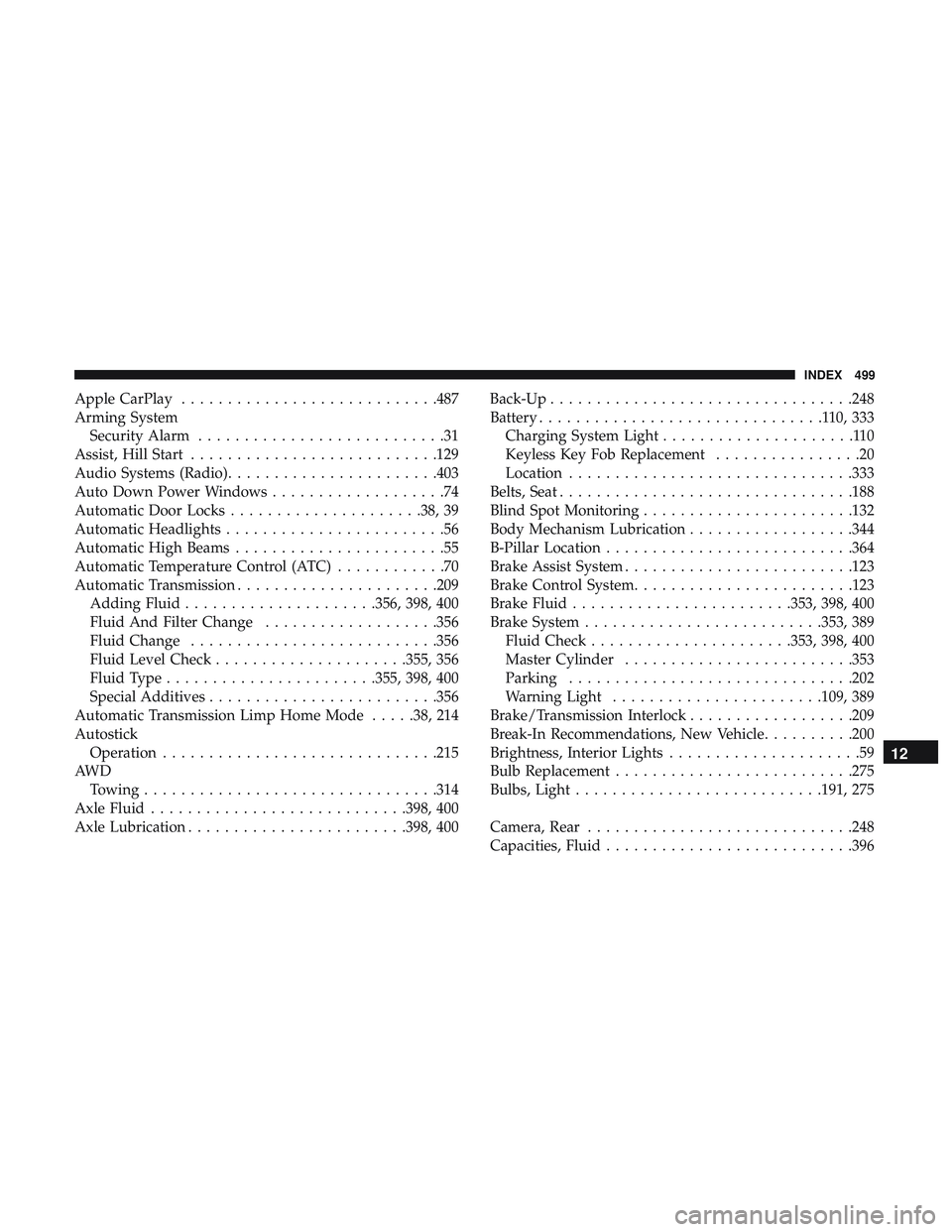
Apple CarPlay........................... .487
Arming System Security Alarm ...........................31
Assist, Hill Start .......................... .129
Audio Systems (Radio) ...................... .403
Auto Down Power Windows ...................74
Automatic Door Locks .....................38, 39
Automatic Headlights ........................56
Automatic High Beams .......................55
Automatic Temperature Control (ATC) ............70
Automatic Transmission ..................... .209
Adding Fluid .....................356, 398, 400
Fluid And Filter Change ...................356
Fluid Change .......................... .356
Fluid Level Check .....................355, 356
Fluid Type ...................... .355, 398, 400
Special Additives ........................ .356
Automatic Transmission Limp Home Mode .....38, 214
Autostick Operation ............................. .215
AW D Towing ............................... .314
Axle Fluid ........................... .398, 400
Axle Lubrication ....................... .398, 400Back-Up
................................ .248
Battery ...............................110,333
Charging System Light .....................110
Keyless Key Fob Replacement ................20
Location .............................. .333
Belts, Seat ............................... .188
Blind Spot Monitoring ...................... .132
Body Mechanism Lubrication ..................344
B-Pillar Location .......................... .364
Brake Assist System ........................ .123
Brake Control System ....................... .123
Brake Fluid ....................... .353, 398, 400
Brake System ......................... .353, 389
Fluid Check ..................... .353, 398, 400
Master Cylinder ........................ .353
Parking .............................. .202
W
arning Light ...................... .109, 389
Brake/Transmission Interlock ..................209
Break-In Recommendations, New Vehicle ..........200
Brightness, Interior Lights .....................59
Bulb Replacement ......................... .275
Bulbs, Light .......................... .191, 275
Camera, Rear ............................ .248
Capacities, Fluid .......................... .396
12
INDEX 499
Page 502 of 516
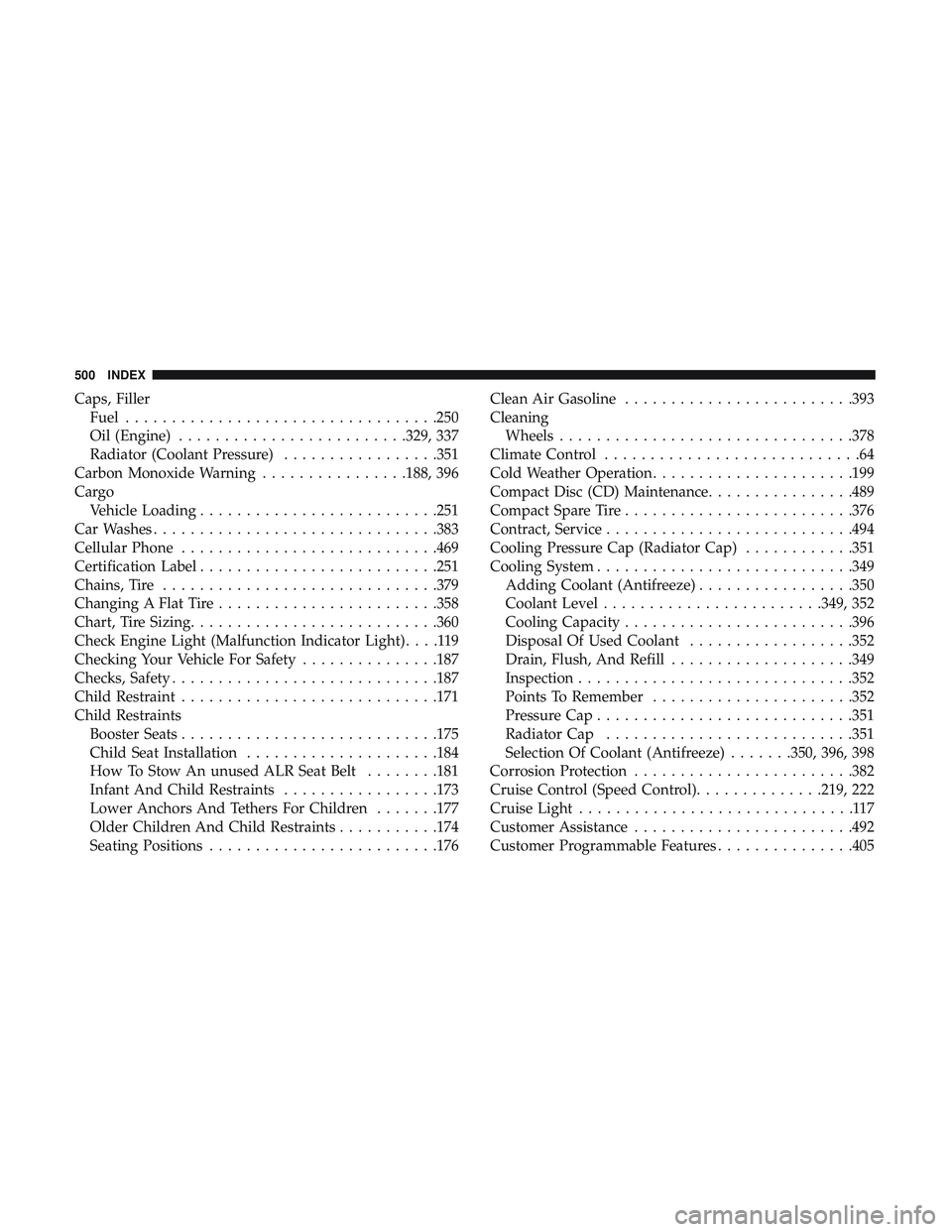
Caps, FillerFuel ................................. .250
Oil (Engine) ........................ .329, 337
Radiator (Coolant Pressure) .................351
Carbon Monoxide Warning ................188, 396
Cargo Vehicle Loading ......................... .251
Car Washes .............................. .383
Cellular Phone ........................... .469
Certification Label ......................... .251
Chains, Tire ............................. .379
Changing A Flat Tire ....................... .358
Chart, Tire Sizing .......................... .360
Check Engine Light (Malfunction Indicator Light) ....119
Checking Your Vehicle For Safety ...............187
Checks, Safety ............................ .187
Child Restraint ........................... .171
Child Restraints Booster Seats ........................... .175
Child Seat Installation .....................184
How To Stow An unused ALR Seat Belt ........181
Infant And Child Restraints .................173
Lower Anchors And Tethers For Children .......177
Older Children And Child Restraints ...........174
Seating Positions ........................ .176Clean Air Gasoline
........................ .393
Cleaning Wheels ............................... .378
Climate Control ............................64
Cold Weather Operation ..................... .199
Compact Disc (CD) Maintenance ................489
Compact Spare Tire ........................ .376
Contract, Service .......................... .494
Cooling Pressure Cap (Radiator Cap) ............351
Cooling System ........................... .349
Adding Coolant (Antifreeze) .................350
Coolant Level ....................... .349, 352
Cooling Capacity ........................ .396
Disposal
Of Used Coolant ..................352
Drain, Flush, And Refill ....................349
Inspection ............................. .352
Points To Remember ..................... .352
Pressure Cap ........................... .351
Radiator Cap .......................... .351
Selection Of Coolant (Antifreeze) .......350, 396, 398
Corrosion Protection ....................... .382
Cruise Control (Speed Control) ..............219, 222
Cruise Light ..............................117
Customer Assistance ....................... .492
Customer Programmable Features ...............405
500 INDEX