sport mode DODGE CHALLENGER 2019 User Guide
[x] Cancel search | Manufacturer: DODGE, Model Year: 2019, Model line: CHALLENGER, Model: DODGE CHALLENGER 2019Pages: 532, PDF Size: 5.01 MB
Page 469 of 532
•Save
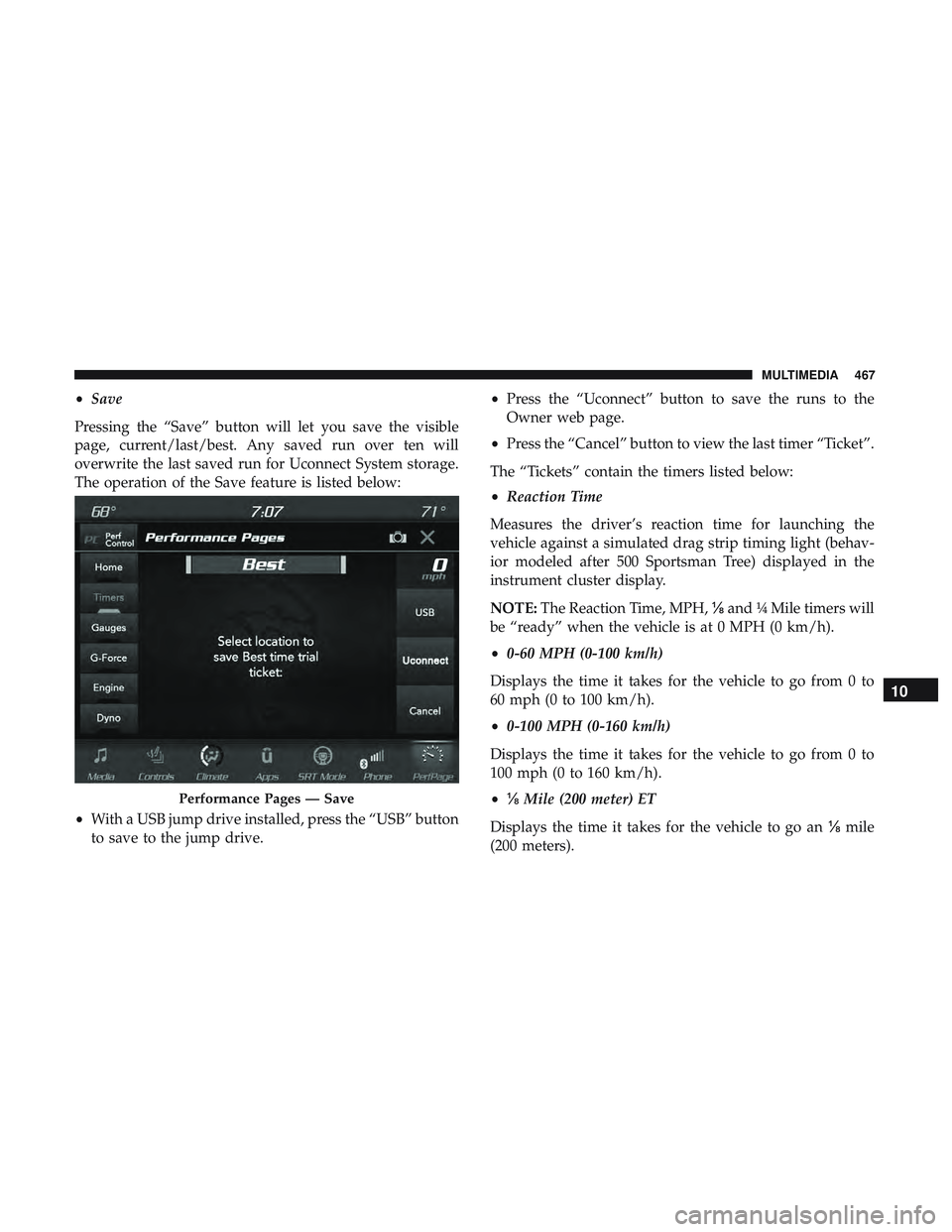
Pressing the “Save” button will let you save the visible
page, current/last/best. Any saved run over ten will
overwrite the last saved run for Uconnect System storage.
The operation of the Save feature is listed below:
• With a USB jump drive installed, press the “USB” button
to save to the jump drive. •
Press the “Uconnect” button to save the runs to the
Owner web page.
• Press the “Cancel” button to view the last timer “Ticket”.
The “Tickets” contain the timers listed below:
• Reaction Time
Measures the driver’s reaction time for launching the
vehicle against a simulated drag strip timing light (behav-
ior modeled after 500 Sportsman Tree) displayed in the
instrument cluster display.
NOTE: The Reaction Time, MPH, ⅛and ¼ Mile timers will
be “ready” when the vehicle is at 0 MPH (0 km/h).
• 0-60 MPH (0-100 km/h)
Displays the time it takes for the vehicle to go from 0 to
60 mph (0 to 100 km/h).
• 0-100 MPH (0-160 km/h)
Displays the time it takes for the vehicle to go from 0 to
100 mph (0 to 160 km/h).
• ⅛ Mile (200 meter) ET
Displays the time it takes for the vehicle to go an ⅛mile
(200 meters).
Performance Pages — Save
10
MULTIMEDIA 467
Page 477 of 532
familiarity with the race track. Use of this feature in low
traction (cold, wet, gravel, etc.) conditions may results in
excess wheel slip outside this systems control resulting in
an aborted launch.
NOTE:
•Launch control should not be used on public roads.
Always check track conditions and the surrounding
area.
• Launch Control is not available for the first 500 miles
(805 km) of the vehicle’s life.
• Launch Control should only be used when the engine
and transmission are at operating temperature.
• Launch Control is intended to be used on dry, paved
road surfaces only. Use on slippery or loose surfaces
may cause damage to vehicle components and is not
recommended.Drive Mode Set-Up
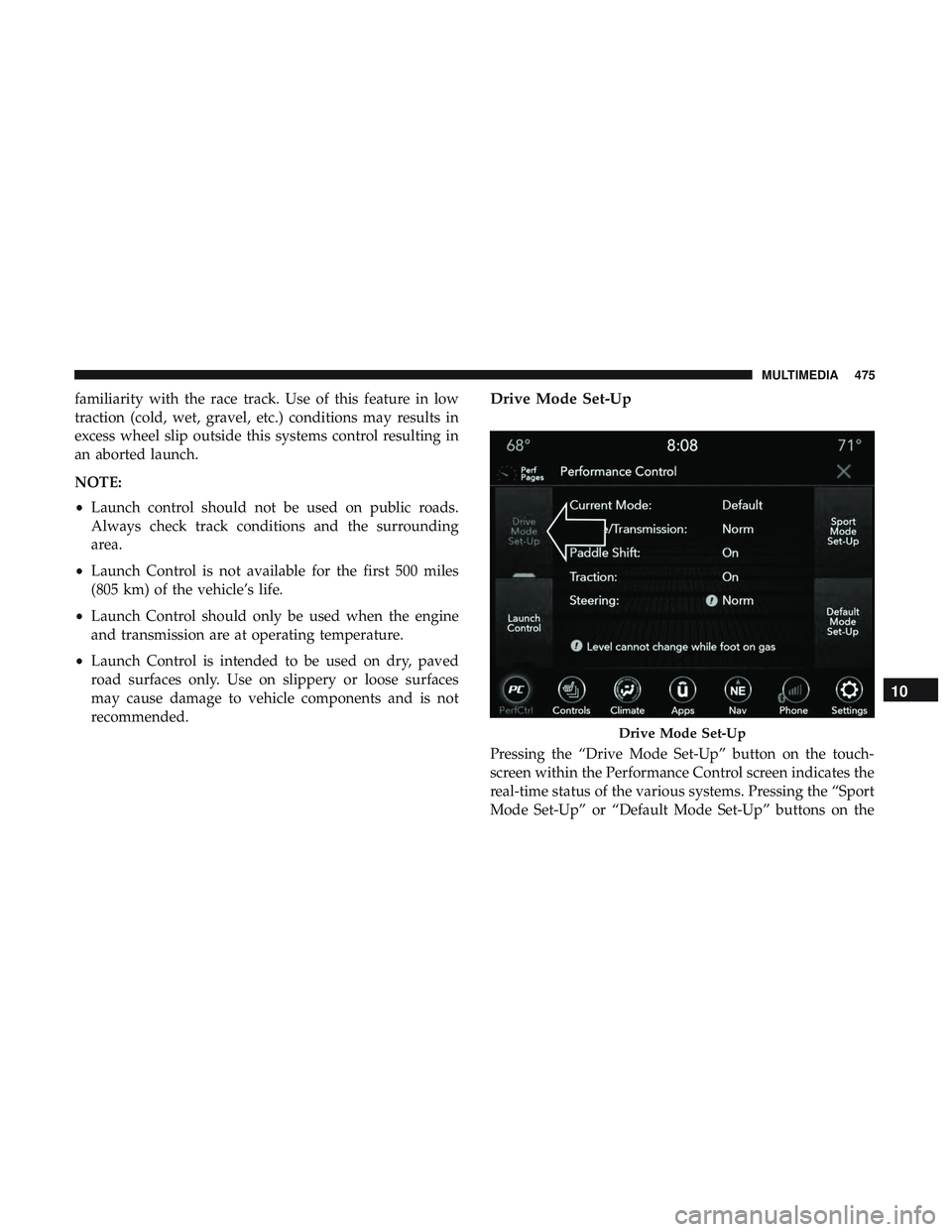
Pressing the “Drive Mode Set-Up” button on the touch-
screen within the Performance Control screen indicates the
real-time status of the various systems. Pressing the “Sport
Mode Set-Up” or “Default Mode Set-Up” buttons on the
Drive Mode Set-Up
10
MULTIMEDIA 475
Page 478 of 532
touchscreen allows the driver to configure their individual
performance control and see how those configurations
affect the performance of the vehicle.
NOTE:Not all of the options listed in this manual are
available on every vehicle, below is a chart with all
available Performance Control vehicle configurations.
Available Mode Configurations
Engine If Manual Transmission
Engine/Trans If Auto Transmission
Steering X
Paddle Shifters X
Traction Control X
Refer to the Sport and Default modes for their detailed
operation.
NOTE: These settings will remain in effect when using the
Launch Control feature.
Default Mode
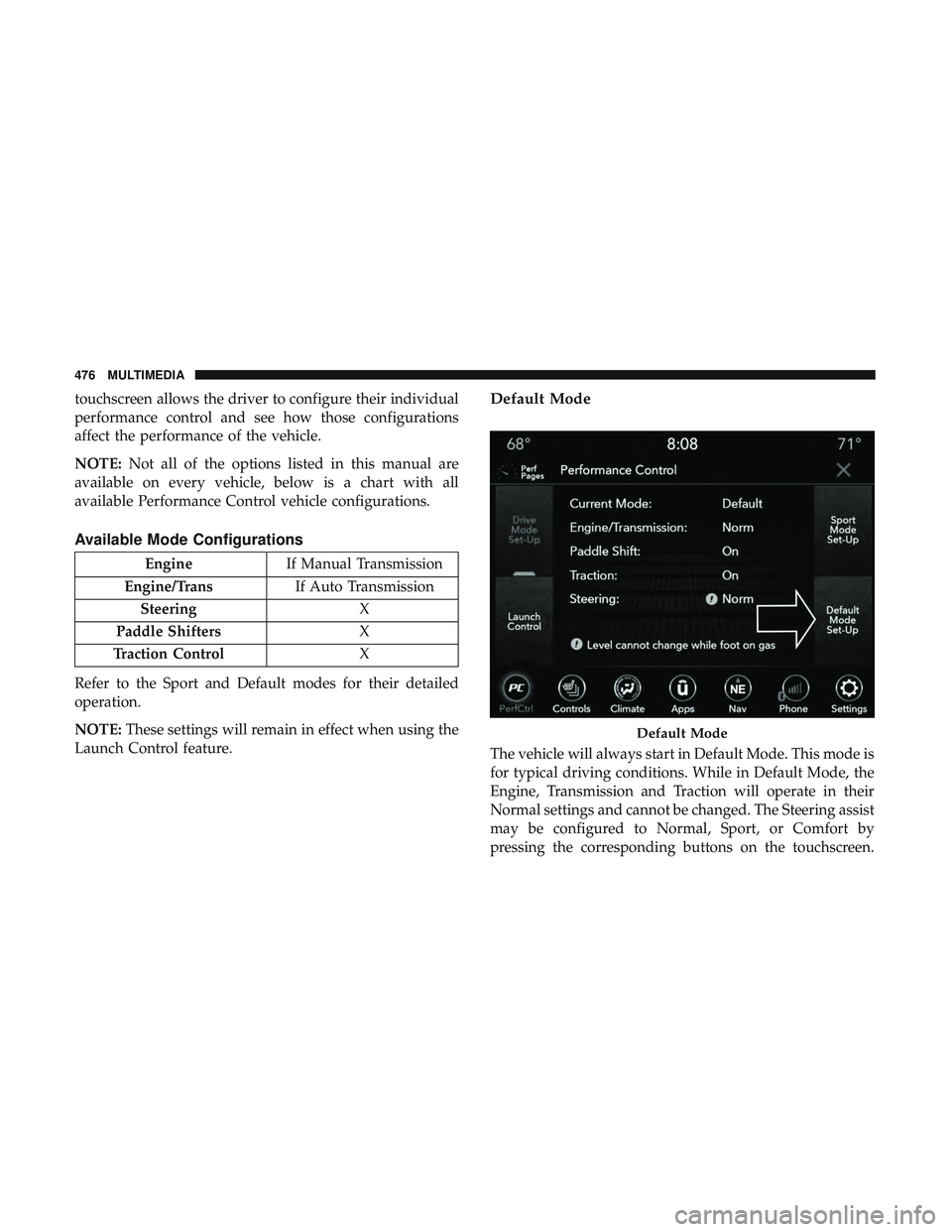
The vehicle will always start in Default Mode. This mode is
for typical driving conditions. While in Default Mode, the
Engine, Transmission and Traction will operate in their
Normal settings and cannot be changed. The Steering assist
may be configured to Normal, Sport, or Comfort by
pressing the corresponding buttons on the touchscreen.
Default Mode
476 MULTIMEDIA
Page 479 of 532
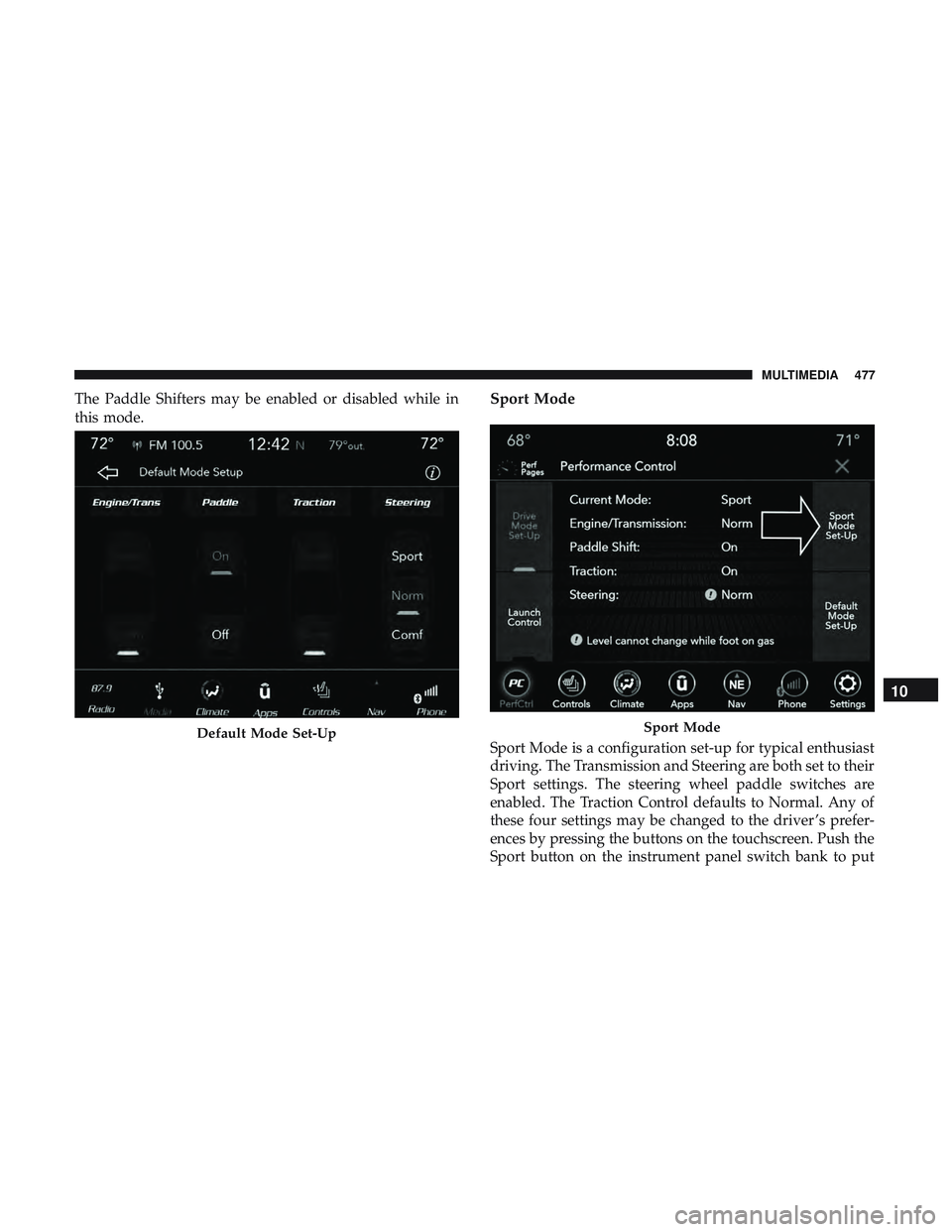
The Paddle Shifters may be enabled or disabled while in
this mode.Sport Mode
Sport Mode is a configuration set-up for typical enthusiast
driving. The Transmission and Steering are both set to their
Sport settings. The steering wheel paddle switches are
enabled. The Traction Control defaults to Normal. Any of
these four settings may be changed to the driver ’s prefer-
ences by pressing the buttons on the touchscreen. Push the
Sport button on the instrument panel switch bank to putDefault Mode Set-UpSport Mode
10
MULTIMEDIA 477
Page 480 of 532
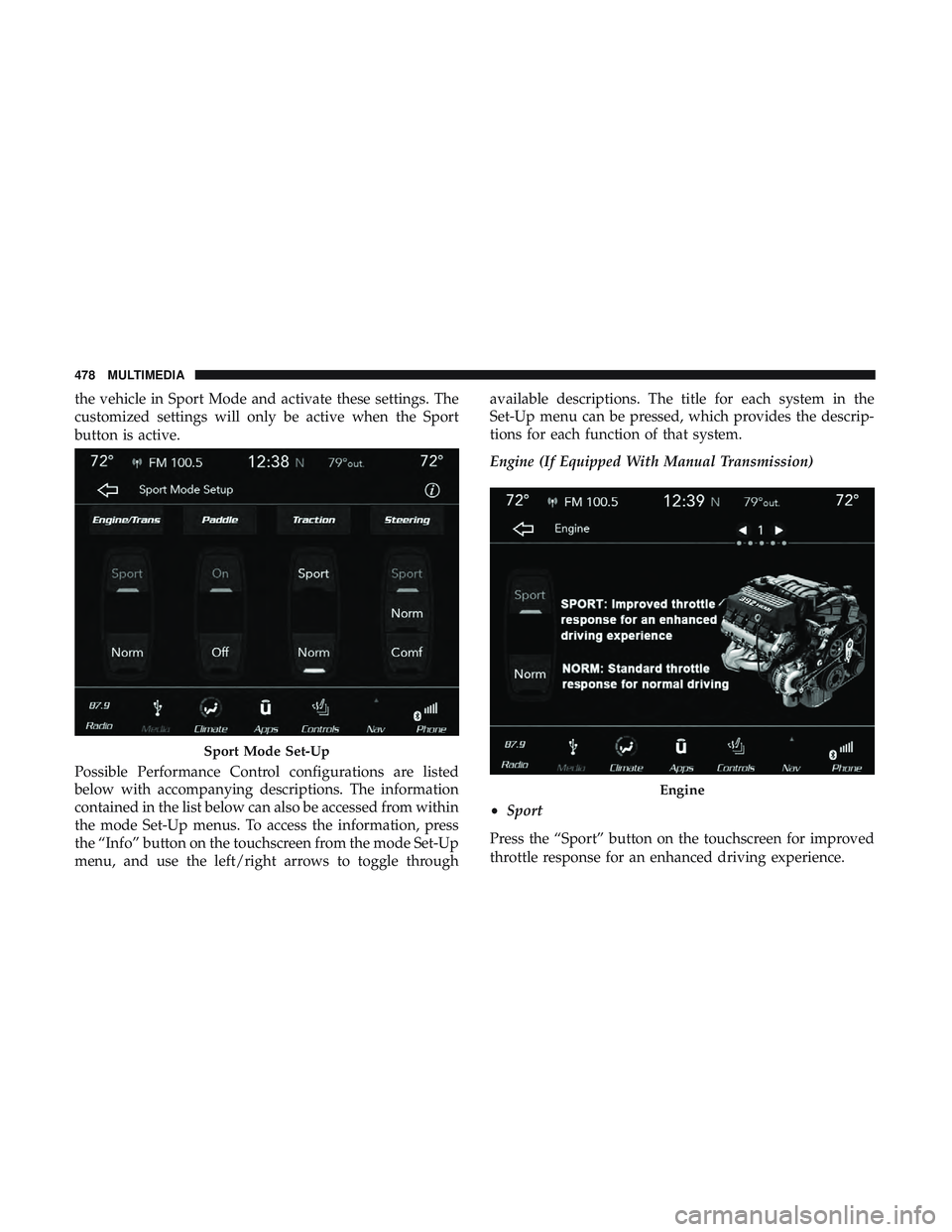
the vehicle in Sport Mode and activate these settings. The
customized settings will only be active when the Sport
button is active.
Possible Performance Control configurations are listed
below with accompanying descriptions. The information
contained in the list below can also be accessed from within
the mode Set-Up menus. To access the information, press
the “Info” button on the touchscreen from the mode Set-Up
menu, and use the left/right arrows to toggle throughavailable descriptions. The title for each system in the
Set-Up menu can be pressed, which provides the descrip-
tions for each function of that system.
Engine (If Equipped With Manual Transmission)
•
Sport
Press the “Sport” button on the touchscreen for improved
throttle response for an enhanced driving experience.
Sport Mode Set-Up
Engine
478 MULTIMEDIA
Page 525 of 532
Reminder............................. .158
Seat Belt Extender ....................... .163
Seat Belt Pretensioner .....................164
Untwisting Procedure .....................163
Seat Belts Maintenance ...................... .399
Seats ............................ .42, 46, 47, 50
Adjustment .......................... .42, 46
Head Restraints ..........................51
Heated .................................47
Height Adjustment ........................45
Power .................................45
Rear Folding ......................... .42, 44
Seatback Release ...................... .42, 44
Tilting ........................... .42, 45, 50
Vented .................................48
Ventilated ...............................48
Security Alarm ......................... .33, 117
Arm The System ..........................34
Selection Of Coolant (Antifreeze) ...............413
Sentry Key Key Programming .........................33
Sentry Key (Immobilizer) ......................32
Sentry Key Replacement ....................25, 33
Service Assistance ......................... .506
Service Contract .......................... .508Service Manuals
.......................... .510
Shift Indicator Light ........................ .221
Shifting ................................ .222
Automatic Transmission ................222, 224
Shoulder Belts ............................ .159
Side View Mirror Adjustment ...................58
Signals, Turn ....................... .63, 123, 204
Siri .................................... .498
SiriusXM Guardian Vehicle Health Alert ...................... .496
Snow Chains (Tire Chains) ....................394
Snow Tires .............................. .390
Spare Tires .....................301, 390, 391, 392
Spark Plugs ............................. .413
Specifications Fuel
(Gasoline) ......................... .413
Oil.................................. .413
Speed Control Accel/Decel ........................ .234, 235
Cancel ............................... .236
Resume .............................. .236
Set .................................. .234
Speed Control (Cruise Control) ..........233, 234, 236
Sport Mode .............................. .232
Starting ............................. .208, 209
12
INDEX 523