transmission DODGE CHALLENGER 2019 Manual Online
[x] Cancel search | Manufacturer: DODGE, Model Year: 2019, Model line: CHALLENGER, Model: DODGE CHALLENGER 2019Pages: 532, PDF Size: 5.01 MB
Page 433 of 532
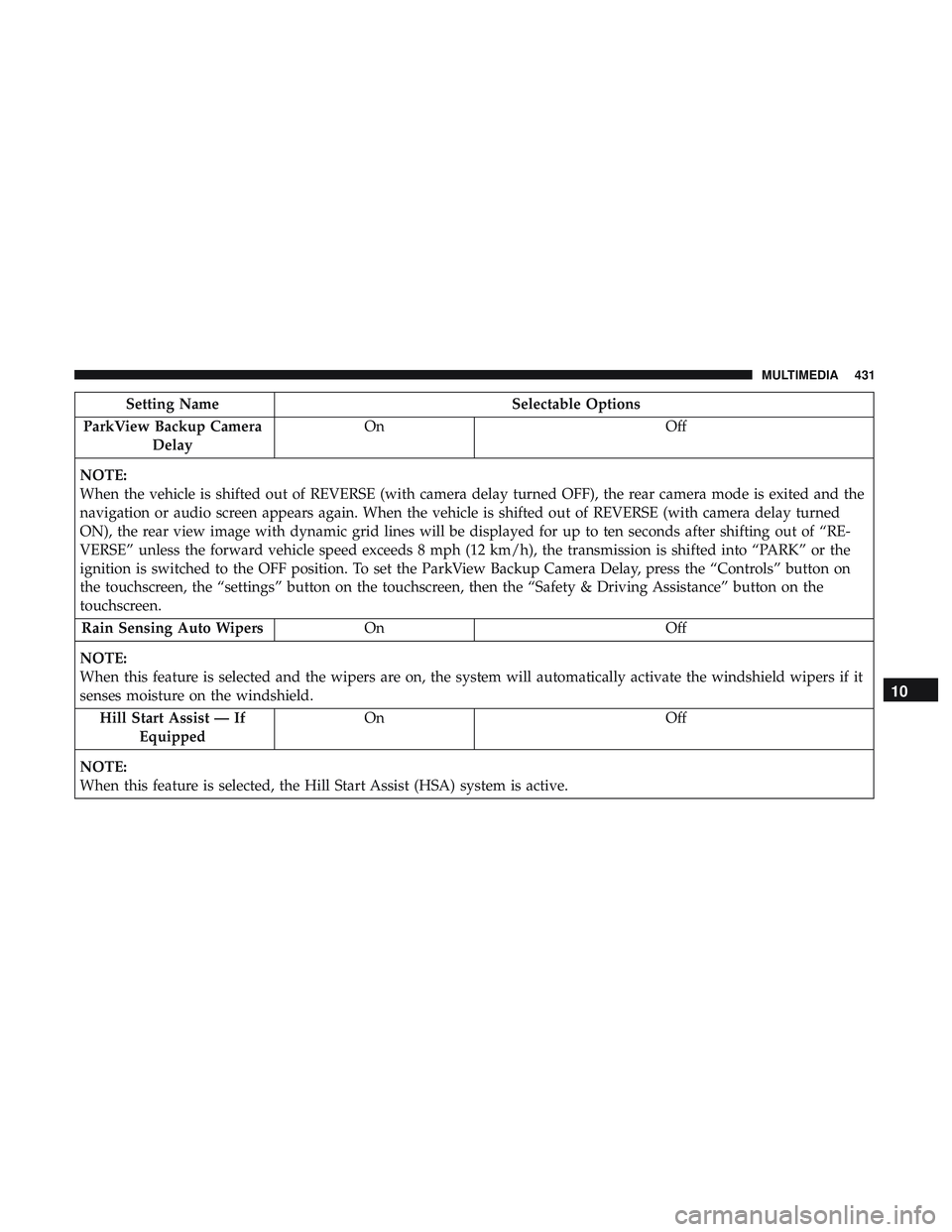
Setting NameSelectable Options
ParkView Backup Camera Delay On
Off
NOTE:
When the vehicle is shifted out of REVERSE (with camera delay turned OFF), the rear camera mode is exited and the
navigation or audio screen appears again. When the vehicle is shifted out of REVERSE (with camera delay turned
ON), the rear view image with dynamic grid lines will be displayed for up to ten seconds after shifting out of “RE-
VERSE” unless the forward vehicle speed exceeds 8 mph (12 km/h), the transmission is shifted into “PARK” or the
ignition is switched to the OFF position. To set the ParkView Backup Camera Delay, press the “Controls” button on
the touchscreen, the “settings” button on the touchscreen, then the “Safety & Driving Assistance” button on the
touchscreen. Rain Sensing Auto Wipers On Off
NOTE:
When this feature is selected and the wipers are on, the system will automatically activate the windshield wipers if it
senses moisture on the windshield. Hill Start Assist — If Equipped On
Off
NOTE:
When this feature is selected, the Hill Start Assist (HSA) system is active.
10
MULTIMEDIA 431
Page 450 of 532
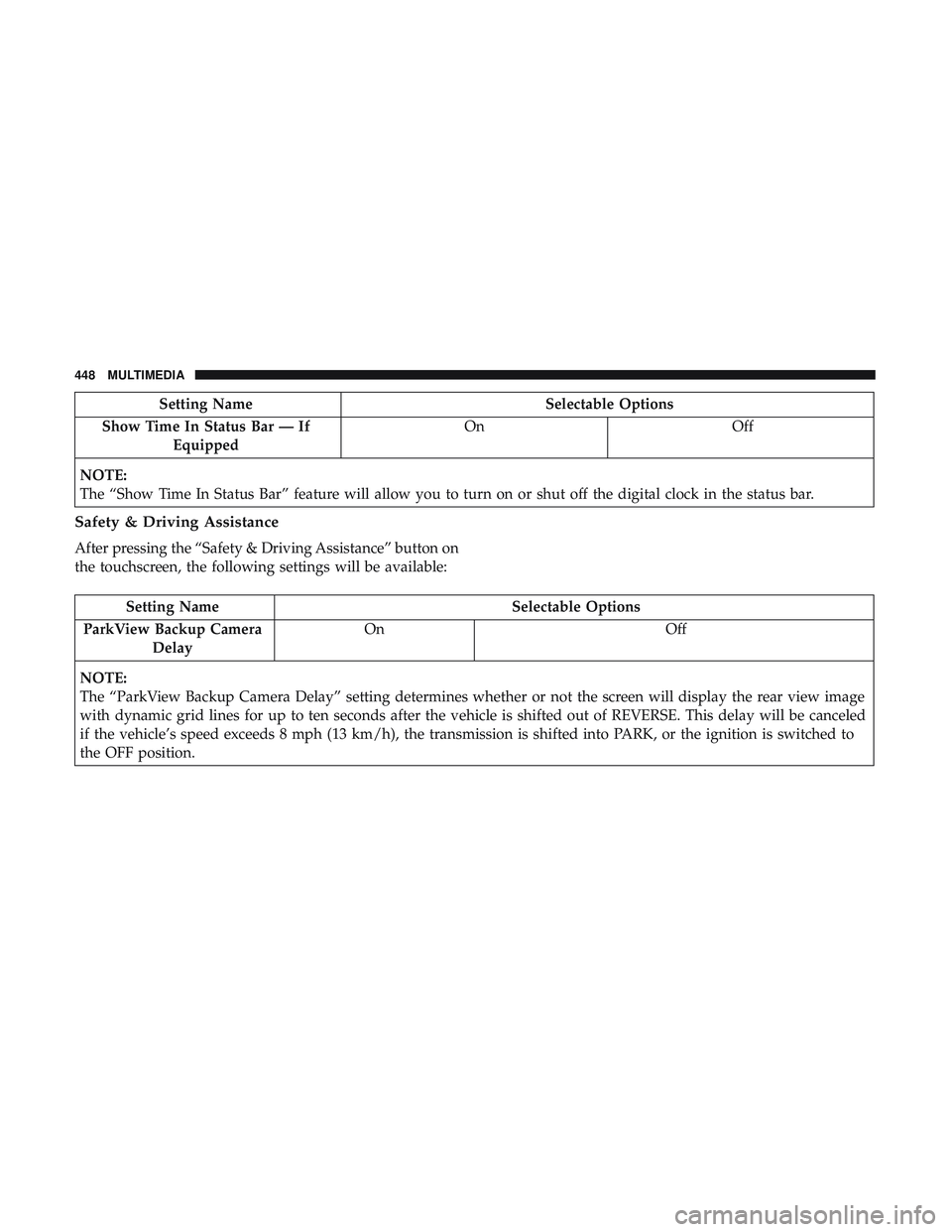
Setting NameSelectable Options
Show Time In Status Bar — If Equipped On
Off
NOTE:
The “Show Time In Status Bar” feature will allow you to turn on or shut off the digital clock in the status bar.
Safety & Driving Assistance
After pressing the “Safety & Driving Assistance” button on
the touchscreen, the following settings will be available:
Setting Name Selectable Options
ParkView Backup Camera Delay On
Off
NOTE:
The “ParkView Backup Camera Delay” setting determines whether or not the screen will display the rear view image
with dynamic grid lines for up to ten seconds after the vehicle is shifted out of REVERSE. This delay will be canceled
if the vehicle’s speed exceeds 8 mph (13 km/h), the transmission is shifted into PARK, or the ignition is switched to
the OFF position.
448 MULTIMEDIA
Page 456 of 532
Doors & Locks
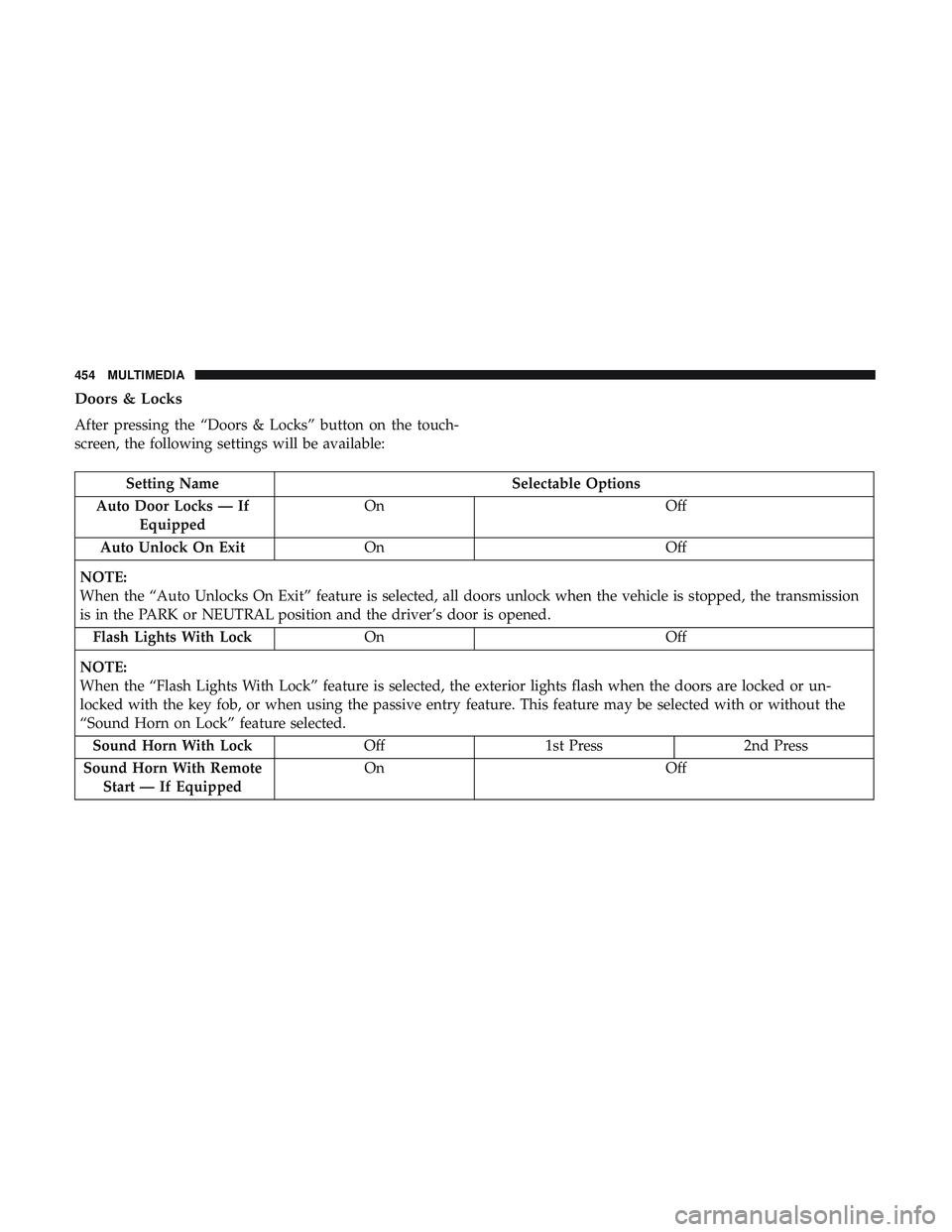
After pressing the “Doors & Locks” button on the touch-
screen, the following settings will be available:
Setting NameSelectable Options
Auto Door Locks — If Equipped On
Off
Auto Unlock On Exit On Off
NOTE:
When the “Auto Unlocks On Exit” feature is selected, all doors unlock when the vehicle is stopped, the transmission
is in the PARK or NEUTRAL position and the driver’s door is opened. Flash Lights With Lock On Off
NOTE:
When the “Flash Lights With Lock” feature is selected, the exterior lights flash when the doors are locked or un-
locked with the key fob, or when using the passive entry feature. This feature may be selected with or without the
“Sound Horn on Lock” feature selected. Sound Horn With Lock Off1st Press 2nd Press
Sound Horn With Remote Start — If Equipped On
Off
454 MULTIMEDIA
Page 467 of 532
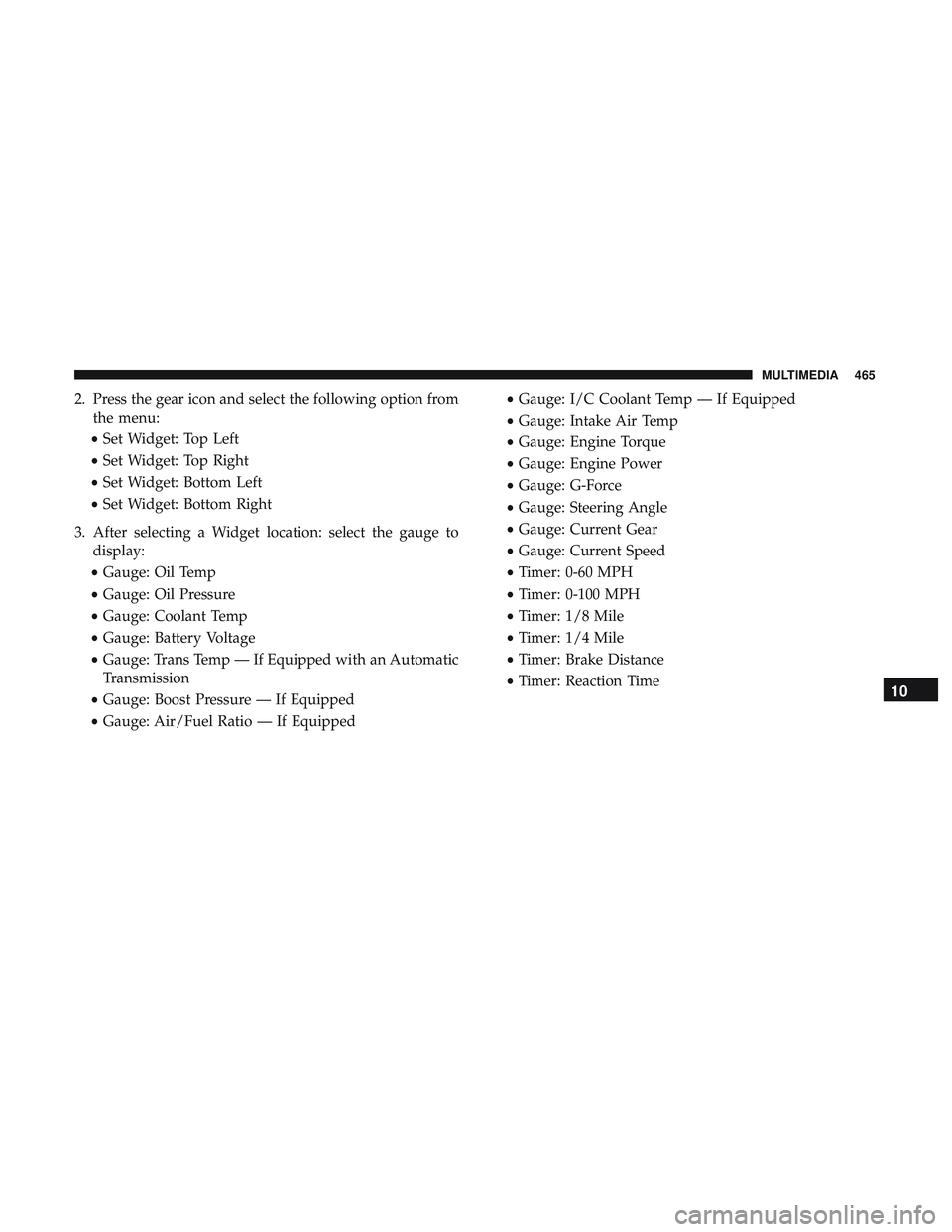
2. Press the gear icon and select the following option fromthe menu:
• Set Widget: Top Left
• Set Widget: Top Right
• Set Widget: Bottom Left
• Set Widget: Bottom Right
3. After selecting a Widget location: select the gauge to display:
• Gauge: Oil Temp
• Gauge: Oil Pressure
• Gauge: Coolant Temp
• Gauge: Battery Voltage
• Gauge: Trans Temp — If Equipped with an Automatic
Transmission
• Gauge: Boost Pressure — If Equipped
• Gauge: Air/Fuel Ratio — If Equipped •
Gauge: I/C Coolant Temp — If Equipped
• Gauge: Intake Air Temp
• Gauge: Engine Torque
• Gauge: Engine Power
• Gauge: G-Force
• Gauge: Steering Angle
• Gauge: Current Gear
• Gauge: Current Speed
• Timer: 0-60 MPH
• Timer: 0-100 MPH
• Timer: 1/8 Mile
• Timer: 1/4 Mile
• Timer: Brake Distance
• Timer: Reaction Time
10
MULTIMEDIA 465
Page 471 of 532
•Coolant Temperature
Shows the actual coolant temperature.
• Battery Voltage
Shows the actual battery voltage
• Trans Oil Temp — If Equipped with an Automatic
Transmission
Shows the actual transmission oil temperature.
• Boost Pressure — If Equipped
Shows actual boost pressure.
• Air Fuel Ratio — If Equipped
Shows current air fuel ratio
• I/C Coolant Temp — If Equipped
Shows actual I/C Coolant temperature.
• Intake Air Temperature
Shows the actual intake air temperature.
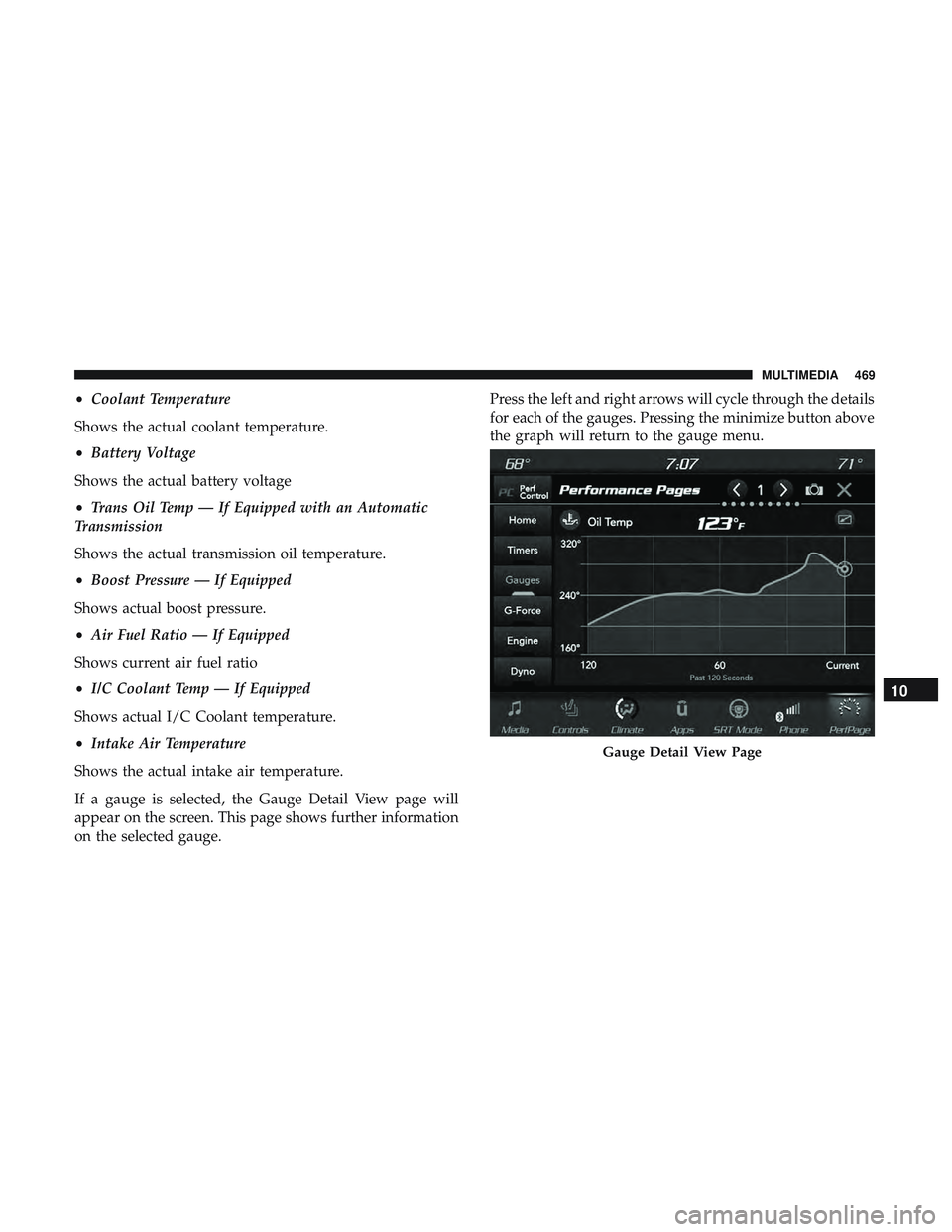
If a gauge is selected, the Gauge Detail View page will
appear on the screen. This page shows further information
on the selected gauge. Press the left and right arrows will cycle through the details
for each of the gauges. Pressing the minimize button above
the graph will return to the gauge menu.
Gauge Detail View Page
10
MULTIMEDIA 469
Page 474 of 532
•Engine Torque
Shows the instantaneous torque.
• Oil Pressure (6.4L only)
Shows the actual engine oil pressure.
• Gear (Automatic Transmission Only)
Shows the current (or pending) operating gear of the
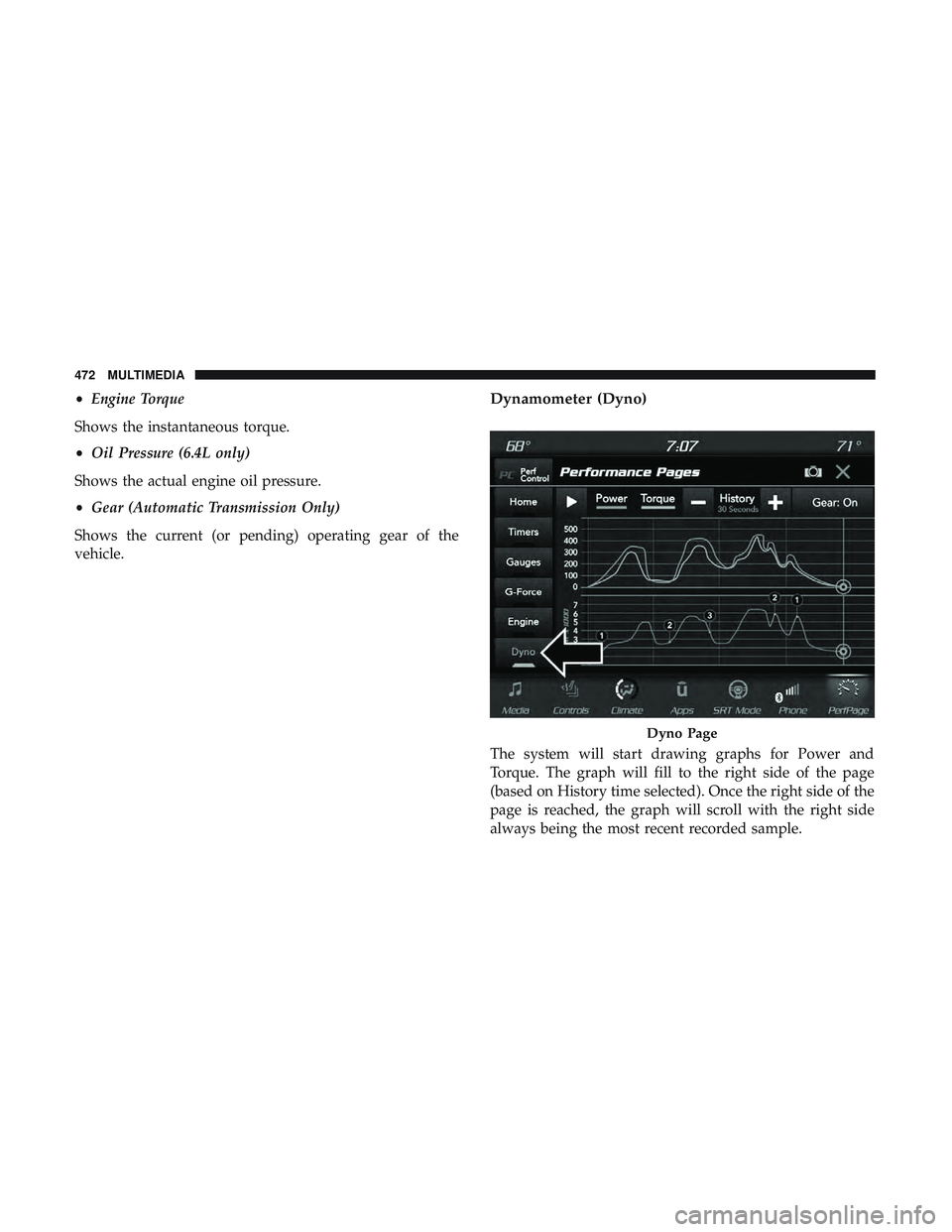
vehicle.Dynamometer (Dyno)
The system will start drawing graphs for Power and
Torque. The graph will fill to the right side of the page
(based on History time selected). Once the right side of the
page is reached, the graph will scroll with the right side
always being the most recent recorded sample.
Dyno Page
472 MULTIMEDIA
Page 475 of 532
The following options can be selected:
•Pressing the STOP button will freeze the graph. Selecting
Play will clear the graph and restart the process over
• Press the “+” or “–” buttons to change the history of the
graph. The selectable options are 30, 60, 90, 120 seconds.
The graph will expand or constrict depending on the
setting selected.
• Select the “Gear” display setting to turn the graph gear
markers on and off.
NOTE: The Gear on/off feature will only display if your
vehicle is equipped with an Automatic Transmission.
Performance Control — If Equipped
Your vehicle is equipped with a Performance Control
feature which allows for coordinating the operation of
various vehicle systems depending upon the type of driv-
ing behavior desired. The Performance Control feature is
controlled through the Uconnect system and may be ac-
cessed by performing any of the following:
• Pushing the Super Track Pack button on the instrument
panel switch bank. •
Selecting “Performance Control” from the “Apps”
menu.
• Selecting “Performance Control” from within the Perfor-
mance Pages menu.
You will be able to enable, disable, and customize the
functionality of the Launch Control and Performance Con-
trol Set-Up features within Performance Control.
Descriptions of these features are provided below. To
access information about the functionality of these features
through the Uconnect system, press the “Info” button on
the touchscreen.
NOTE: Scat and Widebody Dodge vehicles equipped with
a 6.4L engine will use SRT Drive Modes rather than the
Dodge Performance Control Pages. Please refer to the
Owner ’s Manual Supplement for further information on
the SRT Drive Modes.10
MULTIMEDIA 473
Page 477 of 532
familiarity with the race track. Use of this feature in low
traction (cold, wet, gravel, etc.) conditions may results in
excess wheel slip outside this systems control resulting in
an aborted launch.
NOTE:
•Launch control should not be used on public roads.
Always check track conditions and the surrounding
area.
• Launch Control is not available for the first 500 miles
(805 km) of the vehicle’s life.
• Launch Control should only be used when the engine
and transmission are at operating temperature.
• Launch Control is intended to be used on dry, paved
road surfaces only. Use on slippery or loose surfaces
may cause damage to vehicle components and is not
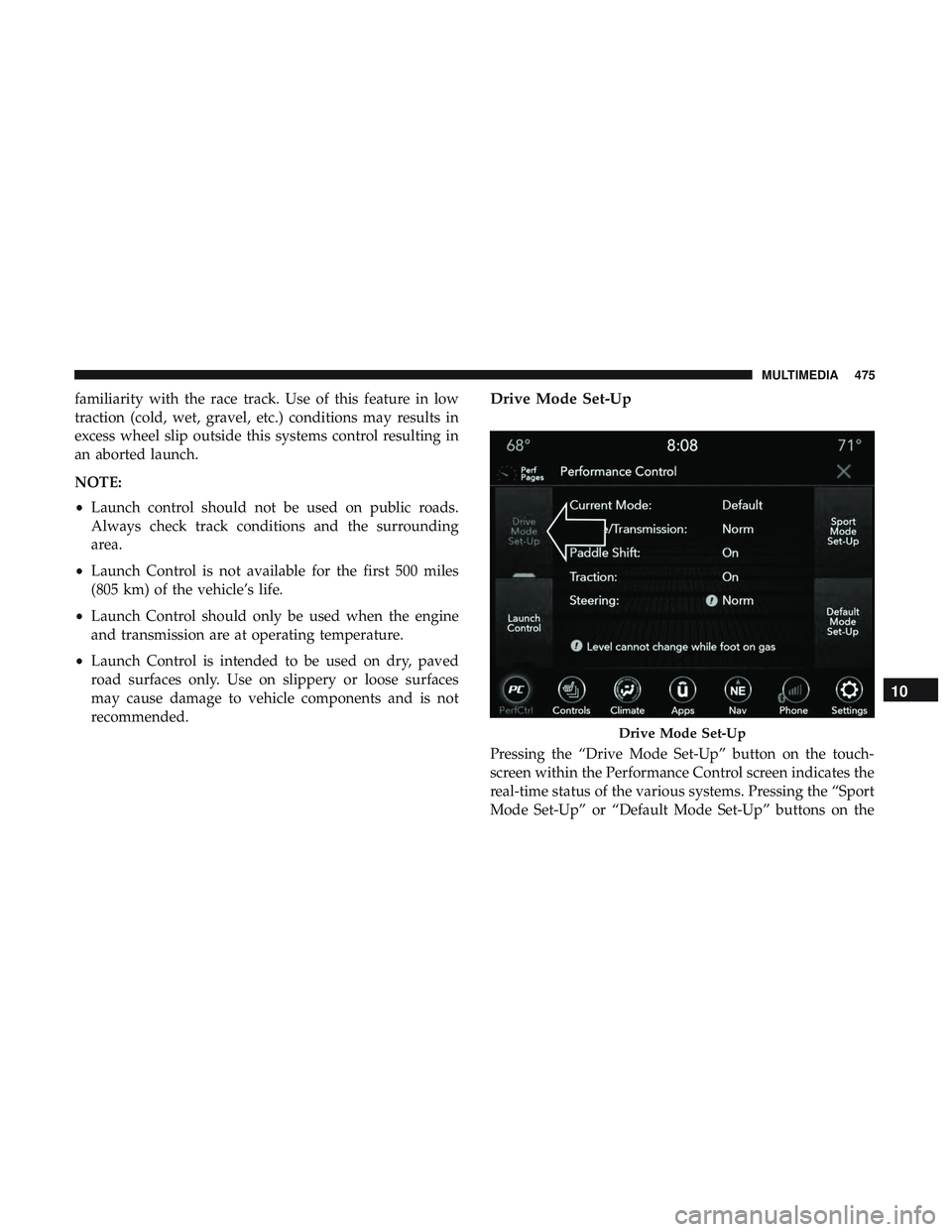
recommended.Drive Mode Set-Up
Pressing the “Drive Mode Set-Up” button on the touch-
screen within the Performance Control screen indicates the
real-time status of the various systems. Pressing the “Sport
Mode Set-Up” or “Default Mode Set-Up” buttons on the
Drive Mode Set-Up
10
MULTIMEDIA 475
Page 478 of 532
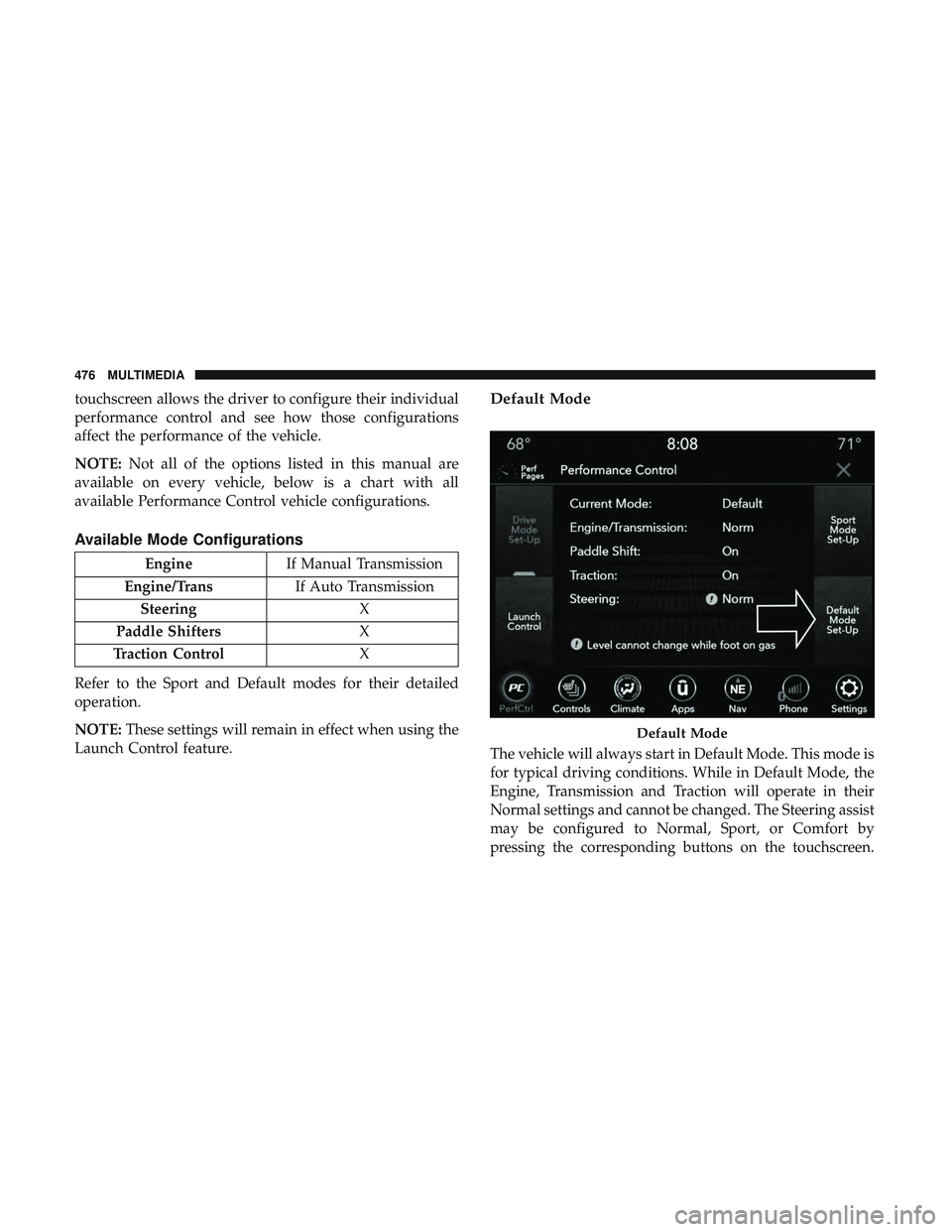
touchscreen allows the driver to configure their individual
performance control and see how those configurations
affect the performance of the vehicle.
NOTE:Not all of the options listed in this manual are
available on every vehicle, below is a chart with all
available Performance Control vehicle configurations.
Available Mode Configurations
Engine If Manual Transmission
Engine/Trans If Auto Transmission
Steering X
Paddle Shifters X
Traction Control X
Refer to the Sport and Default modes for their detailed
operation.
NOTE: These settings will remain in effect when using the
Launch Control feature.
Default Mode
The vehicle will always start in Default Mode. This mode is
for typical driving conditions. While in Default Mode, the
Engine, Transmission and Traction will operate in their
Normal settings and cannot be changed. The Steering assist
may be configured to Normal, Sport, or Comfort by
pressing the corresponding buttons on the touchscreen.
Default Mode
476 MULTIMEDIA
Page 479 of 532
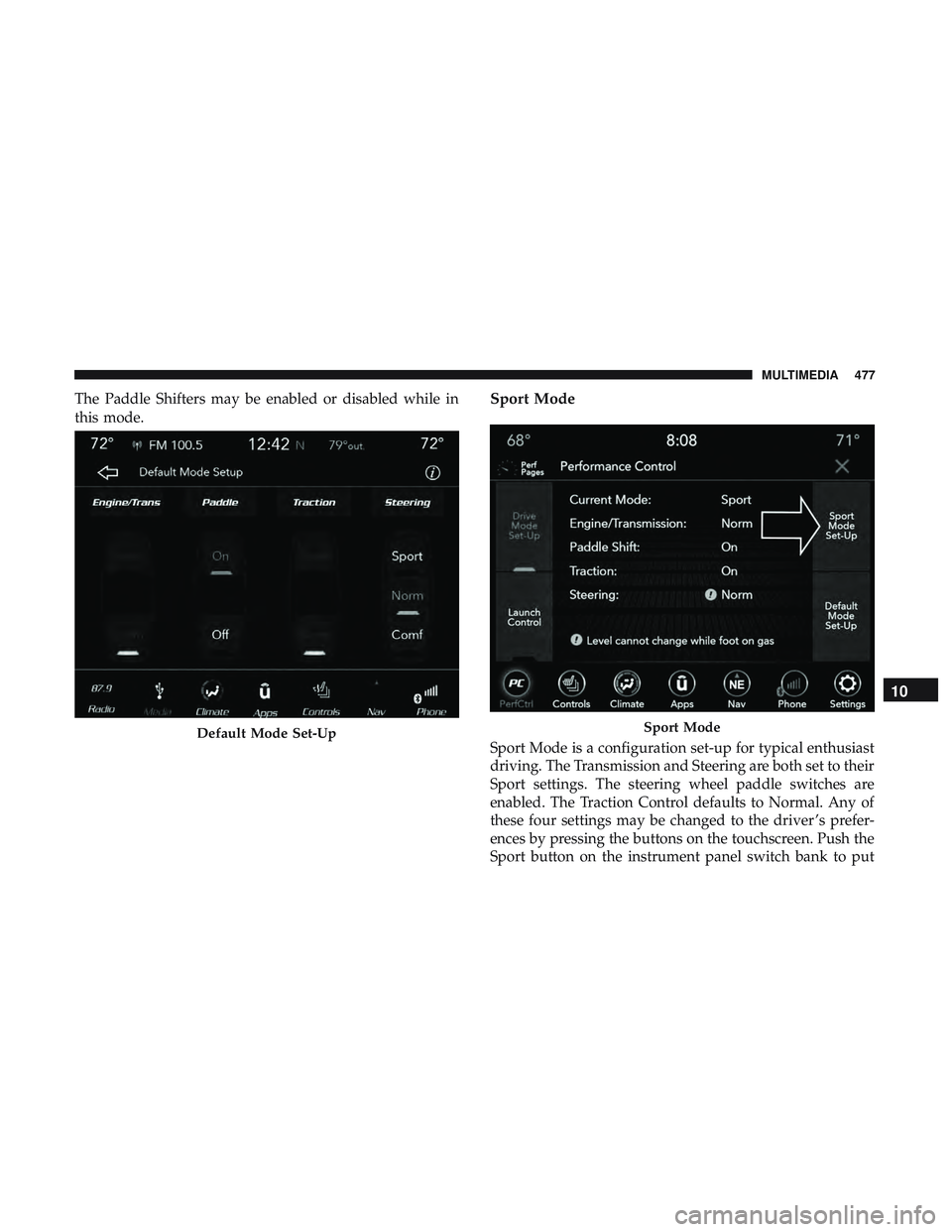
The Paddle Shifters may be enabled or disabled while in
this mode.Sport Mode
Sport Mode is a configuration set-up for typical enthusiast
driving. The Transmission and Steering are both set to their
Sport settings. The steering wheel paddle switches are
enabled. The Traction Control defaults to Normal. Any of
these four settings may be changed to the driver ’s prefer-
ences by pressing the buttons on the touchscreen. Push the
Sport button on the instrument panel switch bank to putDefault Mode Set-UpSport Mode
10
MULTIMEDIA 477