steering DODGE CHALLENGER 2020 Manual PDF
[x] Cancel search | Manufacturer: DODGE, Model Year: 2020, Model line: CHALLENGER, Model: DODGE CHALLENGER 2020Pages: 396, PDF Size: 16.64 MB
Page 372 of 396
370MULTIMEDIA
UCONNECT VOICE RECOGNITION QUICK TIPS
INTRODUCING UCONNECT
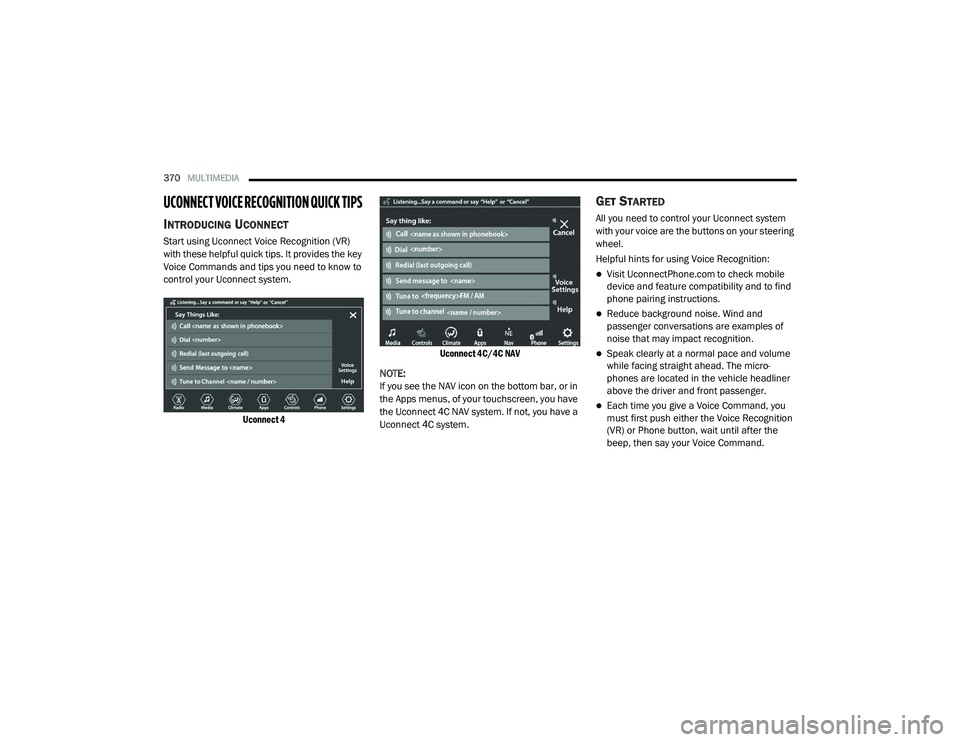
Start using Uconnect Voice Recognition (VR)
with these helpful quick tips. It provides the key
Voice Commands and tips you need to know to
control your Uconnect system.
Uconnect 4 Uconnect 4C/4C NAV
NOTE:
If you see the NAV icon on the bottom bar, or in
the Apps menus, of your touchscreen, you have
the Uconnect 4C NAV system. If not, you have a
Uconnect 4C system.
GET STARTED
All you need to control your Uconnect system
with your voice are the buttons on your steering
wheel.
Helpful hints for using Voice Recognition:
Visit UconnectPhone.com to check mobile
device and feature compatibility and to find
phone pairing instructions.
Reduce background noise. Wind and
passenger conversations are examples of
noise that may impact recognition.
Speak clearly at a normal pace and volume
while facing straight ahead. The micro -
phones are located in the vehicle headliner
above the driver and front passenger.
Each time you give a Voice Command, you
must first push either the Voice Recognition
(VR) or Phone button, wait until after the
beep, then say your Voice Command.
20_LA_OM_EN_USC_t.book Page 370
Page 373 of 396
MULTIMEDIA371
You can interrupt the help message or
system prompts by pushing the VR or Phone
button and saying a Voice Command from
the current category.
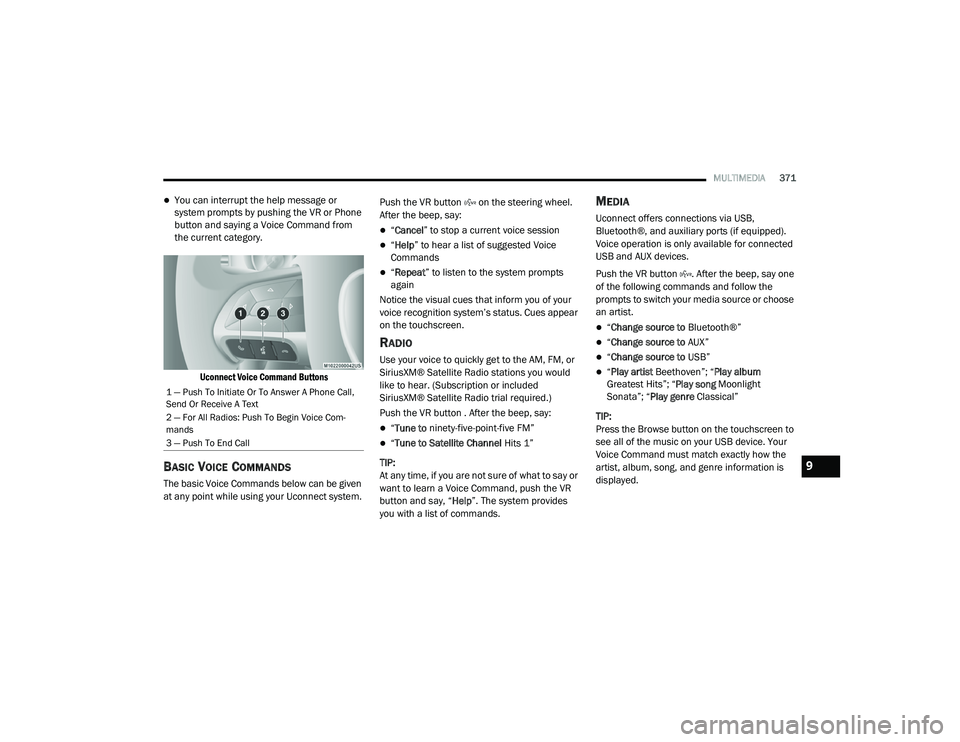
Uconnect Voice Command Buttons
BASIC VOICE COMMANDS
The basic Voice Commands below can be given
at any point while using your Uconnect system. Push the VR button on the steering wheel.
After the beep, say:
“
Cancel ” to stop a current voice session
“Help ” to hear a list of suggested Voice
Commands
“ Repeat ” to listen to the system prompts
again
Notice the visual cues that inform you of your
voice recognition system’s status. Cues appear
on the touchscreen.
RADIO
Use your voice to quickly get to the AM, FM, or
SiriusXM® Satellite Radio stations you would
like to hear. (Subscription or included
SiriusXM® Satellite Radio trial required.)
Push the VR button . After the beep, say:
“ Tune to ninety-five-point-five FM”
“Tune to Satellite Channel Hits 1”
TIP:
At any time, if you are not sure of what to say or
want to learn a Voice Command, push the VR
button and say, “ Help”. The system provides
you with a list of commands.
MEDIA
Uconnect offers connections via USB,
Bluetooth®, and auxiliary ports (if equipped).
Voice operation is only available for connected
USB and AUX devices.
Push the VR button . After the beep, say one
of the following commands and follow the
prompts to switch your media source or choose
an artist.
“ Change source to Bluetooth®”
“Change source to AUX”
“Change source to USB”
“Play artist Beethoven”; “ Play album
Greatest Hits”; “ Play song Moonlight
Sonata”; “ Play genre Classical”
TIP:
Press the Browse button on the touchscreen to
see all of the music on your USB device. Your
Voice Command must match exactly how the
artist, album, song, and genre information is
displayed.
1 — Push To Initiate Or To Answer A Phone Call,
Send Or Receive A Text
2 — For All Radios: Push To Begin Voice Com -
mands
3 — Push To End Call
9
20_LA_OM_EN_USC_t.book Page 371
Page 375 of 396
MULTIMEDIA373
CLIMATE
Adjust vehicle temperatures hands-free and
keep everyone comfortable while you keep
moving ahead. (If vehicle is equipped with
climate control.)
Push the VR button . After the beep, say one of
the following commands:
“Set driver temperature to 70 degrees ”
“Set passenger temperature to 70 degrees ”
TIP:
Voice Command for Climate may only be used
to adjust the interior temperature of your
vehicle. Voice Command will not work to adjust
the heated seats or steering wheel if equipped.
NAVIGATION (4C NAV)
The Uconnect navigation feature helps you save
time and become more productive when you
know exactly how to get to where you want to go.
1. To enter a destination, push the VR button
. After the beep, say: “ Find address
800
Chrysler Drive Auburn Hills, Michigan.”
2. Then follow the system prompts. TIP:
To start a POI search, push the VR button .
After the beep, say: “
Find nearest coffee shop.”
SIRI® EYES FREE — IF EQUIPPED
Siri lets you use your voice to send text
messages, select media, place phone calls and
much more. Siri uses your natural language to
understand what you mean and responds back
to confirm your requests. The system is
designed to keep your eyes on the road and
your hands on the wheel by letting Siri help you
perform useful tasks.
To enable Siri, push and hold, then release the
Uconnect Voice Recognition (VR) button on the
steering wheel. After you hear a double beep
you can ask Siri to play podcasts and music, get
directions, read text messages, and many other
useful requests.
DO NOT DISTURB
With Do Not Disturb, you can disable
notifications from incoming calls and texts,
allowing you to keep your eyes on the road and
hands on the wheel. For your convenience,
there is a counter display to keep track of your missed calls and text messages while you were
using Do Not Disturb.
Do Not Disturb can automatically reply with a
text message, a call or both, when declining an
incoming call and send it to voicemail.
Automatic reply messages can be:
“I am driving right now, I will get back to you
shortly”.
Create a custom auto reply message up to
160 characters.
NOTE:
Only the first 25 characters can be seen on the
touchscreen while typing a custom message.
While in Do Not Disturb, Conference Call can be
selected so you can still place a second call
without being interrupted by incoming calls.
NOTE:
Reply with text message is not compatible
with iPhones®.
Auto reply with text message is only available
on phones that support Bluetooth® MAP.9
20_LA_OM_EN_USC_t.book Page 373
Page 376 of 396
374MULTIMEDIA
ANDROID AUTO™ — IF EQUIPPED
NOTE:
Feature availability depends on your carrier and
mobile phone manufacturer. Some Android
Auto™ features may or may not be available in
every region and/or language.
Android Auto™ allows you to use your voice to
interact with Android’s™ best-in-class speech
technology through your vehicle’s voice
recognition system, and use your smartphone’s
data plan to project your Android™-powered
smartphone and a number of its apps onto your
Uconnect touchscreen. Connect your Android™
5.0 or higher to one of the media USB ports,
using the factory-provided USB cable, and press
the new Android Auto™ icon that replaces your
“Phone” icon on the main menu bar to begin
Android Auto™. Push and hold the VR button on
the steering wheel, or press and hold the
Microphone icon within Android Auto™, to
activate Android’s™ VR, which recognizes
natural voice commands, to use a list of your
smartphone’s features:
Maps
Music
Phone
Text Messages
Additional Apps
Refer to your Uconnect Owner’s Manual
Supplement for further information.
NOTE:
Requires compatible smartphone running
Android™ 5.0 or higher and download app on
Google Play. Android™, Android Auto™, and
Google Play are trademarks of Google Inc.
APPLE CARPLAY® — IF EQUIPPED
NOTE:
Feature availability depends on your carrier and
mobile phone manufacturer. Some Apple
CarPlay® features may or may not be available
in every region and/or language.
Apple CarPlay® allows you to use your voice to
interact with Siri through your vehicle’s voice
recognition system, and use your smartphone’s
data plan to project your iPhone® and a
number of its apps onto your Uconnect
touchscreen. Connect your iPhone® 5 or higher
to one of the media USB ports, using the
factory-provided Lightning cable, and press the
new Apple CarPlay® icon that replaces your
Phone icon on the main menu bar to begin Apple CarPlay®. Push and hold the VR button
on the steering wheel, or press and hold the
Home button within Apple CarPlay®, to activate
Siri, which recognizes natural voice commands
to use a list of your iPhone’s® features:
Phone
Music
Messages
Maps (if equipped)
Additional Apps (if equipped)
Refer to your Uconnect Owner’s Manual
Supplement for further information.
NOTE:
Requires compatible iPhone®. See dealer for
phone compatibility. Data plan rates apply.
Vehicle user interface is a product of Apple®.
Apple CarPlay® is a trademark of Apple® Inc.
iPhone® is a trademark of Apple® Inc., regis -
tered in the US and other countries. Apple®
terms of use and privacy statements apply.
20_LA_OM_EN_USC_t.book Page 374
Page 388 of 396
386 Power Brakes
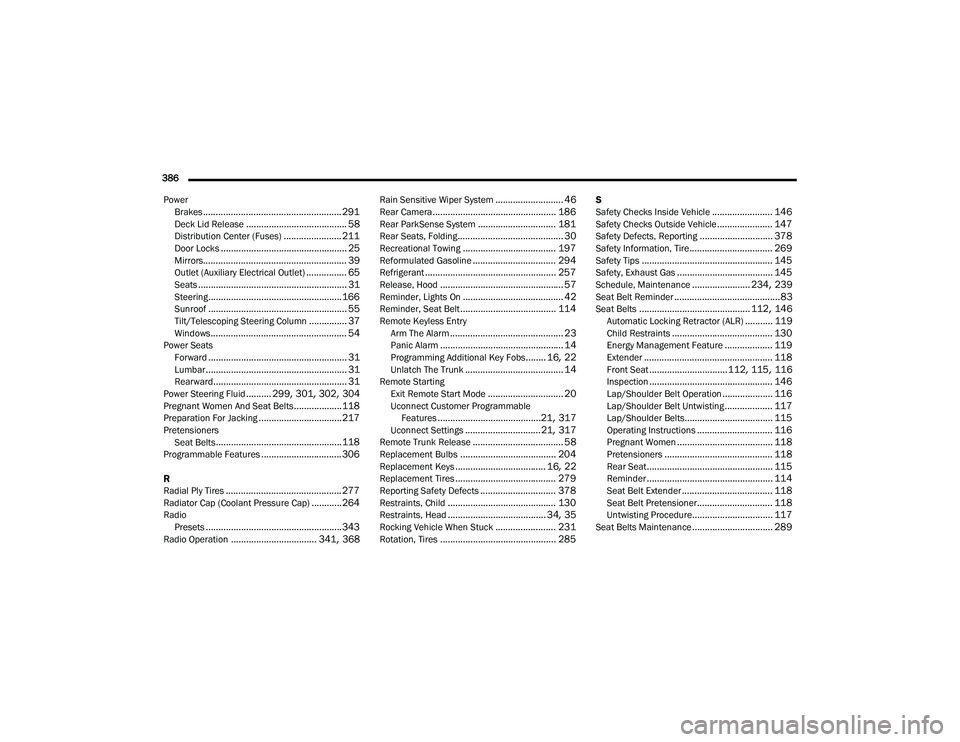
....................................................... 291Deck Lid Release........................................ 58Distribution Center (Fuses)....................... 211Door Locks.................................................. 25Mirrors......................................................... 39Outlet (Auxiliary Electrical Outlet)................ 65Seats........................................................... 31Steering..................................................... 166Sunroof....................................................... 55Tilt/Telescoping Steering Column............... 37Windows...................................................... 54Power SeatsForward....................................................... 31Lumbar........................................................ 31Rearward..................................................... 31Power Steering Fluid.......... 299, 301, 302, 304Pregnant Women And Seat Belts...................118Preparation For Jacking................................. 217PretensionersSeat Belts.................................................. 118Programmable Features................................ 306
R
Radial Ply Tires.............................................. 277Radiator Cap (Coolant Pressure Cap)............ 264RadioPresets...................................................... 343Radio Operation.................................. 341, 368
Rain Sensitive Wiper System........................... 46Rear Camera................................................. 186Rear ParkSense System............................... 181Rear Seats, Folding.......................................... 30Recreational Towing..................................... 197Reformulated Gasoline................................. 294Refrigerant.................................................... 257Release, Hood................................................. 57Reminder, Lights On........................................ 42Reminder, Seat Belt...................................... 114Remote Keyless EntryArm The Alarm............................................. 23Panic Alarm................................................. 14Programming Additional Key Fobs........ 16, 22Unlatch The Trunk....................................... 14Remote StartingExit Remote Start Mode.............................. 20Uconnect Customer ProgrammableFeatures.........................................21, 317Uconnect Settings..............................21, 317Remote Trunk Release.................................... 58Replacement Bulbs...................................... 204Replacement Keys.................................... 16, 22Replacement Tires........................................ 279Reporting Safety Defects.............................. 378Restraints, Child........................................... 130Restraints, Head....................................... 34, 35Rocking Vehicle When Stuck........................ 231Rotation, Tires.............................................. 285
S
Safety Checks Inside Vehicle........................ 146Safety Checks Outside Vehicle...................... 147Safety Defects, Reporting............................. 378Safety Information, Tire................................. 269Safety Tips.................................................... 145Safety, Exhaust Gas...................................... 145Schedule, Maintenance....................... 234, 239Seat Belt Reminder..........................................83Seat Belts............................................ 112, 146Automatic Locking Retractor (ALR)........... 119Child Restraints........................................ 130Energy Management Feature................... 119Extender................................................... 118Front Seat............................... 112, 115, 116Inspection................................................. 146Lap/Shoulder Belt Operation.................... 116Lap/Shoulder Belt Untwisting................... 117Lap/Shoulder Belts................................... 115Operating Instructions.............................. 116Pregnant Women...................................... 118Pretensioners........................................... 118Rear Seat.................................................. 115Reminder.................................................. 114Seat Belt Extender.................................... 118Seat Belt Pretensioner.............................. 118Untwisting Procedure................................ 117Seat Belts Maintenance................................ 289
20_LA_OM_EN_USC_t.book Page 386
Page 389 of 396
387
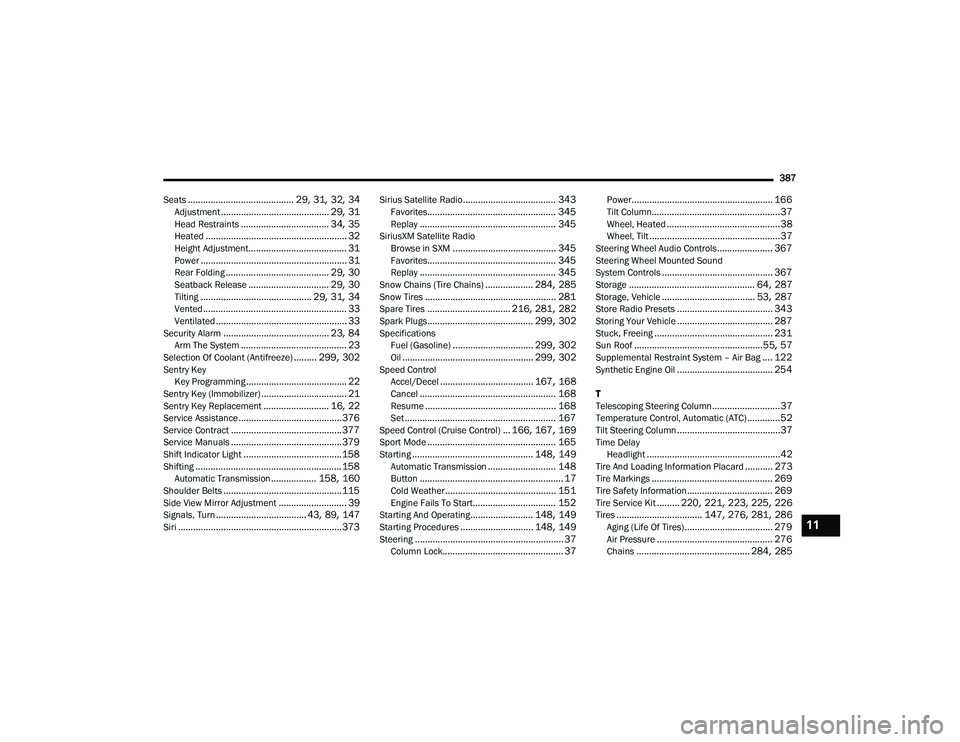
Seats
.......................................... 29, 31, 32, 34Adjustment........................................... 29, 31Head Restraints................................... 34, 35Heated........................................................ 32Height Adjustment....................................... 31Power.......................................................... 31Rear Folding......................................... 29, 30Seatback Release................................ 29, 30Tilting............................................ 29, 31, 34Vented......................................................... 33Ventilated.................................................... 33Security Alarm.......................................... 23, 84Arm The System.......................................... 23Selection Of Coolant (Antifreeze)......... 299, 302Sentry Key Key Programming........................................ 22Sentry Key (Immobilizer).................................. 21Sentry Key Replacement.......................... 16, 22Service Assistance......................................... 376Service Contract............................................ 377Service Manuals............................................ 379Shift Indicator Light....................................... 158Shifting.......................................................... 158Automatic Transmission.................. 158, 160Shoulder Belts............................................... 115Side View Mirror Adjustment........................... 39Signals, Turn.................................... 43, 89, 147Siri................................................................. 373
Sirius Satellite Radio..................................... 343Favorites................................................... 345Replay...................................................... 345SiriusXM Satellite RadioBrowse in SXM......................................... 345Favorites................................................... 345Replay...................................................... 345Snow Chains (Tire Chains)................... 284, 285Snow Tires.................................................... 281Spare Tires................................. 216, 281, 282Spark Plugs.......................................... 299, 302SpecificationsFuel (Gasoline)................................ 299, 302Oil.................................................... 299, 302Speed ControlAccel/Decel..................................... 167, 168Cancel...................................................... 168Resume.................................................... 168Set............................................................ 167Speed Control (Cruise Control)... 166, 167, 169Sport Mode................................................... 165Starting................................................ 148, 149Automatic Transmission........................... 148Button......................................................... 17Cold Weather............................................ 151Engine Fails To Start................................. 152Starting And Operating......................... 148, 149Starting Procedures............................. 148, 149Steering........................................................... 37Column Lock................................................ 37
Power........................................................ 166Tilt Column...................................................37Wheel, Heated.............................................38Wheel, Tilt....................................................37Steering Wheel Audio Controls...................... 367Steering Wheel Mounted Sound
System Controls............................................ 367Storage.................................................. 64, 287Storage, Vehicle..................................... 53, 287Store Radio Presets...................................... 343Storing Your Vehicle...................................... 287Stuck, Freeing............................................... 231Sun Roof...................................................55, 57Supplemental Restraint System – Air Bag.... 122Synthetic Engine Oil...................................... 254
T
Telescoping Steering Column...........................37Temperature Control, Automatic (ATC).............52Tilt Steering Column.........................................37Time DelayHeadlight.....................................................42Tire And Loading Information Placard........... 273Tire Markings................................................ 269Tire Safety Information.................................. 269Tire Service Kit......... 220, 221, 223, 225, 226Tires.................................. 147, 276, 281, 286Aging (Life Of Tires)................................... 279Air Pressure.............................................. 276Chains............................................. 284, 285
11
20_LA_OM_EN_USC_t.book Page 387