alarm DODGE CHALLENGER 2022 Owners Manual
[x] Cancel search | Manufacturer: DODGE, Model Year: 2022, Model line: CHALLENGER, Model: DODGE CHALLENGER 2022Pages: 336, PDF Size: 16.47 MB
Page 19 of 336
GETTING TO KNOW YOUR VEHICLE17
(Continued)
IGNITION SWITCH
KEYLESS ENTER ‘N GO™ IGNITION
This feature allows the driver to operate the
ignition switch with the push of a button as long as
the key fob is in the passenger compartment.
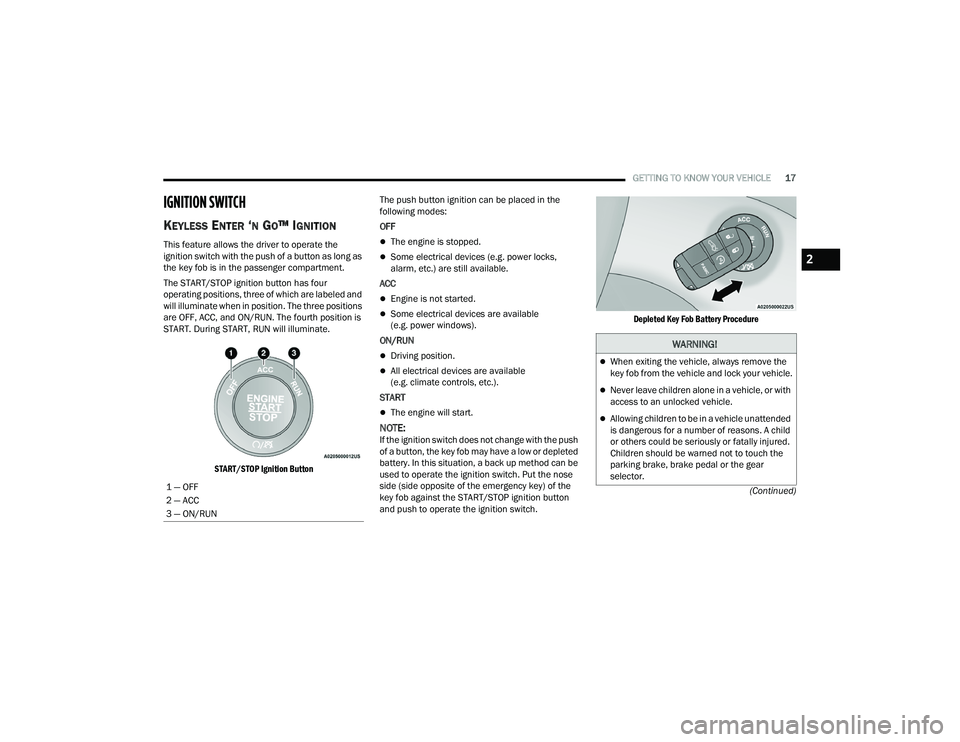
The START/STOP ignition button has four
operating positions, three of which are labeled and
will illuminate when in position. The three positions
are OFF, ACC, and ON/RUN. The fourth position is
START. During START, RUN will illuminate.
START/STOP Ignition Button
The push button ignition can be placed in the
following modes:
OFF
The engine is stopped.
Some electrical devices (e.g. power locks,
alarm, etc.) are still available.
ACC
Engine is not started.
Some electrical devices are available
(e.g. power windows).
ON/RUN
Driving position.
All electrical devices are available
(e.g. climate controls, etc.).
START
The engine will start.
NOTE:If the ignition switch does not change with the push
of a button, the key fob may have a low or depleted
battery. In this situation, a back up method can be
used to operate the ignition switch. Put the nose
side (side opposite of the emergency key) of the
key fob against the START/STOP ignition button
and push to operate the ignition switch.
Depleted Key Fob Battery Procedure
1 — OFF
2 — ACC
3 — ON/RUN
WARNING!
When exiting the vehicle, always remove the
key fob from the vehicle and lock your vehicle.
Never leave children alone in a vehicle, or with
access to an unlocked vehicle.
Allowing children to be in a vehicle unattended
is dangerous for a number of reasons. A child
or others could be seriously or fatally injured.
Children should be warned not to touch the
parking brake, brake pedal or the gear
selector.
2
22_LA_OM_EN_USC_t.book Page 17
Page 23 of 336
GETTING TO KNOW YOUR VEHICLE21
VEHICLE SECURITY SYSTEM — IF EQUIPPED
The Vehicle Security system monitors the vehicle
doors for unauthorized entry and the Keyless
Enter ‘n Go™ Ignition for unauthorized operation.
While the Vehicle Security system is armed, interior
switches for door locks and trunk release are
disabled. If something triggers the alarm, the
Vehicle Security system will provide the following
audible and visible signals:
The horn will pulse
The turn signals will flash
The Vehicle Security Light in the instrument
cluster will flash
TO ARM THE SYSTEM
Follow these steps to arm the Vehicle Security
system:
1. Make sure the vehicle’s ignition is placed in
the OFF position.
2. Perform one of the following methods to lock the vehicle:
Push lock on the interior power door lock
switch with the driver and/or passenger
door open.
Push the lock button on the exterior Passive
Entry door handle with a valid key fob avail -
able in the same exterior zone Ú page 24.
Push the lock button on the key fob.
3. If any doors are open, close them.
TO DISARM THE SYSTEM
The Vehicle Security system can be disarmed using
any of the following methods:
Push the unlock button on the key fob.
Grab the Passive Entry door handle to unlock
the door Ú page 24.
Push the START/STOP ignition button (requires
at least one valid key fob in the vehicle).
NOTE:
The driver's door key cylinder and the trunk
button on the key fob cannot arm or disarm the
Vehicle Security system.
When the Vehicle Security system is armed, the
interior power door lock switches will not unlock
the doors.
The Vehicle Security system is designed to protect
your vehicle. However, you can create conditions
where the system will give you a false alarm. If one
of the previously described arming sequences has
occurred, the Vehicle Security system will arm,
regardless of whether you are in the vehicle or not. If you remain in the vehicle and open a door, the
alarm will sound. If this occurs, disarm the Vehicle
Security system.
If the Vehicle Security system is armed and the
battery becomes disconnected, the Vehicle
Security system will remain armed when the
battery is reconnected; the exterior lights will flash,
and the horn will sound. If this occurs, disarm the
Vehicle Security system.
REARMING THE SYSTEM
If something triggers the alarm and no action is
taken to disarm it, the Vehicle Security system will
turn the horn off after a 29 second cycle (with five
seconds between cycles and up to eight cycles if
the trigger remains active) and then rearm itself.
SECURITY SYSTEM MANUAL OVERRIDE
The Vehicle Security system will not arm if you lock
the doors using the manual door lock.
TAMPER ALERT
If something has triggered the Vehicle Security
system in your absence, the horn will sound three
times and the exterior lights will blink three times
when you disarm the Vehicle Security system.
2
22_LA_OM_EN_USC_t.book Page 21
Page 24 of 336
22GETTING TO KNOW YOUR VEHICLE
DELUXE VEHICLE SECURITY SYSTEM —
IF EQUIPPED
The Deluxe Vehicle Security system monitors the
doors, hood latch, and trunk for unauthorized entry
and the ignition switch for unauthorized operation.
The system also includes a dual function intrusion
sensor and vehicle tilt sensor. The intrusion sensor
monitors the vehicle interior for motion. The
vehicle tilt sensor monitors the vehicle for any
tilting actions (tow away, tire removal, ferry
transport, etc.).
If a perimeter violation triggers the security system,
the horn will sound for 29 seconds and the exterior
lights will flash followed by approximately five
seconds of no activity. This will continue for eight
cycles if no action is taken to disarm the system.
TO ARM THE SYSTEM
Follow these steps to arm the security system:
1. Make sure the vehicle ignition system is OFF.
2. Perform one of the following methods to lock
the vehicle:
Push lock on the interior power door lock
switch with the driver and/or passenger
door open.
Push the lock button on the exterior Passive
Entry door handle with a key fob available in
the same exterior zone Ú page 24.
Push the lock button on the key fob.
3. If any doors, windows, or the sunroof (if equipped) are open, close them.
NOTE:
When armed, the interior motion sensor detects
movement within the vehicle's interior,
including moving objects (i.e. people and pets)
and air currents through open windows or the
sunroof. The windows and sunroof should be
closed, and moving objects should not be left in
the vehicle when the intrusion detection is
armed, otherwise false alarms can occur.
Once the security system is armed, it remains in
that state until you disarm it by following either
of the disarming procedures described. If a
power loss occurs after arming the system, you
must disarm the system after restoring power to
prevent alarm activation.
The ultrasonic intrusion sensor (motion
detector) actively monitors your vehicle every
time you arm the Vehicle Security system. If you
prefer, you can turn off the ultrasonic intrusion
sensor when arming the Vehicle Security
system. To do so, push the lock button on the
key fob three times within 15 seconds of arming
the system (while the Vehicle Security Light is
flashing rapidly). The vehicle will remain locked
but disable the alarm in the case of repeated
false alarms due to ambient conditions.
TO DISARM THE SYSTEM
The Vehicle Security system can be disarmed using
any of the following methods:
Push the unlock button on the key fob.
Grab the Passive Entry door handle to unlock
the door Ú page 24.
Cycle the vehicle ignition system out of the OFF
position by pushing the START/STOP ignition
button (requires at least one valid key fob in the
vehicle).
22_LA_OM_EN_USC_t.book Page 22
Page 25 of 336
GETTING TO KNOW YOUR VEHICLE23
NOTE:
The driver's door key cylinder and the trunk
button on the key fob cannot arm or disarm the
Vehicle Security system.
The Vehicle Security system remains armed
during power trunk entry. If a valid key fob or key
fob passive entry is used to open the trunk, the
motion sensing will be suppressed until after
the trunk is closed. If someone enters the
vehicle through the trunk and opens any door,
the alarm will sound.
When the Vehicle Security system is armed, the
interior power door lock switches will not unlock
the doors.
The ultrasonic intrusion sensor (motion
detector) actively monitors your vehicle every
time you arm the Vehicle Security system. If you
prefer, you can turn off the ultrasonic intrusion
sensor when arming the Vehicle Security
system. To do so, push the lock button on the
key fob three times within 15 seconds of arming
the system (while the Vehicle Security Light is
flashing rapidly). The vehicle will remain locked
but disable the alarm in the case of repeated
false alarms due to ambient conditions. The Vehicle Security system is designed to protect
your vehicle; however, you can create conditions
where the system will give you a false alarm. If one
of the previously described arming sequences has
occurred, the Vehicle Security system will arm
regardless of whether you are in the vehicle or not.
If you remain in the vehicle and open a door, the
alarm will sound. If this occurs, disarm the Vehicle
Security system.
If the Vehicle Security system is armed and the
battery becomes disconnected, the Vehicle
Security system will remain armed when the
battery is reconnected; the exterior lights will flash
and the horn will sound. If this occurs, disarm the
Vehicle Security system.SECURITY SYSTEM MANUAL OVERRIDE
The Vehicle Security system will not arm if you lock
the doors using the manual door lock.
DOORS
MANUAL DOOR LOCKS
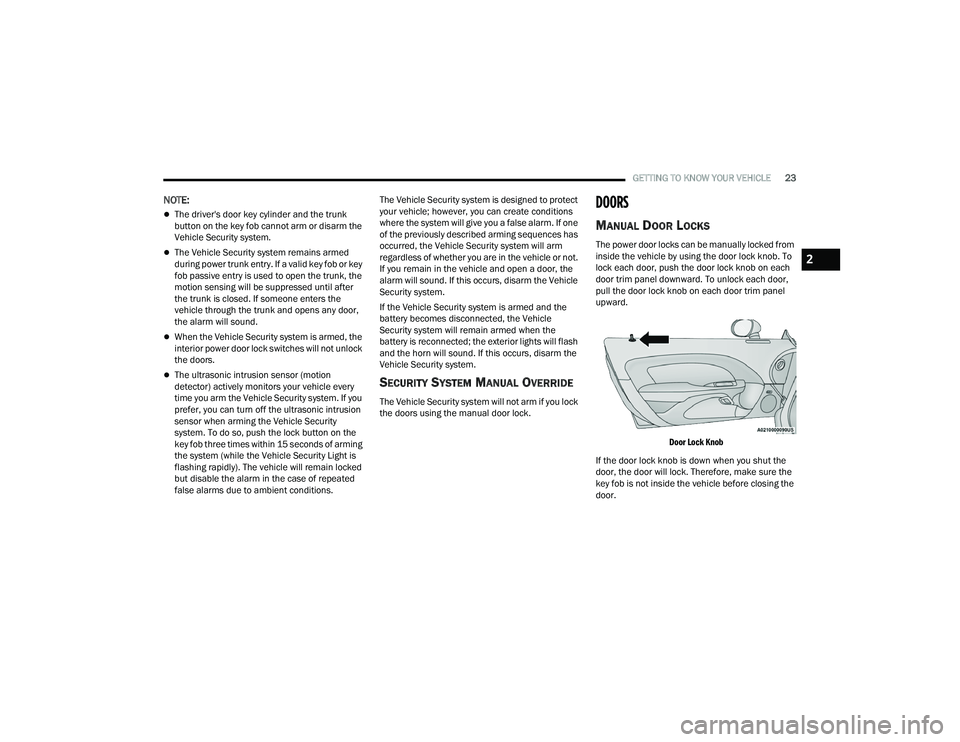
The power door locks can be manually locked from
inside the vehicle by using the door lock knob. To
lock each door, push the door lock knob on each
door trim panel downward. To unlock each door,
pull the door lock knob on each door trim panel
upward.
Door Lock Knob
If the door lock knob is down when you shut the
door, the door will lock. Therefore, make sure the
key fob is not inside the vehicle before closing the
door.
2
22_LA_OM_EN_USC_t.book Page 23
Page 74 of 336
72GETTING TO KNOW YOUR INSTRUMENT PANEL
BATTERY SAVER ON/BATTERY SAVER
M
ODE MESSAGE — ELECTRICAL LOAD
R
EDUCTION ACTIONS — IF EQUIPPED
This vehicle is equipped with an Intelligent Battery
Sensor (IBS) to perform additional monitoring of
the electrical system and status of the vehicle
battery.
In cases when the IBS detects charging system
failure, or the vehicle battery conditions are
deteriorating, electrical load reduction actions will
take place to extend the driving time and distance
of the vehicle. This is done by reducing power to or
turning off non-essential electrical loads.
Load reduction is only active when the engine is
running. It will display a message if there is a risk
of battery depletion to the point where the vehicle
may stall due to lack of electrical supply, or will not
restart after the current drive cycle.
When load reduction is activated, the message
“Battery Saver On” or “Battery Saver Mode” will
appear in the instrument cluster.
These messages indicate the vehicle battery has a
low state of charge and continues to lose electrical
charge at a rate that the charging system cannot
sustain.
NOTE:
The charging system is independent from load
reduction. The charging system performs a diag -
nostic on the charging system continuously.
If the Battery Charge Warning Light is on it may
indicate a problem with the charging system
Ú page 74.
The electrical loads that may be switched off (if
equipped), and vehicle functions which can be
affected by load reduction:
Heated Seat/Vented Seats/Heated Wheel
Heated/Cooled Cup Holders — If Equipped
Rear Defroster And Heated Mirrors
HVAC System
115 Volts AC Power Inverter System
Audio and Telematics System
Loss of the battery charge may indicate one or
more of the following conditions:
The charging system cannot deliver enough
electrical power to the vehicle system because
the electrical loads are larger than the capability
of the charging system. The charging system is
still functioning properly.
Turning on all possible vehicle electrical loads
(e.g. HVAC to max settings, exterior and interior
lights, overloaded power outlets +12 Volts,
115 Volts AC, USB ports) during certain driving
conditions (city driving, towing, frequent stop -
ping).
Installing options like additional lights, upfitter
electrical accessories, audio systems, alarms
and similar devices.
Unusual driving cycles (short trips separated by
long parking periods).
The vehicle was parked for an extended period
of time (weeks, months).
The battery was recently replaced and was not
charged completely.
The battery was discharged by an electrical load
left on when the vehicle was parked.
The battery was used for an extended period
with the engine not running to supply radio,
lights, chargers, +12 Volts portable appliances
like vacuum cleaners, game consoles and
similar devices.
22_LA_OM_EN_USC_t.book Page 72
Page 75 of 336
GETTING TO KNOW YOUR INSTRUMENT PANEL73
What to do when an electrical load reduction
action message is present (“Battery Saver On” or
“Battery Saver Mode”)
During a trip:
Reduce power to unnecessary loads if possible:
Turn off redundant lights (interior or exte -
rior)
Check what may be plugged in to power
outlets +12 Volts, 115 Volts AC, USB ports
Check HVAC settings (blower, temperature)
Check the audio settings (volume)
After a trip:
Check if any aftermarket equipment was
installed (additional lights, upfitter electrical
accessories, audio systems, alarms) and review
specifications if any (load and Ignition Off Draw
currents).
Evaluate the latest driving cycles (distance,
driving time and parking time).
The vehicle should have service performed if
the message is still present during consecutive
trips and the evaluation of the vehicle and
driving pattern did not help to identify the cause.
WARNING LIGHTS AND MESSAGES
The warning/indicator lights will illuminate in the
instrument panel together with a dedicated
message and/or acoustic signal when applicable.
These indications are indicative and precautionary
and as such must not be considered as exhaustive
and/or alternative to the information contained in
the Owner’s Manual, which you are advised to read
carefully in all cases. Always refer to the
information in this chapter in the event of a failure
indication. All active telltales will display first if
applicable. The system check menu may appear
different based upon equipment options and
current vehicle status. Some telltales are optional
and may not appear.
RED WARNING LIGHTS
Air Bag Warning Light
This warning light will illuminate to
indicate a fault with the air bag, and will
turn on for four to eight seconds as a bulb
check when the ignition is placed in the
ON/RUN or ACC/ON/RUN position. This light will
illuminate with a single chime when a fault with the
air bag has been detected, it will stay on until the
fault is cleared. If the light is either not on during
startup, stays on, or turns on while driving, have
the system inspected at an authorized dealer as
soon as possible.
Brake Warning Light
This warning light monitors various brake
functions, including brake fluid level and
parking brake application. If the brake
light turns on it may indicate that the
parking brake is applied, that the brake fluid level
is low, or that there is a problem with the Anti-Lock
Brake System reservoir.
If the light remains on when the parking brake has
been disengaged, and the fluid level is at the full
mark on the master cylinder reservoir, it indicates
a possible brake hydraulic system malfunction or
that a problem with the Brake Booster has been
detected by the Anti-Lock Brake System (ABS) /
Electronic Stability Control (ESC) system. In this
case, the light will remain on until the condition has
been corrected. If the problem is related to the
brake booster, the ABS pump will run when
applying the brake, and a brake pedal pulsation
may be felt during each stop.
The dual brake system provides a reserve braking
capacity in the event of a failure to a portion of the
hydraulic system. A leak in either half of the dual
brake system is indicated by the Brake Warning
Light, which will turn on when the brake fluid level
in the master cylinder has dropped below a
specified level.
The light will remain on until the cause is corrected.
3
22_LA_OM_EN_USC_t.book Page 73
Page 104 of 336
102STARTING AND OPERATING
If ACC is set when the vehicle speed is below
20 mph (32 km/h), the set speed will default to
20 mph (32 km/h).
NOTE:Fixed Speed Cruise Control cannot be set below
20 mph (32 km/h).
If either system is set when the vehicle speed is
above 20 mph (32 km/h), the set speed shall be
the current speed of the vehicle.
NOTE:
Keeping your foot on the accelerator pedal can
cause the vehicle to continue to accelerate
beyond the set speed. If this occurs, the
message “DRIVER OVERRIDE” will display in the
instrument cluster display.
If you continue to accelerate beyond the set
speed while ACC is enabled, the system will not
be controlling the distance between your vehicle
and the vehicle ahead. The vehicle speed will
only be determined by the position of the accel-
erator pedal.
To Cancel
The following conditions cancel the ACC or Fixed
Speed Cruise Control systems:
The brake pedal is applied.
The parking brake is applied.
The CANC (cancel) button is pushed.
An Anti-Lock Brake System (ABS) event occurs.
The gear selector is removed from the DRIVE
position.
The Electronic Stability Control/Traction Control
System (ESC/TCS) activates.
The following conditions will only cancel the ACC
system:
The vehicle speed goes below 15 mph
(24 km/h).
To Turn Off
The system will turn off and erase the set speed in
memory if:
The Adaptive Cruise Control (ACC) on/off button
is pushed
The Fixed Speed Cruise Control on/off button is
pushed
The ignition is placed in the OFF position
To Resume
If there is a set speed in memory, push the RES
(resume) button and remove your foot from the
accelerator pedal. The instrument cluster display
will show the last set speed.
Resume can be used at any speed above 20 mph
(32 km/h) when only Fixed Speed Cruise Control is
being used.
Resume can be used at any speed above 0 mph
(0 km/h) when ACC is active.
WARNING!
In Fixed Speed Cruise Control mode, the system
will not react to vehicles ahead. In addition, the
proximity warning does not activate and no
alarm will sound even if you are too close to the
vehicle ahead since neither the presence of the
vehicle ahead nor the vehicle-to-vehicle distance
is detected. Be sure to maintain a safe distance
between your vehicle and the vehicle ahead.
Always be aware which mode is selected.
WARNING!
The Resume function should only be used if
traffic and road conditions permit. Resuming a
set speed that is too high or too low for
prevailing traffic and road conditions could
cause the vehicle to accelerate or decelerate too
sharply for safe operation. Failure to follow these
warnings can result in a collision and death or
serious personal injury.
22_LA_OM_EN_USC_t.book Page 102
Page 212 of 336
210SAFETY
Front Air Bag Operation
Front Air Bags are designed to provide additional
protection by supplementing the seat belts. Front
air bags are not expected to reduce the risk of
injury in rear, side, or rollover collisions. The front
air bags will not deploy in all frontal collisions,
including some that may produce substantial
vehicle damage — for example, some pole
collisions, truck underrides, and angle offset
collisions.
On the other hand, depending on the type and
location of impact, front air bags may deploy in
crashes with little vehicle front-end damage but
that produce a severe initial deceleration.
Because air bag sensors measure vehicle
deceleration over time, vehicle speed and damage
by themselves are not good indicators of whether
or not an air bag should have deployed.
Seat belts are necessary for your protection in all
collisions, and also are needed to help keep you in
position, away from an inflating air bag.
When the Occupant Restraint Controller (ORC)
detects a collision requiring the front air bags, it
signals the inflator units. A large quantity of
non-toxic gas is generated to inflate the front air
bags. The steering wheel hub trim cover and the upper
passenger side of the instrument panel separate
and fold out of the way as the air bags inflate to
their full size. The front air bags fully inflate in less
time than it takes to blink your eyes. The front air
bags then quickly deflate while helping to restrain
the driver and front passenger.
Knee Impact Bolsters
The Knee Impact Bolsters help protect the knees
of the driver and front passenger, and position the
front occupants for improved interaction with the
front air bags.
Supplemental Side Air Bags
Supplemental Seat-Mounted Side Air Bags (SABs)
This vehicle is equipped with Supplemental
Seat-Mounted Side Air Bags (SABs).
Supplemental Seat-Mounted Side Air Bags (SABs)
are located in the outboard side of the front seats.
The SABs are marked with “SRS AIRBAG” or
“AIRBAG” on a label or on the seat trim on the
outboard side of the seats.
The SABs may help to reduce the risk of occupant
injury during certain side impacts, in addition to
the injury reduction potential provided by the seat
belts and body structure.
Front Supplemental Seat-Mounted Side Air Bag Label
WARNING!
Do not drill, cut, or tamper with the knee
impact bolsters in any way.
Do not mount any accessories to the knee
impact bolsters such as alarm lights, stereos,
citizen band radios, etc.
22_LA_OM_EN_USC_t.book Page 210
Page 325 of 336
323
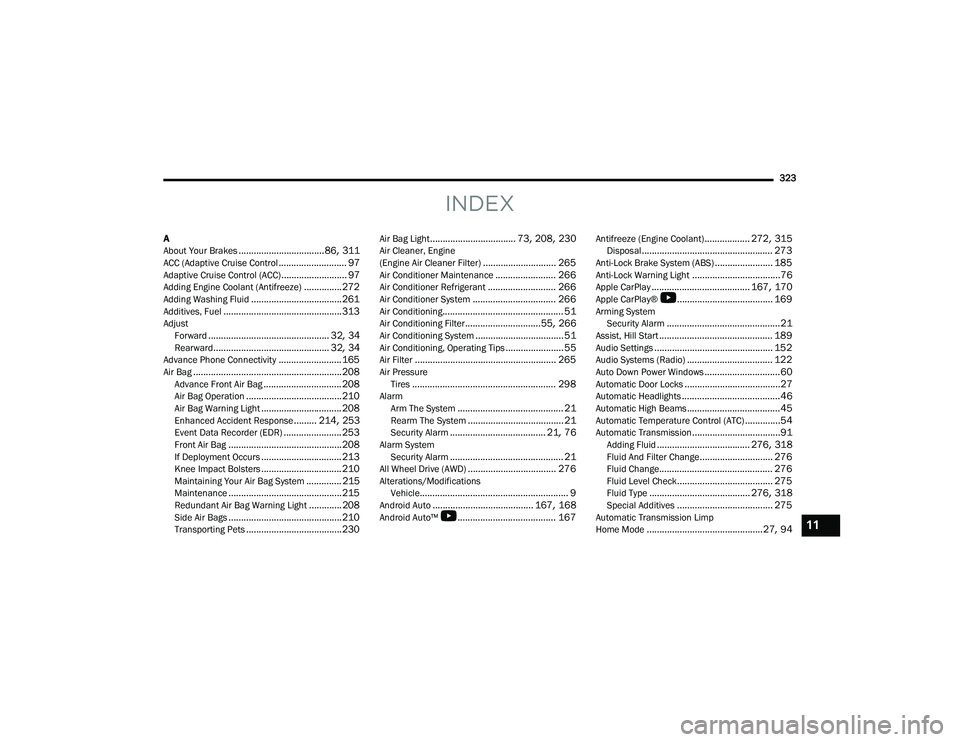
INDEX
A
About Your Brakes.................................. 86, 311ACC (Adaptive Cruise Control........................... 97Adaptive Cruise Control (ACC).......................... 97Adding Engine Coolant (Antifreeze)............... 272Adding Washing Fluid.................................... 261Additives, Fuel............................................... 313AdjustForward................................................ 32, 34Rearward.............................................. 32, 34Advance Phone Connectivity......................... 165Air Bag........................................................... 208Advance Front Air Bag............................... 208Air Bag Operation...................................... 210Air Bag Warning Light................................ 208Enhanced Accident Response......... 214, 253Event Data Recorder (EDR)....................... 253Front Air Bag............................................. 208If Deployment Occurs................................ 213Knee Impact Bolsters................................ 210Maintaining Your Air Bag System.............. 215Maintenance............................................. 215Redundant Air Bag Warning Light.............208Side Air Bags............................................. 210Transporting Pets...................................... 230
Air Bag Light.................................. 73, 208, 230Air Cleaner, Engine
(Engine Air Cleaner Filter)............................. 265Air Conditioner Maintenance........................ 266Air Conditioner Refrigerant........................... 266Air Conditioner System................................. 266Air Conditioning................................................ 51Air Conditioning Filter..............................55, 266Air Conditioning System................................... 51Air Conditioning, Operating Tips....................... 55Air Filter........................................................ 265Air PressureTires......................................................... 298AlarmArm The System.......................................... 21Rearm The System...................................... 21Security Alarm...................................... 21, 76Alarm SystemSecurity Alarm............................................. 21All Wheel Drive (AWD)................................... 276Alterations/ModificationsVehicle........................................................... 9Android Auto........................................ 167, 168Android Auto™
b
....................................... 167
Antifreeze (Engine Coolant).................. 272, 315Disposal.................................................... 273Anti-Lock Brake System (ABS)....................... 185Anti-Lock Warning Light...................................76Apple CarPlay....................................... 167, 170Apple CarPlay®
b
...................................... 169Arming SystemSecurity Alarm.............................................21Assist, Hill Start............................................. 189Audio Settings............................................... 152Audio Systems (Radio).................................. 122Auto Down Power Windows..............................60Automatic Door Locks......................................27Automatic Headlights.......................................46Automatic High Beams.....................................45Automatic Temperature Control (ATC)..............54Automatic Transmission...................................91Adding Fluid..................................... 276, 318Fluid And Filter Change............................. 276Fluid Change............................................. 276Fluid Level Check...................................... 275Fluid Type........................................ 276, 318Special Additives...................................... 275Automatic Transmission Limp
Home Mode..............................................27, 9411
22_LA_OM_EN_USC_t.book Page 323
Page 329 of 336
327
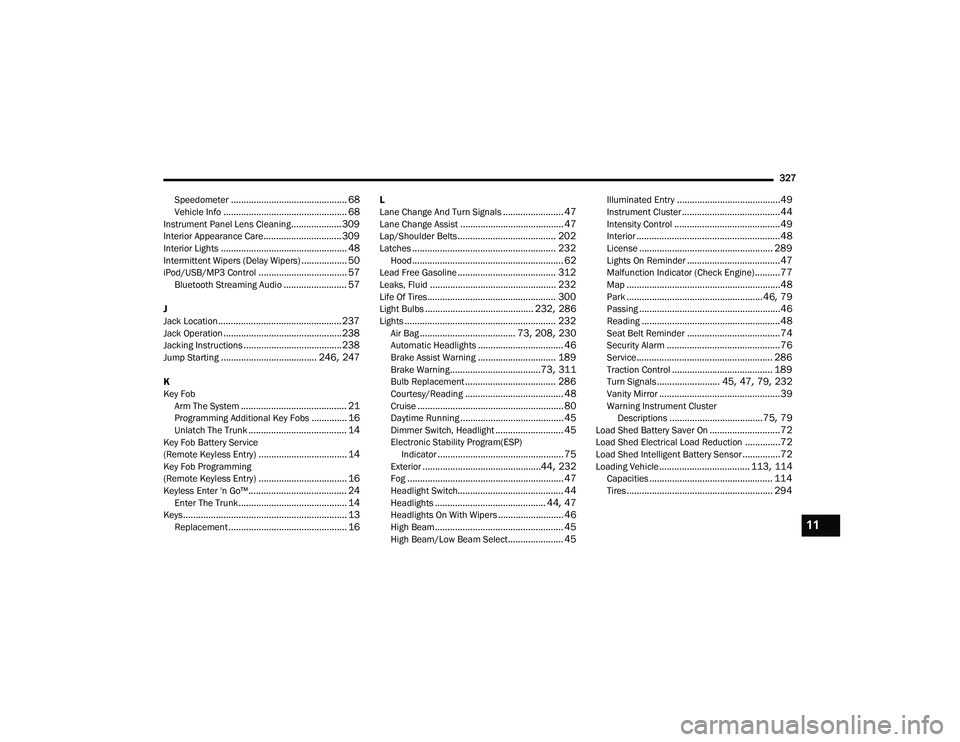
Speedometer
.............................................. 68Vehicle Info................................................. 68Instrument Panel Lens Cleaning.................... 309Interior Appearance Care............................... 309Interior Lights.................................................. 48Intermittent Wipers (Delay Wipers).................. 50iPod/USB/MP3 Control................................... 57Bluetooth Streaming Audio......................... 57
J
Jack Location................................................. 237Jack Operation............................................... 238Jacking Instructions....................................... 238Jump Starting...................................... 246, 247
K
Key Fob Arm The System
.......................................... 21Programming Additional Key Fobs.............. 16Unlatch The Trunk....................................... 14Key Fob Battery Service
(Remote Keyless Entry)................................... 14Key Fob Programming
(Remote Keyless Entry)................................... 16Keyless Enter 'n Go™....................................... 24Enter The Trunk........................................... 14Keys................................................................. 13Replacement............................................... 16
L
Lane Change And Turn Signals........................ 47Lane Change Assist......................................... 47Lap/Shoulder Belts....................................... 202Latches......................................................... 232Hood............................................................ 62Lead Free Gasoline....................................... 312Leaks, Fluid.................................................. 232Life Of Tires................................................... 300Light Bulbs........................................... 232, 286Lights............................................................ 232Air Bag...................................... 73, 208, 230Automatic Headlights.................................. 46Brake Assist Warning............................... 189Brake Warning....................................73, 311Bulb Replacement.................................... 286Courtesy/Reading....................................... 48Cruise.......................................................... 80Daytime Running......................................... 45Dimmer Switch, Headlight........................... 45Electronic Stability Program(ESP)Indicator.................................................. 75Exterior...............................................44, 232Fog.............................................................. 47Headlight Switch.......................................... 44Headlights............................................ 44, 47Headlights On With Wipers.......................... 46High Beam................................................... 45High Beam/Low Beam Select...................... 45
Illuminated Entry.........................................49Instrument Cluster.......................................44Intensity Control..........................................49Interior.........................................................48License..................................................... 289Lights On Reminder.....................................47Malfunction Indicator (Check Engine)..........77Map.............................................................48Park......................................................46, 79Passing........................................................46Reading.......................................................48Seat Belt Reminder.....................................74Security Alarm.............................................76Service...................................................... 286Traction Control........................................ 189Turn Signals......................... 45, 47, 79, 232Vanity Mirror................................................39Warning Instrument ClusterDescriptions.....................................75, 79Load Shed Battery Saver On............................72Load Shed Electrical Load Reduction..............72Load Shed Intelligent Battery Sensor...............72Loading Vehicle.................................... 113, 114Capacities................................................. 114Tires.......................................................... 294
11
22_LA_OM_EN_USC_t.book Page 327