power steering DODGE CHALLENGER 2022 Owners Manual
[x] Cancel search | Manufacturer: DODGE, Model Year: 2022, Model line: CHALLENGER, Model: DODGE CHALLENGER 2022Pages: 336, PDF Size: 16.47 MB
Page 4 of 336
2
INTRODUCTION
SYMBOLS KEY ...........................................................9
VEHICLE MODIFICATIONS/ALTERATIONS .............9
SYMBOL GLOSSARY.............................................. 10
GETTING TO KNOW YOUR VEHICLE
KEYS ....................................................................... 13 Key Fob .............................................................13
SENTRY KEY ........................................................... 16
IGNITION SWITCH .................................................. 17
Keyless Enter ‘n Go™ Ignition .........................17
REMOTE START — IF EQUIPPED .......................... 18
How To Use Remote Start ................................18
To Exit Remote Start Mode ..............................19
Remote Start Front Defrost Activation —
If Equipped........................................................20
Remote Start Comfort Systems —
If Equipped........................................................20
Remote Start Windshield Wiper De–Icer
Activation — If Equipped ..................................20
Remote Start Cancel Message —
If Equipped........................................................20
VEHICLE SECURITY SYSTEM — IF EQUIPPED ..... 21
To Arm The System ..........................................21
To Disarm The System .....................................21
Rearming The System ......................................21
Security System Manual Override ...................21
Tamper Alert .....................................................21 DELUXE VEHICLE SECURITY SYSTEM —
IF EQUIPPED ...........................................................22
To Arm The System ..........................................22
To Disarm The System .....................................22
Security System Manual Override ...................23
DOORS ....................................................................23
Manual Door Locks ..........................................23
Power Door Locks ...........................................24
Keyless Enter ‘n Go™ — Passive Entry............24
Automatic Unlock Doors On Exit......................27
Automatic Door Locks — If Equipped ..............27
STEERING WHEEL ..................................................27
Manual Tilt/Telescoping Steering
Column — If Equipped ...................................27
Power Tilt/Telescoping Steering
Column — If Equipped .....................................28
Heated Steering Wheel — If Equipped ............28
UCONNECT VOICE RECOGNITION ........................29
Introducing Voice Recognition.........................29
Basic Voice Commands ...................................29
Get Started .......................................................29
Additional Information .....................................30
DRIVER MEMORY SETTINGS — IF EQUIPPED .....30
Programming The Memory Feature ................31
Linking And Unlinking The Key Fob
To Memory ........................................................31
Memory Position Recall ...................................31 SEATS ..................................................................... 32
Manual Adjustment (Front Seats) —
If Equipped .......................................................32
Manual Adjustment (Rear Seats).................... 33
Power Adjustment (Front Seats) —
If Equipped .......................................................34
Heated Seats — If Equipped ........................... 35
Front Ventilated Seats — If Equipped ............. 36
Vehicles Without Passenger Seating
Installed ............................................................ 36
Passenger Seat Easy Entry.............................. 37
Head Restraints ............................................... 37
MIRRORS ............................................................... 39
Inside Rearview Mirror..................................... 39
Illuminated Vanity Mirrors .............................. 39
Outside Mirrors ................................................ 40
Power Mirrors .................................................. 40
Heated Mirrors — If Equipped ......................... 40
UNIVERSAL GARAGE DOOR OPENER
(HOMELINK®) ....................................................... 40
Before You Begin Programming
HomeLink® ...................................................... 41
Erasing All The HomeLink® Channels ............ 41
Identifying Whether You Have A Rolling
Code Or Non-Rolling Code Device ................... 41
Programming HomeLink® To A Garage
Door Opener ..................................................... 42
22_LA_OM_EN_USC_t.book Page 2
Page 6 of 336
4
STARTING AND OPERATING
STARTING THE ENGINE ......................................... 82
Manual Transmission — If Equipped ...............82
Automatic Transmission — If Equipped...........82
Normal Starting ................................................83
AutoPark ...........................................................84
Extended Park Starting ....................................85
If Engine Fails To Start .....................................85
Cold Weather Operation
(Below –22°F Or −30°C) ...............................86
After Starting.....................................................86
ENGINE BLOCK HEATER — IF EQUIPPED ............ 86
ENGINE BREAK-IN RECOMMENDATIONS —
3.6L & 5.7L ........................................................... 86
PARKING BRAKE ................................................... 86
MANUAL TRANSMISSION — IF EQUIPPED ......... 88 6-Speed Manual Transmission........................88
Shifting ..............................................................88
Recommended Shift Speeds...........................89
1–4 Skip Shift ..................................................89
Downshifting .....................................................90 AUTOMATIC TRANSMISSION —
IF EQUIPPED .......................................................... 90
Ignition Park Interlock ......................................91
Brake Transmission Shift Interlock (BTSI)
System .............................................................91
8-Speed Automatic Transmission ...................91
SPORT MODE — WITHOUT PERFORMANCE
CONTROL................................................................. 96
FUEL SAVER TECHNOLOGY 5.7L —
IF EQUIPPED ...........................................................97
ELECTRIC POWER STEERING ...............................97
CRUISE CONTROL SYSTEMS — IF EQUIPPED .....97
Cruise Control ..................................................97
Adaptive Cruise Control (ACC) .........................99
PARKSENSE REAR PARK ASSIST —
IF EQUIPPED ....................................................... 107
ParkSense Sensors ....................................... 107
ParkSense Display ........................................ 107ParkSense Warning Display ......................... 109
Enabling And Disabling ParkSense .............. 109Service The ParkSense Rear Park
Assist System ................................................ 110Cleaning The ParkSense System ................. 110
ParkSense System Usage Precautions........ 110
PARKVIEW REAR BACK UP CAMERA............... 111 REFUELING THE VEHICLE .................................. 112
Loose Fuel Filler Cap Message .................... 113
VEHICLE LOADING .............................................. 113
Vehicle Certification Label ........................... 113
Gross Vehicle Weight Rating (GVWR) .......... 113
Gross Axle Weight Rating (GAWR) ............... 114
Overloading ................................................... 114
Loading .......................................................... 114
TRAILER TOWING ............................................... 114
Common Towing Definitions......................... 114
Trailer Hitch Classification............................ 116
Trailer Towing Weights
(Maximum Trailer Weight Ratings)............... 116
Trailer And Tongue Weight .......................... 117
Towing Requirements ................................... 117
Towing Tips ................................................... 119
RECREATIONAL TOWING
(BEHIND MOTORHOME) ..................................... 120
DRIVING TIPS ....................................................... 120
Driving On Slippery Surfaces ........................ 120Driving Through Water ................................. 121
22_LA_OM_EN_USC_t.book Page 4
Page 13 of 336
11
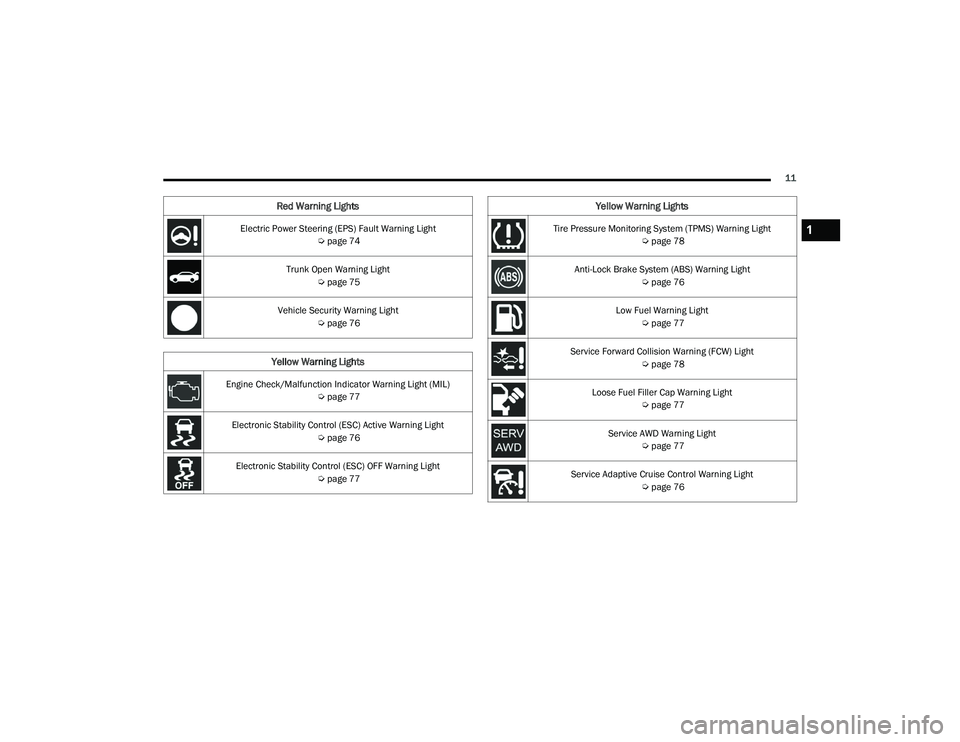
Electric Power Steering (EPS) Fault Warning Light Úpage 74
Trunk Open Warning Light Úpage 75
Vehicle Security Warning Light Úpage 76
Yellow Warning Lights
Engine Check/Malfunction Indicator Warning Light (MIL)
Úpage 77
Electronic Stability Control (ESC) Active Warning Light Úpage 76
Electronic Stability Control (ESC) OFF Warning Light Úpage 77
Red Warning Lights
Tire Pressure Monitoring System (TPMS) Warning Light
Úpage 78
Anti-Lock Brake System (ABS) Warning Light Úpage 76
Low Fuel Warning Light Úpage 77
Service Forward Collision Warning (FCW) Light Úpage 78
Loose Fuel Filler Cap Warning Light Úpage 77
Service AWD Warning Light Úpage 77
Service Adaptive Cruise Control Warning Light Úpage 76
Yellow Warning Lights
1
22_LA_OM_EN_USC_t.book Page 11
Page 29 of 336
GETTING TO KNOW YOUR VEHICLE27
NOTE:
After pushing the door handle button, you must
wait two seconds before you can lock or unlock
the doors, using either Passive Entry door
handle. This is done to allow you to check if the
vehicle is locked by pulling the door handle,
without the vehicle unlocking.
The Passive Entry system will not operate if the
key fob battery is depleted.
The vehicle doors can also be locked by using the
key fob lock button or the lock button located on
the vehicle’s interior door panel Ú page 322.
AUTOMATIC UNLOCK DOORS ON EXIT
The doors will unlock automatically on vehicles
with power door locks if:
The Automatic Unlock Doors On Exit feature is
enabled within Uconnect Settings Ú page 123.
The driver door is opened.
The doors were not previously unlocked.
NOTE:
The doors will also unlock automatically when
the gear selector was not previously in the PARK
position, then is placed into the PARK position.
Use the Automatic Unlock Doors On Exit feature
in accordance with local laws.
AUTOMATIC DOOR LOCKS —
I
F EQUIPPED
The auto door lock feature default condition is
enabled. When enabled, the door locks will lock
automatically when the vehicle's speed exceeds
15 mph (24 km/h). The auto door lock feature can
be enabled or disabled by an authorized dealer per
written request of the customer. Please see an
authorized dealer for service.
STEERING WHEEL
MANUAL TILT/TELESCOPING STEERING
C
OLUMN — IF EQUIPPED
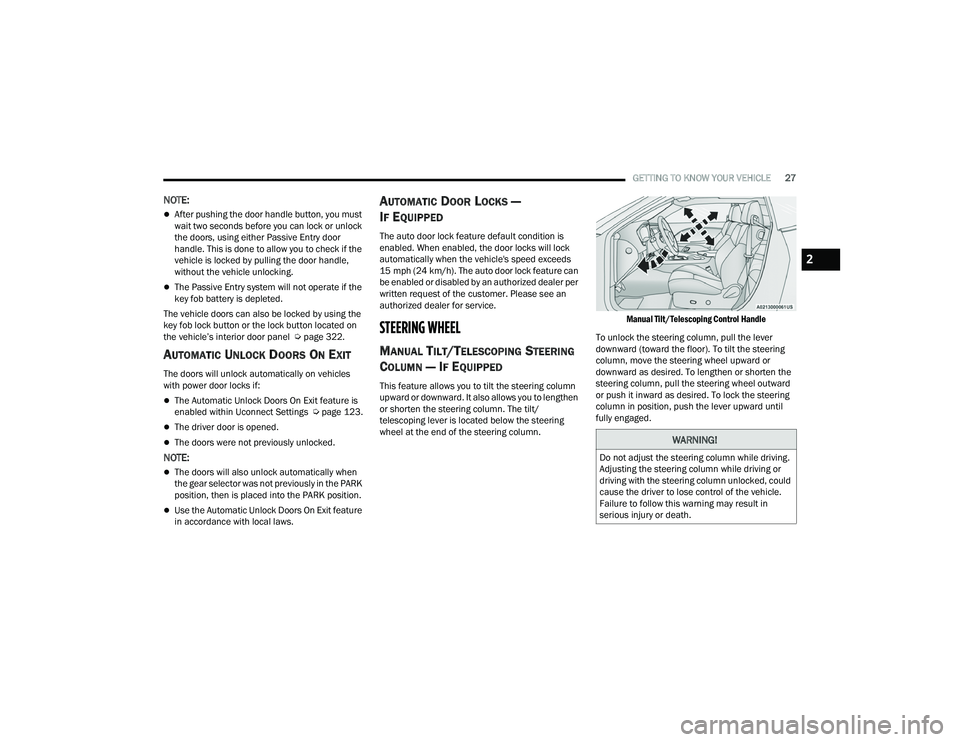
This feature allows you to tilt the steering column
upward or downward. It also allows you to lengthen
or shorten the steering column. The tilt/
telescoping lever is located below the steering
wheel at the end of the steering column.
Manual Tilt/Telescoping Control Handle
To unlock the steering column, pull the lever
downward (toward the floor). To tilt the steering
column, move the steering wheel upward or
downward as desired. To lengthen or shorten the
steering column, pull the steering wheel outward
or push it inward as desired. To lock the steering
column in position, push the lever upward until
fully engaged.
WARNING!
Do not adjust the steering column while driving.
Adjusting the steering column while driving or
driving with the steering column unlocked, could
cause the driver to lose control of the vehicle.
Failure to follow this warning may result in
serious injury or death.
2
22_LA_OM_EN_USC_t.book Page 27
Page 30 of 336
28GETTING TO KNOW YOUR VEHICLE
POWER TILT/TELESCOPING STEERING
C
OLUMN — IF EQUIPPED
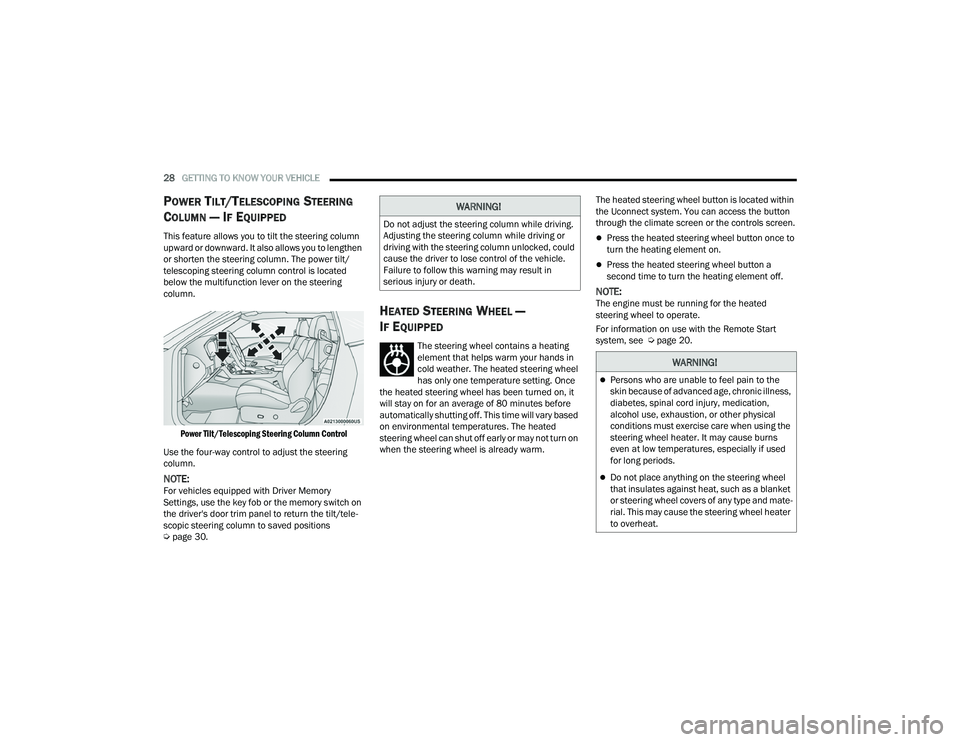
This feature allows you to tilt the steering column
upward or downward. It also allows you to lengthen
or shorten the steering column. The power tilt/
telescoping steering column control is located
below the multifunction lever on the steering
column.
Power Tilt/Telescoping Steering Column Control
Use the four-way control to adjust the steering
column.
NOTE:For vehicles equipped with Driver Memory
Settings, use the key fob or the memory switch on
the driver's door trim panel to return the tilt/tele -
scopic steering column to saved positions
Ú page 30.
HEATED STEERING WHEEL —
I
F EQUIPPED
The steering wheel contains a heating
element that helps warm your hands in
cold weather. The heated steering wheel
has only one temperature setting. Once
the heated steering wheel has been turned on, it
will stay on for an average of 80 minutes before
automatically shutting off. This time will vary based
on environmental temperatures. The heated
steering wheel can shut off early or may not turn on
when the steering wheel is already warm. The heated steering wheel button is located within
the Uconnect system. You can access the button
through the climate screen or the controls screen.
Press the heated steering wheel button once to
turn the heating element on.
Press the heated steering wheel button a
second time to turn the heating element off.
NOTE:The engine must be running for the heated
steering wheel to operate.
For information on use with the Remote Start
system, see Ú
page 20.
WARNING!
Do not adjust the steering column while driving.
Adjusting the steering column while driving or
driving with the steering column unlocked, could
cause the driver to lose control of the vehicle.
Failure to follow this warning may result in
serious injury or death.
WARNING!
Persons who are unable to feel pain to the
skin because of advanced age, chronic illness,
diabetes, spinal cord injury, medication,
alcohol use, exhaustion, or other physical
conditions must exercise care when using the
steering wheel heater. It may cause burns
even at low temperatures, especially if used
for long periods.
Do not place anything on the steering wheel
that insulates against heat, such as a blanket
or steering wheel covers of any type and mate -
rial. This may cause the steering wheel heater
to overheat.
22_LA_OM_EN_USC_t.book Page 28
Page 32 of 336
30GETTING TO KNOW YOUR VEHICLE
Each time you give a Voice Command, you must
first push the Voice Recognition (VR) button,
wait until after the beep, then say your Voice
Command.
You can interrupt the help message or system
prompts by pushing the VR button and saying a
Voice Command from the current category.
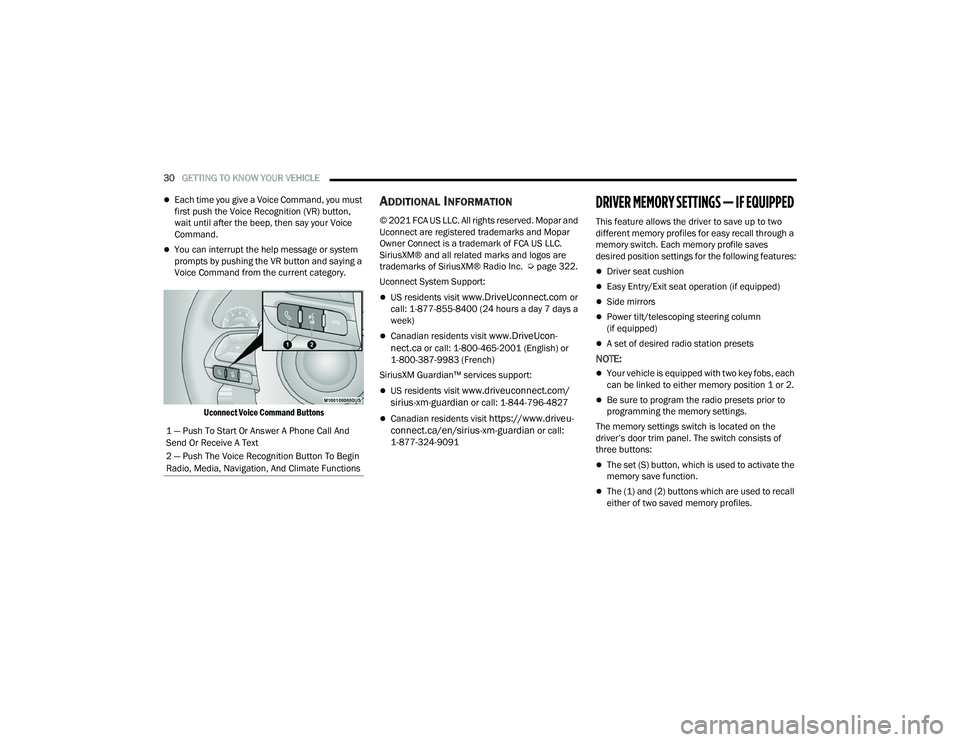
Uconnect Voice Command Buttons
ADDITIONAL INFORMATION
© 2021 FCA US LLC. All rights reserved. Mopar and
Uconnect are registered trademarks and Mopar
Owner Connect is a trademark of FCA US LLC.
SiriusXM® and all related marks and logos are
trademarks of SiriusXM® Radio Inc. Ú page 322.
Uconnect System Support:
US residents visit www.DriveUconnect.com or
call: 1-877-855-8400 (24 hours a day 7 days a
week)
Canadian residents visit www.DriveUcon -
nect.ca or call: 1-800-465-2001 (English) or
1-800-387-9983 (French)
SiriusXM Guardian™ services support:
US residents visit www.driveuconnect.com/
sirius-xm-guardian or call: 1-844-796-4827
Canadian residents visit https://www.driveu -
connect.ca/en/sirius-xm-guardian or call:
1-877-324-9091
DRIVER MEMORY SETTINGS — IF EQUIPPED
This feature allows the driver to save up to two
different memory profiles for easy recall through a
memory switch. Each memory profile saves
desired position settings for the following features:
Driver seat cushion
Easy Entry/Exit seat operation (if equipped)
Side mirrors
Power tilt/telescoping steering column
(if equipped)
A set of desired radio station presets
NOTE:
Your vehicle is equipped with two key fobs, each
can be linked to either memory position 1 or 2.
Be sure to program the radio presets prior to
programming the memory settings.
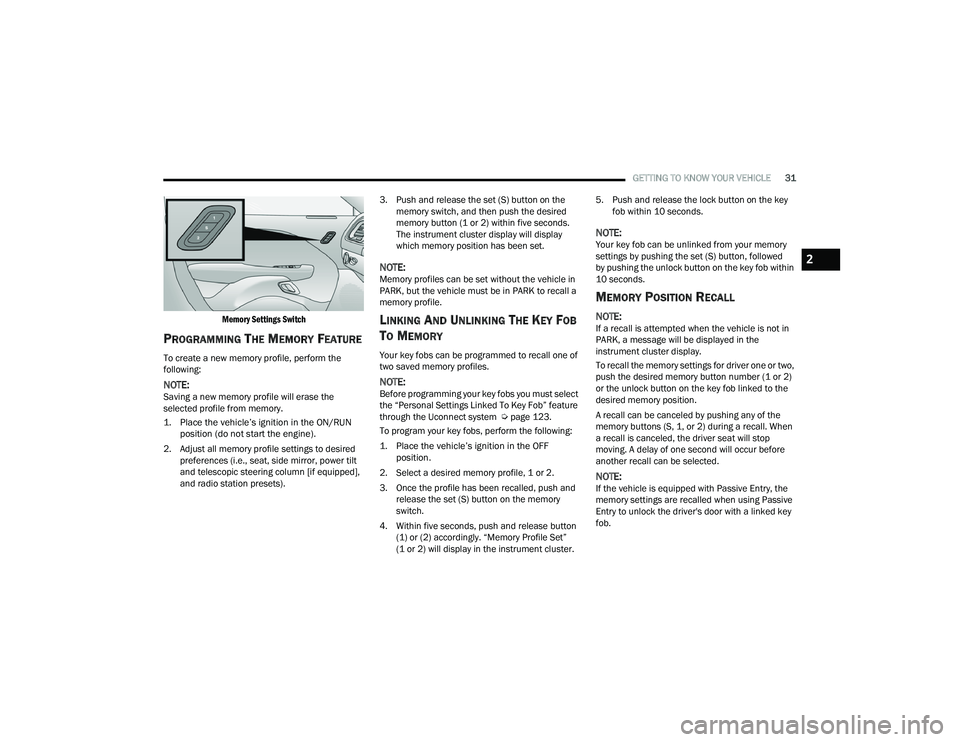
The memory settings switch is located on the
driver’s door trim panel. The switch consists of
three buttons:
The set (S) button, which is used to activate the
memory save function.
The (1) and (2) buttons which are used to recall
either of two saved memory profiles.
1 — Push To Start Or Answer A Phone Call And
Send Or Receive A Text
2 — Push The Voice Recognition Button To Begin
Radio, Media, Navigation, And Climate Functions
22_LA_OM_EN_USC_t.book Page 30
Page 33 of 336
GETTING TO KNOW YOUR VEHICLE31
Memory Settings Switch
PROGRAMMING THE MEMORY FEATURE
To create a new memory profile, perform the
following:
NOTE:Saving a new memory profile will erase the
selected profile from memory.
1. Place the vehicle’s ignition in the ON/RUN position (do not start the engine).
2. Adjust all memory profile settings to desired preferences (i.e., seat, side mirror, power tilt
and telescopic steering column [if equipped],
and radio station presets). 3. Push and release the set (S) button on the
memory switch, and then push the desired
memory button (1 or 2) within five seconds.
The instrument cluster display will display
which memory position has been set.
NOTE:Memory profiles can be set without the vehicle in
PARK, but the vehicle must be in PARK to recall a
memory profile.
LINKING AND UNLINKING THE KEY FOB
T
O MEMORY
Your key fobs can be programmed to recall one of
two saved memory profiles.
NOTE:Before programming your key fobs you must select
the “Personal Settings Linked To Key Fob” feature
through the Uconnect system Ú page 123.
To program your key fobs, perform the following:
1. Place the vehicle’s ignition in the OFF position.
2. Select a desired memory profile, 1 or 2.
3. Once the profile has been recalled, push and release the set (S) button on the memory
switch.
4. Within five seconds, push and release button (1) or (2) accordingly. “Memory Profile Set”
(1 or 2) will display in the instrument cluster. 5. Push and release the lock button on the key
fob within 10 seconds.
NOTE:Your key fob can be unlinked from your memory
settings by pushing the set (S) button, followed
by pushing the unlock button on the key fob within
10 seconds.
MEMORY POSITION RECALL
NOTE:If a recall is attempted when the vehicle is not in
PARK, a message will be displayed in the
instrument cluster display.
To recall the memory settings for driver one or two,
push the desired memory button number (1 or 2)
or the unlock button on the key fob linked to the
desired memory position.
A recall can be canceled by pushing any of the
memory buttons (S, 1, or 2) during a recall. When
a recall is canceled, the driver seat will stop
moving. A delay of one second will occur before
another recall can be selected.
NOTE:If the vehicle is equipped with Passive Entry, the
memory settings are recalled when using Passive
Entry to unlock the driver's door with a linked key
fob.
2
22_LA_OM_EN_USC_t.book Page 31
Page 64 of 336
62GETTING TO KNOW YOUR VEHICLE
HOOD
OPENING THE HOOD
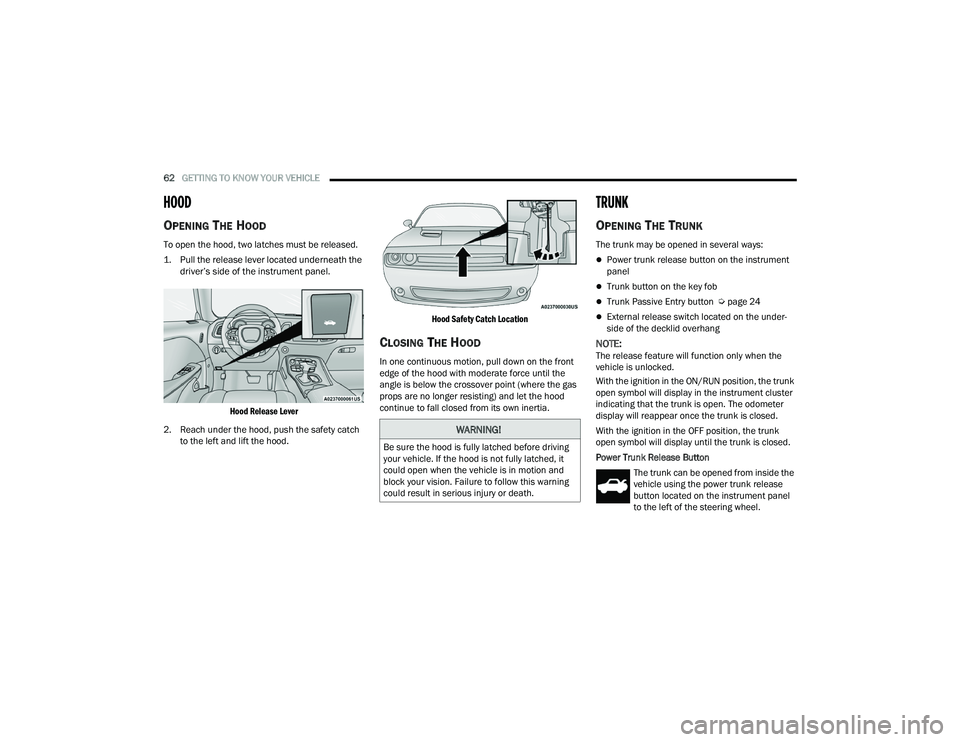
To open the hood, two latches must be released.
1. Pull the release lever located underneath the
driver’s side of the instrument panel.
Hood Release Lever
2. Reach under the hood, push the safety catch to the left and lift the hood.
Hood Safety Catch Location
CLOSING THE HOOD
In one continuous motion, pull down on the front
edge of the hood with moderate force until the
angle is below the crossover point (where the gas
props are no longer resisting) and let the hood
continue to fall closed from its own inertia.
TRUNK
OPENING THE TRUNK
The trunk may be opened in several ways:
Power trunk release button on the instrument
panel
Trunk button on the key fob
Trunk Passive Entry button Ú
page 24
External release switch located on the under -
side of the decklid overhang
NOTE:The release feature will function only when the
vehicle is unlocked.
With the ignition in the ON/RUN position, the trunk
open symbol will display in the instrument cluster
indicating that the trunk is open. The odometer
display will reappear once the trunk is closed.
With the ignition in the OFF position, the trunk
open symbol will display until the trunk is closed.
Power Trunk Release Button
The trunk can be opened from inside the
vehicle using the power trunk release
button located on the instrument panel
to the left of the steering wheel.
WARNING!
Be sure the hood is fully latched before driving
your vehicle. If the hood is not fully latched, it
could open when the vehicle is in motion and
block your vision. Failure to follow this warning
could result in serious injury or death.
22_LA_OM_EN_USC_t.book Page 62
Page 76 of 336
74GETTING TO KNOW YOUR INSTRUMENT PANEL
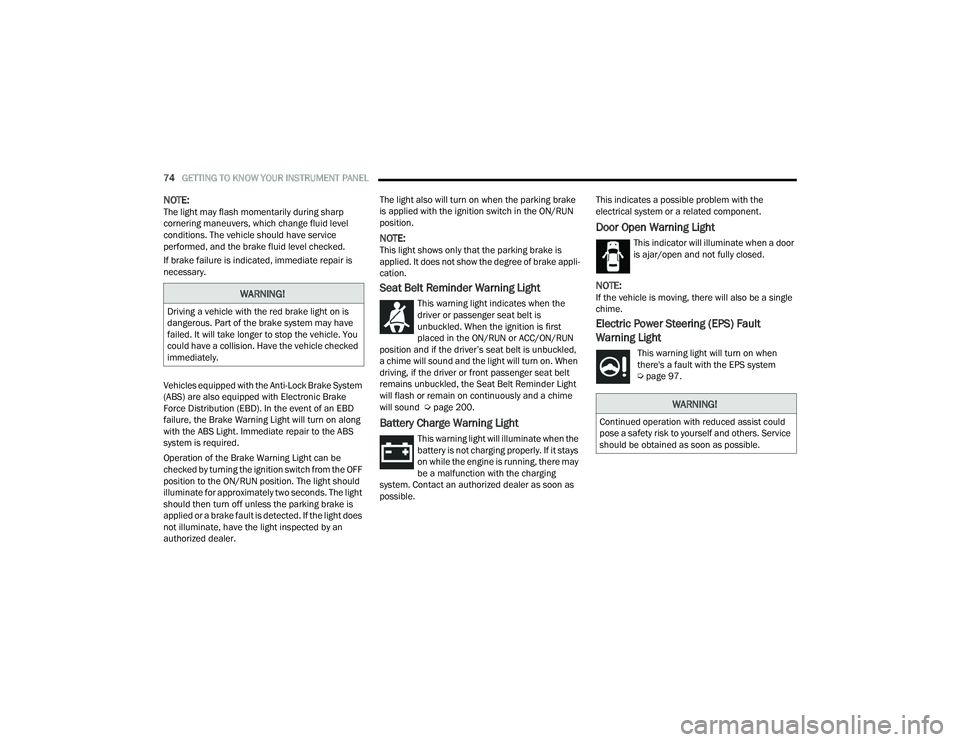
NOTE:The light may flash momentarily during sharp
cornering maneuvers, which change fluid level
conditions. The vehicle should have service
performed, and the brake fluid level checked.
If brake failure is indicated, immediate repair is
necessary.
Vehicles equipped with the Anti-Lock Brake System
(ABS) are also equipped with Electronic Brake
Force Distribution (EBD). In the event of an EBD
failure, the Brake Warning Light will turn on along
with the ABS Light. Immediate repair to the ABS
system is required.
Operation of the Brake Warning Light can be
checked by turning the ignition switch from the OFF
position to the ON/RUN position. The light should
illuminate for approximately two seconds. The light
should then turn off unless the parking brake is
applied or a brake fault is detected. If the light does
not illuminate, have the light inspected by an
authorized dealer. The light also will turn on when the parking brake
is applied with the ignition switch in the ON/RUN
position.
NOTE:This light shows only that the parking brake is
applied. It does not show the degree of brake appli
-
cation.
Seat Belt Reminder Warning Light
This warning light indicates when the
driver or passenger seat belt is
unbuckled. When the ignition is first
placed in the ON/RUN or ACC/ON/RUN
position and if the driver’s seat belt is unbuckled,
a chime will sound and the light will turn on. When
driving, if the driver or front passenger seat belt
remains unbuckled, the Seat Belt Reminder Light
will flash or remain on continuously and a chime
will sound Ú page 200.
Battery Charge Warning Light
This warning light will illuminate when the
battery is not charging properly. If it stays
on while the engine is running, there may
be a malfunction with the charging
system. Contact an authorized dealer as soon as
possible. This indicates a possible problem with the
electrical system or a related component.
Door Open Warning Light
This indicator will illuminate when a door
is ajar/open and not fully closed.
NOTE:If the vehicle is moving, there will also be a single
chime.
Electric Power Steering (EPS) Fault
Warning Light
This warning light will turn on when
there's a fault with the EPS system
Ú
page 97.
WARNING!
Driving a vehicle with the red brake light on is
dangerous. Part of the brake system may have
failed. It will take longer to stop the vehicle. You
could have a collision. Have the vehicle checked
immediately.
WARNING!
Continued operation with reduced assist could
pose a safety risk to yourself and others. Service
should be obtained as soon as possible.
22_LA_OM_EN_USC_t.book Page 74
Page 99 of 336
STARTING AND OPERATING97
FUEL SAVER TECHNOLOGY 5.7L —
IF EQUIPPED
This feature offers improved fuel economy by
shutting off four of the engine's eight cylinders
during light load and cruise conditions. The system
is automatic with no driver inputs or additional
driving skills required. When the system is active,
an indication will display within the instrument
cluster “Fuel Economy” main menu screen.
NOTE:This system may take some time to return to full
functionality after a battery disconnect.
ELECTRIC POWER STEERING
The electric power steering system provides
increased vehicle response and ease of
maneuverability. The system adapts to different
driving conditions. If the electric steering system
experiences a fault that prevents it from providing
assist, you will still have the ability to steer the
vehicle manually. Alternate electric power steering efforts can be
selected through the Uconnect System
Ú
page 123.
If the Electric Power Steering warning icon is
displayed and the “SERVICE POWER STEERING” or
the “POWER STEERING ASSIST OFF – SERVICE
SYSTEM” message is displayed within the
instrument cluster display, this indicates the
vehicle needs to be taken to the dealer for service
Ú page 73.
NOTE:
Even if the power steering system is no longer
operational, it is still possible to steer the
vehicle. Under these conditions there will be a
substantial increase in steering effort, espe -
cially at low speeds and during parking maneu -
vers.
If the condition persists, see an authorized
dealer for service.
If the Steering icon is displayed and the “POWER
STEERING SYSTEM OVER TEMP” message is
displayed on the instrument cluster screen, they
indicate that extreme steering maneuvers may
have occurred which caused an over temperature
condition in the power steering system. Once
driving conditions are safe, pull over and let the
vehicle idle for a few moments until the icon and
message turn off.
CRUISE CONTROL SYSTEMS — IF EQUIPPED
Your vehicle may be equipped with the Cruise
Control system, or the Adaptive Cruise Control
(ACC) system:
Cruise Control will keep your vehicle at a
constant preset speed.
Adaptive Cruise Control (ACC) will adjust the
vehicle speed up to the preset speed to main -
tain a distance with the vehicle ahead.
NOTE:
In vehicles equipped with ACC, if ACC is not
enabled, Fixed Speed Cruise Control will not
detect vehicles directly ahead of you. Always be
aware of the feature selected.
Only one Cruise Control feature can operate at a
time. For example, if Fixed Speed Cruise Control
is enabled, Adaptive Cruise Control will be
unavailable, and vice versa.
CRUISE CONTROL
When engaged, the Cruise Control takes over
accelerator operations at speeds greater than
20 mph (32 km/h), depending on engine size and
axle ratio.
WARNING!
Continued operation with reduced assist could
pose a safety risk to yourself and others. Service
should be obtained as soon as possible.
4
22_LA_OM_EN_USC_t.book Page 97