key fob DODGE CHALLENGER SRT 2010 3.G User Guide
[x] Cancel search | Manufacturer: DODGE, Model Year: 2010, Model line: CHALLENGER SRT, Model: DODGE CHALLENGER SRT 2010 3.GPages: 436, PDF Size: 8.59 MB
Page 23 of 436
activated will cause the alarm to sound. Press the UN-
LOCK button to deactivate the Security Alarm.
Flash Lights with Remote Key Lock
This feature will cause the turn signal lights to flash when
the doors are locked or unlocked with the RKE transmit-
ter. This feature can be turned on or turned off. Refer to
“Electronic Vehicle Information Center (EVIC)/Personal
Settings (Customer-Programmable Features)” in “Under-
standing Your Instrument Panel” for further information.
•When not using the EVIC, perform the following
steps:
1. Press and hold the UNLOCK button on a programmed
RKE transmitter for at least 4 seconds, but no longer than
10 seconds. Then, press and hold the LOCK button while
still holding the UNLOCK button.
2. Release both buttons at the same time. 3. Test the feature while outside of the vehicle by press-
ing the LOCK/UNLOCK buttons on the RKE transmitter
with the ignition switch in the OFF position and the Key
Fob removed.
4. Repeat these steps if you want to return this feature to
its previous setting.
NOTE:
Pressing the LOCK button on the RKE transmit-
ter while you are in the vehicle will activate the Security
Alarm. Opening a door with the Security Alarm activated
will cause the alarm to sound. Press the UNLOCK button
to deactivate the Security Alarm.
Turn Headlights On with Remote Key Unlock
This feature activates the headlights for up to 90 seconds
when the doors are unlocked with the RKE transmitter.
The time for this feature is programmable. Refer to
“Electronic Vehicle Information Center (EVIC)/Personal
Settings (Customer-Programmable Features)” in “Under-
standing Your Instrument Panel” for further information.
22 THINGS TO KNOW BEFORE STARTING YOUR VEHICLE
Page 24 of 436
To Lock The Doors
Press and release the LOCK button on the RKE transmit-
ter to lock both doors. The turn signal lights will flash
and the horn will chirp to acknowledge the signal.
Sound Horn with Remote Key Lock
This feature will cause the horn to chirp when the doors
are locked with the RKE transmitter. This feature can be
turned on or turned off. Refer to “Electronic Vehicle
Information Center (EVIC)/Personal Settings (Customer-
Programmable Features)” in “Understanding Your In-
strument Panel” for further information.
•When not using the EVIC, perform the following
steps:
1. Press the LOCK button on a programmed RKE trans-
mitter for at least 4 seconds, but no longer than 10 sec-
onds. Then, press the PANIC button while still holding
the LOCK button. 2. Release both buttons at the same time.
3. Test the feature while outside of the vehicle by press-
ing the LOCK button on the RKE transmitter with the
ignition switch in the OFF position and the Key Fob
removed.
4. Repeat these steps if you want to return this feature to
its previous setting.
NOTE:
Pressing the LOCK button on the RKE transmit-
ter while you are in the vehicle will activate the Security
Alarm. Opening a door with the Security Alarm activated
will cause the alarm to sound. Press the UNLOCK button
to deactivate the Security Alarm.
Remote Open Window Feature
This feature allows you to remotely lower both door
windows at the same time. To use this feature, press and
release the UNLOCK button on the RKE transmitter and
2
THINGS TO KNOW BEFORE STARTING YOUR VEHICLE 23
Page 25 of 436
then immediately press and hold the UNLOCK button
until the windows lower to the level desired or until they
lower completely.
To Open The Trunk
Press the TRUNK button on the RKE transmitter two
times within five seconds to open the trunk.
Using The Panic Alarm
To turn the Panic Alarm feature ON or OFF, press and
hold the PANIC button on the RKE transmitter for at
least one second and release. When the Panic Alarm is on,
the headlights and park lights will flash, the horn will
pulse on and off, and the interior lights will turn on.
The Panic Alarm will stay on for three minutes unless
you turn it off by either pressing the PANIC button a
second time or drive the vehicle at a speed of 5 mph
(24 km/h) or greater.NOTE:
•The interior lights will turn off if you turn the ignition
switch to the ACC or RUN position while the Panic
Alarm is activated. However, the exterior lights and
horn will remain on.
•You may need to be less than 35 ft (11 m) from the
vehicle when using the RKE transmitter to turn off the
Panic Alarm due to the radio frequency noises emitted
by the system.
Programming Additional Transmitters
Programming Key Fobs or RKE transmitters may be
performed at an authorized dealer.
Transmitter Battery Replacement
The recommended replacement battery is CR2032.
NOTE:
Perchlorate Material – special handling may ap-
ply. See www.dtsc.ca.gov/hazardouswaste/perchlorate.
24 THINGS TO KNOW BEFORE STARTING YOUR VEHICLE
Page 29 of 436
equipped). Then, prior to the end of the 15 minute cycle,
press and release the START/STOP button. If the
START/STOP button is not present, insert the Key Fob
into the ignition switch and turn the switch to the ON
position.
NOTE:
•For vehicles not equipped with Keyless Go feature, the
ignition switch must be in the ON position in order to
drive the vehicle.
•For vehicles not equipped with Keyless Go feature, the
message “Insert Key/Turn To On” will display in the
EVIC until you insert the Key Fob. Once inserted, the
message “Turn To On” will display in the EVIC until
you turn the Key Fob to ON.
•For vehicles equipped with Keyless Go feature, the
message “Push Button/Insert Key” will display in the
EVIC until you push the START button.
DOOR LOCKS
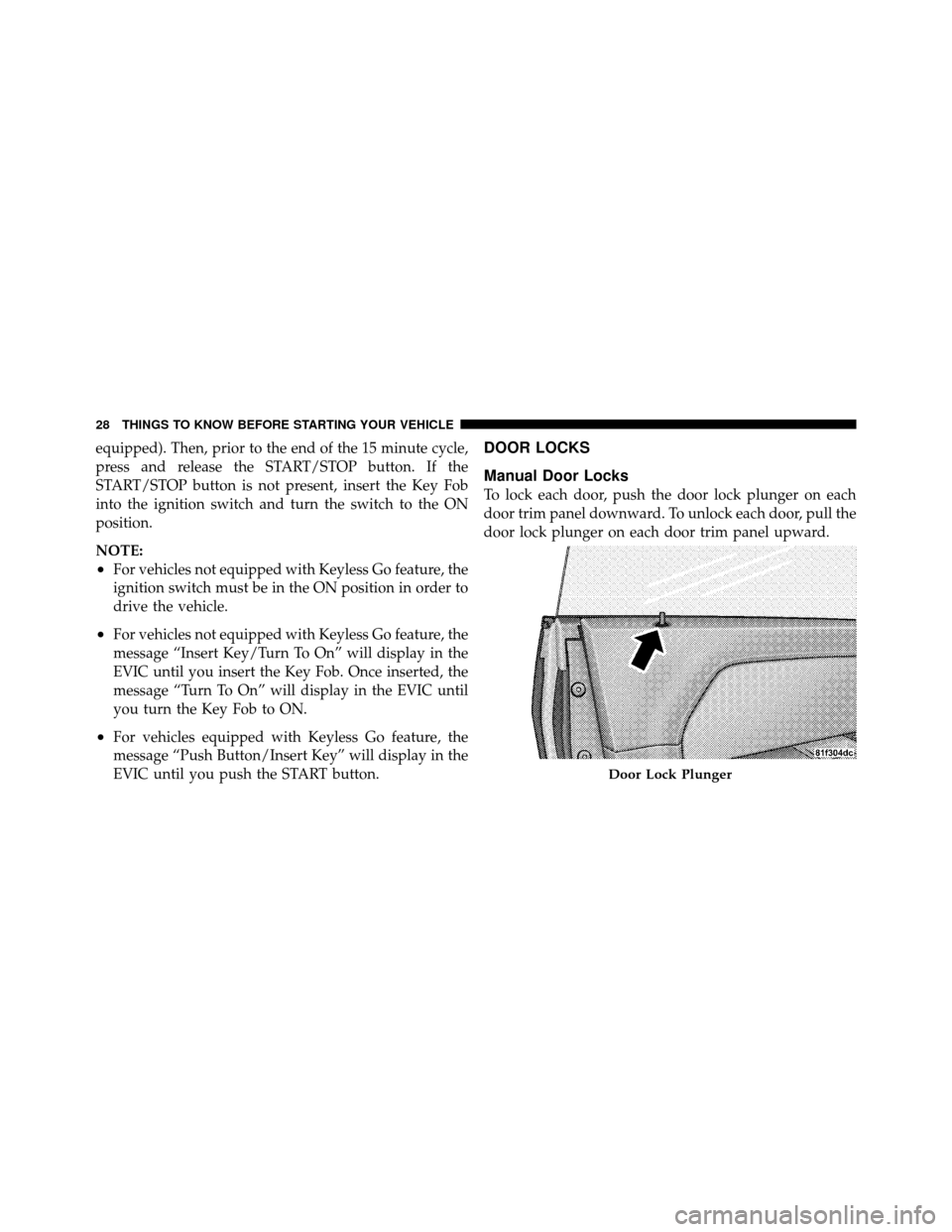
Manual Door Locks
To lock each door, push the door lock plunger on each
door trim panel downward. To unlock each door, pull the
door lock plunger on each door trim panel upward.
Door Lock Plunger
28 THINGS TO KNOW BEFORE STARTING YOUR VEHICLE
Page 30 of 436
If the door lock plunger is down when you shut the door,
the door will lock. Therefore, make sure the key is not
inside the vehicle before closing the door.
WARNING!
•For personal security and safety in the event of an
accident, lock the vehicle doors before you drive as
well as when you park and leave the vehicle.
•When leaving the vehicle, always remove the key
from the ignition and lock your vehicle. Unsuper-
vised use of vehicle equipment may cause severe
personal injuries and death.
•Never leave children alone in a vehicle. Leaving
unattended children in a vehicle is dangerous for a
number of reasons. A child or others could be
seriously or fatally injured. Don’t leave the key in
the ignition. A child could operate power win-
dows, other controls, or move the vehicle.
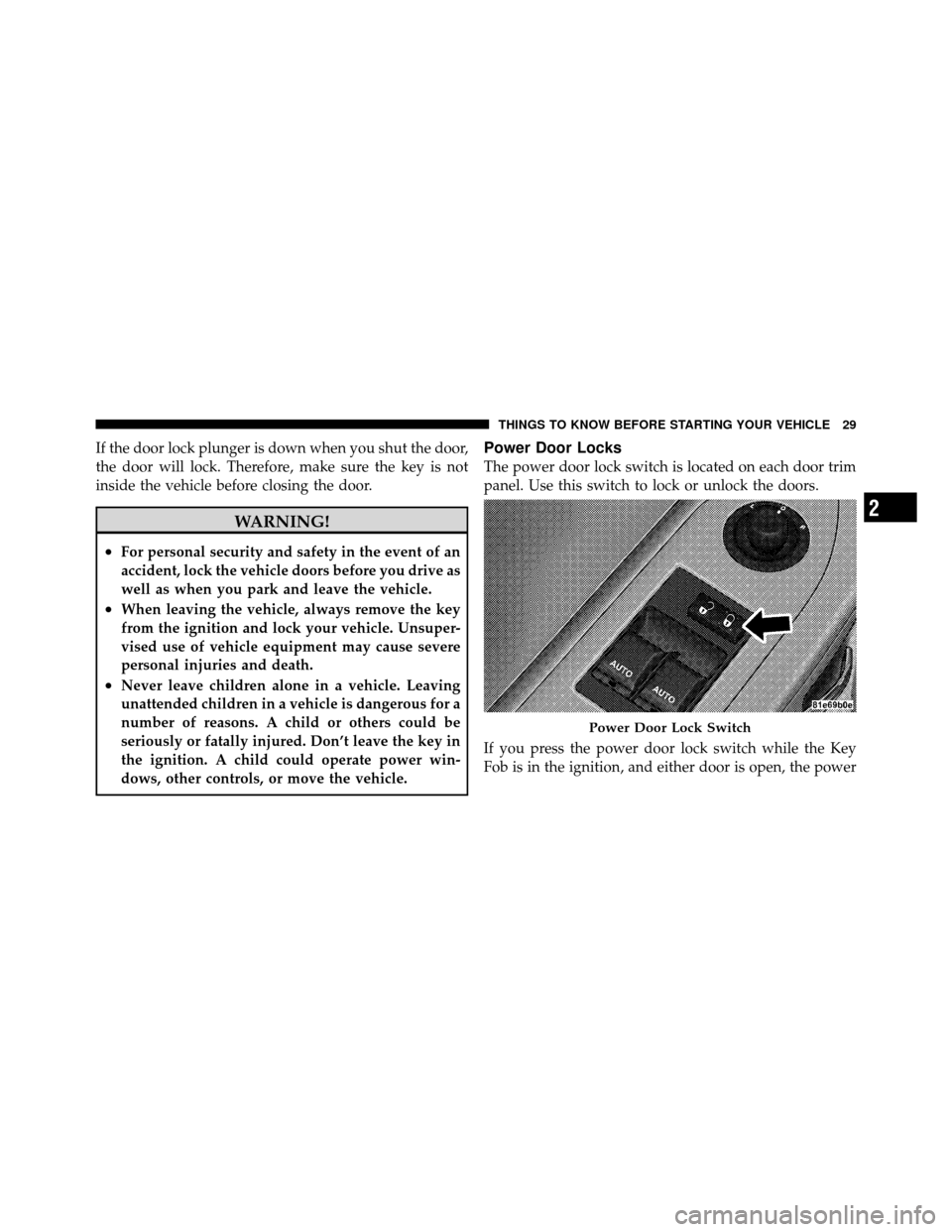
Power Door Locks
The power door lock switch is located on each door trim
panel. Use this switch to lock or unlock the doors.
If you press the power door lock switch while the Key
Fob is in the ignition, and either door is open, the power
Power Door Lock Switch
2
THINGS TO KNOW BEFORE STARTING YOUR VEHICLE 29
Page 31 of 436
locks will not operate. This prevents you from acciden-
tally locking the Key Fob in the vehicle. Removing the
Key Fob or closing the door will allow the locks to
operate. If a door is open, the Key Fob is in the ignition,
and the ignition is in the OFF or ACC position, a chime
will sound as a reminder to remove the Key Fob.
Automatic Door Locks
The doors will lock automatically if all of the following
conditions are met:
1. The Automatic Door Locks feature is enabled
2. The transmission is in gear
3. All doors are closed
4. The throttle is pressed
5. The vehicle speed is above 15 mph (24 km/h)6. The doors were not previously locked using the power
door lock switch or Remote Keyless Entry (RKE)
transmitter
Automatic Door Locks — If Equipped
The auto door lock feature can be enabled or disabled by
your authorized dealer. See your authorized dealer for
programming.
Automatic Unlock Doors on Exit
The doors will unlock automatically if:
1. The Automatic Unlock Doors On Exit feature is en-
abled
2. The transmission was in gear and the vehicle speed
returned to 0 mph (0 km/h)
3. The transmission is in NEUTRAL or PARK
4. The driver door is opened
5. The doors were not previously unlocked
30 THINGS TO KNOW BEFORE STARTING YOUR VEHICLE
Page 32 of 436
6. The vehicle speed is 0 mph (0 km/h)
Automatic Unlock Doors on Exit Programming
The Automatic Unlock Doors On Exit feature can be
enabled or disabled. Refer to “Electronic Vehicle Infor-
mation Center (EVIC)/Personal Settings (Customer-
Programmable Features)” in “Understanding Your In-
strument Panel” for further information.
•When not using the EVIC, perform the following
steps:
1. Enter the vehicle and close all doors.
2. Place the Key Fob in the ignition switch.
3. Within 15 seconds, cycle the ignition switch between
OFF and RUN and then back to OFF four times ending
up in the LOCK position. However, do not start the
engine. 4. Within 30 seconds, press the power door UNLOCK
switch to unlock the doors.
5. A single chime will indicate the completion of the
programming.
NOTE:
If you do not hear the chime, it means that the
system did not enter the programming mode and you
will need to repeat the procedure.
6. Repeat these steps if you want to return this feature to
its previous setting.
NOTE: Use the Automatic Unlock Doors On Exit feature
in accordance with local laws.
2
THINGS TO KNOW BEFORE STARTING YOUR VEHICLE 31
Page 173 of 436
•Right Front Low Pressure (with a single chime)
•Right Rear Low Pressure (with a single chime)
•Check TPM System (with a single chime)
•ESP Off
•Check Gascap
•Key Fob Battery Low
•Service Keyless System
•Wrong Key
•Push Button or Insert Key/Turn To Run (refer to
“Remote Starting System” in “Things To Know Before
Starting Your Vehicle”)
•1–4 SKIPSHIFT
•0-60 mph (0-100 km/h)
•Braking Distance
•1/8 Mile
•1/4 Mile
•Instantaneous G-Force
•Peak G-Force
•Digital Speedometer
Engine Oil Change Indicator System
Oil Change Required
Your vehicle is equipped with an engine oil change
indicator system. The “Oil Change Required” message
will flash in the EVIC display for approximately 10 sec-
onds after a single chime has sounded, to indicate the
next scheduled oil change interval. The engine oil change
indicator system is duty cycle based, which means the
engine oil change interval may fluctuate, dependent
upon your personal driving style.
172 UNDERSTANDING YOUR INSTRUMENT PANEL
Page 238 of 436
STARTING PROCEDURES
Before starting your vehicle, adjust your seat, adjust the
inside and outside mirrors, fasten your seat belt, and if
present, instruct all other occupants to buckle their seat
belts.
WARNING!
•Never leave children alone in a vehicle. Leaving
unattended children in a vehicle is dangerous for a
number of reasons. A child or others could be
seriously or fatally injured. Do not leave the key
fob in the ignition. A child could operate power
windows, other controls, or move the vehicle.
•Do not leave animals or children inside parked
vehicles in hot weather; interior heat buildup may
cause serious injury or death.
Manual Transmission – If Equipped
Apply the parking brake, place the shift lever in NEU-
TRAL and press the clutch pedal before starting vehicle.
This vehicle is equipped with a clutch interlocking igni-
tion system. It will not start unless the clutch pedal is
pressed to the floor.
Normal Starting with Integrated Key – Manual
Transmission
Normal starting of either a cold or a warm engine does
not require pumping or pressing the accelerator pedal.
Press the clutch pedal fully to the floor, and turn the
ignition switch to the START position and release when
the engine starts. If the engine fails to start within
15 seconds, turn the ignition switch to the OFF position,
wait 10 to 15 seconds, then repeat the “Normal Starting”
procedure.5
STARTING AND OPERATING 237
Page 239 of 436
WARNING!
Do not attempt to push or tow your vehicle to get it
started. Unburned fuel could enter the catalytic con-
verter and once the engine has started, ignite and
damage the converter and vehicle. If the vehicle has
a discharged battery, booster cables may be used to
obtain a start from another vehicle. This type of start
can be dangerous if done improperly, so follow the
procedure carefully. Refer to “Jump Starting” in
“What To Do In Emergencies” for further informa-
tion.
Automatic Transmission – If Equipped
The shift lever must be in the NEUTRAL or PARK
position before you can start the engine. Apply the brakes
before shifting into any driving gear.
CAUTION!
Damage to the transmission may occur if the follow-
ing precautions are not observed:
•Shift into PARK only after the vehicle has come to
a complete stop.
•Shift into or out of REVERSE only after the
vehicle has come to a complete stop and the engine
is at idle speed.
•Do not shift from REVERSE, PARK, or NEUTRAL
into any forward gear when the engine is above
idle speed.
•Before shifting into any gear, make sure your foot
is firmly on the brake pedal.
Using Fob With Integrated Key (Tip Start)
NOTE:Normal starting of either a cold or a warm
engine is obtained without pumping or pressing the
accelerator pedal.
238 STARTING AND OPERATING