turn signal DODGE CHALLENGER SRT 2011 3.G User Guide
[x] Cancel search | Manufacturer: DODGE, Model Year: 2011, Model line: CHALLENGER SRT, Model: DODGE CHALLENGER SRT 2011 3.GPages: 460, PDF Size: 3.44 MB
Page 145 of 460
High/Low Beam Switch
Push the multifunction lever away from you to switch
the headlights to high beam. Pull the multifunction lever
toward you to switch the headlights back to low beam.
Flash-To-Pass
You can signal another vehicle with your headlights by
lightly pulling the multifunction lever toward you. This
will turn on the high beam headlights until the lever is
released.
Map/Reading Lights
These lights are mounted between the sun visors on the
overhead console. Each light is turned on by pressing the
lens. Press the lens a second time to turn off the light.
These lights also turn on when a door is opened, or when
the UNLOCK button on the Remote Keyless Entry (RKE)transmitter is pressed, or when the dimmer control is
turned fully upward, past the second detent.
Overhead Console
3
UNDERSTANDING THE FEATURES OF YOUR VEHICLE 143
Page 178 of 460
WARNING!
A hot engine cooling system is dangerous. You or
others could be badly burned by steam or boiling
coolant. You may want to call a service center if your
vehicle overheats. If you decide to look under the
hood yourself, refer to “Maintaining Your Vehicle”
and follow the warnings under the Cooling System
Pressure Cap paragraph.
9. Turn Signal Indicators The arrow will flash with the exterior turn signal
when the turn signal lever is operated.
NOTE:
•A continuous chime will sound if the vehicle is driven
more than 1 mile (1.6 km) with either turn signal on.
•Check for an inoperative outside light bulb if either
indicator flashes at a rapid rate. 10. Air Bag Warning Light
This light will turn on for four to eight seconds
as a bulb check when the ignition switch is first
turned to the ON/RUN position. If the light is
either not on during starting, stays on, or turns
on while driving, have the system inspected at an autho-
rized dealer as soon as possible. Refer to “Occupant
Restraints” in “Things To Know Before Starting Your
Vehicle” for further information.
11. Engine Temperature Warning Light This light will turn on and a single chime will
sound to warn of an overheated engine condition.
When this light turns on, the engine temperature
is critically hot. The vehicle should be turned OFF
immediately and serviced as soon as possible.
176 UNDERSTANDING YOUR INSTRUMENT PANEL
Page 184 of 460
Your vehicle has also been equipped with a TPMS
malfunction indicator to indicate when the system is not
operating properly. The TPMS malfunction indicator is
combined with the low tire pressure telltale. When the
system detects a malfunction, the telltale will flash for
approximately one minute and then remain continuously
illuminated. This sequence will continue upon subse-
quent vehicle start-ups as long as the malfunction exists.
When the malfunction indicator is illuminated, the sys-
tem may not be able to detect or signal low tire pressure
as intended. TPMS malfunctions may occur for a variety
of reasons, including the installation of replacement or
alternate tires or wheels on the vehicle that prevent the
TPMS from functioning properly. Always check the
TPMS malfunction telltale after replacing one or more
tires or wheels on your vehicle, to ensure that the
replacement or alternate tires and wheels allow the TPMS
to continue to function properly.CAUTION!
The TPMS has been optimized for the original
equipment tires and wheels. TPMS pressures and
warning have been established for the tire size
equipped on your vehicle. Undesirable system opera-
tion or sensor damage may result when using re-
placement equipment that is not of the same size,
type, and/or style. Aftermarket wheels can cause
sensor damage. Do not use tire sealant from a can or
balance beads if your vehicle is equipped with a
TPMS, as damage to the sensors may result.
23. Anti-Lock Brake (ABS) Light This light monitors the Anti-Lock Brake System
(ABS). The light will turn on when the ignition
switch is placed in the ON/RUN position and
may stay on for as long as four seconds.
182 UNDERSTANDING YOUR INSTRUMENT PANEL
Page 188 of 460
MENU ButtonPress and release the MENU button to access
the main menu, or to return to the main menu
from the sub-menus.
UP Button Press and release the UP button to scroll up-
ward through the main menus (Fuel Economy,
Vehicle Info, Tire PSI, Cruise, Messages, Units,
System Setup) and sub-menus.
DOWN Button Press and release the DOWN button to scroll
downward through the main menus and sub-
menus. SELECT Button
Press and release the SELECT button for access
to main menus, sub-menus or to select a per-
sonal setting in the setup menu. Press and hold
the SELECT button for two seconds to reset
features.
Electronic Vehicle Information Center (EVIC)
Displays
When the appropriate conditions exist, the EVIC displays
the following messages:
•Turn Signal On (with a continuous warning chime if
the vehicle is driven more than 1 mile [1.6 km] with
either turn signal on)
•Left Front Turn Signal Light Out (with a single chime)
•Left Rear Turn Signal Light Out (with a single chime)
•Right Front Turn Signal Light Out (with a single
chime)
186 UNDERSTANDING YOUR INSTRUMENT PANEL
Page 189 of 460
•Right Rear Turn Signal Light Out (with a single chime)
•Personal Settings Not Available – Vehicle Not in PARK
•Left/Right Door Ajar
•Door(s) Ajar (with a single chime if vehicle is in
motion)
•Trunk Ajar (with a single chime)
•Oil Change Required
•Low Washer Fluid (with a single chime)
•Channel # Transmit
•Channel # Training
•Channel # Trained
•Clearing Channels
•Channels Cleared
•Did Not Train
•Low Tire Pressure (with a single chime)
•Service TPM System (with a single chime)
•ESP Off
•Check Gascap
•Key Fob Battery Low
•Service Keyless System
•Wrong Key
•Damaged Key
•Key not Programmed
•Push Button or Insert Key/Turn To Run (refer to
“Remote Starting System” in “Things To Know Before
Starting Your Vehicle”)
•1–4 SKIPSHIFT
4
UNDERSTANDING YOUR INSTRUMENT PANEL 187
Page 201 of 460
Remote Key Unlock
WhenDriver Door 1st Press is selected, only the driver’s
door will unlock on the first press of the Remote Keyless
Entry (RKE) transmitter UNLOCK button. When Driver
Door 1st Press is selected, you must press the RKE
transmitter UNLOCK button twice to unlock the passen-
ger door. When All Doors 1st Press is selected, both of
the doors will unlock on the first press of the RKE
transmitter UNLOCK button. To make your selection,
press and release the SELECT button until “Driver Door
1st Press” or “All Doors 1st Press” appears.
Sound Horn with Remote Key Lock
When ON is selected, a short horn sound will occur when
the RKE transmitter LOCK button is pressed. This feature
may be selected with or without the flash lights on
lock/unlock feature. To make your selection, press and
release the SELECT button until “ON” or “OFF” appears.
Flash Lights with Remote Key Lock
When ON is selected, the front and rear turn signals will
flash when the doors are locked or unlocked with the
RKE transmitter. This feature may be selected with or
without the sound horn on lock feature selected. To make
your selection, press and release the SELECT button until
“ON” or “OFF” appears.
Headlamps On with Wipers
(Available with Auto Headlights Only)
When ON is selected, and the headlight switch is in the
AUTO (A) position, the headlights will turn on approxi-
mately 10 seconds after the wipers are turned on. The
headlights will also turn off when the wipers are turned
off if they were turned on by this feature. To make your
selection, press and release the SELECT button until
“ON” or “OFF” appears.
4
UNDERSTANDING YOUR INSTRUMENT PANEL 199
Page 283 of 460

WARNING! (Continued)
•The Anti-Lock Brake System (ABS) cannot prevent
the natural laws of physics from acting on the
vehicle, nor can it increase braking or steering
efficiency beyond that afforded by the condition
of the vehicle brakes and tires or the traction
afforded.
•The Anti-Lock Brake System (ABS) cannot prevent
collisions, including those resulting from exces-
sive speed in turns, following another vehicle too
closely, or hydroplaning.
•The capabilities of an Anti-Lock Brake System
(ABS) equipped vehicle must never be exploited
in a reckless or dangerous manner, that could
jeopardize the user’s safety or the safety of others.
All vehicle wheels and tires must be the same size and
type and tires must be properly inflated to produce
accurate signals for the computer.
Anti-Lock Brake Warning Light
The “Anti-Lock Brake System (ABS) Warning
Light” monitors the anti-lock brake system. The
light will come on when the ignition switch is turned to
the ON position and may stay on for as long as four
seconds.
If the “ABS Warning Light” remains on or comes on
while driving, it indicates that the anti-lock portion of the
brake system is not functioning and that service is
required. However, the conventional brake system will
continue to operate normally if the “Brake Warning
Light” is not on.
If the “ABS Warning Light” is on, the brake system
should be serviced as soon as possible to restore the
benefits of anti-lock brakes. If the “ABS Warning Light”
does not come on when the ignition switch is turned to
the ON position, have the bulb repaired as soon as
possible.
5
STARTING AND OPERATING 281
Page 333 of 460
HAZARD WARNING FLASHERS
The Hazard Warning flasher switch is located in the switch
bank near the bottom center of the instrument panel.
Press the switch to turn on the Hazard Warning
flasher. When the switch is activated, all directional
turn signals will flash on and off to warn oncoming
traffic of an emergency. Press the switch a second time to
turn off the Hazard Warning flashers.
This is an emergency warning system and it should not
be used when the vehicle is in motion. Use it when your
vehicle is disabled and it is creating a safety hazard for
other motorists.
When you must leave the vehicle to seek assistance, the
Hazard Warning flashers will continue to operate even
though the ignition is placed in the OFF position.
NOTE: With extended use the Hazard Warning flashers
may wear down your battery.
IF YOUR ENGINE OVERHEATS
In any of the following situations, you can reduce the
potential for overheating by taking the appropriate ac-
tion.
•On the highways — slow down.
•In city traffic — while stopped, place the transmission
in NEUTRAL, but do not increase engine idle speed.
NOTE: There are steps that you can take to slow down
an impending overheat condition:
•If your air conditioner (A/C) is on, turn it off. The A/C
system adds heat to the engine cooling system and
turning the A/C off can help remove this heat.
•You can also turn the temperature control to maximum
heat, the mode control to floor and the blower control
to high. This allows the heater core to act as a
supplement to the radiator and aids in removing heat
from the engine cooling system.
6
WHAT TO DO IN EMERGENCIES 331
Page 443 of 460
Fails to Start........................ 255
Flooded, Starting ..................... 255
Fuel Requirements .................... 318
Jump Starting ....................... 342
Oil ......................... 361,401,402
Oil Change Interval ................... 361
Oil Filler Cap ....................... 362
Oil Filter ........................... 363
Oil Filter Disposal .................... 363
Oil Selection ..................... 362,401
Oil Synthetic ........................ 362
Overheating ........................ 331
Starting ........................... 249
Temperature Gauge ................... 175
Engine Oil Viscosity ...................... 362
Enhanced Accident Response Feature .......... 66
Entry System, Illuminated .................. 20
Ethanol ............................... 319
Event Data Recorder ...................... 69 Exhaust Gas Caution
................... 80,322
Exhaust System ....................... 80,369
Exterior Folding Mirrors ................... 90
Exterior Lighting ........................ 139
Exterior Lights .......................... 83
Filler Location Fuel ...................... 322
Filters Air Cleaner ......................... 363
Air Conditioning ..................... 243
Engine Oil ....................... 363,402
Engine Oil Disposal ................... 363
Flash-To-Pass ........................... 143
Flashers Hazard Warning ..................... 331
Turn Signal .................... 83,142,176
Flooded Engine Starting ................... 255
Fluid Capacities ......................... 401
Fluid Leaks ............................. 83
10
INDEX 441
Page 446 of 460
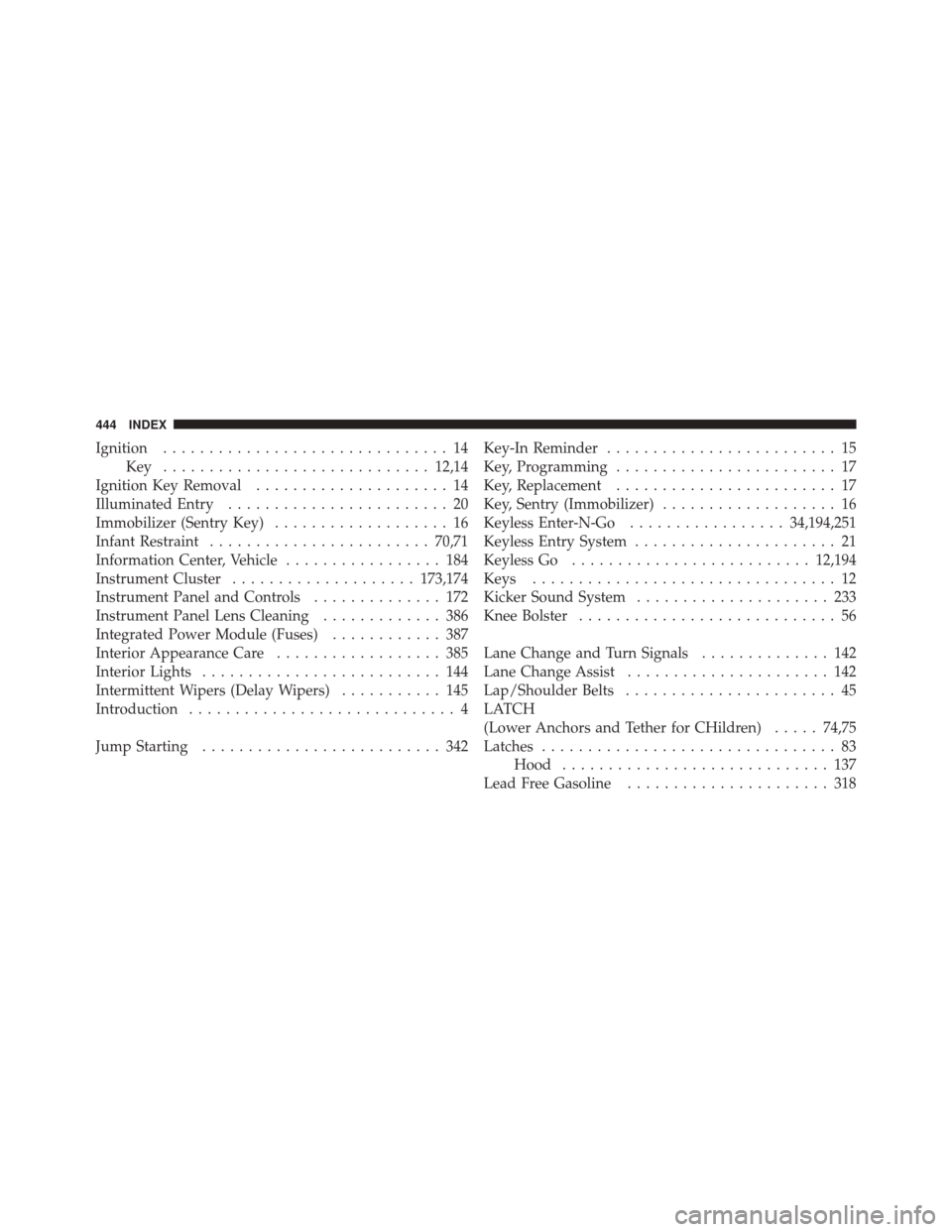
Ignition............................... 14
Key ............................. 12,14
Ignition Key Removal ..................... 14
Illuminated Entry ........................ 20
Immobilizer (Sentry Key) ................... 16
Infant Restraint ........................ 70,71
Information Center, Vehicle ................. 184
Instrument Cluster .................... 173,174
Instrument Panel and Controls .............. 172
Instrument Panel Lens Cleaning ............. 386
Integrated Power Module (Fuses) ............ 387
Interior Appearance Care .................. 385
Interior Lights .......................... 144
Intermittent Wipers (Delay Wipers) ........... 145
Introduction ............................. 4
Jump Starting .......................... 342 Key-In Reminder
......................... 15
Key, Programming ........................ 17
Key, Replacement ........................ 17
Key, Sentry (Immobilizer) ................... 16
Keyless Enter-N-Go ................. 34,194,251
Keyless Entry System ...................... 21
Keyless Go .......................... 12,194
Keys ................................. 12
Kicker Sound System ..................... 233
Knee Bolster ............................ 56
Lane Change and Turn Signals .............. 142
Lane Change Assist ...................... 142
Lap/Shoulder Belts ....................... 45
LATCH
(Lower Anchors and Tether for CHildren) .....74,75
Latches ................................ 83
Hood ............................. 137
Lead Free Gasoline ...................... 318
444 INDEX