battery DODGE CHALLENGER SRT 2016 3.G Owner's Manual
[x] Cancel search | Manufacturer: DODGE, Model Year: 2016, Model line: CHALLENGER SRT, Model: DODGE CHALLENGER SRT 2016 3.GPages: 616, PDF Size: 4.45 MB
Page 239 of 616
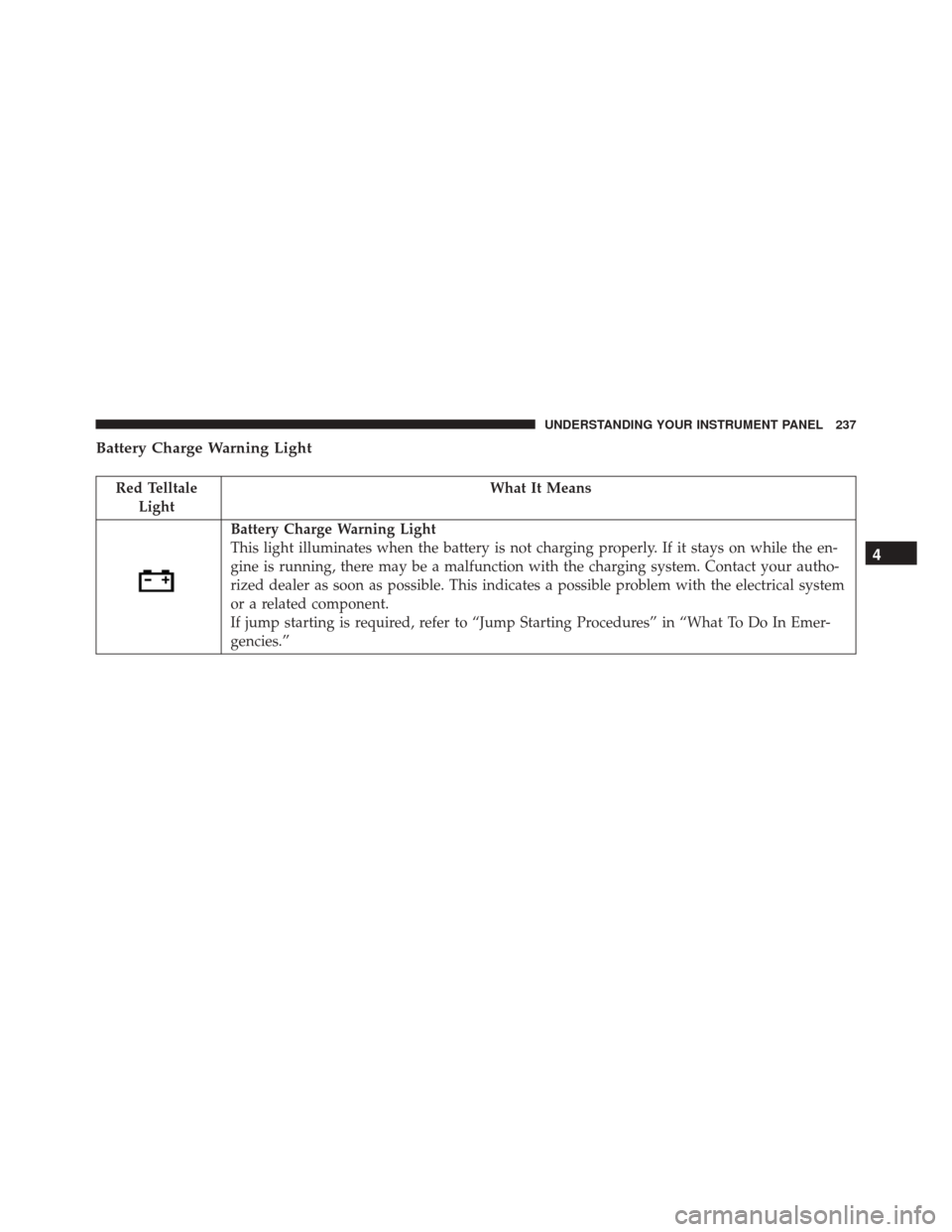
Battery Charge Warning Light
Red TelltaleLight What It Means
Battery Charge Warning Light
This light illuminates when the battery is not charging properly. If it stays on while the en-
gine is running, there may be a malfunction with the charging system. Contact your autho-
rized dealer as soon as possible. This indicates a possible problem with the electrical system
or a related component.
If jump starting is required, refer to “Jump Starting Procedures” in “What To Do In Emer-
gencies.”
4
UNDERSTANDING YOUR INSTRUMENT PANEL 237
Page 265 of 616
Oil Temp
Oil Pressure
Oil Life
Battery Voltage
Intake Air Temp
Engine Torque
Engine Power
Air-Fuel Ratio — 6.2L Supercharged
Boost Pressure — 6.2L Supercharged
Intercooler Water Temp — 6.2L SuperchargedPerformance Features — If Equipped
WARNING!
Measurement of vehicle statistics with the Perfor-
mance Features is intended for off-highway or off-
road use only and should not be done on any public
roadways. It is recommended that these features be
used in a controlled environment and within the
limits of the law. The capabilities of the vehicle as
measured by the performance pages must never be
exploited in a reckless or dangerous manner, which
can jeopardize the user ’s safety or the safety of
others. Only a safe, attentive, and skillful driver can
prevent accidents.
Push an release the UP
orDOWNarrow button
until the Performance menu is displayed in the DID.
Push the RIGHT
arrow button to enter the sub-
menus. 4
UNDERSTANDING YOUR INSTRUMENT PANEL 263
Page 275 of 616
7. Defaults•Ok
• Cancel
Diagnostics — If Equipped
Push and release the UPorDOWNarrow button
until the diagnostic Menu is selected. Then, the Driver
is able to view engine and emission vehicle faults.
• Push OKto have the most recent fault code sent.
• There is a delay when the next diagnostic code is
requested during which the following message is
displayed:
• “Checking System for Diagnostic Codes.”
• Driver must push the OKbutton again to see the next
Pcode otherwise current message remains displayed.
• Driver exits when they cycle to another submenu (up
or down). •
Faults are displayed from newest to the oldest.
• If the menu is exited before the end of codes is reached
- when the driver re-enters the list will be restarted
from the beginning.
• When no codes are present or the last code is reached
= (P0000) and this message is displayed:
• “No Further or End of Diagnostic Codes.”Battery Saver On/Battery Saver Mode Message —
Electrical Load Reduction Actions — If Equipped
This vehicle is equipped with an Intelligent Battery
Sensor (IBS) to perform additional monitoring of the
electrical system and status of the vehicle battery.
In cases when the IBS detects charging system failure, or
the vehicle battery conditions are deteriorating, electrical
load reduction actions will take place to extend the
4
UNDERSTANDING YOUR INSTRUMENT PANEL 273
Page 276 of 616
driving time and distance of the vehicle. This is done by
reducing power to or turning off non-essential electrical
loads.
Load reduction is only active when the engine is running.
It will display a message if there is a risk of battery
depletion to the point where the vehicle may stall due to
lack of electrical supply, or will not restart after the
current drive cycle.
When load reduction is activated, the message “Battery
Saver On” or “Battery Saver Mode” will appear in the
Electronic Vehicle Information Center (EVIC) or Driver
Information Display (DID).
These messages indicate the vehicle battery has a low
state of charge and continues to lose electrical charge at a
rate that the charging system cannot sustain.NOTE:
•
The charging system is independent from load reduc-
tion. The charging system performs a diagnostic on the
charging system continuously.
• If the Charging System Light is on it may indicate a
problem with the charging system. Refer to “Charging
System Light” in “Understanding Your Instrument
Panel” for further information.
The electrical loads that may be switched off (if
equipped), and vehicle functions which can be effected
by load reduction:
• Heated Seat/Vented Seats/Heated Wheel
• Heated/Cooled Cup Holders
• Rear Defroster And Heated Mirrors
• HVAC System
274 UNDERSTANDING YOUR INSTRUMENT PANEL
Page 277 of 616
•115V AC Power Inverter System
• Audio and Telematics System
Loss of the battery charge may indicate one or more of
the following conditions:
• The charging system cannot deliver enough electrical
power to the vehicle system because the electrical
loads are larger than the capability of charging system.
The charging system is still functioning properly.
• Turning on all possible vehicle electrical loads (e.g.
HVAC to max settings, exterior and interior lights,
overloaded power outlets +12V, 115V AC, USB ports)
during certain driving conditions (city driving, tow-
ing, frequent stopping).
• Installing options like additional lights, upfitter elec-
trical accessories, audio systems, alarms and similar
devices. •
Unusual driving cycles (short trips separated by long
parking periods).
• The vehicle was parked for an extended period of time
(weeks, months).
• The battery was recently replaced and was not charged
completely.
• The battery was discharged by an electrical load left on
when the vehicle was parked.
• The battery was used for an extended period with the
engine not running to supply radio, lights, chargers,
+12V portable appliances like vacuum cleaner ’s, game
consoles and similar devices.
4
UNDERSTANDING YOUR INSTRUMENT PANEL 275
Page 278 of 616
What to do when an electrical load reduction action
message is present (“Battery Saver On” or “Battery
Saver Mode”)
During a trip:
•Reduce power to unnecessary loads if possible:
– Turn off redundant lights (interior or exterior)
– Check what may be plugged in to power outlets +12V, 115V AC, USB ports
– Check HVAC settings (blower, temperature)
– Check the audio settings (volume)
After a trip:
• Check if any aftermarket equipment was installed
(additional lights, upfitter electrical accessories, audio
systems, alarms) and review specifications if any (load
and Ignition Off Draw currents). •
Evaluate the latest driving cycles (distance, driving
time and parking time).
• The vehicle should have service performed if the
message is still present during consecutive trips and
the evaluation of the vehicle and driving pattern did
not help to identify the cause.
CYBERSECURITY
Your vehicle may be a connected vehicle and may be
equipped with both wired and wireless networks. These
networks allow your vehicle to send and receive infor-
mation. This information allows systems and features in
your vehicle to function properly.
Your vehicle may be equipped with certain security
features to reduce the risk of unauthorized and unlawful
access to vehicle systems and wireless communications.
Vehicle software technology continues to evolve over
time and FCA US LLC, working with its suppliers,
276 UNDERSTANDING YOUR INSTRUMENT PANEL
Page 308 of 616
•Oil Pressure
Shows the actual oil pressure.
• Oil Temperature
Shows the actual oil temperature.
• Battery Voltage
Shows the actual battery voltage.
• Trans Oil Temp (Auto Transmission Only)
Shows the actual automatic transmission oil temperature.
When selected, this screen displays the following values:
•Coolant Temperature
Shows the actual coolant temperature.
• Oil Temperature
Shows the actual oil temperature.
SRT Performance Pages — Gauges 1 (6.4L)
306 UNDERSTANDING YOUR INSTRUMENT PANEL
Page 309 of 616
•Oil Pressure
Shows the actual oil pressure.
Gauges 2
When selected, this screen displays the following values:
• Battery Voltage
Shows the actual battery voltage.
SRT Performance Pages — Gauges 2 (6.4L Manual Transmission)
SRT Performance Pages — Gauges 2 (6.4L Automatic Transmission)
4
UNDERSTANDING YOUR INSTRUMENT PANEL 307
Page 334 of 616
NOTE:If your 4 digit PIN is lost or forgotten, the vehicle
will exit Valet Mode after a battery disconnect for ap-
proximately one minute. Reconnect the battery and cycle
the ignition to the RUN position, the vehicle will be in
Default Mode.ECO MODE — IF EQUIPPED WITH AUTOMATIC
TRANSMISSION
Eco Mode
332 UNDERSTANDING YOUR INSTRUMENT PANEL
Page 378 of 616
Manual Transmission — If Equipped
Apply the parking brake, place the shift lever in NEU-
TRAL and press the clutch pedal before starting vehicle.
This vehicle is equipped with a clutch interlocking igni-
tion system. It will not start unless the clutch pedal is
pressed to the floor.
Normal Starting With Integrated Key — Manual
Transmission
Normal starting of either a cold or a warm engine does
not require pumping or pressing the accelerator pedal.
Press the clutch pedal fully to the floor, and cycle the
ignition switch to the START position and release when
the engine starts. If the engine fails to start within 15
seconds, place the ignition in the OFF position, wait 10 to
15 seconds, then repeat the “Normal Starting” procedure.
WARNING!
Do not attempt to push or tow your vehicle to get it
started. Unburned fuel could enter the catalytic con-
verter and once the engine has started, ignite and
damage the converter and vehicle. If the vehicle has
a discharged battery, booster cables may be used to
obtain a start from another vehicle. This type of start
can be dangerous if done improperly, so follow the
procedure carefully. Refer to “Jump-Starting” in
“What To Do In Emergencies” for further informa-
tion.
Automatic Transmission — If Equipped
The shift lever must be in the NEUTRAL or PARK
position before you can start the engine. Apply the brakes
before shifting into any driving gear.
376 STARTING AND OPERATING