USB DODGE CHALLENGER SRT 2018 User Guide
[x] Cancel search | Manufacturer: DODGE, Model Year: 2018, Model line: CHALLENGER SRT, Model: DODGE CHALLENGER SRT 2018Pages: 486, PDF Size: 4.56 MB
Page 443 of 486

STEERING WHEEL AUDIO CONTROLS — IF
EQUIPPED
The remote sound system controls are located on the rear
surface of the steering wheel. Reach behind the wheel to
access the switches.
The right-hand control is a rocker-type switch with a
push-button in the center and controls the volume and
mode of the sound system. Pushing the top of the rocker
switch will increase the volume, and pushing the bottom of
the rocker switch will decrease the volume.Pushing the center button will make the radio switch
between the various modes available (AM/FM/SAT/
AUX, etc.).
The left-hand control is a rocker-type switch with a push-
button in the center. The function of the left-hand control is
different depending on which mode you are in.
The following describes the left-hand control operation in
each mode.
Radio Operation
Pushing the top of the switch will “Seek” up for the next
listenable station and pushing the bottom of the switch will
“Seek” down for the next listenable station.
The button located in the center of the left-hand control
will tune to the next preset station that you have pro-
grammed in the radio preset button.
Media Mode
Pushing the top of the switch once goes to the next track on
the selected media (AUX/USB/Bluetooth). Pushing the
bottom of the switch once goes to the beginning of the
current track, or to the beginning of the previous track if it
is within eight seconds after the current track begins to
play.
Steering Wheel Audio Controls (Back View Of Steering
Wheel)
10
MULTIMEDIA 441
Page 444 of 486
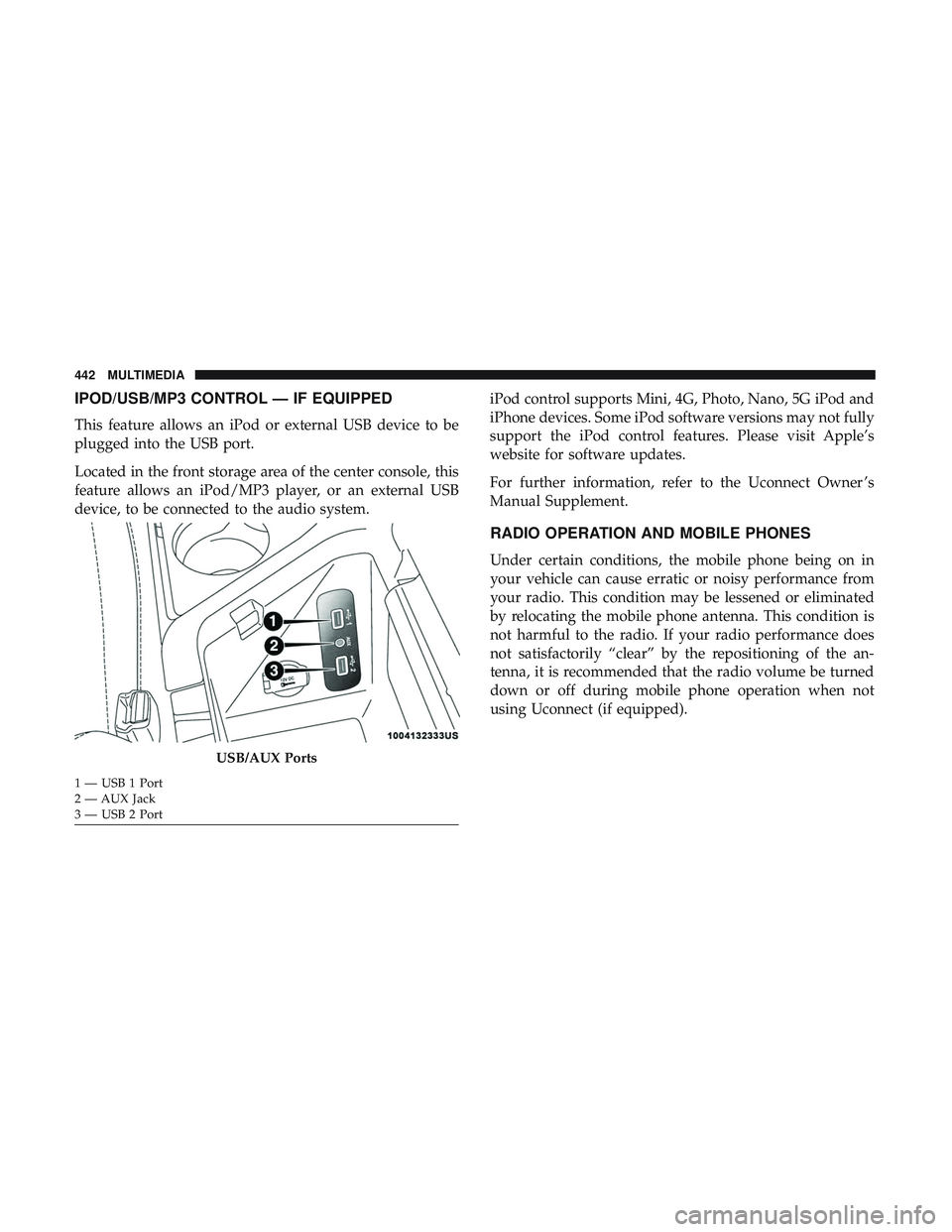
IPOD/USB/MP3 CONTROL — IF EQUIPPED
This feature allows an iPod or external USB device to be
plugged into the USB port.
Located in the front storage area of the center console, this
feature allows an iPod/MP3 player, or an external USB
device, to be connected to the audio system.iPod control supports Mini, 4G, Photo, Nano, 5G iPod and
iPhone devices. Some iPod software versions may not fully
support the iPod control features. Please visit Apple’s
website for software updates.
For further information, refer to the Uconnect Owner ’s
Manual Supplement.
RADIO OPERATION AND MOBILE PHONES
Under certain conditions, the mobile phone being on in
your vehicle can cause erratic or noisy performance from
your radio. This condition may be lessened or eliminated
by relocating the mobile phone antenna. This condition is
not harmful to the radio. If your radio performance does
not satisfactorily “clear” by the repositioning of the an-
tenna, it is recommended that the radio volume be turned
down or off during mobile phone operation when not
using Uconnect (if equipped).
USB/AUX Ports
1 — USB 1 Port
2 — AUX Jack
3 — USB 2 Port 442 MULTIMEDIA
Page 449 of 486

Media
Uconnect offers connections via USB, Bluetooth and auxil-
iary ports (If Equipped). Voice operation is only available
for connected USB and AUX devices.
Push the VR button
. After the beep, say one of the
following commands and follow the prompts to switch
your media source or choose an artist.
• “Change source to Bluetooth”
• “Change source to AUX”
• “Change source to USB”
• “Play artist Beethoven”; “ Play albumGreatest Hits”; “
Play song Moonlight Sonata”; “ Play genreClassical” TIP:
Press the Browse button on the touchscreen to see all
of the music on your USB device. Your Voice Command
must match exactlyhow the artist, album, song and genre
information is displayed.
Uconnect 4C/4C NAV Media
10
MULTIMEDIA 447
Page 458 of 486
NOTE:
•Reply with text message is not compatible with iPhones.
• Auto reply with text message is only available on
phones that support Bluetooth MAP.
Android Auto — If Equipped
NOTE: Feature availability depends on your carrier and
mobile phone manufacturer. Some Android Auto features
may or may not be available in every region and/or
language.
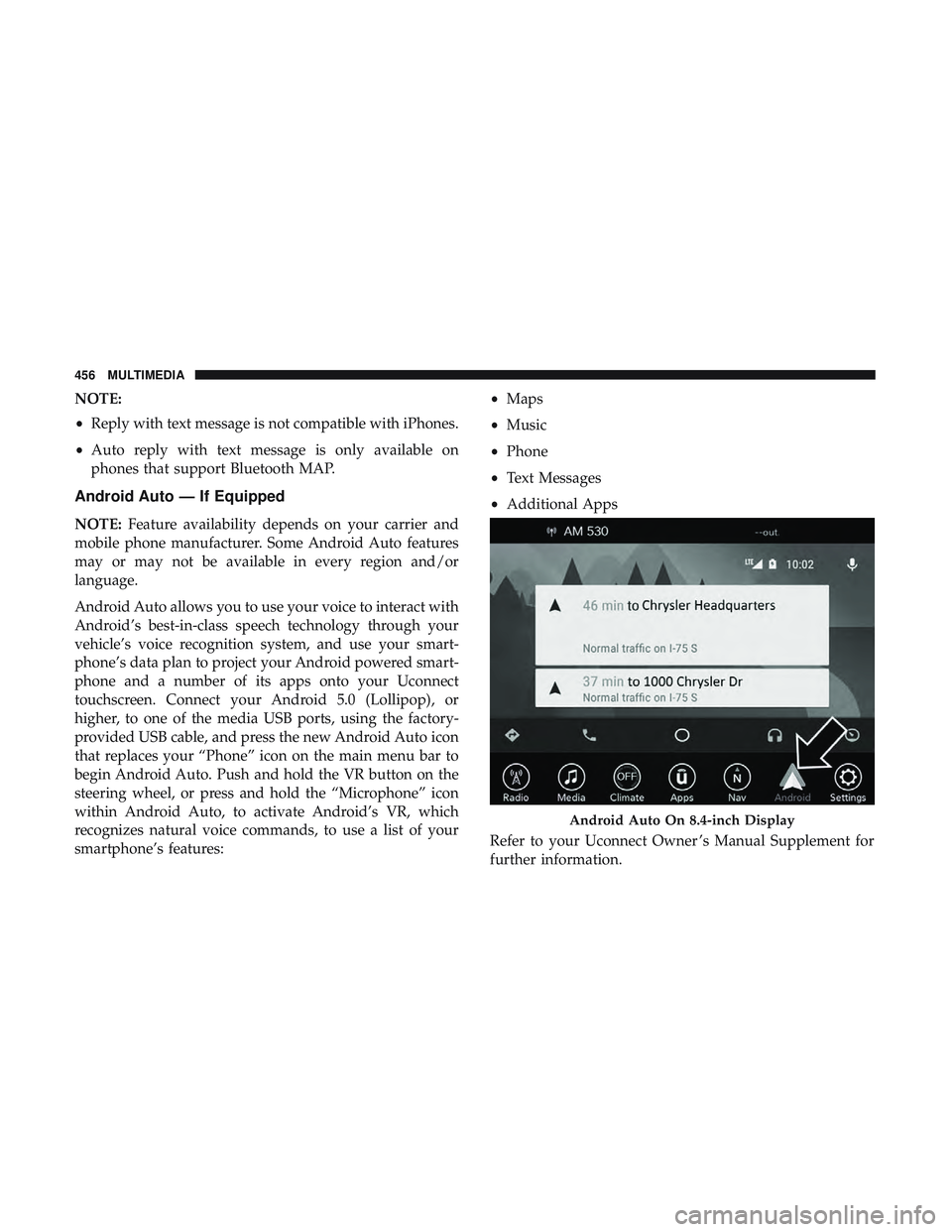
Android Auto allows you to use your voice to interact with
Android’s best-in-class speech technology through your
vehicle’s voice recognition system, and use your smart-
phone’s data plan to project your Android powered smart-
phone and a number of its apps onto your Uconnect
touchscreen. Connect your Android 5.0 (Lollipop), or
higher, to one of the media USB ports, using the factory-
provided USB cable, and press the new Android Auto icon
that replaces your “Phone” icon on the main menu bar to
begin Android Auto. Push and hold the VR button on the
steering wheel, or press and hold the “Microphone” icon
within Android Auto, to activate Android’s VR, which
recognizes natural voice commands, to use a list of your
smartphone’s features: •
Maps
• Music
• Phone
• Text Messages
• Additional Apps
Refer to your Uconnect Owner ’s Manual Supplement for
further information.
Android Auto On 8.4-inch Display
456 MULTIMEDIA
Page 459 of 486
NOTE:Requires compatible smartphone running
Android™ 5.0 Lollipop or higher and download app on
Google Play. Android, Android Auto, and Google Play are
trademarks of Google Inc.
Apple CarPlay — If Equipped
NOTE: Feature availability depends on your carrier and
mobile phone manufacturer. Some Apple CarPlay features
may or may not be available in every region and/or
language.
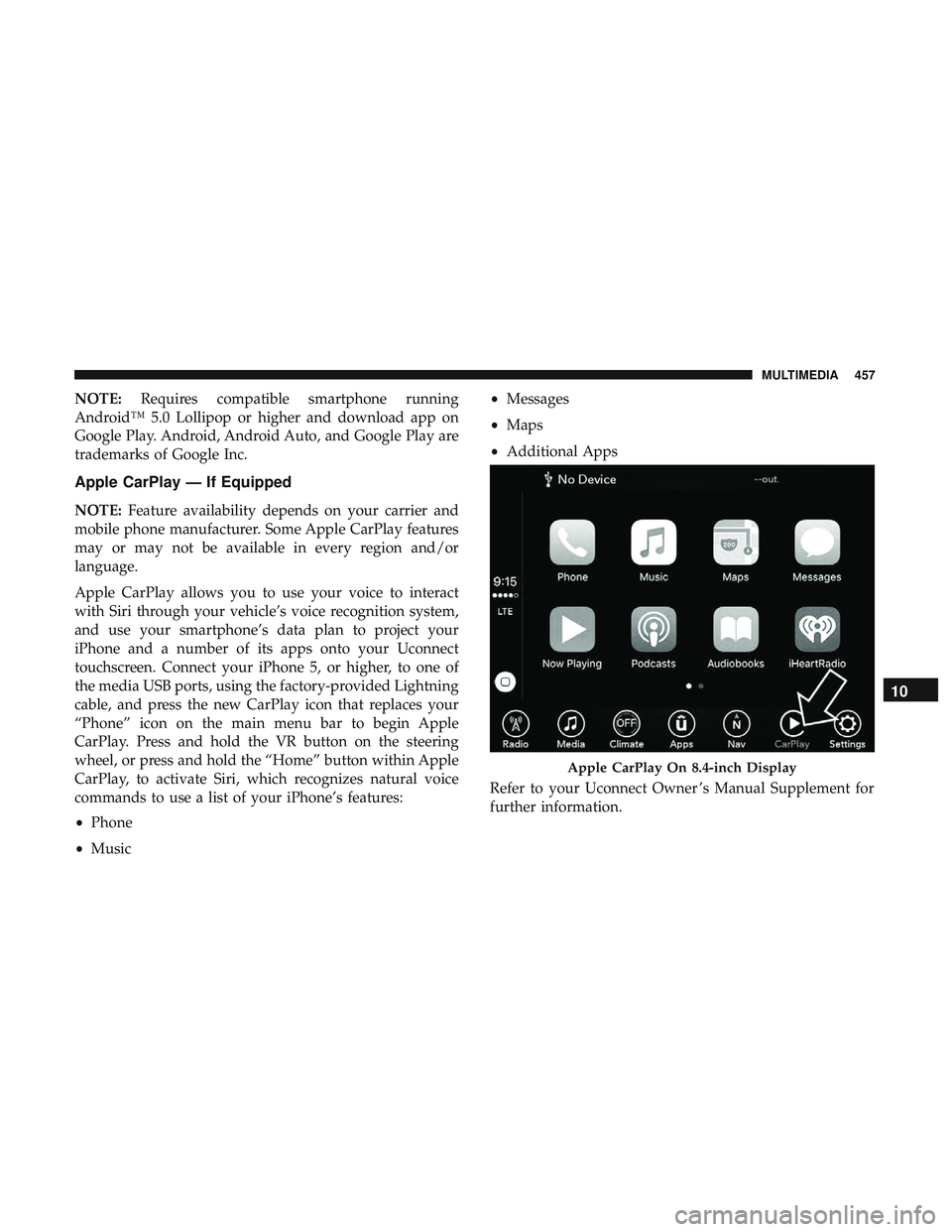
Apple CarPlay allows you to use your voice to interact
with Siri through your vehicle’s voice recognition system,
and use your smartphone’s data plan to project your
iPhone and a number of its apps onto your Uconnect
touchscreen. Connect your iPhone 5, or higher, to one of
the media USB ports, using the factory-provided Lightning
cable, and press the new CarPlay icon that replaces your
“Phone” icon on the main menu bar to begin Apple
CarPlay. Press and hold the VR button on the steering
wheel, or press and hold the “Home” button within Apple
CarPlay, to activate Siri, which recognizes natural voice
commands to use a list of your iPhone’s features:
• Phone
• Music •
Messages
• Maps
• Additional Apps
Refer to your Uconnect Owner ’s Manual Supplement for
further information.
Apple CarPlay On 8.4-inch Display
10
MULTIMEDIA 457
Page 476 of 486
Ignition..................................24
Switch .................................24
Information Center, Vehicle ...................101
Inside Rearview Mirror ....................54, 274
Instrument Cluster Descriptions ......................... .98, 121
Display .............................. .104
Instrument Panel Lens Cleaning ................371
Interior Appearance Care .....................370
Interior Lights ..............................62
Intermittent Wipers (Delay Wipers) ...............65
Introduction ................................4
iPod/USB/MP3 Control ..................... .442
Bluetooth Streaming Audio .................442
Jack Operation ........................... .344
Jump Starting ......................... .303, 304
Key Fob Arm The System ..........................32
Panic Alarm .............................20
Programming Additional Key Fobs ..........23, 31
Unlatch The Trunk ........................20
Key Fob Battery Service (Remote Keyless Entry) .....21
Key Fob Programming (Remote Keyless Entry) ......23Key-In Reminder
............................26
Keyless Enter-N-Go ..........................35
Enter The Trunk ..........................20
Keys ....................................17
Replacement ......................... .23, 31
Lane Change And Turn Signals .................61
Lane Change Assist ..........................61
Lap/Shoulder Belts ........................ .158
Latches ................................. .203
Hood ..................................80
Lead Free Gasoline ........................ .376
Leaks, Fluid ............................. .203
Life Of Tires ............................. .358
Light Bulbs .......................... .203, 280
Lights .................................. .203
AirBag .........................112, 167, 201
Automatic Headlights ......................59
Brake Assist Warning ..................... .134
Brake Warning .......................112,374
Bulb
Replacement ....................... .280
Courtesy/Reading .........................62
Cruise ............................... .121
Daytime Running .........................58
Dimmer Switch, Headlight ...................58
474 INDEX