steering wheel DODGE CHALLENGER SRT 2018 Workshop Manual
[x] Cancel search | Manufacturer: DODGE, Model Year: 2018, Model line: CHALLENGER SRT, Model: DODGE CHALLENGER SRT 2018Pages: 486, PDF Size: 4.56 MB
Page 447 of 486
NOTE:If you see the NAV icon on the bottom bar, or in the
Apps menus, of your touchscreen, you have the Uconnect
4C NAV system. If not, you have a Uconnect 4C system.
Get Started
All you need to control your Uconnect system with your
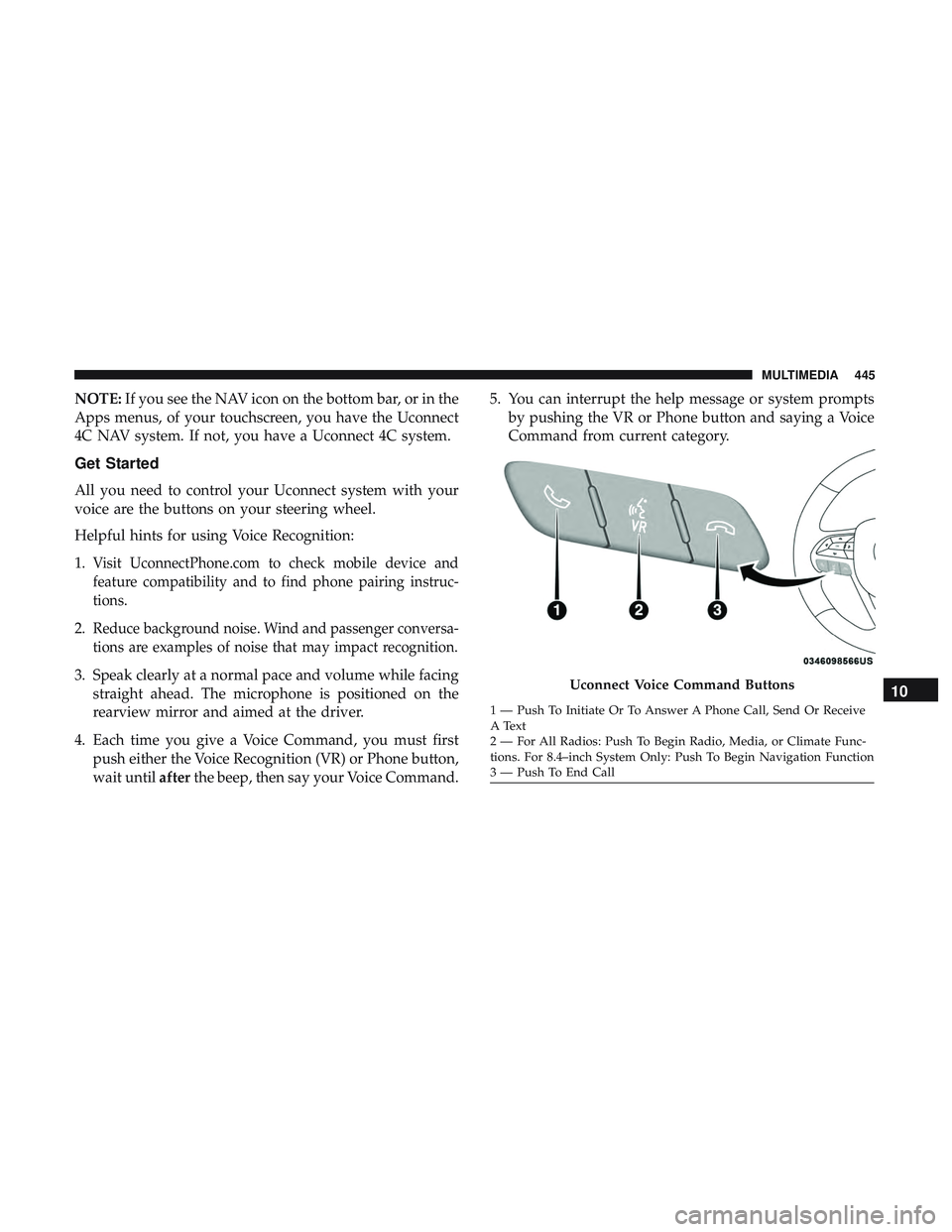
voice are the buttons on your steering wheel.
Helpful hints for using Voice Recognition:
1.
Visit UconnectPhone.com to check mobile device and
feature compatibility and to find phone pairing instruc-
tions.
2.Reduce background noise. Wind and passenger conversa-
tions are examples of noise that may impact recognition.
3. Speak clearly at a normal pace and volume while facing straight ahead. The microphone is positioned on the
rearview mirror and aimed at the driver.
4. Each time you give a Voice Command, you must first push either the Voice Recognition (VR) or Phone button,
wait until afterthe beep, then say your Voice Command. 5. You can interrupt the help message or system prompts
by pushing the VR or Phone button and saying a Voice
Command from current category.Uconnect Voice Command Buttons
1 — Push To Initiate Or To Answer A Phone Call, Send Or Receive
A Text
2 — For All Radios: Push To Begin Radio, Media, or Climate Func-
tions. For 8.4–inch System Only: Push To Begin Navigation Function
3 — Push To End Call
10
MULTIMEDIA 445
Page 452 of 486
Climate
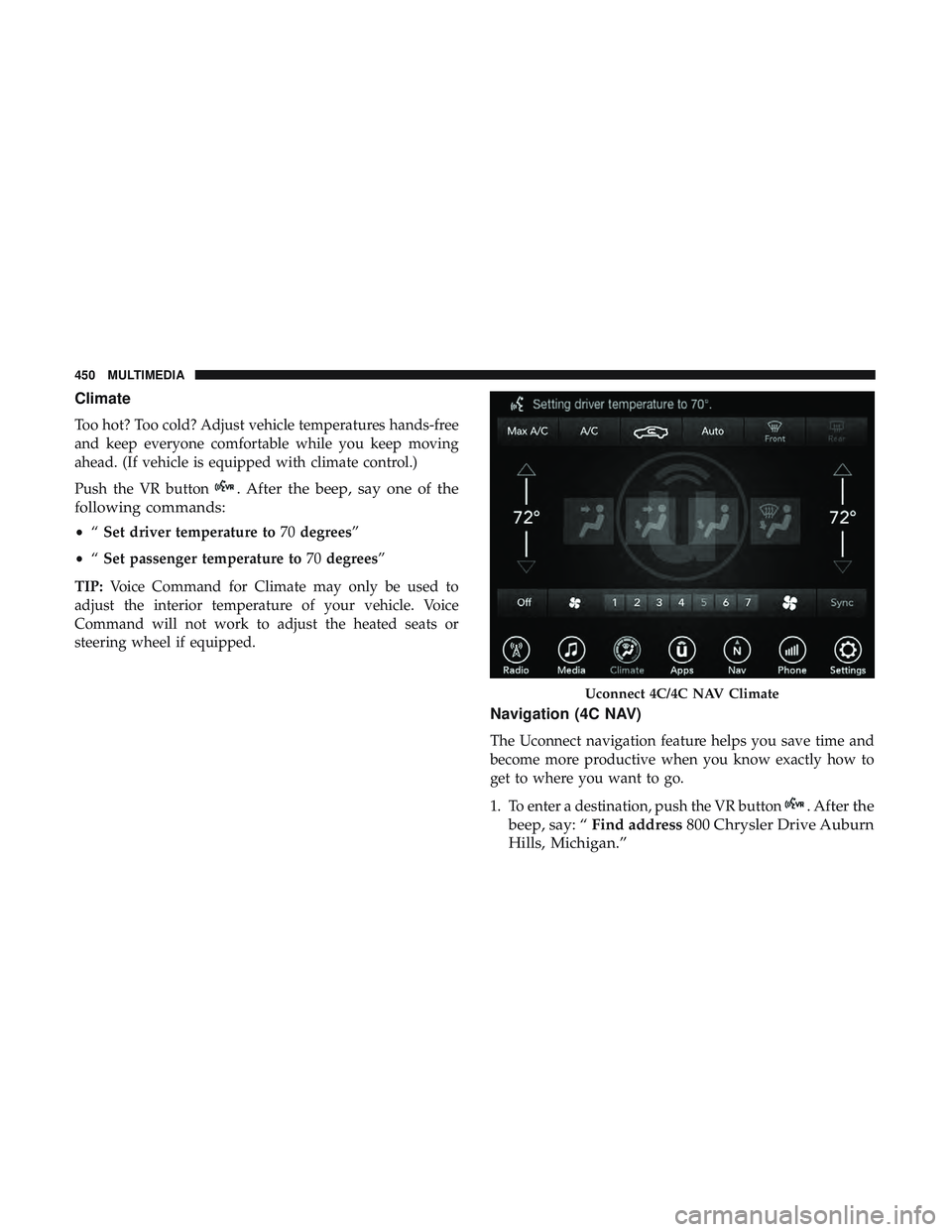
Too hot? Too cold? Adjust vehicle temperatures hands-free
and keep everyone comfortable while you keep moving
ahead. (If vehicle is equipped with climate control.)
Push the VR button
. After the beep, say one of the
following commands:
• “Set driver temperature to 70degrees”
• “Set passenger temperature to 70degrees”
TIP: Voice Command for Climate may only be used to
adjust the interior temperature of your vehicle. Voice
Command will not work to adjust the heated seats or
steering wheel if equipped.
Navigation (4C NAV)
The Uconnect navigation feature helps you save time and
become more productive when you know exactly how to
get to where you want to go.
1. To enter a destination, push the VR button
. After the
beep, say: “ Find address 800 Chrysler Drive Auburn
Hills, Michigan.”
Uconnect 4C/4C NAV Climate
450 MULTIMEDIA
Page 457 of 486
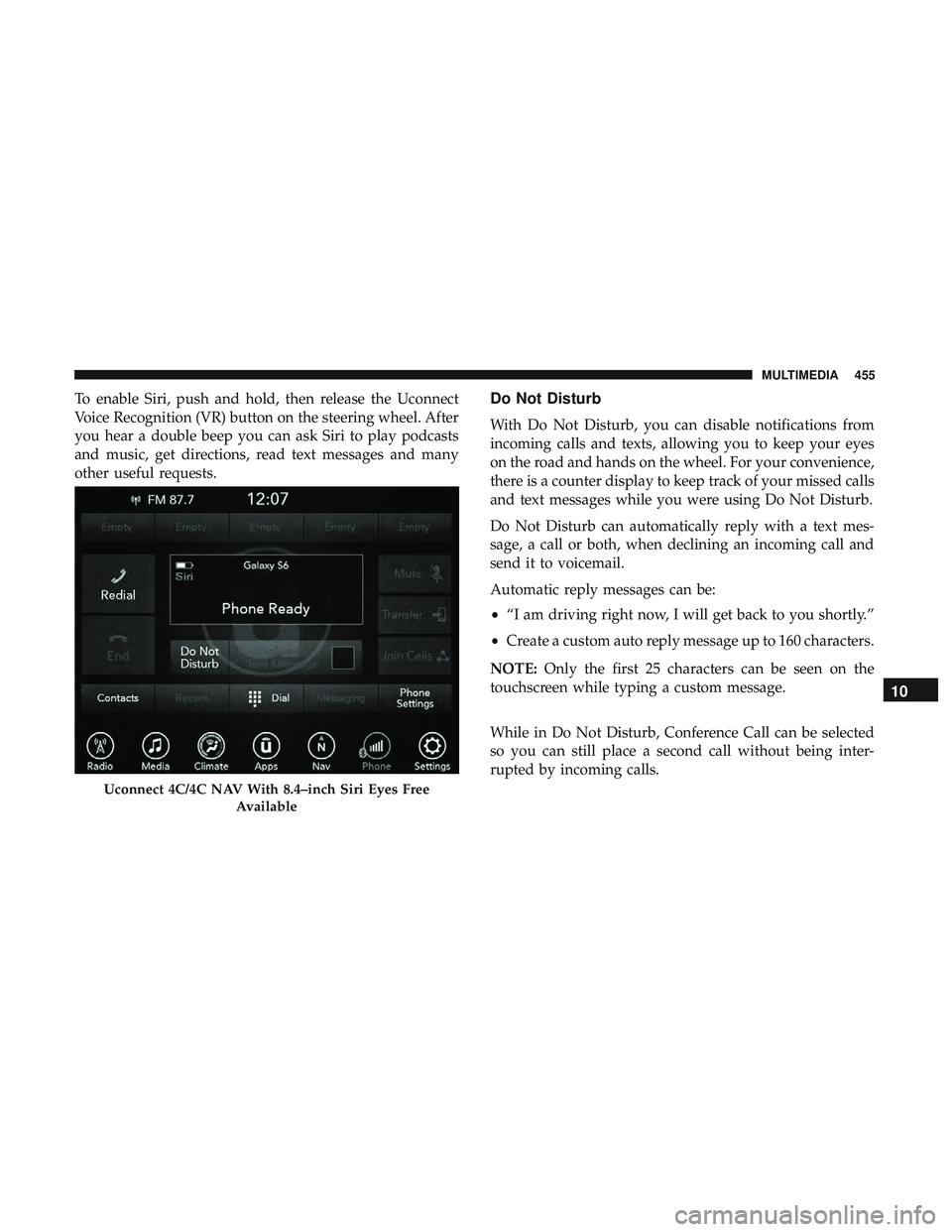
To enable Siri, push and hold, then release the Uconnect
Voice Recognition (VR) button on the steering wheel. After
you hear a double beep you can ask Siri to play podcasts
and music, get directions, read text messages and many
other useful requests.Do Not Disturb
With Do Not Disturb, you can disable notifications from
incoming calls and texts, allowing you to keep your eyes
on the road and hands on the wheel. For your convenience,
there is a counter display to keep track of your missed calls
and text messages while you were using Do Not Disturb.
Do Not Disturb can automatically reply with a text mes-
sage, a call or both, when declining an incoming call and
send it to voicemail.
Automatic reply messages can be:
•“I am driving right now, I will get back to you shortly.”
• Create a custom auto reply message up to 160 characters.
NOTE: Only the first 25 characters can be seen on the
touchscreen while typing a custom message.
While in Do Not Disturb, Conference Call can be selected
so you can still place a second call without being inter-
rupted by incoming calls.
Uconnect 4C/4C NAV With 8.4–inch Siri Eyes Free
Available
10
MULTIMEDIA 455
Page 458 of 486
NOTE:
•Reply with text message is not compatible with iPhones.
• Auto reply with text message is only available on
phones that support Bluetooth MAP.
Android Auto — If Equipped
NOTE: Feature availability depends on your carrier and
mobile phone manufacturer. Some Android Auto features
may or may not be available in every region and/or
language.
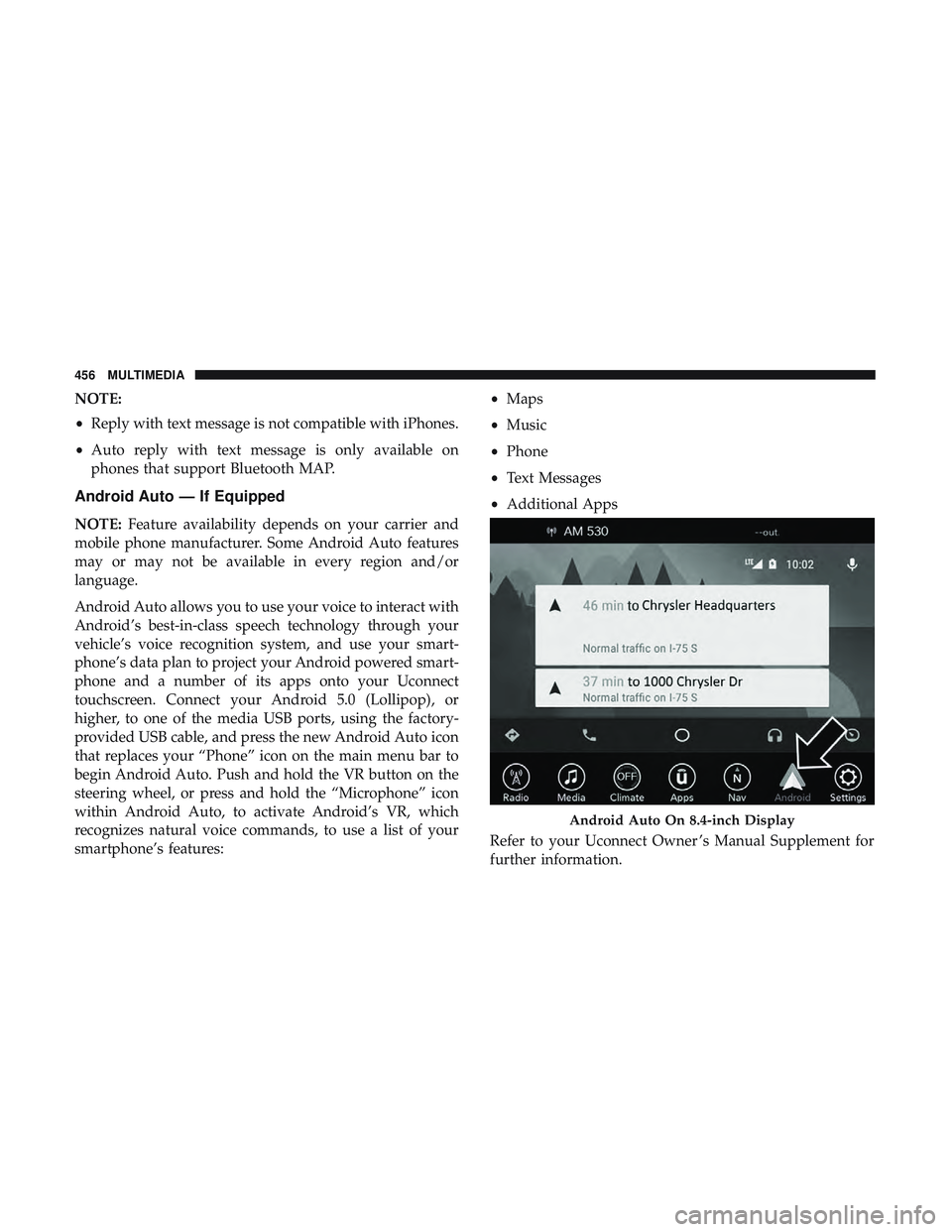
Android Auto allows you to use your voice to interact with
Android’s best-in-class speech technology through your
vehicle’s voice recognition system, and use your smart-
phone’s data plan to project your Android powered smart-
phone and a number of its apps onto your Uconnect
touchscreen. Connect your Android 5.0 (Lollipop), or
higher, to one of the media USB ports, using the factory-
provided USB cable, and press the new Android Auto icon
that replaces your “Phone” icon on the main menu bar to
begin Android Auto. Push and hold the VR button on the
steering wheel, or press and hold the “Microphone” icon
within Android Auto, to activate Android’s VR, which
recognizes natural voice commands, to use a list of your
smartphone’s features: •
Maps
• Music
• Phone
• Text Messages
• Additional Apps
Refer to your Uconnect Owner ’s Manual Supplement for
further information.
Android Auto On 8.4-inch Display
456 MULTIMEDIA
Page 459 of 486
NOTE:Requires compatible smartphone running
Android™ 5.0 Lollipop or higher and download app on
Google Play. Android, Android Auto, and Google Play are
trademarks of Google Inc.
Apple CarPlay — If Equipped
NOTE: Feature availability depends on your carrier and
mobile phone manufacturer. Some Apple CarPlay features
may or may not be available in every region and/or
language.
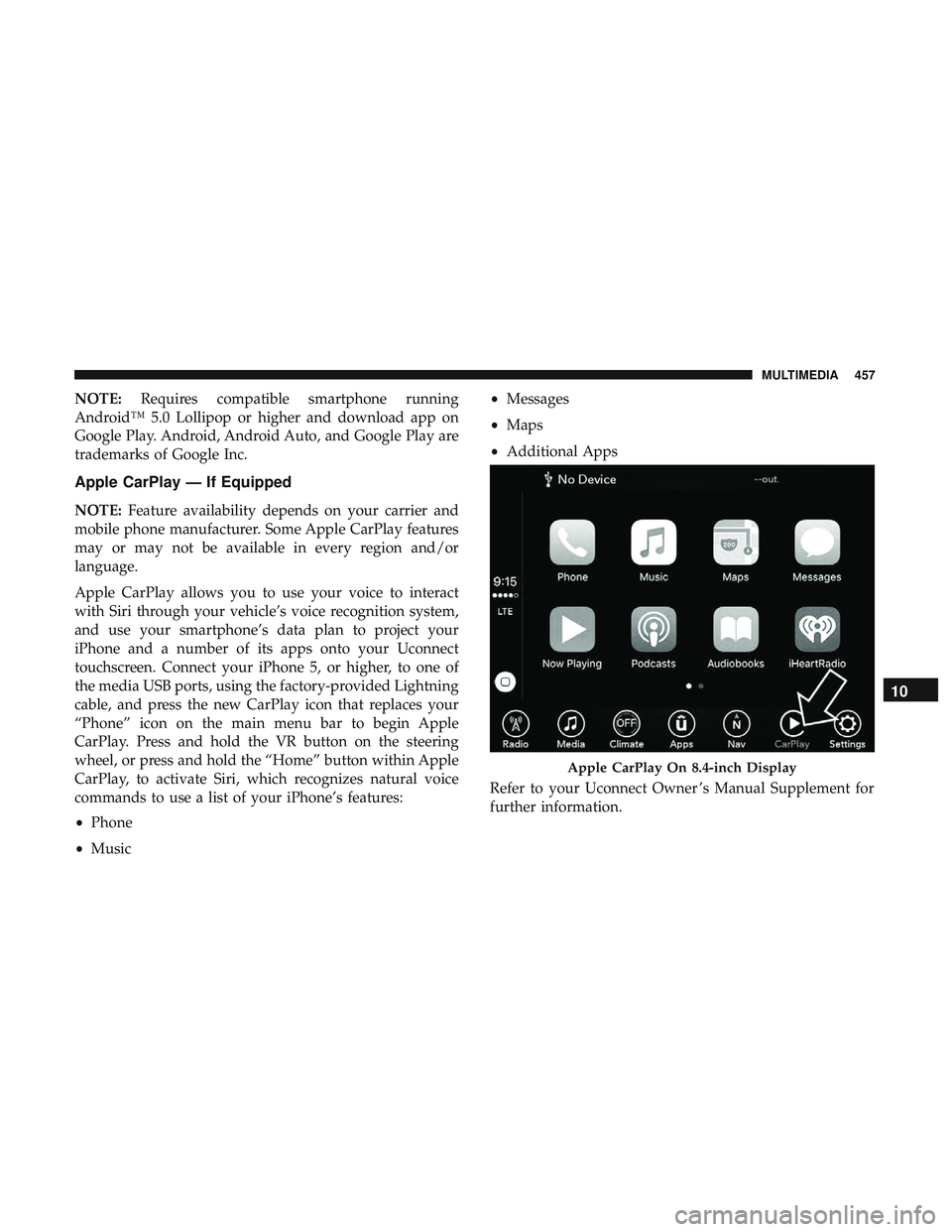
Apple CarPlay allows you to use your voice to interact
with Siri through your vehicle’s voice recognition system,
and use your smartphone’s data plan to project your
iPhone and a number of its apps onto your Uconnect
touchscreen. Connect your iPhone 5, or higher, to one of
the media USB ports, using the factory-provided Lightning
cable, and press the new CarPlay icon that replaces your
“Phone” icon on the main menu bar to begin Apple
CarPlay. Press and hold the VR button on the steering
wheel, or press and hold the “Home” button within Apple
CarPlay, to activate Siri, which recognizes natural voice
commands to use a list of your iPhone’s features:
• Phone
• Music •
Messages
• Maps
• Additional Apps
Refer to your Uconnect Owner ’s Manual Supplement for
further information.
Apple CarPlay On 8.4-inch Display
10
MULTIMEDIA 457
Page 482 of 486
Wheel, Heated...........................53
Wheel, Tilt ..............................52
Steering Wheel Audio Controls .................441
Steering Wheel Mounted Sound System Controls . . . .441
Storage ................................. .368
Storage, Vehicle ........................ .73, 368
Storing Your Vehicle ....................... .368
Stuck, Freeing ............................ .309
Sun Roof .................................77
Supplemental Restraint System – Air Bag ..........169
Synthetic Engine Oil ....................... .325
Telescoping Steering Column ...................52
Temperature Control, Automatic (ATC) ............72
Tilt Steering Column .........................52
Time Delay Headlight ...............................60
Tire And Loading Information Placard ............350
Tire Markings ............................ .345
Tires......................... .203, 354, 361, 367
Aging (Life Of Tires) ..................... .358
Air Pressure ........................... .354
Chains ............................... .365
Changing ............................. .344
Compact Spare ......................... .362General Information
...................354, 361
High Speed ............................ .356
Inflation Pressure ....................... .355
Jacking ............................... .344
Life Of Tires ........................... .358
Load Capacity ...................... .350, 351
Pressure Monitoring System (TPMS) ........118,148
Quality Grading ........................ .367
Radial ............................... .356
Replacement ........................... .359
Rotation .............................. .365
Safety ............................ .344, 354
Sizes ................................ .346
Snow Tires ............................ .361
Spar
e Tires ......................... .361, 363
Spinning .............................. .357
Tread Wear Indicators .....................358
Wheel Nut Torque ....................... .375
Tire Safety Information ...................... .344
Tire Service Kit ............295, 296, 297, 298, 301, 302
To Open Hood .............................80
Towing ................................. .270
Disabled Vehicle ...................310, 311, 312
Recreational ........................... .270
Towing Behind A Motorhome ..................270
480 INDEX