key DODGE CHALLENGER SRT 2019 Repair Manual
[x] Cancel search | Manufacturer: DODGE, Model Year: 2019, Model line: CHALLENGER SRT, Model: DODGE CHALLENGER SRT 2019Pages: 500, PDF Size: 4.73 MB
Page 440 of 500
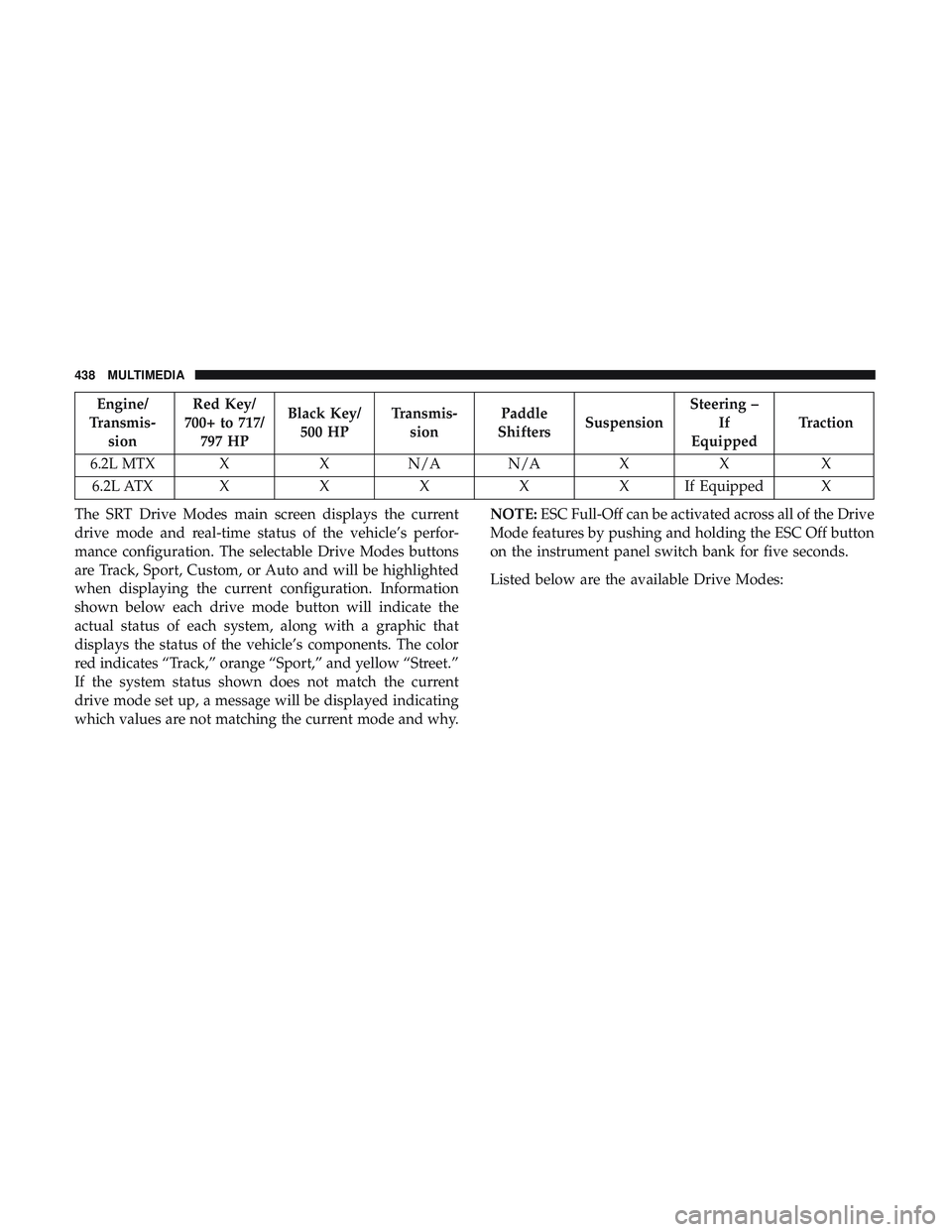
Engine/
Transmis- sion Red Key/
700+ to 717/ 797 HP Black Key/
500 HP Transmis-
sion Paddle
Shifters Suspension Steering –
If
Equipped Traction
6.2L MTX X X N/A N/A X X X 6.2L ATX XXXXXI fEquipped X
The SRT Drive Modes main screen displays the current
drive mode and real-time status of the vehicle’s perfor-
mance configuration. The selectable Drive Modes buttons
are Track, Sport, Custom, or Auto and will be highlighted
when displaying the current configuration. Information
shown below each drive mode button will indicate the
actual status of each system, along with a graphic that
displays the status of the vehicle’s components. The color
red indicates “Track,” orange “Sport,” and yellow “Street.”
If the system status shown does not match the current
drive mode set up, a message will be displayed indicating
which values are not matching the current mode and why. NOTE:
ESC Full-Off can be activated across all of the Drive
Mode features by pushing and holding the ESC Off button
on the instrument panel switch bank for five seconds.
Listed below are the available Drive Modes:
438 MULTIMEDIA
Page 444 of 500
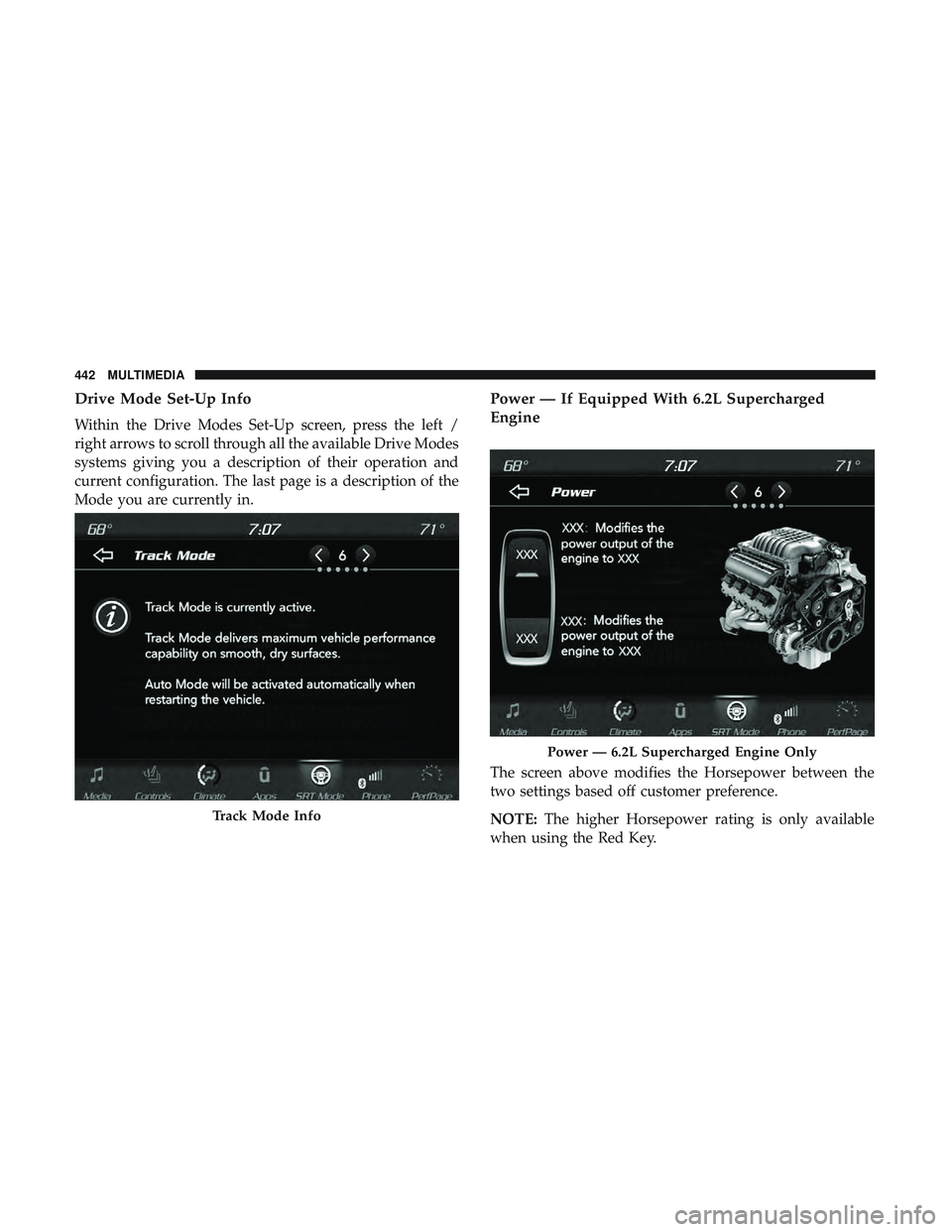
Drive Mode Set-Up Info
Within the Drive Modes Set-Up screen, press the left /
right arrows to scroll through all the available Drive Modes
systems giving you a description of their operation and
current configuration. The last page is a description of the
Mode you are currently in.
Power — If Equipped With 6.2L Supercharged
Engine
The screen above modifies the Horsepower between the
two settings based off customer preference.
NOTE:The higher Horsepower rating is only available
when using the Red Key.
Track Mode Info
Power — 6.2L Supercharged Engine Only
442 MULTIMEDIA
Page 445 of 500
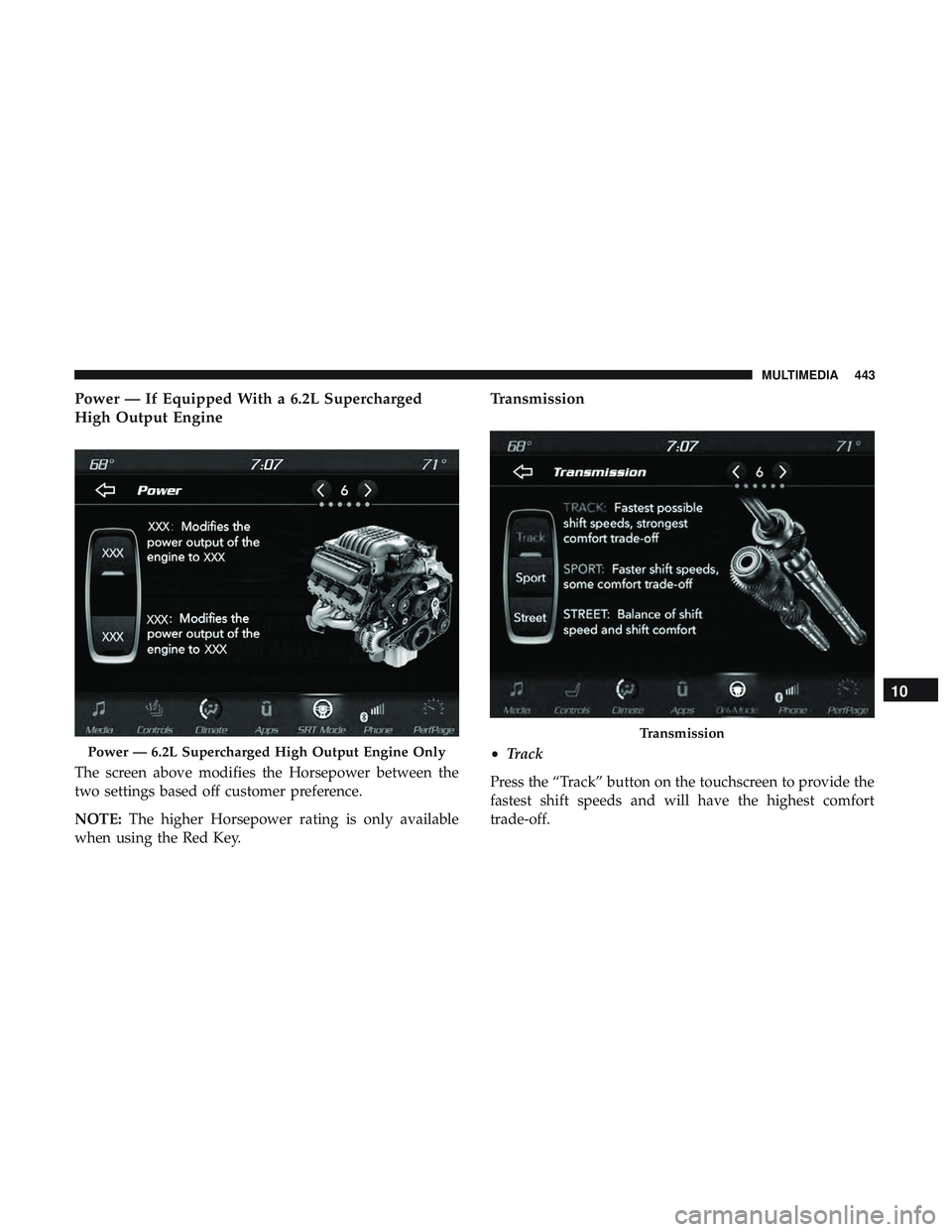
Power — If Equipped With a 6.2L Supercharged
High Output Engine
The screen above modifies the Horsepower between the
two settings based off customer preference.
NOTE:The higher Horsepower rating is only available
when using the Red Key.
Transmission
• Track
Press the “Track” button on the touchscreen to provide the
fastest shift speeds and will have the highest comfort
trade-off.Power — 6.2L Supercharged High Output Engine Only
Transmission
10
MULTIMEDIA 443
Page 455 of 500
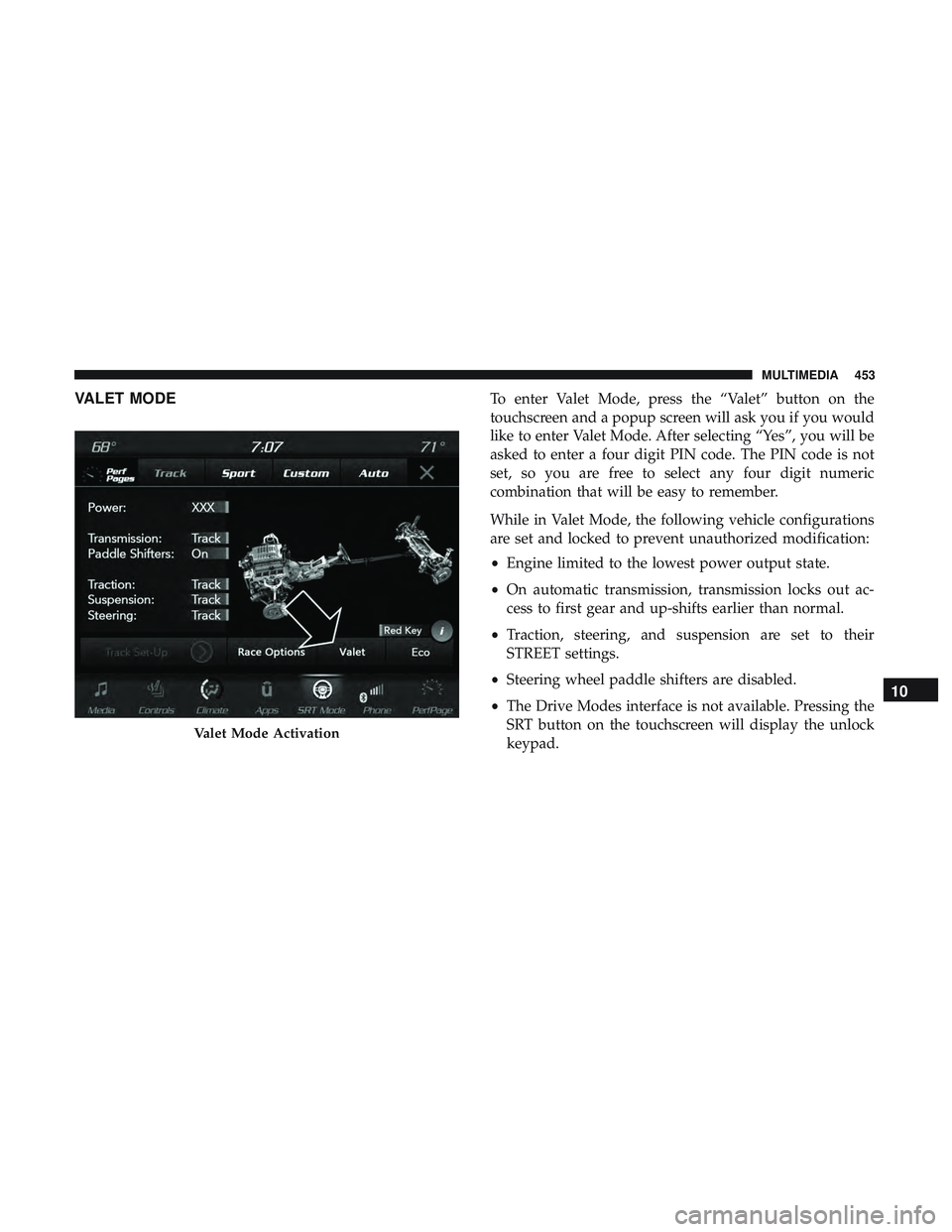
VALET MODETo enter Valet Mode, press the “Valet” button on the
touchscreen and a popup screen will ask you if you would
like to enter Valet Mode. After selecting “Yes”, you will be
asked to enter a four digit PIN code. The PIN code is not
set, so you are free to select any four digit numeric
combination that will be easy to remember.
While in Valet Mode, the following vehicle configurations
are set and locked to prevent unauthorized modification:
•Engine limited to the lowest power output state.
• On automatic transmission, transmission locks out ac-
cess to first gear and up-shifts earlier than normal.
• Traction, steering, and suspension are set to their
STREET settings.
• Steering wheel paddle shifters are disabled.
• The Drive Modes interface is not available. Pressing the
SRT button on the touchscreen will display the unlock
keypad.
Valet Mode Activation
10
MULTIMEDIA 453
Page 456 of 500
•The ESC Off button is disabled.
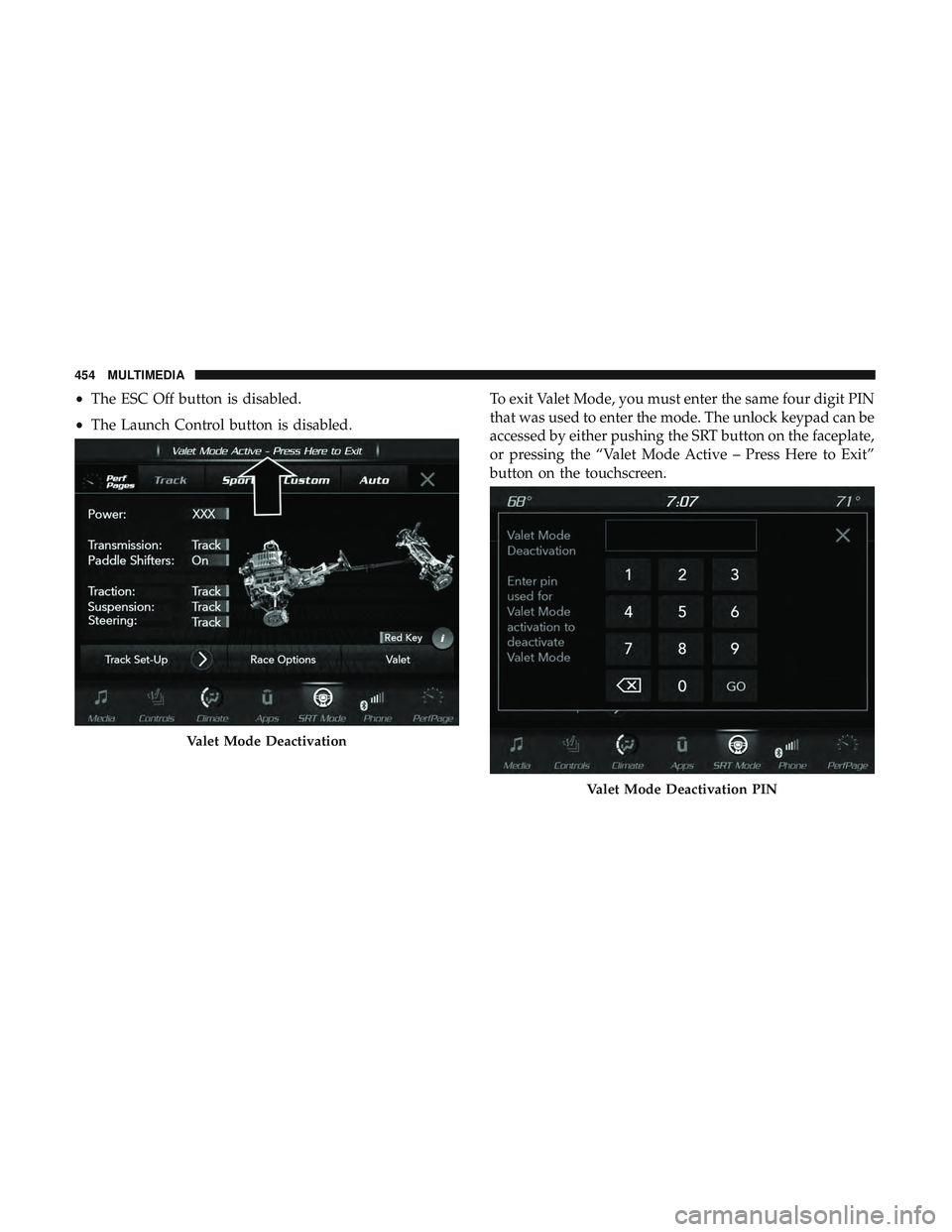
• The Launch Control button is disabled. To exit Valet Mode, you must enter the same four digit PIN
that was used to enter the mode. The unlock keypad can be
accessed by either pushing the SRT button on the faceplate,
or pressing the “Valet Mode Active – Press Here to Exit”
button on the touchscreen.
Valet Mode Deactivation
Valet Mode Deactivation PIN
454 MULTIMEDIA
Page 457 of 500
The Valet Mode Deactivation key pad will then prompt
you for your four digit PIN code. Enter your PIN code, and
press the “OK” button on the touchscreen. Your vehicle
will return to the default state whenever exiting Valet
Mode.
NOTE:If your four digit PIN is lost or forgotten, the
vehicle will exit Valet Mode after a battery disconnect for
approximately five minutes. Reconnect the battery and
cycle the ignition to the RUN position; the vehicle will be in
Auto Mode.ECO MODE — IF EQUIPPED
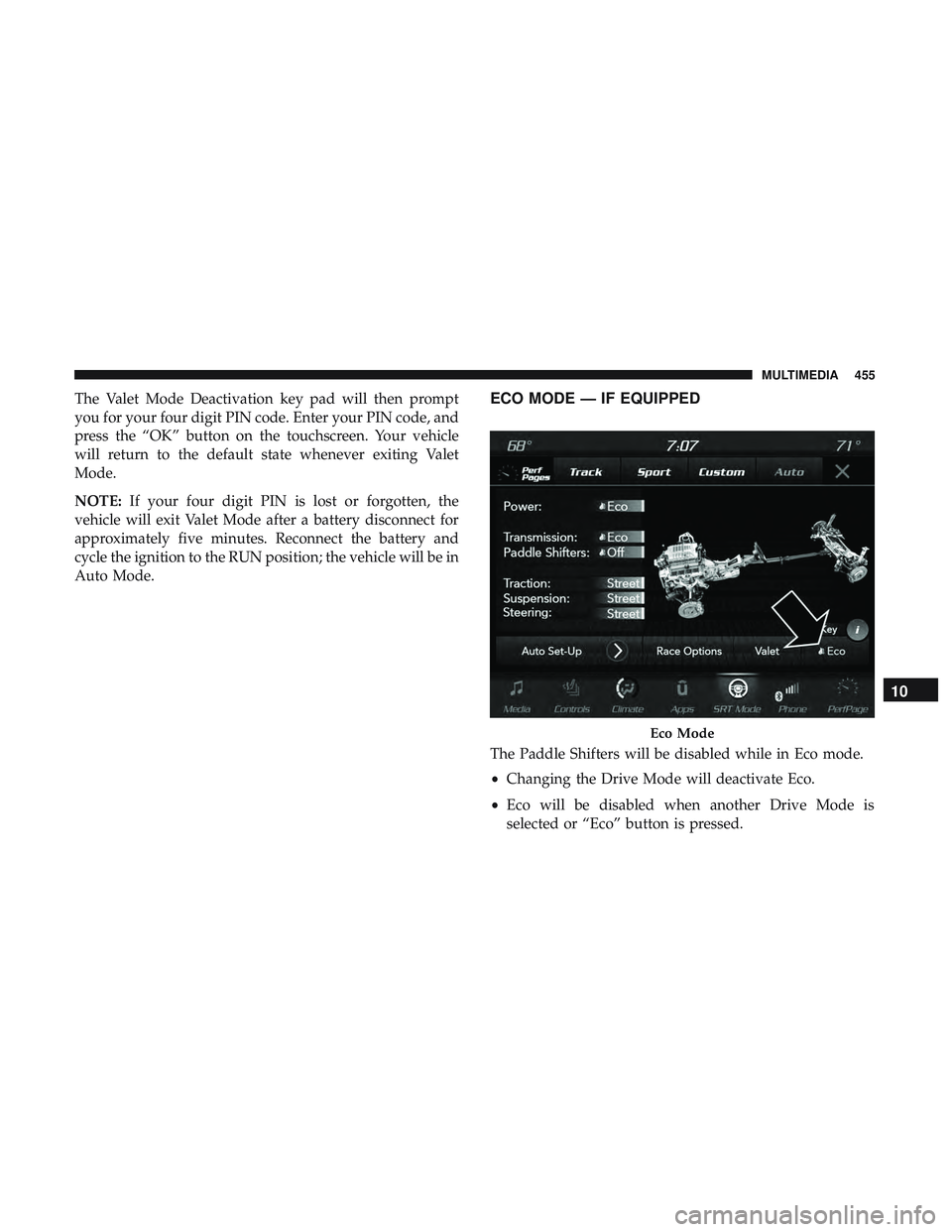
The Paddle Shifters will be disabled while in Eco mode.
• Changing the Drive Mode will deactivate Eco.
• Eco will be disabled when another Drive Mode is
selected or “Eco” button is pressed.
Eco Mode
10
MULTIMEDIA 455
Page 461 of 500
NOTE:
•This equipment has been tested and found to comply
with the limits for a Class B digital device, pursuant to
Part 15 of the FCC Rules. These limits are designed to
provide reasonable protection against harmful interfer-
ence in a residential installation. This equipment gener-
ates, uses and can radiate radio frequency energy and, if
not installed and used in accordance with the instruc-
tions, may cause harmful interference to radio commu-
nications. However, there is no guarantee that interfer-
ence will not occur in a particular installation.
• If this equipment does cause harmful interference to
radio or television reception, which can be determined
by turning the equipment off and on, the user is encour-
aged to try to correct the interference by one or more of
the following measures:
1. Increase the separation between the equipment and receiver.
2. Consult an authorized dealer or an experienced radio technician for help.UCONNECT VOICE RECOGNITION QUICK TIPS
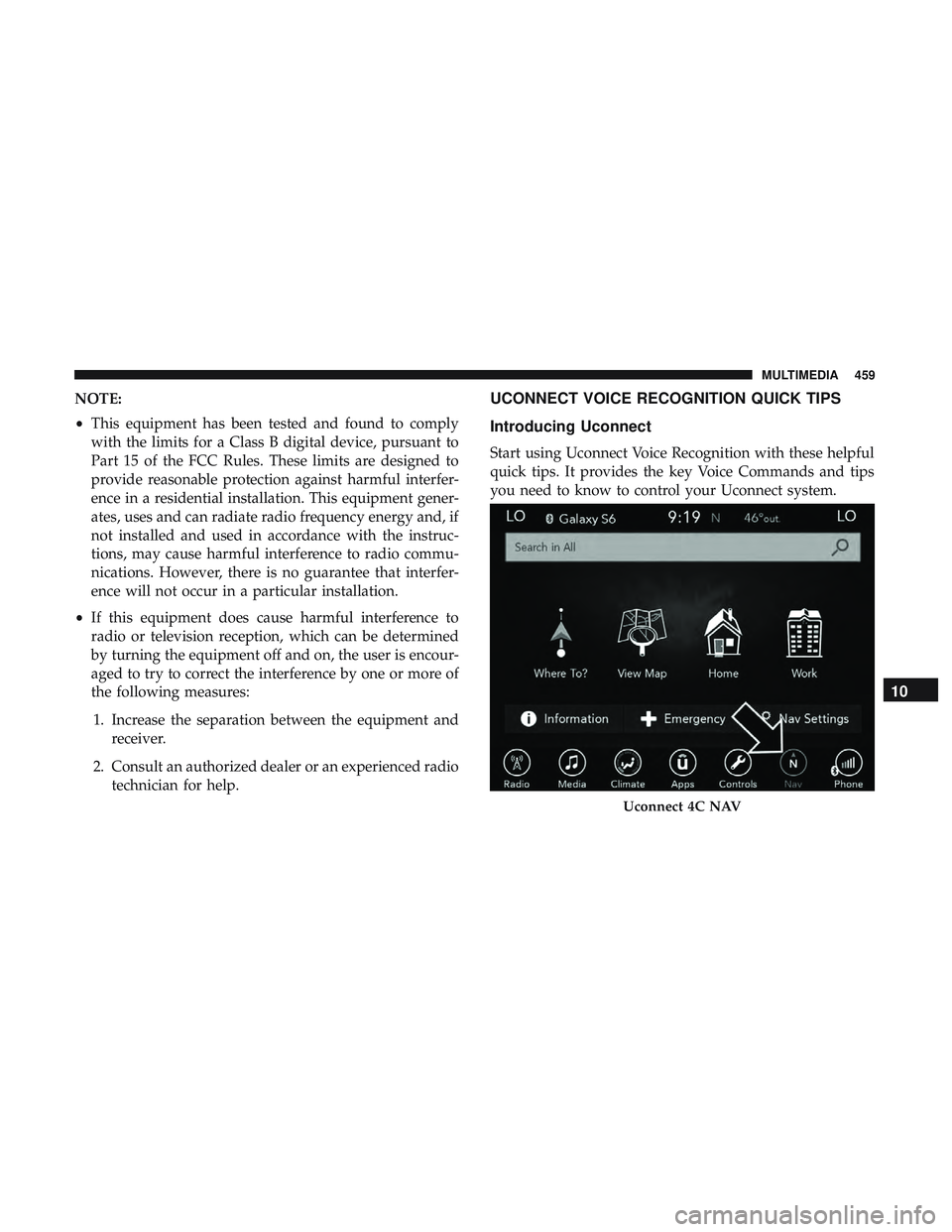
Introducing Uconnect
Start using Uconnect Voice Recognition with these helpful
quick tips. It provides the key Voice Commands and tips
you need to know to control your Uconnect system.
Uconnect 4C NAV
10
MULTIMEDIA 459
Page 469 of 500
SOS
Call
Remote Door Lock/Unlock
Send & Go
Vehicle Finder
Stolen Vehicle Assistance
Remote Vehicle Start**
Remote Horn & Lights
Roadside Assistance CallVehicle Health Reports**
Vehicle Health Alert**
Performance Pages Plus**
**If vehicle is equipped.
Register (4C/4C NAV)
To unlock the full potential of SiriusXM Guardian in your
vehicle, you must activate your SiriusXM Guardian ser-
vices.1. Press the Apps icon on the bottom of your in-vehicle
touchscreen.
2. Select the Activate Services icon from your list of apps.
3. Select “Customer Care” to speak with a SiriusXM Guardian Customer Care agent who will activate ser-
vices in your vehicle, or select “Enter Email” to activate
on the web.
• U.S. residents visit: www.siriusxm.com/guardian.
• Canadian residents visit: www.siriusxm.ca/guardian.
Vehicle Health Report/Alert (4C/4C NAV)
Your vehicle will send you a monthly email report, which
summarizes the performance of your vehicle’s key systems
so you can stay on top of your vehicle’s maintenance needs
if you are registered for SiriusXM Guardian. Your vehicle
will also send you Vehicle Health Alerts when it detects
issues with its key systems that need your attention. For
further information, refer to your Uconnect Owner ’s
Manual Supplement.
10
MULTIMEDIA 467
Page 485 of 500
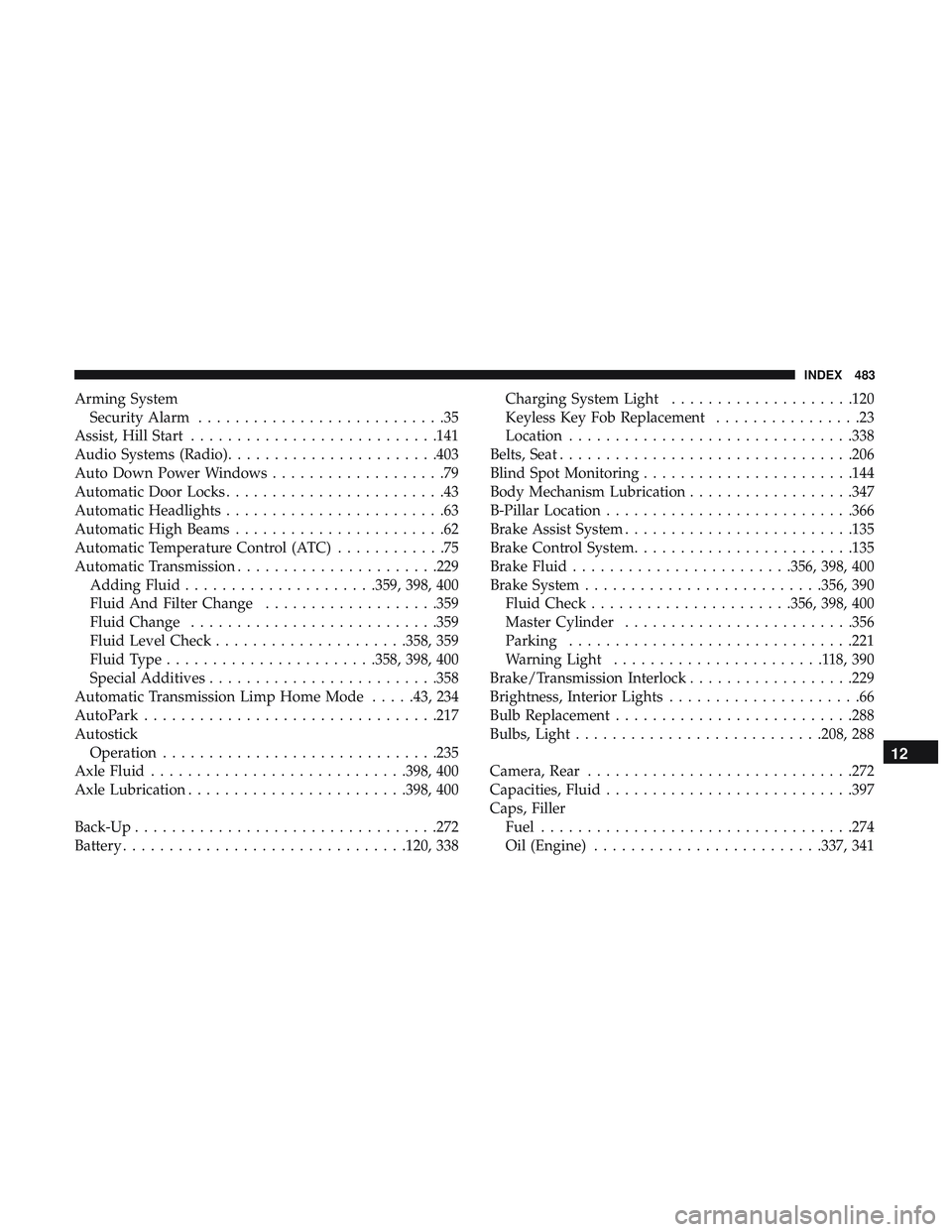
Arming SystemSecurity Alarm ...........................35
Assist, Hill Start .......................... .141
Audio Systems (Radio) .......................403
Auto Down Power Windows ...................79
Automatic Door Locks ........................43
Automatic Headlights ........................63
Automatic High Beams .......................62
Automatic Temperature Control (ATC) ............75
Automatic Transmission ..................... .229
Adding Fluid .....................359, 398, 400
Fluid And Filter Change ...................359
Fluid Change .......................... .359
Fluid Level Check .....................358, 359
Fluid Type .......................358, 398, 400
Special Additives ........................ .358
Automatic Transmission Limp Home Mode .....43, 234
AutoPark ............................... .217
Autostick Operation ............................. .235
Axle Fluid ............................398, 400
Axle Lubrication ........................398, 400
Back-Up .................................272
Battery ...............................120, 338 Charging System Light
....................120
Keyless Key Fob Replacement ................23
Location ...............................338
Belts, Seat ............................... .206
Blind Spot Monitoring .......................144
Body Mechanism Lubrication ..................347
B-Pillar Location .......................... .366
Brake Assist System ........................ .135
Brake Control System ........................135
Brake Fluid ........................356, 398, 400
Brake System ..........................356, 390
Fluid Check ..................... .356, 398, 400
Master Cylinder ........................ .356
Parking ...............................221
W arning
Light .......................118,390
Brake/Transmission Interlock ..................229
Brightness, Interior Lights .....................66
Bulb Replacement ..........................288
Bulbs, Light .......................... .208, 288
Camera, Rear ............................ .272
Capacities, Fluid .......................... .397
Caps, Filler Fuel ................................. .274
Oil (Engine) ........................ .337, 341
12
INDEX 483
Page 490 of 500
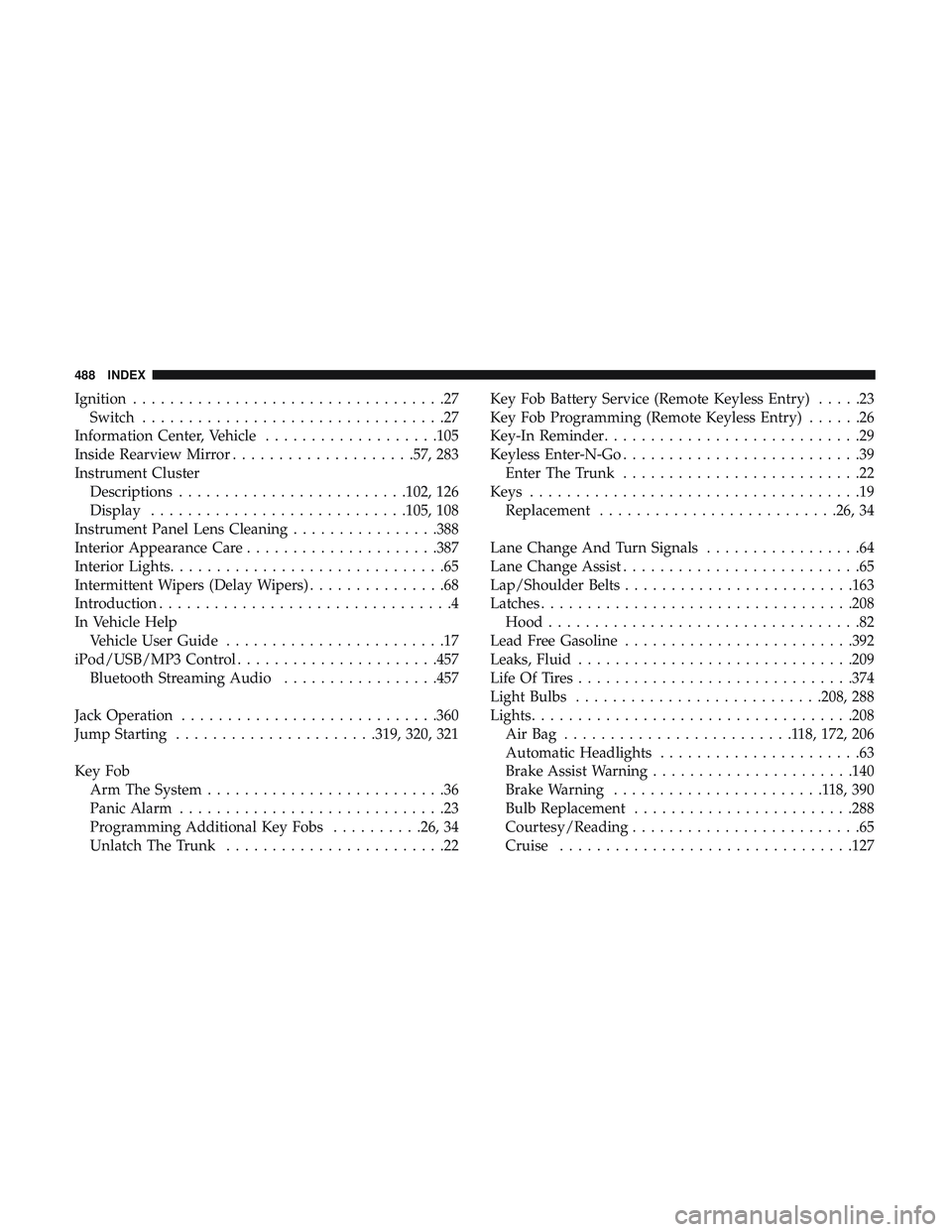
Ignition..................................27
Switch .................................27
Information Center, Vehicle ...................105
Inside Rearview Mirror ....................57, 283
Instrument Cluster Descriptions ........................ .102, 126
Display ............................105, 108
Instrument Panel Lens Cleaning ................388
Interior Appearance Care .....................387
Interior Lights ..............................65
Intermittent Wipers (Delay Wipers) ...............68
Introduction ................................4
In Vehicle Help Vehicle User Guide ........................17
iPod/USB/MP3 Control ..................... .457
Bluetooth Streaming Audio .................457
Jack Operation ............................360
Jump Starting ..................... .319, 320, 321
Key Fob Arm The System ..........................36
Panic Alarm .............................23
Programming Additional Key Fobs ..........26, 34
Unlatch The Trunk ........................22 Key Fob Battery Service (Remote Keyless Entry)
.....23
Key Fob Programming (Remote Keyless Entry) ......26
Key-In Reminder ............................29
Keyless Enter-N-Go ..........................39
Enter The Trunk ..........................22
Keys ....................................19
Replacement ..........................26, 34
Lane Change And Turn Signals .................64
Lane Change Assist ..........................65
Lap/Shoulder Belts ........................ .163
Latches ................................. .208
Hood ..................................82
Lead Free Gasoline ........................ .392
Leaks, Fluid ............................. .209
Life Of Tires ............................. .374
Light Bulbs .......................... .208, 288
Lights .................................. .208
AirBag .........................118, 172, 206
Automatic Headlights ......................63
Brake Assist Warning ..................... .140
Brake W
arning .......................118,390
Bulb Replacement ........................288
Courtesy/Reading .........................65
Cruise ............................... .127
488 INDEX