trunk DODGE CHARGER 2008 6.G User Guide
[x] Cancel search | Manufacturer: DODGE, Model Year: 2008, Model line: CHARGER, Model: DODGE CHARGER 2008 6.GPages: 466, PDF Size: 6.37 MB
Page 161 of 466

INSTRUMENT PANEL AND CONTROLS
1 Ð Air Outlet 6 Ð Radio 11 Ð Ignition Switch
2 Ð Instrument Cluster 7 Ð Climate Control 12 Ð Hood Release
3 Ð Hazard Switch 8 Ð Heated Seat Switch* 13 Ð Trunk Release Switch
4Ð
Electronic Stability Program Off Button*
/ Traction Control System Off Button*9 Ð Power Outlet 14 Ð Headlight Switch
5 Ð Glove Box 10 Ð Ash Tray* * If EquippedUNDERSTANDING YOUR INSTRUMENT PANEL 161
4
Page 177 of 466

Electronic Vehicle Information Center (EVIC)
Displays
When the appropriate conditions exist, the Electronic
Vehicle Information Center (EVIC) displays the following
messages:
²Turn Signal On (with a continuous warning chime if
the vehicle is driven more than 1 mile [1.6 km] with
either turn signal on)
²Left Front Turn Signal Light Out (with a single chime)
²Left Rear Turn Signal Light Out (with a single chime)
²Right Front Turn Signal Light Out (with a single
chime)
²Right Rear Turn Signal Light Out (with a single chime)
²RKE Battery Low (with a single chime)
²Personal Settings Not Available ± Vehicle Not in Park
²Left/Right Front Door Ajar (one or more, with a single
chime if speed is above 1 mph [1.6 km])
²Left/Right Rear Door Ajar (one or more, with a single
chime if speed is above 1 mph [1.6 km])
²Door(s) Ajar (with a single chime if vehicle is in
motion)
²Trunk Ajar (with a single chime)
²Low Washer Fluid (with a single chime)
²Channel # Transmit
²Channel # Training
²Channel # Trained
²Clearing Channels
²Channels Cleared
²Did Not Train
UNDERSTANDING YOUR INSTRUMENT PANEL 177
4
Page 227 of 466

selected. Press the TUNE control knob and the Sirius ID
number will display. The Sirius ID number display will
time out in 2 minutes. Press any button on the radio to
exit this screen.
Selecting Satellite Mode
Press the SAT button until9SAT9appears in the display. A
CD may remain in the radio while in the Satellite radio
mode.
Satellite Antenna
To ensure optimum reception, do not place items on the
roof around the rooftop antenna location or strap items to
the trunk lid around the trunk lid antenna (if equipped).
Metal objects placed within the line of sight of the
antenna will cause decreased performance. Larger lug-
gage items such as bikes should be placed as far rearward
as possible, within the loading design of the rack. Do not
place items directly on or above the antenna.
Reception Quality
Satellite reception may be interrupted due to one of the
following reasons:
²The vehicle is parked in an underground parking
structure or under a physical obstacle.
²Dense tree coverage may interrupt reception in the
form of short audio mutes.
²Driving under wide bridges or along tall buildings can
cause intermittent reception.
²Placing objects over or too close to the antenna can
cause signal blockage.
Operating Instructions - Satellite Mode
NOTE:The ignition switch must be in the ON or ACC
position to operate the radio.
UNDERSTANDING YOUR INSTRUMENT PANEL 227
4
Page 323 of 466

²Guard against carbon monoxide with proper mainte-
nance. Have the exhaust system inspected every time
the vehicle is raised. Have any abnormal conditions
repaired promptly. Until repaired, drive with all side
windows fully open.
²Keep the trunk closed when driving your vehicle to
prevent carbon monoxide and other poisonous ex-
haust gases from entering the vehicle.
ADDING FUEL
Fuel Filler Cap (Gas Cap)
The gas cap is located behind the fuel filler door on the
left side of the vehicle. Push in on the left side (near the
edge) of the fuel filler door to access the fuel filler cap. If
the gas cap is lost or damaged, be sure the replacement
cap is for use with this vehicle.Fuel Filler Door
STARTING AND OPERATING 323
5
Page 348 of 466

Jack Location/Spare Tire Stowage
The jack and spare tire are both stowed under an access
cover in the trunk. Follow these steps to access the jack
and spare tire.
NOTE:The spare tire must be removed in order to
access the jack.
1. Open the trunk.
2. Lift the access cover using the pull strap.
Opening The Access Panel
348 WHAT TO DO IN EMERGENCIES
Page 357 of 466
NOTE:The battery is stored under an access cover in
the trunk. Remote battery terminals are located in the
engine compartment for jump-starting.
1. Wear eye protection and remove any metal jewelry
such as watchbands or bracelets that might make an
inadvertent electrical contact.
2. When boost is provided by a battery in another
vehicle, park that vehicle within booster cable reach, but
do not allow the vehicles to touch one another.
WARNING!
Do not permit vehicles to touch each other as this
could establish a ground connection and personal
injury could result.3. Set the parking brake, place the automatic transmis-
sion in ªPº (Park), and turn the ignition switch to the
LOCK position on both vehicles.
4. Turn off the heater, radio, and all unnecessary electri-
cal loads.
5. Connect one end of the jumper cable to the remote
jump-start positive battery post(+)in the engine com-
partment. Connect the other end of the same cable to the
positive terminal of the booster battery. Refer to the
following illustration for jump-starting connections.
WHAT TO DO IN EMERGENCIES 357
6
Page 381 of 466

To minimize the possibility of catalyst damage:
²Do not shut off the engine or interrupt the ignition
when the transmission is in gear and the vehicle is in
motion.
²Do not try to start engine by pushing or towing the
vehicle.
²Do not idle the engine with any spark plug wires
disconnected or removed, such as when diagnostic
testing, or for prolonged periods during very rough
idling or malfunctioning operating conditions.
Maintenance-Free Battery
The top of the MAINTENANCE-FREE battery is perma-
nently sealed. You will never have to add water, nor is
periodic maintenance required.NOTE:The battery is stored under an access cover in
the trunk. Remote battery terminals are located in the
engine compartment for jump starting.
Battery Location
MAINTAINING YOUR VEHICLE 381
7
Page 385 of 466
WARNING!
Fluid level should be checked on a level surface and
with the engine off to prevent injury from moving
parts and to insure accurate fluid level reading. Do
not overfill. Use only manufacturer's recommended
power steering fluid.
If necessary, add fluid to restore to the proper indicated
level. With a clean cloth, wipe any spilled fluid from all
surfaces. Refer to ªFluids, Lubricants, and Genuine
Partsº in this section for the correct fluid type.
Front & Rear Suspension Ball Joints
The suspension ball joints should be inspected for exter-
nal leakage or damage when other maintenance is per-
formed.
Steering Linkage
The tie rod end ball joints should be inspected for
external leakage or damage when other maintenance is
performed.
Body Lubrication
Locks and all body pivot points, including seat tracks,
door hinges, trunk hinges, and hood hinges, should be
lubricated periodically to assure quiet, easy operation
and to protect against rust and wear. Prior to the appli-
cation of any lubricant, the parts concerned should be
wiped clean to remove dust and grit; after lubricating
excess oil and grease should be removed. Particular
attention should also be given to hood latching compo-
nents to insure proper function. When performing other
underhood services, the hood latch, release mechanism,
and safety catch should be cleaned and lubricated.
MAINTAINING YOUR VEHICLE 385
7
Page 400 of 466
CAUTION!
Do not use abrasive or strong cleaning materials such
as steel wool or scouring powder, which will scratch
metal and painted surfaces.
Special Care
²
If you drive on salted or dusty roads or if you drive
near the ocean, hose off the undercarriage at least once
a month.
²It is important that the drain holes in the lower edges
of the doors, rocker panels, and trunk be kept clear
and open.
²If you detect any stone chips or scratches in the paint,
touch them up immediately. The cost of such repairs is
considered the responsibility of the owner.
²If your vehicle is damaged due to an accident or
similar cause, which destroys the paint and protective
coating, have your vehicle repaired as soon as pos-
sible. The cost of such repairs is considered the respon-
sibility of the owner.
²If you carry special cargo such as chemicals, fertilizers,
de-icer salt, etc., be sure that such materials are well
packaged and sealed.
²If a lot of driving is done on gravel roads, consider
mud or stone shields behind each wheel.
²Use Moparttouch up paint or equivalent on scratches
as soon as possible. Your dealer has touch up paint to
match the color of your vehicle.
400 MAINTAINING YOUR VEHICLE
Page 406 of 466
CAUTION!
²When installing the Power Distribution Center
cover, it is important to ensure the cover is prop-
erly positioned and fully latched. Failure to do so
may allow water to get into the Power Distribution
Center, and possibly result in an electrical system
failure.
²When replacing a blown fuse, it is important to
use only a fuse having the correct amperage rating.
The use of a fuse with a rating other than indicated
may result in a dangerous electrical system over-
load. If a properly rated fuse continues to blow, it
indicates a problem in the circuit that must be
corrected.
Fuses (Rear Power Distribution Center)
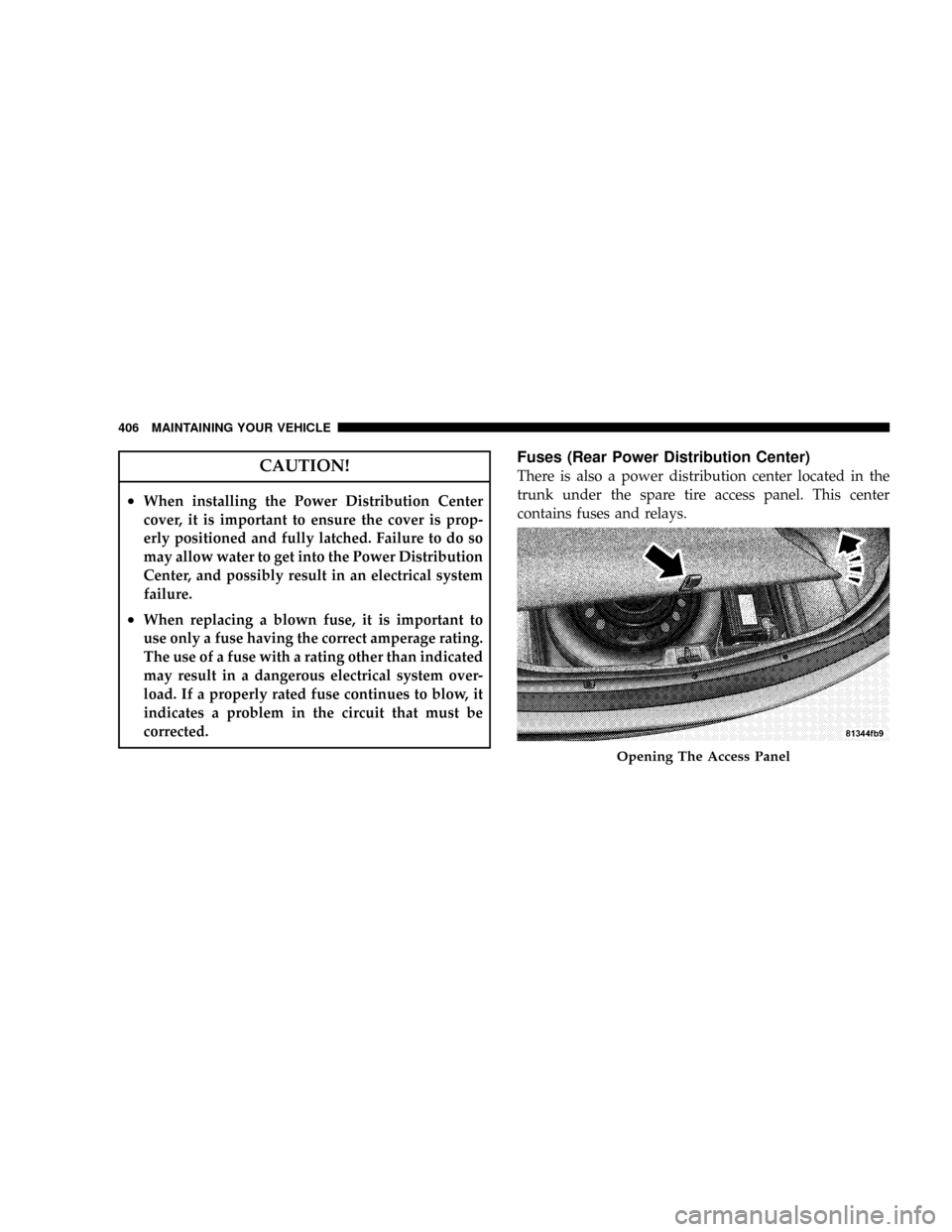
There is also a power distribution center located in the
trunk under the spare tire access panel. This center
contains fuses and relays.
Opening The Access Panel
406 MAINTAINING YOUR VEHICLE