CD player DODGE CHARGER 2010 7.G User Guide
[x] Cancel search | Manufacturer: DODGE, Model Year: 2010, Model line: CHARGER, Model: DODGE CHARGER 2010 7.GPages: 484, PDF Size: 11.72 MB
Page 227 of 484
Operation Instructions - Auxiliary Mode
The auxiliary (AUX) jack is an audio input jack which
allows the user to plug in a portable device such as an
MP3 player or cassette player and utilize the vehicle’s
audio system to amplify the source and play through the
vehicle speakers.
Pressing the AUX button will change the mode to auxil-
iary device if the AUX jack is connected.
NOTE:The AUX device must be turned on and the
device’s volume set to the proper level. If the AUX audio
is not loud enough, turn the device’s volume up. If the
AUX audio sounds distorted, turn the device’s volume
down.
TIME Button (Auxiliary Mode)
Press this button to change the display to time of day. The
time of day will display for five seconds (when the
ignition is OFF).
Uconnect™ Multimedia (Satellite Radio) — If
Equipped
Satellite radio uses direct satellite-to-receiver broadcast-
ing technology to provide clear digital sound, coast to
coast. The subscription service provider is Sirius Satellite
Radio. This service offers over 130 channels of music,
sports, news, entertainment, and programming for chil-
dren, directly from its satellites and broadcasting studios.
NOTE: Sirius service is not available in Hawaii and has
limited coverage in Alaska.
System Activation
Sirius Satellite Radio service is pre-activated, and you
may begin listening immediately to the one year of audio
service that is included with the factory-installed satellite
radio system in your vehicle. Sirius will supply a wel-
come kit that contains general information, including
how to setup your on-line listening account. For further
226 UNDERSTANDING YOUR INSTRUMENT PANEL
Page 244 of 484
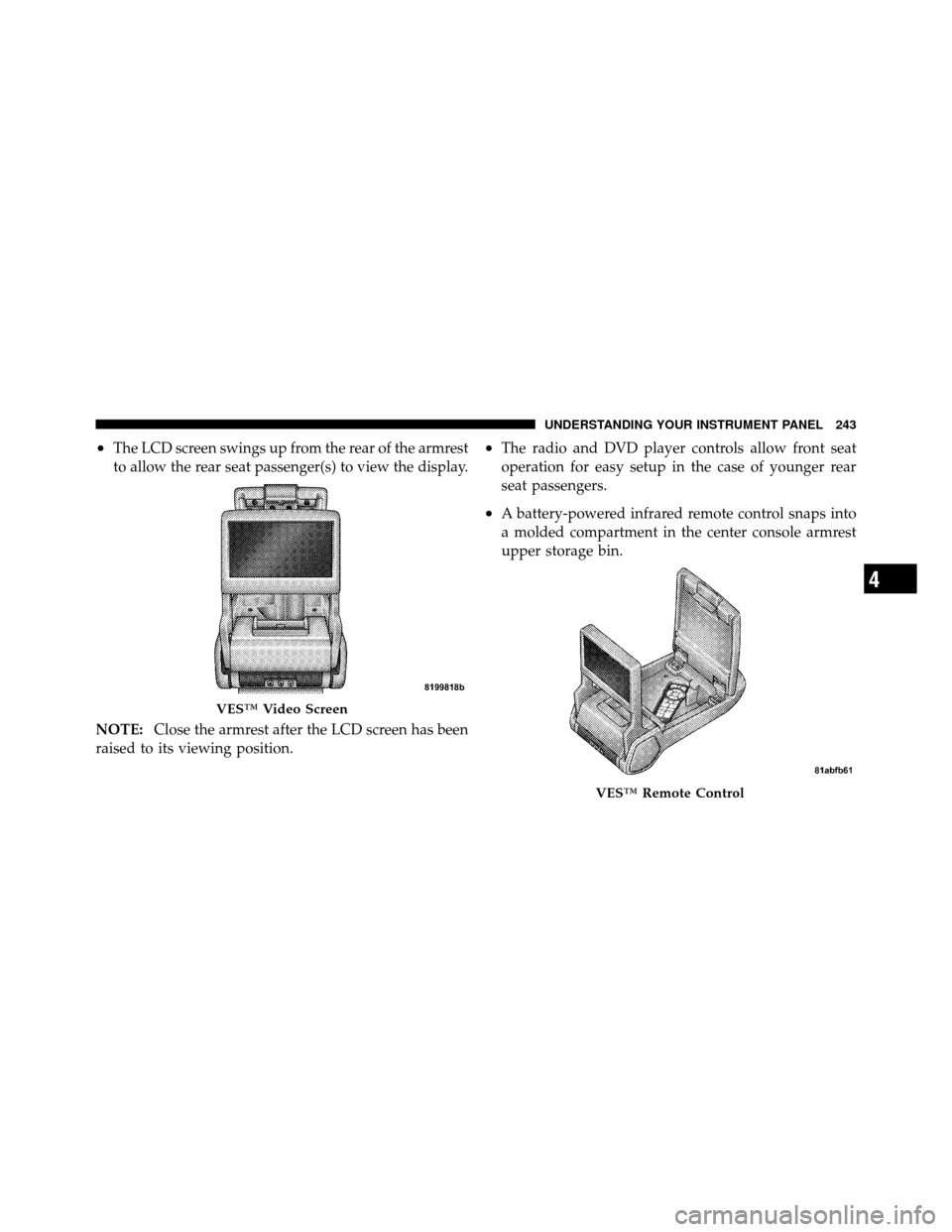
•The LCD screen swings up from the rear of the armrest
to allow the rear seat passenger(s) to view the display.
NOTE: Close the armrest after the LCD screen has been
raised to its viewing position.•The radio and DVD player controls allow front seat
operation for easy setup in the case of younger rear
seat passengers.
•A battery-powered infrared remote control snaps into
a molded compartment in the center console armrest
upper storage bin.
VES™ Video Screen
VES™ Remote Control
4
UNDERSTANDING YOUR INSTRUMENT PANEL 243
Page 245 of 484
•Two wireless infrared headsets allow rear seat passen-
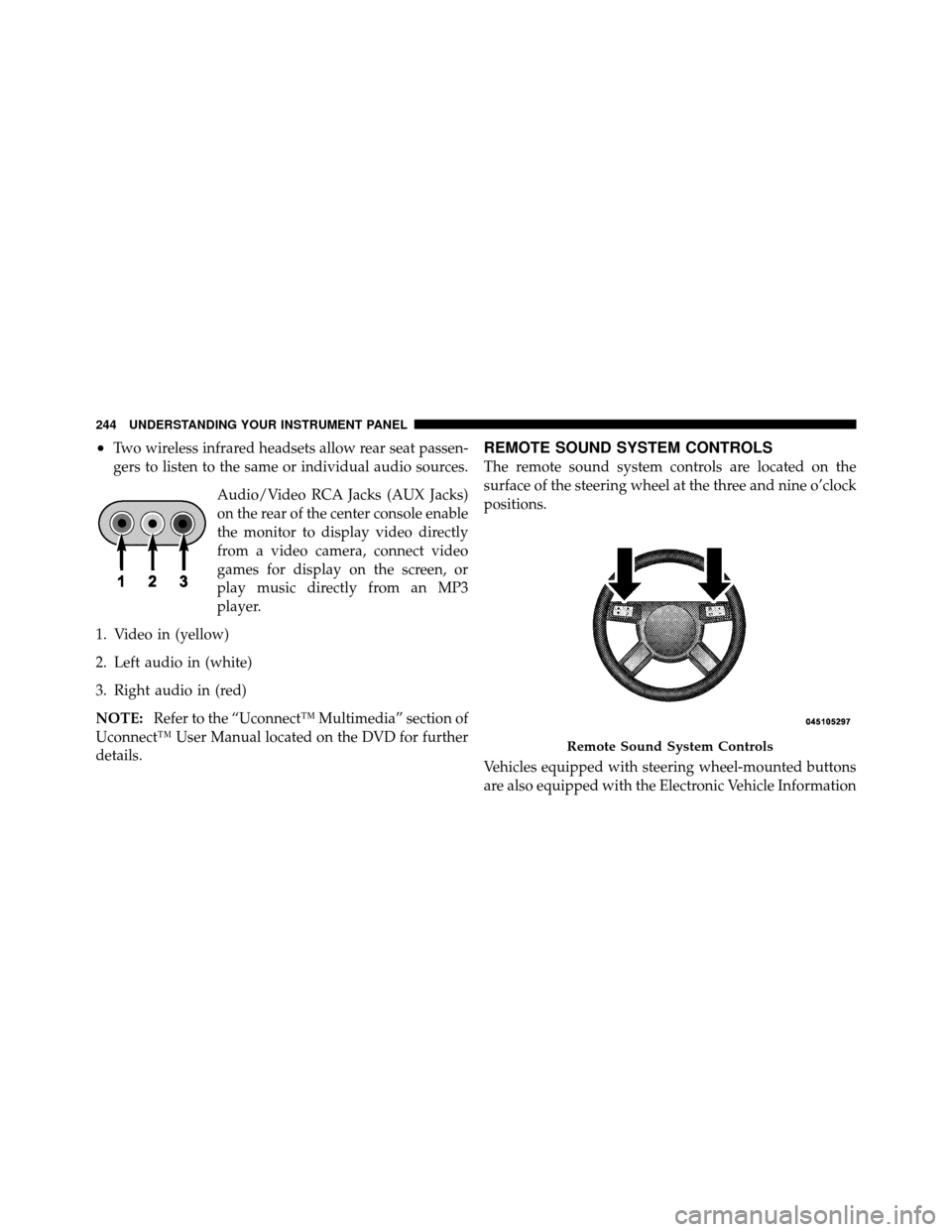
gers to listen to the same or individual audio sources.Audio/Video RCA Jacks (AUX Jacks)
on the rear of the center console enable
the monitor to display video directly
from a video camera, connect video
games for display on the screen, or
play music directly from an MP3
player.
1. Video in (yellow)
2. Left audio in (white)
3. Right audio in (red)
NOTE: Refer to the “Uconnect™ Multimedia” section of
Uconnect™ User Manual located on the DVD for further
details.REMOTE SOUND SYSTEM CONTROLS
The remote sound system controls are located on the
surface of the steering wheel at the three and nine o’clock
positions.
Vehicles equipped with steering wheel-mounted buttons
are also equipped with the Electronic Vehicle Information
Remote Sound System Controls
244 UNDERSTANDING YOUR INSTRUMENT PANEL
Page 247 of 484
CD/DVD DISC MAINTENANCE
To keep a CD/DVD in good condition, take the following
precautions:
1. Handle the disc by its edge; avoid touching the
surface.
2. If the disc is stained, clean the surface with a soft cloth,
wiping from center to edge.
3. Do not apply paper or tape to the disc; avoid scratch-
ing the disc.
4. Do not use solvents such as benzene, thinner, cleaners,
or anti-static sprays.
5. Store the disc in its case after playing.
6. Do not expose the disc to direct sunlight.
7. Do not store the disc where temperatures may become
too high.NOTE:
If you experience difficulty in playing a particu-
lar disc, it may be damaged (i.e., scratched, reflective
coating removed, a hair, moisture or dew on the disc)
oversized, or have protection encoding. Try a known
good disc before considering disc player service.
RADIO OPERATION AND CELLULAR PHONES
Under certain conditions, the cellular phone being on in
your vehicle can cause erratic or noisy performance from
your radio. This condition may be lessened or eliminated
by relocating the cellular phone antenna. This condition
is not harmful to the radio. If your radio performance
does not satisfactorily “clear” by the repositioning of the
antenna, it is recommended that the radio volume be
turned down or off during cellular phone operation.
246 UNDERSTANDING YOUR INSTRUMENT PANEL
Page 467 of 484
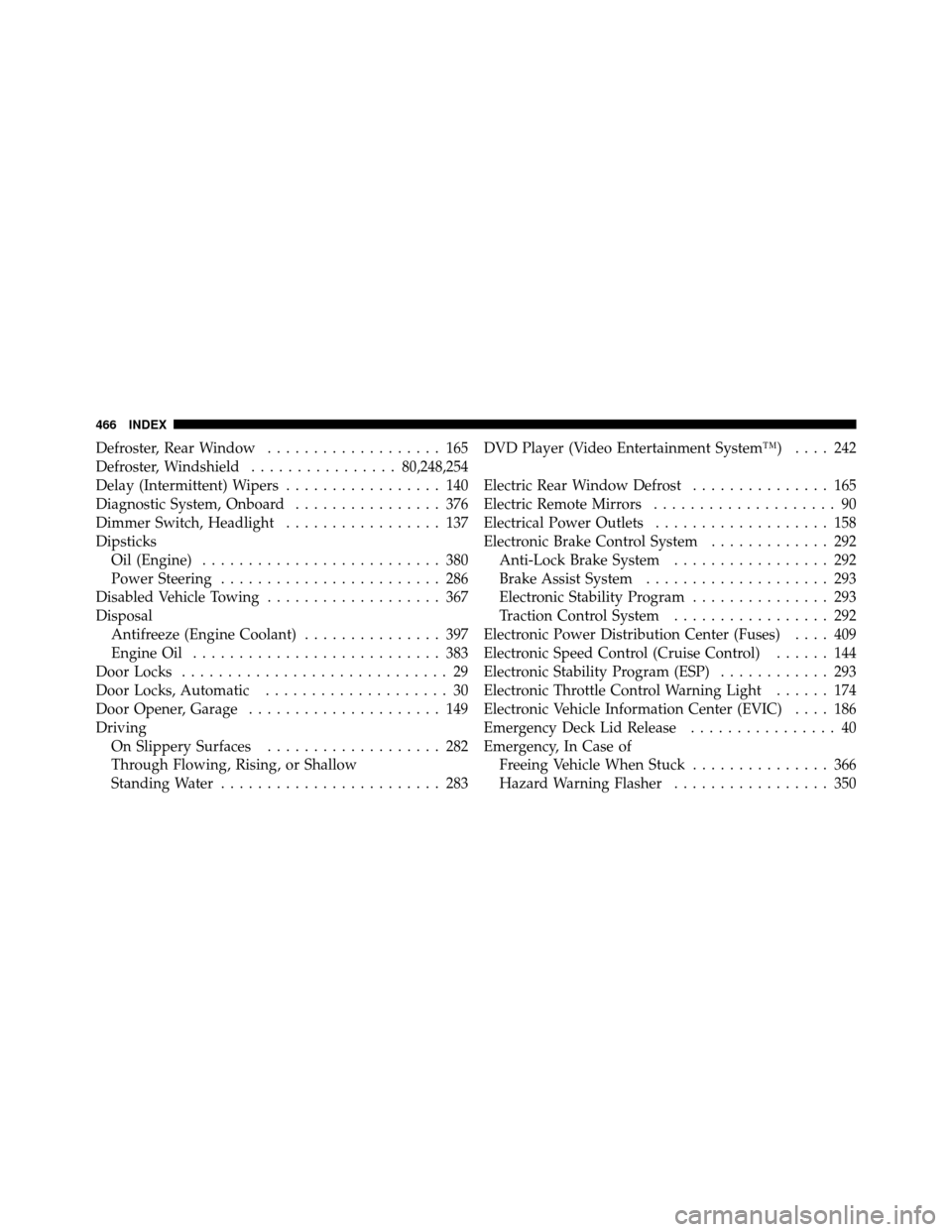
Defroster, Rear Window................... 165
Defroster, Windshield ................80,248,254
Delay (Intermittent) Wipers ................. 140
Diagnostic System, Onboard ................ 376
Dimmer Switch, Headlight ................. 137
Dipsticks Oil (Engine) .......................... 380
Power Steering ........................ 286
Disabled Vehicle Towing ................... 367
Disposal Antifreeze (Engine Coolant) ............... 397
Engine Oil ........................... 383
Door Locks ............................. 29
Door Locks, Automatic .................... 30
Door Opener, Garage ..................... 149
Driving On Slippery Surfaces ................... 282
Through Flowing, Rising, or Shallow
Standing Water ........................ 283 DVD Player (Video Entertainment System™)
.... 242
Electric Rear Window Defrost ............... 165
Electric Remote Mirrors .................... 90
Electrical Power Outlets ................... 158
Electronic Brake Control System ............. 292
Anti-Lock Brake System ................. 292
Brake Assist System .................... 293
Electronic Stability Program ............... 293
Traction Control System ................. 292
Electronic Power Distribution Center (Fuses) .... 409
Electronic Speed Control (Cruise Control) ...... 144
Electronic Stability Program (ESP) ............ 293
Electronic Throttle Control Warning Light ...... 174
Electronic Vehicle Information Center (EVIC) .... 186
Emergency Deck Lid Release ................ 40
Emergency, In Case of Freeing Vehicle When Stuck ............... 366
Hazard Warning Flasher ................. 350
466 INDEX