ECO mode DODGE CHARGER 2011 7.G Owners Manual
[x] Cancel search | Manufacturer: DODGE, Model Year: 2011, Model line: CHARGER, Model: DODGE CHARGER 2011 7.GPages: 104, PDF Size: 4.53 MB
Page 27 of 104
Distance Setting (ACC Only)
• To set or change the distance setting, press the Distance button and release. Eachtime the button is pressed, the distance setting adjusts between long (3), medium
(2), and short (1). The distance setting will default to the last set mode the next
time the vehicle is restarted and the ACC system is turned on.
• The specified following distance for ACC can be set by varying the distance setting between 3 (long), 2 (medium), and 1 (short). Using this distance setting and the
vehicle speed, ACC calculates and sets the distance to the vehicle ahead. This
distance setting displays in the EVIC.
Mode (ACC Only)
• If desired, the Adaptive Cruise Control mode can be turned off and the system canbe operated as a standard (fixed speed) Cruise Control. When in the standard
(fixed speed) Cruise Control mode the distance setting feature will be disabled and
the system will maintain the speed you set.
• To change modes, press the MODE button when the system is in either the OFF, READY, or SET position. Cruise Ready will be displayed if the system was in ACC
READY or ACC SET position. Cruise Off will be displayed if the system was in the
ACC OFF position. To switch back to Adaptive Cruise Control mode, press the
MODE button a second time.
• Refer to your Owner's Manual on the DVD for further information.
Forward Collision Warning
• Forward Collision Warning (FCW) warns the driver of a potential collision with the vehicle in front of you and prompts the driver to take action in order to avoid the
collision. A warning message (both audible and visual) will be displayed on the
EVIC.
• Refer to your Owner's Manual on the DVD for further information.
WARNING!
• Leaving the Electronic or Adaptive Speed Control system on when not in use is dangerous. You could accidentally set the system or cause it to go faster
than you want. You could lose control and have a collision. Always leave the
Electronic or Adaptive Speed Control system off when you are not using it.
• Electronic Speed Control can be dangerous where the system cannot maintain a constant speed. Your vehicle could go too fast for the conditions,
and you could lose control. A collision could be the result. Do not use
Electronic Speed Control in heavy traffic or on roads that are winding, icy,
snow-covered or slippery.
(Continued)
OPERATING YOUR VEHICLE
25
Page 41 of 104
• To access the Radio mode, touch the Radio hard-key on the upper left side of thefaceplate (4.3 & 4.3S) or the Radio soft-key at the lower left of the screen (8.4 &
8.4N).
• Unless otherwise noted, the information provided on the operation and functionality of the radios in this section is common to all Uconnect Touch™
radios.
Selecting Radio Stations
• Touch the Radio band soft-key to cycle through AM, FM or SAT (4.3 & 4.3S) or thedesired radio band (AM, FM or SAT) soft-key (8.4 & 8.4N). Satellite Radio is not
only available on the 4.3.
Seek Up/Seek Down • Touch the Seek arrow soft-keys for less than 2 seconds to seek through radio stations.
• Touch and hold either arrow soft-key for more than 2 seconds to bypass stations without stopping. The radio will stop at the next listenable station once the arrow
soft-key is released.
Direct Tune • Tune directly to a radio station by pressing the “Tune” button on the screen, and entering the desired station number.
Store Radio Presets
• Your radio can store 12 total preset stations. They are shown at the top of yourscreen. To see all 12 stations, Press the all soft-key (4.3 & 4.3S) or press the
arrow soft-key at the top right of the screen to toggle between the six presets (8.4
& 8.4N).
• To set a station into memory press and hold the desired numbered soft-key for more than two seconds or until you hear a confirmation beep.
SIRIUS SATELLITE RADIO
• SIRIUS®Satellite Radio gives you over 130 channels, including 100%
commercial-free music from nearly every genre, plus all your favorite sports, news,
talk and entertainment channels –all with crystal clear, coast-to-coast coverage, all
in one place and all at your fingertips.
• To access SIRIUS Satellite Radio, touch the Radio band soft-key and select the SAT soft-key (4.3S) or touch the SAT soft-key on the main Radio screen (8.4 &
8.4N).
• The following describes features that are available when in SIRIUS Satellite Radio mode.
• Unless otherwise noted, the information provided on the operation and functionality of the radios in this section is common to all Uconnect Touch™
radios.
ELECTRONICS
39
Page 42 of 104
Selecting SIRIUS Satellite Channels
Seek Up/Seek Down• Touch the Seek arrow soft-keys for less than 2 seconds to seek through channels in SAT mode.
• Touch and hold either arrow soft-key for more than 2 seconds to bypass channels without stopping. The radio will stop at the next listenable channel once the arrow
soft-key is released.
Direct Tune • Tune directly to a SAT channel by pressing the “Tune” button on the screen, and entering the desired station number.
Info (4.3S Only)
• Provides detailed information about the current SIRIUS Satellite channel.
More... (4.3S Only)
• Access more menus: Audio, Favorites, Game Zone, and Replay.
Jump (8.4 & 8.4N Only)
• Automatically tells you when Traffic & Weather for a favorite city is available, andgives you the option to switch to that channel. Touch Jump to activate the feature.
After listening to Traffic and Weather, touch Jump again to return to the previous
channel.
Fav (8.4 & 8.4N Only)
• Activates the favorites menu. You can add up to 50 favorite artists or songs. Justtouch Add Fav Artist or Add Fav Song while the song is playing. You will then be
alerted any time one of these songs, or works by these artists, is playing on other
SIRIUS channels.
SIRIUS Parental Controls
• You can skip or hide certain channels from view if you do not want access to them.Press the Settings hard-key (4.3S) or touch the More soft-key, then the Settings
soft-key (8.4 & 8.4N), next touch the SIRIUS Setup soft-key, then select Channel
Skip. Touch the channel(s) to be skipped (4.3S) or touch the box, check-mark,
next to the channel you want skipped (8.4 & 8.4N). They will not show up in
normal usage.
• SIRIUS also offers the option to permanently block selected channels. Call 1-888-539-7474 and request the Family Package.
ELECTRONICS
40
Page 59 of 104
PROGRAMMABLE FEATURES
Electronic Vehicle Information Center (EVIC)
• The EVIC can be used to view or change the following settings. Press the UP
or DOWNbutton until System Setup displays, then press the SELECT
button. Scroll through the settings using the UP or DOWN buttons. Press the
SELECTbutton to change the setting. Press the BACK button to scroll back to
a previous menu or sub menu.
• Fuel Economy: • Average Fuel Economy/FuelSaver Mode
• Distance To Empty (DTE)
• Miles Per Gallon (MPG) • Trip Info
• Trip A
• Trip B
• Elapsed Time
• Vehicle Speed • Units
• To Reset The Display • Vehicle Info (Customer Information
Features)
Uconnect Touch™ 4.3 Customer Programmable Features
• The Uconnect Touch™ 4.3 system allows you to access Customer Programmable
feature settings such as Display, Clock, Safety/Assistance, Lights, Doors & Locks,
Heated Seats, Engine Off Operation, Compass Settings, Audio, Phone/ Bluetooth
and SIRIUS Setup through hard-keys and soft-keys.
• Press the Settings hard-key to on the right side of the unit to access the Settings screen, use the Page Up/Down soft-keys to scroll through the following settings.
The following feature settings are available:
• Display • Clock
• Safety / Assistance • Doors & Locks
• Heated Seats • Engine Off Options
• Compass Settings • Audio
• Phone / Bluetooth • SIRIUS Setup
ELECTRONICS
57
Page 61 of 104
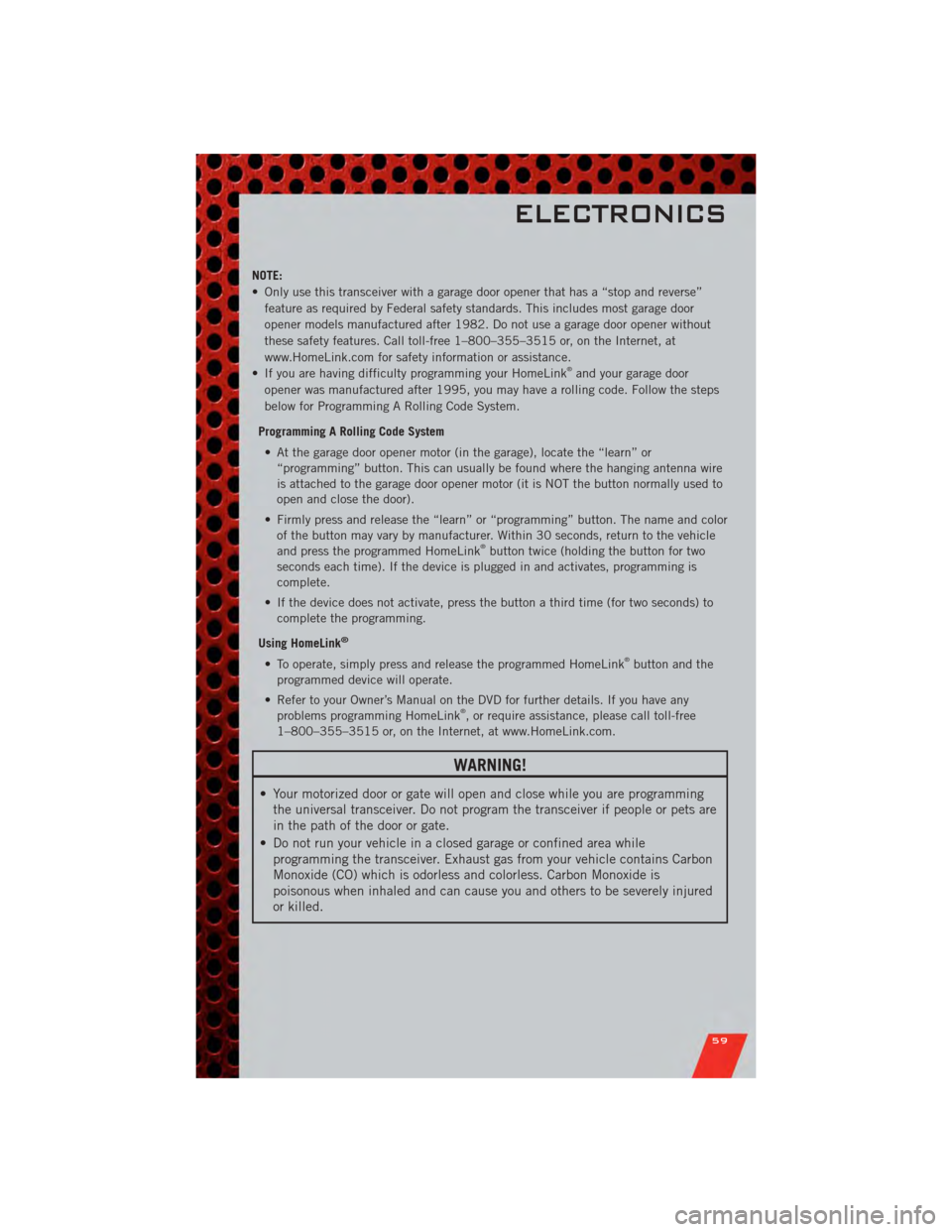
NOTE:
• Only use this transceiver with a garage door opener that has a “stop and reverse”feature as required by Federal safety standards. This includes most garage door
opener models manufactured after 1982. Do not use a garage door opener without
these safety features. Call toll-free 1–800–355–3515 or, on the Internet, at
www.HomeLink.com for safety information or assistance.
• If you are having difficulty programming your HomeLink
®and your garage door
opener was manufactured after 1995, you may have a rolling code. Follow the steps
below for Programming A Rolling Code System.
Programming A Rolling Code System • At the garage door opener motor (in the garage), locate the “learn” or “programming” button. This can usually be found where the hanging antenna wire
is attached to the garage door opener motor (it is NOT the button normally used to
open and close the door).
• Firmly press and release the “learn” or “programming” button. The name and color of the button may vary by manufacturer. Within 30 seconds, return to the vehicle
and press the programmed HomeLink
®button twice (holding the button for two
seconds each time). If the device is plugged in and activates, programming is
complete.
• If the device does not activate, press the button a third time (for two seconds) to complete the programming.
Using HomeLink
®
• To operate, simply press and release the programmed HomeLink®button and the
programmed device will operate.
• Refer to your Owner’s Manual on the DVD for further details. If you have any problems programming HomeLink
®, or require assistance, please call toll-free
1–800–355–3515 or, on the Internet, at www.HomeLink.com.
WARNING!
• Your motorized door or gate will open and close while you are programming the universal transceiver. Do not program the transceiver if people or pets are
in the path of the door or gate.
• Do not run your vehicle in a closed garage or confined area while programming the transceiver. Exhaust gas from your vehicle contains Carbon
Monoxide (CO) which is odorless and colorless. Carbon Monoxide is
poisonous when inhaled and can cause you and others to be severely injured
or killed.
ELECTRONICS
59
Page 68 of 104
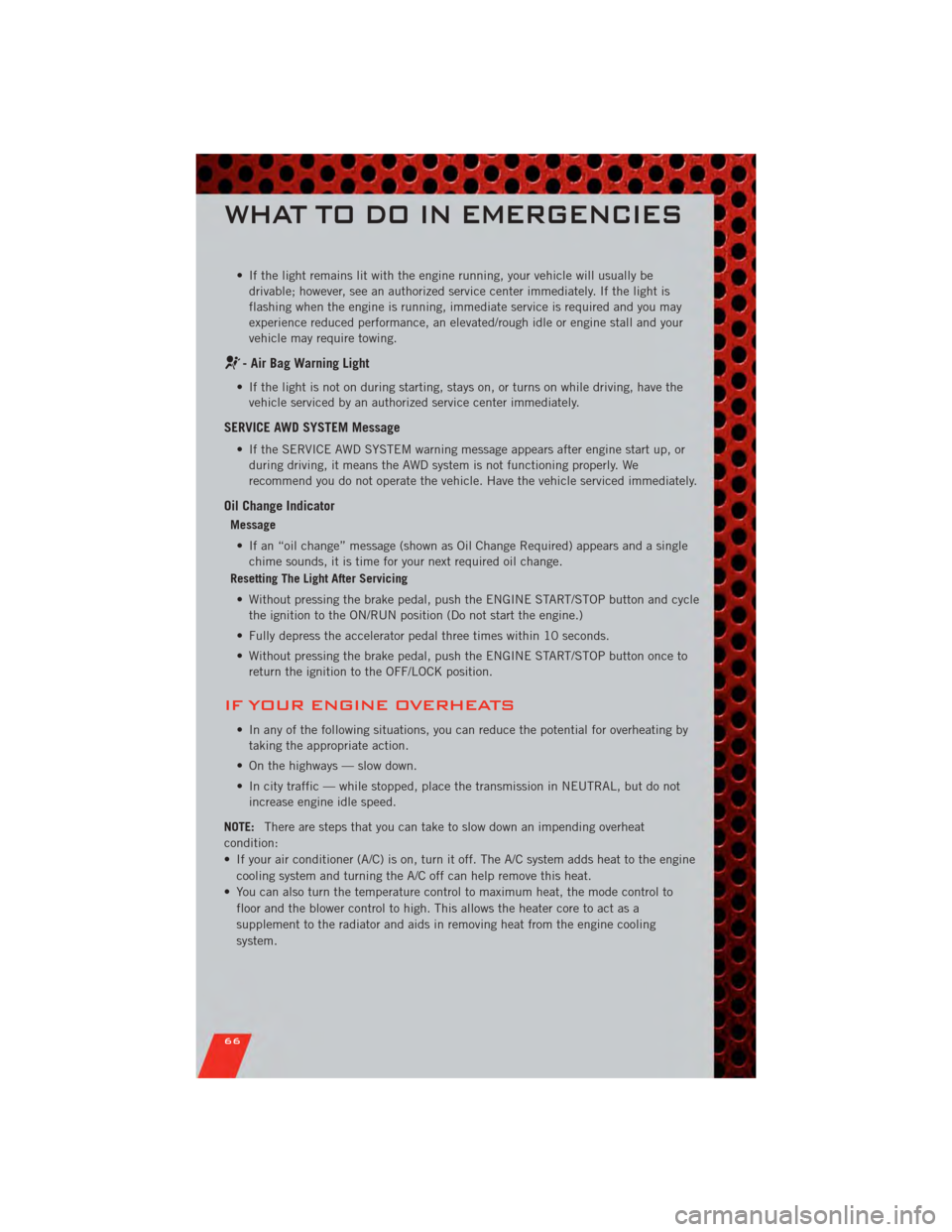
• If the light remains lit with the engine running, your vehicle will usually bedrivable; however, see an authorized service center immediately. If the light is
flashing when the engine is running, immediate service is required and you may
experience reduced performance, an elevated/rough idle or engine stall and your
vehicle may require towing.
- Air Bag Warning Light
• If the light is not on during starting, stays on, or turns on while driving, have thevehicle serviced by an authorized service center immediately.
SERVICE AWD SYSTEM Message
• If the SERVICE AWD SYSTEM warning message appears after engine start up, orduring driving, it means the AWD system is not functioning properly. We
recommend you do not operate the vehicle. Have the vehicle serviced immediately.
Oil Change Indicator
Message
• If an “oil change” message (shown as Oil Change Required) appears and a single chime sounds, it is time for your next required oil change.
Resetting The Light After Servicing
• Without pressing the brake pedal, push the ENGINE START/STOP button and cycle the ignition to the ON/RUN position (Do not start the engine.)
• Fully depress the accelerator pedal three times within 10 seconds.
• Without pressing the brake pedal, push the ENGINE START/STOP button once to return the ignition to the OFF/LOCK position.
IF YOUR ENGINE OVERHEATS
• In any of the following situations, you can reduce the potential for overheating bytaking the appropriate action.
• On the highways — slow down.
• In city traffic — while stopped, place the transmission in NEUTRAL, but do not increase engine idle speed.
NOTE: There are steps that you can take to slow down an impending overheat
condition:
• If your air conditioner (A/C) is on, turn it off. The A/C system adds heat to the engine cooling system and turning the A/C off can help remove this heat.
• You can also turn the temperature control to maximum heat, the mode control to floor and the blower control to high. This allows the heater core to act as a
supplement to the radiator and aids in removing heat from the engine cooling
system.
WHAT TO DO IN EMERGENCIES
66
Page 75 of 104
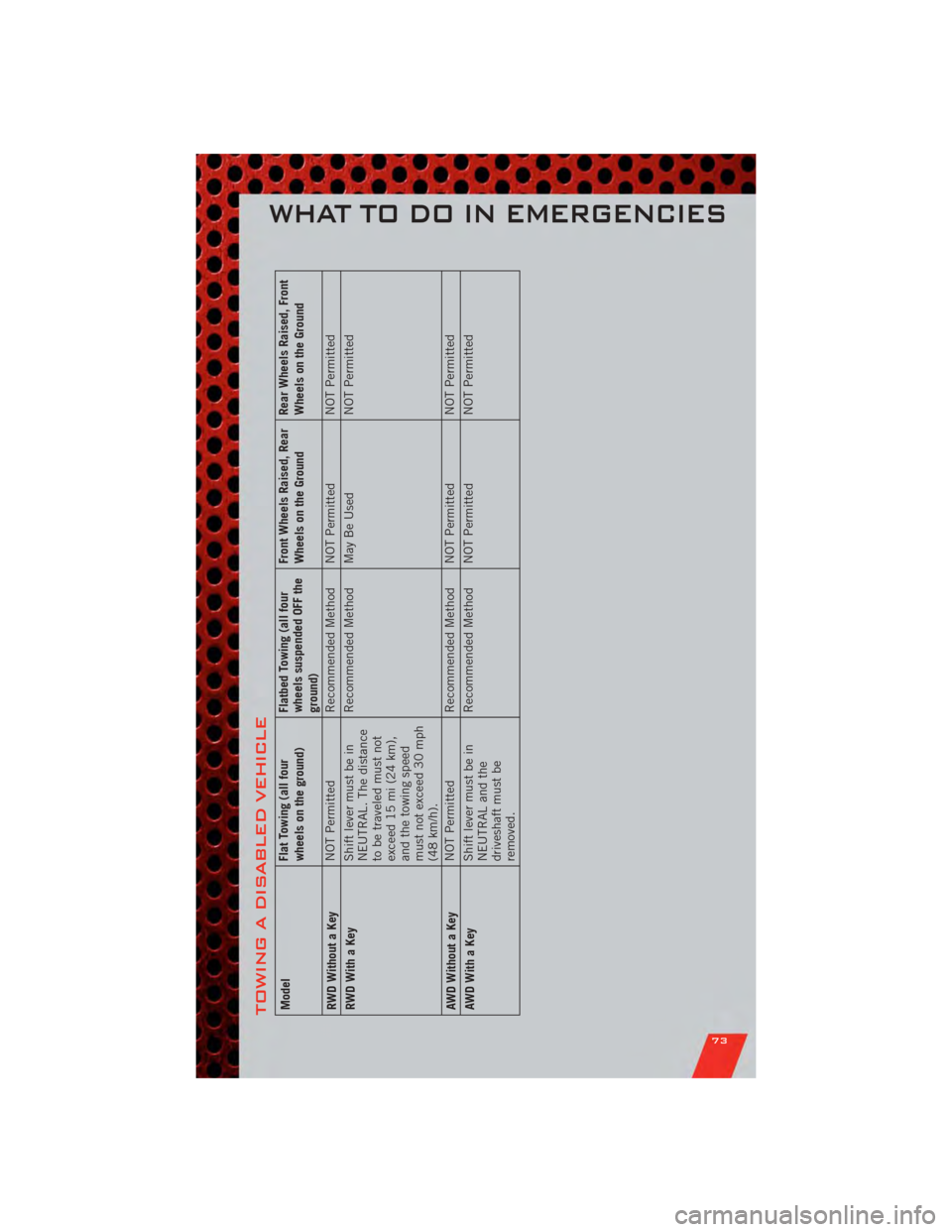
TOWING A DISABLED VEHICLEModelFlat Towing (all four
wheels on the ground)Flatbed Towing (all four
wheels suspended OFF the
ground)Front Wheels Raised, Rear
Wheels on the Ground
Rear Wheels Raised, Front
Wheels on the Ground
RWD Without a Key NOT Permitted
Recommended Method NOT Permitted NOT Permitted
RWD With a Key Shift lever must be in
NEUTRAL. The distance
to be traveled must not
exceed 15 mi (24 km),
and the towing speed
must not exceed 30 mph
(48 km/h).Recommended Method May Be Used
NOT Permitted
AWD Without a Key NOT Permitted
Recommended Method NOT Permitted NOT Permitted
AWDWithaKey Shift lever must be in
NEUTRAL and the
driveshaft must be
removed.Recommended Method NOT Permitted
NOT Permitted
WHAT TO DO IN EMERGENCIES
73
Page 94 of 104
CHRYSLER GROUP
LLC CUSTOMER
CENTER
P.O. Box 21–8004
Auburn Hills, MI 48321–8004
Phone: 1–800–423–6343
CHRYSLER CANADA
INC. CUSTOMER
CENTER
P.O. Box 1621
Windsor, Ontario N9A 4H6
Phone: 1–800–465–2001 (English)
Phone: 1–800–387–9983 (French)
ASSISTANCE FOR THE
HEARING IMPAIRED
• To assist customers who have hearingdifficulties, the manufacturer has
installed special TDD
(Telecommunication Devices for the
Deaf) equipment at its customer
center. Any hearing or speech
impaired customer, who has access
to a TDD or a conventional
teletypewriter (TTY) in the United
States, can communicate with the
manufacturer by dialing
1–800–380–CHRY. Canadian
residents with hearing difficulties
that require assistance can use the
special needs relay service offered by
Bell Canada. For TTY teletypewriter
users, dial 711 and for Voice callers,
dial 1–800–855–0511 to connect
with a Bell Relay Service operator.
WARNING!
Engine exhaust, some of its
constituents, and certain vehicle
components contain, or emit,
chemicals known to the State of
California to cause cancer and birth
defects, or other reproductive harm.
In addition, certain fluids contained
in vehicles and certain products of
component wear contain, or emit,
chemicals known to the State of
California to cause cancer and birth
defects, or other reproductive harm.
PUBLICATIONS
ORDERING
•If you are the first registered retail
owner of your vehicle, you may obtain
one free printed copy of the Owner's
Manual, Warranty Booklet or Radio
Manuals on your DVD by calling
1–800–423–6343 (U.S.) or
1–800–387–1143 (Canada) or by
contacting your dealer.
• Replacement User Guide kits or DVDs or, if you prefer, additional
printed copies of the Owner's
Manual, Warranty Booklet or Radio
Manuals may be purchased by
visiting www.techauthority.com or by
calling 1–800–890–4038 (U.S.) or
1–800–387–1143 (Canada). Visa,
Master Card, American Express and
Discover orders are accepted. If you
prefer mailing your order, please call
the above numbers for an order form.
NOTE: A street address is required when
ordering manuals (no P.O. Boxes).
NOTE:
• The Owner's Manual and User Guide electronic files are also available on the
Chrysler, Jeep, Ram Truck and Dodge
websites.
• Click on the "For Owners" tab, select "Owner/Service Manuals", then select
your desired model year and vehicle
from the drop down lists.
CONSUMER ASSISTANCE
92