instrument cluster DODGE CHARGER 2013 7.G User Guide
[x] Cancel search | Manufacturer: DODGE, Model Year: 2013, Model line: CHARGER, Model: DODGE CHARGER 2013 7.GPages: 132, PDF Size: 4.77 MB
Page 3 of 132
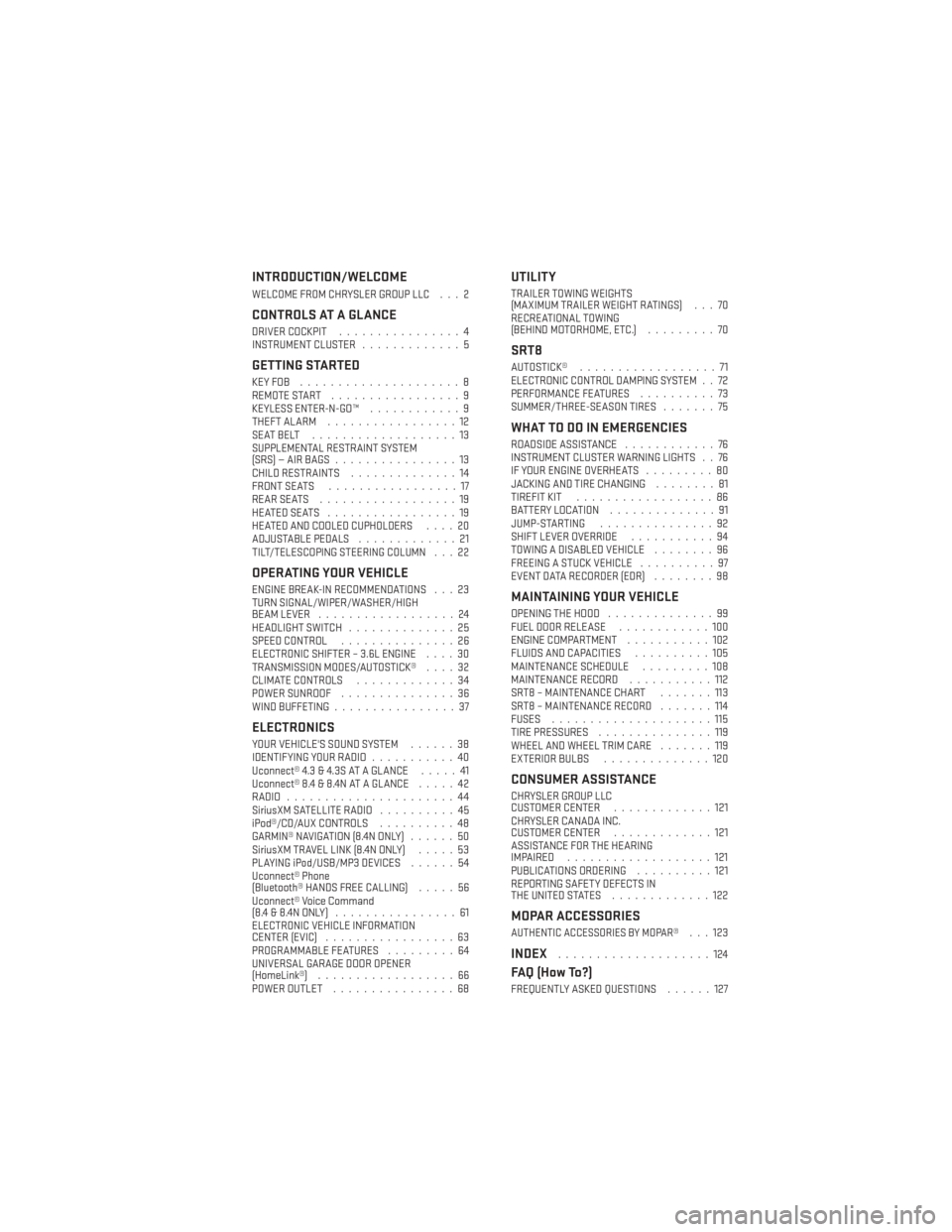
INTRODUCTION/WELCOME
WELCOME FROM CHRYSLER GROUP LLC . . . 2
CONTROLS AT A GLANCE
DRIVER COCKPIT................4
INSTRUMENT CLUSTER .............5
GETTING STARTED
KEYFOB .....................8
REMOTE START.................9
KEYLESS ENTER-N-GO™ ............9
THEFT ALARM .................12
SEATBELT ...................13
SUPPLEMENTAL RESTRAINT SYSTEM
(SRS)—AIRBAGS................13
CHILD RESTRAINTS ..............14
FRONT SEATS .................17
REARSEATS ..................19
HEATEDSEATS .................19
HEATED AND COOLED CUPHOLDERS ....20
ADJUSTABLE PEDALS .............21
TILT/TELESCOPING STEERING COLUMN . . . 22
OPERATING YOUR VEHICLE
ENGINE BREAK-IN RECOMMENDATIONS . . . 23
TURN SIGNAL/WIPER/WASHER/HIGH
BEAM LEVER ..................24
HEADLIGHT SWITCH ..............25
SPEED CONTROL ...............26
ELECTRONIC SHIFTER – 3.6L ENGINE ....30
TRANSMISSION MODES/AUTOSTICK® ....32
CLIMATE CONTROLS .............34
POWER SUNROOF ...............36
WIND BUFFETING ................37
ELECTRONICS
YOUR VEHICLE'S SOUND SYSTEM ......38
IDENTIFYING YOUR RADIO ...........40
Uconnect® 4.3 & 4.3S AT A GLANCE .....41
Uconnect® 8.4 & 8.4N AT A GLANCE .....42
RADIO ......................44
SiriusXM SATELLITE RADIO ..........45
iPod®/CD/AUX CONTROLS ..........48
GARMIN® NAVIGATION (8.4N ONLY) ......50
SiriusXM TRAVEL LINK (8.4N ONLY) .....53
PLAYING iPod/USB/MP3 DEVICES ......54
Uconnect® Phone
(Bluetooth® HANDS FREE CALLING) .....56
Uconnect® Voice Command
(8.4&8.4NONLY) ................61
ELECTRONIC VEHICLE INFORMATION
CENTER (EVIC) .................63
PROGRAMMABLE FEATURES .........64
UNIVERSAL GARAGE DOOR OPENER
(HomeLink®) ..................66
POWER OUTLET ................68
UTILITY
TRAILER TOWING WEIGHTS
(MAXIMUM TRAILER WEIGHT RATINGS) . . . 70
RECREATIONAL TOWING
(BEHIND MOTORHOME, ETC.) .........70
SRT8
AUTOSTICK®..................71
ELECTRONIC CONTROL DAMPING SYSTEM . . 72
PERFORMANCE FEATURES ..........73
SUMMER/THREE-SEASON TIRES .......75
WHAT TO DO IN EMERGENCIES
ROADSIDE ASSISTANCE............76
INSTRUMENT CLUSTER WARNING LIGHTS . . 76
IF YOUR ENGINE OVERHEATS .........80
JACKING AND TIRE CHANGING ........81
TIREFIT KIT ..................86
BATTERY LOCATION ..............91
JUMP-STARTING ...............92
SHIFT LEVER OVERRIDE ...........94
TOWING A DISABLED VEHICLE ........96
FREEING A STUCK VEHICLE ..........97
EVENT DATA RECORDER (EDR) ........98
MAINTAINING YOUR VEHICLE
OPENING THE HOOD..............99
FUEL DOOR RELEASE ............100
ENGINE COMPARTMENT ...........102
FLUIDS AND CAPACITIES ..........105
MAINTENANCE SCHEDULE .........108
MAINTENANCE RECORD ...........112
SRT8 – MAINTENANCE CHART .......113
SRT8 – MAINTENANCE RECORD .......114
FUSES .....................115
TIRE PRESSURES ...............119
WHEEL AND WHEEL TRIM CARE .......119
EXTERIOR BULBS ..............120
CONSUMER ASSISTANCE
CHRYSLER GROUP LLC
CUSTOMER CENTER .............121
CHRYSLER CANADA INC.
CUSTOMER CENTER .............121
ASSISTANCE FOR THE HEARING
IMPAIRED ...................121
PUBLICATIONS ORDERING ..........121
REPORTING SAFETY DEFECTS IN
THEUNITEDSTATES .............122
MOPAR ACCESSORIES
AUTHENTIC ACCESSORIES BY MOPAR®...123
INDEX....................124
FAQ (How To?)
FREQUENTLY ASKED QUESTIONS ......127
TABLE OF CONTENTS
Page 7 of 132
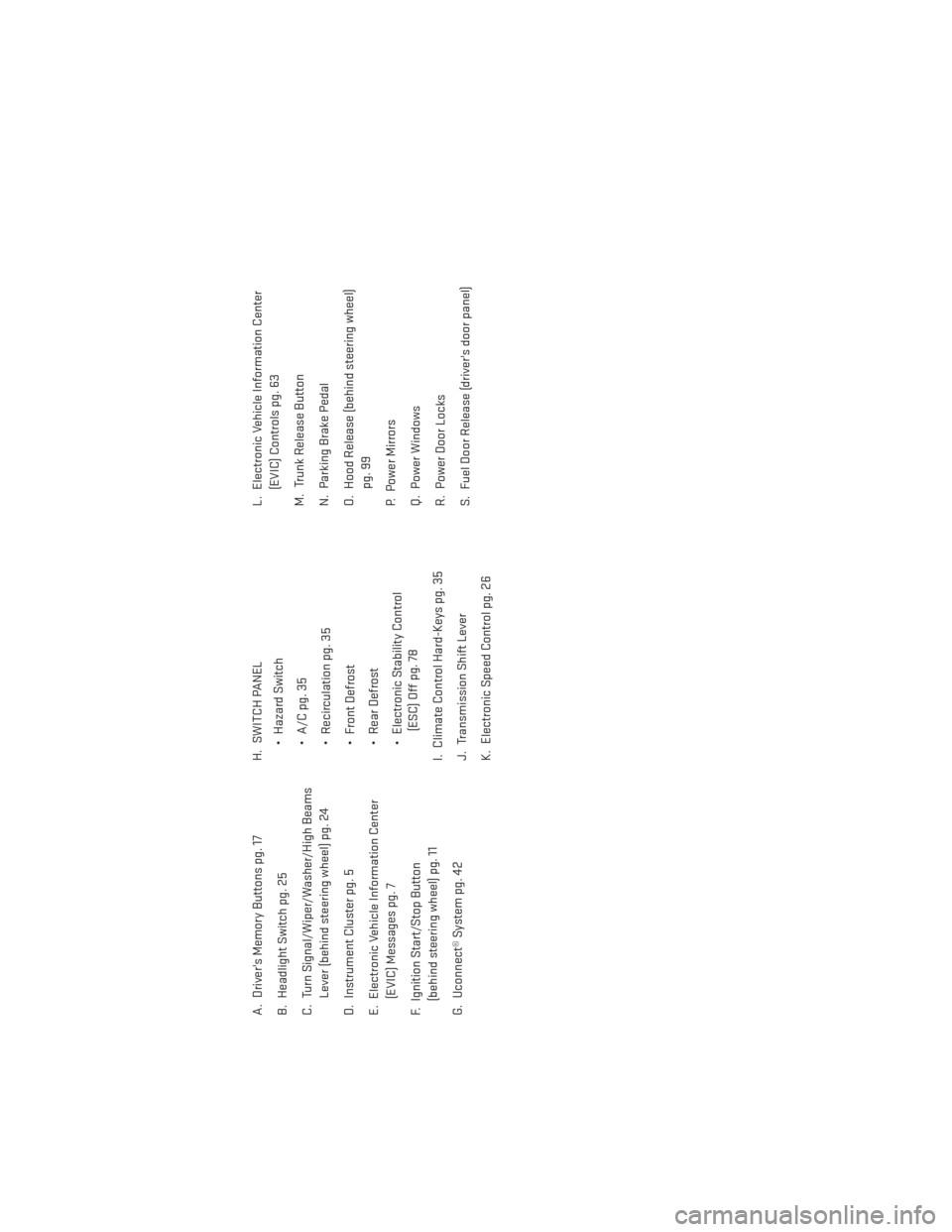
A. Driver's Memory Buttons pg. 17
B. Headlight Switch pg. 25
C. Turn Signal/Wiper/Washer/High BeamsLever (behind steering wheel) pg. 24
D. Instrument Cluster pg. 5
E. Electronic Vehicle Information Center (EVIC) Messages pg. 7
F. Ignition Start/Stop Button (behind steering wheel) pg. 11
G. Uconnect® System pg. 42 H. SWITCH PANEL
• Hazard Switch
• A/C pg. 35
• Recirculation pg. 35
• Front Defrost
• Rear Defrost
• Electronic Stability Control(ESC) Off pg. 78
I. Climate Control Hard-Keys pg. 35
J. Transmission Shift Lever
K. Electronic Speed Control pg. 26 L. Electronic Vehicle Information Center
(EVIC) Controls pg. 63
M. Trunk Release Button
N. Parking Brake Pedal
O. Hood Release (behind steering wheel) pg. 99
P. Power Mirrors
Q. Power Windows
R. Power Door Locks
S. Fuel Door Release (driver's door panel)
CONTROLS AT A GLANCE
5
Page 8 of 132
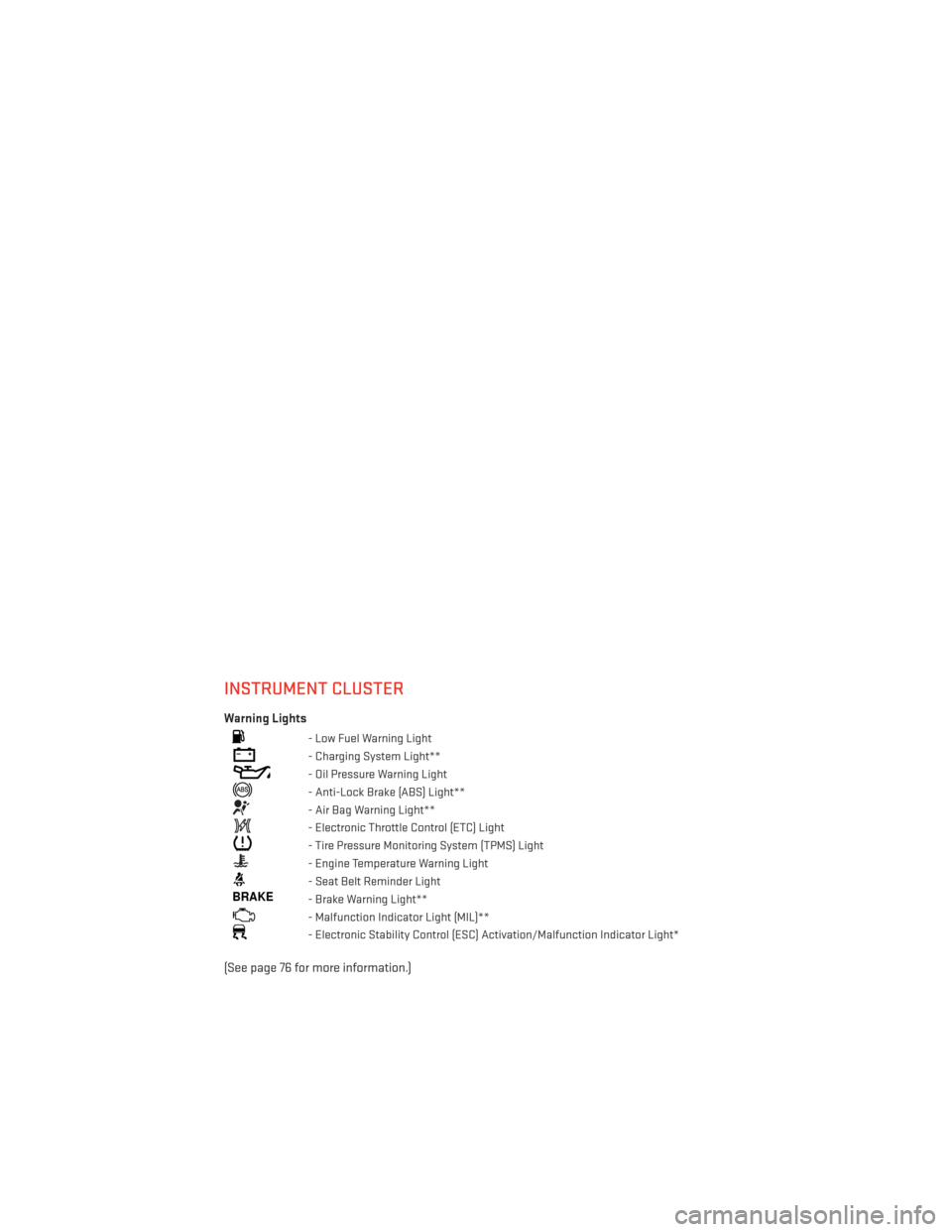
INSTRUMENT CLUSTER
Warning Lights
- Low Fuel Warning Light
- Charging System Light**
- Oil Pressure Warning Light
- Anti-Lock Brake (ABS) Light**
- Air Bag Warning Light**
- Electronic Throttle Control (ETC) Light
- Tire Pressure Monitoring System (TPMS) Light
- Engine Temperature Warning Light
- Seat Belt Reminder Light
BRAKE- Brake Warning Light**
- Malfunction Indicator Light (MIL)**
- Electronic Stability Control (ESC) Activation/Malfunction Indicator Light*
(See page 76 for more information.)
CONTROLS AT A GLANCE
6
Page 9 of 132
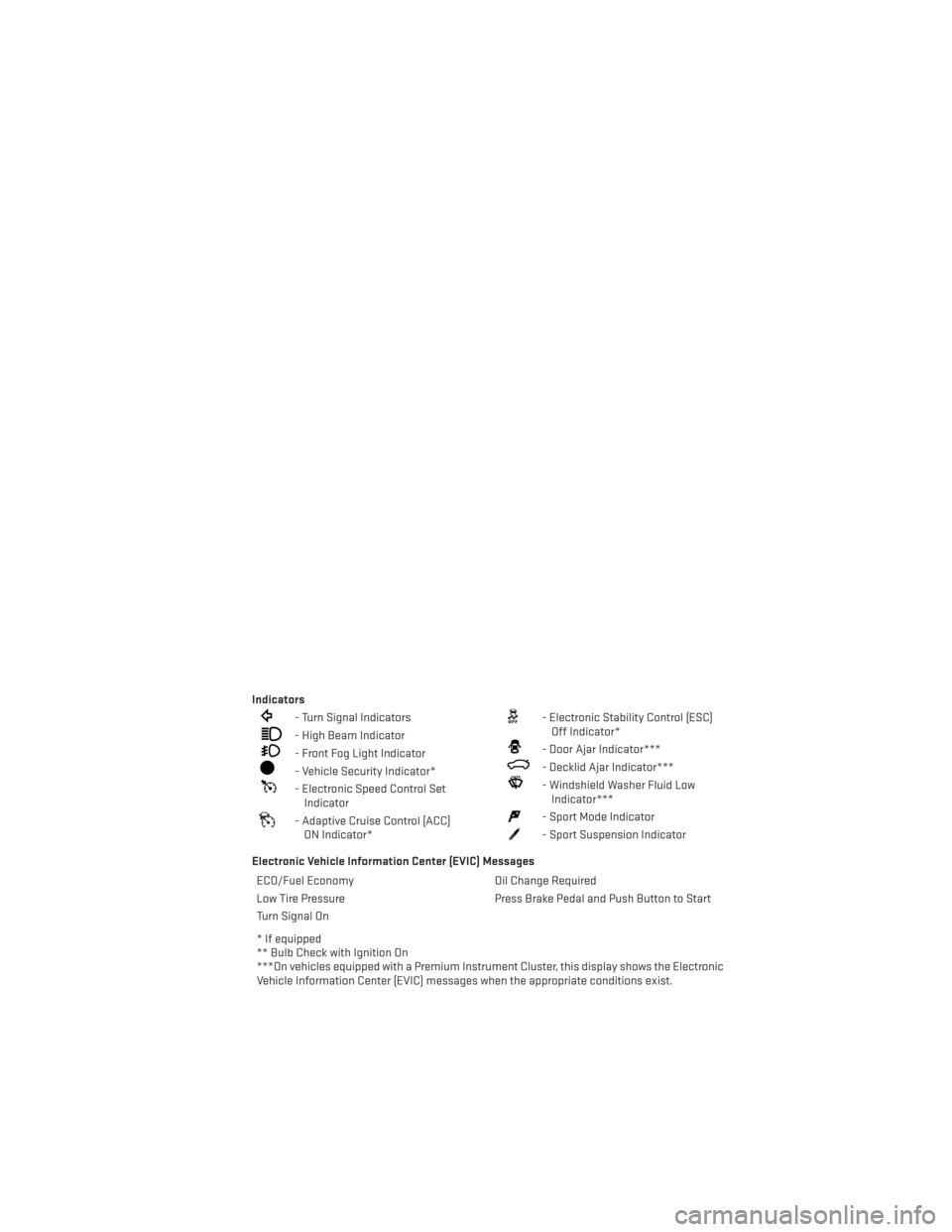
Indicators
- Turn Signal Indicators
- High Beam Indicator
- Front Fog Light Indicator
- Vehicle Security Indicator*
- Electronic Speed Control SetIndicator
- Adaptive Cruise Control (ACC)ON Indicator*
- Electronic Stability Control (ESC)Off Indicator*
- Door Ajar Indicator***
- Decklid Ajar Indicator***
- Windshield Washer Fluid LowIndicator***
- Sport Mode Indicator
- Sport Suspension Indicator
Electronic Vehicle Information Center (EVIC) Messages ECO/Fuel Economy Oil Change Required
Low Tire Pressure Press Brake Pedal and Push Button to Start
Turn Signal On
* If equipped
** Bulb Check with Ignition On
***On vehicles equipped with a Premium Instrument Cluster, this display shows the Electronic
Vehicle Information Center (EVIC) messages when the appropriate conditions exist.
CONTROLS AT A GLANCE
7
Page 20 of 132
• To program your Key Fobs, perform the following:• Change the ignition to OFF.
• Select desired memory profile 1 or 2.
• Once the profile has been recalled, press and release the SET (S) button on the memory
switch, then press and release the side of the rocker switch labeled 1 or 2 accordingly.
• A (1 or 2) will display in the instrument cluster if the vehicle is equipped with the Electronic Vehicle Information Center (EVIC).
• Press and release the LOCK button on the Key Fob within 10 seconds.
NOTE:
Your Key Fob can be unlinked to your memory settings by pressing the SET (S) button
followed by the UNLOCK button on the Key Fob in the fourth step.
• Press 1 or 2 to recall the saved positions, or press UNLOCK on the programmed Key Fob.
• Refer to the Owner's Manual on the DVD for further details.
Manual Seat
Forward/Rearward
• Lift up on the adjusting bar located at the front of the seat near the floor and release
it when the seat is at the desired position.
Then, using body pressure, move forward
and backward on the seat to be sure that
the seat adjusters have latched.
Recliner
• Lean forward in the seat and lift the re-cliner lever, then lean back to the desired
position and release the lever.
• Lift the lever to return the seatback to an upright position.
CAUTION!
Do not place any article under a power seat or impede its ability to move as it may cause
damage to the seat controls. Seat travel may become limited if movement is stopped by
an obstruction in the seat’s path.
WARNING!
•Adjusting a seat while the vehicle is moving is dangerous. The sudden movement of the
seat could cause you to lose control. The seat belt might not be properly adjusted, and
you could be severely injured or killed. Only adjust a seat while the vehicle is parked.
• Do not ride with the seatback reclined so that the seat belt is no longer resting against
your chest. In a collision, you could slide under the seat belt and be severely injured
or killed. Use the recliner only when the vehicle is parked.
GETTING STARTED
18
Page 28 of 132
SPEED CONTROL
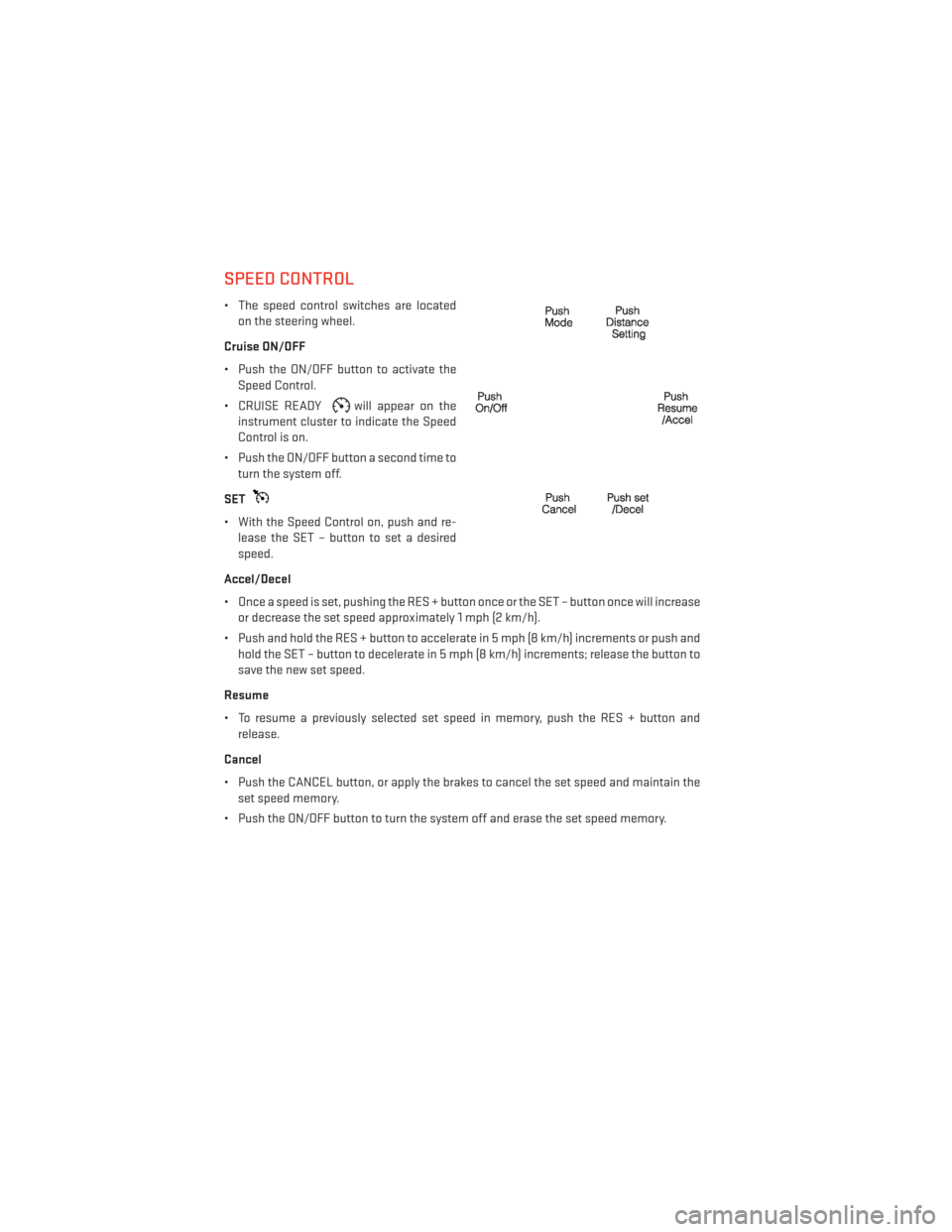
• The speed control switches are locatedon the steering wheel.
Cruise ON/OFF
• Push the ON/OFF button to activate the Speed Control.
• CRUISE READY
will appear on the
instrument cluster to indicate the Speed
Control is on.
• Push the ON/OFF button a second time to turn the system off.
SET
• With the Speed Control on, push and re- lease the SET – button to set a desired
speed.
Accel/Decel
• Once a speed is set, pushing the RES + button once or the SET – button once will increase or decrease the set speed approximately 1 mph (2 km/h).
• Push and hold the RES + button to accelerate in 5 mph (8 km/h) increments or push and hold the SET – button to decelerate in 5 mph (8 km/h) increments; release the button to
save the new set speed.
Resume
• To resume a previously selected set speed in memory, push the RES + button and release.
Cancel
• Push the CANCEL button, or apply the brakes to cancel the set speed and maintain the set speed memory.
• Push the ON/OFF button to turn the system off and erase the set speed memory.
OPERATING YOUR VEHICLE
26
Page 34 of 132
TRANSMISSION MODES/AUTOSTICK®
• AUTOSTICK® is only available on sport equipped vehicles.
For Vehicles Equipped With Sport Mode
• This mode is driver selectable and will provide more aggressive shifting and is intendedfor spirited driving.
• Shifting into SPORT mode can be done anytime the vehicle is in the “D” Drive position. Simply pull the shift lever and release when “S” is displayed in the EVIC. Pulling the shift
lever rearward a second time will return the vehicle to the “D” Drive position.
NOTE:
When the vehicle is in SPORT mode, there is a green “SPORT” message attached with a flag
illuminated in the instrument cluster.
For Vehicles Equipped With Low Mode
• This range should be used for engine braking when descending very steep grades. In this range, the transmission will downshift for increased engine braking. To switch between
DRIVE and LOW mode, pull the shift lever rearward and release when “L” is displayed in
the EVIC.
• Shifting into LOW can be done anytime the vehicle is in “D” DRIVE position.
OPERATING YOUR VEHICLE
32
Page 65 of 132
• The following chart lists the navigation voice commands that may be available.
Navigation Voice
Commands:“Where To?” (Main Menu command)
“View Map” (Main Menu command)
“Repeat guidance” “Cancel Route”
“Detour” (During a Route Guidance)
“Where Am I?”
“Find Address”
“Go Home”
“Find Place by Category”
“Find Place by Name”
“Find Recently Found”
“Find Favorite”
“Find City”
“Find Nearest Restaurant”
“Find Nearest Fuel” “Find Nearest Transit”
“Find Nearest Lodging”
“Find Nearest Shopping”
“Find Nearest Bank”
“Find Nearest Parking”
“Find Nearest Entertainment”
“Find Nearest Recreation”
“Find Nearest Attractions”
“Find Nearest Hospitals”
“Find Nearest Community”
“Find Nearest Auto Services”
“Find Nearest Airport”
“Find Nearest Police Stations”
“Find Nearest Fire Stations”
“Find Nearest Auto Dealers”
WARNING!
Any voice commanded system should be used only in safe driving conditions following
applicable laws regarding phone use. Your attention should be focused on safely oper-
ating the vehicle. Failure to do so may result in a collision causing you and others to be
severely injured or killed.
ELECTRONIC VEHICLE INFORMATION CENTER (EVIC)
• The EVIC features a driver interactive dis-
play that is located in the instrument
cluster. Pressing the controls on the left
side of the steering wheel allows the
driver to select vehicle information and
Personal Settings. For additional infor-
mation, refer to Programmable Features
in this guide.
• Press and release the UP
button to
scroll upward through the main menus
(Fuel Economy, Vehicle Info, Tire PSI,
Cruise, Messages, Trip Info, Vehicle Speed
and Turn Menu Off) and sub menus.
• Press and release the DOWN
button to scroll downward through the main menus and
sub menus.
• Press and release the SELECT
button for access to main menus, sub menus or to
select a personal setting in the setup menu. Press and hold the SELECT button for two
seconds to reset features.
• Press the BACK button to scroll back to a previous menu or sub menu.
ELECTRONICS
63
Page 73 of 132
AUTOSTICK®
Steering Wheel Mounted Paddle Shifters Or Console Mounted Shifter
• AutoStick® is a driver-interactive trans- mission feature that offers manual gear
shifting to provide you with more control
of the vehicle. AutoStick® allows you to
maximize engine braking, and improve
overall vehicle performance.
•
This system can also provide you with
more control during passing, city driving,
cold slippery conditions, mountain driving,
trailer towing, and many other situations.
Operation
• When the shift lever is in the DRIVE posi- tion, the transmission will operate auto-
matically, shifting between the five avail-
able gears. To engage AutoStick®, simply
move the shift lever to the right or left (+/-) while in the DRIVE position, or press one of the
steering wheel mounted shift paddles (+/-). When AutoStick® is active, the current
transmission gear is displayed in the Electronic Vehicle Information Center (EVIC) por-
tion of the instrument cluster. In AutoStick® mode, the transmission will shift when
manually selected by the driver (using the shift lever, or the shift paddles), unless an
engine lugging or overspeed condition would result. It will remain in the selected gear
until another upshift or downshift is chosen, except as described below:• The transmission will automatically downshift as the vehicle slows (to prevent engine
lugging) and will display the current gear.
• The transmission will automatically downshift to first gear when coming to a stop.
• You can start out in first or second gear. Tapping (+) (at a stop) will allow starting in second gear. Starting out in second gear is helpful in snowy or icy conditions.
• The system will ignore attempts to upshift at too low of a vehicle speed.
• Transmission shifting will be more noticeable when AutoStick® is engaged. To disen- gage AutoStick® mode, hold the shift lever to the right or press and hold the (+) shift
paddle until “D” is once again displayed in the instrument cluster. You can shift in or out
of the AutoStick® mode at any time without taking your foot off the accelerator pedal.
SRT8
71
Page 74 of 132
ELECTRONIC CONTROL DAMPING SYSTEM
• This vehicle may be equipped with an electronic controlled damping system. This systemreduces body roll and pitch in many driving situations including cornering, acceleration
and braking. There are three modes of operation:
Automatic (Auto) Mode
•
This is the default position when vehicle
ignition is first turned on. This mode will
give a sporty, but comfortable ride. Within
this mode, the suspension will adapt to the
vehicle inputs, including vehicle speed,
steering inputs, braking, and acceleration.
• If AutoStick® is engaged while in “Auto” mode, the transmission will automati-
cally shift up if maximum engine speed is
reached.
• Heavily pressing the accelerator pedal may generate an automatic downshift for
improved acceleration.
• This mode should be used for most driving situations.
Sport Mode
SPORT
• This mode is driver selectable when the vehicle is placed in SPORT mode (press
the CONTROLS button and then the
SPORT button on the display screen). This
mode will set suspension for maximum
performance handling and is intended for
spirited driving.
• When SPORT mode is enabled, a flag will light up in the instrument cluster.
NOTE:
The SPORT setting will provide a firmer ride.
Track Mode
• In track mode, the transmission has a sportier, more aggressive shift pattern.
•
This mode includes SPORT Suspension
and affects transmission shifting in either
Auto or Manual mode.
•If AutoStick (console shifter or paddle
shifters) is engaged while in “Track” mode,
the transmission will remain in the selected
gear even when maximum engine speed is
reached.
SRT8
72