roof DODGE CHARGER 2014 7.G User Guide
[x] Cancel search | Manufacturer: DODGE, Model Year: 2014, Model line: CHARGER, Model: DODGE CHARGER 2014 7.GPages: 635, PDF Size: 4.72 MB
Page 352 of 635
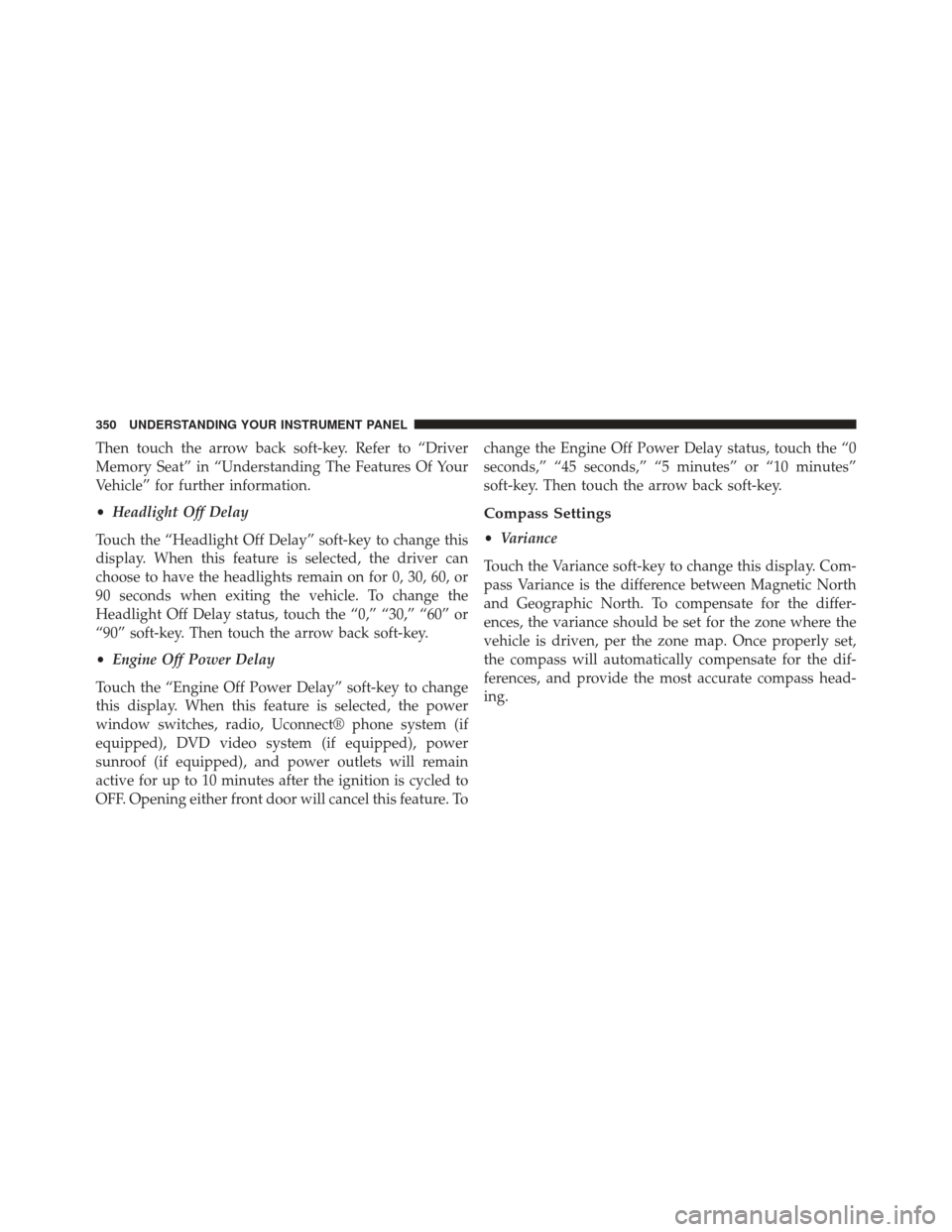
Then touch the arrow back soft-key. Refer to “Driver
Memory Seat” in “Understanding The Features Of Your
Vehicle” for further information.
•Headlight Off Delay
Touch the “Headlight Off Delay” soft-key to change this
display. When this feature is selected, the driver can
choose to have the headlights remain on for 0, 30, 60, or
90 seconds when exiting the vehicle. To change the
Headlight Off Delay status, touch the “0,” “30,” “60” or
“90” soft-key. Then touch the arrow back soft-key.
• Engine Off Power Delay
Touch the “Engine Off Power Delay” soft-key to change
this display. When this feature is selected, the power
window switches, radio, Uconnect® phone system (if
equipped), DVD video system (if equipped), power
sunroof (if equipped), and power outlets will remain
active for up to 10 minutes after the ignition is cycled to
OFF. Opening either front door will cancel this feature. To change the Engine Off Power Delay status, touch the “0
seconds,” “45 seconds,” “5 minutes” or “10 minutes”
soft-key. Then touch the arrow back soft-key.
Compass Settings
•
Variance
Touch the Variance soft-key to change this display. Com-
pass Variance is the difference between Magnetic North
and Geographic North. To compensate for the differ-
ences, the variance should be set for the zone where the
vehicle is driven, per the zone map. Once properly set,
the compass will automatically compensate for the dif-
ferences, and provide the most accurate compass head-
ing.
350 UNDERSTANDING YOUR INSTRUMENT PANEL
Page 367 of 635
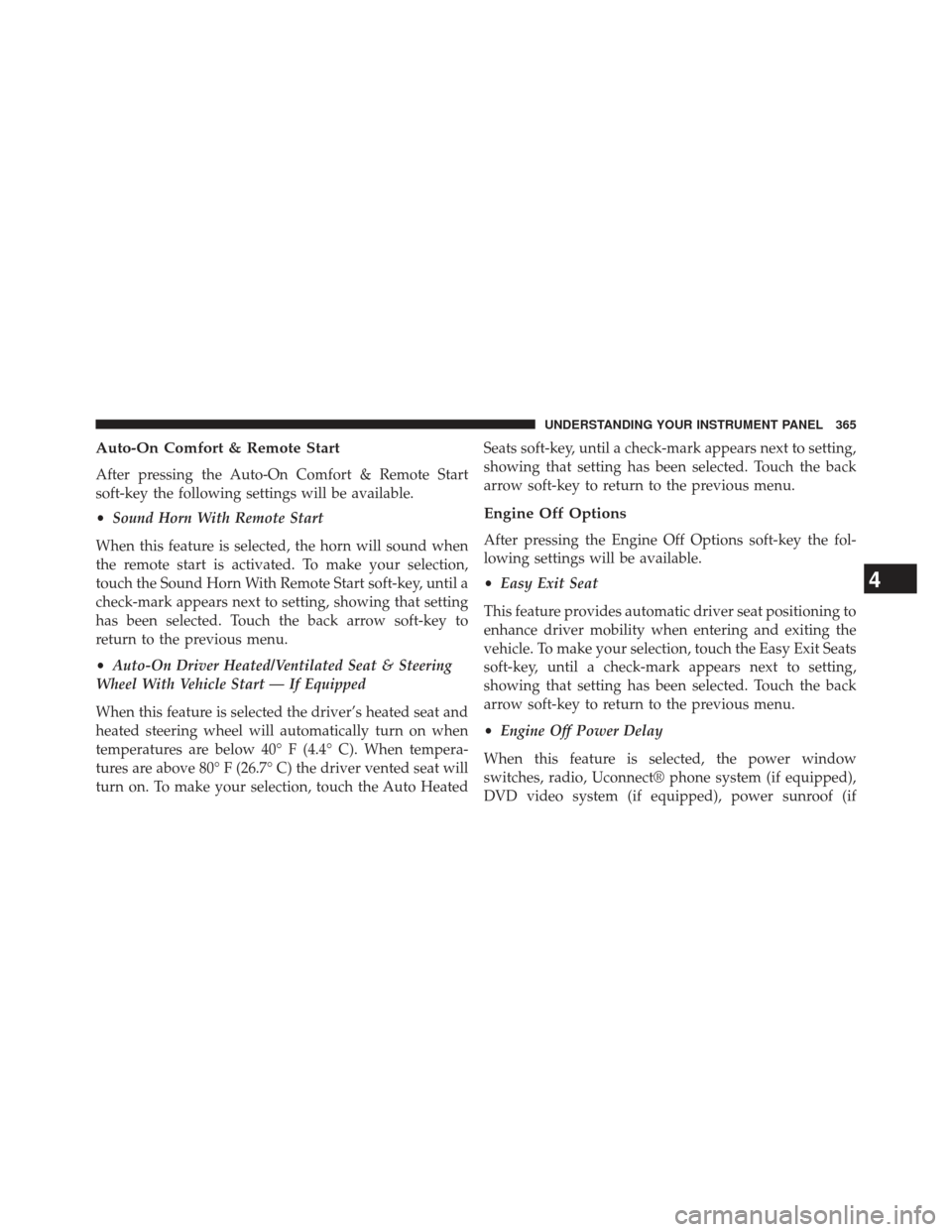
Auto-On Comfort & Remote Start
After pressing the Auto-On Comfort & Remote Start
soft-key the following settings will be available.
•Sound Horn With Remote Start
When this feature is selected, the horn will sound when
the remote start is activated. To make your selection,
touch the Sound Horn With Remote Start soft-key, until a
check-mark appears next to setting, showing that setting
has been selected. Touch the back arrow soft-key to
return to the previous menu.
• Auto-On Driver Heated/Ventilated Seat & Steering
Wheel With Vehicle Start — If Equipped
When this feature is selected the driver’s heated seat and
heated steering wheel will automatically turn on when
temperatures are below 40° F (4.4° C). When tempera-
tures are above 80° F (26.7° C) the driver vented seat will
turn on. To make your selection, touch the Auto Heated Seats soft-key, until a check-mark appears next to setting,
showing that setting has been selected. Touch the back
arrow soft-key to return to the previous menu.
Engine Off Options
After pressing the Engine Off Options soft-key the fol-
lowing settings will be available.
•
Easy Exit Seat
This feature provides automatic driver seat positioning to
enhance driver mobility when entering and exiting the
vehicle. To make your selection, touch the Easy Exit Seats
soft-key, until a check-mark appears next to setting,
showing that setting has been selected. Touch the back
arrow soft-key to return to the previous menu.
• Engine Off Power Delay
When this feature is selected, the power window
switches, radio, Uconnect® phone system (if equipped),
DVD video system (if equipped), power sunroof (if
4
UNDERSTANDING YOUR INSTRUMENT PANEL 365
Page 579 of 635
CAUTION!
•When installing the power distribution center
cover, it is important to ensure the cover is properly
positioned and fully latched. Failure to do so may
allow water to get into the power distribution
center and possibly result in an electrical system
failure.
(Continued)
CAUTION! (Continued)
•When replacing a blown fuse, it is important to use
only a fuse having the correct amperage rating. The
use of a fuse with a rating other than indicated may
result in a dangerous electrical system overload. If
a properly rated fuse continues to blow, it indicates
a problem in the circuit that must be corrected.
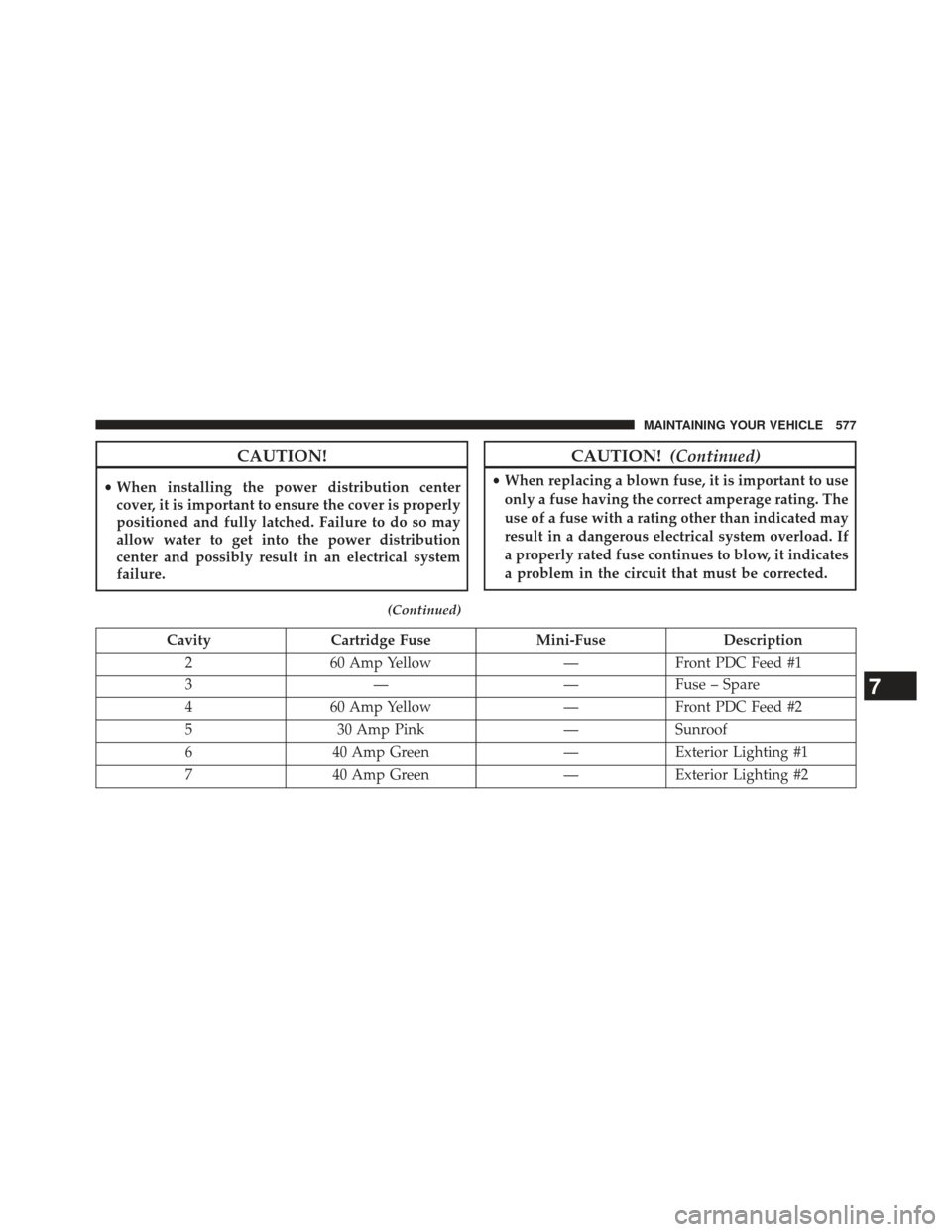
Cavity Cartridge Fuse Mini-FuseDescription
2 60 Amp Yellow —Front PDC Feed #1
3 — —Fuse – Spare
4 60 Amp Yellow —Front PDC Feed #2
5 30 Amp Pink —Sunroof
6 40 Amp Green —Exterior Lighting #1
7 40 Amp Green —Exterior Lighting #2
7
MAINTAINING YOUR VEHICLE 577
Page 626 of 635
Outlet (Auxiliary Electrical Outlet)...........295
Seats ............................... .197
Steering ............................. .425
Sunroof ............................. .292
Tilt/Telescoping Steering Column ............232
Windows ..............................39
Power Steering Fluid ...................... .590
Pregnant Women and Seat Belts ................58
Preparation for Jacking .....................511
Pretensioners Seat Belts ..............................56
Programming Transmitters (Remote Keyless Entry) . .22
Radial Ply Tires ......................... .455
Radiator Cap (Coolant Pressure Cap) ...........556
Radio Operation ......................... .373
Radio Remote Controls .....................371
Rain Sensitive Wiper System .................230
Rear Axle (Differential) .....................564 Rear Camera
........................... .277
Rear Cupholder ......................... .301
Rear ParkSense System .....................269
Rear Seat, Folding ........................ .209
Rear Window Defroster .....................307
Rear Window Features .....................307
Recorder, Event Data .......................72
Recreational Towing ...................... .502
Reformulated Gasoline .....................478
Refrigerant ............................. .546
Reminder, Lights On ...................... .220
Reminder, Seat Belt .........................57
Remote Control Starting System .........................27
Remote Keyless Entry (RKE) ..................22
Arm The Alarm .........................19
FCC General Information ..................26
Lock The Doors .........................23
Panic Alarm ............................24
624 INDEX
Page 629 of 635
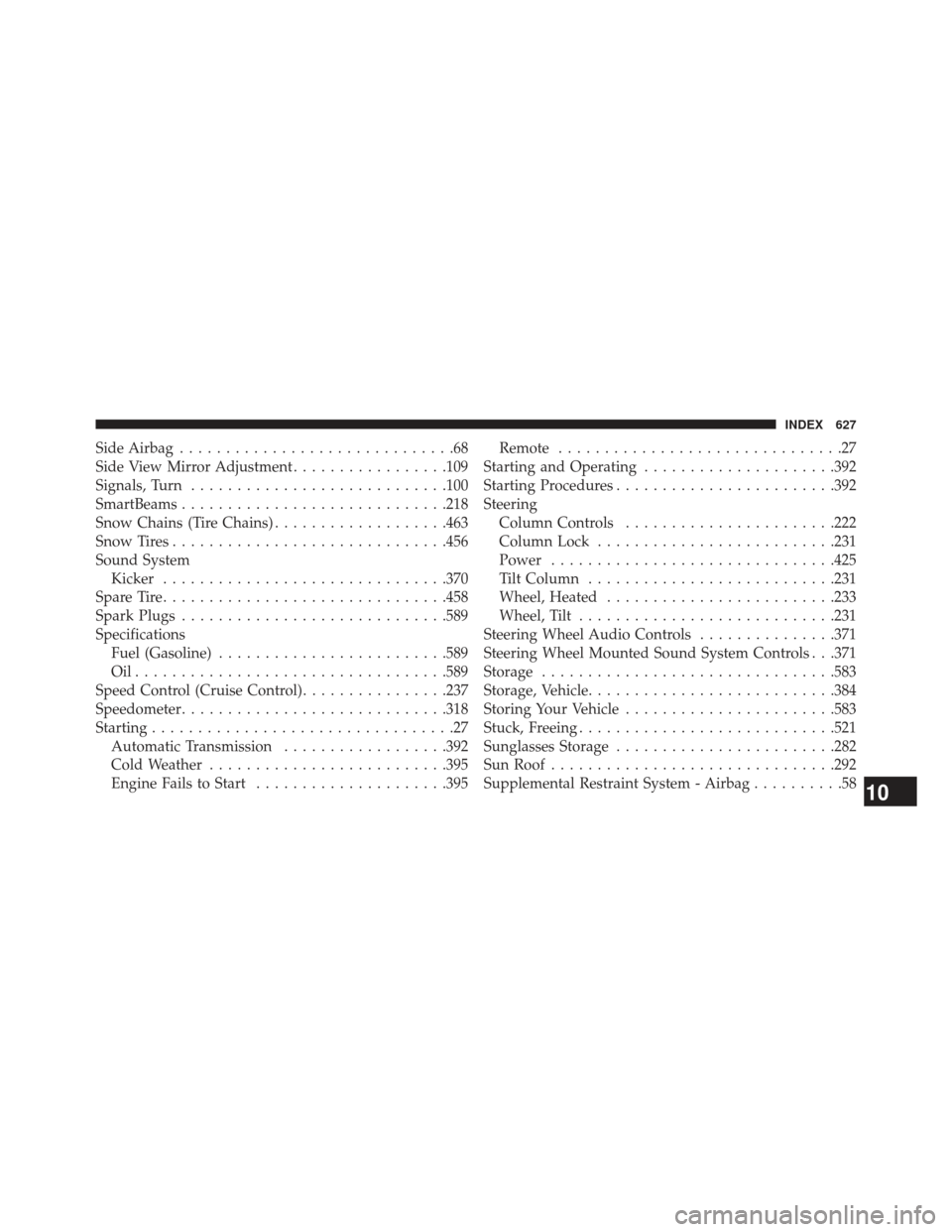
Side Airbag..............................68
Side View Mirror Adjustment .................109
Signals, Turn ........................... .100
SmartBeams ............................ .218
Snow Chains (Tire Chains) ...................463
Snow Tires ............................. .456
Sound System Kicker .............................. .370
Spare Tire .............................. .458
Spark Plugs ............................ .589
Specifications Fuel (Gasoline) ........................ .589
Oil................................. .589
Speed Control (Cruise Control) ................237
Speedometer ............................ .318
Starting .................................27
Automatic Transmission ..................392
Cold Weather ......................... .395
Engine Fails to Start .....................395 Remote
...............................27
Starting and Operating .....................392
Starting Procedures ....................... .392
Steering Column Controls ...................... .222
Column Lock ......................... .231
Power .............................. .425
Tilt Column .......................... .231
Wheel, Heated ........................ .233
Wheel, Tilt ........................... .231
Steering Wheel Audio Controls ...............371
Steering Wheel Mounted Sound System Controls . . .371
Storage ............................... .583
Storage, Vehicle .......................... .384
Storing Your Vehicle ...................... .583
Stuck, Freeing ........................... .521
Sunglasses Storage ....................... .282
Sun Roof .............................. .292
Supplemental Restraint System - Airbag ..........58
10
INDEX 627