brake DODGE CHARGER 2014 7.G User Guide
[x] Cancel search | Manufacturer: DODGE, Model Year: 2014, Model line: CHARGER, Model: DODGE CHARGER 2014 7.GPages: 148, PDF Size: 3.77 MB
Page 5 of 148
VEHICLES SOLD IN CANADA
With respect to any vehicles sold in Canada, the name Chrysler Group LLC shall be deemed
to be deleted and the name Chrysler Canada Inc. used in substitution.
WARNING!
• Pedals that cannot move freely can cause loss of vehicle control and increase therisk of serious personal injury.
• Always make sure that objects cannot fall into the driver foot well while the vehicle is
moving. Objects can become trapped under the brake pedal and accelerator pedal
causing a loss of vehicle control.
• Failure to properly follow floor mat installation or mounting can cause interference
with the brake pedal and accelerator pedal operation causing loss of control of the
vehicle.
• Never leave children alone in a vehicle, or with access to an unlocked vehicle.
Allowing children to be in a vehicle unattended is dangerous for a number of reasons.
A child or others could be seriously or fatally injured. Children should be warned not
to touch the parking brake, brake pedal or the shift lever/gear selector.
• Never use the ‘PARK’ position as a substitute for the parking brake. Always apply the parking brake fully when parked to guard against vehicle movement and possible
injury or damage.
• Refer to your Owner's Manual on the DVD for further details.
USE OF AFTERMARKET PRODUCTS (ELECTRONICS)
The use of aftermarket devices including cell phones, MP3 players, GPS systems, or
chargers may affect the performance of on-board wireless features including Keyless
Enter-N-Go™ and Remote Start range. If you are experiencing difficulties with any of your
wireless features, try disconnecting your aftermarket devices to see if the situation im-
proves. If your symptoms persist, please see an authorized dealer.
CHRYSLER, DODGE, JEEP, RAM TRUCK, SRT, ATF+4, MOPAR and Uconnect are registered
trademarks of Chrysler Group LLC.
COPYRIGHT ©2014 CHRYSLER GROUP LLC
INTRODUCTION/WELCOME
3
Page 7 of 148
10. Power Outlet pg. 75
11. Shift lever
12. Speed Control pg. 32
13. Electronic Vehicle Information Center (EVIC) Controls pg. 70
14. Trunk Release Button
15. Power Brake Pedal
16. Power Door Lock Switches
17. Power Mirrors Switch
18. Power Window Switches
CONTROLS AT A GLANCE
5
Page 8 of 148
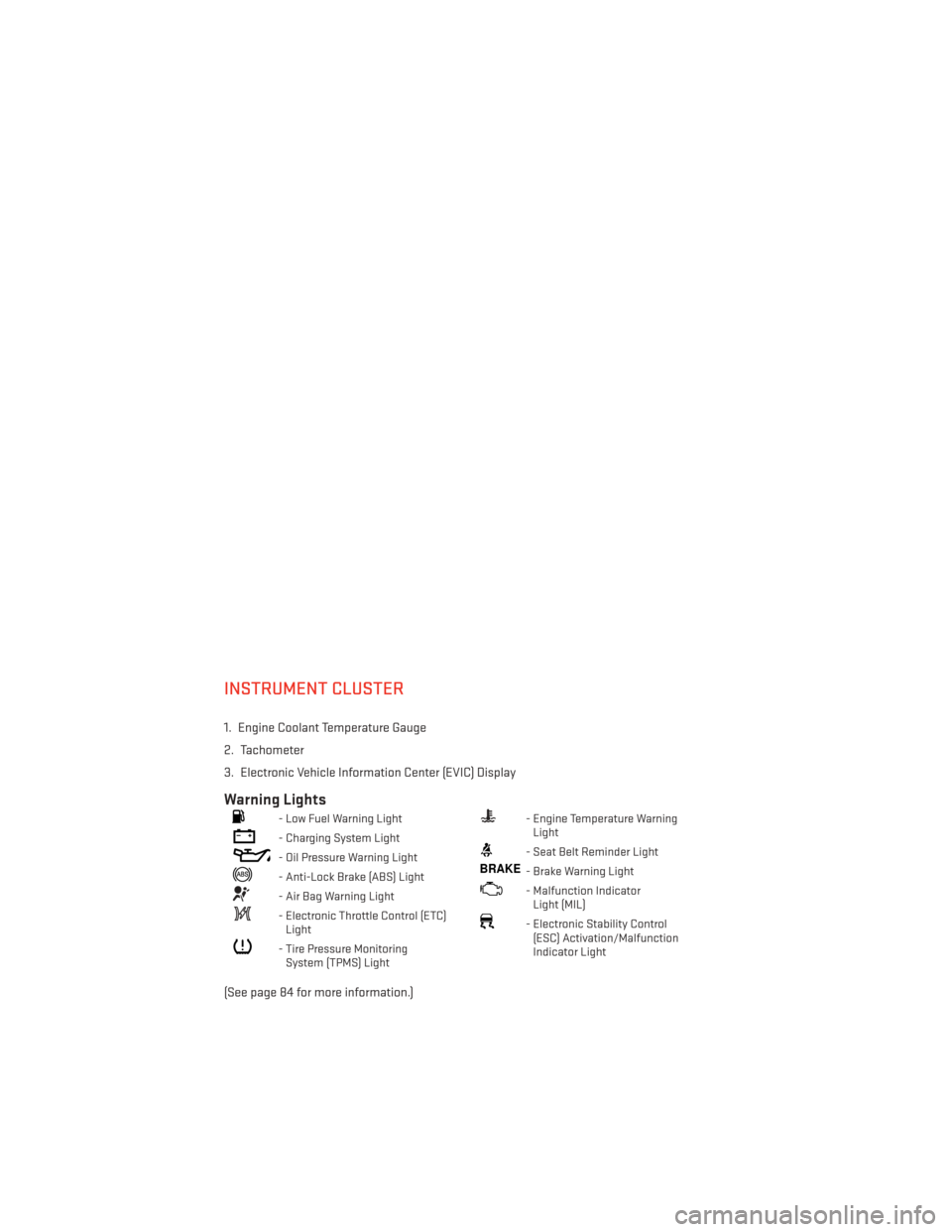
INSTRUMENT CLUSTER
1. Engine Coolant Temperature Gauge
2. Tachometer
3. Electronic Vehicle Information Center (EVIC) Display
Warning Lights
- Low Fuel Warning Light
- Charging System Light
- Oil Pressure Warning Light
- Anti-Lock Brake (ABS) Light
- Air Bag Warning Light
- Electronic Throttle Control (ETC)Light
- Tire Pressure MonitoringSystem (TPMS) Light
- Engine Temperature WarningLight
- Seat Belt Reminder Light
BRAKE- Brake Warning Light
- Malfunction IndicatorLight (MIL)
- Electronic Stability Control(ESC) Activation/Malfunction
Indicator Light
(See page 84 for more information.)
CONTROLS AT A GLANCE
6
Page 9 of 148
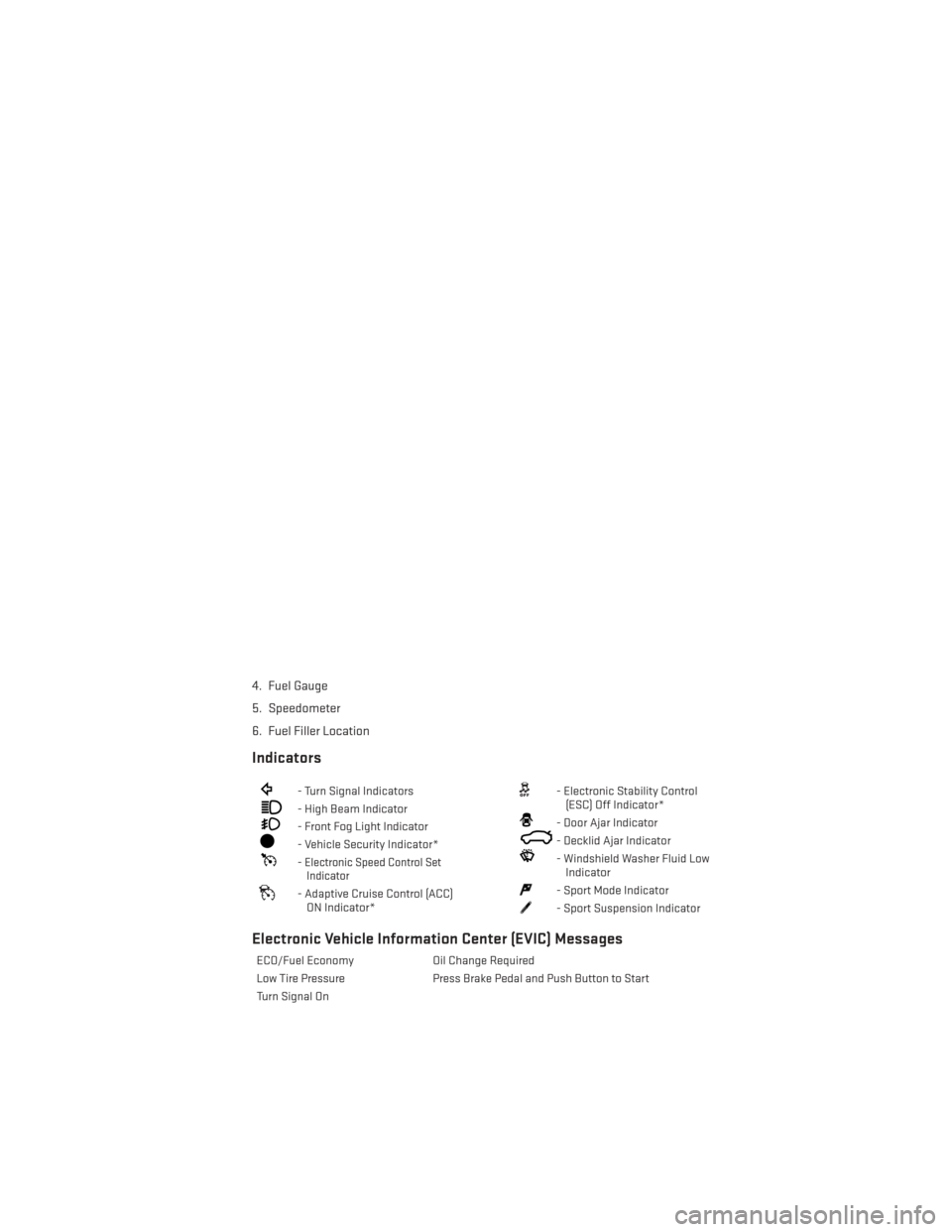
4. Fuel Gauge
5. Speedometer
6. Fuel Filler Location
Indicators
- Turn Signal Indicators
- High Beam Indicator
- Front Fog Light Indicator
- Vehicle Security Indicator*
-Electronic Speed Control SetIndicator
- Adaptive Cruise Control (ACC)
ON Indicator*
- Electronic Stability Control(ESC) Off Indicator*
- Door Ajar Indicator
- Decklid Ajar Indicator
- Windshield Washer Fluid LowIndicator
- Sport Mode Indicator
- Sport Suspension Indicator
Electronic Vehicle Information Center (EVIC) Messages
ECO/Fuel Economy Oil Change Required
Low Tire Pressure Press Brake Pedal and Push Button to Start
Turn Signal On
CONTROLS AT A GLANCE
7
Page 11 of 148
Emergency Key
Should the battery in the vehicle or the Key Fob transmitter go dead, there is an emergency
key located in the Key Fob.
• To remove the emergency key, slide the button at the back of the Key Fob sideways withyour thumb and then pull the key out with your other hand.
The emergency key is also for locking the glove compartment.
WARNING!
• Never use the PARK position as a substitute for the parking brake. Always apply the parking brake fully when parked to guard against vehicle movement and possible
injury or damage.
• When leaving the vehicle, always remove the Key Fob from the ignition and lock your
vehicle.
• Never leave children alone in a vehicle, or with access to an unlocked vehicle.
Allowing children to be in a vehicle unattended is dangerous for a number of reasons.
A child or others could be seriously or fatally injured. Children should be warned not
to touch the parking brake, brake pedal or the shift lever.
• Do not leave the Key Fob in or near the vehicle, or in a location accessible to children,
and do not leave the ignition of a vehicle equipped with Keyless Enter-N-Go™ in the
ACC or ON/RUN mode. A child could operate power windows, other controls, or move
the vehicle.
Emergency Key
GETTING STARTED
9
Page 14 of 148
To Enter The Trunk
• With a valid Keyless Enter-N-Go™ Key Foblocated outside the vehicle and within 5 ft
(1.5 m) of the deck lid, press the button on
the right side of Center High Mounted
Stop Light (CHMSL) which is located on
the deck lid.
• Whenever the vehicle is unlocked, you can enter the trunk by pressing the button
on the right side of the CHMSl.
NOTE:
Refer to your Owner's Manual on the DVD for
further information.
Engine Starting/Stopping
Starting
With a valid Keyless Enter-N-Go™ Key Fob
inside the vehicle:
1. Shift the transmission into PARK or NEUTRAL.
2. While pressing the brake pedal, press the ENGINE START/STOP button once. If the
engine fails to start, the starter will disen-
gage automatically after 10 seconds.
3. To stop the cranking of the engine prior to the engine starting, press the button
again.
1 — Trunk Button
1 — Engine START/STOP Button
GETTING STARTED
12
Page 15 of 148
NOTE:
In case the ignition switch does not change with the push of a button, the RKE transmitter
(Key Fob) may have a low or dead battery. In this situation a back up method can be used to
operate the ignition switch. Put the nose side of the Key Fob (side opposite of the Emer-
gency Key) against the ENGINE START/STOP button and push to operate the ignition switch.
Stopping
1. Bring the vehicle to a complete stop.
2. Shift the transmission to PARK (P).
3. Push the ENGINE START/STOP button once. The ignition switch will return to the OFFposition.
NOTE:
If the transmission is not in PARK and the vehicle is in motion, the ENGINE START/STOP
button must be held for two seconds with the vehicle speed above 5 mph (8 km/h) before
the engine will shut off.
Accessory Positions With Engine Off
NOTE:
The following functions are with the driver’s foot OFF the Brake Pedal (transmission in PARK
or NEUTRAL).
Beginning With The Ignition Switch In The OFF Position:
• Push the ENGINE START/STOP button once to cycle the ignition to the ACC position.
• Push the ENGINE START/STOP button a second time to cycle the ignition to the ON/RUN position.
• Push the ENGINE START/STOP button a third time to return the ignition to the OFF position.
NOTE:
If the ignition is left in the ACC or ON/RUN
(engine not running) position and the trans-
mission is in PARK, the system will auto-
matically time out after 30 minutes of inac-
tivity and the ignition is returned to the OFF
position.
Accessory Positions
GETTING STARTED
13
Page 35 of 148
Accel/Decel
To Increase Speed
• When the Electronic Speed Control is set, you can increase speed by pushing the RES+
button.
The speed increment shown is dependant on the speed of U.S. (mph) or Metric (km/h) units:
U.S. Speed (mph)
• Pressing the RES +button once will result i n a 1 mph increase in set speed. Each
subsequent tap of the button results in an increase of 1 mph.
• If the button is continually pressed, the set speed will continue to increase until the button is released, then the new set speed will be established.
Metric Speed (km/h)
• Pressing the RES +button once will result i n a 2 km/h increase in set speed. Each
subsequent tap of the button results in an increase of 2 km/h.
• If the button is continually pressed, the set speed will continue to increase until the button is released, then the new set speed will be established.
To Decrease Speed
• When the Electronic Speed Control is set, you can decrease speed by pushing the SET -
button.
The speed decrement shown is dependant on the speed of U.S. (mph) or Metric (km/h) units:
U.S. Speed (mph)
• Pressing the SET -button once will result i n a 1 mph decrease in set speed. Each
subsequent tap of the button results in a decrease of 1 mph.
• If the button is continually pressed, the set speed will continue to decrease until the button is released, then the new set speed will be established.
Metric Speed (km/h)
• Pressing the SET -button once will result i n a 2 km/h decrease in set speed. Each
subsequent tap of the button results in a decrease of 2 km/h.
• If the button is continually pressed, the set speed will continue to decrease until the button is released, then the new set speed will be established.
Resume
• To resume a previously selected set speed in memory, push the RES + button andrelease.
Cancel
• Push the CANCEL button, or apply the brakes to cancel the set speed and maintain theset speed memory.
• Push the ON/OFF button to turn the system off and erase the set speed memory.
OPERATING YOUR VEHICLE
33
Page 38 of 148
WARNING!
• Leaving the Electronic or Adaptive Speed Control system on when not in use isdangerous. You could accidentally set the system or cause it to go faster than you
want. You could lose control and have a collision. Always leave the Electronic or
Adaptive Speed Control system off when you are not using it.
• Electronic Speed Control can be dangerous where the system cannot maintain a constant speed. Your vehicle could go too fast for the conditions, and you could lose
control. A collision could be the result. Do not use Electronic Speed Control in heavy
traffic or on roads that are winding, icy, snow-covered or slippery.
• Adaptive Cruise Control (ACC) is a convenience system. It is not a substitute for active driving involvement. Pay attention to road, traffic, and weather conditions,
vehicle speed, distance to the vehicle ahead, and brake operation to ensure safe
operation of the vehicle under all road conditions. Your attention is always required
while driving to maintain safe control of your vehicle. Failure to follow these warnings
can result in a collision or serious personal injury.
The ACC system:
• Does not react to pedestrians, oncoming vehicles, and stationary objects (i.e., a
stopped vehicle in a traffic jam or a disabled vehicle).
• Cannot take street, traffic, and weather conditions into account, and may be limited
upon adverse sight distance conditions.
• Does not predict the lane curvature or the movement of preceding vehicles and will
not compensate for such changes.
• Does not always fully recognize complex driving conditions, which can result in
wrong or missing distance warnings.
• Can only apply a maximum of 25% of the vehicle’s braking capability, and may not
bring the vehicle to a complete stop.
You should switch off the ACC system:
• When driving in fog, heavy rain, heavy snow, sleet, heavy traffic, and complex driving
situations (i.e., in highway construction zones).
• When entering a turn lane or highway off ramp; when driving on roads that are
winding, icy, snow-covered, slippery, or have steep uphill or downhill slopes; and
when towing a trailer.
• When circumstances do not allow safe driving at a constant speed.
• Failure to follow these warnings can result in a collision.
• Forward Collision Warning (FCW) is not intended to avoid a collision on its own. The
driver has the responsibility to avoid a collision by controlling the vehicle via braking
and steering. Failure to follow this warning could lead to serious injury or death.
OPERATING YOUR VEHICLE
36
Page 39 of 148
ELECTRONIC SHIFTER — 3.6L ENGINE
•Your vehicle is equipped with a fuel efficient
8 speed transmission. The electronic shift
lever in this vehicle does not slide like a
conventional shifter. Instead, the shift lever
is spring loaded and moves forward and
rearward, always returning to the center po-
sition after each gear is selected.
•The transmission gear range (PRND) is dis-
played both on the shift lever and in the
Electronic Vehicle Information Center
(EVIC).
Shifting From PARK To DRIVE
• Firmly depress the brake pedal, press the
lock button on the shift lever, then pull
and hold the shift lever fully rearward until
“D” is highlighted in the EVIC.
• To shift back into PARK from DRIVE, bring the vehicle to a complete stop, firmly de-
press the brake pedal, press the lock but-
ton on the shift lever, then push and hold
the shift lever fully forward until “P” is
highlighted in the EVIC.
Shifting From REVERSE To NEUTRAL
• Pull the shift lever rearward to the first detent and release. “N” will be highlighted
in the EVIC.
• To shift back into REVERSE from NEU- TRAL, firmly depress the brake pedal,
press the lock button on the shift lever, then push the shift lever forward to the first detent
and release. “R” will be highlighted in the EVIC.
Shifting From NEUTRAL To DRIVE
• Firmly depress the brake pedal, press the lock button on the shift lever, then pull the shift lever rearward and release. “D” will be highlighted in the EVIC.
• To shift back into NEUTRAL from DRIVE, firmly depress the brake pedal, press the lock button on the shift lever, then push the shift lever forward and release. “N” will be
highlighted in the EVIC.
OPERATING YOUR VEHICLE
37