lock DODGE CHARGER 2015 7.G Owners Manual
[x] Cancel search | Manufacturer: DODGE, Model Year: 2015, Model line: CHARGER, Model: DODGE CHARGER 2015 7.GPages: 638, PDF Size: 16.56 MB
Page 421 of 638
NOTE:
•When the parking brake is applied and the transmis-
sion is placed in gear, the “Brake Warning Light” will
flash. If vehicle speed is detected, a chime will sound
to alert the driver. Fully release the parking brake
before attempting to move the vehicle.
•This light only shows that the parking brake is ap-
plied. It does not show the degree of brake application.
When parking on a hill, it is important to turn the front
wheels toward the curb on a downhill grade and away
from the curb on an uphill grade. Apply the parking
brake before placing the shift lever/gear selector in
PARK, otherwise the load on the transmission locking
mechanism may make it difficult to move the shift
lever/gear selector out of PARK. The parking brake
should always be applied whenever the driver is not in
the vehicle.
WARNING!
•Never use the PARK position as a substitute for the
parking brake. Always apply the parking brake
fully when parked to guard against vehicle move-
ment and possible injury or damage.
•When leaving the vehicle, always remove the Key
Fob from the ignition and lock your vehicle.
•Never leave children alone in a vehicle, or with
access to an unlocked vehicle. Allowing children to
be in a vehicle unattended is dangerous for a
number of reasons. A child or others could be
seriously or fatally injured. Children should be
warned not to touch the parking brake, brake pedal
or the shift lever/gear selector.
(Continued)
5
STARTING AND OPERATING 419
Page 423 of 638
In the event power assist is lost for any reason (for
example, repeated brake applications with the engine
OFF) the brakes will still function. The effort required to
brake the vehicle will be much greater than that required
with the power system operating.
NOTE:Your vehicle is equipped with a high perfor-
mance braking system. The brake pads are a semi-
metallic compound, which offer superior fade resistance
for consistent operation. A compromise to using this type
of brake pad is that the brakes may produce more brake
dust and may squeal slightly under certain weather and
operating conditions (.i.e., during light brake applica-
tions) this is considered normal conditions.
ELECTRONIC BRAKE CONTROL SYSTEM
Your vehicle is equipped with an advanced electronic
brake control system that include Anti-Lock Brake Sys-
tem (ABS), Traction Control System (TCS), Brake Assist
System (BAS), and the Electronic Stability Control (ESC).
All four of these systems work together to enhance
vehicle stability and control in various driving condi-
tions.
Also, your vehicle may be equipped with Hill Start Assist
(HSA), Ready Alert Braking, and Rain Brake Support.
Anti-Lock Brake System (ABS)
The Anti-Lock Brake System (ABS) provides increased
vehicle stability and brake performance under most
braking conditions. The system automatically “pumps”
the brakes during severe braking conditions to prevent
wheel lock-up.
The Electronic Brake Force Distribution (EBD) prevents
the rear wheels from over-braking and provides greater
control of available braking forces applied to the rear
axle.
When the vehicle is driven over 7 mph (11 km/h), you
may also hear a slight clicking sound as well as some
5
STARTING AND OPERATING 421
Page 424 of 638
related motor noises. These noises are the system per-
forming its self check cycle to ensure that the ABS is
working properly. This self check occurs each time the
vehicle is started and accelerated past 7 mph (11 km/h).
ABS is activated during braking under certain road or
stopping conditions. ABS-inducing conditions can in-
clude ice, snow, gravel, bumps, railroad tracks, loose
debris, or panic stops.
You also may experience the following when the brake
system goes into Anti-Lock:
•The ABS motor running (it may continue to run for a
short time after the stop).
•The clicking sound of solenoid valves.
•Brake pedal pulsations.
•A slight drop or fall away of the brake pedal at the end
of the stop.
These are all normal characteristics of ABS.
WARNING!
•The ABS contains sophisticated electronic equip-
ment that may be susceptible to interference
caused by improperly installed or high output
radio transmitting equipment. This interference
can cause possible loss of anti-lock braking capa-
bility. Installation of such equipment should be
performed by qualified professionals.
•Pumping of the Anti-Lock Brakes will diminish
their effectiveness and may lead to a collision.
Pumping makes the stopping distance longer. Just
press firmly on your brake pedal when you need to
slow down or stop.
(Continued)
422 STARTING AND OPERATING
Page 464 of 638
the vehicle’s recommended cold placard pressure infla-
tion value as shown in the#Inflate Tire to XX#message.
Once the system receives the updated tire pressures, the
system will automatically update, the graphic display in
the DID will return the pressure values shown to their
original color, and the “TPM Telltale Light” will turn off.
The vehicle may need to be driven for up to 20 minutes
above 15 mph (24 km/h) in order for the TPMS to receive
this information.
Service TPMS Warning
If a system fault is detected, the “TPM Telltale Light” will
flash on and off for 75 seconds and then remain on solid.
The system fault will also sound a chime. In addition, the
DID will display a#SERVICE TPM SYSTEM#message for
a minimum of five seconds and then display dashes (- -)
in place of the pressure value to indicate which sensor is
not being received.
If the ignition switch is cycled, this sequence will repeat,
providing the system fault still exists. If the system fault
no longer exists, the “TPM Telltale Light” will no longer
flash, and the#SERVICE TPM SYSTEM#message will no
longer display, and a pressure value will display in place
of the dashes. A system fault can occur due to any of the
following:
1. Signal interference due to electronic devices or driving
next to facilities emitting the same radio frequencies as
the TPM sensors.
2. Installing aftermarket window tinting that contains
materials that may block radio wave signals.
3. Accumulation of snow or ice around the wheels or
wheel housings.
4. Using tire chains on the vehicle.
5. Using wheels/tires not equipped with TPM sensors.
462 STARTING AND OPERATING
Page 474 of 638
Selection Of Engine Oil For Flexible Fuel Vehicles
(E-85) And Gasoline Vehicles
FFV vehicles operated on E-85 require specially formu-
lated engine oils. These special requirements are included
in MOPAR® engine oils, and in equivalent oils meeting
Chrysler Specification MS-6395. It is recommended that
engine oils that are API Certified and meet the require-
ments of Material Standard MS-6395 be used. MS-6395
contains additional requirements, developed during ex-
tensive fleet testing, to provide additional protection to
Chrysler Group LLC engines.
Starting
The characteristics of E-85 fuel make it unsuitable for use
when ambient temperatures fall below 0°F (-18°C). In the
range of 0°F (-18°C) to 32°F (0°C), an increase in the time
it takes for your engine to start may be experienced, and
a deterioration in driveability (sags and/or hesitations)
until the engine is fully warmed up. These issues may be
improved with the use of seasonally adjusted E-85 fuel.
NOTE:Use of the engine block heater (if equipped) may
improve engine start time when using E-85 fuel when the
ambient temperature is less than 32°F (0°C).
Cruising Range
Because E-85 fuel contains less energy per gallon/liter
than gasoline, an increase in fuel consumption will be
experienced. The miles per gallon (mpg)/Kilometers per
liter and the driving range will decrease by approxi-
mately 30%, compared to gasoline operation.
Replacement Parts
All fuel and engine components in your Flexible Fuel
Vehicle (FFV) are designed to be compatible with ethanol.
Ethanol compatible service components are required.
472 STARTING AND OPERATING
Page 488 of 638
Towing Requirements
To promote proper break-in of your new vehicle drive-
train components the following guidelines are recom-
mended:
WARNING!
Improper towing can lead to an injury collision.
Follow these guidelines to make your trailer towing
as safe as possible:
•Make certain that the load is secured in the trailer
and it will not shift during travel. When trailering
cargo that is not fully secured, dynamic load shifts
can occur that may be difficult for the driver to
control. You could lose control of your vehicle and
have a collision.
(Continued)
WARNING!(Continued)
•When hauling cargo or towing a trailer, do not
overload your vehicle or trailer. Overloading can
cause a loss of control, poor performance, or dam-
age to brakes, axle, engine, transmission, steering,
suspension, chassis structure, or tires.
•Safety chains must always be used between your
vehicle and trailer. Always connect the chains to
the frame or hook retainers of the vehicle hitch.
Cross the chains under the trailer tongue and allow
enough slack for turning corners.
•Vehicles with trailers should not be parked on a
grade. When parking, apply the parking brake on
the tow vehicle. Put the tow vehicle automatic
transmission in PARK. Always, block or%chock%
the trailer wheels.
•GCWR must not be exceeded.
(Continued)
486 STARTING AND OPERATING
Page 503 of 638
2. Turn on the Hazard Warning flasher.
3. Set the parking brake.
4. Place the shift lever/gear selector into PARK.
5. Turn OFF the ignition.
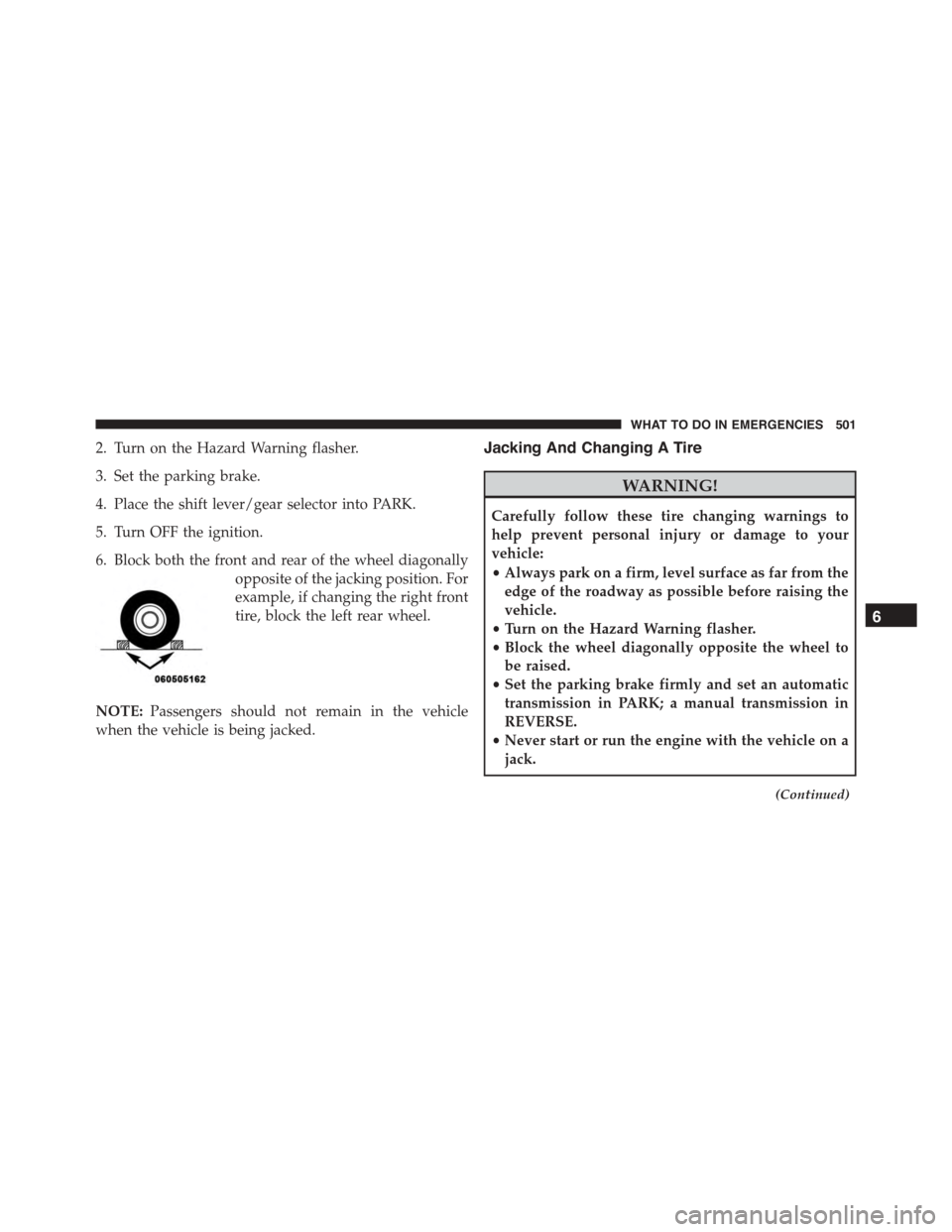
6. Block both the front and rear of the wheel diagonally
opposite of the jacking position. For
example, if changing the right front
tire, block the left rear wheel.
NOTE:Passengers should not remain in the vehicle
when the vehicle is being jacked.
Jacking And Changing A Tire
WARNING!
Carefully follow these tire changing warnings to
help prevent personal injury or damage to your
vehicle:
•Always park on a firm, level surface as far from the
edge of the roadway as possible before raising the
vehicle.
•Turn on the Hazard Warning flasher.
•Block the wheel diagonally opposite the wheel to
be raised.
•Set the parking brake firmly and set an automatic
transmission in PARK; a manual transmission in
REVERSE.
•Never start or run the engine with the vehicle on a
jack.
(Continued)
6
WHAT TO DO IN EMERGENCIES 501
Page 504 of 638
WARNING!(Continued)
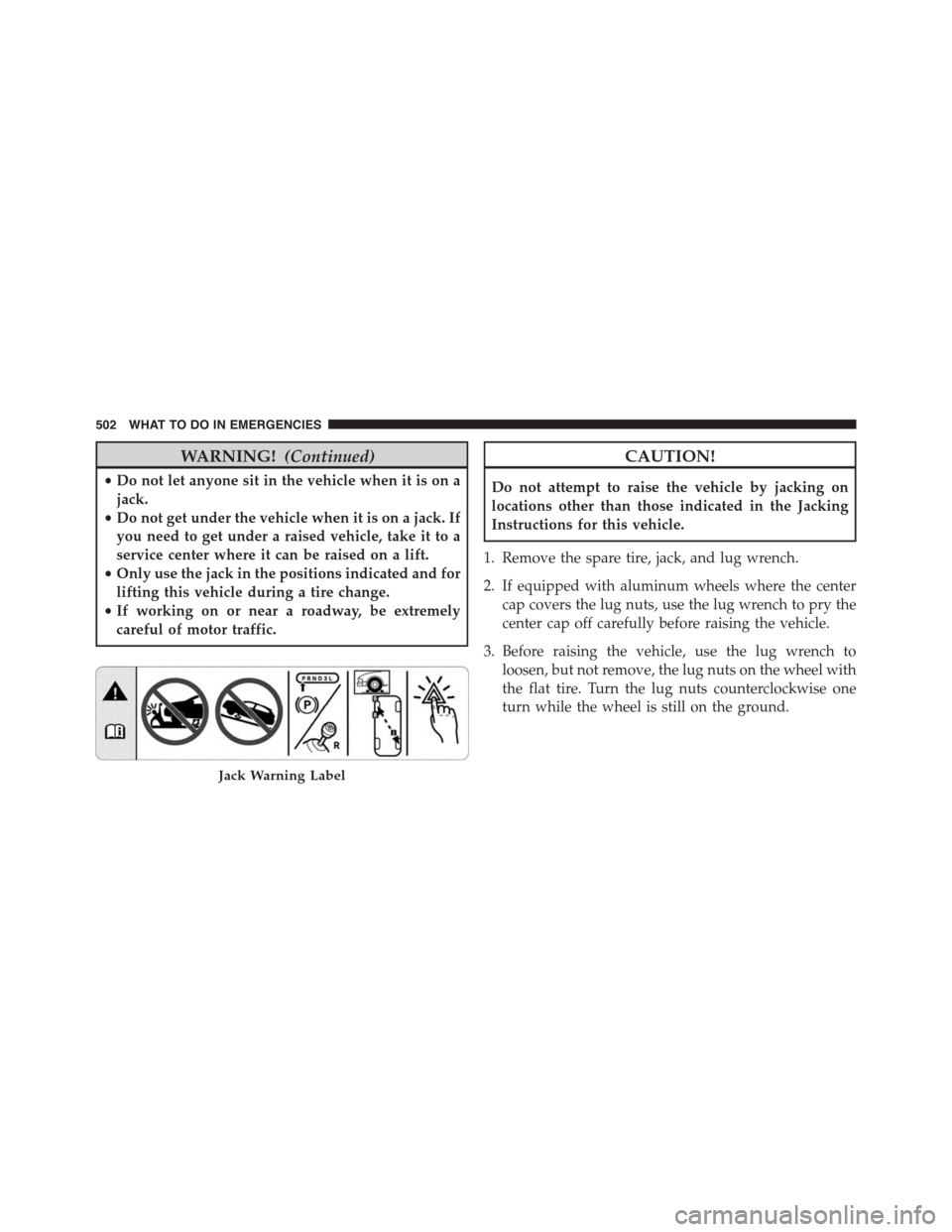
•Do not let anyone sit in the vehicle when it is on a
jack.
•Do not get under the vehicle when it is on a jack. If
you need to get under a raised vehicle, take it to a
service center where it can be raised on a lift.
•Only use the jack in the positions indicated and for
lifting this vehicle during a tire change.
•If working on or near a roadway, be extremely
careful of motor traffic.
CAUTION!
Do not attempt to raise the vehicle by jacking on
locations other than those indicated in the Jacking
Instructions for this vehicle.
1. Remove the spare tire, jack, and lug wrench.
2. If equipped with aluminum wheels where the center
cap covers the lug nuts, use the lug wrench to pry the
center cap off carefully before raising the vehicle.
3. Before raising the vehicle, use the lug wrench to
loosen, but not remove, the lug nuts on the wheel with
the flat tire. Turn the lug nuts counterclockwise one
turn while the wheel is still on the ground.
Jack Warning Label
502 WHAT TO DO IN EMERGENCIES
Page 505 of 638
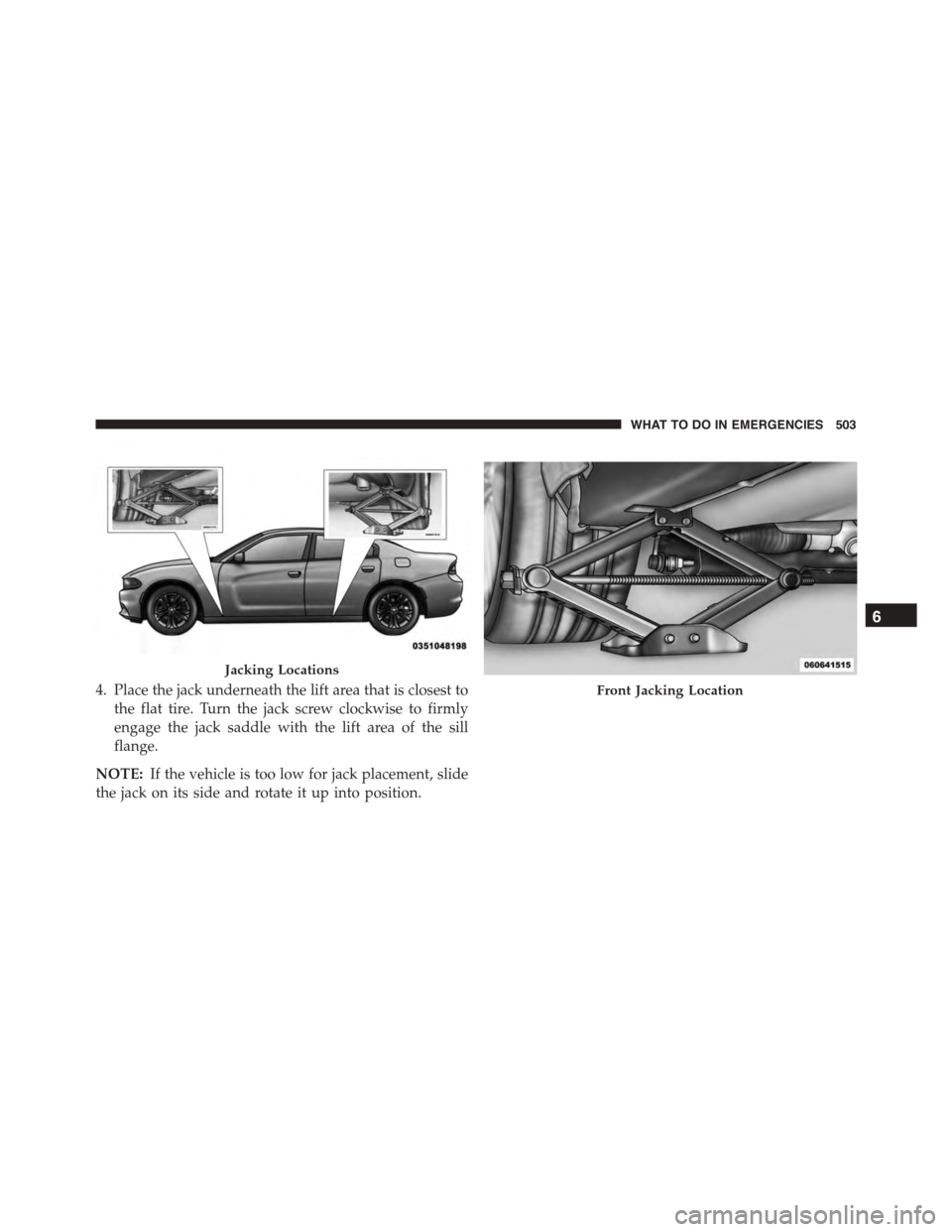
4. Place the jack underneath the lift area that is closest to
the flat tire. Turn the jack screw clockwise to firmly
engage the jack saddle with the lift area of the sill
flange.
NOTE:If the vehicle is too low for jack placement, slide
the jack on its side and rotate it up into position.
Jacking Locations
Front Jacking Location
6
WHAT TO DO IN EMERGENCIES 503
Page 508 of 638
9. Lower the vehicle to the ground by turning the jack
handle counterclockwise.
10. Refer to Torque Specifications for proper lug nut
torque.
11. Stow the jack, tools and flat tire. Make sure the base
of the jack faces the front of the vehicle before
tightening down the fastener.
WARNING!
A loose tire or jack thrown forward in a collision or
hard stop could endanger the occupants of the ve-
hicle. Always stow the jack parts and the spare tire in
the places provided. Have the deflated (flat) tire
repaired or replaced immediately.
Road Tire Installation
1. Mount the road tire on the axle.
2. Install the remaining lug nuts with the cone shaped
end of the nut toward the wheel. Lightly tighten the
lug nuts.
WARNING!
To avoid the risk of forcing the vehicle off the jack,
do not tighten the lug nuts fully until the vehicle has
been lowered. Failure to follow this warning may
result in personal injury.
3. Lower the vehicle to the ground by turning the jack
handle counterclockwise.
4. Refer to Torque Table for proper lug nut torque.
506 WHAT TO DO IN EMERGENCIES