high beam DODGE CHARGER 2015 7.G Owners Manual
[x] Cancel search | Manufacturer: DODGE, Model Year: 2015, Model line: CHARGER, Model: DODGE CHARGER 2015 7.GPages: 638, PDF Size: 16.56 MB
Page 104 of 638
Periodic Safety Checks You Should Make Outside
The Vehicle
Tires
Examine tires for excessive tread wear and uneven wear
patterns. Check for stones, nails, glass, or other objects
lodged in the tread or sidewall. Inspect the tread for cuts
and cracks. Inspect sidewalls for cuts, cracks, and bulges.
Check the wheel nuts for tightness. Check the tires
(including spare) for proper cold inflation pressure.
Lights
Have someone observe the operation of brake lights and
exterior lights while you work the controls. Check turn
signal and high beam indicator lights on the instrument
panel.
Door Latches
Check for proper closing, latching, and locking.
Fluid Leaks
Check area under vehicle after overnight parking for fuel,
engine coolant, oil, or other fluid leaks. Also, if gasoline
fumes are detected or if fuel, power steering fluid (if
equipped), or brake fluid leaks are suspected, the cause
should be located and corrected immediately.
102 THINGS TO KNOW BEFORE STARTING YOUR VEHICLE
Page 106 of 638
!SEATS . . . . . . . . . . . . . . . . . . . . . . . . . . . . ..131
▫Power Seats — If Equipped..............132
▫Power Lumbar — If Equipped............134
▫Heated Seats — If Equipped.............135
▫Front Ventilated Seats — If Equipped.......137
▫Manual Seats — If Equipped.............138
▫Head Restraints......................140
▫Folding Rear Seat.....................144
!DRIVER MEMORY SEAT — IF EQUIPPED . . . .146
▫Programming The Memory Feature.........147
▫Linking And Unlinking The Remote Keyless Entry
Transmitter To Memory.................148
▫Memory Position Recall.................149
▫Easy Entry/Exit Seat...................149
!TO OPEN AND CLOSE THE HOOD.........150
!LIGHTS.............................152
▫Headlight Switch.....................152
▫Automatic Headlights — If Equipped.......153
▫Headlights On With Wipers (Available With
Automatic Headlights Only).............153
▫Automatic High Beam Headlamp Control — If
Equipped...........................154
▫Headlight Time Delay..................155
▫Daytime Running Lights (DRL) —
If Equipped.........................156
▫Lights-On Reminder...................156
▫Fog Lights — If Equipped...............156
104 UNDERSTANDING THE FEATURES OF YOUR VEHICLE
Page 107 of 638
▫Multifunction Lever...................157
▫Turn Signals.........................158
▫Lane Change Assist...................158
▫High/Low Beam Switch................158
▫Flash-To-Pass........................158
▫Front Map/Reading Lights — If Equipped . . .159
▫Courtesy Lights.......................160
▫Ambient Light — If Equipped............160
▫Interior Lights.......................161
!WINDSHIELD WIPERS AND WASHERS......163
▫Intermittent Wiper System...............163
▫Wiper Operation......................163
▫Windshield Washers...................164
▫Heated Windshield Washer Nozzles........165
▫Mist Feature.........................165
▫Headlights On With Wipers (Available With
Automatic Headlights Only).............166
▫Rain Sensing Wipers — If Equipped........166
!TILT/TELESCOPING STEERING COLUMN . . .168
!POWER TILT/TELESCOPING STEERING
COLUMN — IF EQUIPPED...............169
!HEATED STEERING WHEEL — IF EQUIPPED . .170
!ADJUSTABLE PEDALS — IF EQUIPPED......172
!ELECTRONIC SPEED CONTROL —
IF EQUIPPED.........................174
▫To Activate..........................175
▫To Set A Desired Speed.................175
3
UNDERSTANDING THE FEATURES OF YOUR VEHICLE 105
Page 156 of 638
is set to ON. In addition, the headlights will turn off
when the wipers are turned off if they were turned on by
this feature.
NOTE:The Headlights On with Wipers feature can be
turned on or off using the Uconnect® System. Refer to
“Uconnect® Settings/Customer Programmable Fea-
tures” in “Understanding Your Instrument Panel” for
further information.
Automatic High Beam Headlamp Control — If
Equipped
The Automatic High Beam Headlamp Control system
provides increased forward lighting at night by automat-
ing high beam control through the use of a digital camera
mounted on the windshield. This camera detects vehicle
specific light and automatically switches from high
beams to low beams until the approaching vehicle is out
of view.
NOTE:
•The Automatic High Beam Headlamp Control can be
turned on or off using the Uconnect® System. Refer to
“Uconnect® Settings” in “Understanding Your Instru-
ment Panel” for further information.
•Broken, muddy, or obstructed headlights and taillights
of vehicles in the field of view will cause headlights to
remain on longer (closer to the vehicle). Also, dirt, film,
and other obstructions on the windshield or camera
lens will cause the system to function improperly.
If the windshield or Automatic High Beam Headlamp
Control mirror is replaced, the mirror must be re-aimed
to ensure proper performance. See your local authorized
dealer.
To Activate
1. Turn the headlight switch to the AUTO headlight
position.
154 UNDERSTANDING THE FEATURES OF YOUR VEHICLE
Page 157 of 638
2. Push the multifunction lever away from you (toward
front of vehicle) to engage the high beam mode.
NOTE:This system will not activate until the vehicle is
at or above 15 mph (24 km/h).
To Deactivate
1. Pull the multifunction lever toward you (or rearward
in car) to manually deactivate the system (normal
operation of low beams).
2. Push back on the multifunction lever to reactivate the
system.
Headlight Time Delay
This feature provides the safety of headlight illumination
for up to 90 seconds when leaving your vehicle in an
unlit area.
To activate the delay feature, turn OFF the ignition switch
while the headlights are still on. Then, turn off the
headlights within 45 seconds. The delay interval begins
when the headlight switch is turned off.
NOTE:The lights must be turned off within 45 seconds
of turning the ignition OFF to activate this feature.
If you turn the headlights, park lights or ignition switch
ON again, the system will cancel the delay.
If you turn the headlights off before the ignition, they will
turn off in the normal manner.
NOTE:The Headlight Time Delay is programmable us-
ing the Uconnect® System, refer to “Uconnect® Settings”
in “Understanding Your Instrument Panel” for further
information.
3
UNDERSTANDING THE FEATURES OF YOUR VEHICLE 155
Page 159 of 638
An indicator light in the instrument cluster illuminates
when the fog lights are turned on.
NOTE:The fog lights will operate with the low beam
headlights or parking lights on. However, selecting the
high beam headlights will turn off the fog lights.
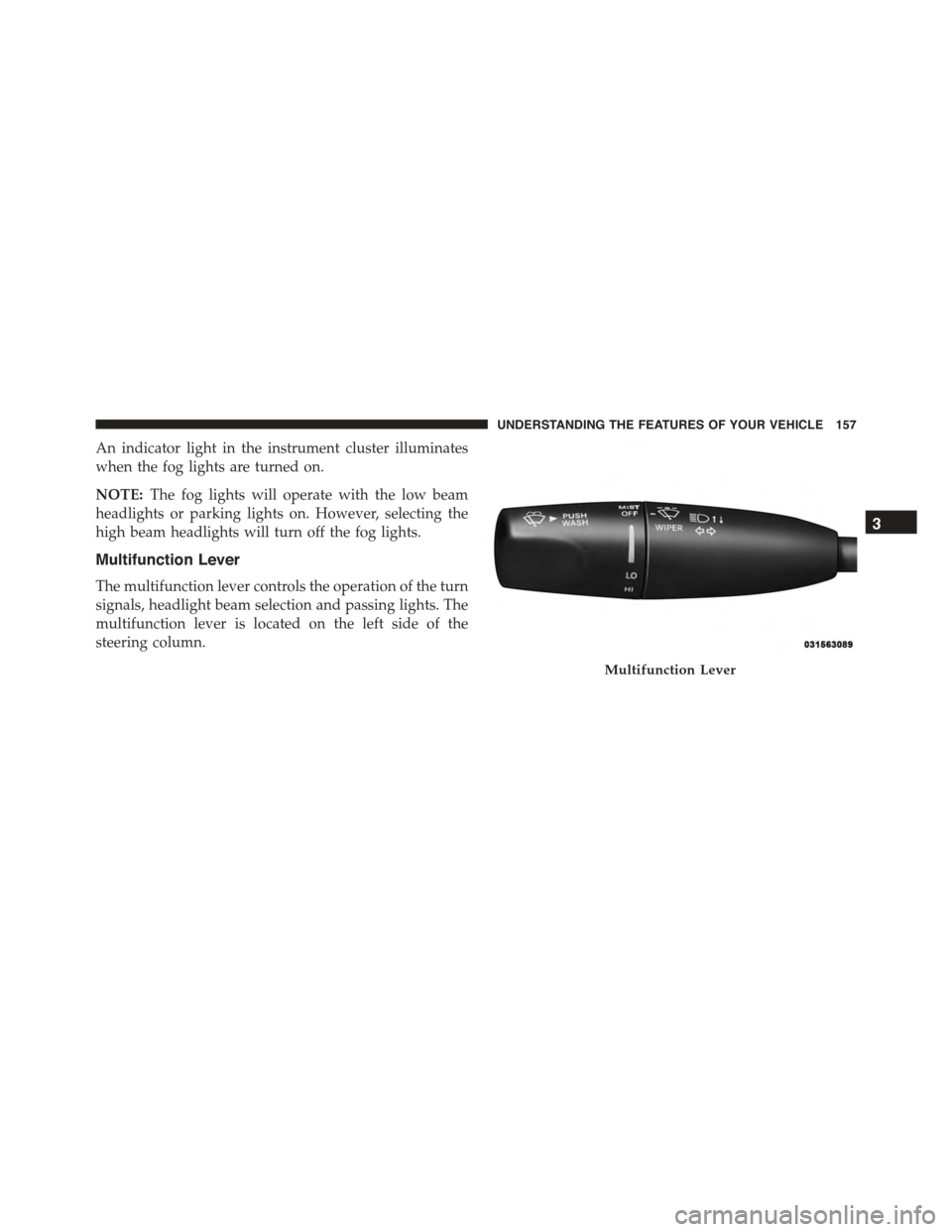
Multifunction Lever
The multifunction lever controls the operation of the turn
signals, headlight beam selection and passing lights. The
multifunction lever is located on the left side of the
steering column.
Multifunction Lever
3
UNDERSTANDING THE FEATURES OF YOUR VEHICLE 157
Page 160 of 638
Turn Signals
Move the multifunction lever up or down and the arrows
on each side of the instrument cluster flash to show
proper operation of the front and rear turn signal lights.
NOTE:
•If either light remains on and does not flash, or there is
a very fast flash rate, check for a defective outside light
bulb. If an indicator fails to light when the lever is
moved, it would suggest that the indicator bulb is
defective.
•A “Turn Signal On” message will appear in the Drivers
Information Display (DID) and a continuous chime
will sound if the vehicle is driven more than 1 mi
(1.6 km) with either turn signal on.
Lane Change Assist
Tap the lever up or down once, without moving beyond
the detent, and the turn signal (right or left) will flash
three times then automatically turn off.
High/Low Beam Switch
Push the multifunction lever away from you to switch
the headlights to high beam. Pull the multifunction lever
toward you to switch the headlights back to low beam.
Flash-To-Pass
You can signal another vehicle with your headlights by
lightly pulling the multifunction lever toward you. This
will turn on the high beam headlights until the lever is
released.
NOTE:If the multifunction lever is held in the flash-to
pass position for more than 20 seconds, the high beams
will shut off.
158 UNDERSTANDING THE FEATURES OF YOUR VEHICLE
Page 265 of 638
INSTRUMENT CLUSTER DESCRIPTIONS
1. Tachometer
The red segments indicate the maximum permissible
engine revolutions per minute (RPM x 1000) for each gear
range. Ease up on the accelerator before reaching the red
area. The transition of the red line starts 500 RPM prior to
the actual redline. 6.2L SC redline = 6250 RPM and 6.4L
redline = 6400 RPM.
2. High Beam Indicator
This indicator will turn on when the high beam
headlights are on. Push the multifunction lever
away from the steering wheel to switch the headlights to
high beam.
3. Brake Warning Light
This light monitors various brake functions,
including brake fluid level and parking brake
application. If the brake light turns on, it may
indicate that the parking brake is applied, that the brake
fluid level is low, or that there is a problem with the
anti-lock brake system reservoir.
If the light remains on when the parking brake has been
disengaged, and the fluid level is at the full mark on the
master cylinder reservoir, it indicates a possible brake
hydraulic system malfunction. In this case, the light will
remain on until the condition has been corrected.
The dual brake system provides a reserve braking capac-
ity in the event of a failure to a portion of the hydraulic
system. A leak in either half of the dual brake system is
indicated by the Brake Warning Light which will turn on
when the brake fluid level in the master cylinder has
dropped below a specified level.
The light will remain on until the cause is corrected.
4
UNDERSTANDING YOUR INSTRUMENT PANEL 263
Page 303 of 638
press the “Illuminated Approach” button on the touch-
screen and choose either “0,” “30,” “60,” or “90” buttons
on the touchscreen to select your desired time interval.
Press the back arrow/Done button on the touchscreen to
return to the previous menu.
•Headlights With Wipers — If Equipped
When this feature is selected, and the headlight switch is
in the AUTO position, the headlights will turn on ap-
proximately 10 seconds after the wipers are turned on.
The headlights will also turn off when the wipers are
turned off, if they were turned on by this feature. To
make your selection, press the “Lights w/Wipers” button
and select from “On” or “Off.” Press the back arrow/
Done button on the touchscreen to return to the previous
menu.
•Auto Dim High Beams — If Equipped
When this feature is selected, the high beam headlights
will activate/deactivate automatically under certain con-
ditions. To make your selection, press the “Auto High
Beams” button on the touchscreen, and select from “On”
or “Off.” Press the back arrow/Done button on the
touchscreen to return to the previous menu. Refer to
”Automatic High Beam — If Equipped” in “Understand-
ing The Features Of Your Vehicle” for further informa-
tion.
•Daytime Running Lights — If Equipped
When this feature is selected, the headlights will turn on
whenever the engine is running. To make your selection,
press the “Daytime Running Lights” button on the touch-
screen, and select from “On” or “Off.” Press the back
arrow/Done button on the touchscreen to return to the
previous menu.
4
UNDERSTANDING YOUR INSTRUMENT PANEL 301
Page 323 of 638
press the “+” or “-” button on the touchscreen to select
your desired time interval. Press the back arrow button
on the touchscreen to return to the previous menu, or
push the back button on the faceplate.
•Headlights With Wipers — If Equipped
When this feature is selected, and the headlight switch is
in the AUTO position, the headlights will turn on ap-
proximately 10 seconds after the wipers are turned on.
The headlights will also turn off when the wipers are
turned off if they were turned on by this feature. To make
your selection, press the “Headlights With Wipers” but-
ton on the touchscreen, until a check-mark appears next
to setting, indicating that the setting has been selected.
Press the back arrow button on the touchscreen to return
to the previous menu, or push the back button on the
faceplate.
•Auto Dim High Beams — If Equipped
When this feature is selected, the high beam headlights
will activate/deactivate automatically under certain con-
ditions. To make your selection, press the “Auto High
Beams” button on the touchscreen, until a check-mark
appears next to setting, indicating that the setting has
been selected. Press the back arrow button on the touch-
screen to return to the previous menu, or push the back
button on the faceplate. Refer to “Lights — If Equipped”
in “Understanding The Features Of Your Vehicle” for
further information.
•Daytime Running Lights — If Equipped
When this feature is selected, the headlights will turn on
whenever the engine is running. To make your selection,
press the “Daytime Running Lights” button on the touch-
screen, until a check-mark appears next to setting, indi-
cating that the setting has been selected. Press the back
4
UNDERSTANDING YOUR INSTRUMENT PANEL 321