lights DODGE CHARGER 2015 7.G Owner's Manual
[x] Cancel search | Manufacturer: DODGE, Model Year: 2015, Model line: CHARGER, Model: DODGE CHARGER 2015 7.GPages: 236, PDF Size: 35.67 MB
Page 113 of 236
Uconnect® Access — If Equipped (8.4A/8.4AN)
An included trial and/or subscription is required to take advantage of the Uconnect®
Access services in the next section of this guide. To register with Uconnect®Access, press
the “Apps” button on the 8.4-inch touchscreen to get started. Detailed registration
instructions can be found on the next page.
Uconnect®Access is available only on equipped vehicles purchased within the continen-
tal United States, Alaska and Hawaii. Services can only be used where coverage is
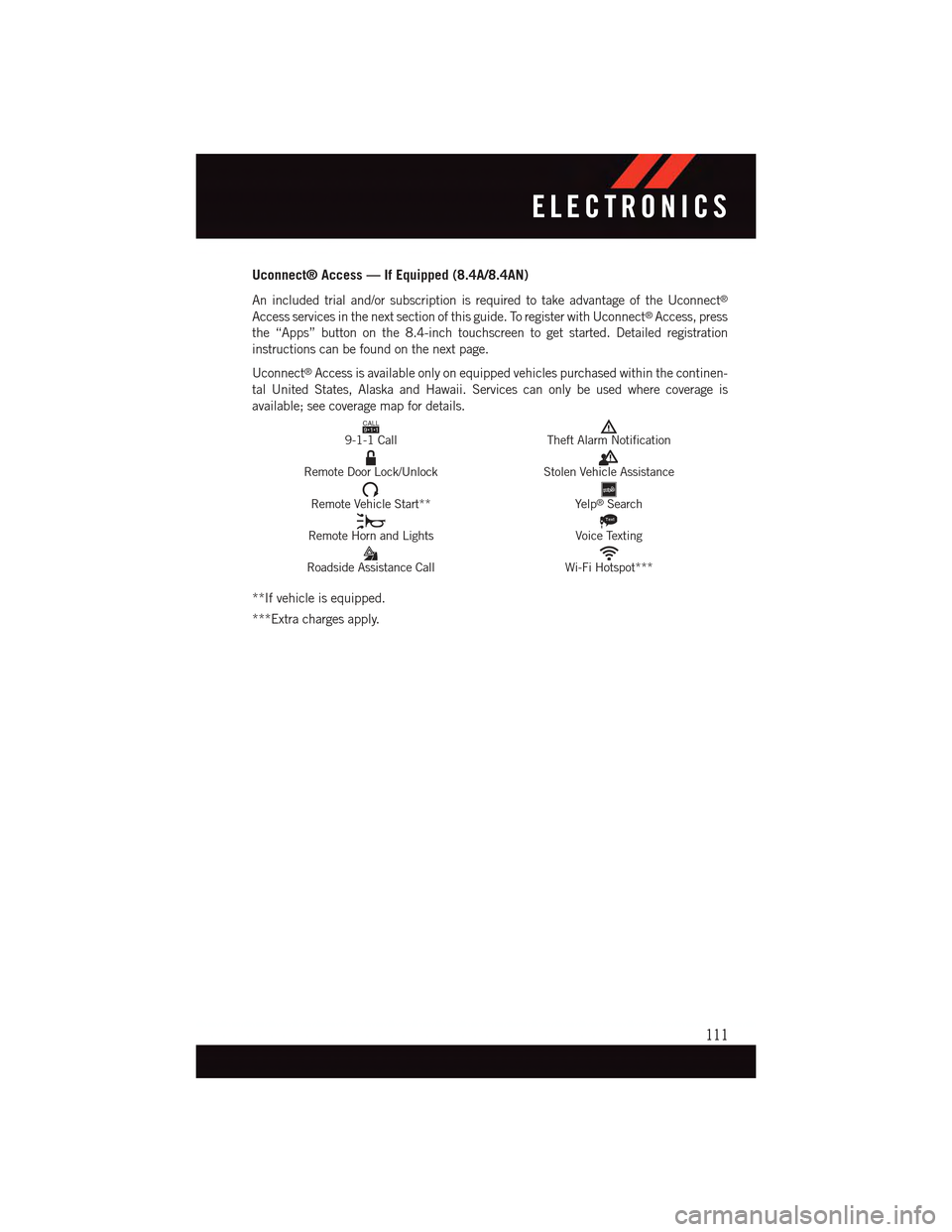
available; see coverage map for details.CALL9119-1-1 CallTheft Alarm Notification
Remote Door Lock/UnlockStolen Vehicle Assistance
Remote Vehicle Start**Ye l p®Search
Remote Horn and Lights
Text
Voice Texting
Roadside Assistance CallWi-Fi Hotspot***
**If vehicle is equipped.
***Extra charges apply.
ELECTRONICS
111
Page 149 of 236
PROGRAMMABLE FEATURES
Driver Information Display (DID)
The DID can be used to view or change the following settings. Push the UPor DOWN
button to scroll through the main menus, then push the RIGHTbutton to scroll
through the submenus of each menu item. Push theBACKbutton to scroll back to a
previous menu or sub menu.
•Speedometer•Audio
•VehicleInfo•Messages
•DriverAssist—IfEquipped•ScreenSetup
•FuelEconomy•SpeedWarning—IfEquipped
•Trip•Diagnostic—IfEquipped
Uconnect® Customer Programmable Features
The Uconnect®system allows you to access Customer Programmable feature settings
such as Display, Units, Voice, Clock, Safety & Driving Assistance, Lights, Doors & Locks,
Auto-On Comfort, Engine Off Options, Audio, Phone/Bluetooth®,SiriusXMSetup,Restore
Settings, Clear Personal Data, System Information, and Compass Settings (5.0 Radio
Only) through buttons on the touchscreen.
NOTE:
If equipped with the Super Track Pak option please refer to the “Drive Mode Supplement”
within your Owners Information Kit for further descriptions of these modes.
•Pressthe“Controls”buttonlocatednearthebottomofthetouchscreen,thenpressthe
“Settings” button on the touchscreen to access the Settings screen. When making a
selection, scroll up or down until the preferred setting is highlighted, then press and
release the preferred setting until a check-mark appears next to the setting, showing
that setting has been selected. The following feature settings are available:
•Display•EngineOffOptions
•Units•Audio
•Voice•Phone/Bluetooth®
•Clock•SiriusXMSetup
•Safety&DrivingAssistance•RestoreSettings
•Lights•ClearPersonalData
•Doors&Locks•SystemInformation
•Auto-OnComfort•Compass(5.0RadioOnly)
Refer to “Uconnect Settings/Customer Programmable Features” found within “Under-
standing Your Instrument Panel” located in your Owner's Manual on the DVD for further
information.
ELECTRONICS
147
Page 161 of 236
ROADSIDE ASSISTANCE
Dial toll-free 1-800-521-2779 for U.S. Residents or 1-800-363-4869 for Canadian
Residents.
•Provideyourname,vehicleidentificationnumber,licenseplatenumber,andyour
location, including the telephone number from which you are calling.
•Brieflydescribethenatureoftheproblemandanswerafewsimplequestions.
•Youwillbegiventhenameoftheserviceproviderandanestimatedtimeofarrival.
If you feel you are in an “unsafe situation”, please let us know. With your consent, we
will contact local police or safety authorities.
INSTRUMENT CLUSTER WARNING LIGHTS
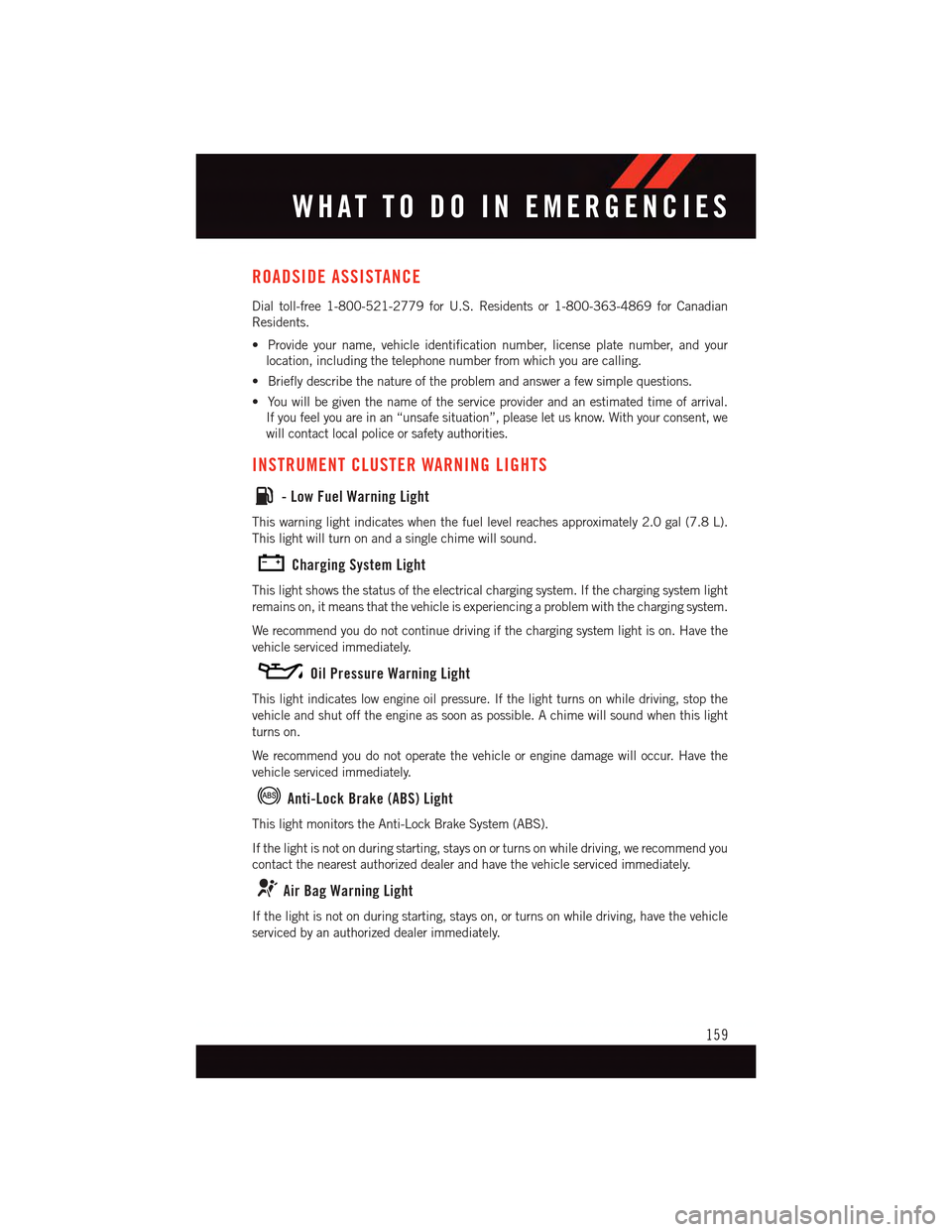
-LowFuelWarningLight
This warning light indicates when the fuel level reaches approximately 2.0 gal (7.8 L).
This light will turn on and a single chime will sound.
Charging System Light
This light shows the status of the electrical charging system. If the charging system light
remains on, it means that the vehicle is experiencing a problem with the charging system.
We recommend you do not continue driving if the charging system light is on. Have the
vehicle serviced immediately.
Oil Pressure Warning Light
This light indicates low engine oil pressure. If the light turns on while driving, stop the
vehicle and shut off the engine as soon as possible. A chime will sound when this light
turns on.
We recommend you do not operate the vehicle or engine damage will occur. Have the
vehicle serviced immediately.
Anti-Lock Brake (ABS) Light
This light monitors the Anti-Lock Brake System (ABS).
If the light is not on during starting, stays on or turns on while driving, we recommend you
contact the nearest authorized dealer and have the vehicle serviced immediately.
Air Bag Warning Light
If the light is not on during starting, stays on, or turns on while driving, have the vehicle
serviced by an authorized dealer immediately.
WHAT TO DO IN EMERGENCIES
159
Page 165 of 236
WARNING!
Driving a vehicle with the red brake light on is dangerous. Part of the brake system may
have failed. It will take longer to stop the vehicle. You could have a collision. Have the
vehicle checked immediately.
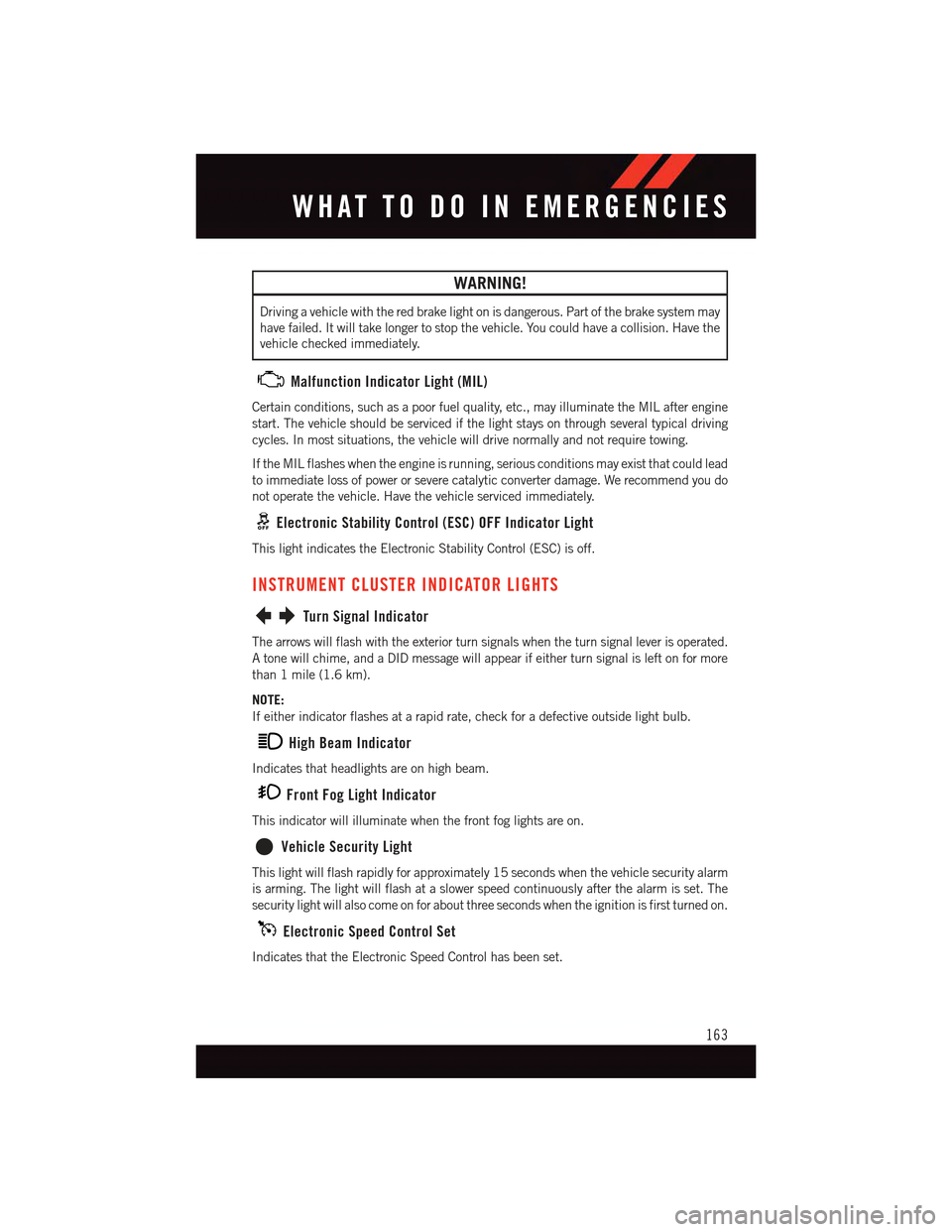
Malfunction Indicator Light (MIL)
Certain conditions, such as a poor fuel quality, etc., may illuminate the MIL after engine
start. The vehicle should be serviced if the light stays on through several typical driving
cycles. In most situations, the vehicle will drive normally and not require towing.
If the MIL flashes when the engine is running, serious conditions may exist that could lead
to immediate loss of power or severe catalytic converter damage. We recommend you do
not operate the vehicle. Have the vehicle serviced immediately.
Electronic Stability Control (ESC) OFF Indicator Light
This light indicates the Electronic Stability Control (ESC) is off.
INSTRUMENT CLUSTER INDICATOR LIGHTS
Turn Signal Indicator
The arrows will flash with the exterior turn signals when the turn signal lever is operated.
Atonewillchime,andaDIDmessagewillappearifeitherturnsignalisleftonformore
than 1 mile (1.6 km).
NOTE:
If either indicator flashes at a rapid rate, check for a defective outside light bulb.
High Beam Indicator
Indicates that headlights are on high beam.
Front Fog Light Indicator
This indicator will illuminate when the front fog lights are on.
Vehicle Security Light
This light will flash rapidly for approximately 15 seconds when the vehicle security alarm
is arming. The light will flash at a slower speed continuously after the alarm is set. The
security light will also come on for about three seconds when the ignition is first turned on.
Electronic Speed Control Set
Indicates that the Electronic Speed Control has been set.
WHAT TO DO IN EMERGENCIES
163
Page 200 of 236
MAINTENANCE PROCEDURES
For information on the maintenance procedures for your vehicle, please refer to “Main-
tenance Procedures” in “Maintaining Your Vehicle” in your Owner’s Manual or applicable
supplement on the DVD for further details.
MAINTENANCE SCHEDULE — NON-SRT
Yo u r v e h i c l e i s e q u i p p e d w i t h a n a u t o m a t i c o i l c h a n g e i n d i c a t o r s y s t e m . T h e o i l c h a n g e
indicator system will remind you that it is time to take your vehicle in for scheduled
maintenance.
Based on engine operation conditions, the oil change indicator message will illuminate.
This means that service is required for your vehicle. Operating conditions such as frequent
short-trips, trailer tow, extremely hot or cold ambient temperatures, and E85 fuel usage
will influence when the “Change Oil” or “Oil Change Required” message is displayed.
Severe Operating Conditions can cause the change oil message to illuminate as early as
3,500 miles (5,600 km) since last reset. Have your vehicle serviced as soon as possible,
within the next 500 miles (805 km).
The “Oil Change Required” message will be displayed in the DID and a single chime will
sound, indicating that an oil change is necessary.
Yo u r a u t h o r i z e d d e a l e r w i l l r e s e t t h e o i l c h a n g e i n d i c a t o r m e s s a g e a f t e r c o m p l e t i n g t h e
scheduled oil change. If a scheduled oil change is performed by someone other than your
authorized dealer, the message can be reset by referring to the steps described under
“Instrument Cluster Warning Lights” in “What To Do In Emergencies” in this guide or
“Driver Information Dispay (DID)” in “Understanding Your Instrument Panel” in your
Owners Manual on the DVD for further information.
NOTE:
Under no circumstances should oil change intervals exceed 10,000 miles (16,000 km)
or twelve months, whichever comes first.
MAINTAINING YOUR VEHICLE
198
Page 201 of 236
Severe Duty All Models
Change Engine Oil at 4000 miles (6,500 km) if the vehicle is operated in a dusty and off
road environment. This type of vehicle use is considered Severe Duty
Once A Month Or Before A Long Trip:
•Checkengineoillevel
•Checkwindshieldwasherfluidlevel
•Checktirepressureandlookforunusualwearordamage.Rotatetiresatthefirstsign
of irregular wear, even if it occurs before your next scheduled service.
•Checkthefluidlevelsofthecoolantreservoir,brakemastercylinder,andpower
steering (If Equipped) and fill as needed.
•Checkfunctionofallinteriorandexteriorlights
Required Maintenance Intervals.
Refer to the maintenance schedules on the following page for the required maintenance
intervals.
At Every Oil Change Interval As Indicated By Oil Change Indicator System:
•Change oil and filter
•Rotatethetires.Rotate at the first sign of irregular wear, even if it occurs before your next
scheduled service
•Inspect battery and clean and tighten terminals as required
•Inspect brake pads, shoes, rotors, drums, hoses and park brake
•Inspect engine cooling system protection and hoses
•Inspect exhaust system
•Inspect engine air cleaner if using in dusty or off-road conditions
MAINTAINING YOUR VEHICLE
199
Page 205 of 236
MAINTENANCE SCHEDULE — SRT
The Scheduled Maintenance services listed in this manual must be done at the times or
mileages specified to protect your vehicle warranty and ensure the best vehicle perfor-
mance and reliability. More frequent maintenance may be needed for vehicles in severe
operating conditions, such as dusty areas and very short trip driving. Inspection and
service should also be done anytime a malfunction is suspected.
The oil change indicator system will remind you that it is time to take your vehicle in forscheduled maintenance.
A“OilChangeRequired”messagewillbedisplayedintheDIDandasinglechimewillsound, indicating that an oil change is necessary.
Based on engine operation conditions, the oil change indicator message will illuminate.This means that service is required for your vehicle. Have your vehicle serviced as soon aspossible, within the next 500 miles (805 km).
NOTE:
•Theoilchangeindicatormessagewillnotmonitorthetimesincethelastoilchange.Change your vehicle's oil if it has been six months since your last oil change, even if theoil change indicator message is NOT illuminated.
•Changeyourengineoilmoreoftenifyoudriveyourvehicleoff-road/trackusageforanextended period of time.
•Undernocircumstancesshouldoilchangeintervalsexceed6,000miles(10,000km)or six months, whichever comes first.
Yo u r a u t h o r i z e d d e a l e r w i l l r e s e t t h e o i l c h a n g e i n d i c a t o r m e s s a g e a f t e r c o m p l e t i n g t h escheduled oil change. If a scheduled oil change is performed by someone other than yourauthorized dealer, the message can be reset by referring to the steps described under“Instrument Cluster Warning Lights” in “What To Do In Emergencies” in this guide or“Driver Information Display (DID)” in “Understanding Your Instrument Panel” in yourOwners Manual on the DVD for further information.
At Each Stop For Fuel
•Checktheengineoillevel.Referto“MaintenanceProcedures/EngineOil”in“Main-taining Your Vehicle” for further information.•Checkthewindshieldwashersolventandaddifrequired.
Once A Month
•Checktirepressureandlookforunusualwearordamage.
•Inspectthebattery,andcleanandtightentheterminalsasrequired.
•Checkthefluidlevelsofthecoolantreservoir,brakemastercylinder,andpowersteering
(6.2L Only), and add as needed.
•Checkalllightsandotherelectricalitemsforcorrectoperation.
At Each Oil Change
•Changetheengineoilfilter.
•Inspectthebrakehosesandlines.
CAUTION!
Failure to perform the required maintenance items may result in damage to the vehicle.
MAINTAINING YOUR VEHICLE
203
Page 222 of 236
AUTHENTIC ACCESSORIES BY MOPAR®
•ThefollowinghighlightsjustsomeofthemanyAuthenticDodgeAccessoriesby
Mopar®featuring a fit, finish, and functionality specifically for your Dodge Charger.
•InchoosingAuthenticAccessoriesyougainfarmorethanexpressivestyle,premium
protection, or extreme entertainment, you also benefit from enhancing your vehicle
with accessories that have been thoroughly tested and factory-approved.
•ForthefulllineofAuthenticDodgeAccessoriesbyMopar®,visityourlocaldealership
or online at mopar.com for U.S. residents and mopar.ca for Canadian residents.
NOTE:
All parts are subject to availability.
EXTERIOR:
•RearSpoiler•ChromeGrilleInsert •FogLights
•MoldedSplashGuards •GraphicsPackages •FrontEndCover
•CustomWheels
INTERIOR:
•Premium Carpet Floor Mats•SlushMats•BrightPedalKit
•DoorSillGuards•Premium Carpet Cargo Mat•KatzkinLeatherInteriors
ELECTRONICS:
•RearParkAssist•Uconnect®Phone • Remote Start
•Kicker®Sound System • Mopar®Web
PERFORMANCE
•ColdAirIntake•CatBackExhaust •StrutTowerBrace
•AntiSwayBars•PerformanceSuspension
•Kicker®is a registered trademark of Stillwater Designs and Audio, Inc.
MOPAR® ACCESSORIES
220
Page 224 of 236
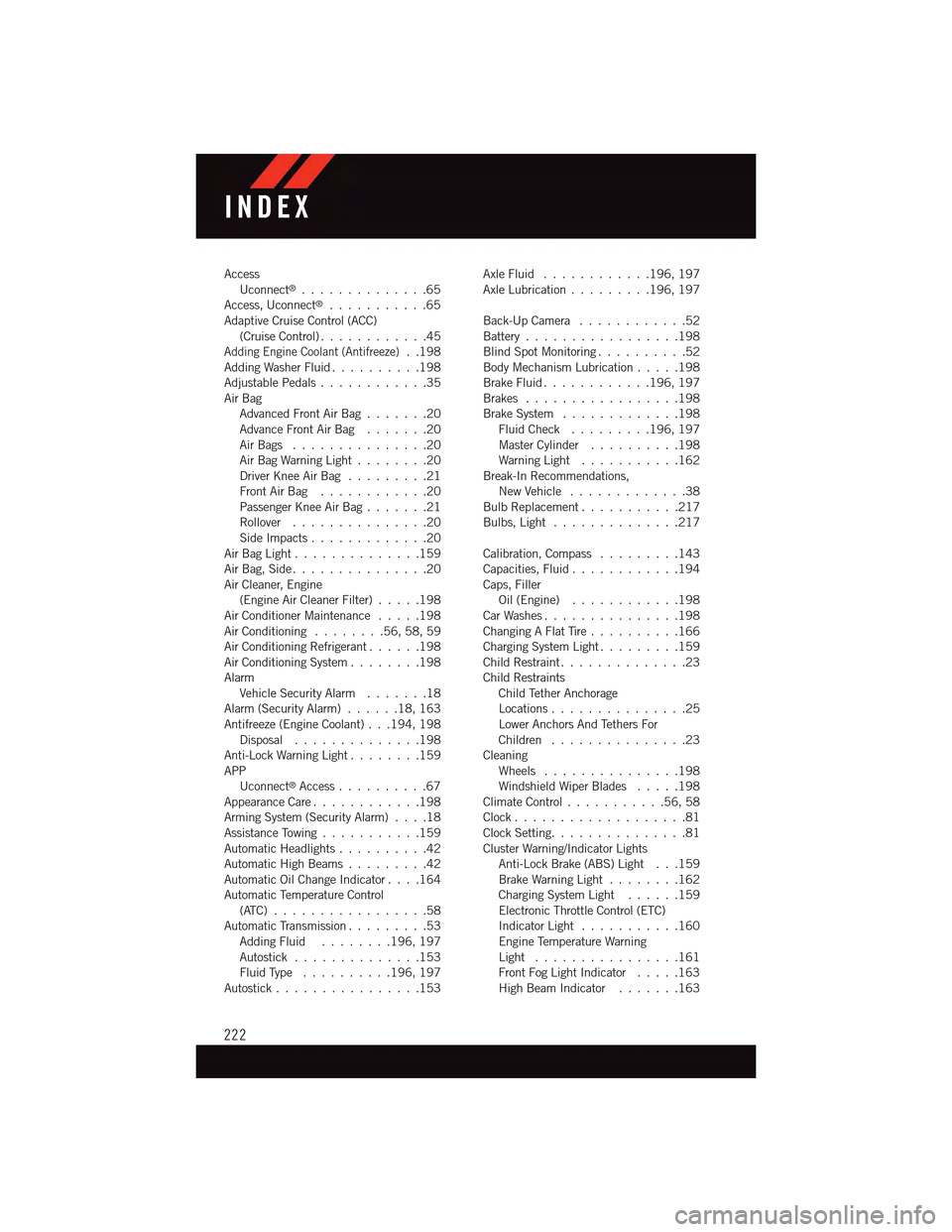
AccessUconnect®..............65Access, Uconnect®...........65Adaptive Cruise Control (ACC)(Cruise Control) . . . . . . . . . . . .45Adding Engine Coolant (Antifreeze)..198Adding Washer Fluid..........198Adjustable Pedals............35Air BagAdvanced Front Air Bag.......20Advance Front Air Bag.......20Air Bags . . . . . . . . . . . . . . .20Air Bag Warning Light . . . . . . . .20Driver Knee Air Bag.........21Front Air Bag . . . . . . . . . . . .20Passenger Knee Air Bag.......21Rollover . . . . . . . . . . . . . . .20Side Impacts.............20Air Bag Light . . . . . . . . . . . . . .159Air Bag, Side . . . . . . . . . . . . . . .20Air Cleaner, Engine(Engine Air Cleaner Filter).....198Air Conditioner Maintenance.....198Air Conditioning........56,58,59Air Conditioning Refrigerant......198Air Conditioning System........198AlarmVehicle Security Alarm.......18Alarm (Security Alarm)......18,163Antifreeze (Engine Coolant) . . .194, 198Disposal . . . . . . . . . . . . . .198Anti-Lock Warning Light........159APPUconnect®Access..........67Appearance Care............198Arming System (Security Alarm)....18Assistance Towing...........159Automatic Headlights..........42Automatic High Beams.........42Automatic Oil Change Indicator....164Automatic Temperature Control(ATC) . . . . . . . . . . . . . . . . .58Automatic Transmission.........53Adding Fluid........196, 197Autostick..............153Fluid Type . . . . . . . . . .196, 197Autostick................153
Axle Fluid . . . . . . . . . . . .196, 197Axle Lubrication . . . . . . . . .196, 197
Back-Up Camera............52Battery . . . . . . . . . . . . . . . . .198Blind Spot Monitoring..........52Body Mechanism Lubrication.....198Brake Fluid . . . . . . . . . . . .196, 197Brakes.................198Brake System.............198Fluid Check.........196, 197Master Cylinder..........198Warning Light . . . . . . . . . . .162Break-In Recommendations,New Vehicle . . . . . . . . . . . . .38Bulb Replacement...........217Bulbs, Light . . . . . . . . . . . . . .217
Calibration, Compass.........143Capacities, Fluid............194Caps, FillerOil (Engine)............198Car Washes . . . . . . . . . . . . . . .198Changing A Flat Tire..........166Charging System Light.........159Child Restraint..............23Child RestraintsChild Tether AnchorageLocations...............25Lower Anchors And Tethers ForChildren . . . . . . . . . . . . . . .23CleaningWheels...............198Windshield Wiper Blades.....198Climate Control . . . . . . . . . . .56, 58Clock . . . . . . . . . . . . . . . . . . .81Clock Setting...............81Cluster Warning/Indicator LightsAnti-Lock Brake (ABS) Light . . .159Brake Warning Light . . . . . . . .162Charging System Light......159Electronic Throttle Control (ETC)Indicator Light . . . . . . . . . . .160Engine Temperature WarningLight . . . . . . . . . . . . . . . .161Front Fog Light Indicator . . . . .163High Beam Indicator.......163
INDEX
222
Page 225 of 236
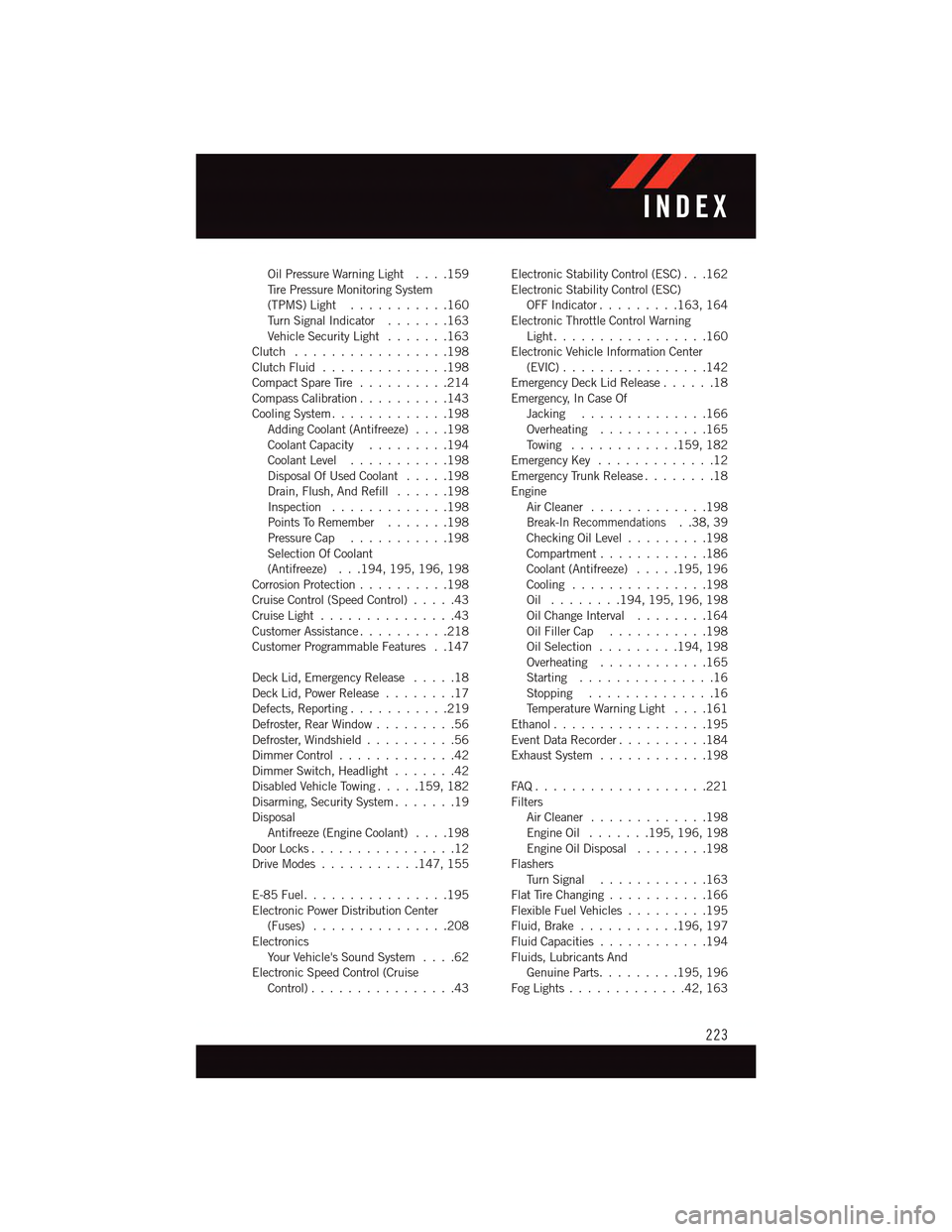
Oil Pressure Warning Light . . . .159Ti r e P r e s s u r e M o n i t o r i n g S y s t e m(TPMS) Light...........160Tu r n S i g n a l I n d i c a t o r.......163Vehicle Security Light.......163Clutch . . . . . . . . . . . . . . . . .198Clutch Fluid . . . . . . . . . . . . . .198Compact Spare Tire..........214Compass Calibration..........143Cooling System.............198Adding Coolant (Antifreeze)....198Coolant Capacity.........194Coolant Level...........198Disposal Of Used Coolant.....198Drain, Flush, And Refill......198Inspection . . . . . . . . . . . . .198Points To Remember.......198Pressure Cap . . . . . . . . . . .198Selection Of Coolant(Antifreeze) . . .194, 195, 196, 198Corrosion Protection..........198Cruise Control (Speed Control).....43Cruise Light . . . . . . . . . . . . . . .43Customer Assistance..........218Customer Programmable Features . .147
Deck Lid, Emergency Release.....18Deck Lid, Power Release........17Defects, Reporting...........219Defroster, Rear Window.........56Defroster, Windshield . . . . . . . . . .56Dimmer Control.............42Dimmer Switch, Headlight.......42Disabled Vehicle Towing . . . . .159, 182Disarming, Security System.......19DisposalAntifreeze (Engine Coolant)....198Door Locks................12Drive Modes...........147, 155
E-85 Fuel................195Electronic Power Distribution Center(Fuses) . . . . . . . . . . . . . . .208ElectronicsYo u r Ve h i c l e ' s S o u n d S y s t e m....62Electronic Speed Control (CruiseControl) . . . . . . . . . . . . . . . .43
Electronic Stability Control (ESC) . . .162Electronic Stability Control (ESC)OFF Indicator . . . . . . . . .163, 164Electronic Throttle Control WarningLight . . . . . . . . . . . . . . . . .160Electronic Vehicle Information Center(EVIC) . . . . . . . . . . . . . . . .142Emergency Deck Lid Release......18Emergency, In Case OfJacking..............166Overheating............165To w i n g . . . . . . . . . . . .159, 182Emergency Key.............12Emergency Trunk Release........18EngineAir Cleaner . . . . . . . . . . . . .198Break-In Recommendations..38,39Checking Oil Level.........198Compartment............186Coolant (Antifreeze).....195, 196Cooling . . . . . . . . . . . . . . .198Oil . . . . . . . .194, 195, 196, 198Oil Change Interval........164Oil Filler Cap...........198Oil Selection . . . . . . . . .194, 198Overheating............165Starting...............16Stopping..............16Te m p e r a t u r e W a r n i n g L i g h t....161Ethanol.................195Event Data Recorder..........184Exhaust System............198
FA Q . . . . . . . . . . . . . . . . . . . 2 2 1FiltersAir Cleaner . . . . . . . . . . . . .198Engine Oil.......195, 196, 198Engine Oil Disposal........198FlashersTu r n S i g n a l............163Flat Tire Changing...........166Flexible Fuel Vehicles.........195Fluid, Brake . . . . . . . . . . .196, 197Fluid Capacities............194Fluids, Lubricants AndGenuine Parts.........195, 196Fog Lights . . . . . . . . . . . . .42, 163
INDEX
223