instrument panel DODGE CHARGER 2018 Manual PDF
[x] Cancel search | Manufacturer: DODGE, Model Year: 2018, Model line: CHARGER, Model: DODGE CHARGER 2018Pages: 553, PDF Size: 5.3 MB
Page 355 of 553
SCHEDULED SERVICING
3.6L And 5.7L Engines
Your vehicle is equipped with an automatic oil change
indicator system. The oil change indicator system will
remind you that it is time to take your vehicle in for
scheduled maintenance.
Based on engine operation conditions, the oil change
indicator message will illuminate. This means that service
is required for your vehicle. Operating conditions such as
frequent short-trips, trailer tow, extremely hot or cold
ambient temperatures, and E85 fuel usage will influence
when the “Change Oil” or “Oil Change Required” message
is displayed. Severe Operating Conditions can cause the
change oil message to illuminate as early as 3,500 miles
(5,600 km) since last reset. Have your vehicle serviced as
soon as possible, within the next 500 miles (800 km).
The “Oil Change Required” message will be displayed in
the instrument cluster and a single chime will sound,
indicating that an oil change is necessary.Your authorized dealer will reset the oil change indicator
message after completing the scheduled oil change. If a
scheduled oil change is performed by someone other than
your authorized dealer, the message can be reset by
referring to “Instrument Cluster Display” in “Getting To
Know Your Instrument Panel” for further information.
NOTE:
Under no circumstances should oil change inter-
vals exceed 10,000 miles (16,000 km), twelve months or 350
hours of engine run time, whichever comes first. The 350
hours of engine run or idle time is generally only a concern
for fleet customers.
Severe Duty All Models
Change Engine Oil at 4,000 miles (6,500 km) or 350 hours of
engine run time if the vehicle is operated in a dusty and
off-road environment, or is operated predominantly at idle
or only very low engine RPM’s. This type of vehicle use is
considered Severe Duty.
8
SERVICING AND MAINTENANCE 353
Page 360 of 553
NOTE:
•The oil change indicator message will not monitor the
time since the last oil change. Change your vehicle’s oil
if it has been six months since your last oil change, even
if the oil change indicator message is NOT illuminated.
• Change your engine oil more often if you drive your
vehicle off-road/track usage for an extended period of
time.
• Under no circumstances should oil change intervals
exceed 6,000 miles (10,000 km) or six months, whichever
comes first.
An authorized dealer will reset the oil change indicator
message after completing the scheduled oil change. If a
scheduled oil change is performed by someone other than
an authorized dealer, the message can be reset by referring
to the steps described under “Instrument Cluster Display”
in “Getting To Know Your Instrument Panel” for further
information. At Each Stop For Fuel
•
Check the engine oil level. Refer to “Engine Compart-
ment” in this chapter for further information.
• Check the windshield washer solvent and add if re-
quired.
Once A Month
• Check tire pressure and look for unusual wear or
damage.
• Inspect the battery, and clean and tighten the terminals
as required.
• Check the fluid levels of the coolant reservoir, brake
master cylinder, and add as needed.
• Check all lights and other electrical items for correct
operation.
358 SERVICING AND MAINTENANCE
Page 423 of 553
IDENTIFICATION DATA
Vehicle Identification Number
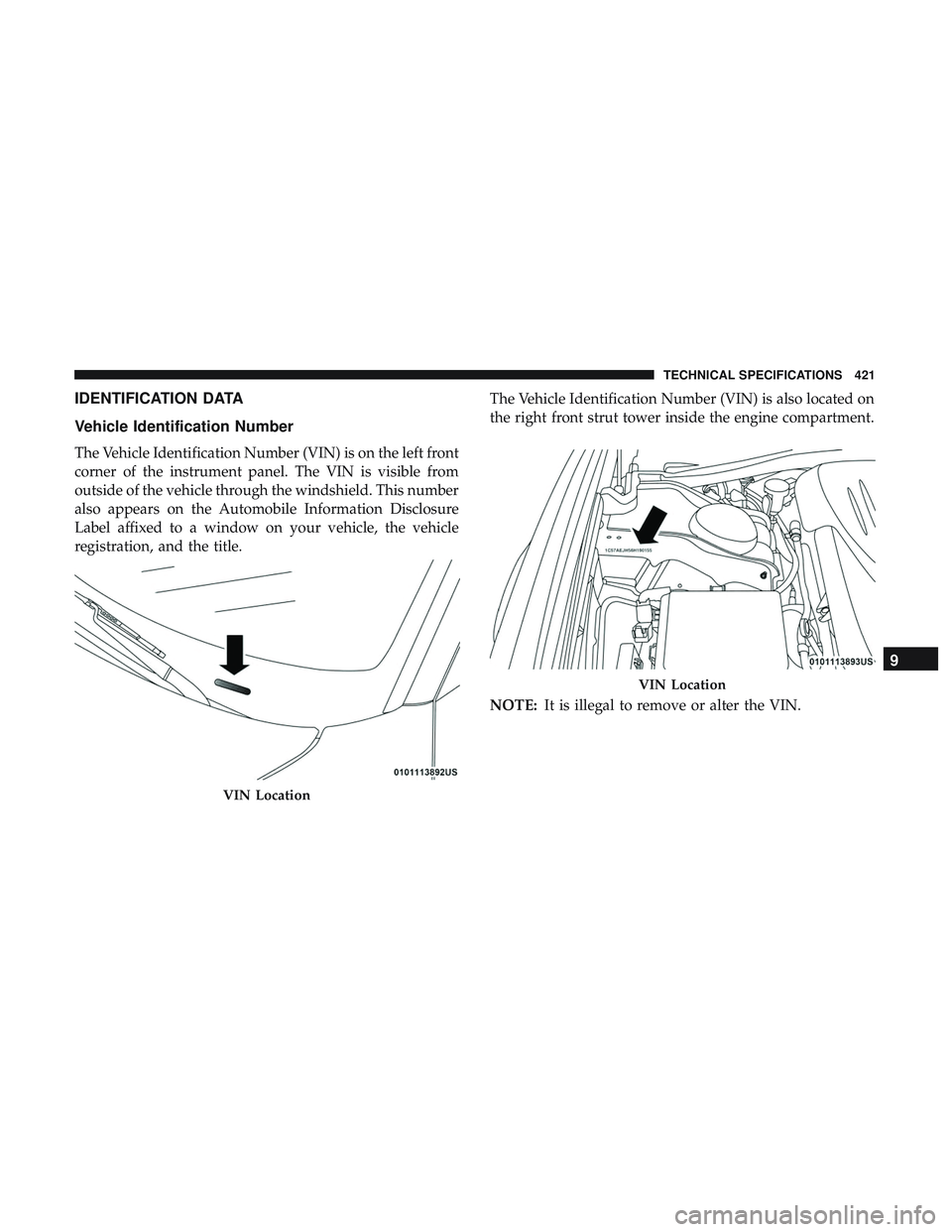
The Vehicle Identification Number (VIN) is on the left front
corner of the instrument panel. The VIN is visible from
outside of the vehicle through the windshield. This number
also appears on the Automobile Information Disclosure
Label affixed to a window on your vehicle, the vehicle
registration, and the title.The Vehicle Identification Number (VIN) is also located on
the right front strut tower inside the engine compartment.
NOTE:
It is illegal to remove or alter the VIN.
VIN Location
VIN Location
9
TECHNICAL SPECIFICATIONS 421
Page 441 of 553
NOTE:
•FCA US LLC or your dealer may contact you directly
regarding software updates.
• To help further improve vehicle security and minimize
the potential risk of a security breach, vehicle owners
should:
• Routinely check www.driveuconnect.com/support/
software-update.html (U.S. Residents) or www.driveu-
connect.ca (Canadian Residents) to learn about avail-
able Uconnect software updates.
• Only connect and use trusted media devices (e.g.
personal mobile phones, USBs, CDs).
Privacy of any wireless and wired communications cannot
be assured. Third parties may unlawfully intercept infor-
mation and private communications without your consent.
For further information, refer to “Data Collection & Pri-
vacy” in your Uconnect Owner ’s Manual Supplement or
“Onboard Diagnostic System (OBD II) Cybersecurity” in
“Getting To Know Your Instrument Panel”.UCONNECT SETTINGS
The Uconnect system uses a combination of buttons on the
touchscreen and buttons on the faceplate located on the
center of the instrument panel that allows you to access
and change the customer programmable features.
CAUTION!
Do NOT attach any object to the touchscreen, doing so
can result in damage to the touchscreen.
10
MULTIMEDIA 439
Page 497 of 553
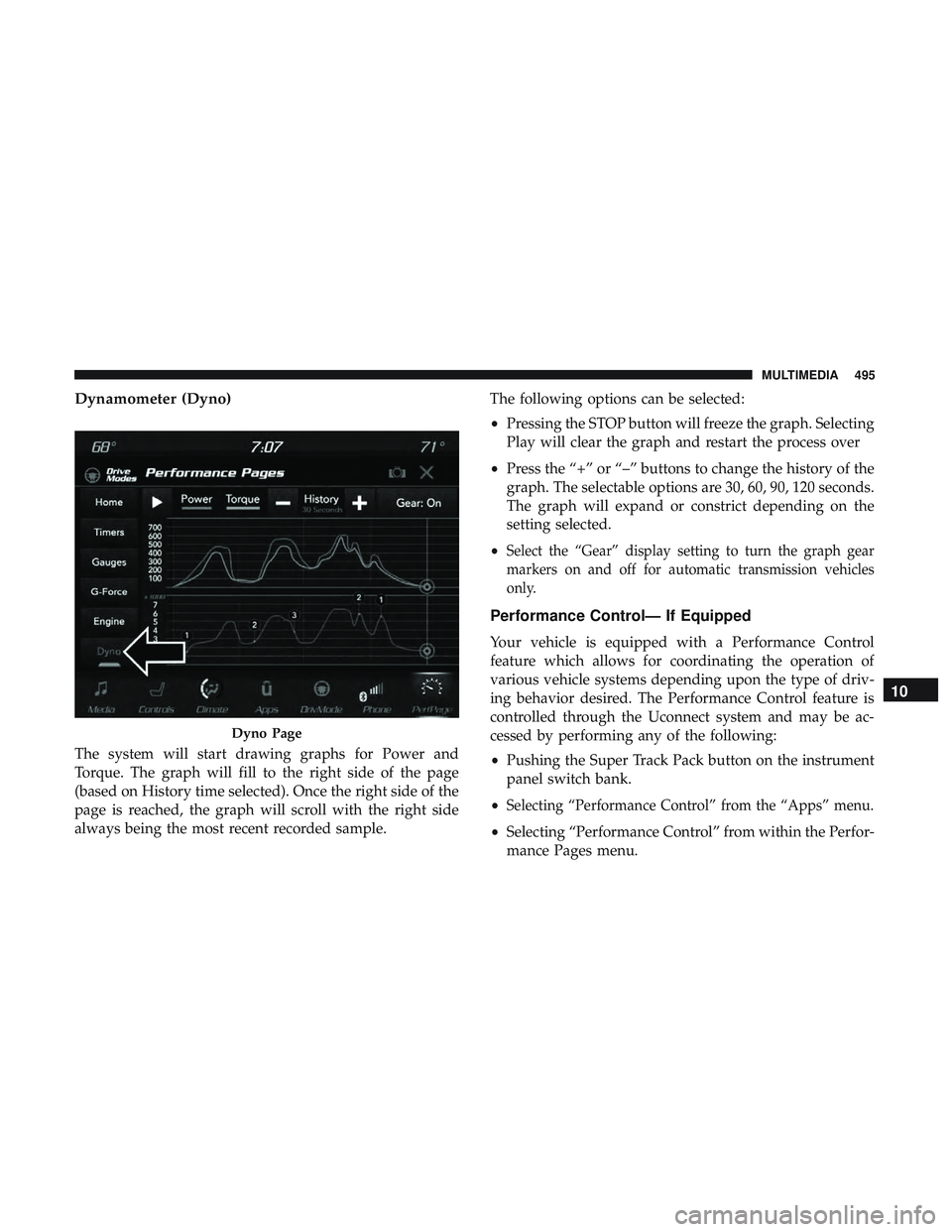
Dynamometer (Dyno)
The system will start drawing graphs for Power and
Torque. The graph will fill to the right side of the page
(based on History time selected). Once the right side of the
page is reached, the graph will scroll with the right side
always being the most recent recorded sample.The following options can be selected:
•
Pressing the STOP button will freeze the graph. Selecting
Play will clear the graph and restart the process over
• Press the “+” or “–” buttons to change the history of the
graph. The selectable options are 30, 60, 90, 120 seconds.
The graph will expand or constrict depending on the
setting selected.
•
Select the “Gear” display setting to turn the graph gear
markers on and off for automatic transmission vehicles
only.
Performance Control— If Equipped
Your vehicle is equipped with a Performance Control
feature which allows for coordinating the operation of
various vehicle systems depending upon the type of driv-
ing behavior desired. The Performance Control feature is
controlled through the Uconnect system and may be ac-
cessed by performing any of the following:
• Pushing the Super Track Pack button on the instrument
panel switch bank.
•
Selecting “Performance Control” from the “Apps” menu.
• Selecting “Performance Control” from within the Perfor-
mance Pages menu.
Dyno Page
10
MULTIMEDIA 495
Page 502 of 553
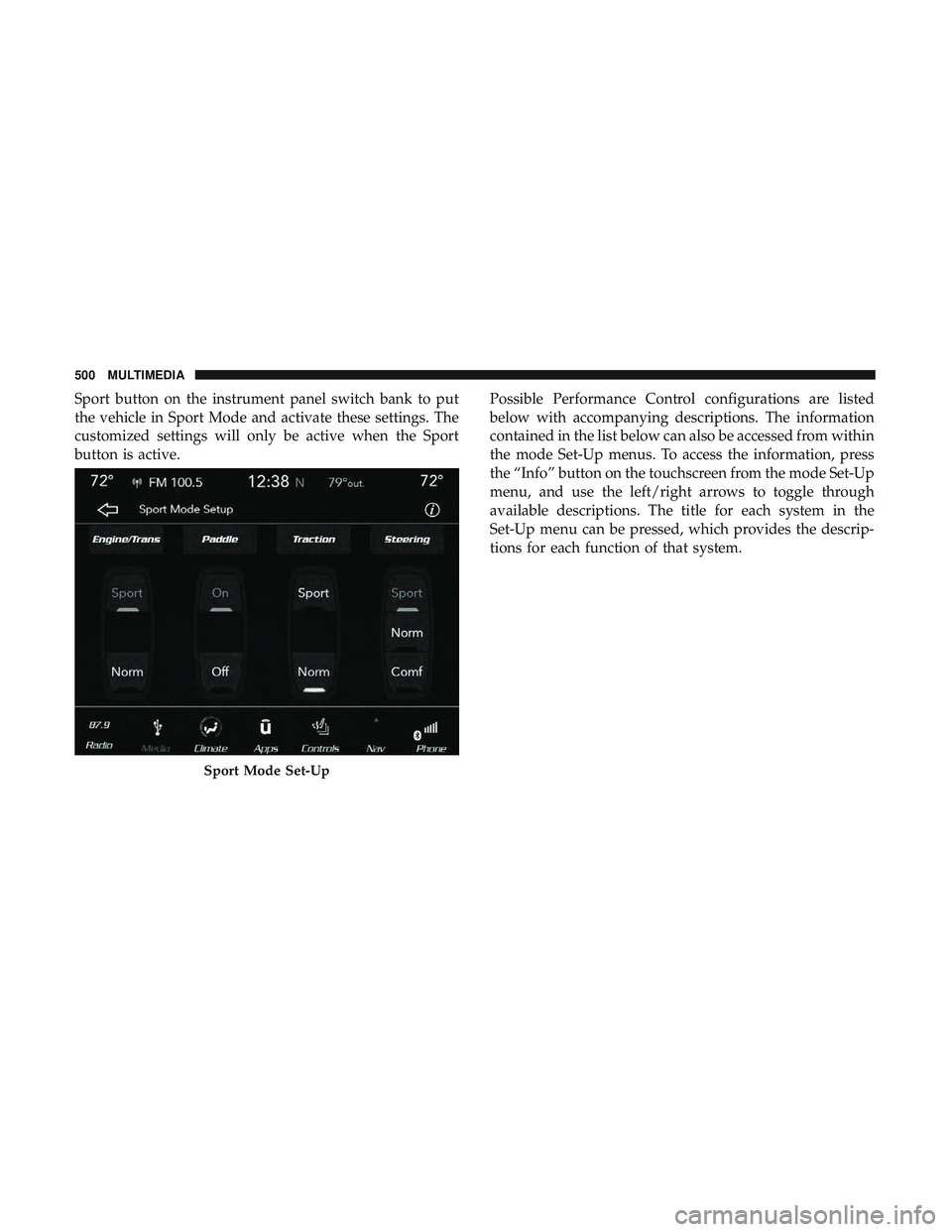
Sport button on the instrument panel switch bank to put
the vehicle in Sport Mode and activate these settings. The
customized settings will only be active when the Sport
button is active.Possible Performance Control configurations are listed
below with accompanying descriptions. The information
contained in the list below can also be accessed from within
the mode Set-Up menus. To access the information, press
the “Info” button on the touchscreen from the mode Set-Up
menu, and use the left/right arrows to toggle through
available descriptions. The title for each system in the
Set-Up menu can be pressed, which provides the descrip-
tions for each function of that system.
Sport Mode Set-Up
500 MULTIMEDIA
Page 542 of 553
HeadlightsAutomatic ..............................67
Cleaning ...............................414
High Beam/Low Beam Select Switch ...........66
Lights On Reminder .......................68
On With Wipers ..........................67
Passing ................................67
Switch .................................64
Time Delay ..............................68
Washers ...............................366
Head Restraints .......................54, 55, 56
Head Rests .......................... .54, 55, 56
Heated Mirrors .............................63
Heater, Engine Block ........................225
High Beam/Low Beam Select (Dimmer) Switch ......66
Hill Start Assist ............................153
Hitches Trailer Towing .......................... .288
Holder, Coin ............................. .109
HomeLink (Garage Door Opener) ...............102
Hood Prop ................................97
Hood Release ..............................97 Ignition
..................................25
Switch .................................25
Immobilizer (Sentry Key) ......................31
Information Center, Vehicle ...................122
Inside Rearview Mirror .................60, 61, 301
Instrument Cluster ......................118,121
Descriptions ............................141
Display ............................122, 125
Instrument Panel Lens Cleaning ................416
Interior Appearance Care .....................415
Interior Lights ..............................69
Intermittent Wipers (Delay Wipers) ...............74
Introduction ................................4
Jack Location ............................ .324
Jack Operation ............................388
Jump Starting ..........................338, 340
Key Fob Arm The System ..........................33
Panic Alarm .............................20
Programming Additional Key Fobs ..........24, 32
Unlatch The Trunk ........................20
540 INDEX