display DODGE CHARGER 2019 Owners Manual
[x] Cancel search | Manufacturer: DODGE, Model Year: 2019, Model line: CHARGER, Model: DODGE CHARGER 2019Pages: 560, PDF Size: 6.03 MB
Page 518 of 560
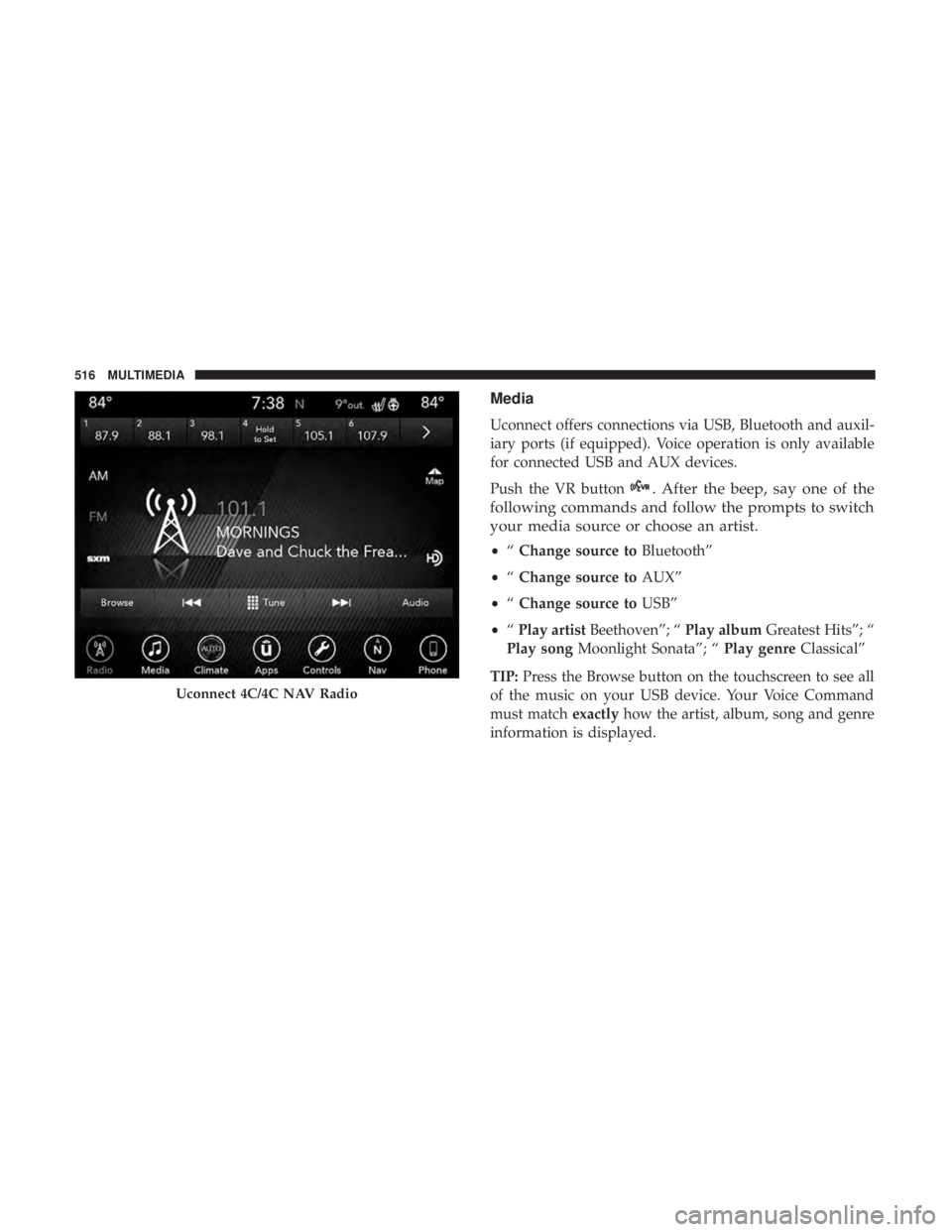
Media
Uconnect offers connections via USB, Bluetooth and auxil-
iary ports (if equipped). Voice operation is only available
for connected USB and AUX devices.
Push the VR button
. After the beep, say one of the
following commands and follow the prompts to switch
your media source or choose an artist.
• “Change source to Bluetooth”
• “Change source to AUX”
• “Change source to USB”
• “Play artist Beethoven”; “ Play albumGreatest Hits”; “
Play song Moonlight Sonata”; “ Play genreClassical”
TIP: Press the Browse button on the touchscreen to see all
of the music on your USB device. Your Voice Command
must match exactlyhow the artist, album, song and genre
information is displayed.
Uconnect 4C/4C NAV Radio
516 MULTIMEDIA
Page 525 of 560
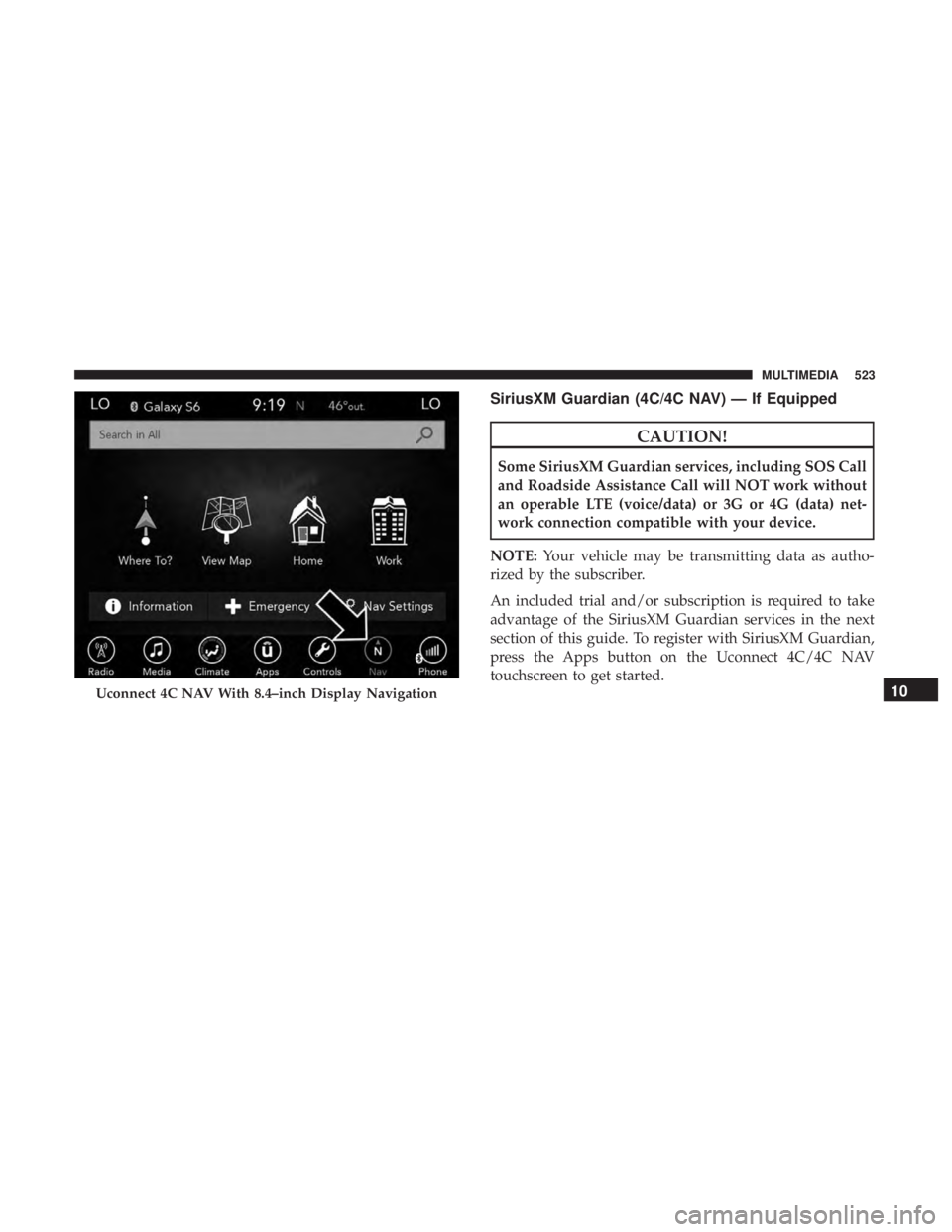
SiriusXM Guardian (4C/4C NAV) — If Equipped
CAUTION!
Some SiriusXM Guardian services, including SOS Call
and Roadside Assistance Call will NOT work without
an operable LTE (voice/data) or 3G or 4G (data) net-
work connection compatible with your device.
NOTE: Your vehicle may be transmitting data as autho-
rized by the subscriber.
An included trial and/or subscription is required to take
advantage of the SiriusXM Guardian services in the next
section of this guide. To register with SiriusXM Guardian,
press the Apps button on the Uconnect 4C/4C NAV
touchscreen to get started.
Uconnect 4C NAV With 8.4–inch Display Navigation10
MULTIMEDIA 523
Page 530 of 560
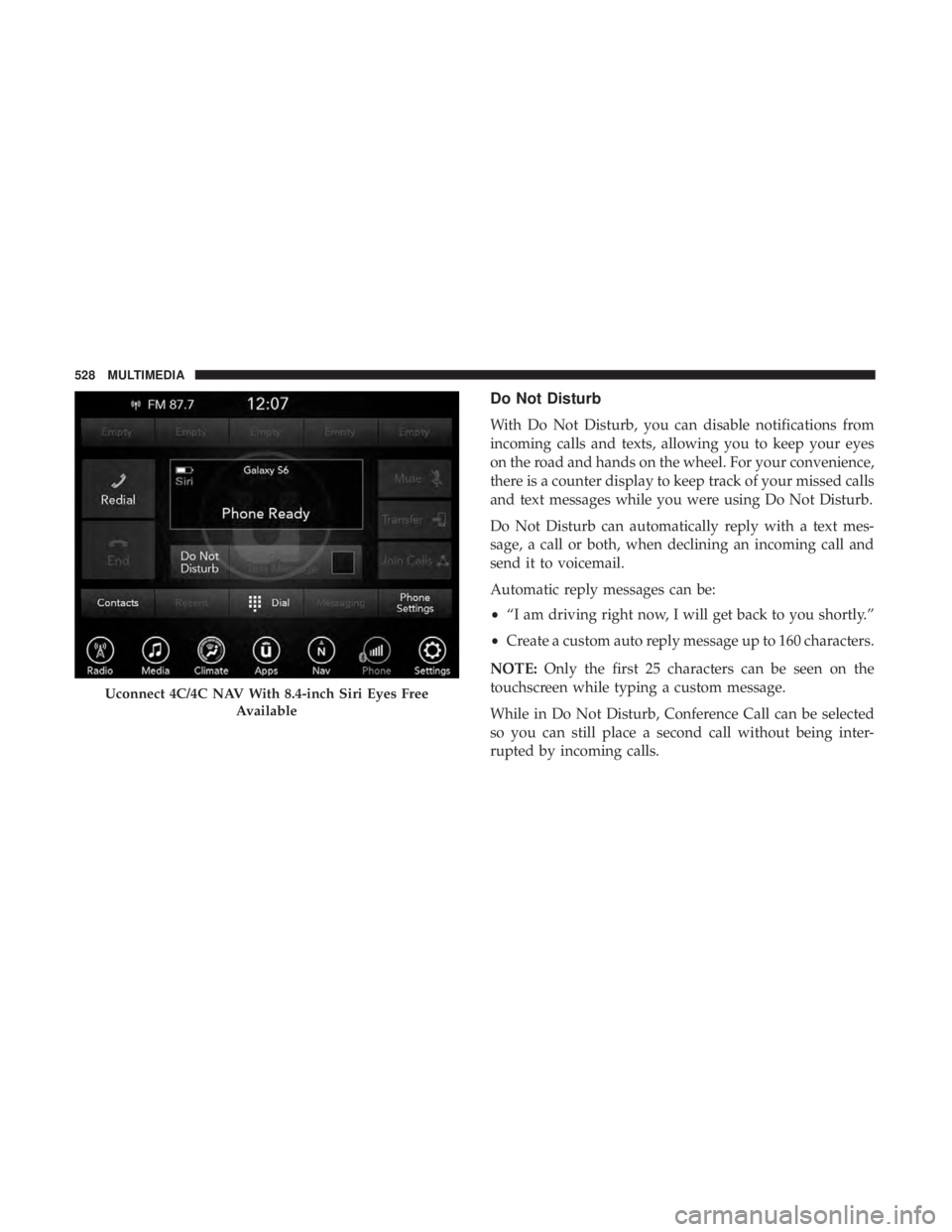
Do Not Disturb
With Do Not Disturb, you can disable notifications from
incoming calls and texts, allowing you to keep your eyes
on the road and hands on the wheel. For your convenience,
there is a counter display to keep track of your missed calls
and text messages while you were using Do Not Disturb.
Do Not Disturb can automatically reply with a text mes-
sage, a call or both, when declining an incoming call and
send it to voicemail.
Automatic reply messages can be:
•“I am driving right now, I will get back to you shortly.”
• Create a custom auto reply message up to 160 characters.
NOTE: Only the first 25 characters can be seen on the
touchscreen while typing a custom message.
While in Do Not Disturb, Conference Call can be selected
so you can still place a second call without being inter-
rupted by incoming calls.
Uconnect 4C/4C NAV With 8.4-inch Siri Eyes Free
Available
528 MULTIMEDIA
Page 531 of 560
NOTE:
•Reply with text message is not compatible with iPhones.
• Auto reply with text message is only available on
phones that support Bluetooth MAP.
Android Auto — If Equipped
NOTE: Feature availability depends on your carrier and
mobile phone manufacturer. Some Android Auto features
may or may not be available in every region and/or
language.
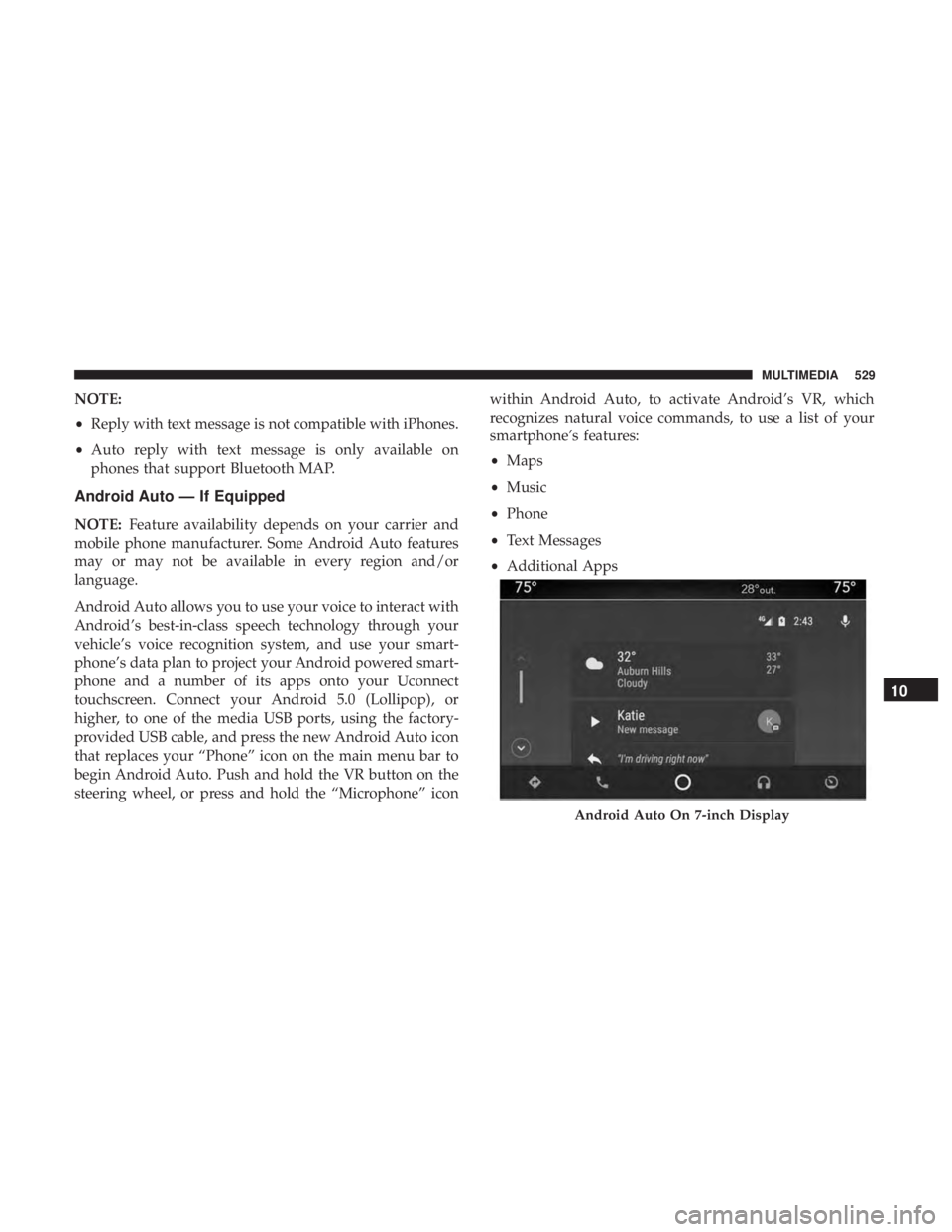
Android Auto allows you to use your voice to interact with
Android’s best-in-class speech technology through your
vehicle’s voice recognition system, and use your smart-
phone’s data plan to project your Android powered smart-
phone and a number of its apps onto your Uconnect
touchscreen. Connect your Android 5.0 (Lollipop), or
higher, to one of the media USB ports, using the factory-
provided USB cable, and press the new Android Auto icon
that replaces your “Phone” icon on the main menu bar to
begin Android Auto. Push and hold the VR button on the
steering wheel, or press and hold the “Microphone” icon within Android Auto, to activate Android’s VR, which
recognizes natural voice commands, to use a list of your
smartphone’s features:
•
Maps
• Music
• Phone
• Text Messages
• Additional Apps
Android Auto On 7-inch Display
10
MULTIMEDIA 529
Page 532 of 560
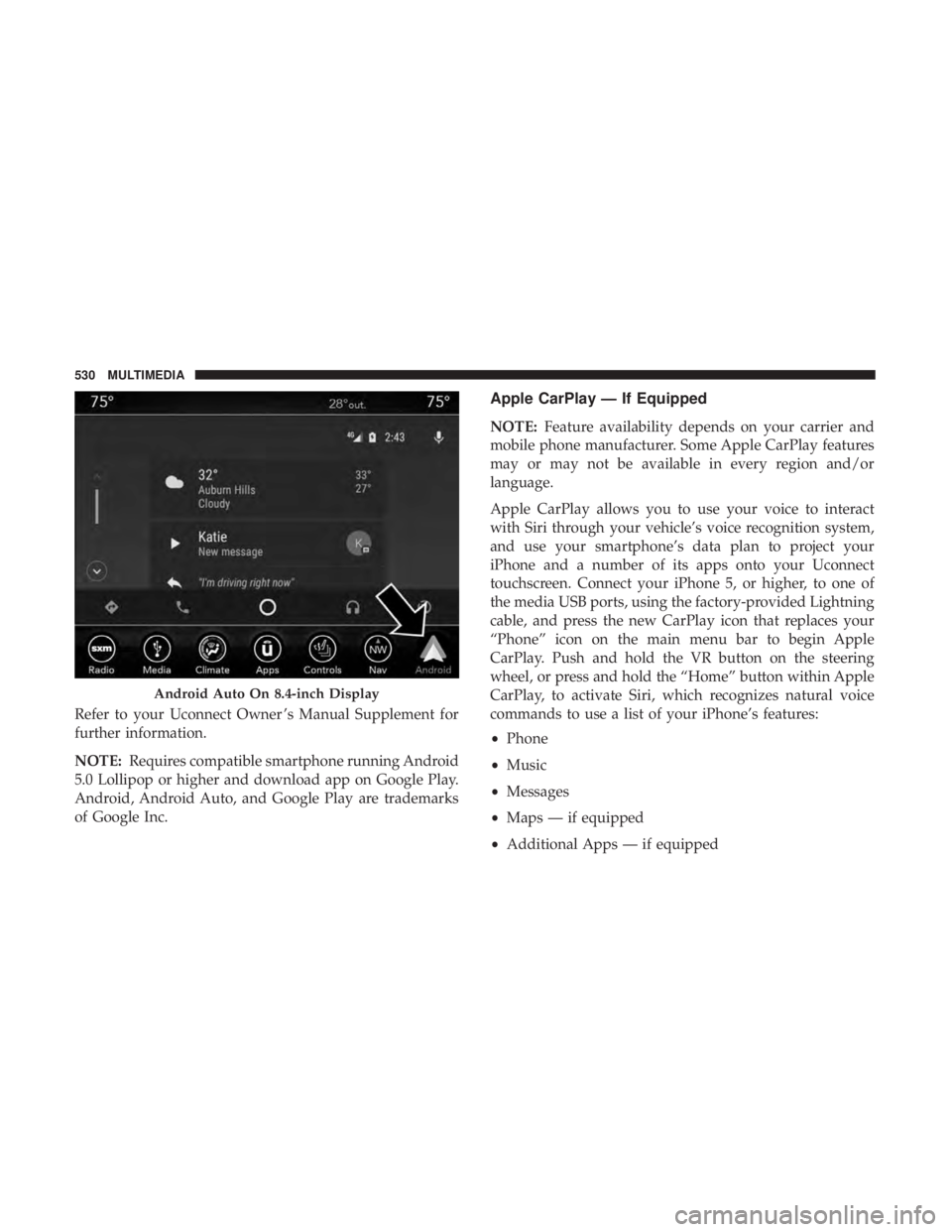
Refer to your Uconnect Owner ’s Manual Supplement for
further information.
NOTE:Requires compatible smartphone running Android
5.0 Lollipop or higher and download app on Google Play.
Android, Android Auto, and Google Play are trademarks
of Google Inc.
Apple CarPlay — If Equipped
NOTE: Feature availability depends on your carrier and
mobile phone manufacturer. Some Apple CarPlay features
may or may not be available in every region and/or
language.
Apple CarPlay allows you to use your voice to interact
with Siri through your vehicle’s voice recognition system,
and use your smartphone’s data plan to project your
iPhone and a number of its apps onto your Uconnect
touchscreen. Connect your iPhone 5, or higher, to one of
the media USB ports, using the factory-provided Lightning
cable, and press the new CarPlay icon that replaces your
“Phone” icon on the main menu bar to begin Apple
CarPlay. Push and hold the VR button on the steering
wheel, or press and hold the “Home” button within Apple
CarPlay, to activate Siri, which recognizes natural voice
commands to use a list of your iPhone’s features:
• Phone
• Music
• Messages
• Maps — if equipped
• Additional Apps — if equipped
Android Auto On 8.4-inch Display
530 MULTIMEDIA
Page 533 of 560
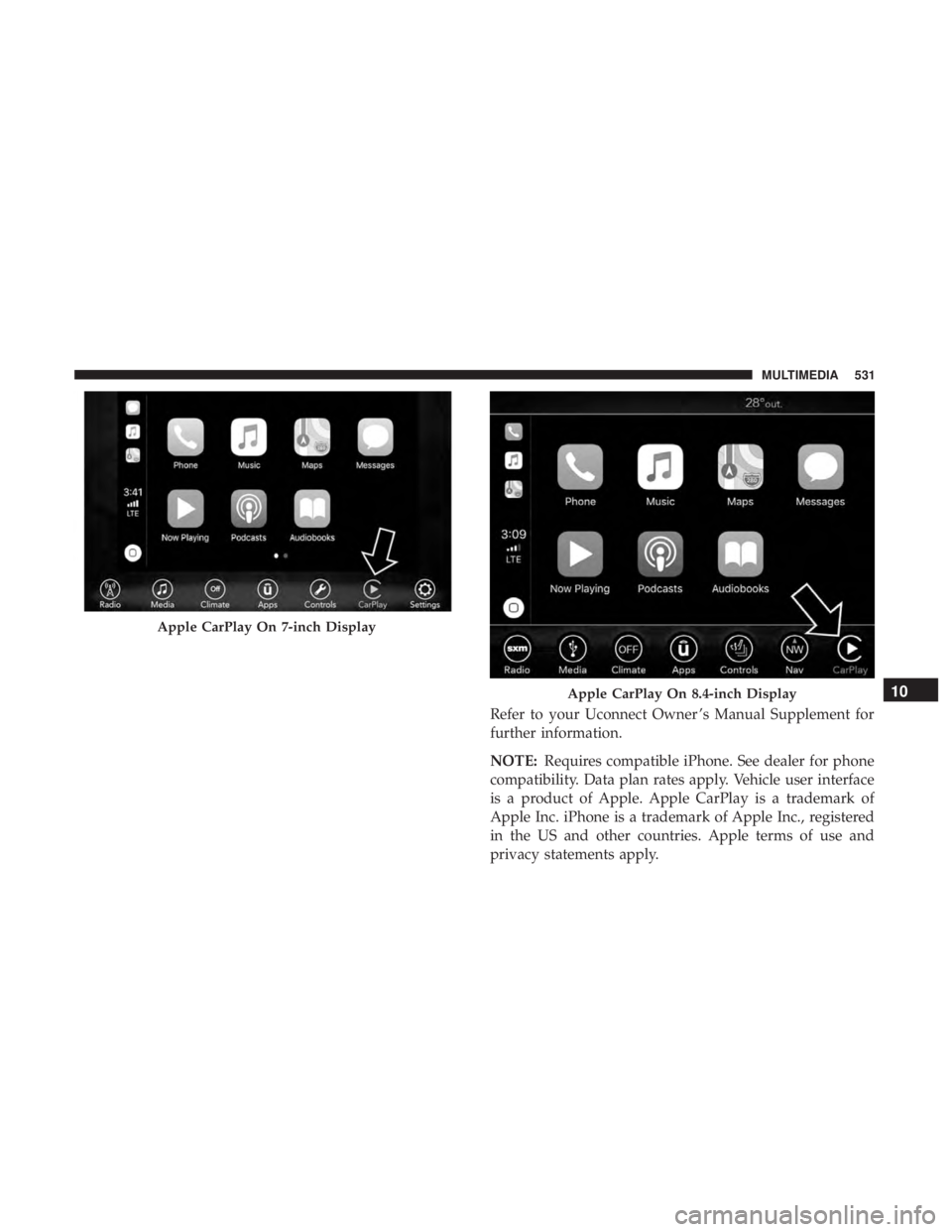
Refer to your Uconnect Owner ’s Manual Supplement for
further information.
NOTE:Requires compatible iPhone. See dealer for phone
compatibility. Data plan rates apply. Vehicle user interface
is a product of Apple. Apple CarPlay is a trademark of
Apple Inc. iPhone is a trademark of Apple Inc., registered
in the US and other countries. Apple terms of use and
privacy statements apply.
Apple CarPlay On 7-inch Display
Apple CarPlay On 8.4-inch Display10
MULTIMEDIA 531
Page 548 of 560
HazardDriving Through Flowing, Rising, Or Shallow
Standing Water ......................... .303
Hazard Warning Flashers .....................307
Headlights Automatic ..............................69
Cleaning .............................. .421
High Beam/Low Beam Select Switch ...........67
Lights On Reminder .......................70
On With Wipers ..........................69
Passing ................................68
Switch .................................66
Time Delay ..............................69
Washers .............................. .374
Head Restraints ......................... .56, 57
Head Rests ............................ .56, 57
Heated Mirrors .............................65
Heater, Engine Block ....................... .233
High Beam/Low Beam Select (Dimmer) Switch ......67
Hill Start Assist ........................... .158
Hitches Trailer Towing .......................... .295
Holder, Coin ..............................112
HomeLink (Garage Door Opener) ...............105Hood Prop
.............................. .100
Hood Release ............................ .100
Ignition ..................................27
Switch .................................27
Information Center, Vehicle ...................126
Inside Rearview Mirror ....................62, 307
Instrument Cluster ..................... .122, 125
Descriptions ........................... .146
Display ........................... .126, 129
Instrument Panel Lens Cleaning ................423
Interior Appearance Care .....................422
Interior Lights ..............................71
Intermittent Wipers (Delay Wipers) ...............76
Introduction ................................4
In Vehicle Help Vehicle User Guide ........................17
Jack Location ............................ .326
Jack Operation ........................... .397
Jump Starting ......................... .349, 351
Key
Fob
Arm The System ..........................35
Panic Alarm .............................22
546 INDEX
Page 556 of 560
Hitches............................... .295
Minimum Requirements ....................297
Tips ................................. .301
Trailer And Tongue Weight ..................296
Wiring ............................... .299
Trailer Towing Guide ....................... .295
Trailer Weight ............................ .295
Transfer Case Fluid .......................... .396, 438, 440
Maintenance ........................... .396
Transmission ............................. .239
Automatic ......................... .239, 395
Fluid ............................. .438, 440
Maintenance ........................... .395
Shifting .............................. .237
Transporting Pets ......................... .219
Tread Wear Indicators ...................... .410
Trunk Lid (Deck Lid) ....................... .101
Trunk Release Remote Control .................101
Turn Signals ........................... .71, 146
Uconnect Uconnect Settings .................21, 22, 32, 445
Uconnect 4C/4C Nav With 8.4-Inch Display ........466
Uconnect 4 With 7-Inch Display ................446Uconnect Settings
Customer Programmable Features ........32, 38, 445
Passive Entry Programming ..................38
Uniform Tire Quality Grades ..................419
Universal Garage Door Opener (HomeLink) ........105
Universal Transmitter ....................... .105
Unleaded Gasoline ........................ .429
Untwisting Procedure, Seat Belt ................184
USB................................... .510
Vanity Mirrors .............................65
Vehicle Certification Label ....................291
Vehicle Identification Number (VIN) .............427
Vehicle Loading .....................291, 292, 403
Vehicle Modifications/Alterations .................
5
Vehicle Security Alarm ........................34
Vehicle Storage ......................... .93, 420
Vehicle User Guide In Vehicle Help ...........................17
Navigation ..............................17
Operating Instructions ......................17
Searching User Guide ......................17
Viscosity, Engine Oil .....................377, 378
Voice Command .......................... .513
Voice Recognition System (VR) .................513
554 INDEX