remote start DODGE CHARGER 2019 Owner's Manual
[x] Cancel search | Manufacturer: DODGE, Model Year: 2019, Model line: CHARGER, Model: DODGE CHARGER 2019Pages: 560, PDF Size: 6.03 MB
Page 480 of 560
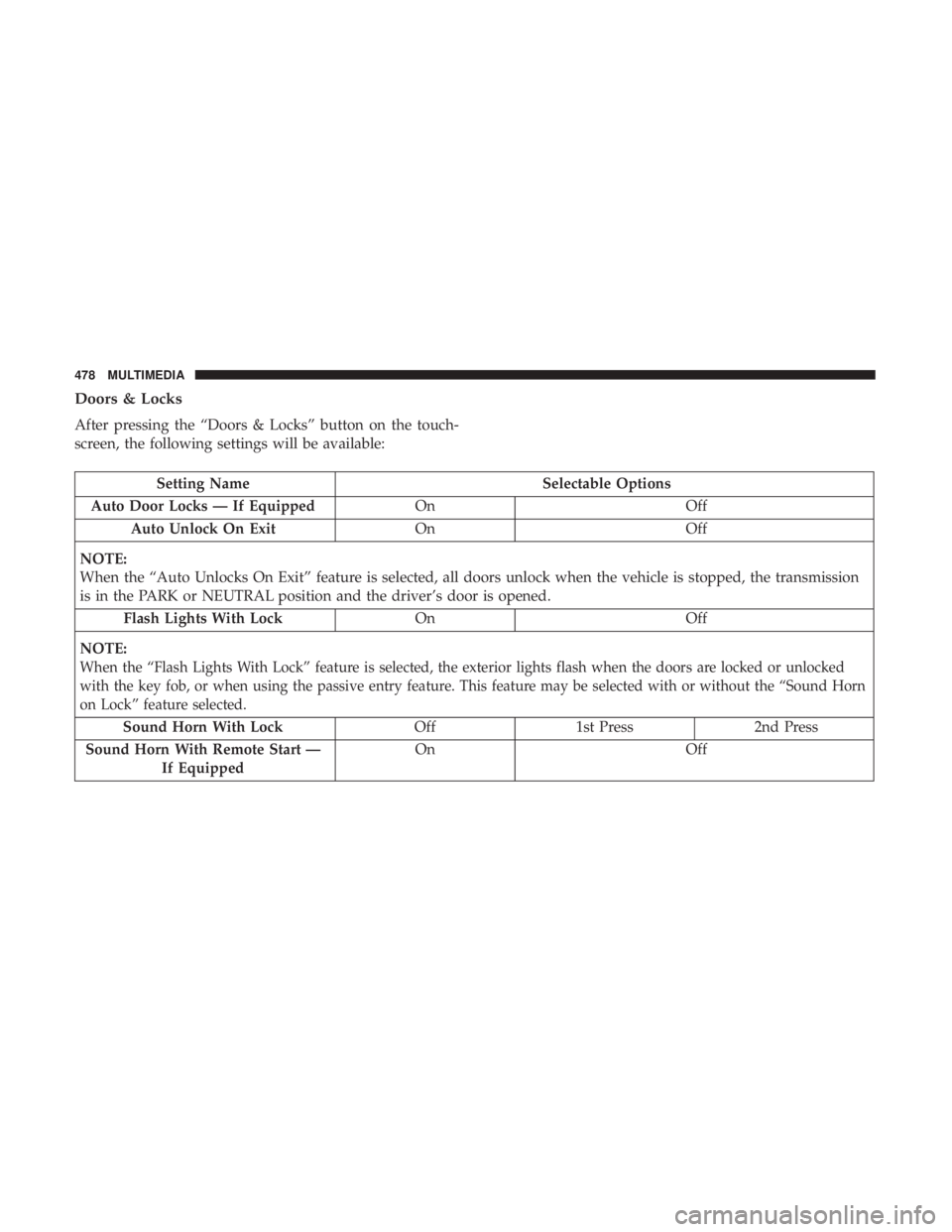
Doors & Locks
After pressing the “Doors & Locks” button on the touch-
screen, the following settings will be available:
Setting NameSelectable Options
Auto Door Locks — If Equipped OnOff
Auto Unlock On Exit OnOff
NOTE:
When the “Auto Unlocks On Exit” feature is selected, all doors unlock when the vehicle is stopped, the transmission
is in the PARK or NEUTRAL position and the driver’s door is opened. Flash Lights With Lock OnOff
NOTE:
When the “Flash Lights With Lock” feature is selected, the exterior lights flash when the doors are locked or unlocked
with the key fob, or when using the passive entry feature. This feature may be selected with or without the “Sound Horn
on Lock” feature selected.
Sound Horn With Lock Off 1st Press 2nd Press
Sound Horn With Remote Start — If Equipped On Off
478 MULTIMEDIA
Page 482 of 560
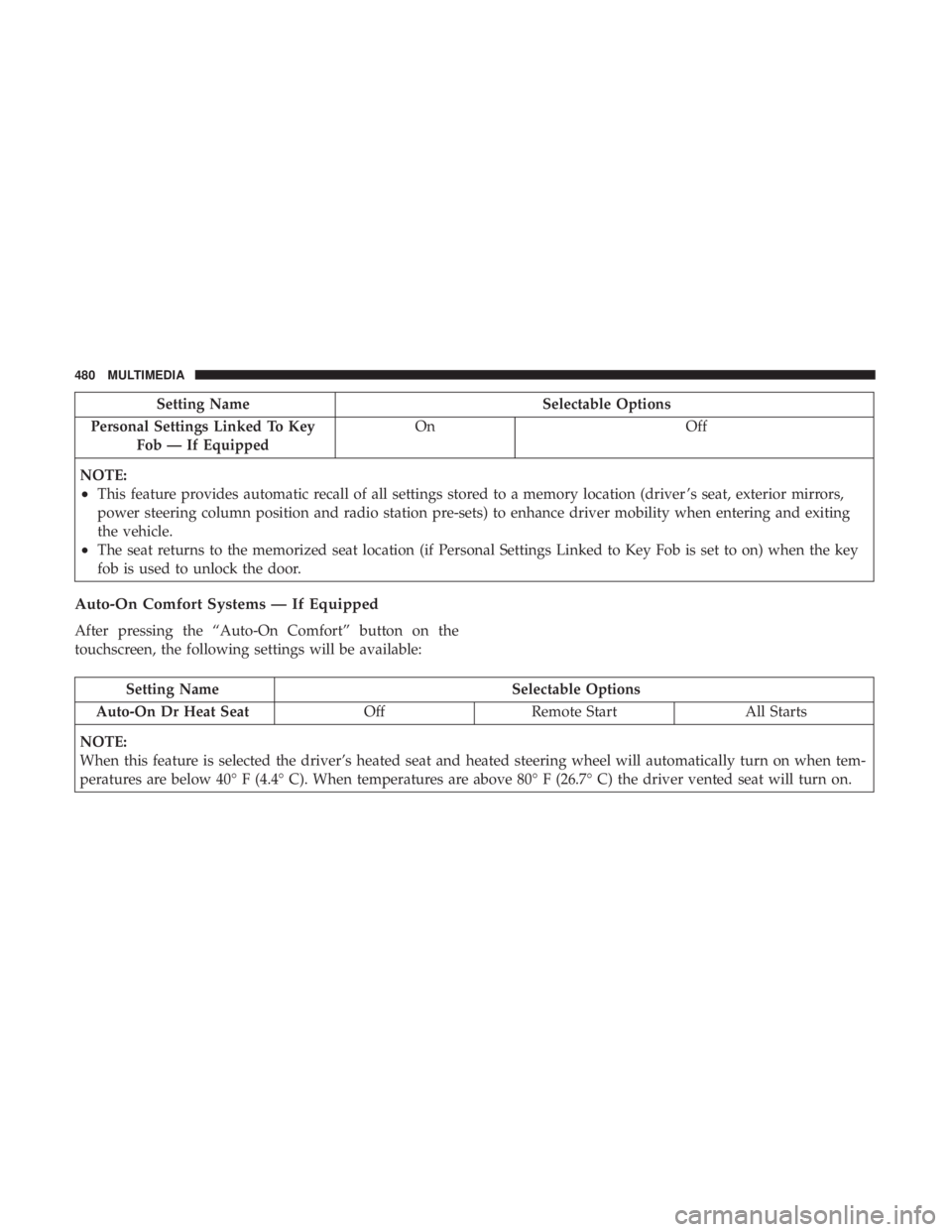
Setting NameSelectable Options
Personal Settings Linked To Key Fob — If Equipped On
Off
NOTE:
•This feature provides automatic recall of all settings stored to a memory location (driver ’s seat, exterior mirrors,
power steering column position and radio station pre-sets) to enhance driver mobility when entering and exiting
the vehicle.
•The seat returns to the memorized seat location (if Personal Settings Linked to Key Fob is set to on) when the key
fob is used to unlock the door.
Auto-On Comfort Systems — If Equipped
After pressing the “Auto-On Comfort” button on the
touchscreen, the following settings will be available:
Setting Name Selectable Options
Auto-On Dr Heat Seat OffRemote Start All Starts
NOTE:
When this feature is selected the driver’s heated seat and heated steering wheel will automatically turn on when tem-
peratures are below 40° F (4.4° C). When temperatures are above 80° F (26.7° C) the driver vented seat will turn on.
480 MULTIMEDIA
Page 526 of 560
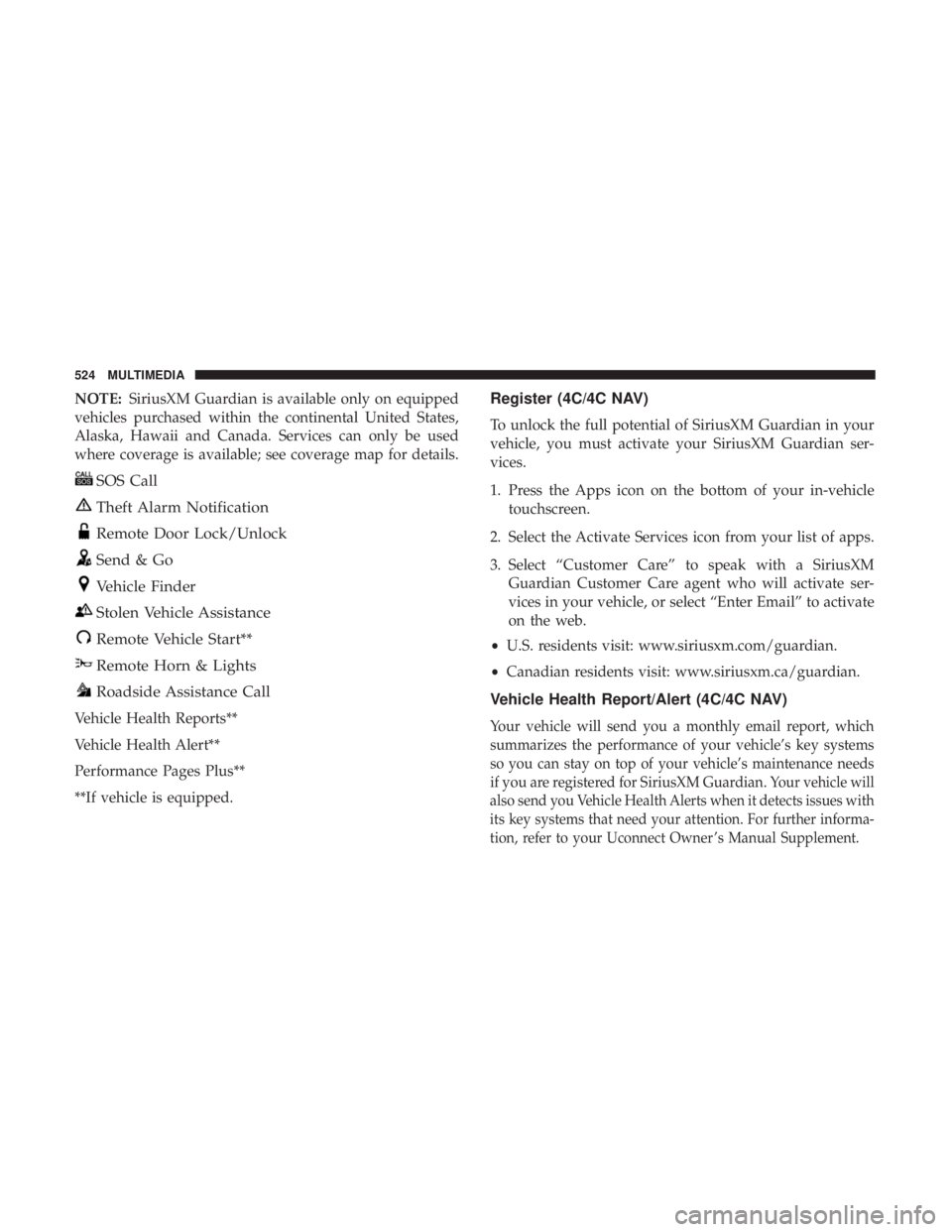
NOTE:SiriusXM Guardian is available only on equipped
vehicles purchased within the continental United States,
Alaska, Hawaii and Canada. Services can only be used
where coverage is available; see coverage map for details.
SOS Call
Theft Alarm Notification
Remote Door Lock/Unlock
Send & Go
Vehicle Finder
Stolen Vehicle Assistance
Remote Vehicle Start**
Remote Horn & Lights
Roadside Assistance Call
Vehicle Health Reports**
Vehicle Health Alert**
Performance Pages Plus**
**If vehicle is equipped.
Register (4C/4C NAV)
To unlock the full potential of SiriusXM Guardian in your
vehicle, you must activate your SiriusXM Guardian ser-
vices.
1. Press the Apps icon on the bottom of your in-vehicle touchscreen.
2. Select the Activate Services icon from your list of apps.
3. Select “Customer Care” to speak with a SiriusXM Guardian Customer Care agent who will activate ser-
vices in your vehicle, or select “Enter Email” to activate
on the web.
• U.S. residents visit: www.siriusxm.com/guardian.
• Canadian residents visit: www.siriusxm.ca/guardian.
Vehicle Health Report/Alert (4C/4C NAV)
Your vehicle will send you a monthly email report, which
summarizes the performance of your vehicle’s key systems
so you can stay on top of your vehicle’s maintenance needs
if you are registered for SiriusXM Guardian.
Your vehicle will
also send you Vehicle Health Alerts when it detects issues with
its key systems that need your attention. For further informa-
tion, refer to your Uconnect Owner ’s Manual Supplement.
524 MULTIMEDIA
Page 527 of 560
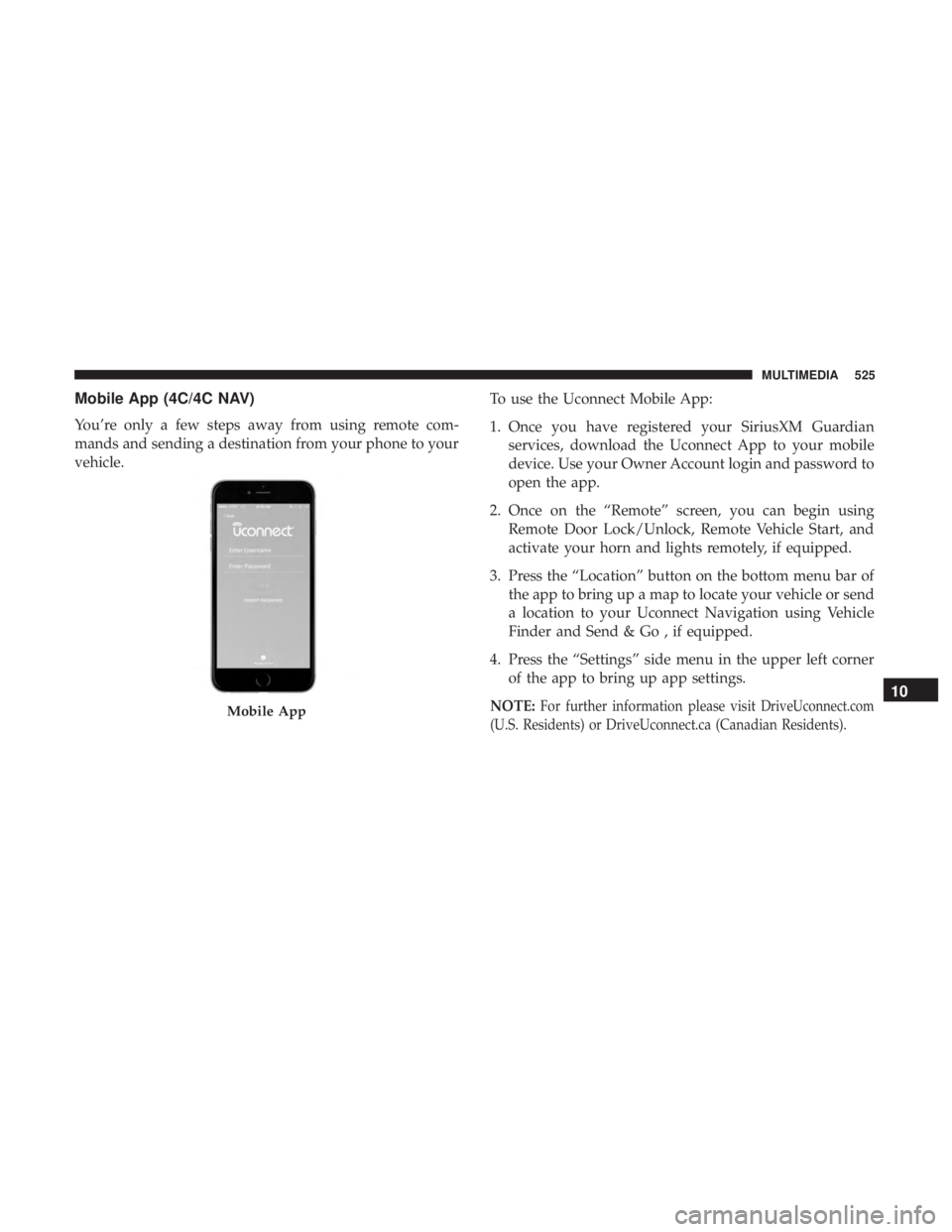
Mobile App (4C/4C NAV)
You’re only a few steps away from using remote com-
mands and sending a destination from your phone to your
vehicle.To use the Uconnect Mobile App:
1. Once you have registered your SiriusXM Guardian
services, download the Uconnect App to your mobile
device. Use your Owner Account login and password to
open the app.
2. Once on the “Remote” screen, you can begin using Remote Door Lock/Unlock, Remote Vehicle Start, and
activate your horn and lights remotely, if equipped.
3. Press the “Location” button on the bottom menu bar of the app to bring up a map to locate your vehicle or send
a location to your Uconnect Navigation using Vehicle
Finder and Send & Go , if equipped.
4. Press the “Settings” side menu in the upper left corner of the app to bring up app settings.
NOTE:For further information please visitDriveUconnect.com
(U.S. Residents) or DriveUconnect.ca (Canadian Residents).Mobile App
10
MULTIMEDIA 525
Page 552 of 560
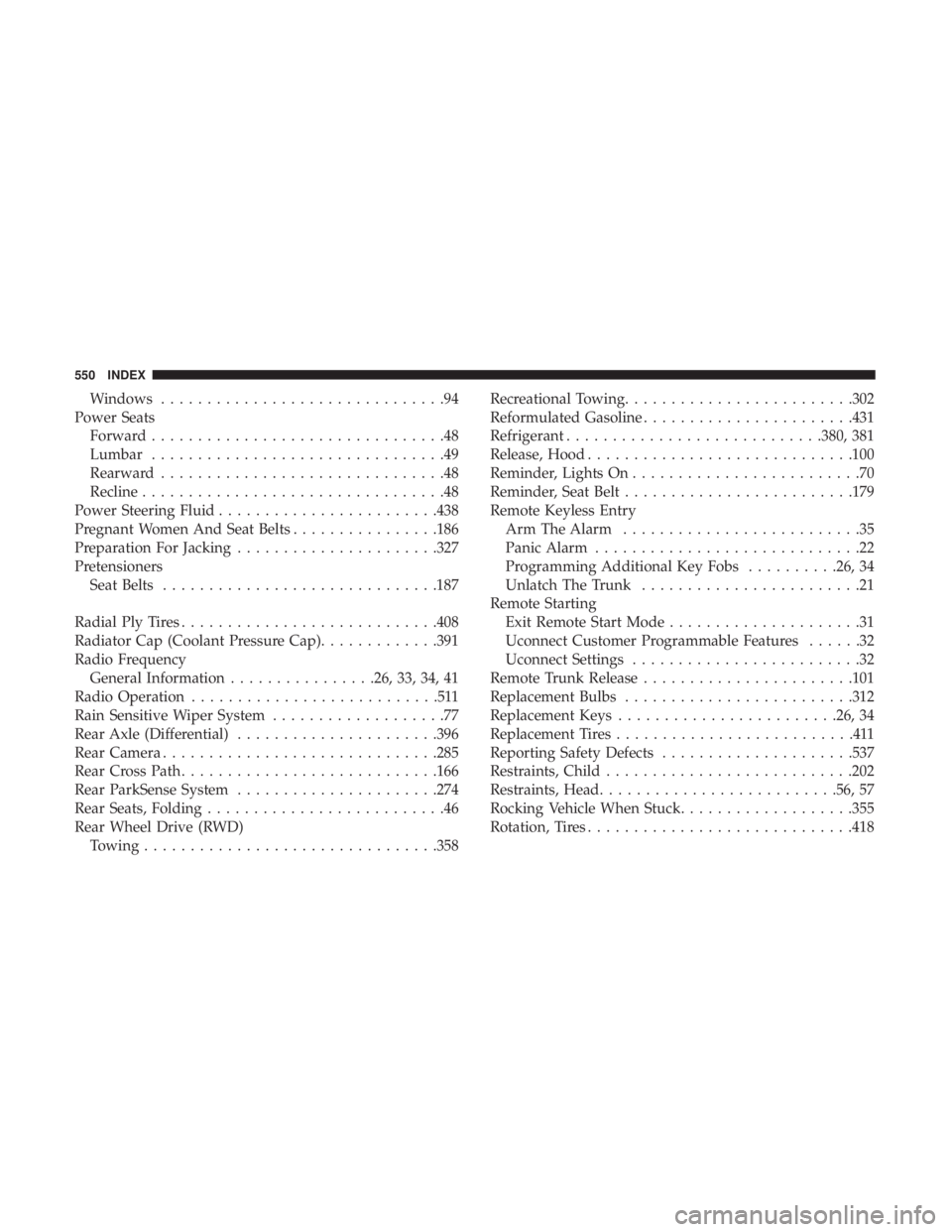
Windows...............................94
Power Seats Forward ................................48
Lumbar ................................49
Rearward ...............................48
Recline .................................48
Power Steering Fluid ....................... .438
Pregnant Women And Seat Belts ................186
Preparation For Jacking ..................... .327
Pretensioners Seat Belts ............................. .187
Radial Ply Tires ........................... .408
Radiator Cap (Coolant Pressure Cap) .............391
Radio Frequency General Information ................26, 33, 34, 41
Radio Operation ...........................511
Rain Sensitive Wiper System ...................77
Rear Axle (Differential) ..................... .396
Rear Camera ............................. .285
Rear Cross Path ........................... .166
Rear ParkSense System ..................... .274
Rear Seats, Folding ..........................46
Rear Wheel Drive (RWD) Towing ............................... .358Recreational Towing
........................ .302
Reformulated Gasoline ...................... .431
Refrigerant ........................... .380, 381
Release, Hood ............................ .100
Reminder, Lights On .........................70
Reminder, Seat Belt ........................ .179
Remote Keyless Entry Arm The Alarm ..........................35
Panic Alarm .............................22
Programming Additional Key Fobs ..........26, 34
Unlatch The Trunk ........................21
Remote Starting Exit Remote Start Mode .....................31
Uconnect Customer Programmable Features ......32
Uconnect Settings .........................32
Remote Trunk Release ...................... .101
Replacement Bulbs ........................ .312
Replacement Keys ....................... .26, 34
Replacement Tires ..........................411
Reporting Safety Defects .....................537
Restraints,
Child.......................... .202
Restraints, Head ......................... .56, 57
Rocking Vehicle When Stuck ...................355
Rotation, Tires ............................ .418
550 INDEX