change time DODGE CHARGER 2019 Workshop Manual
[x] Cancel search | Manufacturer: DODGE, Model Year: 2019, Model line: CHARGER, Model: DODGE CHARGER 2019Pages: 560, PDF Size: 6.03 MB
Page 503 of 560
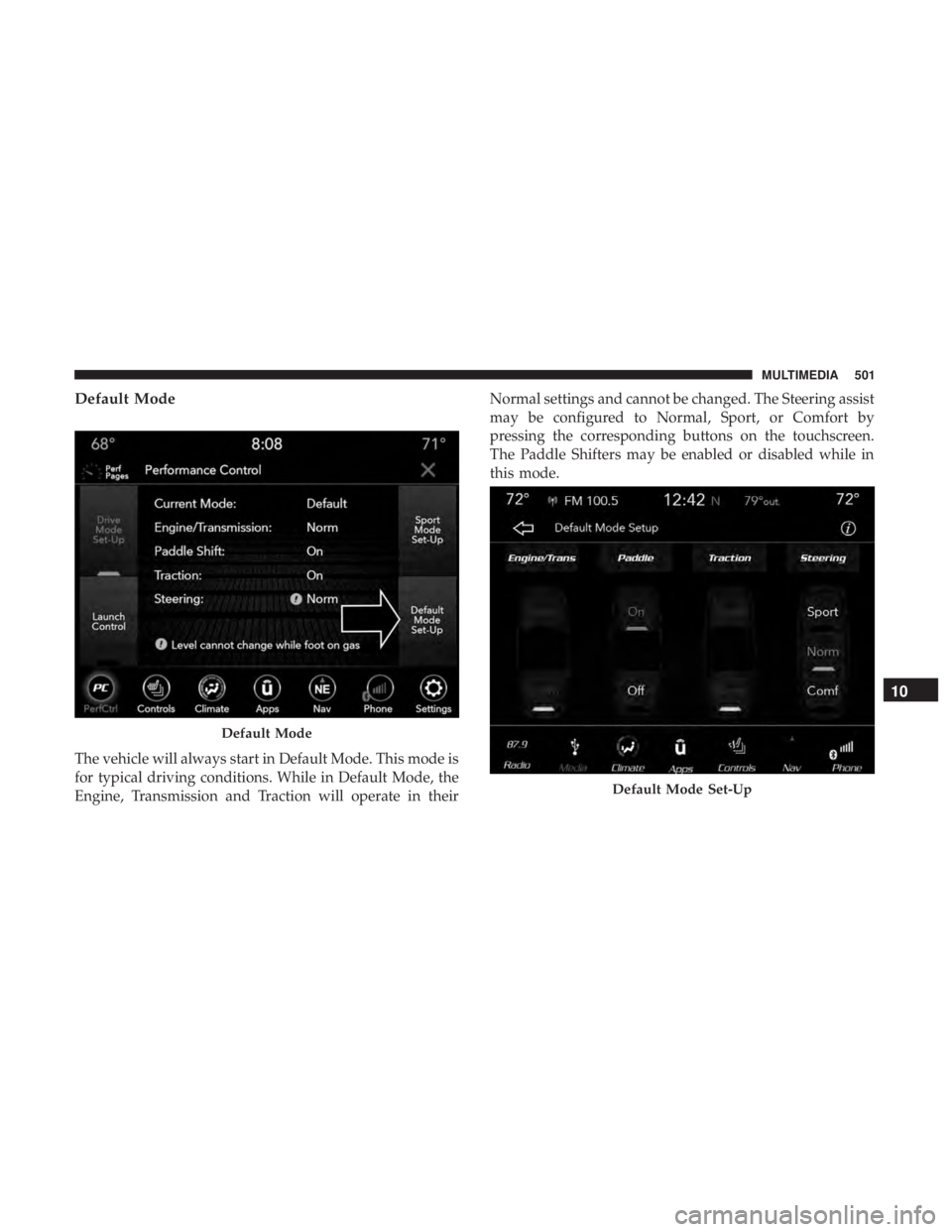
Default Mode
The vehicle will always start in Default Mode. This mode is
for typical driving conditions. While in Default Mode, the
Engine, Transmission and Traction will operate in theirNormal settings and cannot be changed. The Steering assist
may be configured to Normal, Sport, or Comfort by
pressing the corresponding buttons on the touchscreen.
The Paddle Shifters may be enabled or disabled while in
this mode.
Default Mode
Default Mode Set-Up
10
MULTIMEDIA 501
Page 504 of 560
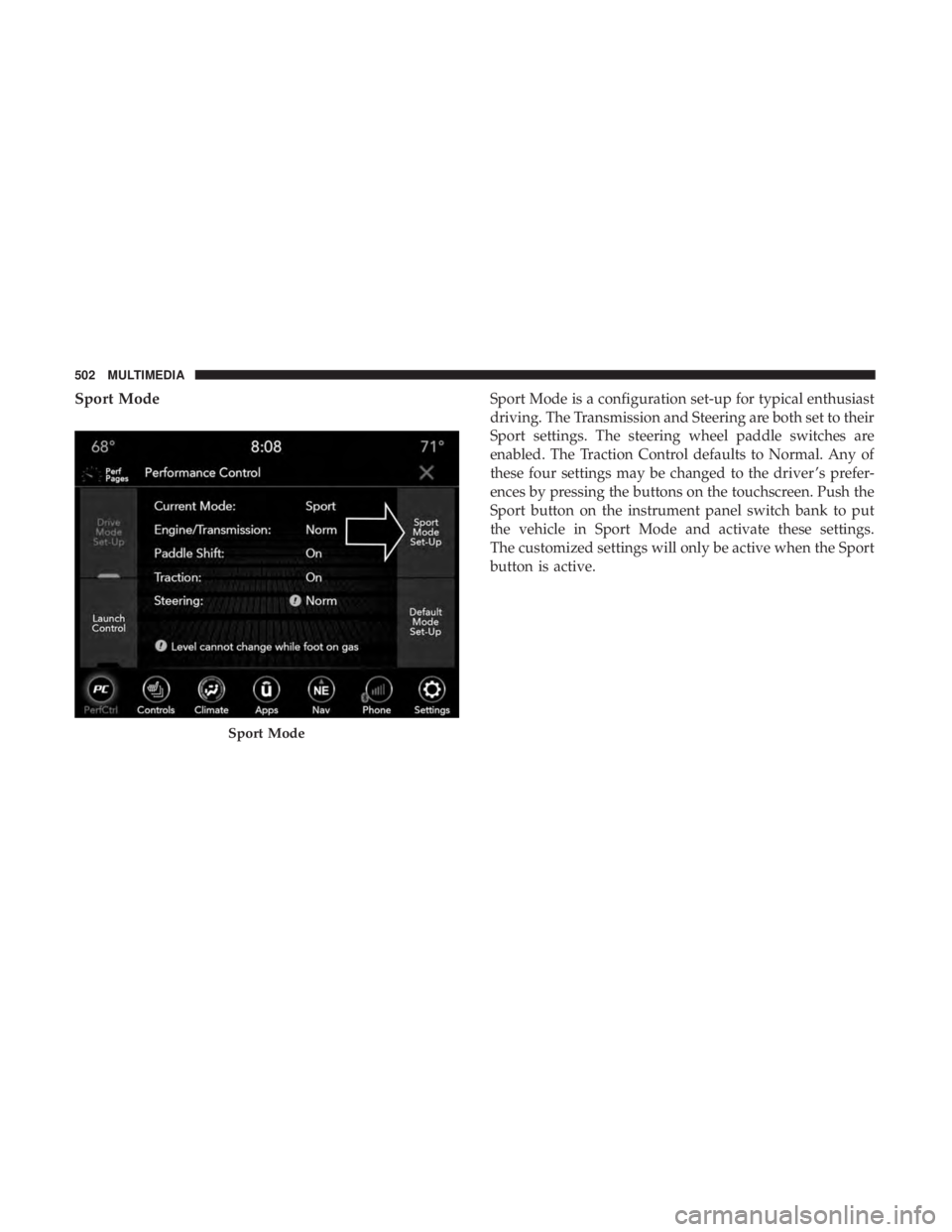
Sport ModeSport Mode is a configuration set-up for typical enthusiast
driving. The Transmission and Steering are both set to their
Sport settings. The steering wheel paddle switches are
enabled. The Traction Control defaults to Normal. Any of
these four settings may be changed to the driver ’s prefer-
ences by pressing the buttons on the touchscreen. Push the
Sport button on the instrument panel switch bank to put
the vehicle in Sport Mode and activate these settings.
The customized settings will only be active when the Sport
button is active.
Sport Mode
502 MULTIMEDIA
Page 514 of 560
wireless radios may be restricted in some situations or
environments, such as aboard airplanes. If you are unsure
of restrictions, you are encouraged to ask for authorization
before turning on the wireless radio.
The following regulatory statement applies to all Radio
Frequency (RF) devices equipped in this vehicle:
This device complies with Part 15 of the FCC Rules and
with Industry Canada license-exempt RSS standard(s).
Operation is subject to the following two conditions:
1. This device may not cause harmful interference, and
2. This device must accept any interference received, in-cluding interference that may cause undesired opera-
tion.
NOTE: Changes or modifications not expressly approved
by the party responsible for compliance could void the
user ’s authority to operate the equipment. NOTE:
•
This equipment has been tested and found to comply
with the limits for a Class B digital device, pursuant to
Part 15 of the FCC Rules. These limits are designed to
provide reasonable protection against harmful interfer-
ence in a residential installation. This equipment gener-
ates, uses and can radiate radio frequency energy and, if
not installed and used in accordance with the instruc-
tions, may cause harmful interference to radio commu-
nications. However, there is no guarantee that interfer-
ence will not occur in a particular installation.
• If this equipment does cause harmful interference to
radio or television reception, which can be determined
by turning the equipment off and on, the user is encour-
aged to try to correct the interference by one or more of
the following measures:
1. Increase the separation between the equipment and receiver.
2. Consult an authorized dealer or an experienced radio technician for help.
512 MULTIMEDIA
Page 518 of 560
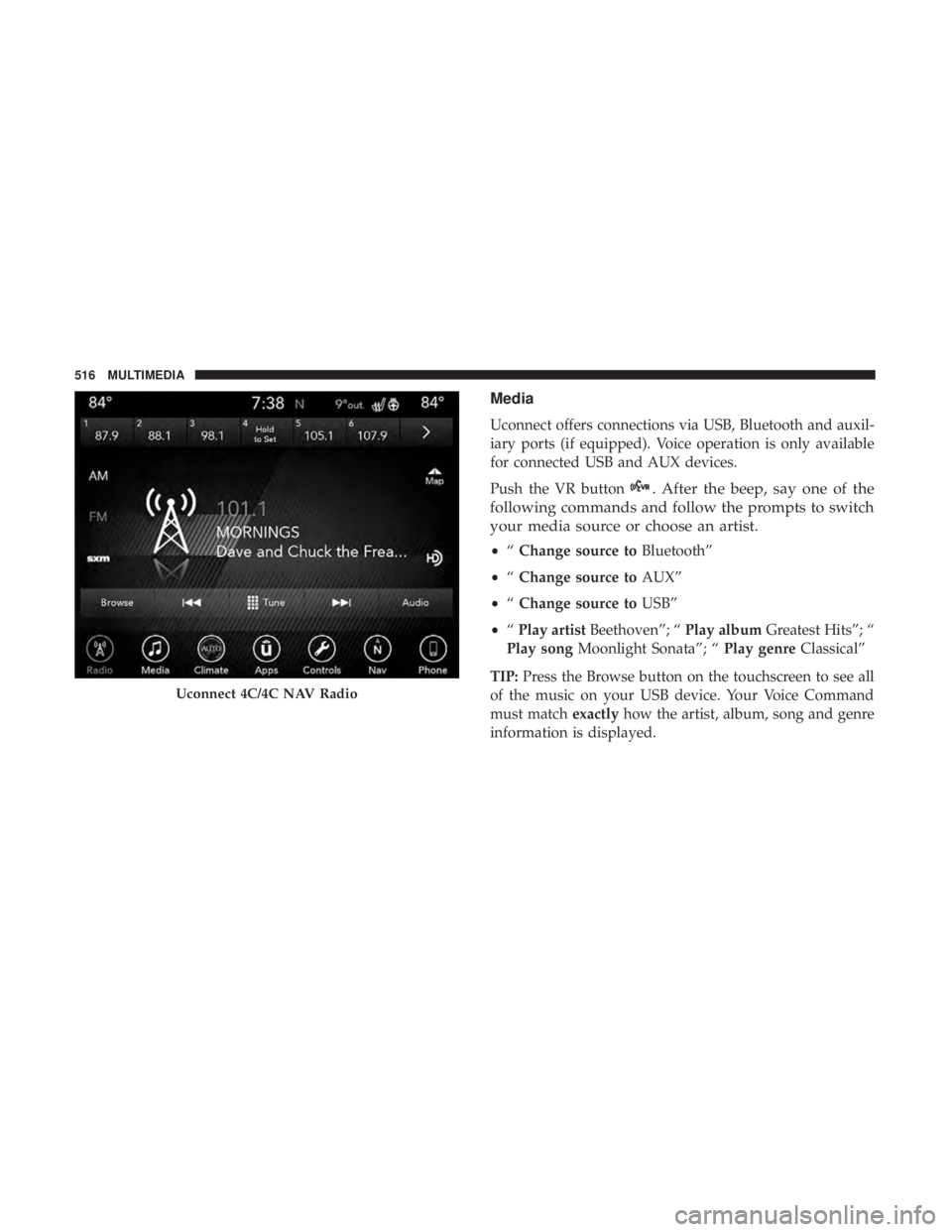
Media
Uconnect offers connections via USB, Bluetooth and auxil-
iary ports (if equipped). Voice operation is only available
for connected USB and AUX devices.
Push the VR button
. After the beep, say one of the
following commands and follow the prompts to switch
your media source or choose an artist.
• “Change source to Bluetooth”
• “Change source to AUX”
• “Change source to USB”
• “Play artist Beethoven”; “ Play albumGreatest Hits”; “
Play song Moonlight Sonata”; “ Play genreClassical”
TIP: Press the Browse button on the touchscreen to see all
of the music on your USB device. Your Voice Command
must match exactlyhow the artist, album, song and genre
information is displayed.
Uconnect 4C/4C NAV Radio
516 MULTIMEDIA
Page 534 of 560
General Information
The following regulatory statement applies to all Radio
Frequency (RF) devices equipped in this vehicle:
This device complies with Part 15 of the FCC Rules and
with Industry Canada license-exempt RSS standard(s).
Operation is subject to the following two conditions:
1. This device may not cause harmful interference, and
2. This device must accept any interference received, in-cluding interference that may cause undesired opera-
tion.
NOTE: Changes or modifications not expressly approved
by the party responsible for compliance could void the
user ’s authority to operate the equipment. Additional
Information
© 2021 FCA US LLC. All rights reserved. Mopar and
Uconnect are registered trademarks and Mopar Owner
Connect is a trademark of FCA US LLC. Android is a
trademark of Google Inc. SiriusXM and all related marks
and logos are trademarks of SiriusXM Radio Inc.
Uconnect System Support:
•U.S. residents visit www.DriveUconnect.com or call:
1-877-855-8400(24 hours a day 7 days a week)
• Canadian residents visit www.DriveUconnect.ca or call:
1-800-465-2001(English) or 1-800-387-9983(French)
SiriusXM Guardian services support:
• U.S. residents visit www.siriusxm.com/guardian or call:
1-844-796-4827
• Canadian residents visit www.siriusxm.ca/guardian or
call: 1-877-324-9091
532 MULTIMEDIA
Page 549 of 560
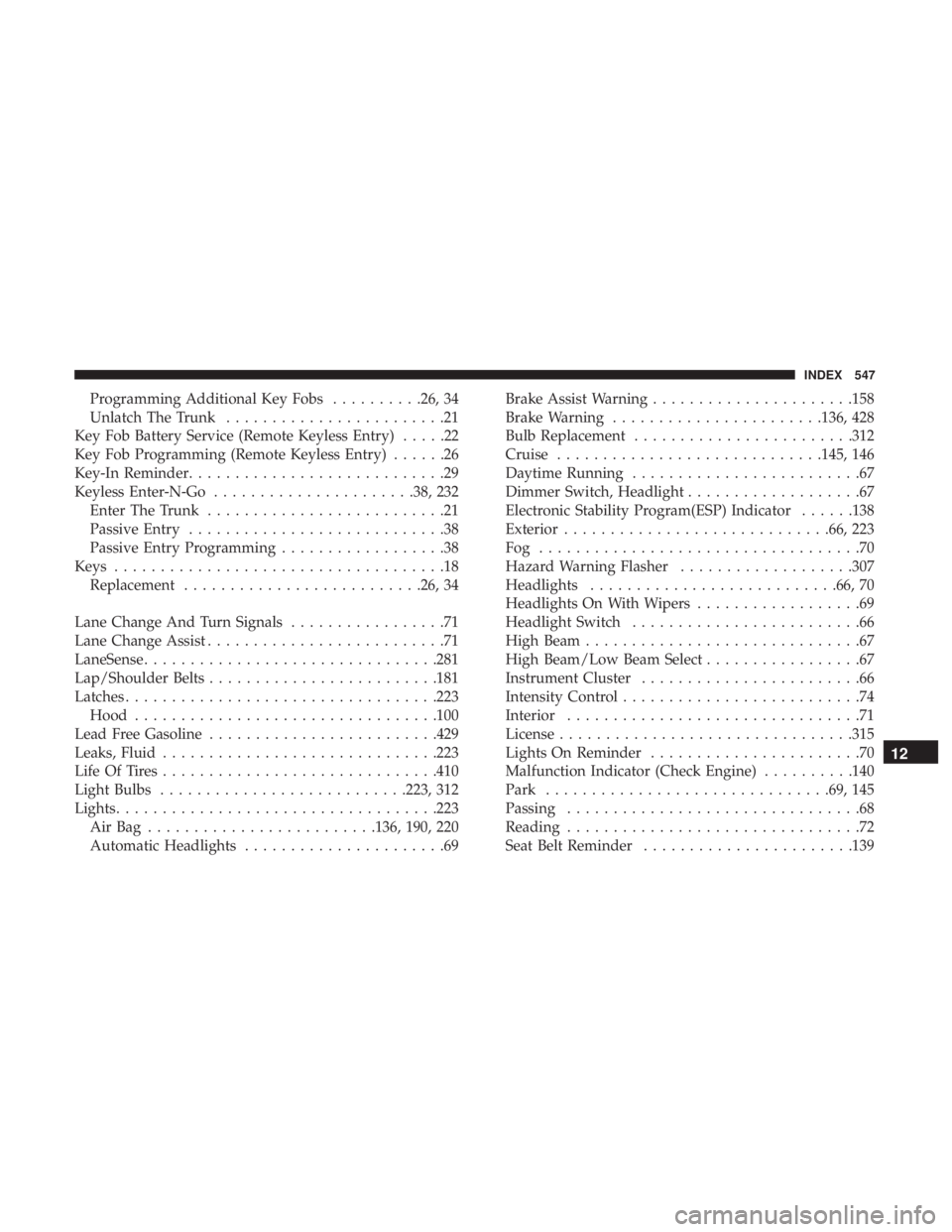
Programming Additional Key Fobs..........26, 34
Unlatch The Trunk ........................21
Key Fob Battery Service (Remote Keyless Entry) .....22
Key Fob Programming (Remote Keyless Entry) ......26
Key-In Reminder ............................29
Keyless Enter-N-Go ..................... .38, 232
Enter The Trunk ..........................21
Passive Entry ............................38
Passive Entry Programming ..................38
Keys ....................................18
Replacement ......................... .26, 34
Lane Change And Turn Signals .................71
Lane Change Assist ..........................71
LaneSense ............................... .281
Lap/Shoulder Belts ........................ .181
Latches ................................. .223
Hood ................................ .100
Lead Free Gasoline ........................ .429
Leaks, Fluid ............................. .223
Life Of Tires ............................. .410
Light Bulbs .......................... .223, 312
Lights .................................. .223
AirBag .........................136, 190, 220
Automatic Headlights ......................69 Brake Assist Warning
..................... .158
Brake Warning ...................... .136, 428
Bulb Replacement ....................... .312
Cruise ............................ .145, 146
Daytime Running .........................67
Dimmer Switch, Headlight ...................67
Electronic Stability Program(ESP) Indicator ......138
Exterior ............................ .66, 223
Fog ...................................70
Hazard Warning Flasher ...................307
Headlights .......................... .66, 70
Headlights On With Wipers ..................69
Headlight Switch .........................66
High Beam ..............................67
High Beam/Low Beam Select .................67
Instrument Cluster ........................66
Intensity Control ..........................74
Interior ................................71
License ............................... .315
Lights
On Reminder .......................70
Malfunction Indicator (Check Engine) ..........140
Park .............................. .69, 145
Passing ................................68
Reading ................................72
Seat Belt Reminder ...................... .139
12
INDEX 547