power steering DODGE CHARGER 2020 Owner's Guide
[x] Cancel search | Manufacturer: DODGE, Model Year: 2020, Model line: CHARGER, Model: DODGE CHARGER 2020Pages: 412, PDF Size: 18.96 MB
Page 358 of 412
356MULTIMEDIA
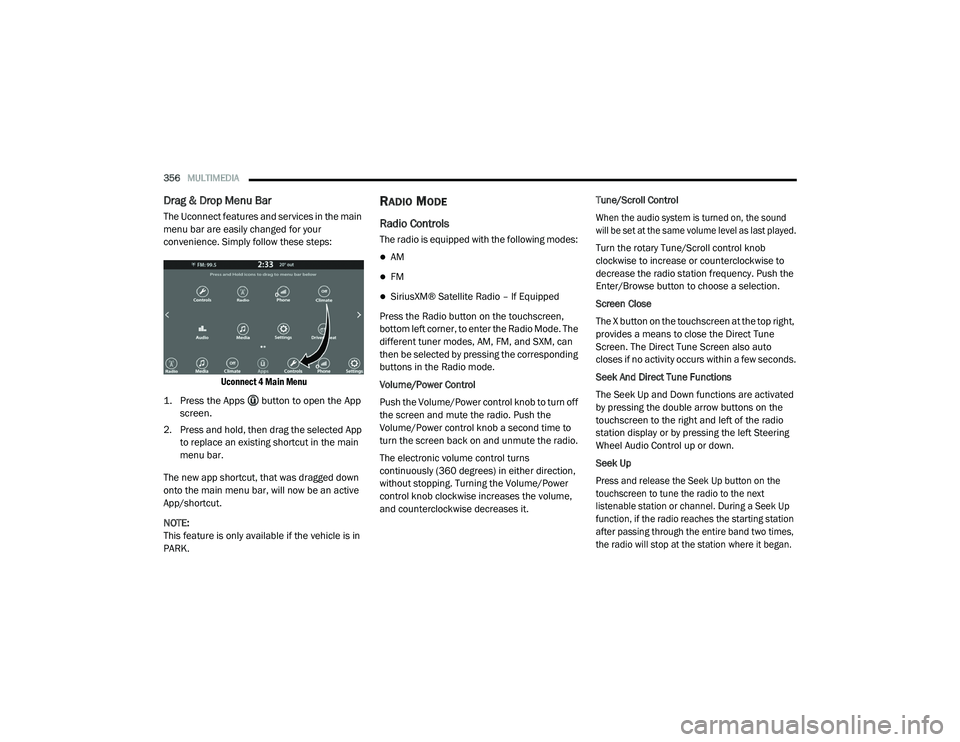
Drag & Drop Menu Bar
The Uconnect features and services in the main
menu bar are easily changed for your
convenience. Simply follow these steps:
Uconnect 4 Main Menu
1. Press the Apps button to open the App screen.
2. Press and hold, then drag the selected App to replace an existing shortcut in the main
menu bar.
The new app shortcut, that was dragged down
onto the main menu bar, will now be an active
App/shortcut.
NOTE:
This feature is only available if the vehicle is in
PARK.
RADIO MODE
Radio Controls
The radio is equipped with the following modes:
AM
FM
SiriusXM® Satellite Radio – If Equipped
Press the Radio button on the touchscreen,
bottom left corner, to enter the Radio Mode. The
different tuner modes, AM, FM, and SXM, can
then be selected by pressing the corresponding
buttons in the Radio mode.
Volume/Power Control
Push the Volume/Power control knob to turn off
the screen and mute the radio. Push the
Volume/Power control knob a second time to
turn the screen back on and unmute the radio.
The electronic volume control turns
continuously (360 degrees) in either direction,
without stopping. Turning the Volume/Power
control knob clockwise increases the volume,
and counterclockwise decreases it. Tune/Scroll Control
When the audio system is turned on, the sound
will be set at the same volume level as last played.
Turn the rotary Tune/Scroll control knob
clockwise to increase or counterclockwise to
decrease the radio station frequency. Push the
Enter/Browse button to choose a selection.
Screen Close
The X button on the touchscreen at the top right,
provides a means to close the Direct Tune
Screen. The Direct Tune Screen also auto
closes if no activity occurs within a few seconds.
Seek And Direct Tune Functions
The Seek Up and Down functions are activated
by pressing the double arrow buttons on the
touchscreen to the right and left of the radio
station display or by pressing the left Steering
Wheel Audio Control up or down.
Seek Up
Press and release the Seek Up button on the
touchscreen to tune the radio to the next
listenable station or channel. During a Seek Up
function, if the radio reaches the starting station
after passing through the entire band two times,
the radio will stop at the station where it began.
20_LD_OM_EN_USC_t.book Page 356
Page 369 of 412
MULTIMEDIA367
number of its apps onto the touchscreen radio
display. Android Auto™ automatically brings you
useful information, and organizes it into simple
cards that appear just when they are needed.
Android Auto™ can be used with Google's
best-in-class speech technology, the steering
wheel controls, the knobs and buttons on your
radio faceplate, and the radio display’s
touchscreen to control many of your apps. To
use Android Auto™, follow the following
procedure:
1. Download the Android Auto™ app from the
Google Play store on your
Android™-powered smartphone.
2. Connect your Android™-powered smartphone to one of the media USB ports
in your vehicle. If the Android Auto™ app
was not downloaded, the first time you plug
your device in, the app will begin to
download.
NOTE:
Be sure to use the factory-provided USB cable
that came with your phone, as aftermarket
cables may not work.
3. Once the device is connected and recognized, the “Phone” icon on the drag & drop menu bar
changes to the Android Auto™ Icon.
Once Android Auto™ is up and running on your
Uconnect system, the following features can be
utilized using your smartphone’s data plan:
Google Maps™ for navigation
Google Play Music, Spotify, iHeart Radio, etc.
for music
Hands-free Calling and Texting for communi -
cation
Hundred of compatible apps
NOTE:
To use Android Auto™, make sure you are in an
area with cellular coverage. Android Auto™ may
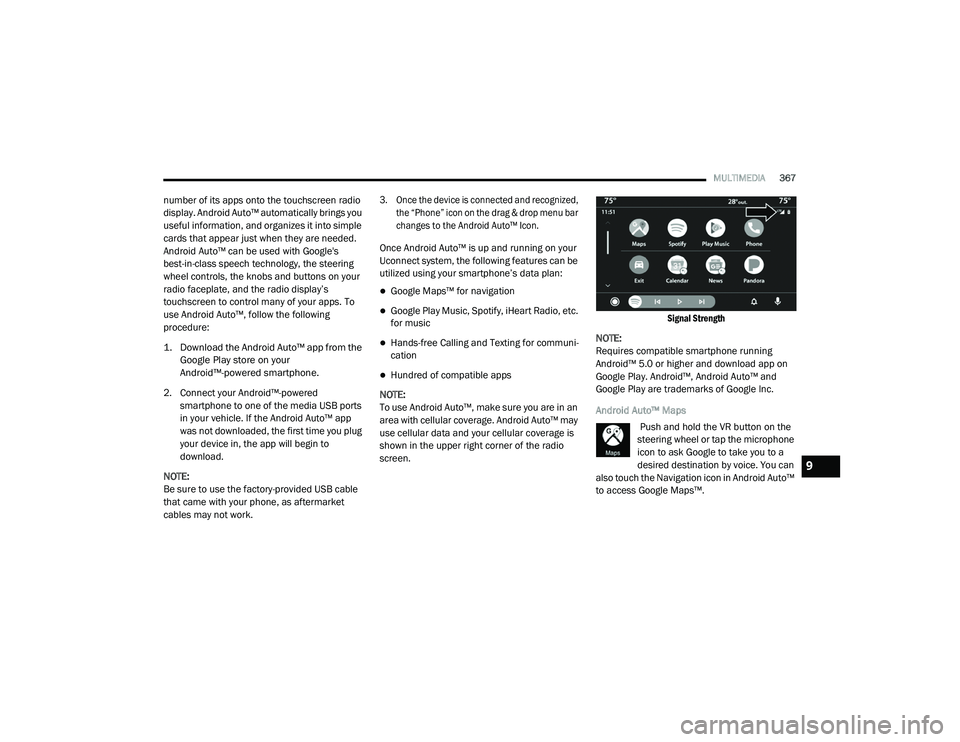
use cellular data and your cellular coverage is
shown in the upper right corner of the radio
screen.
Signal Strength
NOTE:
Requires compatible smartphone running
Android™ 5.0 or higher and download app on
Google Play. Android™, Android Auto™ and
Google Play are trademarks of Google Inc.
Android Auto™ Maps Push and hold the VR button on the
steering wheel or tap the microphone
icon to ask Google to take you to a
desired destination by voice. You can
also touch the Navigation icon in Android Auto™
to access Google Maps™.
9
20_LD_OM_EN_USC_t.book Page 367
Page 384 of 412
382MULTIMEDIA
Fully Closed Windows
Dry Weather Conditions
Operation From The Driver's Seat
Performance such as audio clarity, echo, and
loudness to a large degree rely on the phone
and network, and not the Uconnect Phone.
Echo at the far end can sometimes be reduced
by lowering the in-vehicle audio volume.
Bluetooth® Communication Link
Mobile phones have been found to lose
connection to the Uconnect Phone. When this
happens, the connection can generally be
re-established by switching the mobile phone
OFF/ON. Your mobile phone is recommended to
remain in Bluetooth® ON mode.
Power-Up
After switching the ignition key from OFF to
either the ON/RUN or ACC position, or after a
language change, you must wait at least 15
seconds prior to using the system.
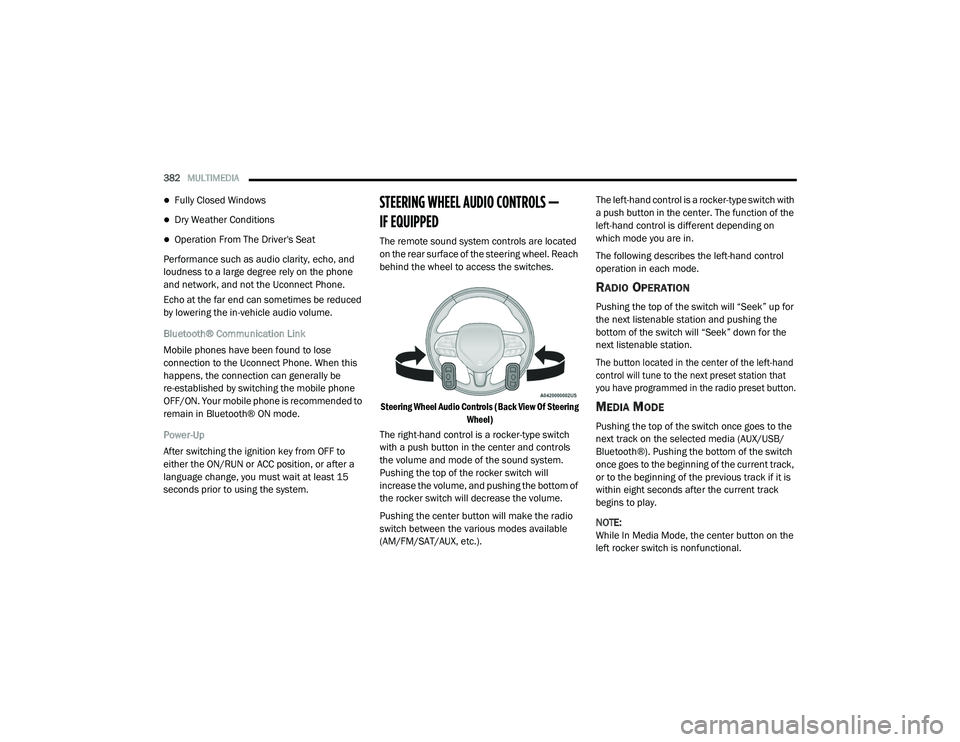
STEERING WHEEL AUDIO CONTROLS —
IF EQUIPPED
The remote sound system controls are located
on the rear surface of the steering wheel. Reach
behind the wheel to access the switches.
Steering Wheel Audio Controls (Back View Of Steering Wheel)
The right-hand control is a rocker-type switch
with a push button in the center and controls
the volume and mode of the sound system.
Pushing the top of the rocker switch will
increase the volume, and pushing the bottom of
the rocker switch will decrease the volume.
Pushing the center button will make the radio
switch between the various modes available
(AM/FM/SAT/AUX, etc.). The left-hand control is a rocker-type switch with
a push button in the center. The function of the
left-hand control is different depending on
which mode you are in.
The following describes the left-hand control
operation in each mode.
RADIO OPERATION
Pushing the top of the switch will “Seek” up for
the next listenable station and pushing the
bottom of the switch will “Seek” down for the
next listenable station.
The button located in the center of the left-hand
control will tune to the next preset station that
you have programmed in the radio preset button.
MEDIA MODE
Pushing the top of the switch once goes to the
next track on the selected media (AUX/USB/
Bluetooth®). Pushing the bottom of the switch
once goes to the beginning of the current track,
or to the beginning of the previous track if it is
within eight seconds after the current track
begins to play.
NOTE:
While In Media Mode, the center button on the
left rocker switch is nonfunctional.
20_LD_OM_EN_USC_t.book Page 382
Page 391 of 412
MULTIMEDIA389
NOTE:
Reply with text message is not compatible
with iPhones®.
Auto reply with text message is only available
on phones that support Bluetooth® MAP.
ANDROID AUTO™ — IF EQUIPPED
NOTE:
Feature availability depends on your carrier and
mobile phone manufacturer. Some Android
Auto™ features may or may not be available in
every region and/or language.
Android Auto™ allows you to use your voice to
interact with Android’s™ best-in-class speech
technology through your vehicle’s voice
recognition system, and use your smartphone’s
data plan to project your Android™-powered
smartphone and a number of its apps onto your
Uconnect touchscreen. Connect your Android™
5.0 or higher to one of the media USB ports,
using the factory-provided USB cable, and press
the new Android Auto™ icon that replaces your
“Phone” icon on the main menu bar to begin
Android Auto™. Push and hold the VR button on
the steering wheel, or press and hold the Microphone icon within Android Auto™, to
activate Android’s™ VR, which recognizes
natural voice commands, to use a list of your
smartphone’s features:
Maps
Music
Phone
Text Messages
Additional Apps
Refer to your Uconnect Owner’s Manual
Supplement for further information.
NOTE:
Requires compatible smartphone running
Android™ 5.0 or higher and download app on
Google Play. Android™, Android Auto™, and
Google Play are trademarks of Google Inc.
APPLE CARPLAY® — IF EQUIPPED
NOTE:
Feature availability depends on your carrier and
mobile phone manufacturer. Some Apple
CarPlay® features may or may not be available
in every region and/or language. Apple CarPlay® allows you to use your voice to
interact with Siri through your vehicle’s voice
recognition system, and use your smartphone’s
data plan to project your iPhone® and a
number of its apps onto your Uconnect
touchscreen. Connect your iPhone® 5 or higher
to one of the media USB ports, using the
factory-provided Lightning cable, and press the
new Apple CarPlay® icon that replaces your
Phone icon on the main menu bar to begin
Apple CarPlay®. Push and hold the VR button
on the steering wheel, or press and hold the
Home button within Apple CarPlay®, to activate
Siri, which recognizes natural voice commands
to use a list of your iPhone’s® features:
Phone
Music
Messages
Maps (if equipped)
Additional Apps (if equipped)
Refer to your Uconnect Owner’s Manual
Supplement for further information.9
20_LD_OM_EN_USC_t.book Page 389
Page 403 of 412
401
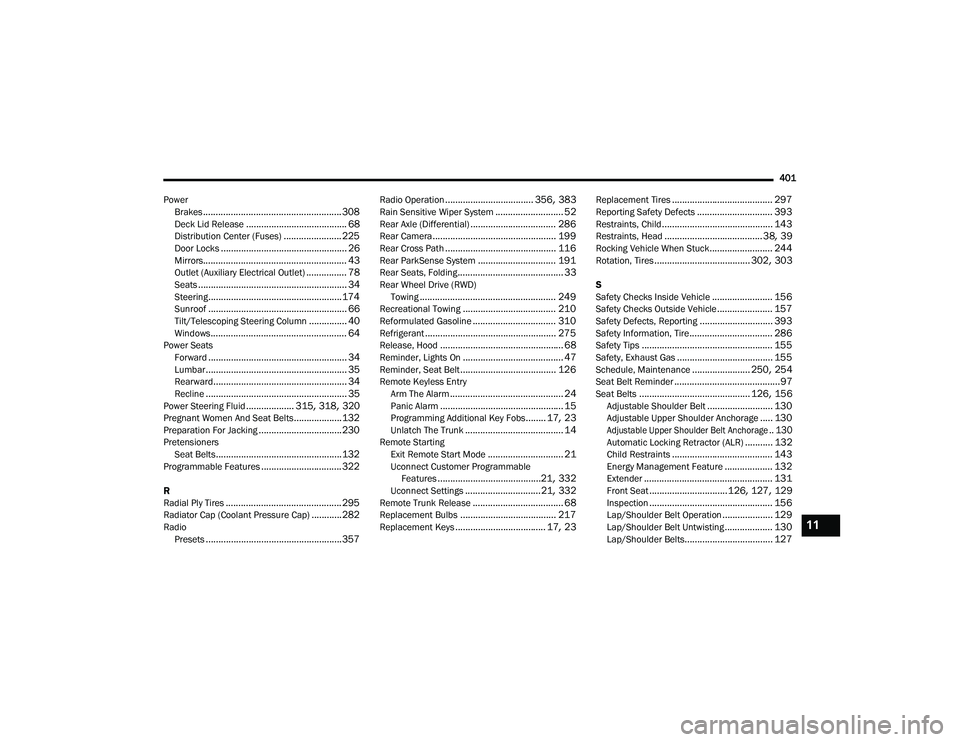
Power Brakes
....................................................... 308Deck Lid Release........................................ 68Distribution Center (Fuses)....................... 225Door Locks.................................................. 26Mirrors......................................................... 43Outlet (Auxiliary Electrical Outlet)................ 78Seats........................................................... 34Steering..................................................... 174Sunroof....................................................... 66Tilt/Telescoping Steering Column............... 40Windows...................................................... 64Power SeatsForward....................................................... 34Lumbar........................................................ 35Rearward..................................................... 34Recline........................................................ 35Power Steering Fluid................... 315, 318, 320Pregnant Women And Seat Belts...................132Preparation For Jacking................................. 230PretensionersSeat Belts.................................................. 132Programmable Features................................ 322
R
Radial Ply Tires.............................................. 295Radiator Cap (Coolant Pressure Cap)............ 282RadioPresets...................................................... 357
Radio Operation................................... 356, 383Rain Sensitive Wiper System........................... 52Rear Axle (Differential).................................. 286Rear Camera................................................. 199Rear Cross Path............................................ 116Rear ParkSense System............................... 191Rear Seats, Folding.......................................... 33Rear Wheel Drive (RWD)Towing...................................................... 249Recreational Towing..................................... 210Reformulated Gasoline................................. 310Refrigerant.................................................... 275Release, Hood................................................. 68Reminder, Lights On........................................ 47Reminder, Seat Belt...................................... 126Remote Keyless EntryArm The Alarm............................................. 24Panic Alarm................................................. 15Programming Additional Key Fobs........ 17, 23Unlatch The Trunk....................................... 14Remote StartingExit Remote Start Mode.............................. 21Uconnect Customer Programmable Features.........................................21, 332Uconnect Settings..............................21, 332Remote Trunk Release.................................... 68Replacement Bulbs...................................... 217Replacement Keys.................................... 17, 23
Replacement Tires........................................ 297Reporting Safety Defects.............................. 393Restraints, Child............................................ 143Restraints, Head.......................................38, 39Rocking Vehicle When Stuck......................... 244Rotation, Tires...................................... 302, 303
S
Safety Checks Inside Vehicle........................ 156Safety Checks Outside Vehicle...................... 157Safety Defects, Reporting............................. 393Safety Information, Tire................................. 286Safety Tips.................................................... 155Safety, Exhaust Gas...................................... 155Schedule, Maintenance....................... 250, 254Seat Belt Reminder..........................................97Seat Belts............................................ 126, 156Adjustable Shoulder Belt.......................... 130Adjustable Upper Shoulder Anchorage..... 130
Adjustable Upper Shoulder Belt Anchorage.. 130
Automatic Locking Retractor (ALR)........... 132Child Restraints........................................ 143Energy Management Feature................... 132Extender................................................... 131Front Seat............................... 126, 127, 129Inspection................................................. 156Lap/Shoulder Belt Operation.................... 129Lap/Shoulder Belt Untwisting................... 130Lap/Shoulder Belts................................... 127
11
20_LD_OM_EN_USC_t.book Page 401
Page 404 of 412
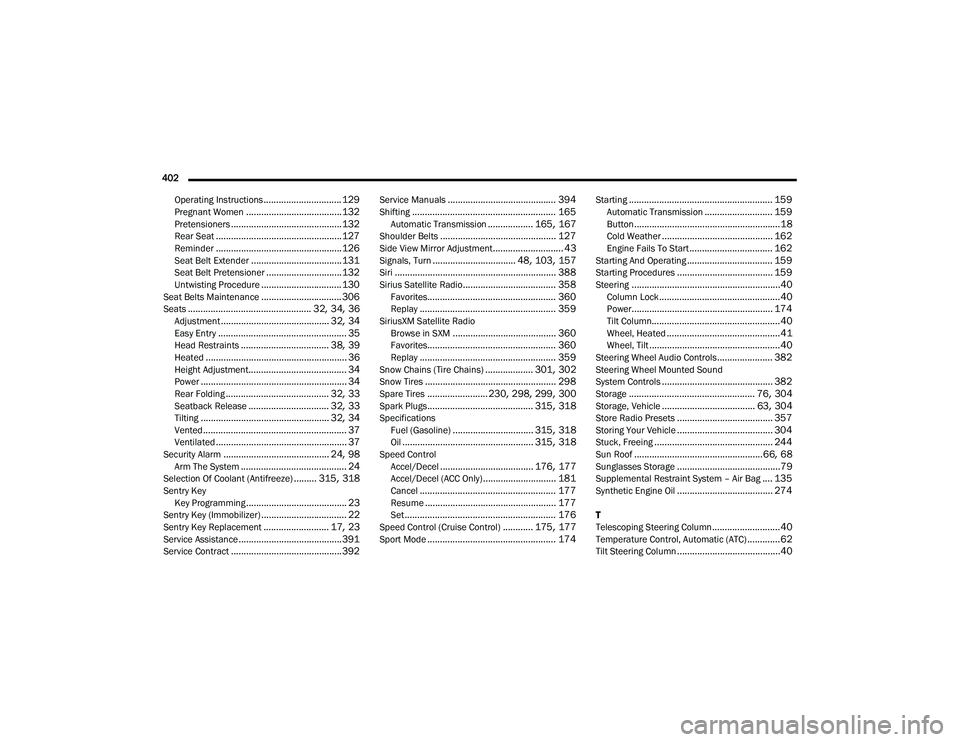
402 Operating Instructions
............................... 129Pregnant Women...................................... 132Pretensioners............................................ 132Rear Seat.................................................. 127Reminder.................................................. 126Seat Belt Extender.................................... 131Seat Belt Pretensioner.............................. 132Untwisting Procedure................................ 130Seat Belts Maintenance................................ 306Seats................................................. 32, 34, 36Adjustment........................................... 32, 34Easy Entry................................................... 35Head Restraints................................... 38, 39Heated........................................................ 36Height Adjustment....................................... 34Power.......................................................... 34Rear Folding......................................... 32, 33Seatback Release................................ 32, 33Tilting................................................... 32, 34Vented......................................................... 37Ventilated.................................................... 37Security Alarm.......................................... 24, 98Arm The System.......................................... 24Selection Of Coolant (Antifreeze)......... 315, 318Sentry KeyKey Programming........................................ 23Sentry Key (Immobilizer).................................. 22Sentry Key Replacement.......................... 17, 23Service Assistance......................................... 391Service Contract............................................ 392
Service Manuals........................................... 394Shifting......................................................... 165Automatic Transmission.................. 165, 167Shoulder Belts.............................................. 127Side View Mirror Adjustment............................ 43Signals, Turn................................. 48, 103, 157Siri................................................................ 388Sirius Satellite Radio..................................... 358Favorites................................................... 360Replay...................................................... 359SiriusXM Satellite RadioBrowse in SXM......................................... 360Favorites................................................... 360Replay...................................................... 359Snow Chains (Tire Chains)................... 301, 302Snow Tires.................................................... 298Spare Tires........................ 230, 298, 299, 300Spark Plugs.......................................... 315, 318SpecificationsFuel (Gasoline)................................ 315, 318Oil.................................................... 315, 318Speed ControlAccel/Decel..................................... 176, 177Accel/Decel (ACC Only)............................. 181Cancel...................................................... 177Resume.................................................... 177Set............................................................ 176Speed Control (Cruise Control)............ 175, 177Sport Mode................................................... 174
Starting......................................................... 159Automatic Transmission........................... 159Button..........................................................18Cold Weather............................................ 162Engine Fails To Start................................. 162Starting And Operating.................................. 159Starting Procedures...................................... 159Steering...........................................................40Column Lock................................................40Power........................................................ 174Tilt Column...................................................40Wheel, Heated.............................................41Wheel, Tilt....................................................40Steering Wheel Audio Controls...................... 382Steering Wheel Mounted Sound
System Controls............................................ 382Storage.................................................. 76, 304Storage, Vehicle..................................... 63, 304Store Radio Presets...................................... 357Storing Your Vehicle...................................... 304Stuck, Freeing............................................... 244Sun Roof...................................................66, 68Sunglasses Storage.........................................79Supplemental Restraint System – Air Bag.... 135Synthetic Engine Oil...................................... 274
T
Telescoping Steering Column...........................40Temperature Control, Automatic (ATC).............62Tilt Steering Column.........................................40
20_LD_OM_EN_USC_t.book Page 402