sport mode DODGE CHARGER 2020 Owners Manual
[x] Cancel search | Manufacturer: DODGE, Model Year: 2020, Model line: CHARGER, Model: DODGE CHARGER 2020Pages: 412, PDF Size: 18.96 MB
Page 6 of 412
4
SAFETY
SAFETY FEATURES ............................................ 106
Anti-Lock Brake System (ABS) ................. 106
Electronic Brake Control (EBC) System ...107
AUXILIARY DRIVING SYSTEMS ........................ 113
Blind Spot Monitoring (BSM) —
If Equipped .................................................113 Forward Collision Warning (FCW) With
Mitigation Operation ..................................118
Tire Pressure Monitoring System (TPMS) ... 120
OCCUPANT RESTRAINT SYSTEMS .................. 125
Occupant Restraint Systems Features ....125
Important Safety Precautions ...................125Seat Belt Systems ..................................... 126Supplemental Restraint Systems (SRS) ...134Child Restraints..........................................143Transporting Pets ......................................155
SAFETY TIPS ...................................................... 155
Transporting Passengers ..........................155
Exhaust Gas ...............................................155Safety Checks You Should Make
Inside The Vehicle ..................................... 156 Periodic Safety Checks You Should
Make Outside The Vehicle ........................ 157
STARTING AND OPERATING
STARTING THE ENGINE ....................................159
Automatic Transmission ........................... 159
Normal Starting ......................................... 159
Keyless Enter-N-Go — Ignition ................... 162
Cold Weather Operation (Below –22°F
Or −30°C) ................................................. 162 If Engine Fails To Start .............................. 162
After Starting .............................................. 162
ENGINE BLOCK HEATER — IF EQUIPPED .......162
ENGINE BREAK-IN RECOMMENDATIONS —
3.6L & 5.7L ........................................................ 163
ENGINE BREAK-IN RECOMMENDATIONS —
6.2L & 6.4L ......................................................... 163
PARKING BRAKE ................................................ 164
AUTOMATIC TRANSMISSION ............................ 165 Ignition Park Interlock ............................... 166Brake/Transmission Shift Interlock
System ....................................................... 167 Eight-Speed Automatic Transmission ...... 167
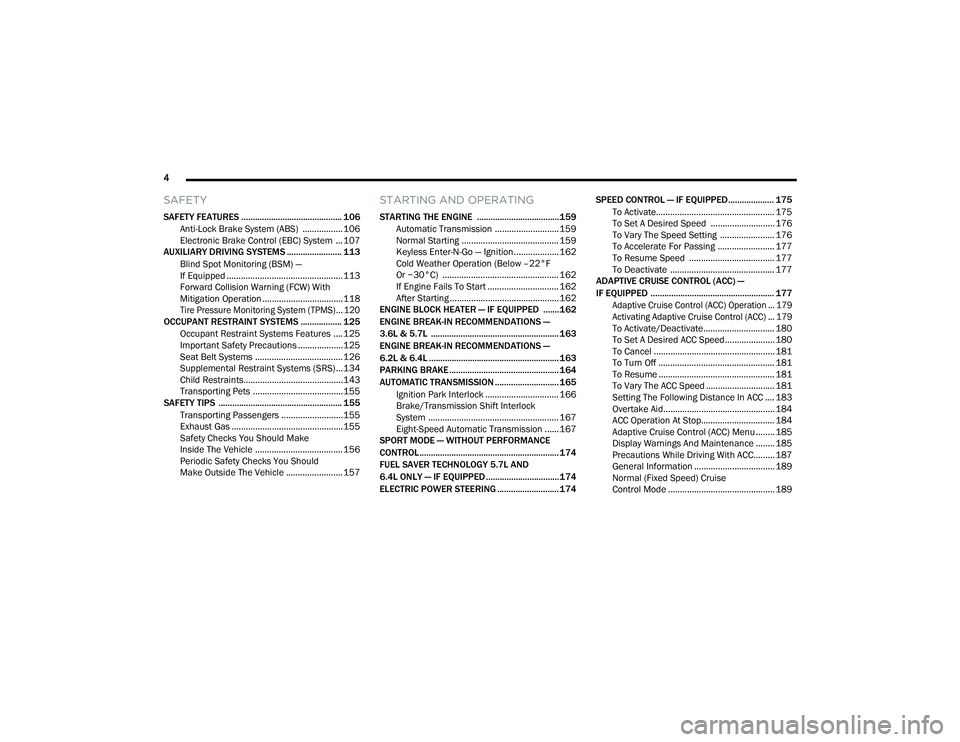
SPORT MODE — WITHOUT PERFORMANCE
CONTROL............................................................. 174
FUEL SAVER TECHNOLOGY 5.7L AND
6.4L ONLY — IF EQUIPPED ................................174
ELECTRIC POWER STEERING ........................... 174 SPEED CONTROL — IF EQUIPPED.................... 175
To Activate.................................................. 175
To Set A Desired Speed ........................... 176
To Vary The Speed Setting ....................... 176To Accelerate For Passing ........................ 177
To Resume Speed .................................... 177To Deactivate ............................................ 177
ADAPTIVE CRUISE CONTROL (ACC) —
IF EQUIPPED ...................................................... 177
Adaptive Cruise Control (ACC) Operation ... 179
Activating Adaptive Cruise Control (ACC) ... 179
To Activate/Deactivate.............................. 180
To Set A Desired ACC Speed..................... 180
To Cancel ................................................... 181
To Turn Off ................................................. 181To Resume ................................................. 181To Vary The ACC Speed ............................. 181
Setting The Following Distance In ACC .... 183
Overtake Aid............................................... 184
ACC Operation At Stop............................... 184Adaptive Cruise Control (ACC) Menu ........ 185
Display Warnings And Maintenance ........ 185
Precautions While Driving With ACC......... 187
General Information .................................. 189
Normal (Fixed Speed) Cruise
Control Mode ............................................. 189
20_LD_OM_EN_USC_t.book Page 4
Page 55 of 412
GETTING TO KNOW YOUR VEHICLE53
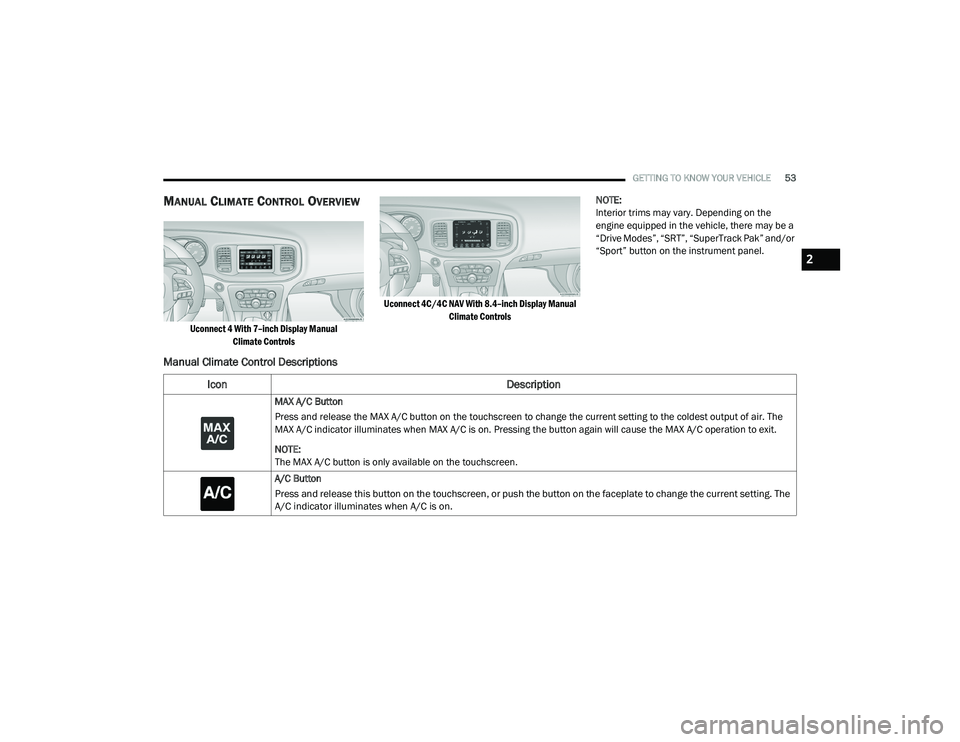
MANUAL CLIMATE CONTROL OVERVIEW
Uconnect 4 With 7–inch Display Manual
Climate Controls Uconnect 4C/4C NAV With 8.4–inch Display Manual
Climate Controls
NOTE:
Interior trims may vary. Depending on the
engine equipped in the vehicle, there may be a
“Drive Modes”, “SRT”, “SuperTrack Pak” and/or
“Sport” button on the instrument panel.
Manual Climate Control Descriptions
Icon
Description
MAX A/C Button
Press and release the MAX A/C button on the touchscreen to change the current setting to the coldest output of air. The
MAX A/C indicator illuminates when MAX A/C is on. Pressing the button again will cause the MAX A/C operation to exit.
NOTE:
The MAX A/C button is only available on the touchscreen.
A/C Button
Press and release this button on the touchscreen, or push the button on the faceplate to change the current setting. The
A/C indicator illuminates when A/C is on.
2
20_LD_OM_EN_USC_t.book Page 53
Page 59 of 412
GETTING TO KNOW YOUR VEHICLE57
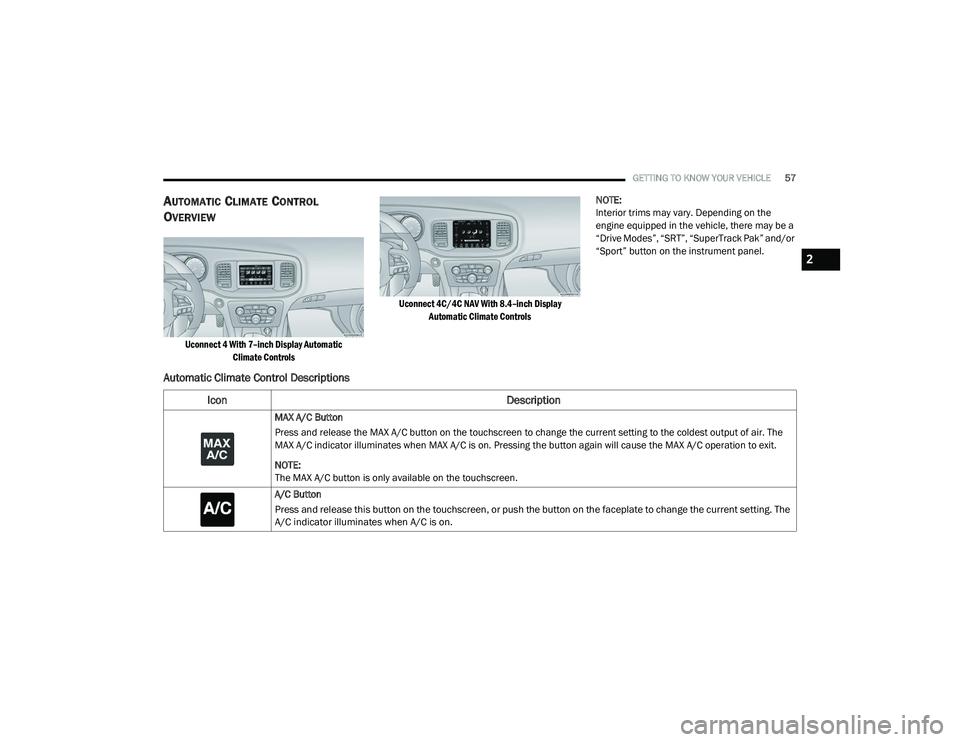
AUTOMATIC CLIMATE CONTROL
O
VERVIEW
Uconnect 4 With 7–inch Display Automatic
Climate Controls Uconnect 4C/4C NAV With 8.4–inch Display
Automatic Climate Controls
NOTE:
Interior trims may vary. Depending on the
engine equipped in the vehicle, there may be a
“Drive Modes”, “SRT”, “SuperTrack Pak” and/or
“Sport” button on the instrument panel.
Automatic Climate Control Descriptions
Icon
Description
MAX A/C Button
Press and release the MAX A/C button on the touchscreen to change the current setting to the coldest output of air. The
MAX A/C indicator illuminates when MAX A/C is on. Pressing the button again will cause the MAX A/C operation to exit.
NOTE:
The MAX A/C button is only available on the touchscreen.
A/C Button
Press and release this button on the touchscreen, or push the button on the faceplate to change the current setting. The
A/C indicator illuminates when A/C is on.
2
20_LD_OM_EN_USC_t.book Page 57
Page 101 of 412
GETTING TO KNOW YOUR INSTRUMENT PANEL99
The “ESC OFF Indicator Light” and the “ESC
Indicator Light” come on momentarily each
time the ignition is placed in the ON/RUN or
ACC/ON/RUN position.
The ESC system will make buzzing or clicking
sounds when it is active. This is normal; the
sounds will stop when ESC becomes inactive.
This light will come on when the vehicle is in
an ESC event.
Electronic Stability Control (ESC) OFF
Warning Light — If Equipped
This warning light indicates the
Electronic Stability Control (ESC) is
off.
Each time the ignition is turned to ON/RUN or
ACC/ON/RUN, the ESC system will be on, even
if it was turned off previously.
The ESC OFF indicator will be lit any time the
Traction Mode is set to Sport, Track or Full OFF
in Drive Modes.
Low Washer Fluid Warning Light —
If Equipped
This warning light will illuminate when
the windshield washer fluid is low.
Refer to “Engine Compartment” in
“Servicing And Maintenance” for further
information.
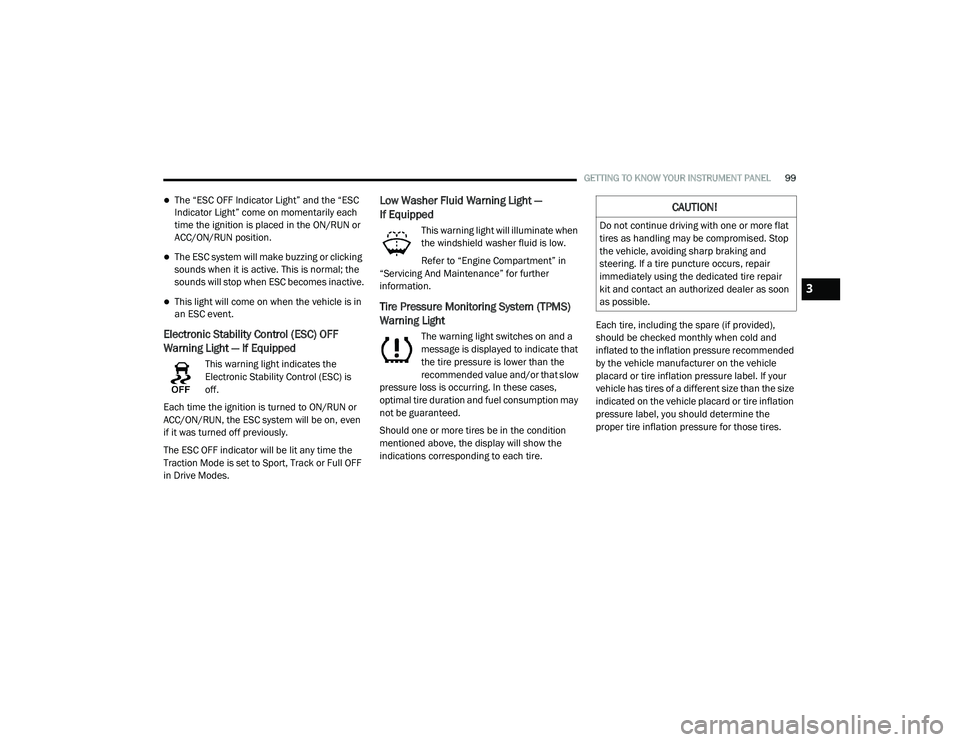
Tire Pressure Monitoring System (TPMS)
Warning Light
The warning light switches on and a
message is displayed to indicate that
the tire pressure is lower than the
recommended value and/or that slow
pressure loss is occurring. In these cases,
optimal tire duration and fuel consumption may
not be guaranteed.
Should one or more tires be in the condition
mentioned above, the display will show the
indications corresponding to each tire. Each tire, including the spare (if provided),
should be checked monthly when cold and
inflated to the inflation pressure recommended
by the vehicle manufacturer on the vehicle
placard or tire inflation pressure label. If your
vehicle has tires of a different size than the size
indicated on the vehicle placard or tire inflation
pressure label, you should determine the
proper tire inflation pressure for those tires.
CAUTION!
Do not continue driving with one or more flat
tires as handling may be compromised. Stop
the vehicle, avoiding sharp braking and
steering. If a tire puncture occurs, repair
immediately using the dedicated tire repair
kit and contact an authorized dealer as soon
as possible.
3
20_LD_OM_EN_USC_t.book Page 99
Page 104 of 412
102GETTING TO KNOW YOUR INSTRUMENT PANEL
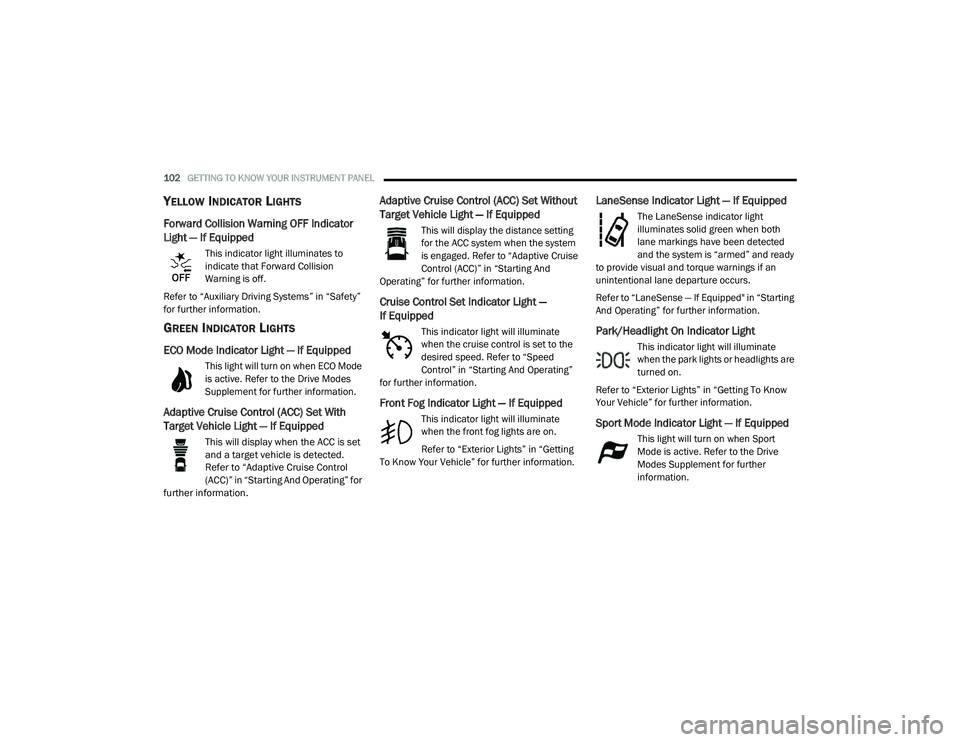
YELLOW INDICATOR LIGHTS
Forward Collision Warning OFF Indicator
Light — If Equipped
This indicator light illuminates to
indicate that Forward Collision
Warning is off.
Refer to “Auxiliary Driving Systems” in “Safety”
for further information.
GREEN INDICATOR LIGHTS
ECO Mode Indicator Light — If Equipped
This light will turn on when ECO Mode
is active. Refer to the Drive Modes
Supplement for further information.
Adaptive Cruise Control (ACC) Set With
Target Vehicle Light — If Equipped
This will display when the ACC is set
and a target vehicle is detected.
Refer to “Adaptive Cruise Control
(ACC)” in “Starting And Operating” for
further information.
Adaptive Cruise Control (ACC) Set Without
Target Vehicle Light — If Equipped
This will display the distance setting
for the ACC system when the system
is engaged. Refer to “Adaptive Cruise
Control (ACC)” in “Starting And
Operating” for further information.
Cruise Control Set Indicator Light —
If Equipped
This indicator light will illuminate
when the cruise control is set to the
desired speed. Refer to “Speed
Control” in “Starting And Operating”
for further information.
Front Fog Indicator Light — If Equipped
This indicator light will illuminate
when the front fog lights are on.
Refer to “Exterior Lights” in “Getting
To Know Your Vehicle” for further information.
LaneSense Indicator Light — If Equipped
The LaneSense indicator light
illuminates solid green when both
lane markings have been detected
and the system is “armed” and ready
to provide visual and torque warnings if an
unintentional lane departure occurs.
Refer to “LaneSense — If Equipped" in “Starting
And Operating” for further information.
Park/Headlight On Indicator Light
This indicator light will illuminate
when the park lights or headlights are
turned on.
Refer to “Exterior Lights” in “Getting To Know
Your Vehicle” for further information.
Sport Mode Indicator Light — If Equipped
This light will turn on when Sport
Mode is active. Refer to the Drive
Modes Supplement for further
information.
20_LD_OM_EN_USC_t.book Page 102
Page 105 of 412
GETTING TO KNOW YOUR INSTRUMENT PANEL103
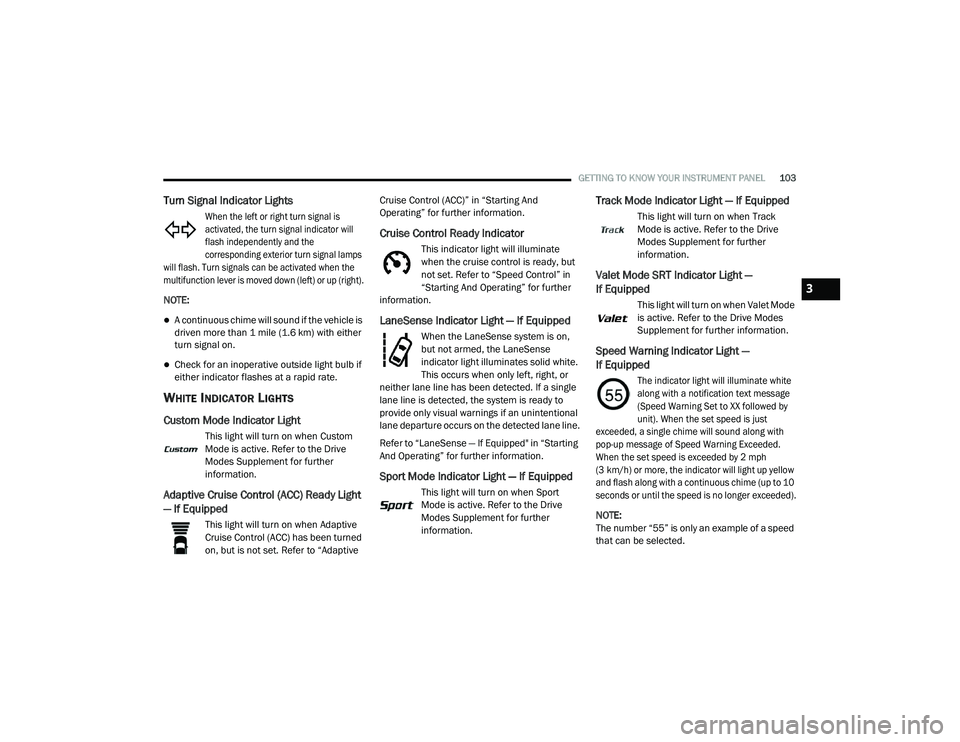
Turn Signal Indicator Lights
When the left or right turn signal is
activated, the turn signal indicator will
flash independently and the
corresponding exterior turn signal lamps
will flash. Turn signals can be activated when the
multifunction lever is moved down (left) or up (right).
NOTE:
A continuous chime will sound if the vehicle is
driven more than 1 mile (1.6 km) with either
turn signal on.
Check for an inoperative outside light bulb if
either indicator flashes at a rapid rate.
WHITE INDICATOR LIGHTS
Custom Mode Indicator Light
This light will turn on when Custom
Mode is active. Refer to the Drive
Modes Supplement for further
information.
Adaptive Cruise Control (ACC) Ready Light
— If Equipped
This light will turn on when Adaptive
Cruise Control (ACC) has been turned
on, but is not set. Refer to “Adaptive Cruise Control (ACC)” in “Starting And
Operating” for further information.
Cruise Control Ready Indicator
This indicator light will illuminate
when the cruise control is ready, but
not set. Refer to “Speed Control” in
“Starting And Operating” for further
information.
LaneSense Indicator Light — If Equipped
When the LaneSense system is on,
but not armed, the LaneSense
indicator light illuminates solid white.
This occurs when only left, right, or
neither lane line has been detected. If a single
lane line is detected, the system is ready to
provide only visual warnings if an unintentional
lane departure occurs on the detected lane line.
Refer to “LaneSense — If Equipped" in “Starting
And Operating” for further information.
Sport Mode Indicator Light — If Equipped
This light will turn on when Sport
Mode is active. Refer to the Drive
Modes Supplement for further
information.
Track Mode Indicator Light — If Equipped
This light will turn on when Track
Mode is active. Refer to the Drive
Modes Supplement for further
information.
Valet Mode SRT Indicator Light —
If Equipped
This light will turn on when Valet Mode
is active. Refer to the Drive Modes
Supplement for further information.
Speed Warning Indicator Light —
If Equipped
The indicator light will illuminate white
along with a notification text message
(Speed Warning Set to XX followed by
unit). When the set speed is just
exceeded, a single chime will sound along with
pop-up message of Speed Warning Exceeded.
When the set speed is exceeded by 2 mph
(3 km/h) or more, the indicator will light up yellow
and flash along with a continuous chime (up to 10
seconds or until the speed is no longer exceeded).
NOTE:
The number “55” is only an example of a speed
that can be selected.
3
20_LD_OM_EN_USC_t.book Page 103
Page 112 of 412
110SAFETY
(Continued)
NOTE:
For vehicles with multiple partial ESC modes,
the push and release of the button will toggle
the ESC modes. Multiple attempts may be
required to return to "ESC On" mode.
Trailer Sway Control (TSC) is disabled when
the ESC system is in the “Partial Off” mode.
If Equipped — "ESC Sport" and "ESC Track"
are ESC “Partial Off” mode(s).
Partial Off — SRT
The “Partial Off” mode is intended for times
when a more spirited driving experience is
desired. This mode may modify TCS and ESC
thresholds for activation, which allows for more
wheel spin than normally allowed. This mode
may be useful if the vehicle becomes stuck.
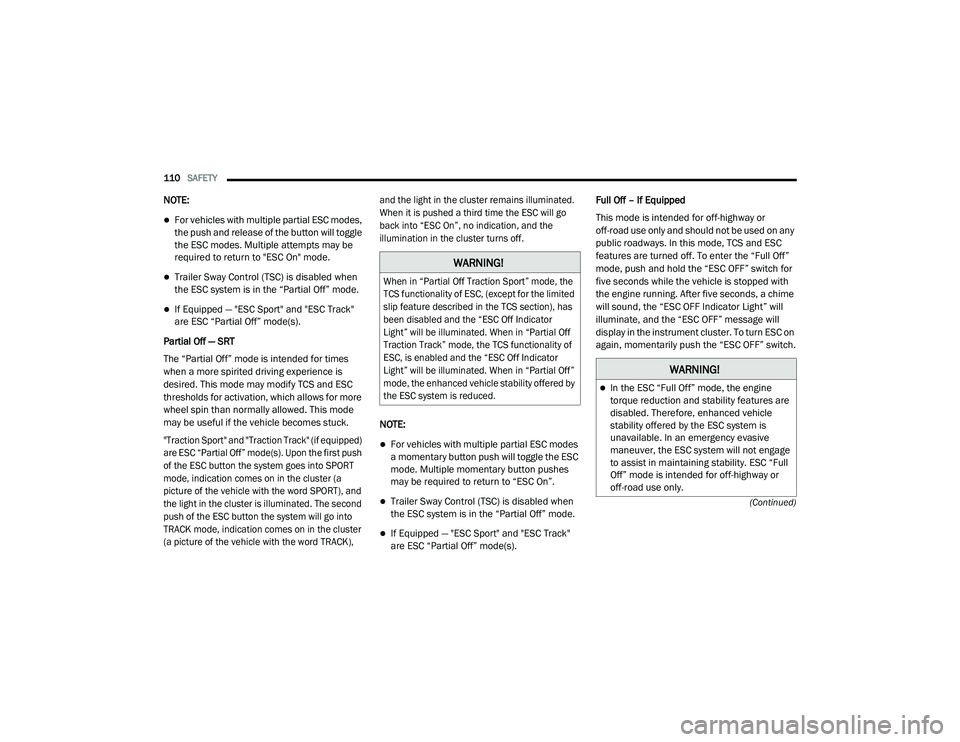
"Traction Sport" and "Traction Track" (if equipped)
are ESC “Partial Off” mode(s). Upon the first push
of the ESC button the system goes into SPORT
mode, indication comes on in the cluster (a
picture of the vehicle with the word SPORT), and
the light in the cluster is illuminated. The second
push of the ESC button the system will go into
TRACK mode, indication comes on in the cluster
(a picture of the vehicle with the word TRACK), and the light in the cluster remains illuminated.
When it is pushed a third time the ESC will go
back into “ESC On”, no indication, and the
illumination in the cluster turns off.
NOTE:
For vehicles with multiple partial ESC modes
a momentary button push will toggle the ESC
mode. Multiple momentary button pushes
may be required to return to “ESC On”.
Trailer Sway Control (TSC) is disabled when
the ESC system is in the “Partial Off” mode.
If Equipped — "ESC Sport" and "ESC Track"
are ESC “Partial Off” mode(s).Full Off – If Equipped
This mode is intended for off-highway or
off-road use only and should not be used on any
public roadways. In this mode, TCS and ESC
features are turned off. To enter the “Full Off”
mode, push and hold the “ESC OFF” switch for
five seconds while the vehicle is stopped with
the engine running. After five seconds, a chime
will sound, the “ESC OFF Indicator Light” will
illuminate, and the “ESC OFF” message will
display in the instrument cluster. To turn ESC on
again, momentarily push the “ESC OFF” switch.
WARNING!
When in “Partial Off Traction Sport” mode, the
TCS functionality of ESC, (except for the limited
slip feature described in the TCS section), has
been disabled and the “ESC Off Indicator
Light” will be illuminated. When in “Partial Off
Traction Track” mode, the TCS functionality of
ESC, is enabled and the “ESC Off Indicator
Light” will be illuminated. When in “Partial Off”
mode, the enhanced vehicle stability offered by
the ESC system is reduced.
WARNING!
In the ESC “Full Off” mode, the engine
torque reduction and stability features are
disabled. Therefore, enhanced vehicle
stability offered by the ESC system is
unavailable. In an emergency evasive
maneuver, the ESC system will not engage
to assist in maintaining stability. ESC “Full
Off” mode is intended for off-highway or
off-road use only.
20_LD_OM_EN_USC_t.book Page 110
Page 116 of 412
114SAFETY
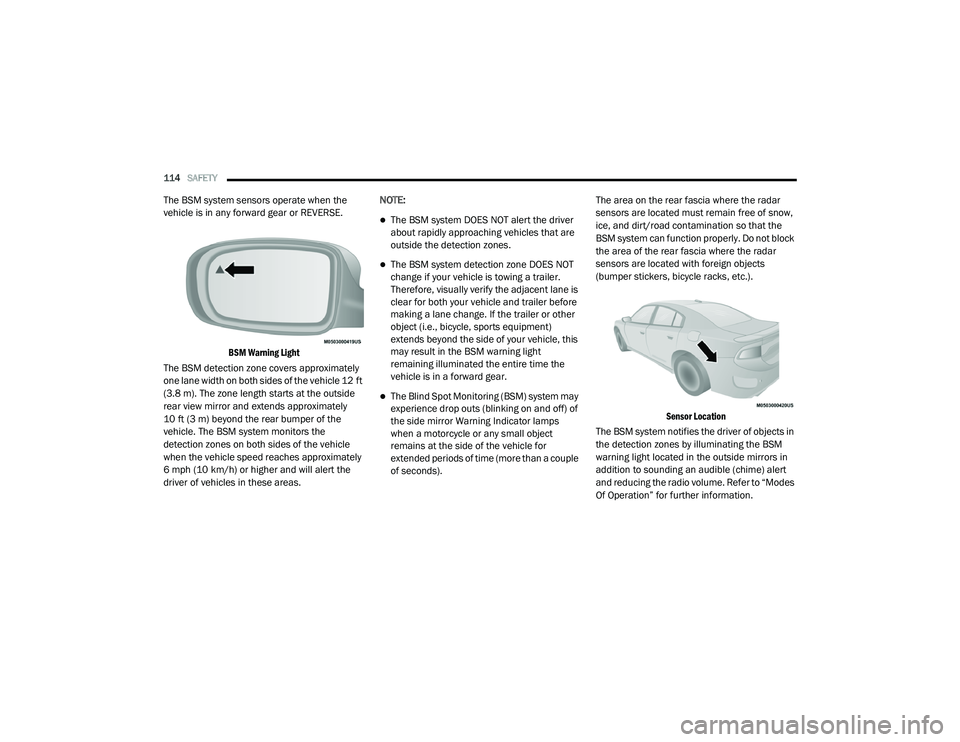
The BSM system sensors operate when the
vehicle is in any forward gear or REVERSE.
BSM Warning Light
The BSM detection zone covers approximately
one lane width on both sides of the vehicle 12 ft
(3.8 m). The zone length starts at the outside
rear view mirror and extends approximately
10 ft (3 m) beyond the rear bumper of the
vehicle. The BSM system monitors the
detection zones on both sides of the vehicle
when the vehicle speed reaches approximately
6 mph (10 km/h) or higher and will alert the
driver of vehicles in these areas. NOTE:
The BSM system DOES NOT alert the driver
about rapidly approaching vehicles that are
outside the detection zones.
The BSM system detection zone DOES NOT
change if your vehicle is towing a trailer.
Therefore, visually verify the adjacent lane is
clear for both your vehicle and trailer before
making a lane change. If the trailer or other
object (i.e., bicycle, sports equipment)
extends beyond the side of your vehicle, this
may result in the BSM warning light
remaining illuminated the entire time the
vehicle is in a forward gear.
The Blind Spot Monitoring (BSM) system may
experience drop outs (blinking on and off) of
the side mirror Warning Indicator lamps
when a motorcycle or any small object
remains at the side of the vehicle for
extended periods of time (more than a couple
of seconds).
The area on the rear fascia where the radar
sensors are located must remain free of snow,
ice, and dirt/road contamination so that the
BSM system can function properly. Do not block
the area of the rear fascia where the radar
sensors are located with foreign objects
(bumper stickers, bicycle racks, etc.).
Sensor Location
The BSM system notifies the driver of objects in
the detection zones by illuminating the BSM
warning light located in the outside mirrors in
addition to sounding an audible (chime) alert
and reducing the radio volume. Refer to “Modes
Of Operation” for further information.
20_LD_OM_EN_USC_t.book Page 114
Page 135 of 412
SAFETY133
(Continued)
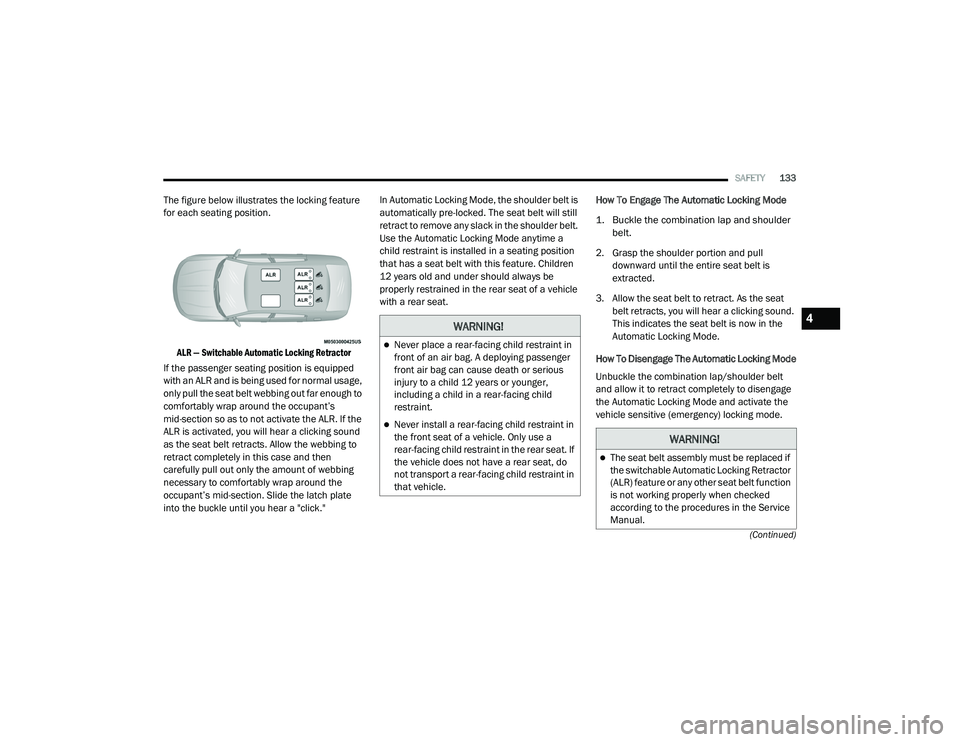
The figure below illustrates the locking feature
for each seating position.
ALR — Switchable Automatic Locking Retractor
If the passenger seating position is equipped
with an ALR and is being used for normal usage,
only pull the seat belt webbing out far enough to
comfortably wrap around the occupant’s
mid-section so as to not activate the ALR. If the
ALR is activated, you will hear a clicking sound
as the seat belt retracts. Allow the webbing to
retract completely in this case and then
carefully pull out only the amount of webbing
necessary to comfortably wrap around the
occupant’s mid-section. Slide the latch plate
into the buckle until you hear a "click." In Automatic Locking Mode, the shoulder belt is
automatically pre-locked. The seat belt will still
retract to remove any slack in the shoulder belt.
Use the Automatic Locking Mode anytime a
child restraint is installed in a seating position
that has a seat belt with this feature. Children
12 years old and under should always be
properly restrained in the rear seat of a vehicle
with a rear seat.
How To Engage The Automatic Locking Mode
1. Buckle the combination lap and shoulder
belt.
2. Grasp the shoulder portion and pull downward until the entire seat belt is
extracted.
3. Allow the seat belt to retract. As the seat belt retracts, you will hear a clicking sound.
This indicates the seat belt is now in the
Automatic Locking Mode.
How To Disengage The Automatic Locking Mode
Unbuckle the combination lap/shoulder belt
and allow it to retract completely to disengage
the Automatic Locking Mode and activate the
vehicle sensitive (emergency) locking mode.
WARNING!
Never place a rear-facing child restraint in
front of an air bag. A deploying passenger
front air bag can cause death or serious
injury to a child 12 years or younger,
including a child in a rear-facing child
restraint.
Never install a rear-facing child restraint in
the front seat of a vehicle. Only use a
rear-facing child restraint in the rear seat. If
the vehicle does not have a rear seat, do
not transport a rear-facing child restraint in
that vehicle.
WARNING!
The seat belt assembly must be replaced if
the switchable Automatic Locking Retractor
(ALR) feature or any other seat belt function
is not working properly when checked
according to the procedures in the Service
Manual.
4
20_LD_OM_EN_USC_t.book Page 133
Page 157 of 412
SAFETY155
(Continued)
(Continued)
TRANSPORTING PETS
Air Bags deploying in the front seat could harm
your pet. An unrestrained pet will be thrown
about and possibly injured, or injure a
passenger during panic braking or in a collision.
Pets should be restrained in the rear seat (if
equipped) in pet harnesses or pet carriers that
are secured by seat belts.
SAFETY TIPS
TRANSPORTING PASSENGERS
NEVER TRANSPORT PASSENGERS IN THE
CARGO AREA.
EXHAUST GAS The best protection against carbon monoxide
entry into the vehicle body is a properly
maintained engine exhaust system.
Whenever a change is noticed in the sound of
the exhaust system, when exhaust fumes can
be detected inside the vehicle, or when the
underside or rear of the vehicle is damaged,
have a competent mechanic inspect the
complete exhaust system and adjacent body
areas for broken, damaged, deteriorated, or
mispositioned parts. Open seams or loose
connections could permit exhaust fumes to
seep into the passenger compartment. In
addition, inspect the exhaust system each time
the vehicle is raised for lubrication or oil
change. Replace as required.
WARNING!
Do not leave children or animals inside
parked vehicles in hot weather. Interior
heat build-up may cause serious injury or
death.
It is extremely dangerous to ride in a cargo
area, inside or outside of a vehicle. In a
collision, people riding in these areas are
more likely to be seriously injured or killed.
Do not allow people to ride in any area of
your vehicle that is not equipped with seats
and seat belts.
Be sure everyone in your vehicle is in a seat
and using a seat belt properly.
WARNING!
Exhaust gases can injure or kill. They contain
carbon monoxide (CO), which is colorless and
odorless. Breathing it can make you
unconscious and can eventually poison you. To
avoid breathing (CO), follow these safety tips:
Do not run the engine in a closed garage or
in confined areas any longer than needed
to move your vehicle in or out of the area.
If you are required to drive with the trunk/
liftgate/rear doors open, make sure that all
windows are closed and the climate control
BLOWER switch is set at high speed. DO
NOT use the recirculation mode.
WARNING!
(Continued)
If it is necessary to sit in a parked vehicle
with the engine running, adjust your
heating or cooling controls to force outside
air into the vehicle. Set the blower at high
speed.
WARNING! (Continued)
4
20_LD_OM_EN_USC_t.book Page 155