reset DODGE CHARGER 2022 Owner's Manual
[x] Cancel search | Manufacturer: DODGE, Model Year: 2022, Model line: CHARGER, Model: DODGE CHARGER 2022Pages: 312, PDF Size: 18.99 MB
Page 146 of 312
144MULTIMEDIA
No Subscription
Radios equipped with a Satellite receiver require a
subscription to the SiriusXM® Service. When the
radio does not have the necessary subscription,
the radio is able to receive the Preview channel
only.
Acquiring SiriusXM® Subscription
To activate the SiriusXM® Satellite Radio
subscription, US residents visit
www.siriusxm.com/phx/getlogin or call:
1-800-643-2112
Canadian residents visit
https://
www.siriusxm.ca/ or call: 1-888-539-7474.
NOTE:You will need to provide the SiriusXM® ID (RID)
located at the bottom of the Channel 0 screen.
The Satellite Mode is activated by a press of the
SXM button on the touchscreen.
When in Satellite Mode:
The SXM button on the touchscreen is high -
lighted.
The SiriusXM® Presets are displayed at the top
of the screen.
The SiriusXM® Channel Number is displayed in
the center.
The Program Information is displayed at the
bottom of the Channel Number.
The SiriusXM® function buttons are displayed
below the Program Information.
Tuning is done by operating the Tune Knob or by
Direct Tune, similar to other Radio Bands.
In addition to the tuning operation functions
common to all radio modes, the Replay, Traffic/
Weather button, and Favorite button functions are
available in SiriusXM® Mode.
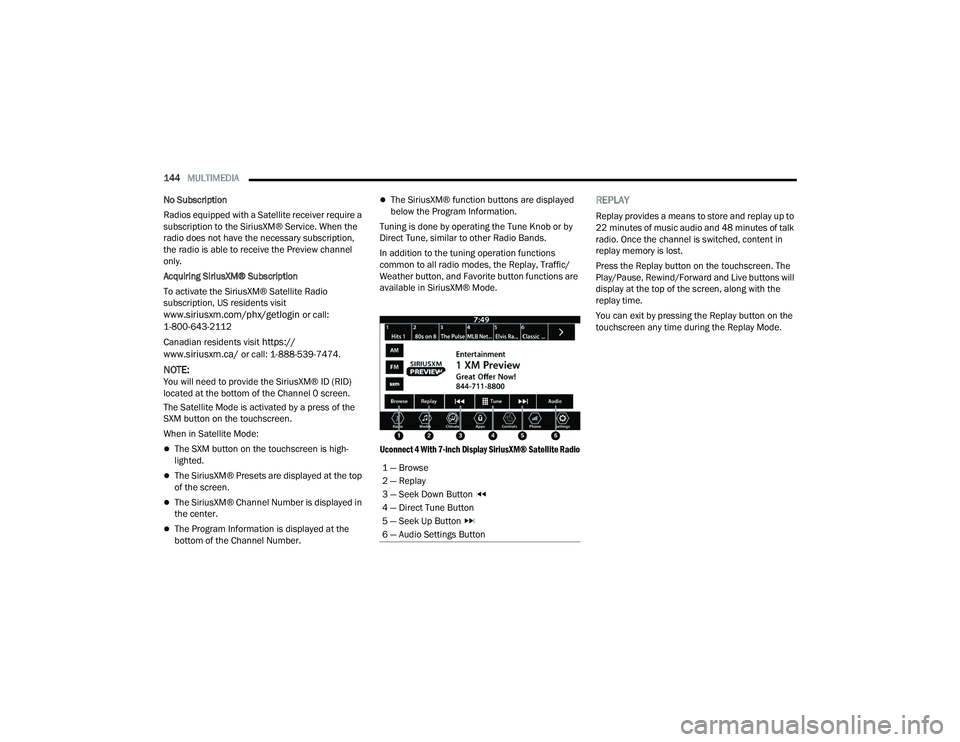
Uconnect 4 With 7-inch Display SiriusXM® Satellite Radio
REPLAY
Replay provides a means to store and replay up to
22 minutes of music audio and 48 minutes of talk
radio. Once the channel is switched, content in
replay memory is lost.
Press the Replay button on the touchscreen. The
Play/Pause, Rewind/Forward and Live buttons will
display at the top of the screen, along with the
replay time.
You can exit by pressing the Replay button on the
touchscreen any time during the Replay Mode.
1 — Browse
2 — Replay
3 — Seek Down Button
4 — Direct Tune Button
5 — Seek Up Button
6 — Audio Settings Button
22_LD_OM_EN_USC_t.book Page 144
Page 148 of 312
146MULTIMEDIA
FAVORITES
Press the Favorites button on the touchscreen to
activate the favorites menu, which will time out
within 20 seconds in absence of user interaction.
You can exit the Favorites Menu by a press of the X
button.
The Favorites feature enables you to set a favorite
artist or song that is currently playing. The radio
then uses this information to alert you when either
the favorite artist or song is being played at any
time by any of the SiriusXM® Channels.
The maximum number of favorites that can be
stored in the Radio is 50.
Favorite Artist: While the song is playing, to set a
favorite artist, press the Favorites button on the
touchscreen and then the Favorite Artist button on
the touchscreen.
Favorite Song: While the song is playing, to set a
favorite song, press the Favorites button on the
touchscreen and then the Favorite Song button on
the touchscreen.
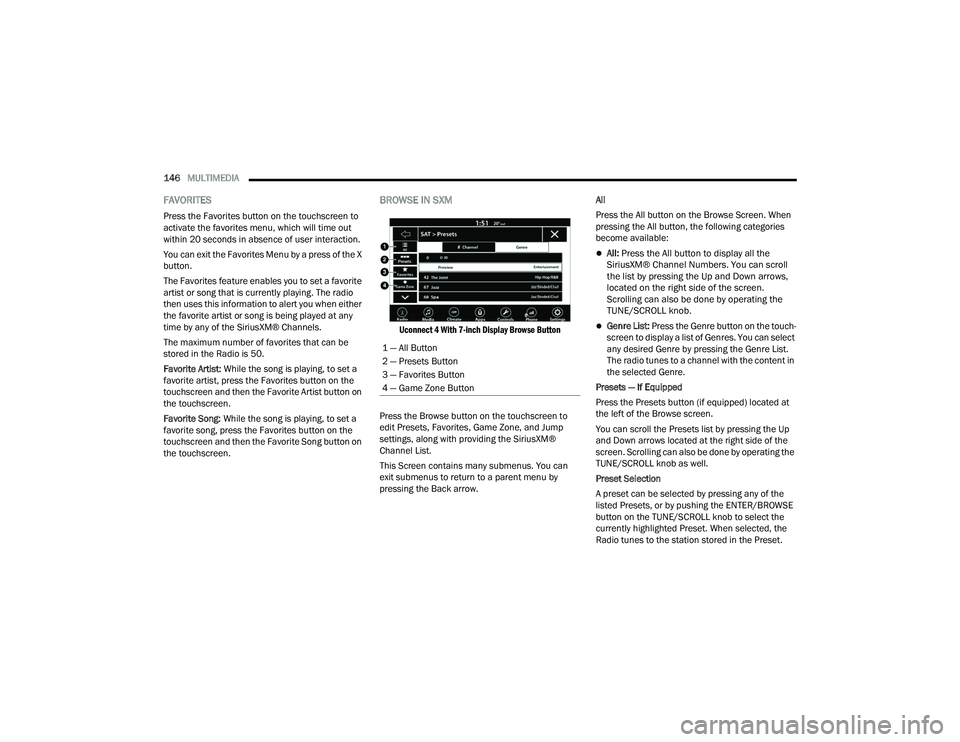
BROWSE IN SXM
Uconnect 4 With 7-inch Display Browse Button
Press the Browse button on the touchscreen to
edit Presets, Favorites, Game Zone, and Jump
settings, along with providing the SiriusXM®
Channel List.
This Screen contains many submenus. You can
exit submenus to return to a parent menu by
pressing the Back arrow. All
Press the All button on the Browse Screen. When
pressing the All button, the following categories
become available:
All:
Press the All button to display all the
SiriusXM® Channel Numbers. You can scroll
the list by pressing the Up and Down arrows,
located on the right side of the screen.
Scrolling can also be done by operating the
TUNE/SCROLL knob.
Genre List: Press the Genre button on the touch -
screen to display a list of Genres. You can select
any desired Genre by pressing the Genre List.
The radio tunes to a channel with the content in
the selected Genre.
Presets — If Equipped
Press the Presets button (if equipped) located at
the left of the Browse screen.
You can scroll the Presets list by pressing the Up
and Down arrows located at the right side of the
screen. Scrolling can also be done by operating the
TUNE/SCROLL knob as well.
Preset Selection
A preset can be selected by pressing any of the
listed Presets, or by pushing the ENTER/BROWSE
button on the TUNE/SCROLL knob to select the
currently highlighted Preset. When selected, the
Radio tunes to the station stored in the Preset.
1 — All Button
2 — Presets Button
3 — Favorites Button
4 — Game Zone Button
22_LD_OM_EN_USC_t.book Page 146
Page 149 of 312
MULTIMEDIA147
Deleting A Preset
A preset can be deleted in the Presets Browse
screen by pressing the Trash Can icon for the
corresponding preset.
Favorites
Press the Favorites button on the Browse screen.
The Favorites menu provides a means to edit the
Favorites list and to configure the Alert Settings,
along with providing a list of Channels currently
airing any of the items in the Favorites list.
You can scroll the Favorites list by pressing the Up
and Down arrows located at the right side of the
screen. Scrolling can also be done by operating the
TUNE/SCROLL knob as well.
Remove Favorites
Press the Remove Favorites tab at the top of the
screen. Press the Delete Faves button on the
touchscreen to delete all of the Favorites or press
the Trash Can icon next to the Favorite to be
deleted.
Alert Settings
Press the Alert Settings tab at the top of the
Favorites screen. The Alert Settings menu allows
you to choose from a visual alert or audible and
visual alert when one of your favorites is airing on
any of the SiriusXM® channels. Game Zone
Press the Game Zone button, located at the left of
the Browse screen. This feature provides you with
the ability to select teams, edit the selection, and
set alerts.
On-Air — If Equipped
Press the On-Air tab at the top of the screen. The
On-Air list provides a list of Channels currently
airing any of the items in the Selections list, and
pressing any of the items in the list tunes the radio
to that channel.
Select Team — If Equipped
Press the Select Team button on the touchscreen
to activate the League Scroll list. Press the chosen
league and a scroll list of all teams within the
league will appear, then you can select a team by
pressing the corresponding box. A check mark
appears for all teams that are chosen.
Remove Selection/Trash Can Icon
Press the Remove Selection tab at the top of the
screen. Press the Delete All button on the
touchscreen to delete all of the selections or press
the Trash Can icon next to the selection to be
deleted.
Alert Settings
Press the Alert Setting tab at the top of the screen.
The Alert Settings menu allows you to choose from
“Alert me to on-air games upon start” or “Alert
upon score update” or both when one or more of
your selections is airing on any of the SiriusXM®
channels.
Tune Start
Tune Start begins playing the current song from
the beginning when you tune to a music channel
using one of the 12 presets. This feature occurs
the first time the preset is selected during that
current song.
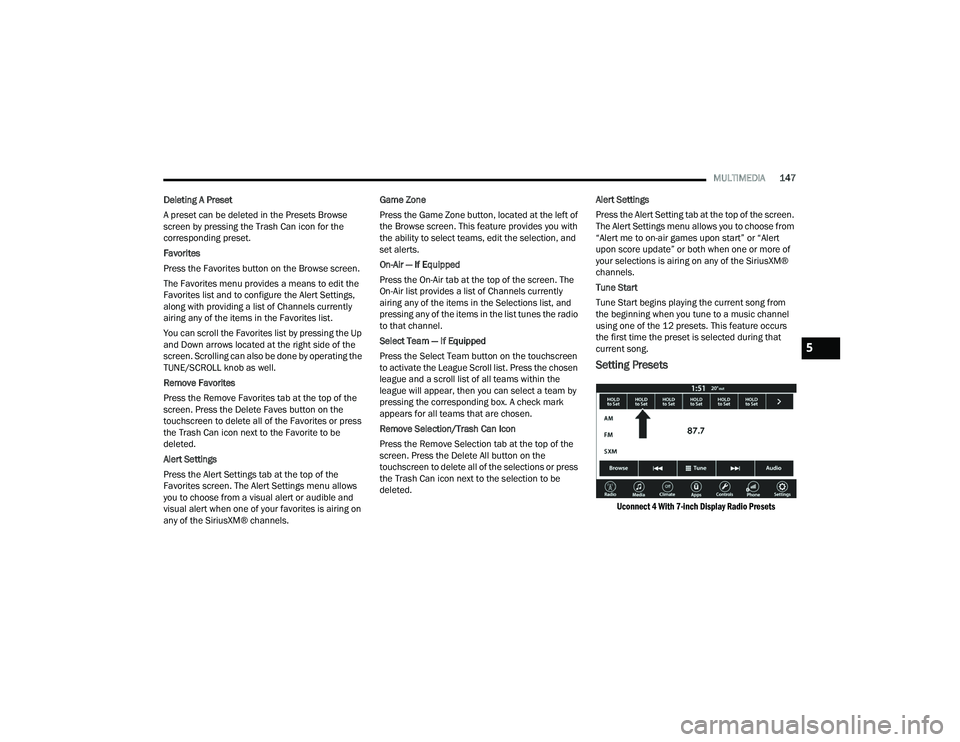
Setting Presets
Uconnect 4 With 7-inch Display Radio Presets
5
22_LD_OM_EN_USC_t.book Page 147
Page 150 of 312
148MULTIMEDIA
The Presets are available for all Radio Modes, and
are activated by pressing any of the Preset
buttons, located at the top of the screen.
When you are on a station that you wish to save as
a preset, press and hold the numbered button on
the touchscreen for more than two seconds.
The Radio stores up to 12 presets in each of the
Radio Modes.
A total of six presets will appear on the screen. You
can switch between the radio presets list by
pressing the Arrow button located in the upper
right of the radio touchscreen.
PRESET FEATURES — IF EQUIPPED
Browse In AM/FM
When in either AM or FM, the Browse Screen
provides a means to edit the Presets List and is
entered by pushing the ENTER/BROWSE button. Scrolling Preset List
Once in the Browse Presets screen, you can scroll
the preset list by rotation of the TUNE/SCROLL
knob or by pressing the Up or Down Arrow key,
located on the right of the screen.
Preset Selection From List
A preset can be selected by pressing any of the
listed Presets, or by pushing the ENTER/BROWSE
button or the TUNE/SCROLL knob to select the
currently highlighted Preset.
When selected, the radio tunes to the station
stored in the Presets.
Deleting Presets
A preset can be deleted in the Presets Browse
screen by pressing the Trash Can icon for the
corresponding preset.
Return To Main Radio Screen
You can return to the Main Radio Screen by
pressing the X button or the Back Arrow button
when in the Browse Presets screen.
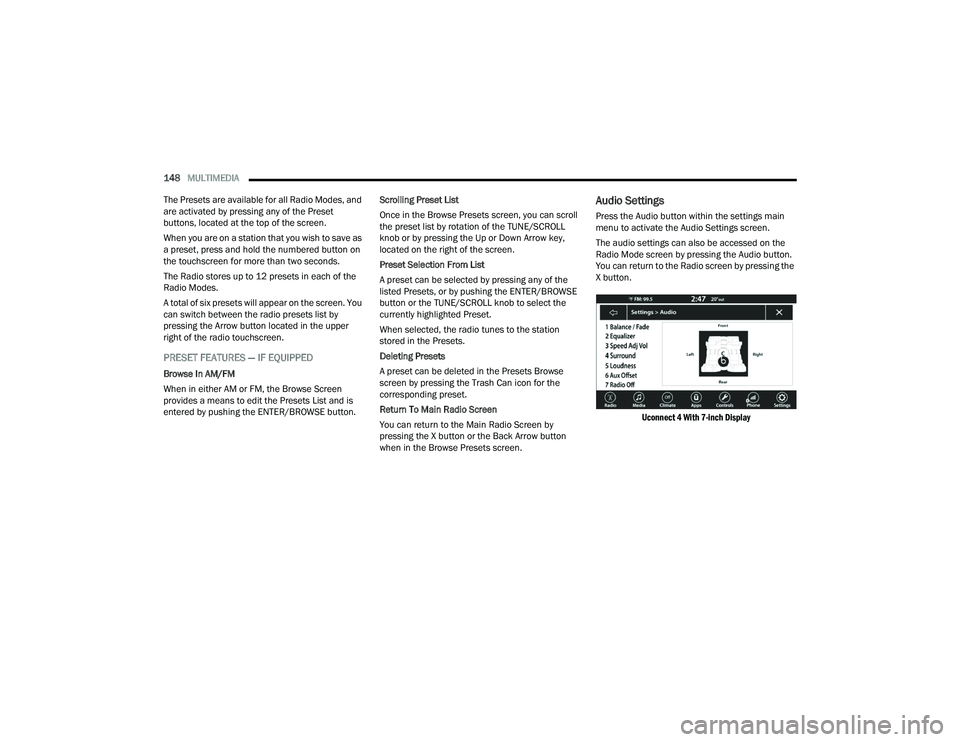
Audio Settings
Press the Audio button within the settings main
menu to activate the Audio Settings screen.
The audio settings can also be accessed on the
Radio Mode screen by pressing the Audio button.
You can return to the Radio screen by pressing the
X button.
Uconnect 4 With 7-inch Display
22_LD_OM_EN_USC_t.book Page 148
Page 198 of 312
196SAFETY
Do not drive your vehicle after the air bags have
deployed. If you are involved in another collision,
the air bags will not be in place to protect you.
NOTE:
Air bag covers may not be obvious in the interior
trim, but they will open during air bag deploy -
ment.
After any collision, the vehicle should be taken
to an authorized dealer immediately.
Enhanced Accident Response System
In the event of an impact, if the communication
network remains intact, and the power remains
intact, depending on the nature of the event, the
Occupant Restraint Controller (ORC) will determine
whether to have the Enhanced Accident Response
System perform the following functions:
Cut off fuel to the engine (if equipped).
Cut off battery power to the electric motor (if
equipped).
Flash hazard lights as long as the battery has
power.
Turn on the interior lights, which remain on as
long as the battery has power or for 15 minutes
from the intervention of the Enhanced Accident
Response System.
Unlock the power door locks.
Your vehicle may also be designed to perform any
of these other functions in response to the
Enhanced Accident Response System:
Turn off the Fuel Filter Heater, Turn off the HVAC
Blower Motor, Close the HVAC Circulation Door
Cut off battery power to the:
Engine
Electric Motor (if equipped)
Electric power steering
Brake booster
Electric park brake
Automatic transmission gear selector
Horn
Front wiper
Headlamp washer pump (if equipped)
NOTE:After an accident, remember to cycle the ignition to
the STOP (OFF/LOCK) position and remove the key
from the ignition switch to avoid draining the
battery. Carefully check the vehicle for fuel leaks in
the engine compartment and on the ground near
the engine compartment and fuel tank before
resetting the system and starting the engine. If
there are no fuel leaks or damage to the vehicle
electrical devices (e.g. headlights) after an
accident, reset the system by following the
procedure described below. If you have any doubt,
contact an authorized dealer.
Enhanced Accident Response System
Reset Procedure
In order to reset the Enhanced Accident Response
System functions after an event, the ignition switch
must be changed from ignition START or ON/RUN
to ignition OFF. Carefully check the vehicle for fuel
leaks in the engine compartment and on the
ground near the engine compartment and fuel
tank before resetting the system and starting the
engine.
After an accident, if the vehicle will not start after
performing the reset procedure, the vehicle must
be towed to an authorized dealer to be inspected
and to have the Enhanced Accident Response
System reset.
WARNING!
Deployed air bags and seat belt pretensioners
cannot protect you in another collision. Have the
air bags, seat belt pretensioners, and the seat
belt retractor assemblies replaced by an
authorized dealer immediately. Also, have the
Occupant Restraint Controller System serviced
as well.
22_LD_OM_EN_USC_t.book Page 196
Page 232 of 312
230IN CASE OF EMERGENCY
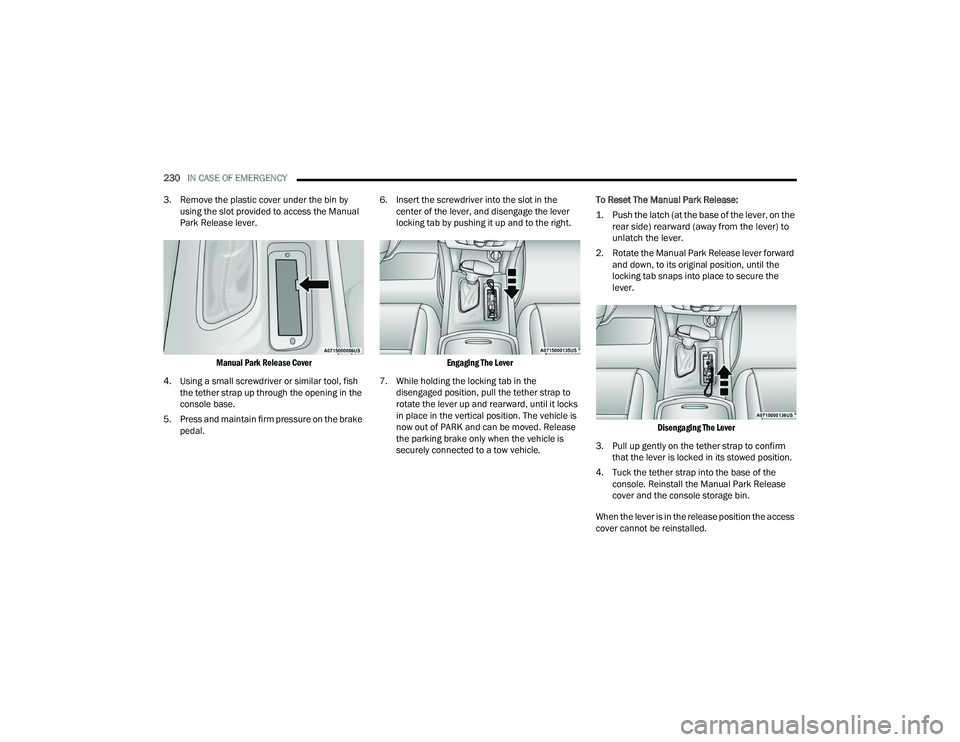
3. Remove the plastic cover under the bin by using the slot provided to access the Manual
Park Release lever.
Manual Park Release Cover
4. Using a small screwdriver or similar tool, fish the tether strap up through the opening in the
console base.
5. Press and maintain firm pressure on the brake pedal. 6. Insert the screwdriver into the slot in the
center of the lever, and disengage the lever
locking tab by pushing it up and to the right.
Engaging The Lever
7. While holding the locking tab in the disengaged position, pull the tether strap to
rotate the lever up and rearward, until it locks
in place in the vertical position. The vehicle is
now out of PARK and can be moved. Release
the parking brake only when the vehicle is
securely connected to a tow vehicle. To Reset The Manual Park Release:
1. Push the latch (at the base of the lever, on the
rear side) rearward (away from the lever) to
unlatch the lever.
2. Rotate the Manual Park Release lever forward and down, to its original position, until the
locking tab snaps into place to secure the
lever.
Disengaging The Lever
3. Pull up gently on the tether strap to confirm that the lever is locked in its stowed position.
4. Tuck the tether strap into the base of the console. Reinstall the Manual Park Release
cover and the console storage bin.
When the lever is in the release position the access
cover cannot be reinstalled.
22_LD_OM_EN_USC_t.book Page 230
Page 236 of 312
234
SERVICING AND MAINTENANCE
SCHEDULED SERVICING
3.6L AND 5.7L ENGINES
These vehicles are equipped with an automatic oil
change indicator system. The oil change indicator
system will remind you that it is time to take your
vehicle in for scheduled maintenance.
Based on engine operation conditions, the oil
change indicator message will illuminate. This
means that service is required for your vehicle.
Operating conditions such as frequent short-trips,
trailer tow, and extremely hot or cold ambient
temperatures will influence when the “Change Oil”
or “Oil Change Required” message is displayed.
Have your vehicle serviced as soon as possible,
within the next 500 miles (805 km).
The “Oil Change Required” message will be
displayed in the instrument cluster and a single
chime will sound, indicating that an oil change is
necessary. An authorized dealer will reset the oil change
indicator message after completing the scheduled
oil change. If a scheduled oil change is performed
by someone other than an authorized dealer, the
message can be reset by referring to “Instrument
Cluster Display” Ú
page 69.
NOTE:Under no circumstances should oil change
intervals exceed 10,000 miles (16,000 km),
12 months or 350 hours of engine run time,
whichever comes first. The 350 hours of engine
run or idle time is generally only a concern for fleet
customers.
Once A Month Or Before A Long Trip:
Check engine oil level.
Check windshield washer fluid level.
Check tire pressure and look for unusual wear
or damage. Rotate tires at the first sign of irreg -
ular wear, even if it occurs before your next
scheduled service.
Check the fluid levels of the coolant reservoir,
brake master cylinder, and power steering (if
equipped) and fill as needed.
Check function of all interior and exterior lights.
Maintenance Plan — 3.6L And 5.7L
Required Maintenance Intervals:
Refer to the maintenance schedules on the
following page for the required maintenance
intervals. More frequent maintenance may be
needed in severe conditions, such as dusty areas
and very short trip driving. In some extreme
conditions, additional maintenance not specified
in the maintenance schedule may be required.
22_LD_OM_EN_USC_t.book Page 234
Page 254 of 312
252SERVICING AND MAINTENANCE
(Continued)
Fluid Level Check
The fluid level is preset at the factory and does not
require adjustment under normal operating
conditions. Routine fluid level checks are not
required; therefore the transmission has no
dipstick. An authorized dealer can check your
transmission fluid level using special service tools.
If you notice fluid leakage or transmission
malfunction, visit an authorized dealer
immediately to have the transmission fluid level
checked. Operating the vehicle with an improper
fluid level can cause severe transmission damage.
Fluid And Filter Changes — 8-Speed
Transmission
Under normal operating conditions, the fluid
installed at the factory will provide satisfactory
lubrication for the life of the vehicle.
Routine fluid and filter changes are not required.
However, change the fluid and filter if the fluid
becomes contaminated (with water, etc.), or if the
transmission is disassembled for any reason.
Selection Of Lubricant
It is important to use the proper transmission fluid
to ensure optimum transmission performance and
life. Use only the manufacturer's specified
transmission fluid Úpage 291. It is important to
maintain the transmission fluid at the correct level
using the recommended fluid.
NOTE:No chemical flushes should be used in any trans -
mission; only the approved lubricant should be
used.
REAR AXLE
For normal service, periodic fluid level checks are
not required. When the vehicle is serviced for other
reasons the exterior surfaces of the axle assembly
should be inspected. If gear oil leakage is
suspected inspect the fluid level Ú page 291.
FUSES
General Information
CAUTION!
Do not use chemical flushes in your
transmission as the chemicals can damage your
transmission components. Such damage is not
covered by the New Vehicle Limited Warranty.
CAUTION!
If a transmission fluid leak occurs, visit an
authorized dealer immediately. Severe
transmission damage may occur. An authorized
dealer has the proper tools to adjust the fluid
level accurately.CAUTION!
Using a transmission fluid other than the
manufacturer’s recommended fluid may cause
deterioration in transmission shift quality and/or
torque converter shudder Úpage 291.
WARNING!
When replacing a blown fuse, always use an
appropriate replacement fuse with the same
amp rating as the original fuse. Never replace
a fuse with another fuse of higher amp rating.
The use of a fuse with a rating other than indi -
cated may result in a dangerous electrical
system overload. If a properly rated fuse
continues to blow, it indicates a problem in the
circuit that must be corrected. Never replace a
blown fuse with metal wires or any other mate -
rial. Do not place a fuse inside a circuit
breaker cavity or vice versa. Failure to use
proper fuses may result in serious personal
injury, fire and/or property damage.
22_LD_OM_EN_USC_t.book Page 252
Page 301 of 312
299
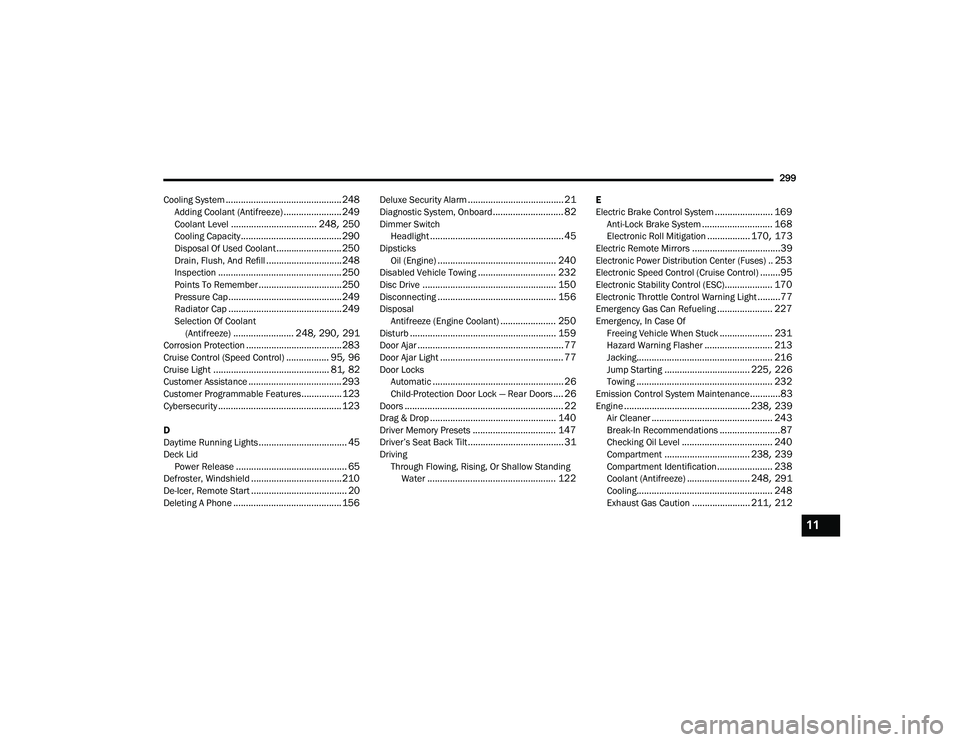
Cooling System
.............................................. 248Adding Coolant (Antifreeze)....................... 249Coolant Level.................................. 248, 250Cooling Capacity........................................ 290Disposal Of Used Coolant.......................... 250Drain, Flush, And Refill.............................. 248Inspection................................................. 250Points To Remember................................. 250Pressure Cap............................................. 249Radiator Cap............................................. 249Selection Of Coolant (Antifreeze)........................ 248, 290, 291Corrosion Protection...................................... 283Cruise Control (Speed Control)................. 95, 96Cruise Light.............................................. 81, 82Customer Assistance..................................... 293Customer Programmable Features................123Cybersecurity................................................. 123
D
Daytime Running Lights................................... 45Deck LidPower Release............................................ 65Defroster, Windshield.................................... 210De-Icer, Remote Start...................................... 20Deleting A Phone........................................... 156
Deluxe Security Alarm...................................... 21Diagnostic System, Onboard............................ 82Dimmer SwitchHeadlight..................................................... 45DipsticksOil (Engine)............................................... 240Disabled Vehicle Towing............................... 232Disc Drive..................................................... 150Disconnecting............................................... 156DisposalAntifreeze (Engine Coolant)...................... 250Disturb.......................................................... 159Door Ajar.......................................................... 77Door Ajar Light................................................. 77Door LocksAutomatic.................................................... 26Child-Protection Door Lock — Rear Doors.... 26Doors............................................................... 22Drag & Drop.................................................. 140Driver Memory Presets................................. 147Driver’s Seat Back Tilt...................................... 31DrivingThrough Flowing, Rising, Or Shallow Standing Water
................................................... 122
E
Electric Brake Control System....................... 169Anti-Lock Brake System............................ 168Electronic Roll Mitigation................. 170, 173Electric Remote Mirrors...................................39
Electronic Power Distribution Center (Fuses).. 253
Electronic Speed Control (Cruise Control)........95Electronic Stability Control (ESC)................... 170Electronic Throttle Control Warning Light.........77Emergency Gas Can Refueling...................... 227Emergency, In Case OfFreeing Vehicle When Stuck..................... 231Hazard Warning Flasher........................... 213Jacking...................................................... 216Jump Starting.................................. 225, 226Towing...................................................... 232Emission Control System Maintenance............83Engine.................................................. 238, 239Air Cleaner................................................ 243Break-In Recommendations........................87Checking Oil Level.................................... 240Compartment.................................. 238, 239Compartment Identification...................... 238Coolant (Antifreeze)......................... 248, 291Cooling...................................................... 248Exhaust Gas Caution....................... 211, 212
11
22_LD_OM_EN_USC_t.book Page 299
Page 305 of 312
303
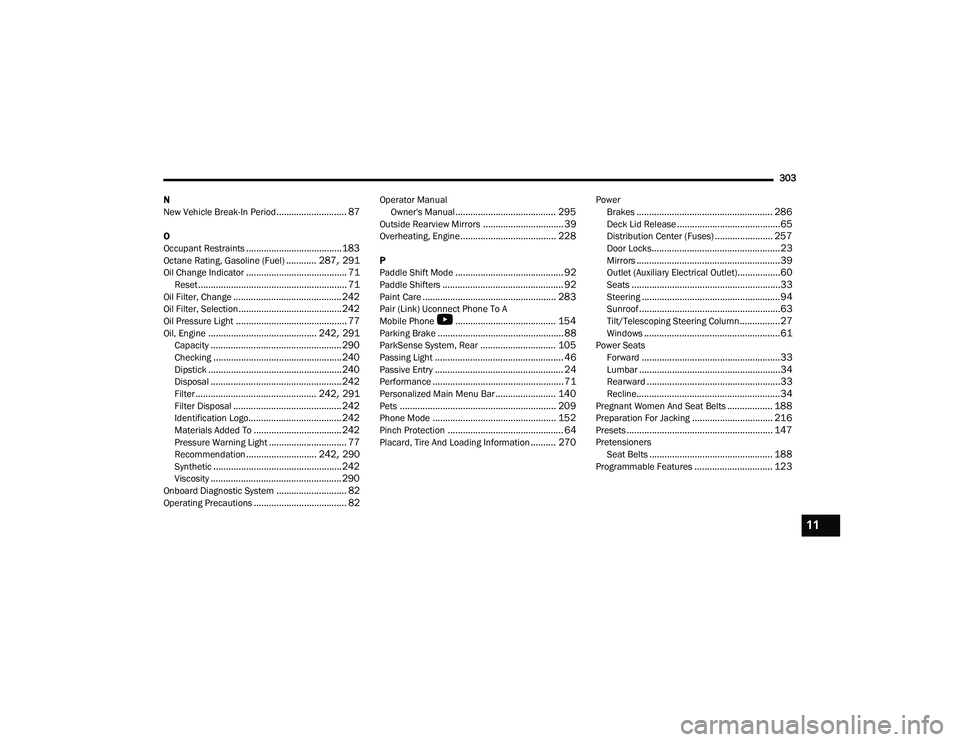
N
New Vehicle Break-In Period
............................ 87
O
Occupant Restraints...................................... 183Octane Rating, Gasoline (Fuel)............ 287, 291Oil Change Indicator........................................ 71Reset........................................................... 71Oil Filter, Change........................................... 242Oil Filter, Selection......................................... 242Oil Pressure Light............................................ 77Oil, Engine........................................... 242, 291Capacity.................................................... 290Checking................................................... 240Dipstick..................................................... 240Disposal.................................................... 242Filter................................................ 242, 291Filter Disposal........................................... 242Identification Logo..................................... 242Materials Added To................................... 242Pressure Warning Light............................... 77Recommendation............................ 242, 290Synthetic................................................... 242Viscosity.................................................... 290Onboard Diagnostic System............................ 82Operating Precautions..................................... 82
Operator Manual Owner's Manual........................................ 295Outside Rearview Mirrors................................ 39Overheating, Engine...................................... 228
P
Paddle Shift Mode........................................... 92Paddle Shifters................................................ 92Paint Care..................................................... 283Pair (Link) Uconnect Phone To A
Mobile Phone
b
........................................ 154Parking Brake.................................................. 88ParkSense System, Rear.............................. 105Passing Light................................................... 46Passive Entry................................................... 24Performance.................................................... 71Personalized Main Menu Bar........................ 140Pets.............................................................. 209Phone Mode................................................. 152Pinch Protection.............................................. 64Placard, Tire And Loading Information.......... 270
PowerBrakes...................................................... 286Deck Lid Release.........................................65Distribution Center (Fuses)....................... 257Door Locks...................................................23Mirrors.........................................................39Outlet (Auxiliary Electrical Outlet).................60Seats...........................................................33Steering.......................................................94Sunroof........................................................63Tilt/Telescoping Steering Column................27Windows......................................................61Power SeatsForward.......................................................33Lumbar........................................................34Rearward.....................................................33Recline.........................................................34Pregnant Women And Seat Belts.................. 188Preparation For Jacking................................ 216Presets.......................................................... 147PretensionersSeat Belts................................................. 188Programmable Features............................... 123
11
22_LD_OM_EN_USC_t.book Page 303