tire pressure DODGE CHARGER 2022 Owners Manual
[x] Cancel search | Manufacturer: DODGE, Model Year: 2022, Model line: CHARGER, Model: DODGE CHARGER 2022Pages: 312, PDF Size: 18.99 MB
Page 7 of 312
5
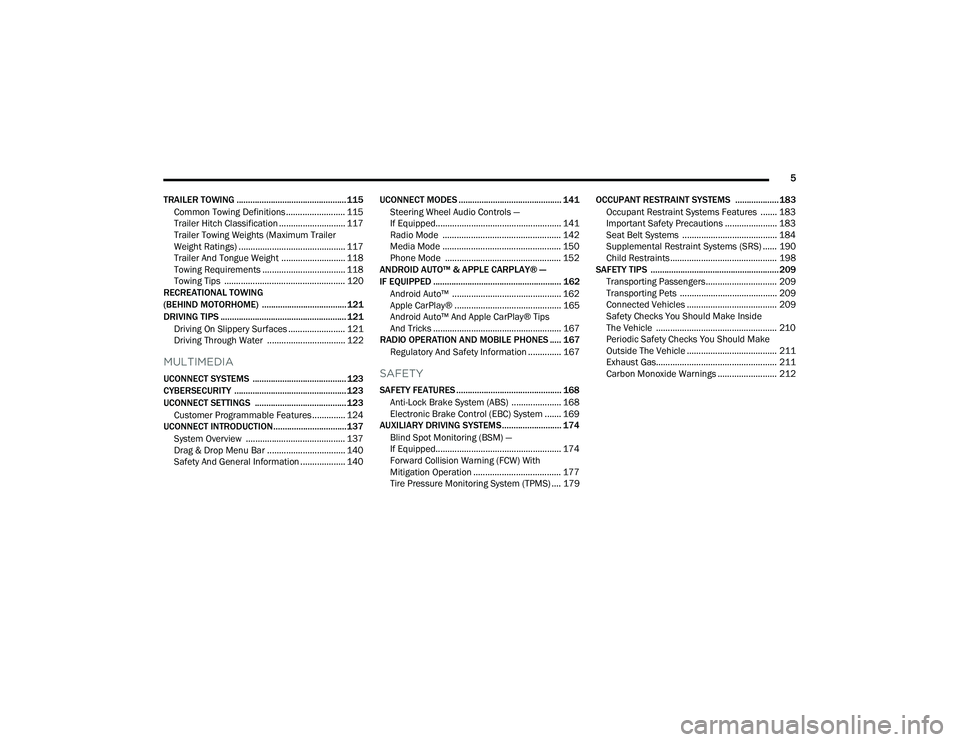
TRAILER TOWING ................................................ 115 Common Towing Definitions ......................... 115Trailer Hitch Classification ............................ 117
Trailer Towing Weights (Maximum Trailer
Weight Ratings) ............................................. 117
Trailer And Tongue Weight ........................... 118
Towing Requirements ................................... 118Towing Tips ................................................... 120
RECREATIONAL TOWING
(BEHIND MOTORHOME) ..................................... 121
DRIVING TIPS ....................................................... 121
Driving On Slippery Surfaces ........................ 121
Driving Through Water ................................. 122
MULTIMEDIA
UCONNECT SYSTEMS ......................................... 123
CYBERSECURITY ................................................. 123
UCONNECT SETTINGS ........................................ 123Customer Programmable Features .............. 124
UCONNECT INTRODUCTION................................ 137
System Overview .......................................... 137
Drag & Drop Menu Bar ................................. 140Safety And General Information ................... 140 UCONNECT MODES ............................................. 141
Steering Wheel Audio Controls —
If Equipped..................................................... 141Radio Mode .................................................. 142
Media Mode .................................................. 150
Phone Mode ................................................. 152
ANDROID AUTO™ & APPLE CARPLAY® —
IF EQUIPPED ........................................................ 162
Android Auto™ .............................................. 162
Apple CarPlay® ............................................. 165Android Auto™ And Apple CarPlay® Tips
And Tricks ...................................................... 167
RADIO OPERATION AND MOBILE PHONES ..... 167
Regulatory And Safety Information .............. 167SAFETY
SAFETY FEATURES .............................................. 168 Anti-Lock Brake System (ABS) ..................... 168
Electronic Brake Control (EBC) System ....... 169
AUXILIARY DRIVING SYSTEMS.......................... 174
Blind Spot Monitoring (BSM) —
If Equipped..................................................... 174Forward Collision Warning (FCW) With
Mitigation Operation ..................................... 177
Tire Pressure Monitoring System (TPMS) .... 179 OCCUPANT RESTRAINT SYSTEMS ................... 183
Occupant Restraint Systems Features ....... 183
Important Safety Precautions ...................... 183
Seat Belt Systems ........................................ 184
Supplemental Restraint Systems (SRS) ...... 190Child Restraints ............................................. 198
SAFETY TIPS ........................................................ 209
Transporting Passengers.............................. 209
Transporting Pets ......................................... 209
Connected Vehicles ...................................... 209
Safety Checks You Should Make Inside
The Vehicle ................................................... 210
Periodic Safety Checks You Should Make
Outside The Vehicle ...................................... 211
Exhaust Gas................................................... 211
Carbon Monoxide Warnings ......................... 212
22_LD_OM_EN_USC_t.book Page 5
Page 8 of 312
6
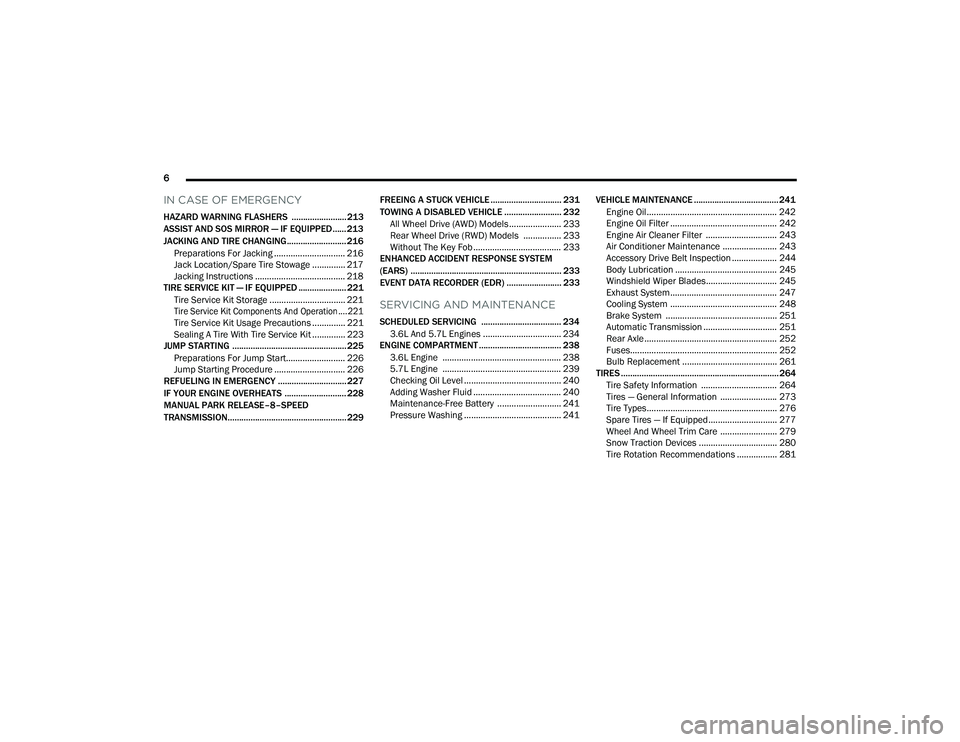
IN CASE OF EMERGENCY
HAZARD WARNING FLASHERS ........................ 213
ASSIST AND SOS MIRROR — IF EQUIPPED...... 213
JACKING AND TIRE CHANGING.......................... 216 Preparations For Jacking .............................. 216Jack Location/Spare Tire Stowage .............. 217
Jacking Instructions ...................................... 218
TIRE SERVICE KIT — IF EQUIPPED ..................... 221
Tire Service Kit Storage ................................ 221
Tire Service Kit Components And Operation ....221
Tire Service Kit Usage Precautions .............. 221
Sealing A Tire With Tire Service Kit .............. 223
JUMP STARTING .................................................. 225
Preparations For Jump Start......................... 226Jump Starting Procedure .............................. 226
REFUELING IN EMERGENCY .............................. 227
IF YOUR ENGINE OVERHEATS ........................... 228
MANUAL PARK RELEASE–8–SPEED
TRANSMISSION.................................................... 229 FREEING A STUCK VEHICLE ............................... 231
TOWING A DISABLED VEHICLE ......................... 232 All Wheel Drive (AWD) Models ...................... 233Rear Wheel Drive (RWD) Models ................ 233
Without The Key Fob ..................................... 233
ENHANCED ACCIDENT RESPONSE SYSTEM
(EARS) .................................................................. 233
EVENT DATA RECORDER (EDR) ........................ 233
SERVICING AND MAINTENANCE
SCHEDULED SERVICING ................................... 234
3.6L And 5.7L Engines ................................. 234
ENGINE COMPARTMENT .................................... 238
3.6L Engine .................................................. 238
5.7L Engine .................................................. 239
Checking Oil Level ......................................... 240
Adding Washer Fluid ..................................... 240
Maintenance-Free Battery ........................... 241Pressure Washing ......................................... 241 VEHICLE MAINTENANCE ..................................... 241
Engine Oil....................................................... 242Engine Oil Filter ............................................. 242Engine Air Cleaner Filter .............................. 243
Air Conditioner Maintenance ....................... 243
Accessory Drive Belt Inspection ................... 244Body Lubrication ........................................... 245
Windshield Wiper Blades.............................. 245
Exhaust System ............................................. 247Cooling System ............................................. 248Brake System ............................................... 251Automatic Transmission ............................... 251
Rear Axle........................................................ 252
Fuses.............................................................. 252
Bulb Replacement ........................................ 261
TIRES ..................................................................... 264
Tire Safety Information ................................ 264Tires — General Information ........................ 273Tire Types....................................................... 276Spare Tires — If Equipped............................. 277Wheel And Wheel Trim Care ........................ 279Snow Traction Devices ................................. 280
Tire Rotation Recommendations ................. 281
22_LD_OM_EN_USC_t.book Page 6
Page 13 of 312
11
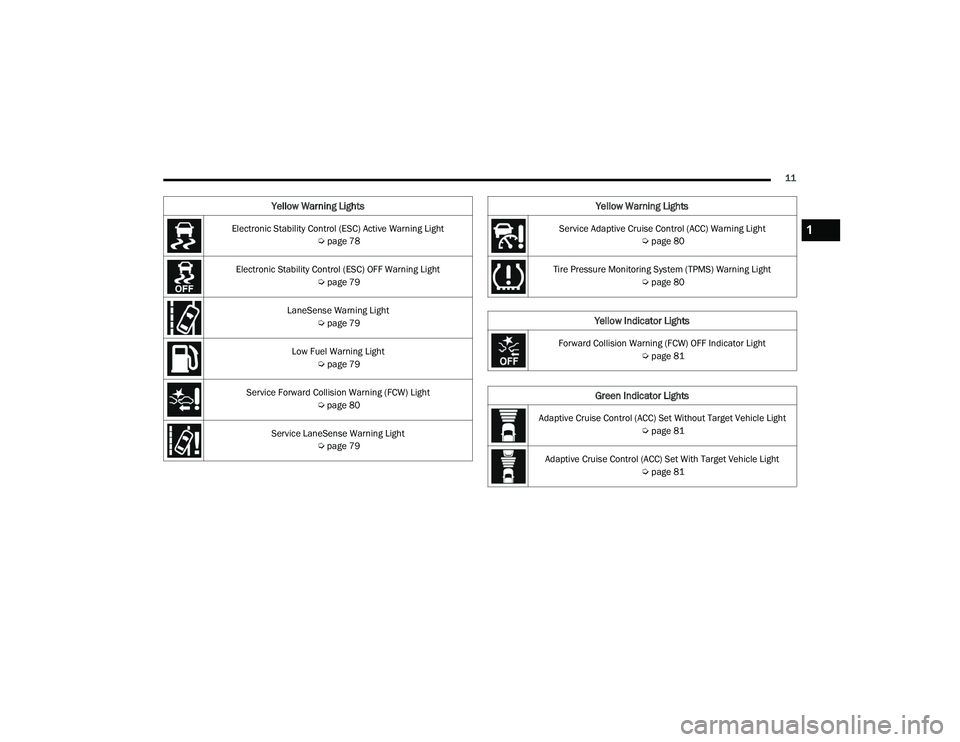
Electronic Stability Control (ESC) Active Warning Light Úpage 78
Electronic Stability Control (ESC) OFF Warning Light Úpage 79
LaneSense Warning Light Úpage 79
Low Fuel Warning Light Úpage 79
Service Forward Collision Warning (FCW) Light Úpage 80
Service LaneSense Warning Light Úpage 79
Yellow Warning Lights
Service Adaptive Cruise Control (ACC) Warning Light
Úpage 80
Tire Pressure Monitoring System (TPMS) Warning Light Úpage 80
Yellow Indicator Lights
Forward Collision Warning (FCW) OFF Indicator Light
Úpage 81
Green Indicator Lights
Adaptive Cruise Control (ACC) Set Without Target Vehicle Light
Úpage 81
Adaptive Cruise Control (ACC) Set With Target Vehicle Light Úpage 81
Yellow Warning Lights
1
22_LD_OM_EN_USC_t.book Page 11
Page 74 of 312
72GETTING TO KNOW YOUR INSTRUMENT PANEL
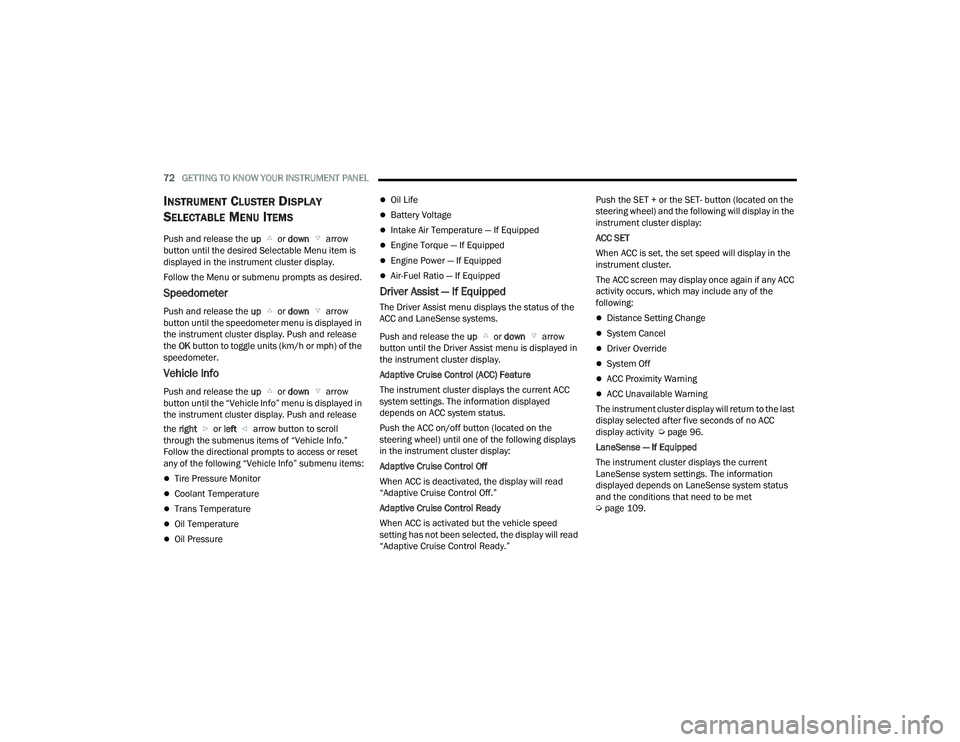
INSTRUMENT CLUSTER DISPLAY
S
ELECTABLE MENU ITEMS
Push and release the up or down arrow
button until the desired Selectable Menu item is
displayed in the instrument cluster display.
Follow the Menu or submenu prompts as desired.
Speedometer
Push and release the up or down arrow
button until the speedometer menu is displayed in
the instrument cluster display. Push and release
the OK button to toggle units (km/h or mph) of the
speedometer.
Vehicle Info
Push and release the up or down arrow
button until the “Vehicle Info” menu is displayed in
the instrument cluster display. Push and release
the right or left arrow button to scroll
through the submenus items of “Vehicle Info.”
Follow the directional prompts to access or reset
any of the following “Vehicle Info” submenu items:
Tire Pressure Monitor
Coolant Temperature
Trans Temperature
Oil Temperature
Oil Pressure
Oil Life
Battery Voltage
Intake Air Temperature — If Equipped
Engine Torque — If Equipped
Engine Power — If Equipped
Air-Fuel Ratio — If Equipped
Driver Assist — If Equipped
The Driver Assist menu displays the status of the
ACC and LaneSense systems.
Push and release the up or down arrow
button until the Driver Assist menu is displayed in
the instrument cluster display.
Adaptive Cruise Control (ACC) Feature
The instrument cluster displays the current ACC
system settings. The information displayed
depends on ACC system status.
Push the ACC on/off button (located on the
steering wheel) until one of the following displays
in the instrument cluster display:
Adaptive Cruise Control Off
When ACC is deactivated, the display will read
“Adaptive Cruise Control Off.”
Adaptive Cruise Control Ready
When ACC is activated but the vehicle speed
setting has not been selected, the display will read
“Adaptive Cruise Control Ready.” Push the SET + or the SET- button (located on the
steering wheel) and the following will display in the
instrument cluster display:
ACC SET
When ACC is set, the set speed will display in the
instrument cluster.
The ACC screen may display once again if any ACC
activity occurs, which may include any of the
following:Distance Setting Change
System Cancel
Driver Override
System Off
ACC Proximity Warning
ACC Unavailable Warning
The instrument cluster display will return to the last
display selected after five seconds of no ACC
display activity Ú page 96.
LaneSense — If Equipped
The instrument cluster displays the current
LaneSense system settings. The information
displayed depends on LaneSense system status
and the conditions that need to be met
Ú page 109.
22_LD_OM_EN_USC_t.book Page 72
Page 82 of 312
80GETTING TO KNOW YOUR INSTRUMENT PANEL
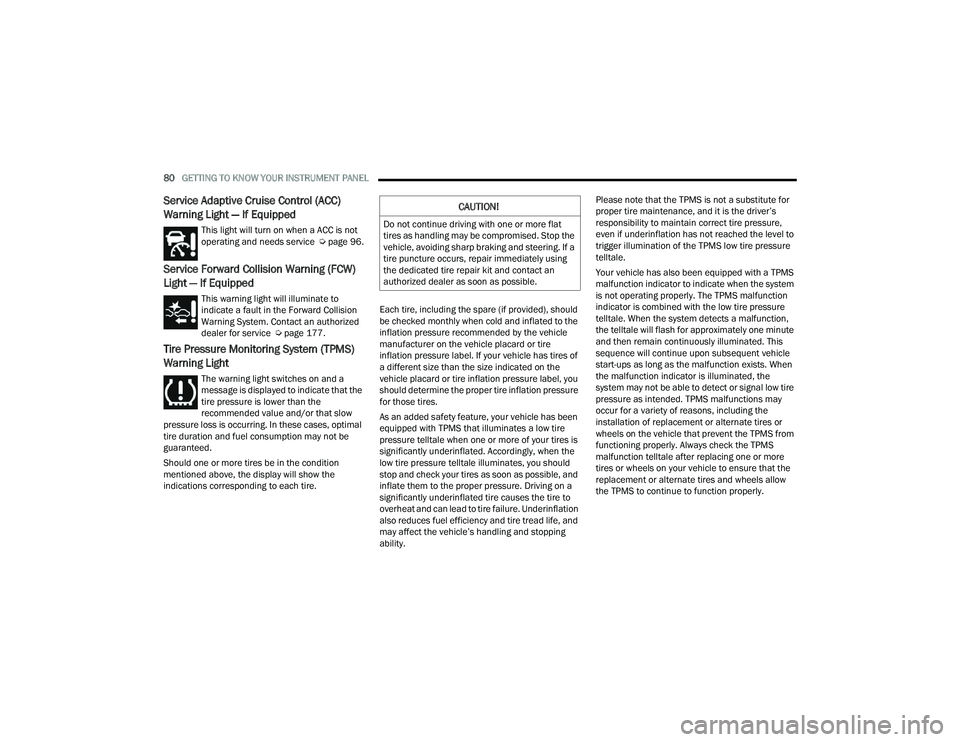
Service Adaptive Cruise Control (ACC)
Warning Light — If Equipped
This light will turn on when a ACC is not
operating and needs service Úpage 96.
Service Forward Collision Warning (FCW)
Light — If Equipped
This warning light will illuminate to
indicate a fault in the Forward Collision
Warning System. Contact an authorized
dealer for service Úpage 177.
Tire Pressure Monitoring System (TPMS)
Warning Light
The warning light switches on and a
message is displayed to indicate that the
tire pressure is lower than the
recommended value and/or that slow
pressure loss is occurring. In these cases, optimal
tire duration and fuel consumption may not be
guaranteed.
Should one or more tires be in the condition
mentioned above, the display will show the
indications corresponding to each tire. Each tire, including the spare (if provided), should
be checked monthly when cold and inflated to the
inflation pressure recommended by the vehicle
manufacturer on the vehicle placard or tire
inflation pressure label. If your vehicle has tires of
a different size than the size indicated on the
vehicle placard or tire inflation pressure label, you
should determine the proper tire inflation pressure
for those tires.
As an added safety feature, your vehicle has been
equipped with TPMS that illuminates a low tire
pressure telltale when one or more of your tires is
significantly underinflated. Accordingly, when the
low tire pressure telltale illuminates, you should
stop and check your tires as soon as possible, and
inflate them to the proper pressure. Driving on a
significantly underinflated tire causes the tire to
overheat and can lead to tire failure. Underinflation
also reduces fuel efficiency and tire tread life, and
may affect the vehicle’s handling and stopping
ability.Please note that the TPMS is not a substitute for
proper tire maintenance, and it is the driver’s
responsibility to maintain correct tire pressure,
even if underinflation has not reached the level to
trigger illumination of the TPMS low tire pressure
telltale.
Your vehicle has also been equipped with a TPMS
malfunction indicator to indicate when the system
is not operating properly. The TPMS malfunction
indicator is combined with the low tire pressure
telltale. When the system detects a malfunction,
the telltale will flash for approximately one minute
and then remain continuously illuminated. This
sequence will continue upon subsequent vehicle
start-ups as long as the malfunction exists. When
the malfunction indicator is illuminated, the
system may not be able to detect or signal low tire
pressure as intended. TPMS malfunctions may
occur for a variety of reasons, including the
installation of replacement or alternate tires or
wheels on the vehicle that prevent the TPMS from
functioning properly. Always check the TPMS
malfunction telltale after replacing one or more
tires or wheels on your vehicle to ensure that the
replacement or alternate tires and wheels allow
the TPMS to continue to function properly.
CAUTION!
Do not continue driving with one or more flat
tires as handling may be compromised. Stop the
vehicle, avoiding sharp braking and steering. If a
tire puncture occurs, repair immediately using
the dedicated tire repair kit and contact an
authorized dealer as soon as possible.
22_LD_OM_EN_USC_t.book Page 80
Page 83 of 312
GETTING TO KNOW YOUR INSTRUMENT PANEL81
YELLOW INDICATOR LIGHTS
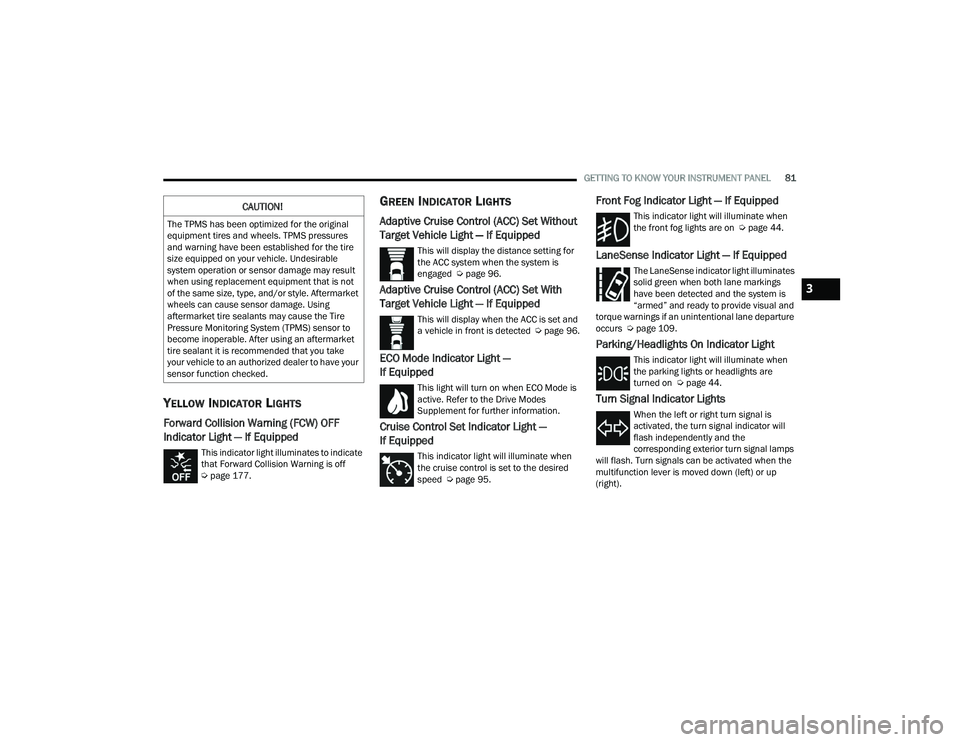
Forward Collision Warning (FCW) OFF
Indicator Light — If Equipped
This indicator light illuminates to indicate
that Forward Collision Warning is off
Úpage 177.
GREEN INDICATOR LIGHTS
Adaptive Cruise Control (ACC) Set Without
Target Vehicle Light — If Equipped
This will display the distance setting for
the ACC system when the system is
engaged Ú page 96.
Adaptive Cruise Control (ACC) Set With
Target Vehicle Light — If Equipped
This will display when the ACC is set and
a vehicle in front is detected Ú page 96.
ECO Mode Indicator Light —
If Equipped
This light will turn on when ECO Mode is
active. Refer to the Drive Modes
Supplement for further information.
Cruise Control Set Indicator Light —
If Equipped
This indicator light will illuminate when
the cruise control is set to the desired
speed Úpage 95.
Front Fog Indicator Light — If Equipped
This indicator light will illuminate when
the front fog lights are on Ú page 44.
LaneSense Indicator Light — If Equipped
The LaneSense indicator light illuminates
solid green when both lane markings
have been detected and the system is
“armed” and ready to provide visual and
torque warnings if an unintentional lane departure
occurs Ú page 109.
Parking/Headlights On Indicator Light
This indicator light will illuminate when
the parking lights or headlights are
turned on Ú page 44.
Turn Signal Indicator Lights
When the left or right turn signal is
activated, the turn signal indicator will
flash independently and the
corresponding exterior turn signal lamps
will flash. Turn signals can be activated when the
multifunction lever is moved down (left) or up
(right).
CAUTION!
The TPMS has been optimized for the original
equipment tires and wheels. TPMS pressures
and warning have been established for the tire
size equipped on your vehicle. Undesirable
system operation or sensor damage may result
when using replacement equipment that is not
of the same size, type, and/or style. Aftermarket
wheels can cause sensor damage. Using
aftermarket tire sealants may cause the Tire
Pressure Monitoring System (TPMS) sensor to
become inoperable. After using an aftermarket
tire sealant it is recommended that you take
your vehicle to an authorized dealer to have your
sensor function checked.
3
22_LD_OM_EN_USC_t.book Page 81
Page 117 of 312
STARTING AND OPERATING115
Overloading can cause potential safety hazards
and shorten useful service life. Heavier axles or
suspension components do not necessarily
increase the vehicle's GVWR.
LOADING
To load your vehicle properly, first figure out its
empty weight, axle-by-axle and side-by-side. Store
heavier items down low and be sure you distribute
their weight as evenly as possible. Stow all loose
items securely before driving. If weighing the
loaded vehicle shows that you have exceeded
either GAWR, but the total load is within the
specified GVWR, you must redistribute the weight.
Improper weight distribution can have an adverse
effect on the way your vehicle steers and handles
and the way the brakes operate.
NOTE:
Refer to the Vehicle Certification Label affixed to
the rear of the driver's door for your vehicle's
GVWR and GAWR.
Refer to the Tire and Loading Information
Placard for your vehicle's proper tire pressure
Ú page 270.
TRAILER TOWING
In this section you will find safety tips and
information on limits to the type of towing you can
reasonably do with your vehicle. Before towing a
trailer, carefully review this information to tow your
load as efficiently and safely as possible.
To maintain the New Vehicle Limited Warranty
coverage, follow the requirements and
recommendations in this manual concerning
vehicles used for trailer towing.
COMMON TOWING DEFINITIONS
The following trailer towing related definitions will
assist you in understanding the following
information:
Gross Vehicle Weight Rating (GVWR)
The GVWR is the total allowable weight of your
vehicle. This includes driver, passengers, cargo
and tongue weight. The total load must be limited
so that you do not exceed the GVWR Ú page 114.
Gross Trailer Weight (GTW)
The GTW is the weight of the trailer plus the weight
of all cargo, consumables, and equipment
(permanent or temporary) loaded in or on the
trailer in its "loaded and ready for operation"
condition.
The recommended way to measure GTW is to put
your fully loaded trailer on a vehicle scale. The
entire weight of the trailer must be supported by
the scale.
Gross Combination Weight Rating (GCWR)
The GCWR is the total allowable weight of your
vehicle and trailer when weighed in combination.
Gross Axle Weight Rating (GAWR)
The GAWR is the maximum capacity of the front
and rear axles. Distribute the load over the front
and rear axles evenly. Make sure that you do not
exceed either front or rear GAWR Úpage 114.
WARNING!
It is important that you do not exceed the
maximum front or rear GAWR. A dangerous
driving condition can result if either rating is
exceeded. You could lose control of the vehicle
and have a collision.
4
22_LD_OM_EN_USC_t.book Page 115
Page 121 of 312
STARTING AND OPERATING119
(Continued)
Perform the maintenance listed in the “Scheduled
Servicing” for the proper maintenance intervals
Ú
page 234. When towing a trailer, never exceed
the GAWR or GCWR ratings.
Towing Requirements — Tires
Do not attempt to tow a trailer while using a
compact spare tire.
Do not drive more than 50 mph (80 km/h) when
towing while using a full size spare tire.
Proper tire inflation pressures are essential to
the safe and satisfactory operation of your
vehicle.
Check the trailer tires for proper tire inflation
pressures before trailer usage.
Check for signs of tire wear or visible tire
damage before towing a trailer. For the proper
inspection procedure.
Replacing tires with a higher load carrying
capacity will not increase the vehicle's GVWR
and GAWR limits.
For further information Ú page 264.
Towing Requirements — Trailer Brakes
Do not interconnect the hydraulic brake system
or vacuum system of your vehicle with that of
the trailer. This could cause inadequate braking
and possible personal injury.
An electronically actuated trailer brake
controller is required when towing a trailer with
electronically actuated brakes. When towing a
trailer equipped with a hydraulic surge actuated
brake system, an electronic brake controller is
not required.
Trailer brakes are recommended for trailers
over 1,000 lb (453 kg) and required for trailers
in excess of 2,000 lb (907 kg).
Towing Requirements — Trailer Lights And
Wiring
Whenever you pull a trailer, regardless of the trailer
size, stoplights and turn signals on the trailer are
required for motoring safety.
The Trailer Tow Package may include a four- and
seven-pin wiring harness. Use a factory approved
trailer harness and connector.
NOTE:Do not cut or splice wiring into the vehicle’s wiring
harness.
CAUTION!
Do not tow a trailer at all during the first 500 miles
(805 km) the new vehicle is driven. The engine,
axle or other parts could be damaged.
Then, during the first 500 miles (805 km) that
a trailer is towed, do not drive over 50 mph
(80 km/h) and do not make starts at full
throttle. This helps the engine and other parts
of the vehicle wear in at the heavier loads.
WARNING!
Do not connect trailer brakes to your vehicle's
hydraulic brake lines. It can overload your
brake system and cause it to fail. You might
not have brakes when you need them and
could have an accident.
Towing any trailer will increase your stopping
distance. When towing, you should allow for
additional space between your vehicle and the
vehicle in front of you. Failure to do so could
result in an accident.
CAUTION!
If the trailer weighs more than 1,000 lb (453 kg)
loaded, it should have its own brakes and they
should be of adequate capacity. Failure to do
this could lead to accelerated brake lining wear,
higher brake pedal effort, and longer stopping
distances.
WARNING!
4
22_LD_OM_EN_USC_t.book Page 119
Page 174 of 312
172SAFETY
ESC Activation/Malfunction Indicator Light
And ESC OFF Indicator Light
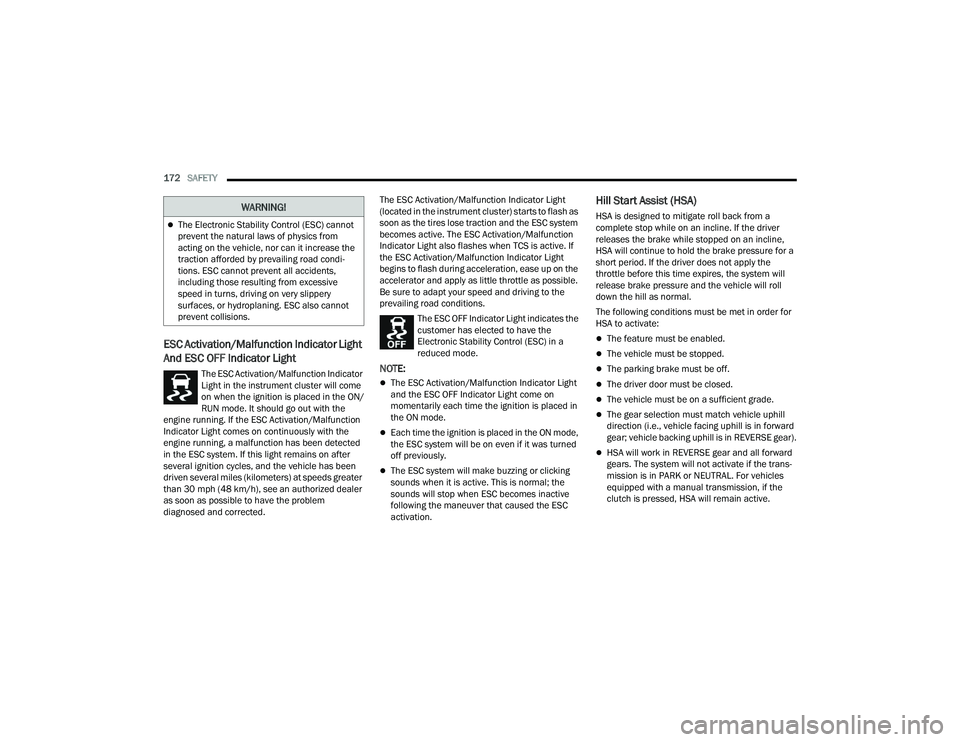
The ESC Activation/Malfunction Indicator
Light in the instrument cluster will come
on when the ignition is placed in the ON/
RUN mode. It should go out with the
engine running. If the ESC Activation/Malfunction
Indicator Light comes on continuously with the
engine running, a malfunction has been detected
in the ESC system. If this light remains on after
several ignition cycles, and the vehicle has been
driven several miles (kilometers) at speeds greater
than 30 mph (48 km/h), see an authorized dealer
as soon as possible to have the problem
diagnosed and corrected. The ESC Activation/Malfunction Indicator Light
(located in the instrument cluster) starts to flash as
soon as the tires lose traction and the ESC system
becomes active. The ESC Activation/Malfunction
Indicator Light also flashes when TCS is active. If
the ESC Activation/Malfunction Indicator Light
begins to flash during acceleration, ease up on the
accelerator and apply as little throttle as possible.
Be sure to adapt your speed and driving to the
prevailing road conditions.
The ESC OFF Indicator Light indicates the
customer has elected to have the
Electronic Stability Control (ESC) in a
reduced mode.NOTE:
The ESC Activation/Malfunction Indicator Light
and the ESC OFF Indicator Light come on
momentarily each time the ignition is placed in
the ON mode.
Each time the ignition is placed in the ON mode,
the ESC system will be on even if it was turned
off previously.
The ESC system will make buzzing or clicking
sounds when it is active. This is normal; the
sounds will stop when ESC becomes inactive
following the maneuver that caused the ESC
activation.
Hill Start Assist (HSA)
HSA is designed to mitigate roll back from a
complete stop while on an incline. If the driver
releases the brake while stopped on an incline,
HSA will continue to hold the brake pressure for a
short period. If the driver does not apply the
throttle before this time expires, the system will
release brake pressure and the vehicle will roll
down the hill as normal.
The following conditions must be met in order for
HSA to activate:
The feature must be enabled.
The vehicle must be stopped.
The parking brake must be off.
The driver door must be closed.
The vehicle must be on a sufficient grade.
The gear selection must match vehicle uphill
direction (i.e., vehicle facing uphill is in forward
gear; vehicle backing uphill is in REVERSE gear).
HSA will work in REVERSE gear and all forward
gears. The system will not activate if the trans -
mission is in PARK or NEUTRAL. For vehicles
equipped with a manual transmission, if the
clutch is pressed, HSA will remain active.
The Electronic Stability Control (ESC) cannot
prevent the natural laws of physics from
acting on the vehicle, nor can it increase the
traction afforded by prevailing road condi -
tions. ESC cannot prevent all accidents,
including those resulting from excessive
speed in turns, driving on very slippery
surfaces, or hydroplaning. ESC also cannot
prevent collisions.
WARNING!
22_LD_OM_EN_USC_t.book Page 172
Page 181 of 312
SAFETY179
NOTE:The “Far” setting may result in a greater number of
FCW possible collision warnings experienced.
Changing the FCW status to the “Near” setting,
allows the system to warn you of a possible
collision with the vehicle in front of you when you
are much closer. This setting provides less
reaction time than the “Far” setting, which allows
for a more dynamic driving experience.
NOTE:The “Near” setting may result in a lesser number of
FCW possible collision warnings experienced.
NOTE:
The system will retain the last setting selected
by the driver after ignition shut down.
FCW may not react to irrelevant objects such as
overhead objects, ground reflections, objects
not in the path of the vehicle, stationary objects
that are far away, oncoming traffic, or leading
vehicles with the same or higher rate of speed.
FCW disables in the same manner as ACC, and
will display a screen indicating that the feature
is unavailable when it has been disabled.
FCW Limited Warning
If the instrument cluster display reads “ACC/FCW
Limited Functionality” or “ACC/FCW Limited
Functionality Clean Front Windshield”
momentarily, there may be a condition that limits
FCW functionality. Although the vehicle is still drivable under normal conditions, the active
braking may not be fully available. Once the
condition that limited the system performance is
no longer present, the system will return to its full
performance state. If the problem persists, see an
authorized dealer.
Service FCW Warning
If the system turns off, and the instrument cluster
display reads:
ACC/FCW Unavailable Service Required
Cruise/FCW Unavailable Service Required
This indicates there is an internal system fault.
Although the vehicle is still drivable under normal
conditions, have the system checked by an
authorized dealer.
TIRE PRESSURE MONITORING SYSTEM
(TPMS)
The Tire Pressure Monitoring System (TPMS) will
warn the driver of a low tire pressure based on the
vehicle recommended cold placard pressure.
The tire pressure will vary with temperature by about
1 psi (7 kPa) for every 12°F (6.5°C). This means that
when the outside temperature decreases, the tire
pressure will decrease. Tire pressure should always
be set based on cold inflation tire pressure. This is
defined as the tire pressure after the vehicle has not
been driven for at least three hours, or driven less
than 1 mile (1.6 km) after a three hour period. The cold tire inflation pressure must not exceed the
maximum inflation pressure molded into the tire
sidewall. The tire pressure will also increase as the
vehicle is driven — this is normal and there should be
no adjustment for this increased pressure.
See Ú
page 264 for information on how to
properly inflate the vehicle’s tires.
The TPMS will warn the driver of a low tire pressure
if the tire pressure falls below the low-pressure
warning limit for any reason, including low
temperature effects and natural pressure loss
through the tire.
The TPMS will continue to warn the driver of low
tire pressure as long as the condition exists, and
will not turn off until the tire pressure is at or above
the recommended cold placard pressure. Once the
low tire pressure warning (TPMS Warning Light)
illuminates, you must increase the tire pressure to
the recommended cold placard pressure in order
for the TPMS Warning Light to turn off. The system
will automatically update and the TPMS Warning
Light will turn off once the system receives the
updated tire pressures. The vehicle may need to be
driven for up to 20 minutes above 15 mph
(24 km/h) in order for the TPMS to receive this
information.
6
22_LD_OM_EN_USC_t.book Page 179