transmission DODGE CHARGER 2022 Owners Manual
[x] Cancel search | Manufacturer: DODGE, Model Year: 2022, Model line: CHARGER, Model: DODGE CHARGER 2022Pages: 312, PDF Size: 18.99 MB
Page 6 of 312
4
GETTING TO KNOW YOUR
INSTRUMENT PANEL
INSTRUMENT CLUSTER......................................... 67
Instrument Cluster Descriptions .....................69
INSTRUMENT CLUSTER DISPLAY ........................ 69
Location And Controls .....................................70
Engine Oil Life Reset ........................................71
Performance Shift Indicator (PSI) —
If Equipped........................................................71
Instrument Cluster Display Selectable Menu
Items .................................................................72
Battery Saver On/Battery Saver Mode
Message — Electrical Load Reduction Actions —
If Equipped .......................................................74
WARNING LIGHTS AND MESSAGES ................... 75
Red Warning Lights ..........................................76
Yellow Warning Lights ......................................78
Yellow Indicator Lights .....................................81
Green Indicator Lights......................................81
White Indicator Lights ......................................82
Blue Indicator Lights ........................................82
ONBOARD DIAGNOSTIC SYSTEM — OBD II ....... 82
Onboard Diagnostic System
(OBD II) Cybersecurity ......................................82
EMISSIONS INSPECTION AND MAINTENANCE
PROGRAMS ........................................................... 83
STARTING AND OPERATING
STARTING THE ENGINE .........................................84
Automatic Transmission .................................84
Normal Starting ...............................................84
AutoPark ...........................................................85
Keyless Enter ‘n Go™ — Ignition......................86
Extended Park Starting ....................................86
If Engine Fails To Start .....................................87
Cold Weather Operation
(Below –22°F Or −30°C) ...............................87
After Starting ....................................................87
ENGINE BREAK-IN RECOMMENDATIONS — 3.6L
& 5.7L .....................................................................87
PARKING BRAKE ....................................................88
AUTOMATIC TRANSMISSION ................................89
Ignition Park Interlock ......................................90
Brake Transmission Shift Interlock (BTSI)
System .............................................................90
8-Speed Automatic Transmission ...................90
SPORT MODE — WITHOUT PERFORMANCE
CONTROL................................................................. 94
FUEL SAVER TECHNOLOGY 5.7L ONLY —
IF EQUIPPED ...........................................................94
ELECTRIC POWER STEERING ...............................94
CRUISE CONTROL SYSTEMS — IF EQUIPPED ....95
Cruise Control ...................................................95
Adaptive Cruise Control (ACC) .........................96 PARKSENSE REAR PARK ASSIST —
IF EQUIPPED ......................................................... 105
ParkSense Sensors ....................................... 105
ParkSense Display ........................................ 105
ParkSense Warning Display ......................... 108
Enabling And Disabling ParkSense.............. 108
Service The ParkSense Park Assist System ...108
Cleaning The ParkSense System ................. 108
ParkSense System Usage Precautions........ 108
LANESENSE — IF EQUIPPED ............................. 109
LaneSense Operation ................................... 109
Turning LaneSense On Or Off....................... 110
LaneSense Warning Message...................... 110
Changing LaneSense Status ........................ 112
PARKVIEW REAR BACK UP CAMERA ............... 112
REFUELING THE VEHICLE ................................... 113
VEHICLE LOADING .............................................. 114 Vehicle Certification Label ........................... 114
Gross Vehicle Weight Rating (GVWR) .......... 114
Gross Axle Weight Rating (GAWR) ............... 114
Overloading ................................................... 114
Loading ......................................................... 115
22_LD_OM_EN_USC_t.book Page 4
Page 8 of 312
6
IN CASE OF EMERGENCY
HAZARD WARNING FLASHERS ........................ 213
ASSIST AND SOS MIRROR — IF EQUIPPED...... 213
JACKING AND TIRE CHANGING.......................... 216 Preparations For Jacking .............................. 216Jack Location/Spare Tire Stowage .............. 217
Jacking Instructions ...................................... 218
TIRE SERVICE KIT — IF EQUIPPED ..................... 221
Tire Service Kit Storage ................................ 221
Tire Service Kit Components And Operation ....221
Tire Service Kit Usage Precautions .............. 221
Sealing A Tire With Tire Service Kit .............. 223
JUMP STARTING .................................................. 225
Preparations For Jump Start......................... 226Jump Starting Procedure .............................. 226
REFUELING IN EMERGENCY .............................. 227
IF YOUR ENGINE OVERHEATS ........................... 228
MANUAL PARK RELEASE–8–SPEED
TRANSMISSION.................................................... 229 FREEING A STUCK VEHICLE ............................... 231
TOWING A DISABLED VEHICLE ......................... 232 All Wheel Drive (AWD) Models ...................... 233Rear Wheel Drive (RWD) Models ................ 233
Without The Key Fob ..................................... 233
ENHANCED ACCIDENT RESPONSE SYSTEM
(EARS) .................................................................. 233
EVENT DATA RECORDER (EDR) ........................ 233
SERVICING AND MAINTENANCE
SCHEDULED SERVICING ................................... 234
3.6L And 5.7L Engines ................................. 234
ENGINE COMPARTMENT .................................... 238
3.6L Engine .................................................. 238
5.7L Engine .................................................. 239
Checking Oil Level ......................................... 240
Adding Washer Fluid ..................................... 240
Maintenance-Free Battery ........................... 241Pressure Washing ......................................... 241 VEHICLE MAINTENANCE ..................................... 241
Engine Oil....................................................... 242Engine Oil Filter ............................................. 242Engine Air Cleaner Filter .............................. 243
Air Conditioner Maintenance ....................... 243
Accessory Drive Belt Inspection ................... 244Body Lubrication ........................................... 245
Windshield Wiper Blades.............................. 245
Exhaust System ............................................. 247Cooling System ............................................. 248Brake System ............................................... 251Automatic Transmission ............................... 251
Rear Axle........................................................ 252
Fuses.............................................................. 252
Bulb Replacement ........................................ 261
TIRES ..................................................................... 264
Tire Safety Information ................................ 264Tires — General Information ........................ 273Tire Types....................................................... 276Spare Tires — If Equipped............................. 277Wheel And Wheel Trim Care ........................ 279Snow Traction Devices ................................. 280
Tire Rotation Recommendations ................. 281
22_LD_OM_EN_USC_t.book Page 6
Page 12 of 312
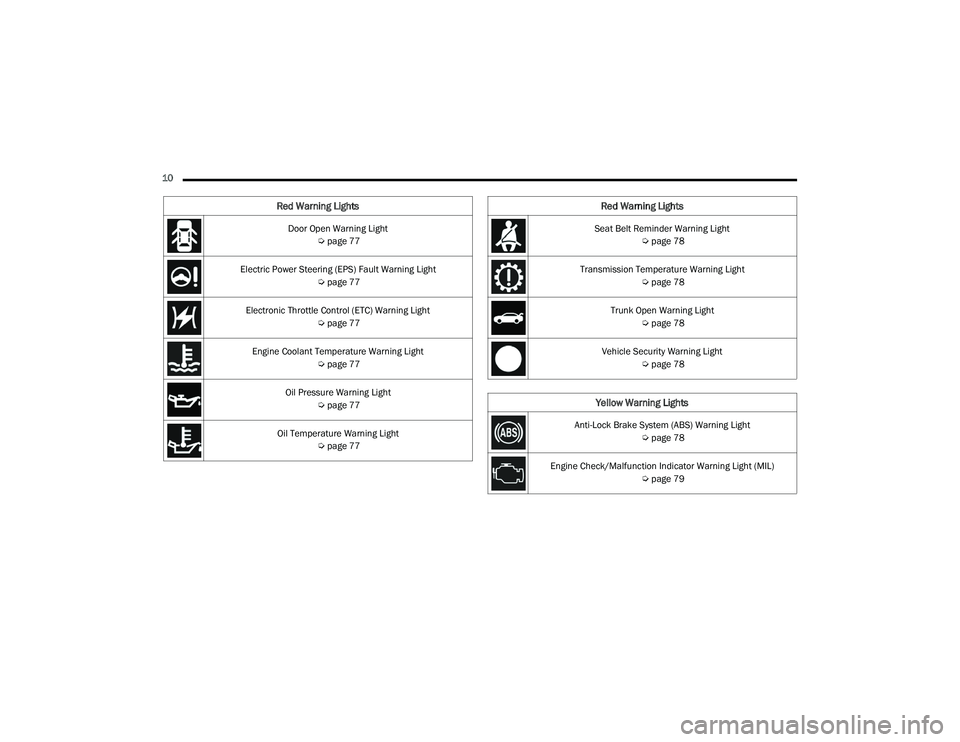
10 Door Open Warning Light Úpage 77
Electric Power Steering (EPS) Fault Warning Light Úpage 77
Electronic Throttle Control (ETC) Warning Light Úpage 77
Engine Coolant Temperature Warning Light Úpage 77
Oil Pressure Warning Light Úpage 77
Oil Temperature Warning Light Úpage 77
Red Warning Lights
Seat Belt Reminder Warning Light
Úpage 78
Transmission Temperature Warning Light Úpage 78
Trunk Open Warning Light Úpage 78
Vehicle Security Warning Light Úpage 78
Yellow Warning Lights
Anti-Lock Brake System (ABS) Warning Light
Úpage 78
Engine Check/Malfunction Indicator Warning Light (MIL) Úpage 79
Red Warning Lights
22_LD_OM_EN_USC_t.book Page 10
Page 42 of 312
40GETTING TO KNOW YOUR VEHICLE
HEATED MIRRORS — IF EQUIPPED
These mirrors are heated to melt frost or
ice. This feature will be activated
whenever you turn on the rear window
defroster (if equipped) Úpage 51.
TILT SIDE MIRRORS IN REVERSE —
I
F EQUIPPED
This feature provides automatic outside mirror
positioning which will assist with the driver’s
ground visibility. The outside mirrors will move
slightly downward from the present position when
the vehicle is shifted into REVERSE. The outside
mirrors will then return to the original position
when the vehicle is shifted out of REVERSE. If the
vehicle is equipped with memory settings, this
feature will be linked to the programmable
settings.
NOTE:The Tilt Side Mirrors In Reverse feature can be
turned on and off using the Uconnect system
Ú page 123.
UNIVERSAL GARAGE DOOR OPENER
(HOMELINK®)
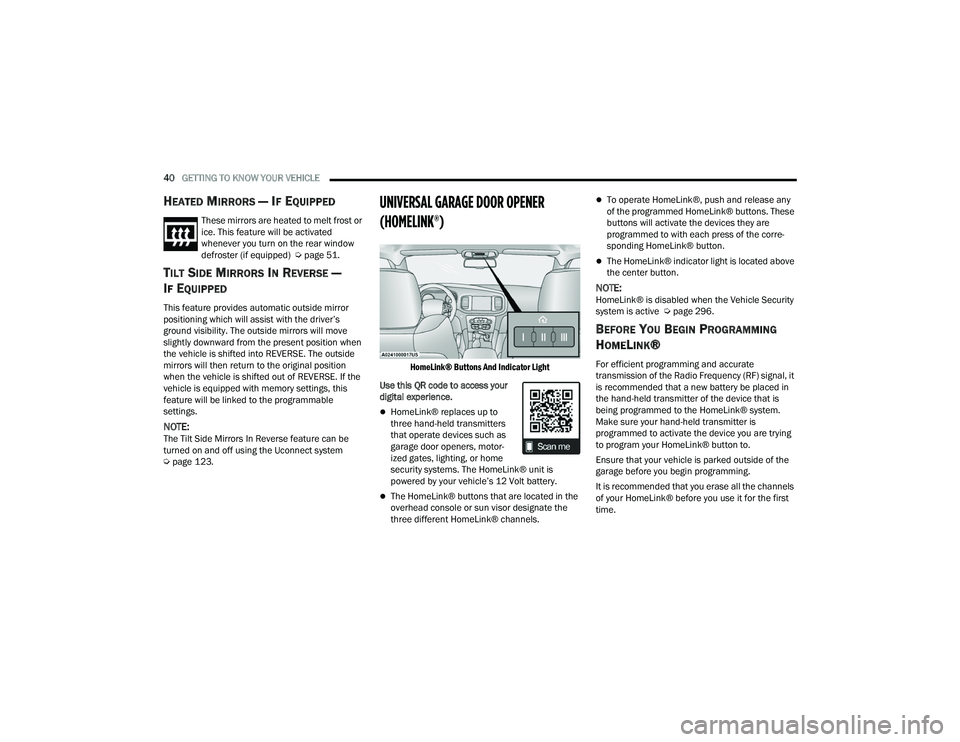
HomeLink® Buttons And Indicator Light
Use this QR code to access your
digital experience.
HomeLink® replaces up to
three hand-held transmitters
that operate devices such as
garage door openers, motor -
ized gates, lighting, or home
security systems. The HomeLink® unit is
powered by your vehicle’s 12 Volt battery.
The HomeLink® buttons that are located in the
overhead console or sun visor designate the
three different HomeLink® channels.
To operate HomeLink®, push and release any
of the programmed HomeLink® buttons. These
buttons will activate the devices they are
programmed to with each press of the corre -
sponding HomeLink® button.
The HomeLink® indicator light is located above
the center button.
NOTE:HomeLink® is disabled when the Vehicle Security
system is active Ú page 296.
BEFORE YOU BEGIN PROGRAMMING
H
OMELINK®
For efficient programming and accurate
transmission of the Radio Frequency (RF) signal, it
is recommended that a new battery be placed in
the hand-held transmitter of the device that is
being programmed to the HomeLink® system.
Make sure your hand-held transmitter is
programmed to activate the device you are trying
to program your HomeLink® button to.
Ensure that your vehicle is parked outside of the
garage before you begin programming.
It is recommended that you erase all the channels
of your HomeLink® before you use it for the first
time.
22_LD_OM_EN_USC_t.book Page 40
Page 44 of 312
42GETTING TO KNOW YOUR VEHICLE
3. Push the programmed HomeLink® button to confirm that the garage door opener motor
operates. If the garage door opener motor
does not operate, repeat the final steps for the
rolling code procedure.
Non-Rolling Code Garage Door Opener Final Steps
1. Push and hold the programmed HomeLink® button and observe the HomeLink® indicator
light. If the HomeLink® indicator light stays
on constantly, programming is complete.
2. Push the programmed HomeLink® button to confirm that the garage door opener motor
operates. If the garage door opener motor
does not operate, repeat the steps from the
beginning.
PROGRAMMING HOMELINK® TO A
M
ISCELLANEOUS DEVICE
The procedure on how to program HomeLink® to a
miscellaneous device follows the same procedure
as programming to a garage door opener
Ú page 41. Be sure to determine if the device has
a rolling code, or non-rolling code before beginning
the programming process.
NOTE:Canadian Radio Frequency (RF) laws require trans -
mitter signals to time-out (or quit) after several
seconds of transmission, which may not be long
enough for HomeLink® to pick up the signal during
programming. Similar to this Canadian law, some
U.S. gate operators are designed to time-out in the
same manner. The procedure may need to be
performed multiple times to successfully pair the
device to your HomeLink® buttons.
REPROGRAMMING A SINGLE
H
OMELINK® BUTTON
To reprogram a single HomeLink® button that has
been previously trained, without erasing all the
channels, refer to the following procedure. Be sure
to determine whether the new device you want to
program the HomeLink® button to has a rolling
code, or non-rolling code.
1. Place the ignition in the ON/RUN position,
without starting the engine.
2. Push and hold the desired HomeLink® button until the HomeLink® indicator light begins to
flash after 20 seconds. Do not release the
button.
3. Without releasing the button , proceed with
Step 2 in “Programming HomeLink® To A
Garage Door Opener” and follow all remaining
steps.
CANADIAN/GATE OPERATOR
P
ROGRAMMING
For programming transmitters in Canada/United
States that require the transmitter signals to
“time-out” after several seconds of transmission:
Canadian Radio Frequency (RF) laws require
transmitter signals to time-out (or quit) after
several seconds of transmission, which may not be
long enough for HomeLink® to pick up the signal
during programming. Similar to this Canadian law,
some U.S. gate operators are designed to time-out
in the same manner.
It may be helpful to unplug the device during the
cycling process to prevent possible overheating of
the garage door or gate motor.
1. Place the ignition in the ON/RUN position.
WARNING!
Your motorized door or gate will open and close
while you are programming the universal trans -
mitter. Do not program the transmitter if people
or pets are in the path of the door or gate.
Do not run your vehicle in a closed garage or
confined area while programming the trans -
mitter. Exhaust gas from your vehicle contains
Carbon Monoxide (CO) which is odorless and
colorless. Carbon Monoxide is poisonous
when inhaled and can cause you and others to
be severely injured or killed.
22_LD_OM_EN_USC_t.book Page 42
Page 52 of 312
50GETTING TO KNOW YOUR VEHICLE
Intermittent Wipers
Use one of the four intermittent wiper settings
when weather conditions permit. At driving speeds
above 10 mph (16 km/h), the delay can be
regulated from a maximum of approximately 36
seconds between cycles (first detent), to a cycle
every one second (fourth detent). If the vehicle is
moving less than 10 mph (16 km/h), delay times
will be doubled.
Windshield Washers
To use the washer, push on the end of the lever
(toward the steering wheel) and hold. If the lever is
pushed while in the intermittent setting, the wipers
will turn on and operate for several cycles after the
end of the lever is released, and then resume the
intermittent interval previously selected.
If the end of the lever is pushed while the wipers
are in the off position, the wipers will operate for
several cycles, then turn off. Mist
Rotate the end of the lever downward to the MIST
position and release for a single wiping cycle.
NOTE:The Mist feature does not activate the washer
pump; therefore, no washer fluid will be sprayed on
the windshield. The wash function must be used in
order to spray the windshield with washer fluid.
For information on wiper care and replacement,
see Ú
page 245.
RAIN SENSING WIPERS — IF EQUIPPED
This feature senses rain or snowfall on the
windshield and automatically activates the wipers.
Rotate the end of the multifunction lever to one of
four detent positions to activate this feature.
The sensitivity of the system can be adjusted with
the multifunction lever. Wiper delay position one is
the least sensitive, and wiper delay detent position
four is the most sensitive. Wiper delay position three should be used for
normal rain conditions.
NOTE:
The Rain Sensing feature will not operate when
the wiper switch is in the low or high-speed posi
-
tion.
The Rain Sensing feature may not function prop -
erly when ice, or dried salt water is present on
the windshield.
Use of Rain-X or products containing wax or sili-
cone may reduce Rain Sensing performance.
The Rain Sensing feature can be turned on and
off using the Uconnect system Ú page 123.
The Rain Sensing system has protection features
for the wiper blades and arms, and will not operate
under the following conditions:
Low Ambient Temperature — When the ignition
is first placed in the ON position, the Rain
Sensing system will not operate until the wiper
switch is moved, vehicle speed is greater than
3 mph (5 km/h), or the outside temperature is
greater than 32°F (0°C).
Transmission In NEUTRAL Position — When the
ignition is ON, and the automatic transmission
is in the NEUTRAL position, the Rain Sensing
system will not operate until the wiper switch is
moved, vehicle speed is greater than 3 mph
(5 km/h), or the gear selector is moved out of
the NEUTRAL position.
CAUTION!
Always remove any buildup of snow that
prevents the windshield wiper blades from
returning to the “park” position. If the windshield
wiper switch is turned off, and the blades cannot
return to the “park” position, damage to the
wiper motor may occur.
WARNING!
Sudden loss of visibility through the windshield
could lead to a collision. You might not see other
vehicles or other obstacles. To avoid sudden
icing of the windshield during freezing weather,
warm the windshield with the defroster before
and during windshield washer use.
22_LD_OM_EN_USC_t.book Page 50
Page 73 of 312
GETTING TO KNOW YOUR INSTRUMENT PANEL71
Within each submenu layer, the up and
down arrow buttons will allow the user to
select the item of interest.
Pushing the OK button makes the selection and
a confirmation screen will appear (returning the
user to the first page of the submenu).
Pushing the left arrow button will exit each
submenu layer and return to the main menu.
ENGINE OIL LIFE RESET
Oil Change Required
Your vehicle is equipped with an engine oil change
indicator system. The “Oil Change Required”
message will display in the instrument cluster
display for five seconds after a single chime has
sounded, to indicate the next scheduled oil change
interval. The engine oil change indicator system is
duty cycle based, which means the engine oil
change interval may fluctuate, dependent upon
your personal driving style.
Unless reset, this message will continue to display
each time you place the ignition in the ON/RUN
position. To turn off the message temporarily, push
and release the OK or arrow buttons. To reset the
oil change indicator system (after performing the
scheduled maintenance), refer to the following
procedure. Vehicles Equipped With Keyless Enter ’n Go™ —
Ignition
Use the steering wheel instrument cluster display
controls for the following procedure(s):
1. Without pressing the brake pedal, push the
ENGINE START/STOP button and place the
ignition in the ON/RUN position (do not start
the engine).
2. Push and release the down arrow button to
scroll downward through the main menu to
“Vehicle Info.”
3. Push and release the right arrow button to
access the ”Oil Life” screen.
4. Push and hold the OK button to reset oil life. If
conditions are met, the gauge and numeric
display will update to show 100%. If conditions
are not met a pop-up message of "To reset oil
life engine must be off with ignition in run” will
be displayed (for five seconds), and the user
will remain at the Oil Life screen.
5. Push and release the up or down arrow
button to exit the submenu screen.
NOTE:If the indicator message illuminates when you start
the vehicle, the oil change indicator system did not
reset. If necessary, repeat this procedure. Secondary Method Of Resetting Engine Oil Life
1. Without pressing the brake pedal, push the
ENGINE START/STOP button and place the
ignition to the ON/RUN position (do not start
the engine).
2. Fully press the accelerator pedal, slowly, three times within ten seconds.
3. Without pushing the brake pedal, push the ENGINE START/STOP button once to return the
ignition to the OFF position.
NOTE:If the indicator message illuminates when you start
the vehicle, the oil change indicator system did not
reset. If necessary, repeat this procedure.
PERFORMANCE SHIFT INDICATOR (PSI) —
I
F EQUIPPED
The PSI is enabled on vehicles with manual
transmission, or when a vehicle with automatic
transmission is in manual shift mode. The PSI
provides the driver with a visual indication within
the instrument cluster display when the driver
configured gear shift point has been reached and
the driver is still accelerating. This indication
notifies the driver to change gear corresponding to
the configured RPMs in the head unit.
3
22_LD_OM_EN_USC_t.book Page 71
Page 79 of 312
GETTING TO KNOW YOUR INSTRUMENT PANEL77
This indicates a possible problem with the
electrical system or a related component.
Door Open Warning Light
This indicator will illuminate when a door
is ajar/open and not fully closed.
NOTE:If the vehicle is moving, there will also be a single
chime.
Electric Power Steering (EPS) Fault
Warning Light
This warning light will turn on when
there's a fault with the EPS system
Ú page 94.
Electronic Throttle Control (ETC) Warning
Light
This warning light will illuminate to
indicate a problem with the ETC system.
If a problem is detected while the vehicle
is running, the light will either stay on or
flash depending on the nature of the problem. Cycle the ignition when the vehicle is safely and
completely stopped and the transmission is placed
in the PARK position. The light should turn off. If
the light remains on with the vehicle running, your
vehicle will usually be drivable; however, see an
authorized dealer for service as soon as possible.
NOTE:This light may turn on if the accelerator and brake
pedals are pressed at the same time.
If the light continues to flash when the vehicle is
running, immediate service is required and you
may experience reduced performance, an
elevated/rough idle, or engine stall and your
vehicle may require towing. The light will come on
when the ignition is placed in the ON/RUN or ACC/
ON/RUN position and remain on briefly as a bulb
check. If the light does not come on during starting,
have the system checked by an authorized dealer.
Engine Coolant Temperature Warning
Light
This warning light warns of an
overheated engine condition. If the
engine coolant temperature is too high,
this indicator will illuminate and a single
chime will sound. If the temperature reaches the
upper limit, a continuous chime will sound for four
minutes or until the engine is able to cool:
whichever comes first. If the light turns on while driving, safely pull over
and stop the vehicle. If the Air Conditioning (A/C)
system is on, turn it off. Also, shift the transmission
into NEUTRAL and idle the vehicle. If the
temperature reading does not return to normal,
turn the engine off immediately and call for service
Ú
page 228.
Oil Pressure Warning Light
This warning light will illuminate to
indicate low engine oil pressure. If the
light turns on while driving, stop the
vehicle, shut off the engine as soon as
possible, and contact an authorized dealer. A
chime will sound when this light turns on.
Do not operate the vehicle until the cause is
corrected. This light does not indicate how much oil
is in the engine. The engine oil level must be
checked under the hood.
Oil Temperature Warning Light
This warning light will illuminate to
indicate the engine oil temperature is
high. If the light turns on while driving,
stop the vehicle and shut off the engine
as soon as possible. Wait for oil temperature to
return to normal levels.
WARNING!
Continued operation with reduced assist could
pose a safety risk to yourself and others. Service
should be obtained as soon as possible.
3
22_LD_OM_EN_USC_t.book Page 77
Page 80 of 312
78GETTING TO KNOW YOUR INSTRUMENT PANEL
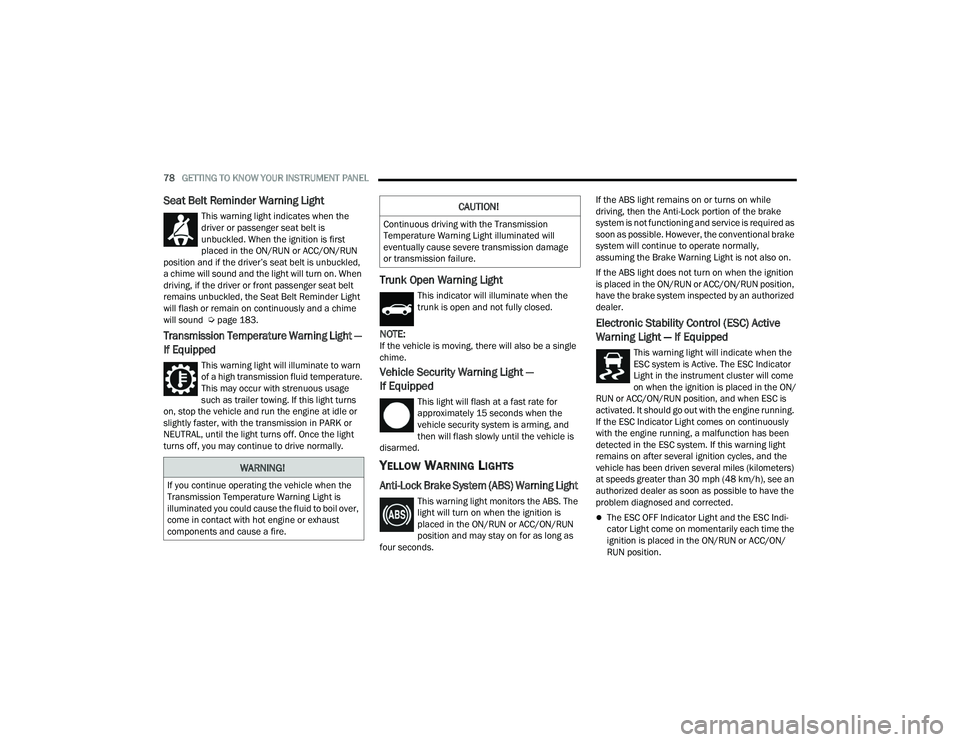
Seat Belt Reminder Warning Light
This warning light indicates when the
driver or passenger seat belt is
unbuckled. When the ignition is first
placed in the ON/RUN or ACC/ON/RUN
position and if the driver’s seat belt is unbuckled,
a chime will sound and the light will turn on. When
driving, if the driver or front passenger seat belt
remains unbuckled, the Seat Belt Reminder Light
will flash or remain on continuously and a chime
will sound Ú page 183.
Transmission Temperature Warning Light —
If Equipped
This warning light will illuminate to warn
of a high transmission fluid temperature.
This may occur with strenuous usage
such as trailer towing. If this light turns
on, stop the vehicle and run the engine at idle or
slightly faster, with the transmission in PARK or
NEUTRAL, until the light turns off. Once the light
turns off, you may continue to drive normally.
Trunk Open Warning Light
This indicator will illuminate when the
trunk is open and not fully closed.
NOTE:If the vehicle is moving, there will also be a single
chime.
Vehicle Security Warning Light —
If Equipped
This light will flash at a fast rate for
approximately 15 seconds when the
vehicle security system is arming, and
then will flash slowly until the vehicle is
disarmed.
YELLOW WARNING LIGHTS
Anti-Lock Brake System (ABS) Warning Light
This warning light monitors the ABS. The
light will turn on when the ignition is
placed in the ON/RUN or ACC/ON/RUN
position and may stay on for as long as
four seconds. If the ABS light remains on or turns on while
driving, then the Anti-Lock portion of the brake
system is not functioning and service is required as
soon as possible. However, the conventional brake
system will continue to operate normally,
assuming the Brake Warning Light is not also on.
If the ABS light does not turn on when the ignition
is placed in the ON/RUN or ACC/ON/RUN position,
have the brake system inspected by an authorized
dealer.
Electronic Stability Control (ESC) Active
Warning Light — If Equipped
This warning light will indicate when the
ESC system is Active. The ESC Indicator
Light in the instrument cluster will come
on when the ignition is placed in the ON/
RUN or ACC/ON/RUN position, and when ESC is
activated. It should go out with the engine running.
If the ESC Indicator Light comes on continuously
with the engine running, a malfunction has been
detected in the ESC system. If this warning light
remains on after several ignition cycles, and the
vehicle has been driven several miles (kilometers)
at speeds greater than 30 mph (48 km/h), see an
authorized dealer as soon as possible to have the
problem diagnosed and corrected.
The ESC OFF Indicator Light and the ESC Indi -
cator Light come on momentarily each time the
ignition is placed in the ON/RUN or ACC/ON/
RUN position.
WARNING!
If you continue operating the vehicle when the
Transmission Temperature Warning Light is
illuminated you could cause the fluid to boil over,
come in contact with hot engine or exhaust
components and cause a fire.
CAUTION!
Continuous driving with the Transmission
Temperature Warning Light illuminated will
eventually cause severe transmission damage
or transmission failure.
22_LD_OM_EN_USC_t.book Page 78
Page 81 of 312
GETTING TO KNOW YOUR INSTRUMENT PANEL79
The ESC system will make buzzing or clicking
sounds when it is active. This is normal; the
sounds will stop when ESC becomes inactive.
This light will come on when the vehicle is in an
ESC event.
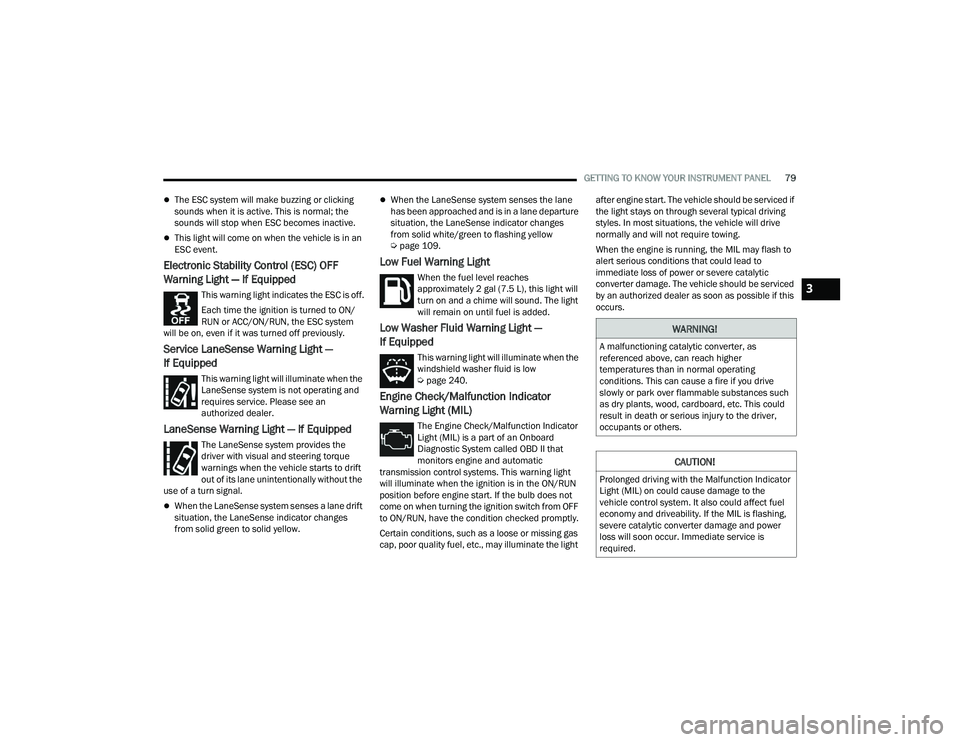
Electronic Stability Control (ESC) OFF
Warning Light — If Equipped
This warning light indicates the ESC is off.
Each time the ignition is turned to ON/
RUN or ACC/ON/RUN, the ESC system
will be on, even if it was turned off previously.
Service LaneSense Warning Light —
If Equipped
This warning light will illuminate when the
LaneSense system is not operating and
requires service. Please see an
authorized dealer.
LaneSense Warning Light — If Equipped
The LaneSense system provides the
driver with visual and steering torque
warnings when the vehicle starts to drift
out of its lane unintentionally without the
use of a turn signal.
When the LaneSense system senses a lane drift
situation, the LaneSense indicator changes
from solid green to solid yellow.
When the LaneSense system senses the lane
has been approached and is in a lane departure
situation, the LaneSense indicator changes
from solid white/green to flashing yellow
Ú page 109.
Low Fuel Warning Light
When the fuel level reaches
approximately 2 gal (7.5 L), this light will
turn on and a chime will sound. The light
will remain on until fuel is added.
Low Washer Fluid Warning Light —
If Equipped
This warning light will illuminate when the
windshield washer fluid is low
Úpage 240.
Engine Check/Malfunction Indicator
Warning Light (MIL)
The Engine Check/Malfunction Indicator
Light (MIL) is a part of an Onboard
Diagnostic System called OBD II that
monitors engine and automatic
transmission control systems. This warning light
will illuminate when the ignition is in the ON/RUN
position before engine start. If the bulb does not
come on when turning the ignition switch from OFF
to ON/RUN, have the condition checked promptly.
Certain conditions, such as a loose or missing gas
cap, poor quality fuel, etc., may illuminate the light after engine start. The vehicle should be serviced if
the light stays on through several typical driving
styles. In most situations, the vehicle will drive
normally and will not require towing.
When the engine is running, the MIL may flash to
alert serious conditions that could lead to
immediate loss of power or severe catalytic
converter damage. The vehicle should be serviced
by an authorized dealer as soon as possible if this
occurs.
WARNING!
A malfunctioning catalytic converter, as
referenced above, can reach higher
temperatures than in normal operating
conditions. This can cause a fire if you drive
slowly or park over flammable substances such
as dry plants, wood, cardboard, etc. This could
result in death or serious injury to the driver,
occupants or others.
CAUTION!
Prolonged driving with the Malfunction Indicator
Light (MIL) on could cause damage to the
vehicle control system. It also could affect fuel
economy and driveability. If the MIL is flashing,
severe catalytic converter damage and power
loss will soon occur. Immediate service is
required.
3
22_LD_OM_EN_USC_t.book Page 79