key DODGE CHARGER 2023 Owner's Manual
[x] Cancel search | Manufacturer: DODGE, Model Year: 2023, Model line: CHARGER, Model: DODGE CHARGER 2023Pages: 292, PDF Size: 13.05 MB
Page 29 of 292
GETTING TO KNOW YOUR VEHICLE27
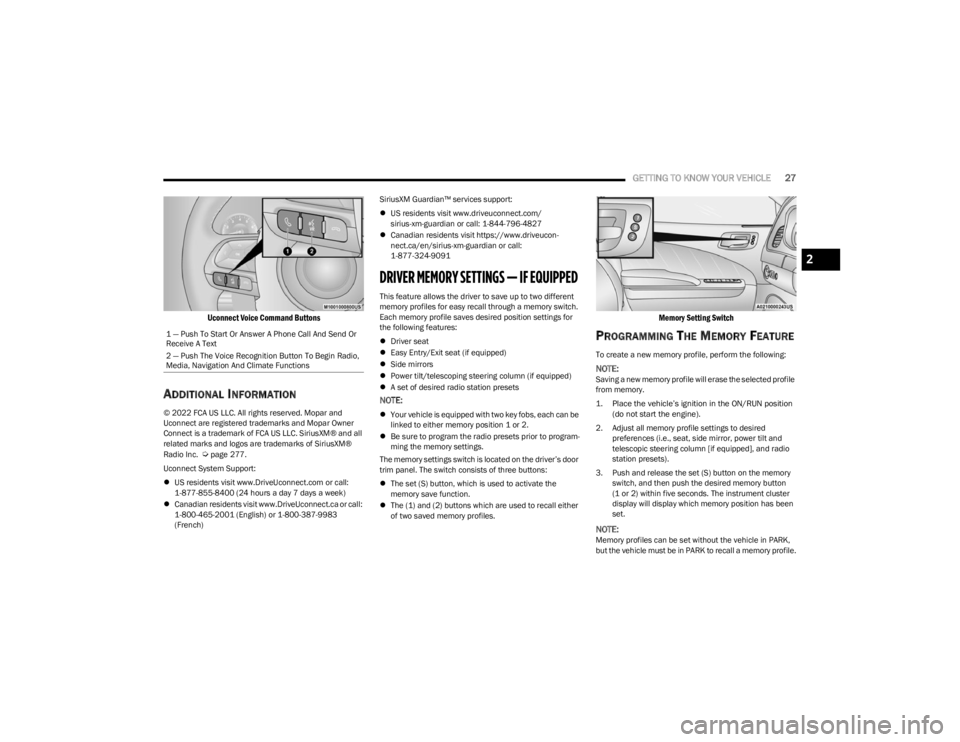
Uconnect Voice Command Buttons
ADDITIONAL INFORMATION
© 2022 FCA US LLC. All rights reserved. Mopar and
Uconnect are registered trademarks and Mopar Owner
Connect is a trademark of FCA US LLC. SiriusXM® and all
related marks and logos are trademarks of SiriusXM®
Radio Inc.
Úpage 277.
Uconnect System Support:
US residents visit www.DriveUconnect.com or call:
1-877-855-8400 (24 hours a day 7 days a week)
Canadian residents visit www.DriveUconnect.ca or call:
1-800-465-2001 (English) or 1-800-387-9983
(French) SiriusXM Guardian™ services support:
US residents visit www.driveuconnect.com/
sirius-xm-guardian or call: 1-844-796-4827
Canadian residents visit https://www.driveucon -
nect.ca/en/sirius-xm-guardian or call:
1-877-324-9091
DRIVER MEMORY SETTINGS — IF EQUIPPED
This feature allows the driver to save up to two different
memory profiles for easy recall through a memory switch.
Each memory profile saves desired position settings for
the following features:
Driver seat
Easy Entry/Exit seat (if equipped)
Side mirrors
Power tilt/telescoping steering column (if equipped)
A set of desired radio station presets
NOTE:
Your vehicle is equipped with two key fobs, each can be
linked to either memory position 1 or 2.
Be sure to program the radio presets prior to program -
ming the memory settings.
The memory settings switch is located on the driver’s door
trim panel. The switch consists of three buttons:
The set (S) button, which is used to activate the
memory save function.
The (1) and (2) buttons which are used to recall either
of two saved memory profiles.
Memory Setting Switch
PROGRAMMING THE MEMORY FEATURE
To create a new memory profile, perform the following:
NOTE:Saving a new memory profile will erase the selected profile
from memory.
1. Place the vehicle’s ignition in the ON/RUN position
(do not start the engine).
2. Adjust all memory profile settings to desired preferences (i.e., seat, side mirror, power tilt and
telescopic steering column [if equipped], and radio
station presets).
3. Push and release the set (S) button on the memory switch, and then push the desired memory button
(1 or 2) within five seconds. The instrument cluster
display will display which memory position has been
set.
NOTE:Memory profiles can be set without the vehicle in PARK,
but the vehicle must be in PARK to recall a memory profile.
1 — Push To Start Or Answer A Phone Call And Send Or
Receive A Text
2 — Push The Voice Recognition Button To Begin Radio,
Media, Navigation And Climate Functions
2
23_LD_OM_EN_USC_t.book Page 27
Page 30 of 292

28GETTING TO KNOW YOUR VEHICLE
(Continued)
LINKING AND UNLINKING THE KEY FOB
T
O MEMORY
Your key fobs can be programmed to recall one of two
saved memory profiles.
NOTE:Before programming your key fobs you must select the
“Memory Linked To Fob” feature through the Uconnect
system
Úpage 112.
To program your key fobs, perform the following:
1. Place the vehicle’s ignition in the OFF position.
2. Select a desired memory profile, 1 or 2.
3. Once the profile has been recalled, push and release the set (S) button on the memory switch.
4. Within five seconds, push and release button (1) or (2) accordingly. “Memory Profile Set” (1 or 2) will
display in the instrument cluster.
5. Push and release the lock button on the key fob within 10 seconds.
NOTE:Your key fob can be unlinked from your memory settings
by pushing the set (S) button, followed by pushing the
unlock button on the key fob within 10 seconds.
MEMORY POSITION RECALL
NOTE:If a recall is attempted when the vehicle is not in PARK, a
message will be displayed in the instrument cluster
display.
To recall the memory settings for driver one or two, push
the desired memory button number (1 or 2) or the unlock
button on the key fob linked to the desired memory
position.
A recall can be canceled by pushing any of the memory
buttons (S, 1, or 2) during a recall. When a recall is
canceled, the driver seat will stop moving. A delay of one
second will occur before another recall can be selected.
NOTE:If the vehicle is equipped with Passive Entry, the memory
settings are recalled when using Passive Entry to unlock
the driver's door with a linked key fob.
SEATS
Seats are a part of the Occupant Restraint system of the
vehicle.
MANUAL ADJUSTMENT
(F
RONT SEATS) — IF EQUIPPED
WARNING!
It is dangerous to ride in a cargo area, inside or
outside of a vehicle. In a collision, people riding in
these areas are more likely to be seriously injured or
killed.
Do not allow people to ride in any area of your vehicle
that is not equipped with seats and seat belts. In a
collision, people riding in these areas are more likely
to be seriously injured or killed.
Be sure everyone in your vehicle is in a seat and
using a seat belt properly.
WARNING!
Adjusting a seat while the vehicle is moving is
dangerous. The sudden movement of the seat could
cause you to lose control. The seat belt might not be
adjusted properly and you could be injured. Adjust
the seat only while the vehicle is parked.
Do not ride with the seatback reclined so that the
shoulder belt is no longer resting against your chest.
In a collision you could slide under the seat belt and
be seriously or even fatally injured. Use the recliner
only when the vehicle is parked.
WARNING!
23_LD_OM_EN_USC_t.book Page 28
Page 38 of 292
36GETTING TO KNOW YOUR VEHICLE
DRIVER'S OUTSIDE AUTOMATIC
D
IMMING MIRROR — IF EQUIPPED
The driver’s outside mirror will automatically adjust for
glare from vehicles behind you. This feature is controlled
by the inside automatic dimming mirror and will
automatically adjust for headlight glare when the inside
mirror adjusts.
OUTSIDE MIRRORS APPROACH LIGHT —
I
F EQUIPPED
Driver and passenger outside mirrors equipped with
approach lighting contain one LED, which is located in the
upper outboard mirror glass corner. The approach light
supplies illuminated entry lighting, which turns on in both
mirrors when you use the remote keyless entry key fob or
open any door. This LED shines outward to illuminate the
front and rear door handles. It also shines downward to
illuminate the area in front of the doors.
POWER MIRRORS
The power mirror switch is located on the driver's side door
trim panel.
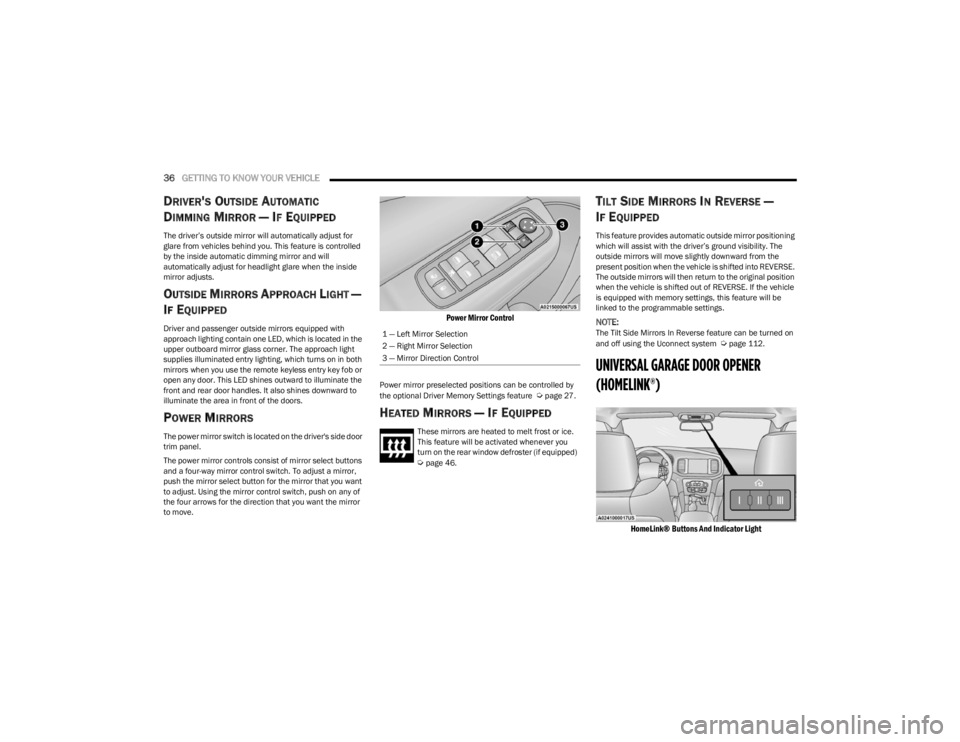
The power mirror controls consist of mirror select buttons
and a four-way mirror control switch. To adjust a mirror,
push the mirror select button for the mirror that you want
to adjust. Using the mirror control switch, push on any of
the four arrows for the direction that you want the mirror
to move.
Power Mirror Control
Power mirror preselected positions can be controlled by
the optional Driver Memory Settings feature Úpage 27.
HEATED MIRRORS — IF EQUIPPED
These mirrors are heated to melt frost or ice.
This feature will be activated whenever you
turn on the rear window defroster (if equipped)
Úpage 46.
TILT SIDE MIRRORS IN REVERSE —
I
F EQUIPPED
This feature provides automatic outside mirror positioning
which will assist with the driver’s ground visibility. The
outside mirrors will move slightly downward from the
present position when the vehicle is shifted into REVERSE.
The outside mirrors will then return to the original position
when the vehicle is shifted out of REVERSE. If the vehicle
is equipped with memory settings, this feature will be
linked to the programmable settings.
NOTE:The Tilt Side Mirrors In Reverse feature can be turned on
and off using the Uconnect system Úpage 112.
UNIVERSAL GARAGE DOOR OPENER
(HOMELINK®)
HomeLink® Buttons And Indicator Light
1 — Left Mirror Selection
2 — Right Mirror Selection
3 — Mirror Direction Control
23_LD_OM_EN_USC_t.book Page 36
Page 41 of 292

GETTING TO KNOW YOUR VEHICLE39
CANADIAN/GATE OPERATOR
P
ROGRAMMING
For programming transmitters in Canada/United States
that require the transmitter signals to “time-out” after
several seconds of transmission:
Canadian Radio Frequency (RF) laws require transmitter
signals to time-out (or quit) after several seconds of
transmission, which may not be long enough for
HomeLink® to pick up the signal during programming.
Similar to this Canadian law, some U.S. gate operators are
designed to time-out in the same manner.
It may be helpful to unplug the device during the cycling
process to prevent possible overheating of the garage
door or gate motor.
1. Place the ignition in the ON/RUN position.
NOTE:For vehicles equipped with Keyless Enter ‘n Go™, place
the ignition in the RUN position. Make sure while
programming HomeLink® with the engine on that your
vehicle is outside of your garage, or that the garage door
remains open at all times.
2. Place the hand-held transmitter 1 to 3 inches
(3 to 8 cm) away from the HomeLink® button you
wish to program while keeping the HomeLink®
indicator light in view. 3. Continue to push and hold the HomeLink® button
while you push and release (cycle) your hand-held
transmitter every two seconds until HomeLink® has
successfully accepted the frequency signal. The
indicator light will flash slowly and then rapidly when
fully trained.
4. Watch for the HomeLink® indicator to change flash rates. When it changes, it is programmed. It may take
up to 30 seconds or longer in rare cases. The garage
door may open and close while you are programming.
5. Push and hold the programmed HomeLink® button and observe the indicator light.
NOTE:
If the indicator light stays on constantly, program -
ming is complete and the garage door/device
should activate when the HomeLink® button is
pushed.
To program the two remaining HomeLink®
buttons, repeat each step for each remaining
button. DO NOT erase the channels.
If you unplugged the garage door opener/device for
programming, plug it back in at this time. Reprogramming A Single HomeLink® Button
(Canadian/Gate Operator)
To reprogram a channel that has been previously trained,
follow these steps:
1. Place the ignition in the ON/RUN position.
2. Press and hold the desired HomeLink® button until
the indicator light begins to flash after 20 seconds.
Do not release the button.
3. Without releasing the button, proceed with “Canadian/Gate Operator Programming” Step 2 and
follow all remaining steps.
SECURITY
It is advised to erase all channels before you sell or turn in
your vehicle.
To do this, push and hold the two outside buttons for
20 seconds until the indicator flashes. Note that all
channels will be erased. Individual channels cannot be
erased.
The HomeLink® universal transmitter is disabled when
the Vehicle Security system is active.
2
23_LD_OM_EN_USC_t.book Page 39
Page 45 of 292
GETTING TO KNOW YOUR VEHICLE43
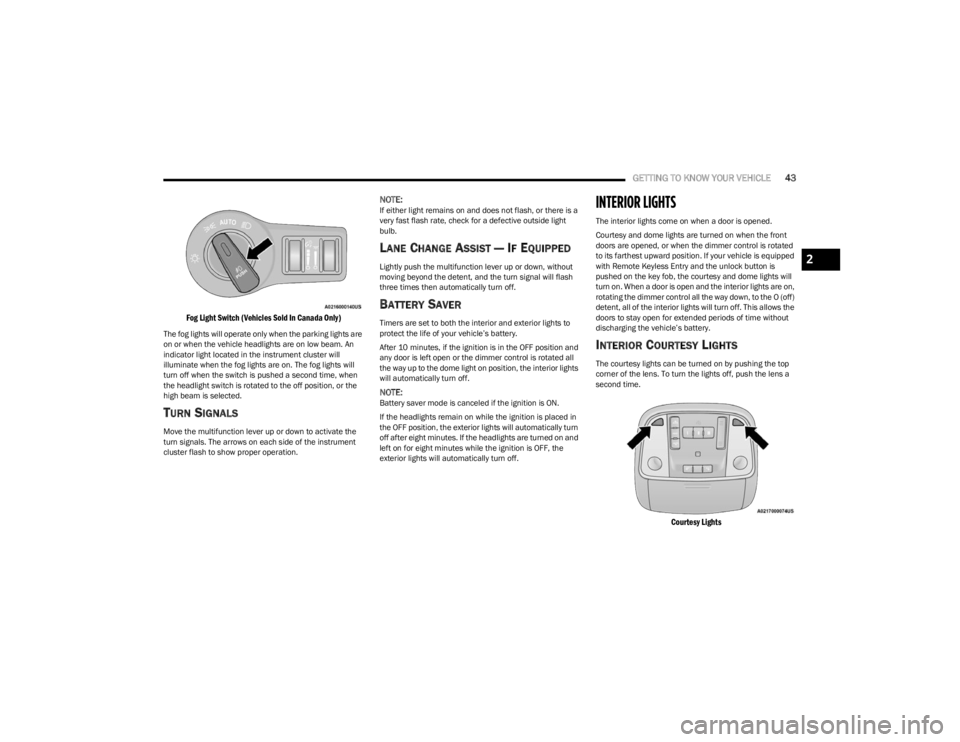
Fog Light Switch (Vehicles Sold In Canada Only)
The fog lights will operate only when the parking lights are
on or when the vehicle headlights are on low beam. An
indicator light located in the instrument cluster will
illuminate when the fog lights are on. The fog lights will
turn off when the switch is pushed a second time, when
the headlight switch is rotated to the off position, or the
high beam is selected.
TURN SIGNALS
Move the multifunction lever up or down to activate the
turn signals. The arrows on each side of the instrument
cluster flash to show proper operation.
NOTE:If either light remains on and does not flash, or there is a
very fast flash rate, check for a defective outside light
bulb.
LANE CHANGE ASSIST — IF EQUIPPED
Lightly push the multifunction lever up or down, without
moving beyond the detent, and the turn signal will flash
three times then automatically turn off.
BATTERY SAVER
Timers are set to both the interior and exterior lights to
protect the life of your vehicle’s battery.
After 10 minutes, if the ignition is in the OFF position and
any door is left open or the dimmer control is rotated all
the way up to the dome light on position, the interior lights
will automatically turn off.
NOTE:Battery saver mode is canceled if the ignition is ON.
If the headlights remain on while the ignition is placed in
the OFF position, the exterior lights will automatically turn
off after eight minutes. If the headlights are turned on and
left on for eight minutes while the ignition is OFF, the
exterior lights will automatically turn off.
INTERIOR LIGHTS
The interior lights come on when a door is opened.
Courtesy and dome lights are turned on when the front
doors are opened, or when the dimmer control is rotated
to its farthest upward position. If your vehicle is equipped
with Remote Keyless Entry and the unlock button is
pushed on the key fob, the courtesy and dome lights will
turn on. When a door is open and the interior lights are on,
rotating the dimmer control all the way down, to the O (off)
detent, all of the interior lights will turn off. This allows the
doors to stay open for extended periods of time without
discharging the vehicle’s battery.
INTERIOR COURTESY LIGHTS
The courtesy lights can be turned on by pushing the top
corner of the lens. To turn the lights off, push the lens a
second time.
Courtesy Lights
2
23_LD_OM_EN_USC_t.book Page 43
Page 46 of 292
44GETTING TO KNOW YOUR VEHICLE
Front Map/Reading Lights
The front map/reading lights are mounted in the overhead
console.
Front Map/Reading Lights
Each light can be turned on by pushing a switch on either
side of the console. These buttons are backlit for
nighttime visibility. To turn the lights off, push the switch a
second time. The lights will also turn on when the unlock
button on the key fob is pushed.
Front Map/Reading Light Switches
Ambient Light — If Equipped
The overhead console is equipped with an ambient light
feature. This light illuminates for improved visibility of the
floor and center console area.
Ambient Light
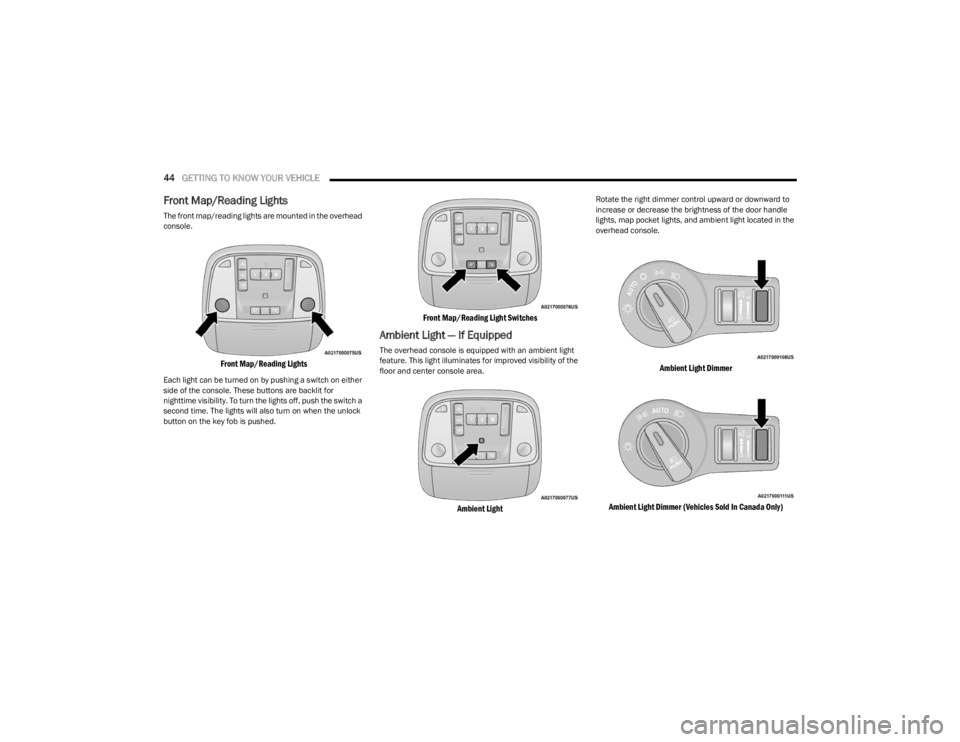
Rotate the right dimmer control upward or downward to
increase or decrease the brightness of the door handle
lights, map pocket lights, and ambient light located in the
overhead console.
Ambient Light Dimmer
Ambient Light Dimmer (Vehicles Sold In Canada Only)
23_LD_OM_EN_USC_t.book Page 44
Page 57 of 292
GETTING TO KNOW YOUR VEHICLE55
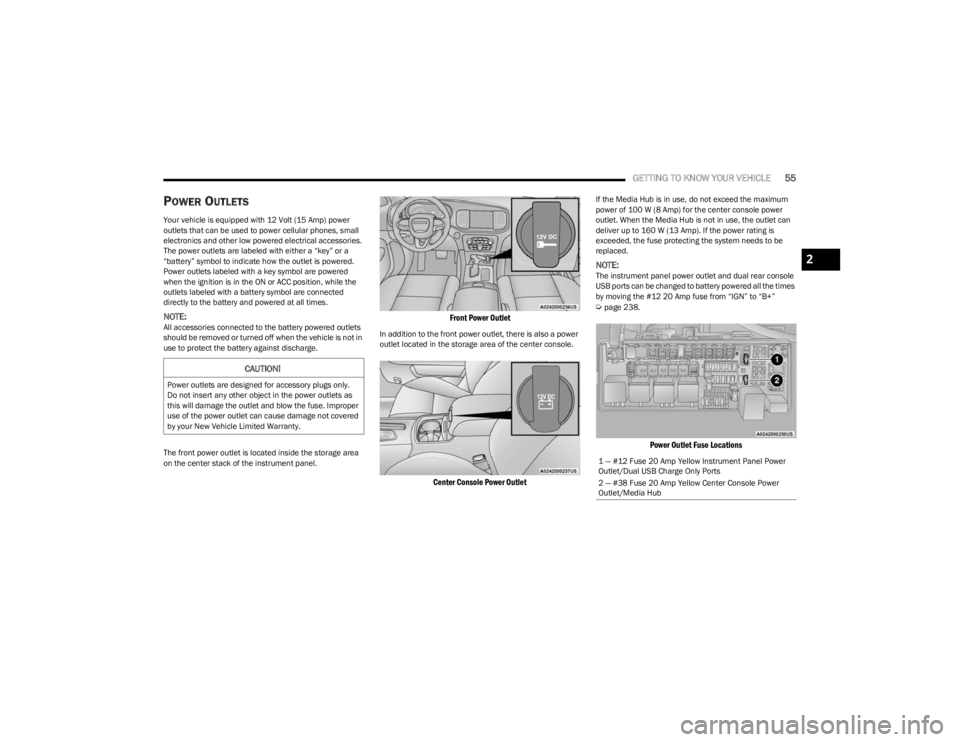
POWER OUTLETS
Your vehicle is equipped with 12 Volt (15 Amp) power
outlets that can be used to power cellular phones, small
electronics and other low powered electrical accessories.
The power outlets are labeled with either a “key” or a
“battery” symbol to indicate how the outlet is powered.
Power outlets labeled with a key symbol are powered
when the ignition is in the ON or ACC position, while the
outlets labeled with a battery symbol are connected
directly to the battery and powered at all times.
NOTE:All accessories connected to the battery powered outlets
should be removed or turned off when the vehicle is not in
use to protect the battery against discharge.
The front power outlet is located inside the storage area
on the center stack of the instrument panel.
Front Power Outlet
In addition to the front power outlet, there is also a power
outlet located in the storage area of the center console.
Center Console Power Outlet
If the Media Hub is in use, do not exceed the maximum
power of 100 W (8 Amp) for the center console power
outlet. When the Media Hub is not in use, the outlet can
deliver up to 160 W (13 Amp). If the power rating is
exceeded, the fuse protecting the system needs to be
replaced.
NOTE:The instrument panel power outlet and dual rear console
USB ports can be changed to battery powered all the times
by moving the #12 20 Amp fuse from “IGN” to “B+”
Úpage 238.
Power Outlet Fuse Locations
CAUTION!
Power outlets are designed for accessory plugs only.
Do not insert any other object in the power outlets as
this will damage the outlet and blow the fuse. Improper
use of the power outlet can cause damage not covered
by your New Vehicle Limited Warranty.
1 — #12 Fuse 20 Amp Yellow Instrument Panel Power
Outlet/Dual USB Charge Only Ports
2 — #38 Fuse 20 Amp Yellow Center Console Power
Outlet/Media Hub
2
23_LD_OM_EN_USC_t.book Page 55
Page 58 of 292
56GETTING TO KNOW YOUR VEHICLE
(Continued)
WINDOWS
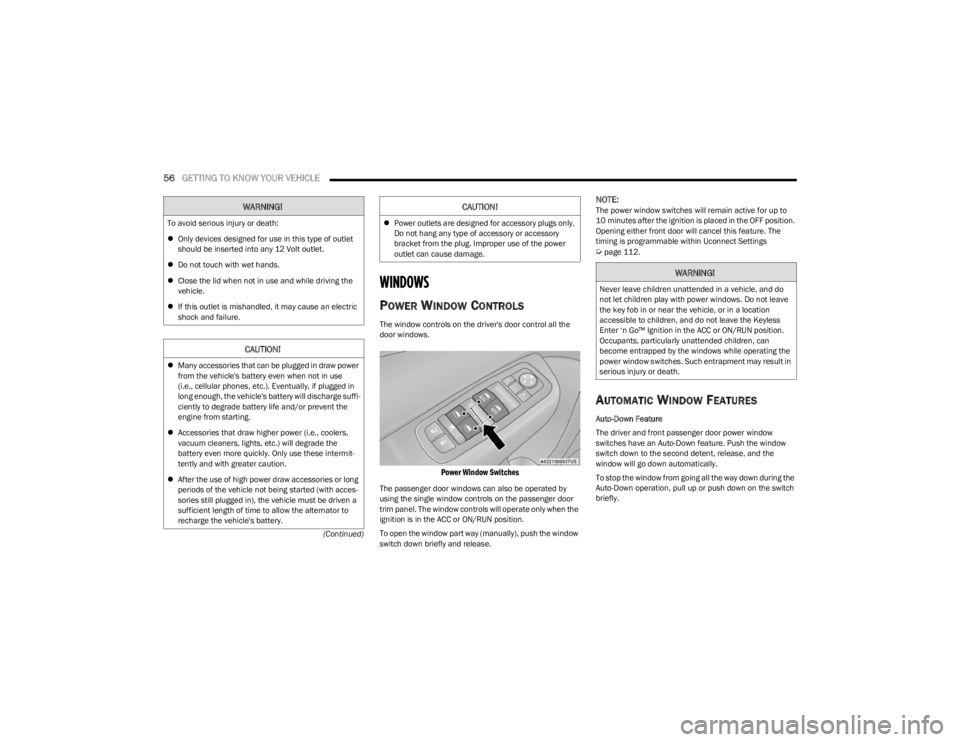
POWER WINDOW CONTROLS
The window controls on the driver's door control all the
door windows.
Power Window Switches
The passenger door windows can also be operated by
using the single window controls on the passenger door
trim panel. The window controls will operate only when the
ignition is in the ACC or ON/RUN position.
To open the window part way (manually), push the window
switch down briefly and release.
NOTE:The power window switches will remain active for up to
10 minutes after the ignition is placed in the OFF position.
Opening either front door will cancel this feature. The
timing is programmable within Uconnect Settings
Úpage 112.
AUTOMATIC WINDOW FEATURES
Auto-Down Feature
The driver and front passenger door power window
switches have an Auto-Down feature. Push the window
switch down to the second detent, release, and the
window will go down automatically.
To stop the window from going all the way down during the
Auto-Down operation, pull up or push down on the switch
briefly.
WARNING!
To avoid serious injury or death:
Only devices designed for use in this type of outlet
should be inserted into any 12 Volt outlet.
Do not touch with wet hands.
Close the lid when not in use and while driving the
vehicle.
If this outlet is mishandled, it may cause an electric
shock and failure.
CAUTION!
Many accessories that can be plugged in draw power
from the vehicle's battery even when not in use
(i.e., cellular phones, etc.). Eventually, if plugged in
long enough, the vehicle's battery will discharge suffi -
ciently to degrade battery life and/or prevent the
engine from starting.
Accessories that draw higher power (i.e., coolers,
vacuum cleaners, lights, etc.) will degrade the
battery even more quickly. Only use these intermit -
tently and with greater caution.
After the use of high power draw accessories or long
periods of the vehicle not being started (with acces -
sories still plugged in), the vehicle must be driven a
sufficient length of time to allow the alternator to
recharge the vehicle's battery.
Power outlets are designed for accessory plugs only.
Do not hang any type of accessory or accessory
bracket from the plug. Improper use of the power
outlet can cause damage.
CAUTION!
WARNING!
Never leave children unattended in a vehicle, and do
not let children play with power windows. Do not leave
the key fob in or near the vehicle, or in a location
accessible to children, and do not leave the Keyless
Enter ‘n Go™ Ignition in the ACC or ON/RUN position.
Occupants, particularly unattended children, can
become entrapped by the windows while operating the
power window switches. Such entrapment may result in
serious injury or death.
23_LD_OM_EN_USC_t.book Page 56
Page 60 of 292

58GETTING TO KNOW YOUR VEHICLE
OPENING AND CLOSING THE SUNROOF
Express Open/Close
Push the switch rearward and release it within one second
and the sunroof will open automatically from any position.
The sunroof will open fully and stop automatically. Push the switch forward and release it within one second
and the sunroof will close automatically from any position.
The sunroof will close fully and stop automatically.
During Express Open or Express Close operation, any
other movement of the sunroof switch will stop the
sunroof.
Manual Open/Close
To open the sunroof, push and hold the switch rearward to
full open.
To close the sunroof, push and hold the switch in the
forward position.
Any release of the switch during open or close operation
will stop the sunroof movement. The sunroof will remain in
a partially opened position until the switch is operated and
held again.
Venting The Sunroof
Push and release the Vent switch within one second, and
the sunroof will express open to the vent position. Push
and hold the Vent switch for more than one second for
manual opening of the sunroof vent.
PINCH PROTECT FEATURE
This feature will detect an obstruction in the closing of the
sunroof during the Express Close operation. If an
obstruction in the path of the sunroof is detected, the
sunroof will automatically retract. Remove the obstruction
if this occurs.
NOTE:If three consecutive sunroof close attempts result in Pinch
Protect reversals, Pinch Protect will disable and the
sunroof must be closed in Manual mode.
SUNSHADE OPERATION
The sunshade can be opened manually. However, the
sunshade will open automatically as the sunroof opens.
NOTE:The sunshade cannot be closed if the sunroof is open.
SUNROOF MAINTENANCE
Use only a non-abrasive cleaner and a soft cloth to clean
the glass panel. Periodically check for and clear out any
debris that may have collected in the tracks.
IGNITION OFF OPERATION
The power sunroof switch can remain active in Accessory
Delay for up to approximately 10 minutes after the
vehicle’s ignition is placed to the OFF position. Opening
either front door will cancel this feature.
This feature is programmable using the Uconnect system
Úpage 112.
WARNING!
Never leave children unattended in a vehicle, or with
access to an unlocked vehicle. Never leave the key
fob in or near the vehicle, or in a location accessible
to children. Do not leave the Keyless Enter ‘n Go™
Ignition in the ACC or ON/RUN position. Occupants,
particularly unattended children, can become
entrapped by the power sunroof while operating the
power sunroof switch. Such entrapment may result
in serious injury or death.
In a collision, there is a greater risk of being thrown
from a vehicle with an open sunroof. You could also
be seriously injured or killed. Always fasten your seat
belt properly and make sure all passengers are also
properly secured.
Do not allow small children to operate the sunroof.
Never allow your fingers, other body parts, or any
object, to project through the sunroof opening. Injury
may result.
23_LD_OM_EN_USC_t.book Page 58
Page 61 of 292
GETTING TO KNOW YOUR VEHICLE59
HOOD
OPENING THE HOOD
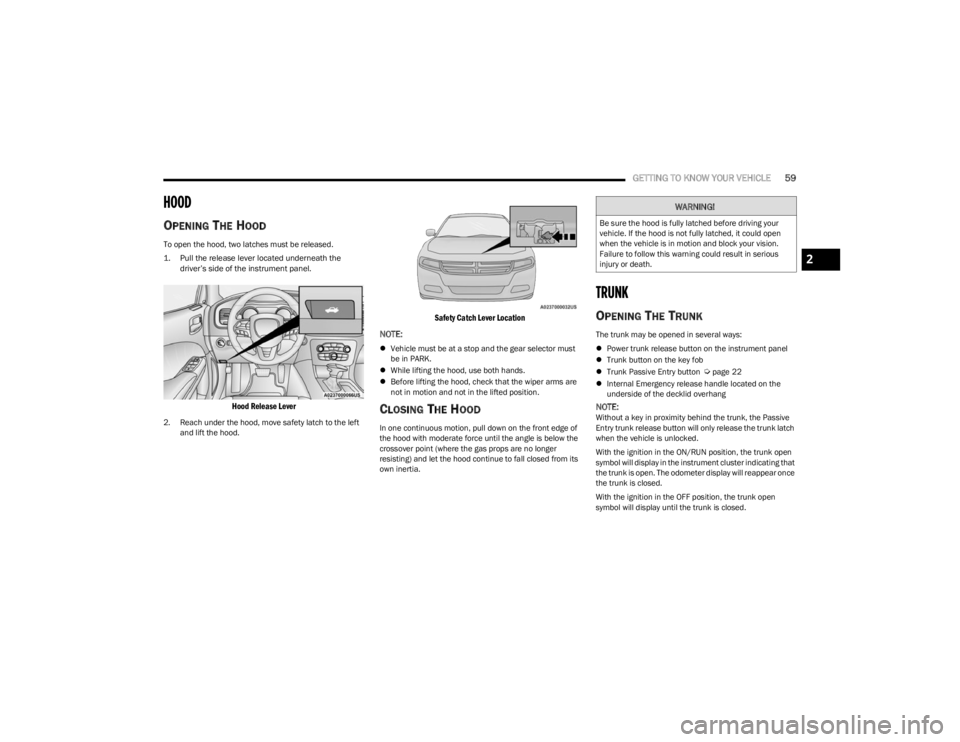
To open the hood, two latches must be released.
1. Pull the release lever located underneath the
driver’s side of the instrument panel.
Hood Release Lever
2. Reach under the hood, move safety latch to the left and lift the hood.
Safety Catch Lever Location
NOTE:
Vehicle must be at a stop and the gear selector must
be in PARK.
While lifting the hood, use both hands.
Before lifting the hood, check that the wiper arms are
not in motion and not in the lifted position.
CLOSING THE HOOD
In one continuous motion, pull down on the front edge of
the hood with moderate force until the angle is below the
crossover point (where the gas props are no longer
resisting) and let the hood continue to fall closed from its
own inertia.
TRUNK
OPENING THE TRUNK
The trunk may be opened in several ways:
Power trunk release button on the instrument panel
Trunk button on the key fob
Trunk Passive Entry button
Úpage 22
Internal Emergency release handle located on the
underside of the decklid overhang
NOTE:Without a key in proximity behind the trunk, the Passive
Entry trunk release button will only release the trunk latch
when the vehicle is unlocked.
With the ignition in the ON/RUN position, the trunk open
symbol will display in the instrument cluster indicating that
the trunk is open. The odometer display will reappear once
the trunk is closed.
With the ignition in the OFF position, the trunk open
symbol will display until the trunk is closed.
WARNING!
Be sure the hood is fully latched before driving your
vehicle. If the hood is not fully latched, it could open
when the vehicle is in motion and block your vision.
Failure to follow this warning could result in serious
injury or death.
2
23_LD_OM_EN_USC_t.book Page 59