seats DODGE CHARGER SRT 2007 6.G User Guide
[x] Cancel search | Manufacturer: DODGE, Model Year: 2007, Model line: CHARGER SRT, Model: DODGE CHARGER SRT 2007 6.GPages: 350, PDF Size: 5.51 MB
Page 59 of 350

UNDERSTANDING THE FEATURES OF YOUR VEHICLE
CONTENTS
mMirrors..............................62
NInside Day/Night Mirror.................62
NAutomatic Dimming Inside Mirror Ð If
Equipped............................62
NOutside Mirrors.......................63
NExterior Mirrors Folding Feature Ð If
Equipped............................63
NDriver's Side Outside Mirror Auto Dimmer Ð If
Equipped............................63
NPower Remote-Control Mirrors.............64
NHeated Remote Control Mirrors Ð If Equipped .64
NIlluminated Vanity Mirrors Ð If Equipped....64mHands±Free Communication (UConnectŸ) Ð
If Equipped
...........................65
NOperations...........................66
NPhone Call Features....................71
NUConnectŸ System Features..............73
NAdvanced Phone Connectivity.............77
NThings You Should Know About Your
UConnectŸ System.....................78
mSeats................................84
NPower Seats..........................84
NPower Reclining Seats...................85
NLumbar Support.......................86
3
Page 60 of 350

NHead Restraints.......................86
NHeated Seats.........................86
NFolding Rear Seat......................88
mTo Open And Close The Hood.............89
mLights...............................90
NHeadlight Switch......................90
NAutomatic Headlights Ð If Equipped........90
NHeadlights On With Wipers (Available With Auto
Headlights Only)......................91
NHeadlight Time Delay...................91
NDaytime Running Lights (Canada Only)......92
NLights-On Reminder....................92
NFog Lights...........................92
NMulti-Function Lever....................93
NOverhead Console Map/Reading Lights......94
NInterior Lights........................94
mWindshield Wipers And Washers...........95
NIntermittent Wiper System................96
NMist Feature..........................96
NWindshield Washers....................96
NHeadlights On With Wipers (Available With Auto
Headlights Only)......................97
NAdding Washer Fluid...................97
mTilt/Telescoping Steering Column...........98
mAdjustable Pedals Ð If Equipped...........99
mElectronic Speed Control.................100
NElectronic Speed Control Operation........100
NTo Activate..........................101
NTo Set At A Desired Speed...............101
NTo Deactivate........................101
NTo Resume Speed.....................101
NTo Vary The Speed Setting...............102
60 UNDERSTANDING THE FEATURES OF YOUR VEHICLE
Page 84 of 350

North American English
Primary Alternate(s)
Zero Oh
Add location Add new
All All of them
Confirmation prompts Confirmations prompts
Delete a name Delete
Language Select language
List names List all
List paired phones List phones
Pager Beeper
Phone pairing Pairing
Phonebook Phone book
Return to main menu Return. Main menu
Select phone select
Set up Phone settings phone set
upSEATS
Power Seats
The power seat switch is on the outboard side of the seat
near the floor. Use this switch to move the driver's seat
up or down, forward or rearward, or to tilt the seat. The
passenger's seat will move up or down, forward or
rearward.
Power Seat Switch
84 UNDERSTANDING THE FEATURES OF YOUR VEHICLE
Page 85 of 350
WARNING!
Adjusting a seat while the vehicle is moving is
dangerous. The sudden movement of the seat could
cause you to lose control. The seat belt might not be
properly adjusted and you could be injured. Adjust
the seat only while the vehicle is parked.
CAUTION!
Do not place any article under a power seat as it may
cause damage to the seat controls.
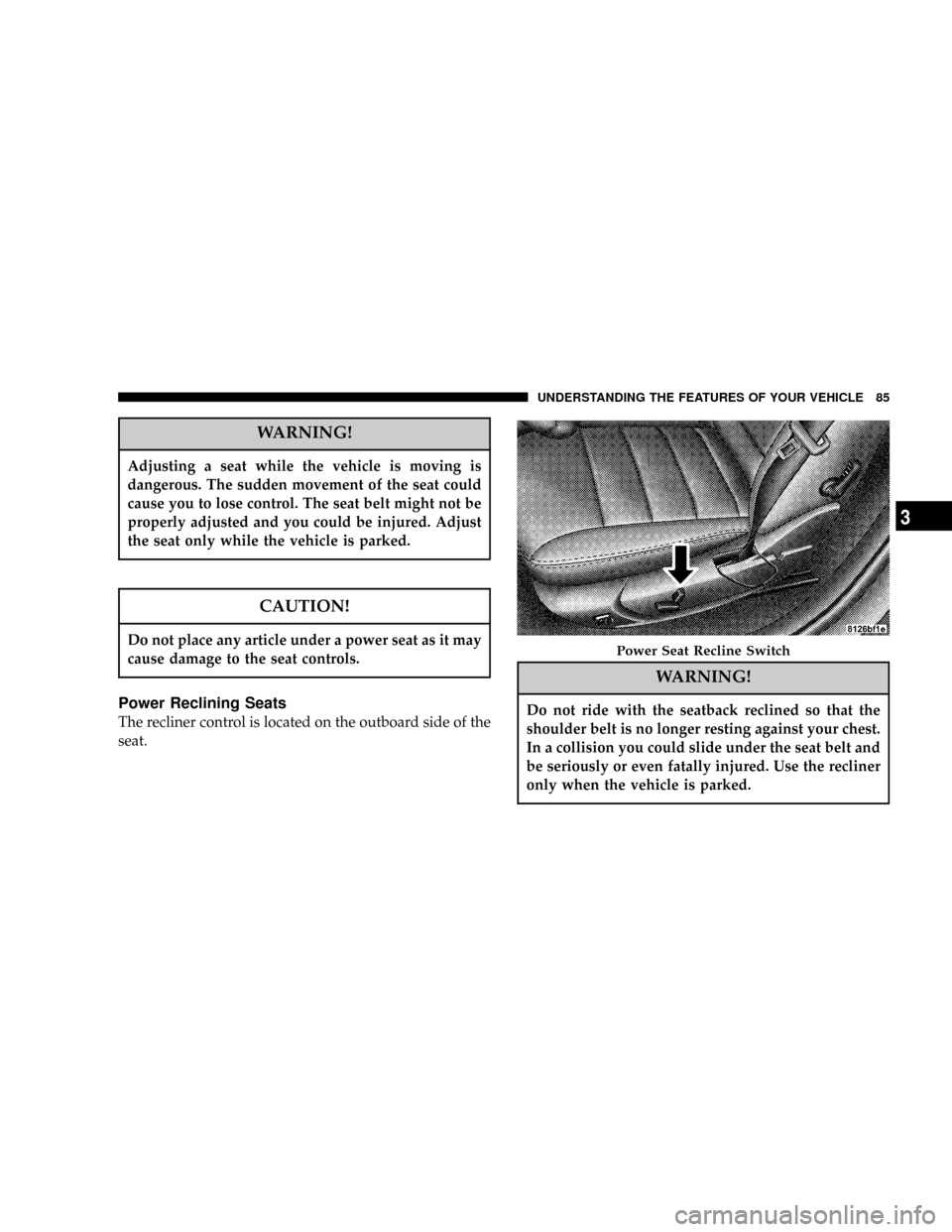
Power Reclining Seats
The recliner control is located on the outboard side of the
seat.
WARNING!
Do not ride with the seatback reclined so that the
shoulder belt is no longer resting against your chest.
In a collision you could slide under the seat belt and
be seriously or even fatally injured. Use the recliner
only when the vehicle is parked.
Power Seat Recline Switch
UNDERSTANDING THE FEATURES OF YOUR VEHICLE 85
3
Page 86 of 350

Lumbar Support
This feature allows you to increase or decrease the
amount of lumbar support. Turn the control lever for-
ward to increase and rearward to decrease the desired
amount of lumbar support.
Head Restraints
Head restraints can reduce the risk of whiplash injury in
the event of impact from the rear. Adjustable restraints
should be adjusted so that the upper edge is as high as
practical.The head restraints have a locking button, which must be
pushed in to lower the head restraint. The restraints may
be raised without pushing in the button.
Heated Seats
Heated seats provide comfort and warmth on cold days
and can help soothe sore muscles and backs. The heaters
provide the same heat level for both cushion and back.
The driver seat and front passenger seat are heated.
The controls for each heater are located near the bottom
center of the instrument panel. After turning on theLumbar Support Control Lever
Adjustable Head Restraint
86 UNDERSTANDING THE FEATURES OF YOUR VEHICLE
Page 88 of 350
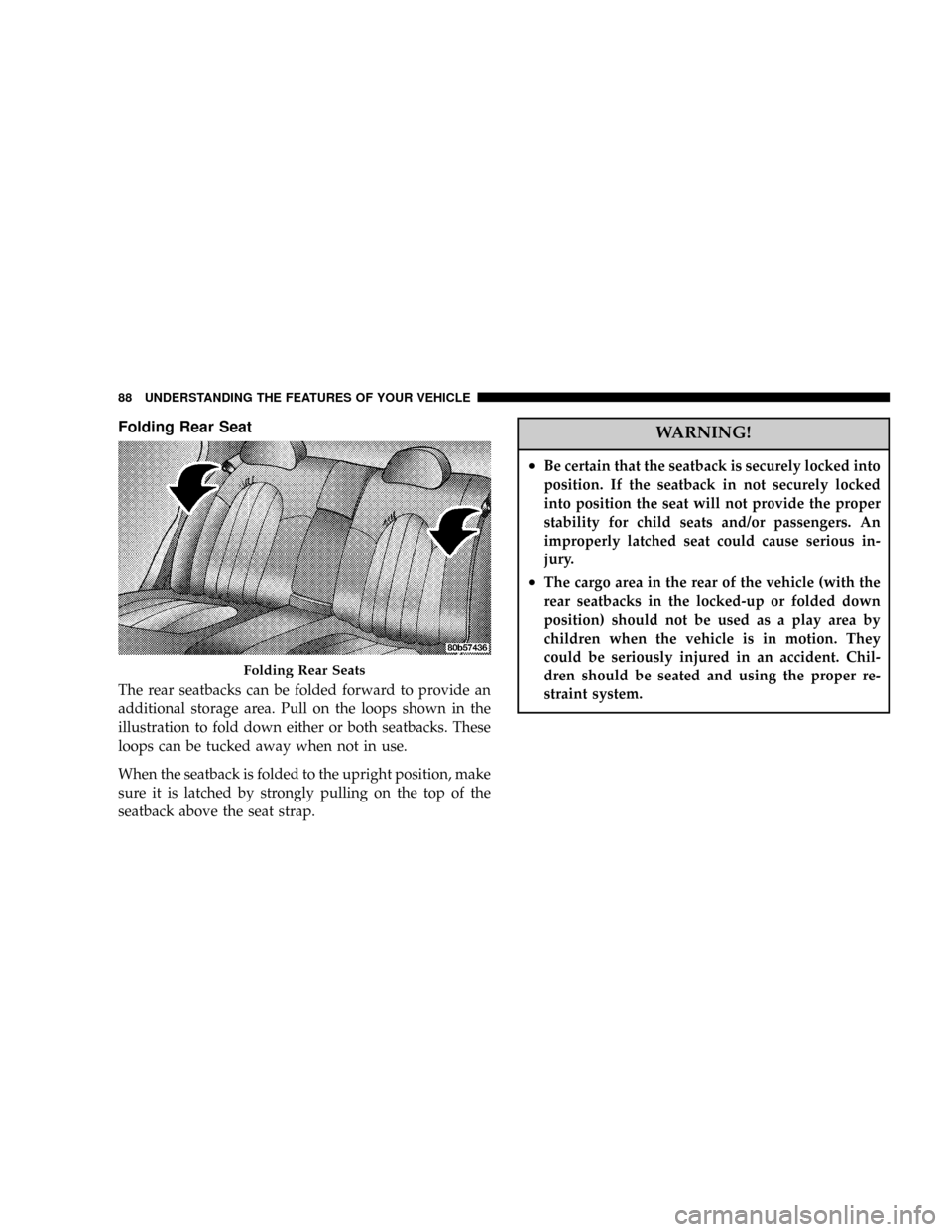
Folding Rear Seat
The rear seatbacks can be folded forward to provide an
additional storage area. Pull on the loops shown in the
illustration to fold down either or both seatbacks. These
loops can be tucked away when not in use.
When the seatback is folded to the upright position, make
sure it is latched by strongly pulling on the top of the
seatback above the seat strap.
WARNING!
²Be certain that the seatback is securely locked into
position. If the seatback in not securely locked
into position the seat will not provide the proper
stability for child seats and/or passengers. An
improperly latched seat could cause serious in-
jury.
²The cargo area in the rear of the vehicle (with the
rear seatbacks in the locked-up or folded down
position) should not be used as a play area by
children when the vehicle is in motion. They
could be seriously injured in an accident. Chil-
dren should be seated and using the proper re-
straint system.
Folding Rear Seats
88 UNDERSTANDING THE FEATURES OF YOUR VEHICLE
Page 115 of 350

Rear Seat Cup Holders
The rear seat cup holders are located in the center armrest
between the rear seats. The cup holders are positioned
forward in the armrest and side-by-side to provide
convenient access to beverage cans or bottles while
maintaining a resting place for the rear occupants' el-
bows.
STORAGE
Console Features
The center console contains a large storage bin. The
storage bin contains a four-slot coin holder (designed to
hold various size coins) and a rubber mat at the bottom of
the bin for noise control. The bin is large enough to hold
a portable AC/DC converter to power laptops, games, or
other electrical equipment. Two slots at the top right side
of the bin provide clearance for power cords to pass
conveniently out of the bin with the lid closed. This
feature is ideal for games, laptops, cell phones, or other
electrical equipment. The console's front-opening lid
allows for easy access to the storage bin for the both the
driver and the front passenger. The inside portion of the
arm rest lid contains a penholder, a tissue holder, and a
tire gauge holder.
In addition to the internal storage, the console contains
two shift bezel cubby bins with rubber mats for holding
small items. For vehicles not equipped with navigation
radio, the console also contains an extra storage bin
located below the climate control, which holds up to four
CD jewel cases.
Rear Seat Cup Holders
UNDERSTANDING THE FEATURES OF YOUR VEHICLE 115
3
Page 116 of 350
Cargo Area
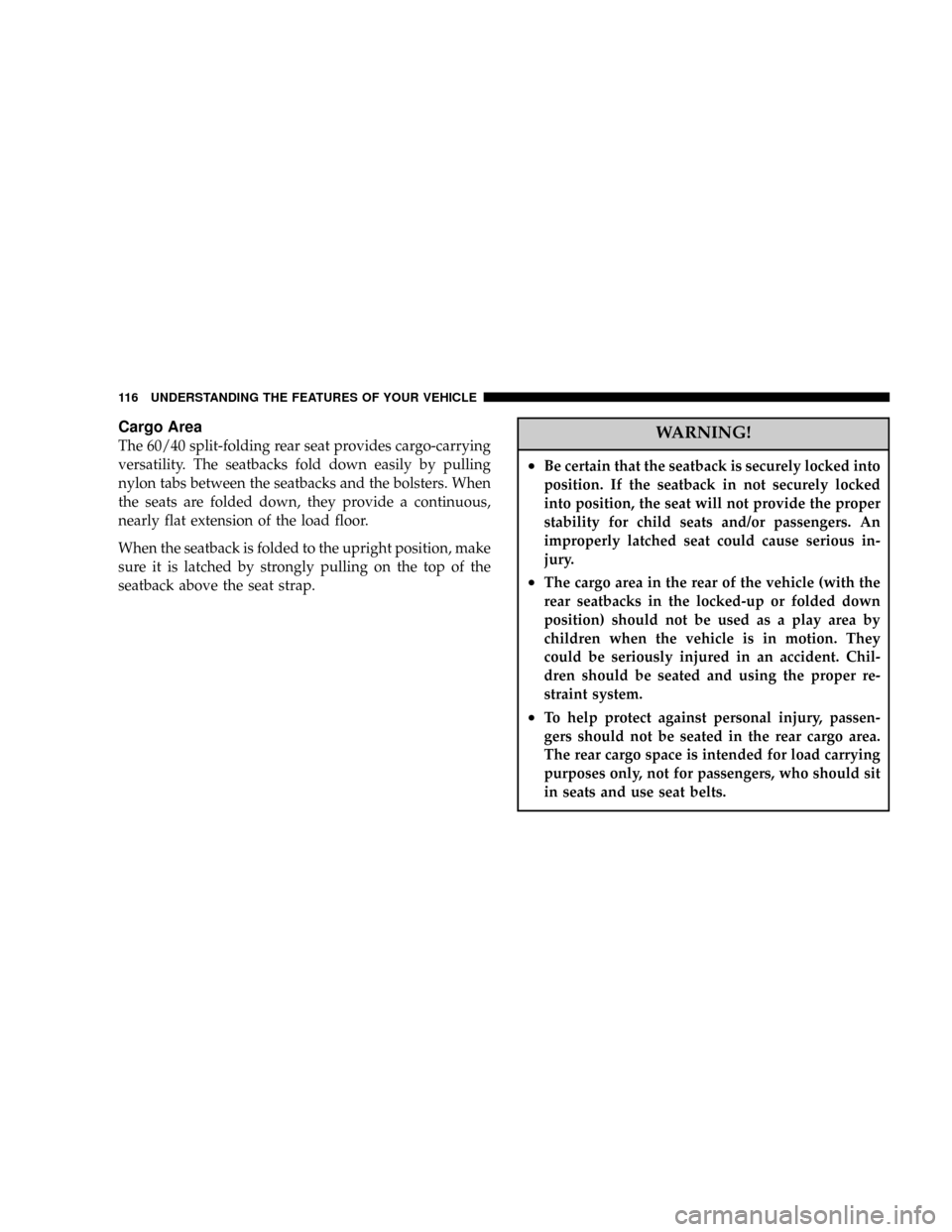
The 60/40 split-folding rear seat provides cargo-carrying
versatility. The seatbacks fold down easily by pulling
nylon tabs between the seatbacks and the bolsters. When
the seats are folded down, they provide a continuous,
nearly flat extension of the load floor.
When the seatback is folded to the upright position, make
sure it is latched by strongly pulling on the top of the
seatback above the seat strap.WARNING!
²Be certain that the seatback is securely locked into
position. If the seatback in not securely locked
into position, the seat will not provide the proper
stability for child seats and/or passengers. An
improperly latched seat could cause serious in-
jury.
²The cargo area in the rear of the vehicle (with the
rear seatbacks in the locked-up or folded down
position) should not be used as a play area by
children when the vehicle is in motion. They
could be seriously injured in an accident. Chil-
dren should be seated and using the proper re-
straint system.
²To help protect against personal injury, passen-
gers should not be seated in the rear cargo area.
The rear cargo space is intended for load carrying
purposes only, not for passengers, who should sit
in seats and use seat belts.
116 UNDERSTANDING THE FEATURES OF YOUR VEHICLE
Page 176 of 350

NOTE:To improve fuel economy, leave in defrost only
when necessary.
²Defrost/Floor
Air flows through the front and rear floor
outlets and the outlets at the base of the
windshield. Air is also directed to the front
door windows through the side window demister
grilles.
²
Floor
Air flows through the floor outlets located
under the instrument panel and into the rear
seating area through vents under the front seats.
²
Bi-Level
Air flows through the outlets located in the
instrument panel and through the outlets lo-
cated on the floor. Air flows through the registers in
the back of the center console to the rear seat
passengers. These registers can be closed to par-
tially block airflow.²
Panel
Air flows through the outlets located in the
instrument panel. Air flows through the regis-
ters in the back of the center console to the rear seat
passengers. These registers can be closed to block
airflow.
²
Recirculation Control
The mode control knob also controls the
recirculation feature. You can choose Bi-
Level Recirculation air outlets, Panel Re-
circulation air outlets, or a mix or both
while in this mode. Normally, air enters from out-
side the vehicle. However, when in Recirculation
mode air inside the vehicle is re-used. Use this
mode to cool the inside of the vehicle rapidly. The
Recirculation mode can also be used to temporarily
block out outside odors, smoke, and dust.
Air Conditioning Control
Press this button to turn on and turn off the air
conditioning. When the air conditioning is turned
on, cool dehumidified air will flow through the
outlets selected with the mode control. Press this button
176 UNDERSTANDING YOUR INSTRUMENT PANEL
Page 181 of 350

The operator can override the AUTO mode setting to
change airflow distribution by rotating the Mode Control
knob (on the right) to one of the following positions.
²Defrost
Air is directed to the windshield through the
outlets at the base of the windshield. Air is
also directed to the front door windows through the
side window demister grilles.
²
Defrost/Floor
Air flows through the front and rear floor
outlets and the outlets at the base of the
windshield. Air is also directed to the front
door windows through the side window demister
grilles.
²
Floor
Air flows through the floor outlets located
under the instrument panel and into the rear
seating area through vents under the front seats.²
Bi-Level
Air flows through the outlets located in the
instrument panel and through the outlets lo-
cated on the floor. Air flows through the registers in
the back of the center console to the rear seat
passengers. These registers can be closed to block
airflow.
²
Panel
Air flows through the outlets located in the
instrument panel. Air flows through the regis-
ters in the back of the center console to the rear seat
passengers. These registers can be closed to block
airflow.
²
Air Conditioning Control
Press this button to turn on the air condition-
ing during manual operation only. When the
air conditioning is turned on, cool dehumidi-
fied air will flow through the outlets selected with
the Mode control dial. Press this button a second
time to turn off the air conditioning. An LED in the
button illuminates when manual compressor opera-
tion is selected.
UNDERSTANDING YOUR INSTRUMENT PANEL 181
4