light DODGE CHARGER SRT 2013 7.G Manual Online
[x] Cancel search | Manufacturer: DODGE, Model Year: 2013, Model line: CHARGER SRT, Model: DODGE CHARGER SRT 2013 7.GPages: 599, PDF Size: 4.21 MB
Page 328 of 599
•Adaptive Cruise Control (ACC) SET
This light will turn on when the ACC is SET.
For further information, refer to “Adaptive
Cruise Control (ACC)” in “Understanding The
Features Of Your Vehicle.”
EVIC Amber Telltale Lights
This area will show reconfigurable amber caution tell-
tales. These telltales include:
•Forward Collision Warning (FCW) OFF
This light warns the driver of a potential colli-
sion with the vehicle in front and prompts the
driver to take action in order to avoid the
collision. For further information, refer to
“Adaptive Cruise Control (ACC)” in “Understanding
The Features Of Your Vehicle.” •
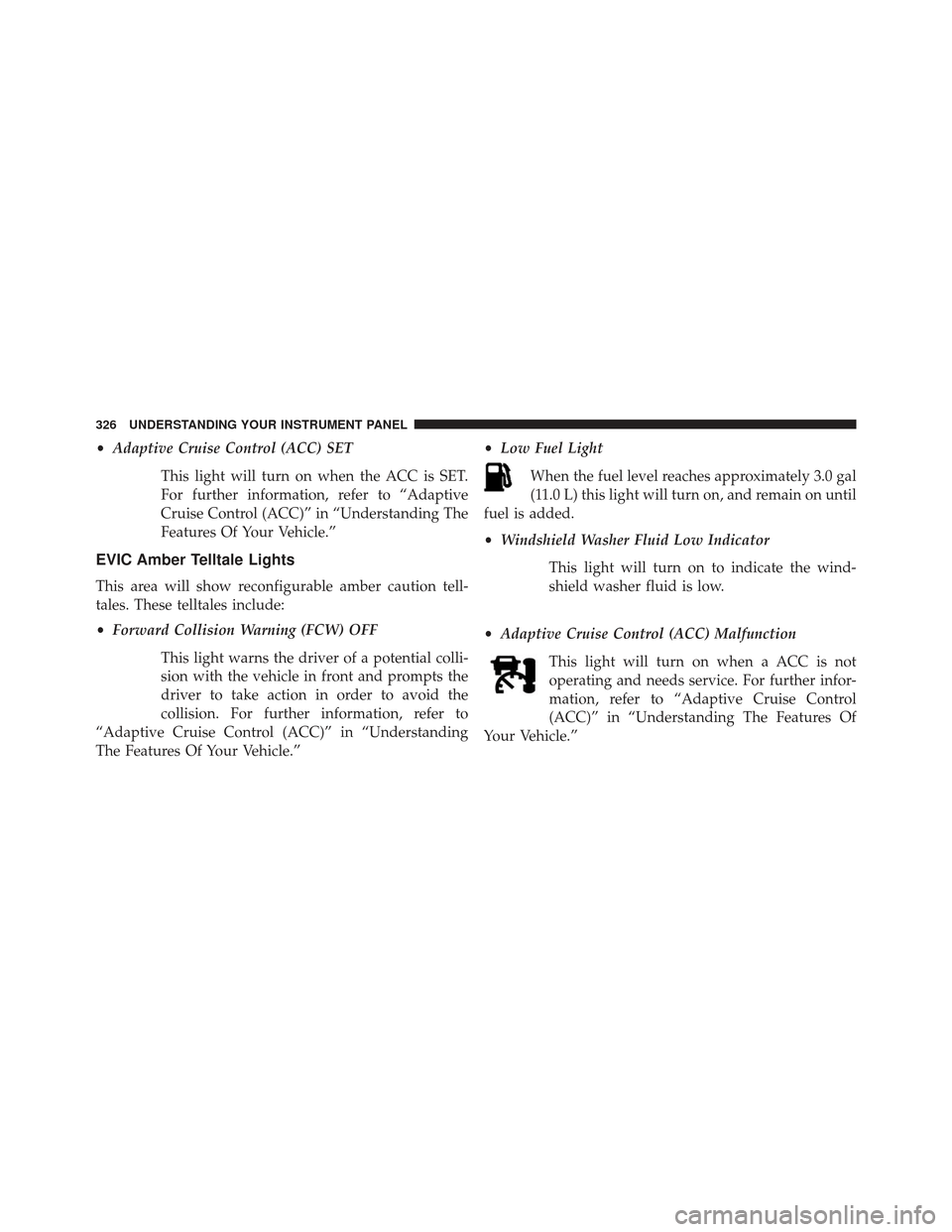
Low Fuel Light
When the fuel level reaches approximately 3.0 gal
(11.0 L) this light will turn on, and remain on until
fuel is added.
• Windshield Washer Fluid Low Indicator
This light will turn on to indicate the wind-
shield washer fluid is low.
• Adaptive Cruise Control (ACC) Malfunction
This light will turn on when a ACC is not
operating and needs service. For further infor-
mation, refer to “Adaptive Cruise Control
(ACC)” in “Understanding The Features Of
Your Vehicle.”
326 UNDERSTANDING YOUR INSTRUMENT PANEL
Page 329 of 599
EVIC Red Telltale Lights
This area will show reconfigurable red telltales. These
telltales include:
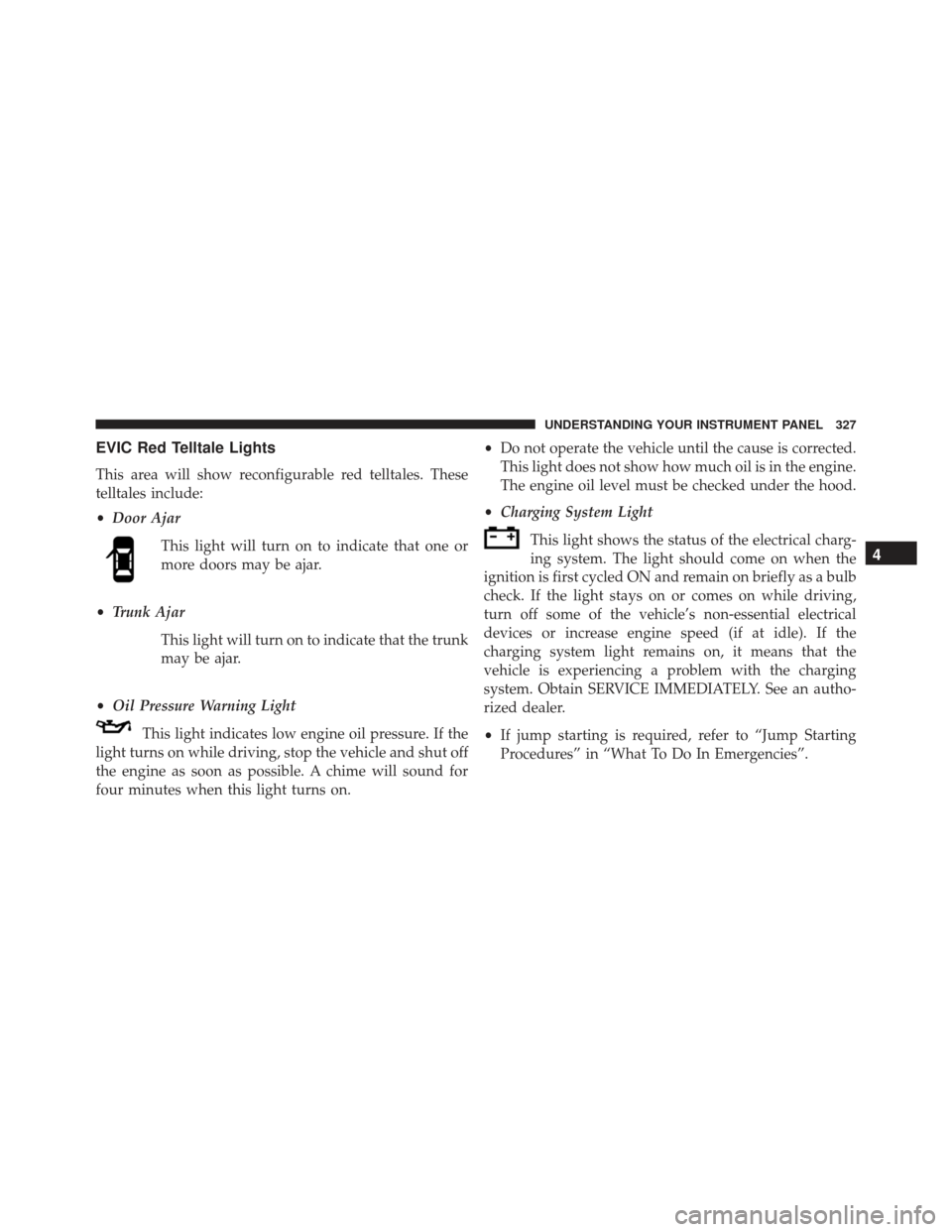
•Door Ajar
This light will turn on to indicate that one or
more doors may be ajar.
• Trunk Ajar
This light will turn on to indicate that the trunk
may be ajar.
• Oil Pressure Warning Light
This light indicates low engine oil pressure. If the
light turns on while driving, stop the vehicle and shut off
the engine as soon as possible. A chime will sound for
four minutes when this light turns on. •
Do not operate the vehicle until the cause is corrected.
This light does not show how much oil is in the engine.
The engine oil level must be checked under the hood.
• Charging System Light
This light shows the status of the electrical charg-
ing system. The light should come on when the
ignition is first cycled ON and remain on briefly as a bulb
check. If the light stays on or comes on while driving,
turn off some of the vehicle’s non-essential electrical
devices or increase engine speed (if at idle). If the
charging system light remains on, it means that the
vehicle is experiencing a problem with the charging
system. Obtain SERVICE IMMEDIATELY. See an autho-
rized dealer.
• If jump starting is required, refer to “Jump Starting
Procedures” in “What To Do In Emergencies”.
4
UNDERSTANDING YOUR INSTRUMENT PANEL 327
Page 330 of 599
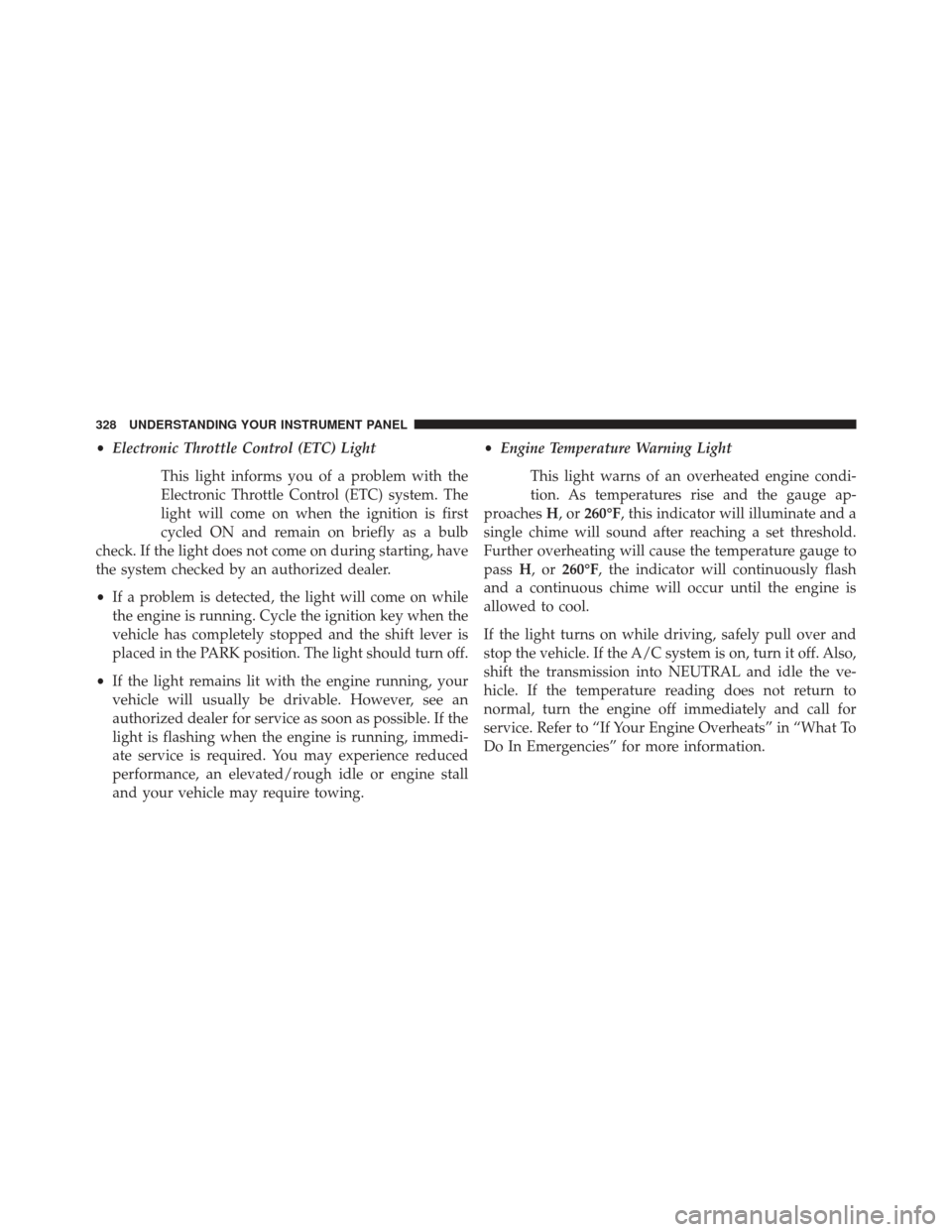
•Electronic Throttle Control (ETC) Light
This light informs you of a problem with the
Electronic Throttle Control (ETC) system. The
light will come on when the ignition is first
cycled ON and remain on briefly as a bulb
check. If the light does not come on during starting, have
the system checked by an authorized dealer.
• If a problem is detected, the light will come on while
the engine is running. Cycle the ignition key when the
vehicle has completely stopped and the shift lever is
placed in the PARK position. The light should turn off.
• If the light remains lit with the engine running, your
vehicle will usually be drivable. However, see an
authorized dealer for service as soon as possible. If the
light is flashing when the engine is running, immedi-
ate service is required. You may experience reduced
performance, an elevated/rough idle or engine stall
and your vehicle may require towing. •
Engine Temperature Warning Light
This light warns of an overheated engine condi-
tion. As temperatures rise and the gauge ap-
proaches H,or260°F, this indicator will illuminate and a
single chime will sound after reaching a set threshold.
Further overheating will cause the temperature gauge to
pass H,or260°F, the indicator will continuously flash
and a continuous chime will occur until the engine is
allowed to cool.
If the light turns on while driving, safely pull over and
stop the vehicle. If the A/C system is on, turn it off. Also,
shift the transmission into NEUTRAL and idle the ve-
hicle. If the temperature reading does not return to
normal, turn the engine off immediately and call for
service. Refer to “If Your Engine Overheats” in “What To
Do In Emergencies” for more information.
328 UNDERSTANDING YOUR INSTRUMENT PANEL
Page 331 of 599
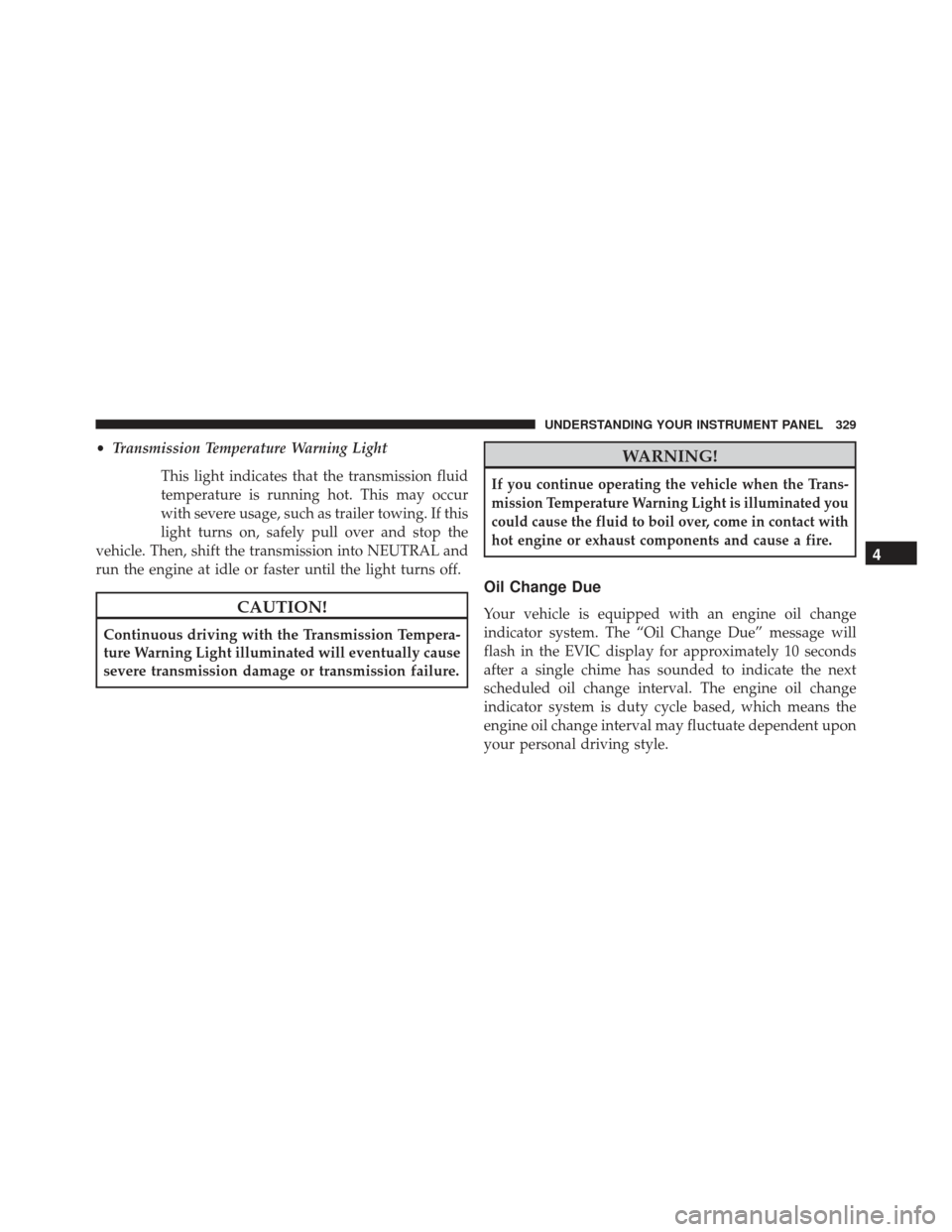
•Transmission Temperature Warning Light
This light indicates that the transmission fluid
temperature is running hot. This may occur
with severe usage, such as trailer towing. If this
light turns on, safely pull over and stop the
vehicle. Then, shift the transmission into NEUTRAL and
run the engine at idle or faster until the light turns off.
CAUTION!
Continuous driving with the Transmission Tempera-
ture Warning Light illuminated will eventually cause
severe transmission damage or transmission failure.
WARNING!
If you continue operating the vehicle when the Trans-
mission Temperature Warning Light is illuminated you
could cause the fluid to boil over, come in contact with
hot engine or exhaust components and cause a fire.
Oil Change Due
Your vehicle is equipped with an engine oil change
indicator system. The “Oil Change Due” message will
flash in the EVIC display for approximately 10 seconds
after a single chime has sounded to indicate the next
scheduled oil change interval. The engine oil change
indicator system is duty cycle based, which means the
engine oil change interval may fluctuate dependent upon
your personal driving style.
4
UNDERSTANDING YOUR INSTRUMENT PANEL 329
Page 332 of 599
Unless reset, this message will continue to display each
time you cycle the ignition to the ON/RUN position. To
turn off the message temporarily, press and release the
MENU button. To reset the oil change indicator system
(after performing the scheduled maintenance), perform
the following procedure:
1. Without pressing the brake pedal, push the ENGINESTART/STOP button and cycle the ignition to the
ON/RUN position (Do not start the engine.)
2. Fully depress the accelerator pedal, slowly, three times within 10 seconds.
3. Without pressing the brake pedal, push the ENGINE START/STOP button once to return the ignition to the
OFF/LOCK position.
NOTE: If the indicator message illuminates when you
start the vehicle, the oil change indicator system did not
reset. If necessary, repeat this procedure.Fuel Economy
Press and release the UP or DOWN button until “Fuel
Economy” displays highlighted in the EVIC and press
the SELECT button. Press and release the UP/DOWN
buttons until one of the following Fuel Economy func-
tions displays in the EVIC:
• Average Fuel Economy/Fuel Saver Mode
• Distance To Empty (DTE)
• Miles Per Gallon (MPG)
Press the UP/DOWN buttons to cycle through all the
Trip Computer functions.
330 UNDERSTANDING YOUR INSTRUMENT PANEL
Page 334 of 599
Miles Per Gallon (MPG)
The Miles Per Gallon (MPG) feature displays instanta-
neous fuel economy in a bar graph below the DTE, this
function cannot be reset. Press the BACK button to return
to the main menu.
Vehicle Speed
Press and release the UP or DOWN button until “Vehicle
Speed” displays highlighted in the EVIC and press the
SELECT button. Press the SELECT button to display the
current speed in mph or km/h. Pressing the SELECT
button a second time will toggle the unit of measure
between mph or km/h.
NOTE:
Changing the unit of measure in the Vehicle Speed
menu will not change the unit of measure in the EVIC.
Trip Info
Units
Press and release the UP or DOWN button until “Units”
displays highlighted in the EVIC and press the SELECT
button. The EVIC, odometer, and navigation system (if
equipped) can be changed between English and Metric
units of measure. To make your selection, scroll up or
down until the preferred setting is highlighted, then
press and release the SELECT button until a check-mark
appears next to the setting, showing that the setting has
been selected.
332 UNDERSTANDING YOUR INSTRUMENT PANEL
Page 339 of 599
Turn Menu OFF
Select from Main Menu using the DOWN button. Press-
ing the SELECT button blanks the menu display. Pressing
any one of the four steering wheel buttons brings the
menu back.
Uconnect® SETTINGS
The Uconnect® system uses a combination of soft and
hard keys located on the center of the instrument panel
that allows you to access and change the customer
programmable features.
Hard-Keys
Hard-Keys are located on the left and right side of the
Uconnect® 4.3 screen. In addition, there is a Scroll/Enter
control knob located on the right side of the Climate
Controls in the center of the instrument panel. Turn thecontrol knob to scroll through menus and change settings
(i.e., 30, 60, 90), press the center of the control knob one or
more times to select or change a setting (i.e., ON, OFF).
Soft-Keys
Soft-Keys are accessible on the Uconnect® touch-screen.
Customer Programmable Features —
Uconnect® 4.3 Settings
In this mode the Uconnect® system allows you to access
programmable features that may be equipped such as
Display, Clock, Safety/Assistance, Lights, Doors &
Locks, Heated Seats, Engine Off Operation, Compass
Settings, Audio, Phone/Bluetooth and SIRIUS Setup
through hard-keys and soft-keys.
NOTE:
Only one touchscreen area may be selected at a
time.
4
UNDERSTANDING YOUR INSTRUMENT PANEL 337
Page 341 of 599
Display
•Brightness
Touch the Brightness soft-key to change this display.
When in this display, you may select display brightness
with the headlights on and the headlights off. Adjust the
brightness with the + and – setting soft-keys or by
selecting any point on the scale between the + and –
soft-keys. Then touch the arrow back soft-key.
• Mode
Touch the Mode soft-key to change this display. When in
this display, you may select one of the auto display
settings. To change Mode status press and release the
Day, Night or Auto soft-key, then by touch the arrow back
soft-key. •
Language
Touch the Language soft-key to change this display.
When in this display, you may select one of three
languages for all display nomenclature, including the trip
functions and the navigation system (if equipped). Touch
the English, French (Français) or Spanish (Español) soft-
key to select the language preferred. Then touch the
arrow back soft-key. As you continue, the information
will display in the selected language.
• Units
Touch the Units soft-key to change this display. When in
this display, you may switch the EVIC, odometer, and
navigation system (if equipped) between US and Metric
units of measure. Touch US or Metric then touch the
arrow back soft-key. As you continue, the information
will display in the selected units of measure.
4
UNDERSTANDING YOUR INSTRUMENT PANEL 339
Page 344 of 599
•Tilt Mirrors In Reverse
Touch the Tilt Mirrors In Reverse soft-key to change this
display. When this feature is selected, the outside rear-
view mirrors will tilt downward when the ignition is in
the RUN position and the transmission shift lever is in
the REVERSE position. The mirrors will move back to
their previous position when the transmission is shifted
out of REVERSE. To make your selection, touch the Tilt
Mirrors In Reverse soft-key and select ON or OFF. Then
touch the arrow back soft-key.
• Blind Spot Alert
Touch the Blind Spot Alert soft-key to change this dis-
play. When this feature is selected, the Blind Spot Alert
feature can be set to Off, Lights or Lights and Chime. The
Blind Spot Alert feature can be activated in “Lights”
mode. When this mode is selected, the Blind Spot Moni-
tor (BSM) system is activated and will only show a visual
alert in the outside mirrors. When “Lights & Chime” mode is activated, the Blind Spot Monitor (BSM) will
show a visual alert in the outside mirrors as well as an
audible alert when the turn signal is on. When “Off” is
selected, the Blind Spot Monitor (BSM) system is deacti-
vated. To change the Blind Spot Alert status, touch the
OFF, Lights or Lights & Chime soft-key. Then touch the
arrow back soft-key.
NOTE:
If your vehicle has experienced any damage in
the area where the sensor is located, even if the fascia is
not damaged, the sensor may have become misaligned.
Take your vehicle to an authorized dealer to verify sensor
alignment. Having a sensor that is misaligned will result
in the BSM not operating to specification.
• Rain Sensing
Touch the Rain Sensing soft-key to change this display.
When this feature is selected, the system will automati-
cally activate the windshield wipers if it senses moisture
342 UNDERSTANDING YOUR INSTRUMENT PANEL
Page 345 of 599
on the windshield. To make your selection, touch the
Rain Sensing soft-key and select ON or OFF. Then touch
the arrow back soft-key.
•Hill Start Assist — If Equipped
Touch the Hill Start Assist soft-key to change this display.
When this feature is selected, the Hill Start Assist (HSA)
system is active. Refer to “Electronic Brake Control
System” in “Starting And Operating” for system function
and operating information. To make your selection, touch
the Hill Start Assist soft-key and select ON or OFF. Then
touch the arrow back soft-key.
Lights
• Illuminated Approach
Touch the Illuminated Approach soft-key to change this
display. When this feature is selected, the headlights will
activate and remain on for 0, 30, 60, or 90 seconds when
the doors are unlocked with the Remote Keyless Entry (RKE) transmitter. To change the Illuminated Approach
status, touch the 0, 30, 60 or 90 soft-key. Then touch the
arrow back soft-key.
•
Headlights With Wipers
Touch the Headlights With Wipers soft-key to change this
display. When this feature is selected, and the headlight
switch is in the AUTO position, the headlights will turn on
approximately 10 seconds after the wipers are turned on.
The headlights will also turn off when the wipers are
turned off if they were turned on by this feature. To make
your selection, touch the Headlights With Wipers soft-key
and select ON or OFF. Then touch the arrow back soft-key.
•Auto High Beams “SmartBeams™”
Touch the Auto High Beams soft-key to change this
display. When this feature is selected, the high beam
headlights will deactivate automatically under certain
conditions. To make your selection, touch the Auto High
4
UNDERSTANDING YOUR INSTRUMENT PANEL 343