ECO mode DODGE CHARGER SRT 2014 7.G User Guide
[x] Cancel search | Manufacturer: DODGE, Model Year: 2014, Model line: CHARGER SRT, Model: DODGE CHARGER SRT 2014 7.GPages: 614, PDF Size: 4.37 MB
Page 231 of 614
With the parking lights or headlights on, rotating the left
dimmer control upward will increase the brightness of
the instrument panel lights and lighted cupholders (if
equipped).Dome Light Position
Rotate the left dimmer control completely upward to the
second detent to turn on the interior lights. The interior
lights will remain on when the dimmer control is in this
position.
Interior Light Defeat (OFF)
Rotate the left dimmer control to the extreme bottom OFF
position. The interior lights will remain off when the
doors are open.
Parade Mode (Daytime Brightness Feature)
Rotate the instrument panel dimmer control upward to
the first detent. This feature brightens all text displays
such as the odometer, EVIC (if equipped), and radio
when the position lights or headlights are on.
Instrument Panel Dimmer
3
UNDERSTANDING THE FEATURES OF YOUR VEHICLE 229
Page 248 of 614
WARNING!(Continued)
•Does not always fully recognize complex driving
conditions, which can result in wrong or missing
distance warnings.
• Can only apply a maximum of 40% of the vehi-
cle’s braking capability, and will not bring the
vehicle to a complete stop.
You should switch off the ACC system:
• When driving in fog, heavy rain, heavy snow, sleet,
heavy traffic, and complex driving situations (i.e.,
in highway construction zones).
• When entering a turn lane or highway off ramp;
when driving on roads that are winding, icy, snow-
covered, slippery, or have steep uphill or downhill
slopes.
• When towing a trailer up or down steep slopes.
• When circumstances do not allow safe driving at a
constant speed. The Cruise Control system has two control modes:
•
Adaptive Cruise Control mode for maintaining an
appropriate distance between vehicles.
• Normal (fixed speed) cruise control mode is for cruis-
ing at a constant preset speed. For additional informa-
tion, refer to “Normal (Fixed Speed) Cruise Control
Mode” in this section.
NOTE: The system will not react to preceding vehicles.
Always be aware of the mode selected.
You can change the mode by using the Cruise Control
buttons. The two control modes function differently.
Always confirm which mode is selected.
Adaptive Cruise Control (ACC) Operation
The speed control buttons (located on the right side of the
steering wheel) operates the ACC system.
246 UNDERSTANDING THE FEATURES OF YOUR VEHICLE
Page 262 of 614
•The EVIC will return to the last display selected after
five seconds of no ACC display activity.
Display Warnings And Maintenance
“Clean Radar Sensor In Front Of Vehicle” Warning
The ACC “Clean Radar Sensor In Front Of Vehicle”
warning will display when conditions temporarily limit
system performance. This most often occurs at times of
poor visibility, such as in snow or heavy rain. The ACC
system may also become temporarily blinded due to
obstructions, such as mud, dirt or ice. In these cases, the
EVIC will display “Clean Radar Sensor In Front Of
Vehicle” and the system will deactivate.
The “Clean Radar Sensor In Front Of Vehicle” message
can sometimes be displayed while driving in highly
reflective areas (i.e. tunnels with reflective tiles, or ice and
snow). The ACC system will recover after the vehicle has
left these areas. Under rare conditions, when the radar is
not tracking any vehicles or objects in its path this
warning may temporarily occur. NOTE:
If the ACC “Clean Radar Sensor In Front Of
Vehicle” warning is active Normal (Fixed Speed) Cruise
Control is still available. For additional information refer
to “Normal (Fixed Speed) Cruise Control Mode” in this
section.
If weather conditions are not a factor, the driver should
examine the sensor. It may require cleaning or removal of
an obstruction. The sensor is located in the center of the
vehicle behind the lower grille.
To keep the ACC System operating properly, it is impor-
tant to note the following maintenance items:
• Always keep the sensor clean. Carefully wipe the
sensor lens with a soft cloth. Be cautious not to damage
the sensor lens.
• Do not remove any screws from the sensor. Doing so
could cause an ACC system malfunction or failure and
require a sensor realignment.
260 UNDERSTANDING THE FEATURES OF YOUR VEHICLE
Page 269 of 614
to the change of state from Adaptive Cruise Control to
normal Cruise Control. “Cruise Ready” will be displayed
if the system was in ACC READY or ACC SET position.
“Cruise Off” will be displayed if the system was in the
ACC OFF position. To switch back to Adaptive Cruise
Control mode, press the MODE button a second time.
WARNING!
In the normal Cruise Control mode, the system will
not react to vehicles ahead. In addition, the proximity
warning does not activate and no alarm will sound
even if you are too close to the vehicle ahead since
neither the presence of the vehicle ahead nor the
vehicle-to vehicle distance is detected. Be sure to
maintain a safe distance between your vehicle and
the vehicle ahead. Always be aware which mode is
selected.
To Set A Desired Speed
When the vehicle reaches the speed desired, press the
SET-button and release. The EVIC will display the set
speed.
NOTE: You must observe the display when setting or
changing speed, not the speedometer.
To Vary The Speed Setting
To Increase Speed
When the Normal (Fixed Speed) Cruise Control is set,
you can increase speed by pushing the RES +button.
The speed increment shown is dependant on the speed of
U.S. (mph) or Metric (km/h) units:
U.S. Speed (mph)
• Pressing the RES +button once will result ina1mph
increase in set speed. Each subsequent tap of the
button results in an increase of 1 mph.
3
UNDERSTANDING THE FEATURES OF YOUR VEHICLE 267
Page 282 of 614
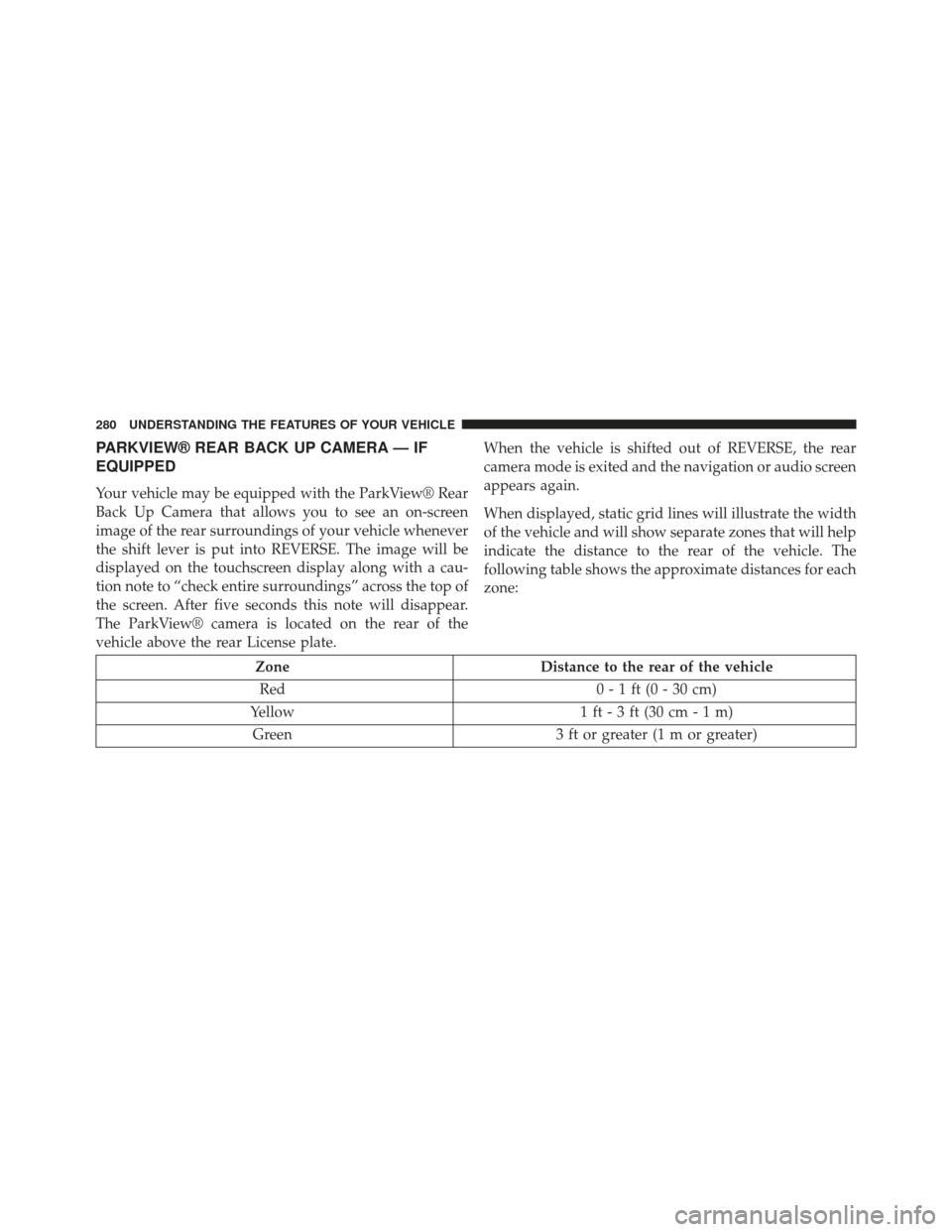
PARKVIEW® REAR BACK UP CAMERA — IF
EQUIPPED
Your vehicle may be equipped with the ParkView® Rear
Back Up Camera that allows you to see an on-screen
image of the rear surroundings of your vehicle whenever
the shift lever is put into REVERSE. The image will be
displayed on the touchscreen display along with a cau-
tion note to “check entire surroundings” across the top of
the screen. After five seconds this note will disappear.
The ParkView® camera is located on the rear of the
vehicle above the rear License plate.When the vehicle is shifted out of REVERSE, the rear
camera mode is exited and the navigation or audio screen
appears again.
When displayed, static grid lines will illustrate the width
of the vehicle and will show separate zones that will help
indicate the distance to the rear of the vehicle. The
following table shows the approximate distances for each
zone:
Zone
Distance to the rear of the vehicle
Red 0 - 1 ft (0 - 30 cm)
Yellow 1 ft - 3 ft (30 cm - 1 m)
Green 3 ft or greater (1 m or greater)
280 UNDERSTANDING THE FEATURES OF YOUR VEHICLE
Page 290 of 614
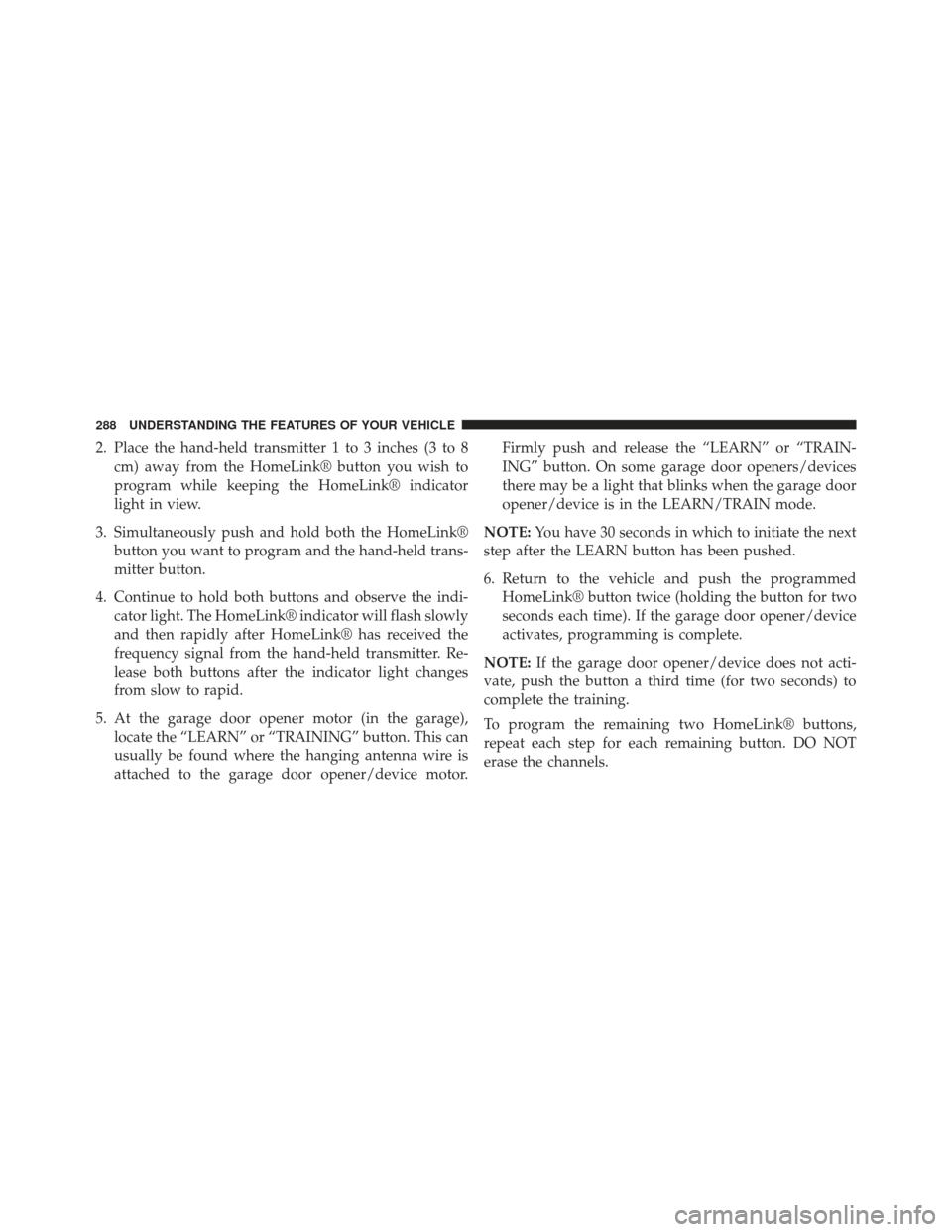
2. Place the hand-held transmitter 1 to 3 inches (3 to 8cm) away from the HomeLink® button you wish to
program while keeping the HomeLink® indicator
light in view.
3. Simultaneously push and hold both the HomeLink® button you want to program and the hand-held trans-
mitter button.
4. Continue to hold both buttons and observe the indi- cator light. The HomeLink® indicator will flash slowly
and then rapidly after HomeLink® has received the
frequency signal from the hand-held transmitter. Re-
lease both buttons after the indicator light changes
from slow to rapid.
5. At the garage door opener motor (in the garage), locate the “LEARN” or “TRAINING” button. This can
usually be found where the hanging antenna wire is
attached to the garage door opener/device motor. Firmly push and release the “LEARN” or “TRAIN-
ING” button. On some garage door openers/devices
there may be a light that blinks when the garage door
opener/device is in the LEARN/TRAIN mode.
NOTE: You have 30 seconds in which to initiate the next
step after the LEARN button has been pushed.
6. Return to the vehicle and push the programmed HomeLink® button twice (holding the button for two
seconds each time). If the garage door opener/device
activates, programming is complete.
NOTE: If the garage door opener/device does not acti-
vate, push the button a third time (for two seconds) to
complete the training.
To program the remaining two HomeLink® buttons,
repeat each step for each remaining button. DO NOT
erase the channels.
288 UNDERSTANDING THE FEATURES OF YOUR VEHICLE
Page 297 of 614
WARNING!(Continued)
accessible to children. Do not leave the ignition of
a vehicle equipped with Keyless Enter-N-Go™ in
the ACC or ON/RUN mode. Occupants, particu-
larly unattended children, can become entrapped
by the power sunroof while operating the power
sunroof switch. Such entrapment may result in
serious injury or death.
• In a collision, there is a greater risk of being thrown
from a vehicle with an open sunroof. You could
also be seriously injured or killed. Always fasten
your seat belt properly and make sure all passen-
gers are also properly secured.
• Do not allow small children to operate the sunroof.
Never allow your fingers, other body parts, or any
object, to project through the sunroof opening.
Injury may result.
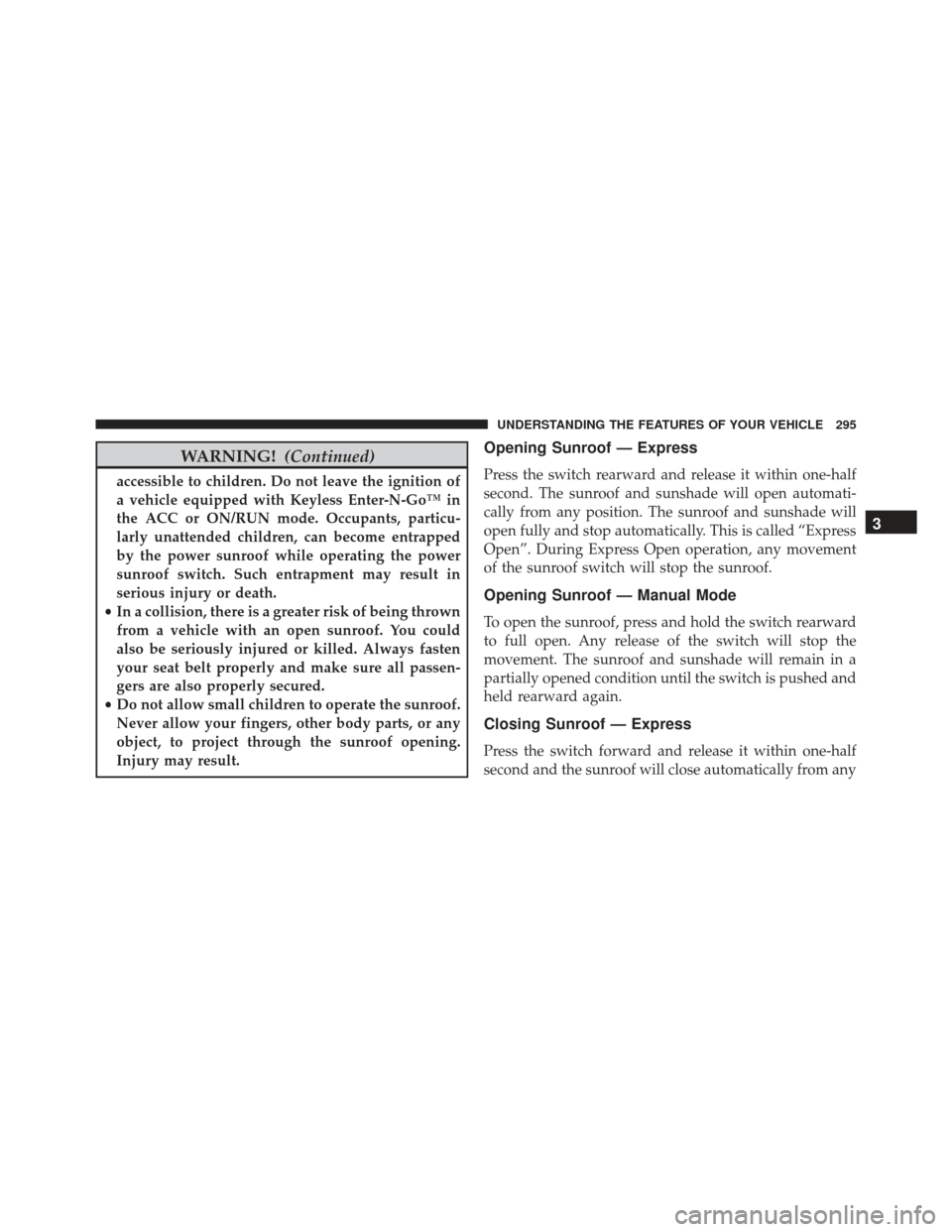
Opening Sunroof — Express
Press the switch rearward and release it within one-half
second. The sunroof and sunshade will open automati-
cally from any position. The sunroof and sunshade will
open fully and stop automatically. This is called “Express
Open”. During Express Open operation, any movement
of the sunroof switch will stop the sunroof.
Opening Sunroof — Manual Mode
To open the sunroof, press and hold the switch rearward
to full open. Any release of the switch will stop the
movement. The sunroof and sunshade will remain in a
partially opened condition until the switch is pushed and
held rearward again.
Closing Sunroof — Express
Press the switch forward and release it within one-half
second and the sunroof will close automatically from any
3
UNDERSTANDING THE FEATURES OF YOUR VEHICLE 295
Page 298 of 614
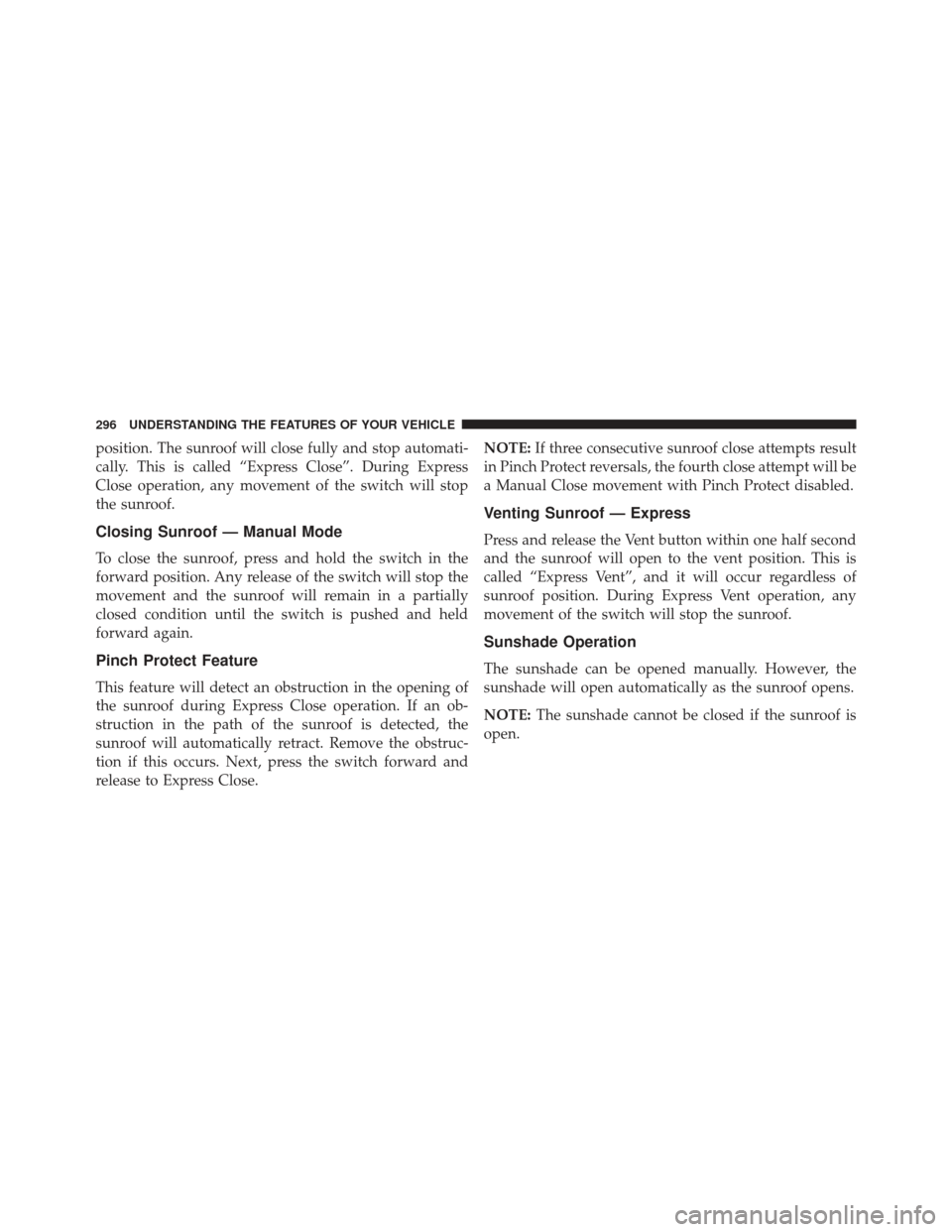
position. The sunroof will close fully and stop automati-
cally. This is called “Express Close”. During Express
Close operation, any movement of the switch will stop
the sunroof.
Closing Sunroof — Manual Mode
To close the sunroof, press and hold the switch in the
forward position. Any release of the switch will stop the
movement and the sunroof will remain in a partially
closed condition until the switch is pushed and held
forward again.
Pinch Protect Feature
This feature will detect an obstruction in the opening of
the sunroof during Express Close operation. If an ob-
struction in the path of the sunroof is detected, the
sunroof will automatically retract. Remove the obstruc-
tion if this occurs. Next, press the switch forward and
release to Express Close.NOTE:
If three consecutive sunroof close attempts result
in Pinch Protect reversals, the fourth close attempt will be
a Manual Close movement with Pinch Protect disabled.
Venting Sunroof — Express
Press and release the Vent button within one half second
and the sunroof will open to the vent position. This is
called “Express Vent”, and it will occur regardless of
sunroof position. During Express Vent operation, any
movement of the switch will stop the sunroof.
Sunshade Operation
The sunshade can be opened manually. However, the
sunshade will open automatically as the sunroof opens.
NOTE: The sunshade cannot be closed if the sunroof is
open.
296 UNDERSTANDING THE FEATURES OF YOUR VEHICLE
Page 321 of 614
WARNING!
A malfunctioning catalytic converter, as referenced
above, can reach higher temperatures than in normal
operating conditions. This can cause a fire if you
drive slowly or park over flammable substances such
as dry plants, wood, cardboard, etc. This could result
in death or serious injury to the driver, occupants or
others.
9. Speedometer
Indicates vehicle speed.
10. Fuel Door Reminder The arrow in this symbol is a reminder that the
Fuel Filler Door is located on the left side of the
vehicle. 11. Fuel Gauge
The pointer shows the level of fuel in the fuel tank when
the ignition switch is in the ON/RUN position.
12. Air Bag Warning Light
This light will turn on for four to eight seconds
as a bulb check when the ignition switch is first
turned to ON/RUN. If the light is either not on
during starting, stays on, or turns on while
driving, have the system inspected at an authorized
dealer as soon as possible. Refer to “Occupant Restraints”
in “Things To Know Before Starting Your Vehicle” for
further information.
13. Sport Shifting
This light will illuminate when Track mode is
selected. When Track Mode is selected, the
EVIC will display “Track Mode Activated (Sus-
pension and Transmission)”. In addition to
4
UNDERSTANDING YOUR INSTRUMENT PANEL 319
Page 322 of 614
SPORT suspension, Track mode also affects transmission
shifting in either Auto or Manual mode. Refer to
“AutoStick” in “Starting And Operating” for further
information. The transmission has a sportier, more ag-
gressive shift pattern. In Manual mode, the transmission
will hold gear at redline during manual shifting (console
shifter or paddle switches).
14. Sport SuspensionThe light will illuminate when Sport or Track
mode is selected. When Sport mode is selected,
the EVIC will display “Sport Mode Active
(Suspension)”. This mode provides perfor-
mance based tuning with improved handling through an
electronic controlled damping system. This system re-
duces body roll and pitch in many driving situations
including cornering, acceleration and braking. When
Track Mode is Selected, the EVIC will display “Track Mode Activated (Suspension and Transmission)”. In ad-
dition to SPORT suspension, Track mode also affects
transmission shifting. Refer to “AutoStick” in “Starting
And Operating” for further information.
15. Anti-Lock Brake (ABS) Light
This light monitors the Anti-Lock Brake System
(ABS). The light will turn on when the ignition
switch is turned to the ON/RUN position and
may stay on for as long as four seconds.
If the ABS light remains on or turns on while driving, it
indicates that the Anti-Lock portion of the brake system
is not functioning and that service is required. However,
the conventional brake system will continue to operate
normally if the BRAKE warning light is not on.
If the ABS light is on, the brake system should be serviced
as soon as possible to restore the benefits of Anti-Lock
brakes. If the ABS light does not turn on when the
320 UNDERSTANDING YOUR INSTRUMENT PANEL