stop start DODGE CHARGER SRT 2014 7.G User Guide
[x] Cancel search | Manufacturer: DODGE, Model Year: 2014, Model line: CHARGER SRT, Model: DODGE CHARGER SRT 2014 7.GPages: 614, PDF Size: 4.37 MB
Page 315 of 614
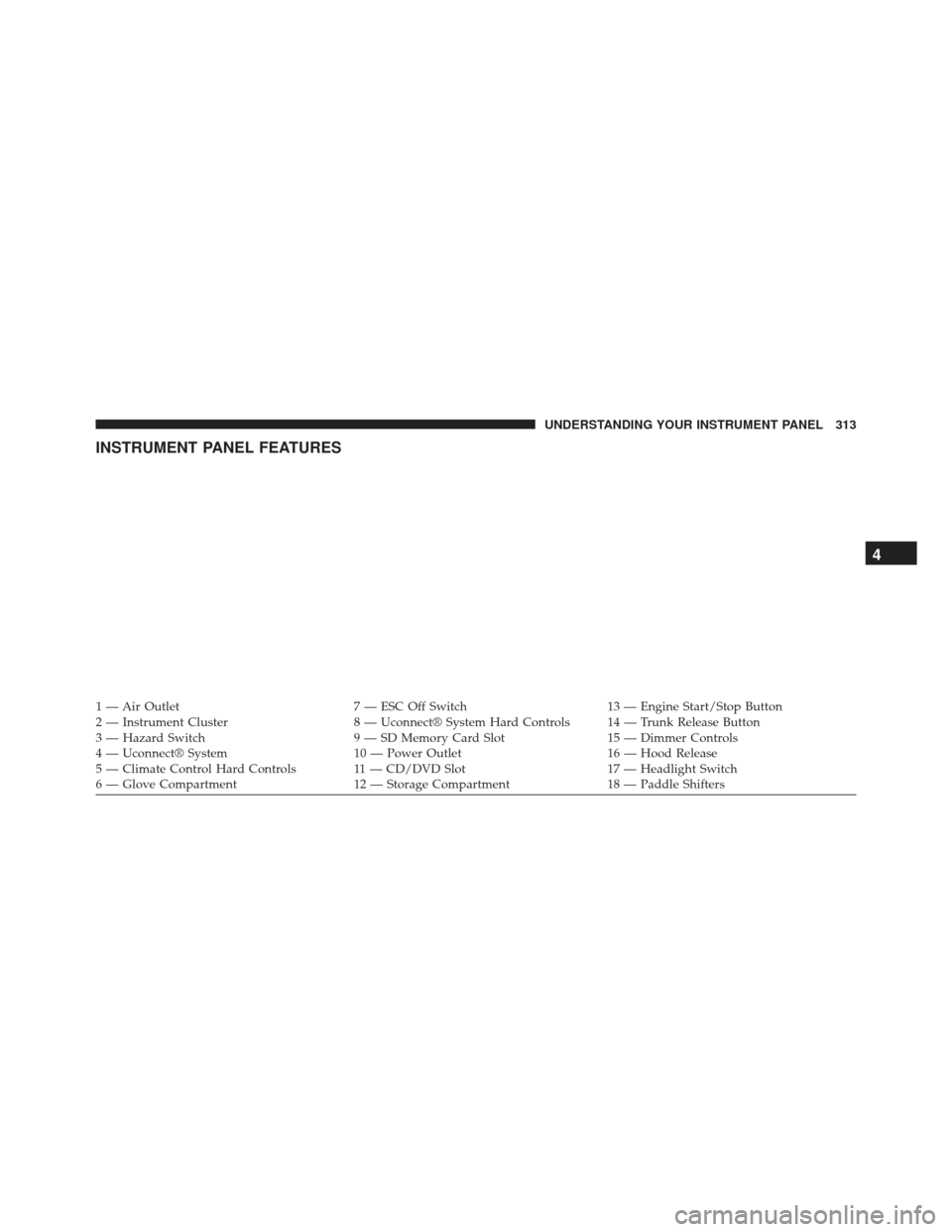
INSTRUMENT PANEL FEATURES
1 — Air Outlet7 — ESC Off Switch13 — Engine Start/Stop Button
2 — Instrument Cluster 8 — Uconnect® System Hard Controls 14 — Trunk Release Button
3 — Hazard Switch 9 — SD Memory Card Slot15 — Dimmer Controls
4 — Uconnect® System 10 — Power Outlet16 — Hood Release
5 — Climate Control Hard Controls 11 — CD/DVD Slot 17 — Headlight Switch
6 — Glove Compartment 12 — Storage Compartment18 — Paddle Shifters
4
UNDERSTANDING YOUR INSTRUMENT PANEL 313
Page 319 of 614
vehicle placard or tire inflation pressure label, you should
determine the proper tire inflation pressure for those
tires.)
As an added safety feature, your vehicle has been
equipped with a Tire Pressure Monitoring System
(TPMS) that illuminates a low tire pressure telltale when
one or more of your tires is significantly under-inflated.
Accordingly, when the low tire pressure telltale illumi-
nates, you should stop and check your tires as soon as
possible, and inflate them to the proper pressure. Driving
on a significantly under-inflated tire causes the tire to
overheat and can lead to tire failure. Under-inflation also
reduces fuel efficiency and tire tread life, and may affect
the vehicle’s handling and stopping ability.
Please note that the TPMS is not a substitute for proper
tire maintenance, and it is the driver ’s responsibility to
maintain correct tire pressure, even if under-inflation has
not reached the level to trigger illumination of the TPMS
low tire pressure telltale.Your vehicle has also been equipped with a TPMS
malfunction indicator to indicate when the system is not
operating properly. The TPMS malfunction indicator is
combined with the low tire pressure telltale. When the
system detects a malfunction, the telltale will flash for
approximately one minute and then remain continuously
illuminated. This sequence will continue upon subse-
quent vehicle start-ups as long as the malfunction exists.
When the malfunction indicator is illuminated, the sys-
tem may not be able to detect or signal low tire pressure
as intended. TPMS malfunctions may occur for a variety
of reasons, including the installation of replacement or
alternate tires or wheels on the vehicle that prevent the
TPMS from functioning properly. Always check the
TPMS malfunction telltale after replacing one or more
tires or wheels on your vehicle, to ensure that the
replacement or alternate tires and wheels allow the TPMS
to continue to function properly.
4
UNDERSTANDING YOUR INSTRUMENT PANEL 317
Page 326 of 614
After the bulb check or when driving, if the driver’s seat
belt remains unbuckled, the Seat Belt Reminder Light
will illuminate and the chime will sound. Refer to
“Occupant Restraints” in “Things To Know Before Start-
ing Your Vehicle” for further information.
21. Temperature GaugeThe temperature gauge shows engine coolant
temperature. Any reading within the normal
range indicates that the engine cooling system is operat-
ing satisfactorily.
The gauge pointer will likely indicate a higher tempera-
ture when driving in hot weather, up mountain grades,
or when towing a trailer. It should not be allowed to
exceed the upper limits of the normal operating range.CAUTION!
Driving with a hot engine cooling system could
damage your vehicle. If the temperature gauge reads
“260” pull over and stop the vehicle. Idle the vehicle
with the air conditioner turned off until the pointer
drops back into the normal range. If the pointer
remains on the “260” and you hear continuous
chimes, turn the engine off immediately and call an
authorized dealer for service.
WARNING!
A hot engine cooling system is dangerous. You or
others could be badly burned by steam or boiling
coolant. You may want to call an authorized dealer
for service if your vehicle overheats. If you decide to
look under the hood yourself, see “Maintaining Your
Vehicle”. Follow the warnings under the Cooling
System Pressure Cap paragraph.
324 UNDERSTANDING YOUR INSTRUMENT PANEL
Page 333 of 614
•Do not operate the vehicle until the cause is corrected.
This light does not show how much oil is in the engine.
The engine oil level must be checked under the hood.
• Charging System Light
This light shows the status of the electrical charg-
ing system. The light should come on when the
ignition is first cycled ON and remain on briefly as a bulb
check. If the light stays on or comes on while driving,
turn off some of the vehicle’s non-essential electrical
devices or increase engine speed (if at idle). If the
charging system light remains on, it means that the
vehicle is experiencing a problem with the charging
system. Obtain SERVICE IMMEDIATELY. See an autho-
rized dealer.
• If jump starting is required, refer to “Jump Starting
Procedures” in “What To Do In Emergencies”. •
Electronic Throttle Control (ETC) Light
This light informs you of a problem with the
Electronic Throttle Control (ETC) system. The
light will come on when the ignition is first
cycled ON and remain on briefly as a bulb
check. If the light does not come on during starting, have
the system checked by an authorized dealer.
• If a problem is detected, the light will come on while
the engine is running. Cycle the ignition key when the
vehicle has completely stopped and the shift lever is
placed in the PARK position. The light should turn off.
• If the light remains lit with the engine running, your
vehicle will usually be drivable. However, see an
authorized dealer for service as soon as possible. If the
light is flashing when the engine is running, immedi-
ate service is required. You may experience reduced
performance, an elevated/rough idle or engine stall
and your vehicle may require towing.
4
UNDERSTANDING YOUR INSTRUMENT PANEL 331
Page 336 of 614
The GSI indicator in the EVIC remains illuminated until
the driver changes gear, or the driving conditions return
to a situation where changing gear is not required to
improve fuel consumption.
Oil Change Due
Your vehicle is equipped with an engine oil change
indicator system. The “Oil Change Due” message will
flash in the EVIC display for approximately 10 seconds
after a single chime has sounded to indicate the next
scheduled oil change interval. The engine oil change
indicator system is duty cycle based, which means the
engine oil change interval may fluctuate dependent upon
your personal driving style.
Unless reset, this message will continue to display each
time you cycle the ignition to the ON/RUN position. To
turn off the message temporarily, push and release the
MENU button. To reset the oil change indicator system
(after performing the scheduled maintenance), perform
the following procedure:
1. Without pushing the brake pedal, push the ENGINESTART/STOP button and cycle the ignition to the
ON/RUN position (do not start the engine.)
GSI Shift Down (-) Indicator
334 UNDERSTANDING YOUR INSTRUMENT PANEL
Page 337 of 614
2. Fully depress the accelerator pedal, slowly, three timeswithin 10 seconds.
3. Without pushing the brake pedal, push the ENGINE START/STOP button once to return the ignition to the
OFF/LOCK position.
NOTE: If the indicator message illuminates when you
start the vehicle, the oil change indicator system did not
reset. If necessary, repeat this procedure.
Fuel Economy
Press and release the UP or DOWN button until “Fuel
Economy” displays highlighted in the EVIC and press
the SELECT button. Press and release the UP/DOWN
buttons until one of the following Fuel Economy func-
tions displays in the EVIC:
• Average Fuel Economy/Fuel Saver Mode
• Distance To Empty (DTE) •
Miles Per Gallon (MPG)
Press the UP/DOWN buttons to cycle through all the
Trip Computer functions.
The Trip Functions mode displays the following informa-
tion:
Average Fuel Economy/ECO Fuel Saver Mode — If
Equipped
Shows the average fuel economy since the last reset.
When the fuel economy is reset, the display will read
“RESET” or show dashes for two seconds. Then, the
history information will be erased, and the averaging will
continue from the last fuel average reading before the
reset.
There is an ECO icon between the Compass and Outside
Temperature info at the top of the EVIC display. This icon
will appear whenever the Multi-Displacement System
4
UNDERSTANDING YOUR INSTRUMENT PANEL 335
Page 352 of 614
Headlights With Lock” soft-key and select “ON” or
“OFF.” Then touch the back arrow soft-key.
Doors & Locks
After pressing the Doors & Locks soft-key the following
settings will be available.
•Auto Lock
When this feature is selected, all doors will lock auto-
matically when the vehicle reaches a speed of 15 mph
(24 km/h). To make your selection, touch the “Auto
Unlock On Exit” soft-key, until a check-mark appears
next to setting, showing that setting has been selected.
Touch the arrow back soft-key to return to the previous
menu.
• Auto Unlock On Exit
Touch the “Auto Unlock On Exit” soft-key to change this
display. When this feature is selected, all doors will
unlock when the vehicle is stopped and the transmission is in the PARK or NEUTRAL position and the driver’s
door is opened. To make your selection, touch the “Auto
Unlock On Exit” soft-key and select “ON” or “OFF.”
Then touch the arrow back soft-key.
•
Flash Lights With Lock
Touch the “Flash Lights With Lock” soft-key to change
this display. When this feature is selected, the front and
rear turn signals will flash when the doors are locked or
unlocked with the Remote Keyless Entry (RKE) transmit-
ter. To make your selection, touch the “Flash Lights With
Lock” soft-key and select “ON” or “OFF”. Then touch the
arrow back soft-key.
• Sound Horn With Remote Start
Touch the “Sound Horn With Remote Start” soft-key to
change this display. When this feature is selected, the
horn will sound when the remote start is activated. To
350 UNDERSTANDING YOUR INSTRUMENT PANEL
Page 400 of 614
CAUTION!
Damage to the transmission may occur if the follow-
ing precautions are not observed:
•Do not shift from REVERSE, PARK, or NEUTRAL
into any forward gear when the engine is above
idle speed.
• Shift into PARK only after the vehicle has come to
a complete stop.
• Shift into or out of REVERSE only after the vehicle
has come to a complete stop and the engine is at
idle speed.
• Before shifting into any gear, make sure your foot
is firmly on the brake pedal.
Keyless Enter-N-Go™
This feature allows the driver to oper-
ate the ignition switch with the push
of a button, as long as the Remote
Start/Keyless Enter-N-Go™ Key Fob
is in the passenger compartment.
Normal Starting
Using The ENGINE START/STOP Button
1. The transmission must be in PARK or NEUTRAL.
2. Press and hold the brake pedal while pressing the ENGINE START/STOP button once.
3. The system takes over and attempts to start the vehicle. If the vehicle fails to start, the starter will
disengage automatically after 10 seconds.
398 STARTING AND OPERATING
Page 401 of 614
4. If you wish to stop the cranking of the engine prior tothe engine starting, press the button again.
NOTE: Normal starting of either a cold or a warm engine
is obtained without pumping or pressing the accelerator
pedal.
To Turn Off The Engine Using ENGINE
START/STOP Button
1. Place the shift lever/gear selector in PARK, then press and release the ENGINE START/STOP button.
2. The ignition switch will return to the OFF position.
3. If the shift lever/gear selector is not in PARK, the ENGINE START/STOP button must be held for two
seconds or three short presses in a row with the
vehicle speed above 5 mph (8 km/h) before the engine
will shut off. The ignition switch position will remain
in the ACC position until the shift lever/gear selector
is in PARK and the button is pressed twice to the OFF position. If the shift lever/gear selector is not in PARK
and the ENGINE START/STOP button is pressed
once, the EVIC (if equipped) will display a “Vehicle
Not In Park” message and the engine will remain
running. Never leave a vehicle out of the PARK
position, or it could roll.
NOTE: If the ignition switch is left in the ACC or RUN
(engine not running) position and the transmission is in
PARK, the system will automatically time out after 30
minutes of inactivity and the ignition will switch to the
OFF position.
ENGINE START/STOP Button Functions — With
Driver ’s Foot OFF The Brake Pedal (In PARK Or
NEUTRAL Position)
The ENGINE START/STOP button operates similar to an
ignition switch. It has three positions, OFF, ACC, RUN.
5
STARTING AND OPERATING 399
Page 402 of 614
To change the ignition switch positions without starting
the vehicle and use the accessories follow these steps:
1. Starting with the ignition in the OFF position:
2. Press the ENGINE START/STOP button once tochange the ignition to the ACC position.
3. Press the ENGINE START/STOP button a second time to change the ignition to the RUN position.
4. Press the ENGINE START/STOP button a third time to return the ignition to the OFF position.
Extreme Cold Weather (Below –20°F Or 29°C)
To ensure reliable starting at these temperatures, use of
an externally powered electric engine block heater (avail-
able from your authorized dealer) is recommended.
If Engine Fails To Start
WARNING!
•Never pour fuel or other flammable liquid into the
throttle body air inlet opening in an attempt to start
the vehicle. This could result in flash fire causing
serious personal injury.
• Do not attempt to push or tow your vehicle to get it
started. Vehicles equipped with an automatic trans-
mission cannot be started this way. Unburned fuel
could enter the catalytic converter and once the
engine has started, ignite and damage the converter
and vehicle.
• If the vehicle has a discharged battery, booster
cables may be used to obtain a start from a booster
battery or the battery in another vehicle. This type
of start can be dangerous if done improperly. Refer
(Continued)
400 STARTING AND OPERATING