engine DODGE CHARGER SRT 2018 Owners Manual
[x] Cancel search | Manufacturer: DODGE, Model Year: 2018, Model line: CHARGER SRT, Model: DODGE CHARGER SRT 2018Pages: 490, PDF Size: 5.08 MB
Page 385 of 490
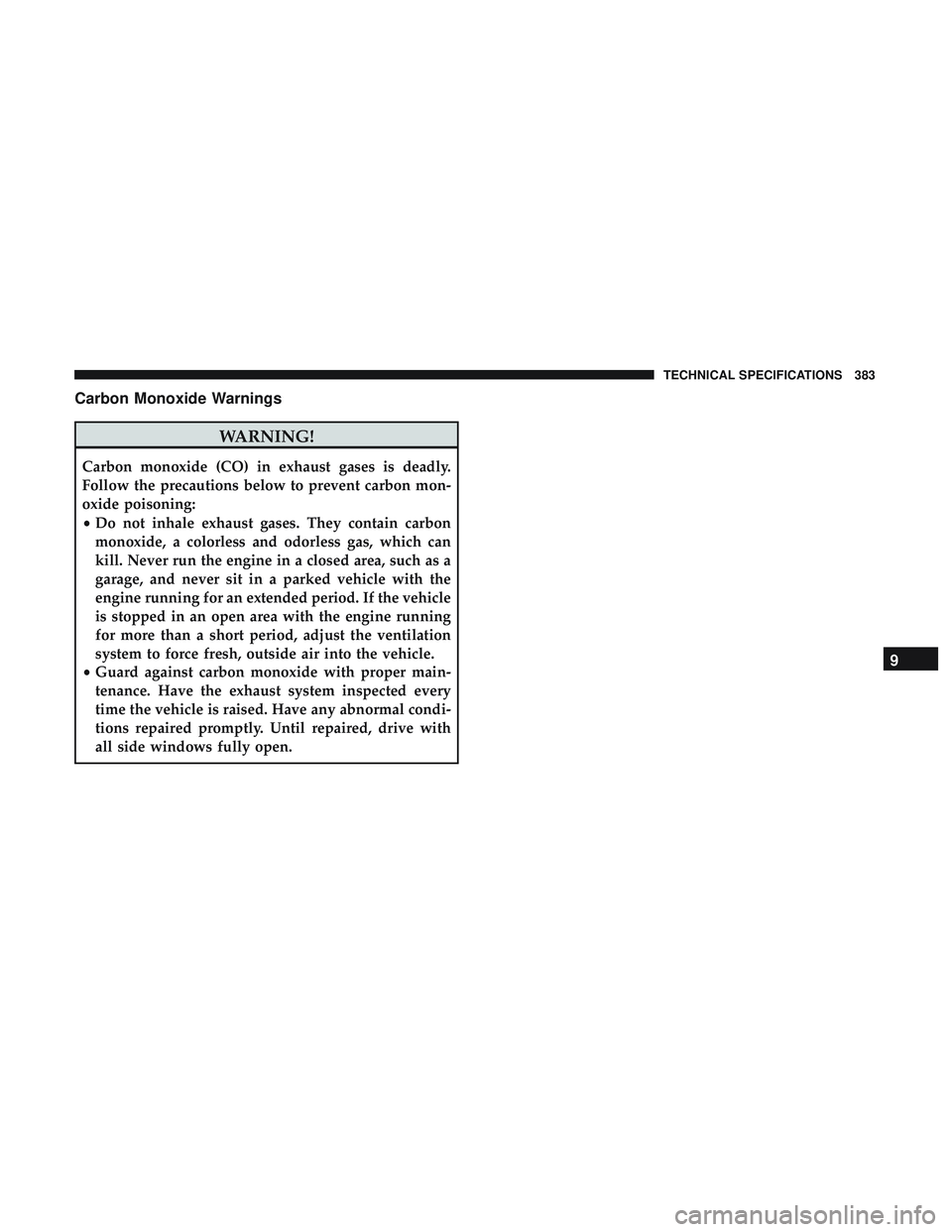
Carbon Monoxide Warnings
WARNING!
Carbon monoxide (CO) in exhaust gases is deadly.
Follow the precautions below to prevent carbon mon-
oxide poisoning:
•Do not inhale exhaust gases. They contain carbon
monoxide, a colorless and odorless gas, which can
kill. Never run the engine in a closed area, such as a
garage, and never sit in a parked vehicle with the
engine running for an extended period. If the vehicle
is stopped in an open area with the engine running
for more than a short period, adjust the ventilation
system to force fresh, outside air into the vehicle.
• Guard against carbon monoxide with proper main-
tenance. Have the exhaust system inspected every
time the vehicle is raised. Have any abnormal condi-
tions repaired promptly. Until repaired, drive with
all side windows fully open.
9
TECHNICAL SPECIFICATIONS 383
Page 386 of 490
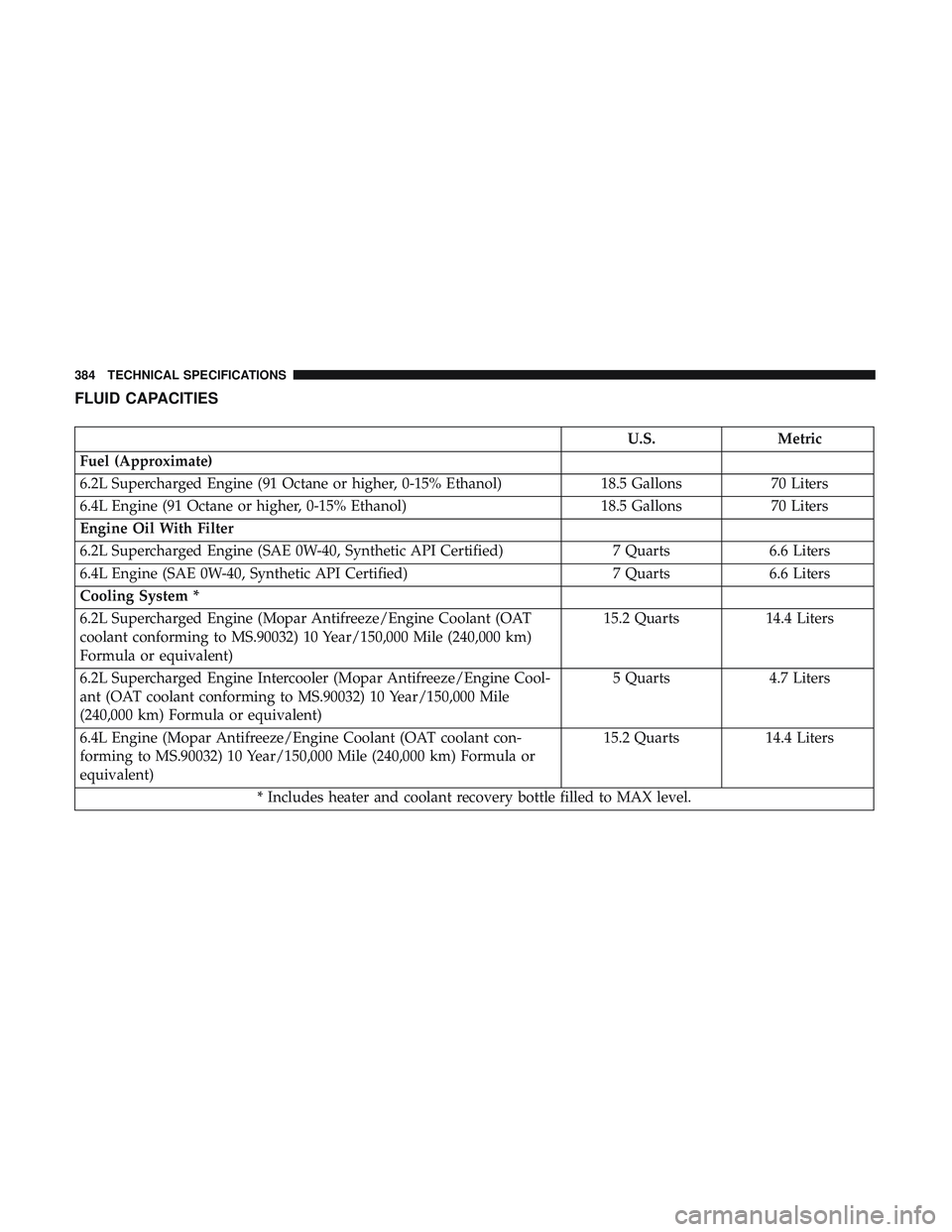
FLUID CAPACITIES
U.S.Metric
Fuel (Approximate)
6.2L Supercharged Engine (91 Octane or higher, 0-15% Ethanol) 18.5 Gallons70 Liters
6.4L Engine (91 Octane or higher, 0-15% Ethanol) 18.5 Gallons70 Liters
Engine Oil With Filter
6.2L Supercharged Engine (SAE 0W-40, Synthetic API Certified) 7 Quarts6.6 Liters
6.4L Engine (SAE 0W-40, Synthetic API Certified) 7 Quarts6.6 Liters
Cooling System *
6.2L Supercharged Engine (Mopar Antifreeze/Engine Coolant (OAT
coolant conforming to MS.90032) 10 Year/150,000 Mile (240,000 km)
Formula or equivalent) 15.2 Quarts
14.4 Liters
6.2L Supercharged Engine Intercooler (Mopar Antifreeze/Engine Cool-
ant (OAT coolant conforming to MS.90032) 10 Year/150,000 Mile
(240,000 km) Formula or equivalent) 5 Quarts
4.7 Liters
6.4L Engine (Mopar Antifreeze/Engine Coolant (OAT coolant con-
forming to MS.90032) 10 Year/150,000 Mile (240,000 km) Formula or
equivalent) 15.2 Quarts
14.4 Liters
* Includes heater and coolant recovery bottle filled to MAX level.
384 TECHNICAL SPECIFICATIONS
Page 387 of 490
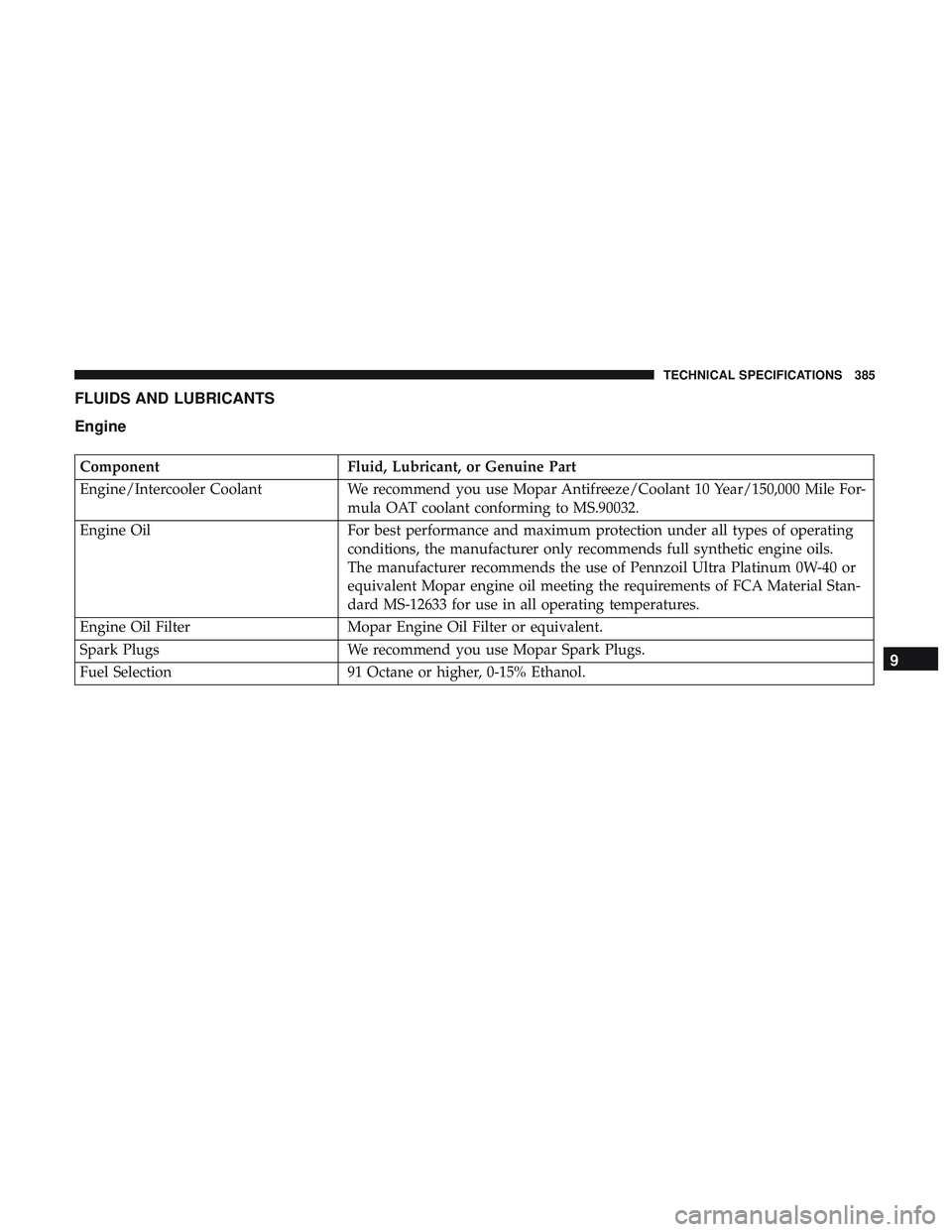
FLUIDS AND LUBRICANTS
Engine
ComponentFluid, Lubricant, or Genuine Part
Engine/Intercooler Coolant We recommend you use Mopar Antifreeze/Coolant 10 Year/150,000 Mile For-
mula OAT coolant conforming to MS.90032.
Engine Oil For best performance and maximum protection under all types of operating
conditions, the manufacturer only recommends full synthetic engine oils.
The manufacturer recommends the use of Pennzoil Ultra Platinum 0W-40 or
equivalent Mopar engine oil meeting the requirements of FCA Material Stan-
dard MS-12633 for use in all operating temperatures.
Engine Oil Filter Mopar Engine Oil Filter or equivalent.
Spark Plugs We recommend you use Mopar Spark Plugs.
Fuel Selection 91 Octane or higher, 0-15% Ethanol.
9
TECHNICAL SPECIFICATIONS 385
Page 388 of 490
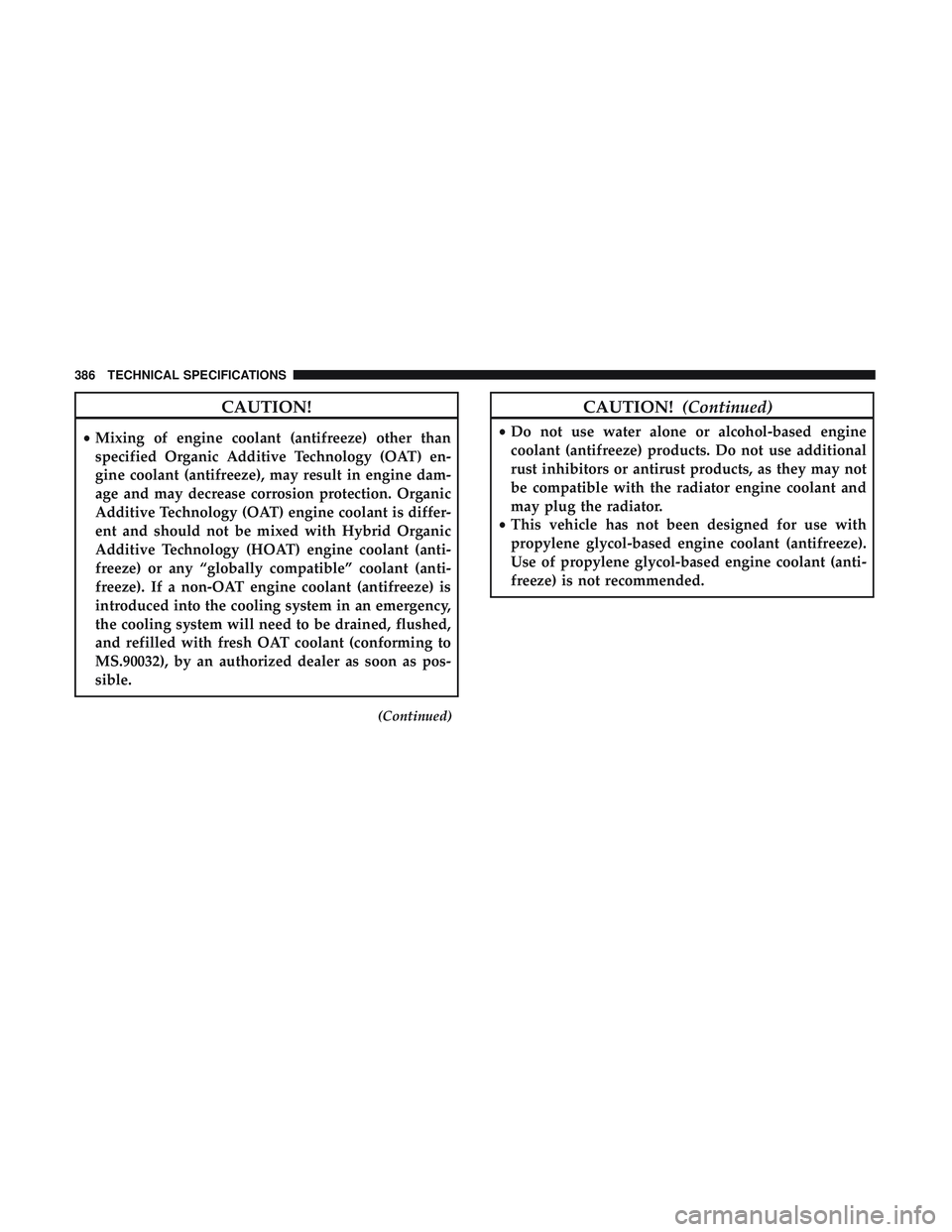
CAUTION!
•Mixing of engine coolant (antifreeze) other than
specified Organic Additive Technology (OAT) en-
gine coolant (antifreeze), may result in engine dam-
age and may decrease corrosion protection. Organic
Additive Technology (OAT) engine coolant is differ-
ent and should not be mixed with Hybrid Organic
Additive Technology (HOAT) engine coolant (anti-
freeze) or any “globally compatible” coolant (anti-
freeze). If a non-OAT engine coolant (antifreeze) is
introduced into the cooling system in an emergency,
the cooling system will need to be drained, flushed,
and refilled with fresh OAT coolant (conforming to
MS.90032), by an authorized dealer as soon as pos-
sible.
(Continued)
CAUTION! (Continued)
•Do not use water alone or alcohol-based engine
coolant (antifreeze) products. Do not use additional
rust inhibitors or antirust products, as they may not
be compatible with the radiator engine coolant and
may plug the radiator.
• This vehicle has not been designed for use with
propylene glycol-based engine coolant (antifreeze).
Use of propylene glycol-based engine coolant (anti-
freeze) is not recommended.
386 TECHNICAL SPECIFICATIONS
Page 396 of 490
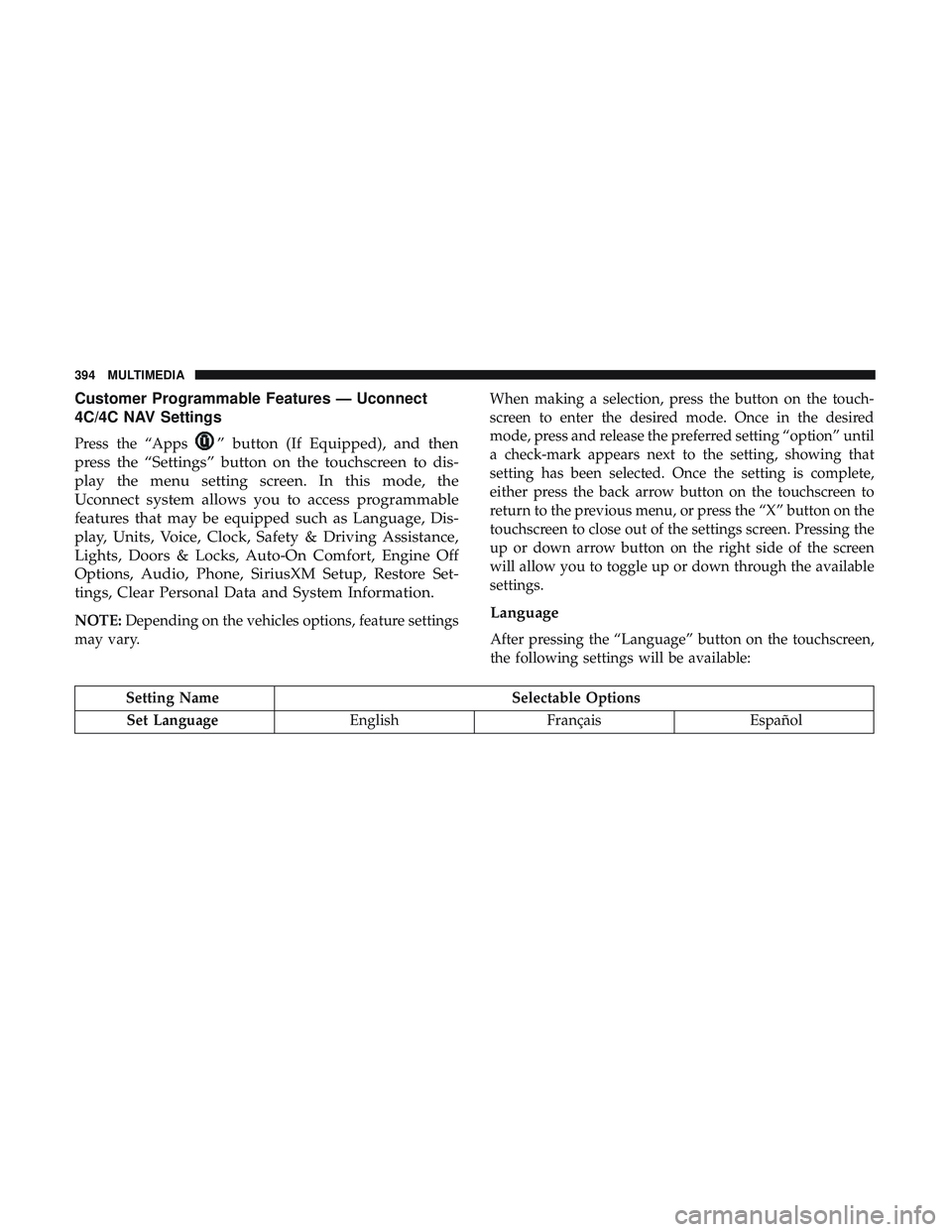
Customer Programmable Features — Uconnect
4C/4C NAV Settings
Press the “Apps” button (If Equipped), and then
press the “Settings” button on the touchscreen to dis-
play the menu setting screen. In this mode, the
Uconnect system allows you to access programmable
features that may be equipped such as Language, Dis-
play, Units, Voice, Clock, Safety & Driving Assistance,
Lights, Doors & Locks, Auto-On Comfort, Engine Off
Options, Audio, Phone, SiriusXM Setup, Restore Set-
tings, Clear Personal Data and System Information.
NOTE: Depending on the vehicles options, feature settings
may vary. When making a selection, press the button on the touch-
screen to enter the desired mode. Once in the desired
mode, press and release the preferred setting “option” until
a check-mark appears next to the setting, showing that
setting has been selected. Once the setting is complete,
either press the back arrow button on the touchscreen to
return to the previous menu, or press the “X” button on the
touchscreen to close out of the settings screen. Pressing the
up or down arrow button on the right side of the screen
will allow you to toggle up or down through the available
settings.Language
After pressing the “Language” button on the touchscreen,
the following settings will be available:
Setting Name
Selectable Options
Set Language EnglishFrançais Español
394 MULTIMEDIA
Page 412 of 490
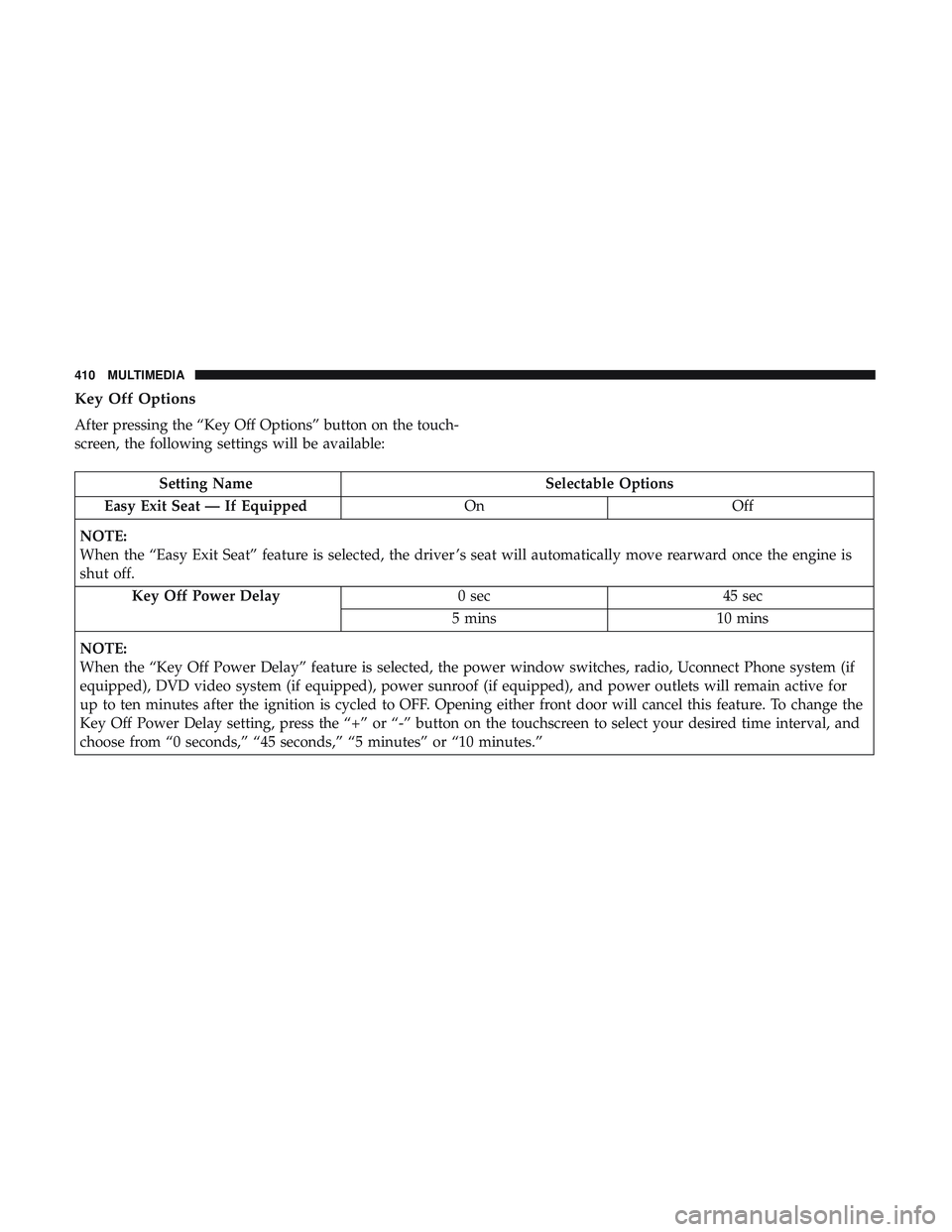
Key Off Options
After pressing the “Key Off Options” button on the touch-
screen, the following settings will be available:
Setting NameSelectable Options
Easy Exit Seat — If Equipped OnOff
NOTE:
When the “Easy Exit Seat” feature is selected, the driver ’s seat will automatically move rearward once the engine is
shut off. Key Off Power Delay 0 sec45 sec
5 mins 10 mins
NOTE:
When the “Key Off Power Delay” feature is selected, the power window switches, radio, Uconnect Phone system (if
equipped), DVD video system (if equipped), power sunroof (if equipped), and power outlets will remain active for
up to ten minutes after the ignition is cycled to OFF. Opening either front door will cancel this feature. To change the
Key Off Power Delay setting, press the “+” or “-” button on the touchscreen to select your desired time interval, and
choose from “0 seconds,” “45 seconds,” “5 minutes” or “10 minutes.”
410 MULTIMEDIA
Page 419 of 490
SRT Performance Pages
Performance Pages is an application that provides a dis-
play for performance indicators, as received from the
instrument cluster, that will help you gain familiarity with
the capabilities of your vehicle in real-time.
To access the Performance Pages, press the “Apps” button
on the touchscreen then press the “Performance Pages”
button on the touchscreen. Press the desired button on the
touchscreen to access that specific Performance Page.
WARNING!
Measurement of vehicle statistics with the Perfor-
mance Pages is intended for off-highway or off-road
use only and should not be done on any public
roadways. It is recommended that these features be
used in a controlled environment and within the limits
of the law. The capabilities of the vehicle as measured
by the Performance Pages must never be exploited in a
reckless or dangerous manner, which can jeopardize
the user ’s safety or the safety of others. Only a safe,
attentive, and skillful driver can prevent accidents.The Performance Pages include the following:
•
Home
• Timers
• Gauges
• G-Force
• Engine
• Dyno
10
MULTIMEDIA 417
Page 420 of 490
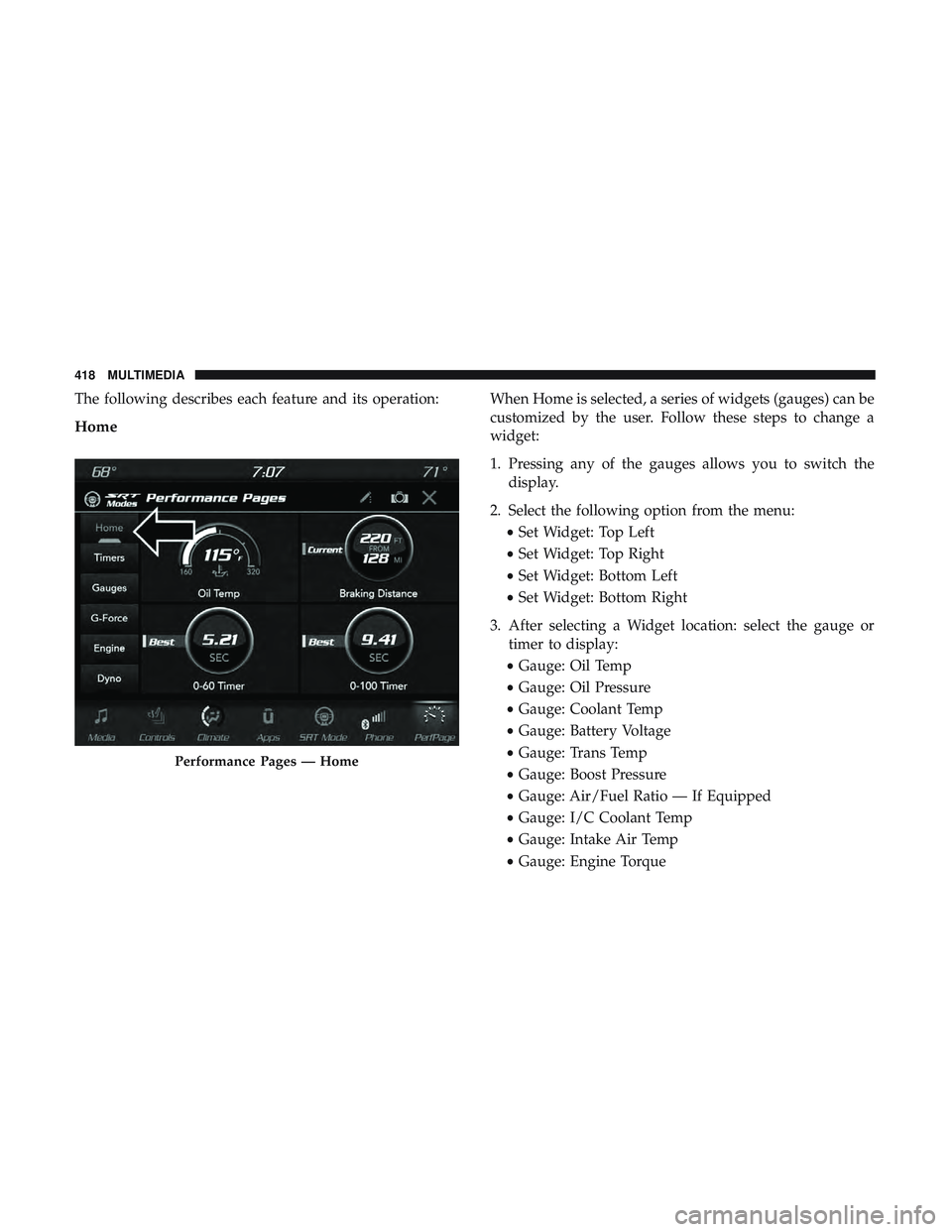
The following describes each feature and its operation:
Home
When Home is selected, a series of widgets (gauges) can be
customized by the user. Follow these steps to change a
widget:
1. Pressing any of the gauges allows you to switch thedisplay.
2. Select the following option from the menu: •Set Widget: Top Left
• Set Widget: Top Right
• Set Widget: Bottom Left
• Set Widget: Bottom Right
3. After selecting a Widget location: select the gauge or timer to display:
• Gauge: Oil Temp
• Gauge: Oil Pressure
• Gauge: Coolant Temp
• Gauge: Battery Voltage
• Gauge: Trans Temp
• Gauge: Boost Pressure
• Gauge: Air/Fuel Ratio — If Equipped
• Gauge: I/C Coolant Temp
• Gauge: Intake Air Temp
• Gauge: Engine Torque
Performance Pages — Home
418 MULTIMEDIA
Page 421 of 490
•Gauge: Engine Power
• Gauge: G-Force
• Gauge: Steering Angle
• Gauge: Current Gear
• Gauge: Current Speed
• Timer: 0–60 MPH
• Timer: 0–100 MPH
• Timer: 1/8 Mile
• Timer: 1/4 Mile
• Timer: Brake Distance
• Timer: Reaction Time
NOTE: Pressing the “Camera” icon in the upper right
corner of the Performance Pages screen will take a screen-
shot of the current screen and save it to a USB that is
connected.Timers
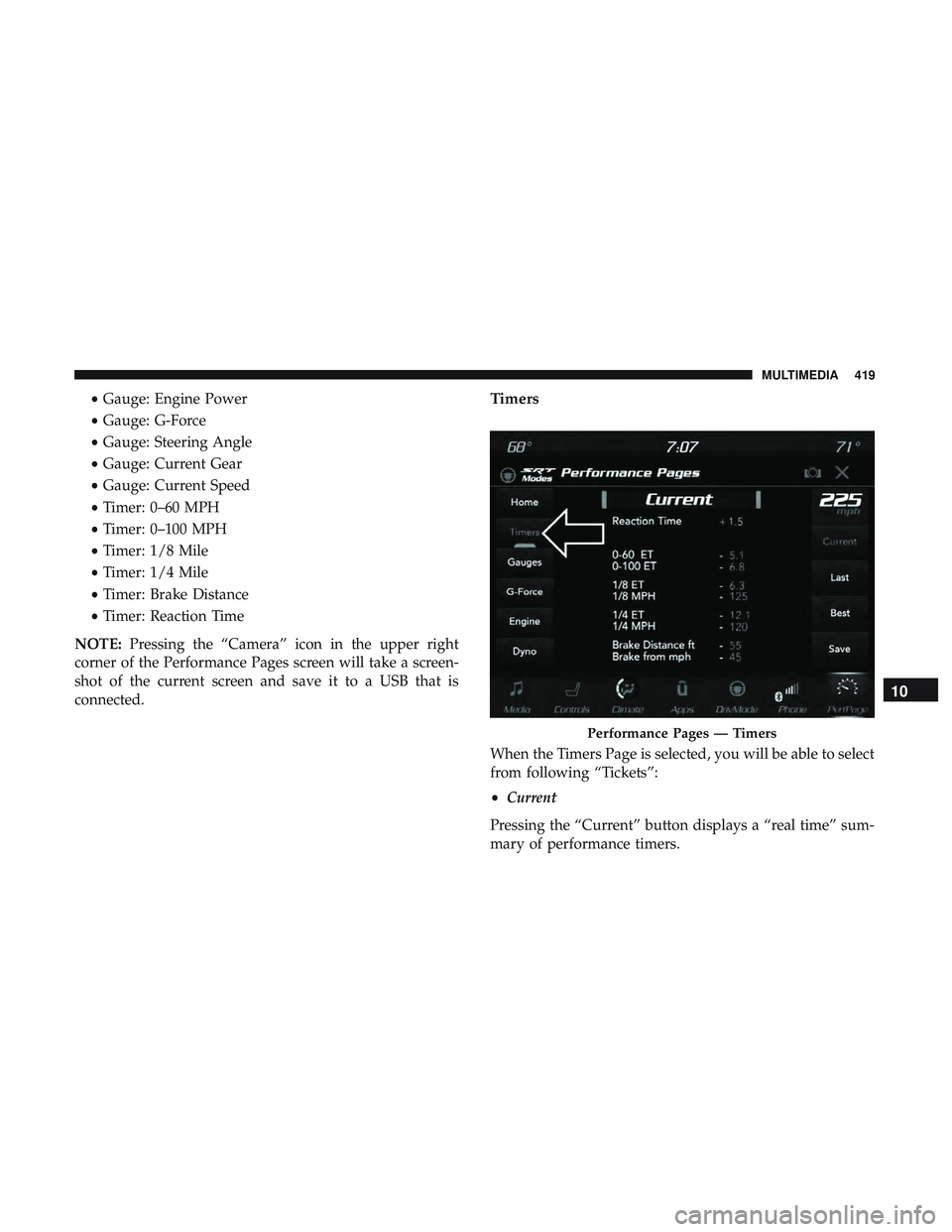
When the Timers Page is selected, you will be able to select
from following “Tickets”:
• Current
Pressing the “Current” button displays a “real time” sum-
mary of performance timers.
Performance Pages — Timers
10
MULTIMEDIA 419
Page 427 of 490
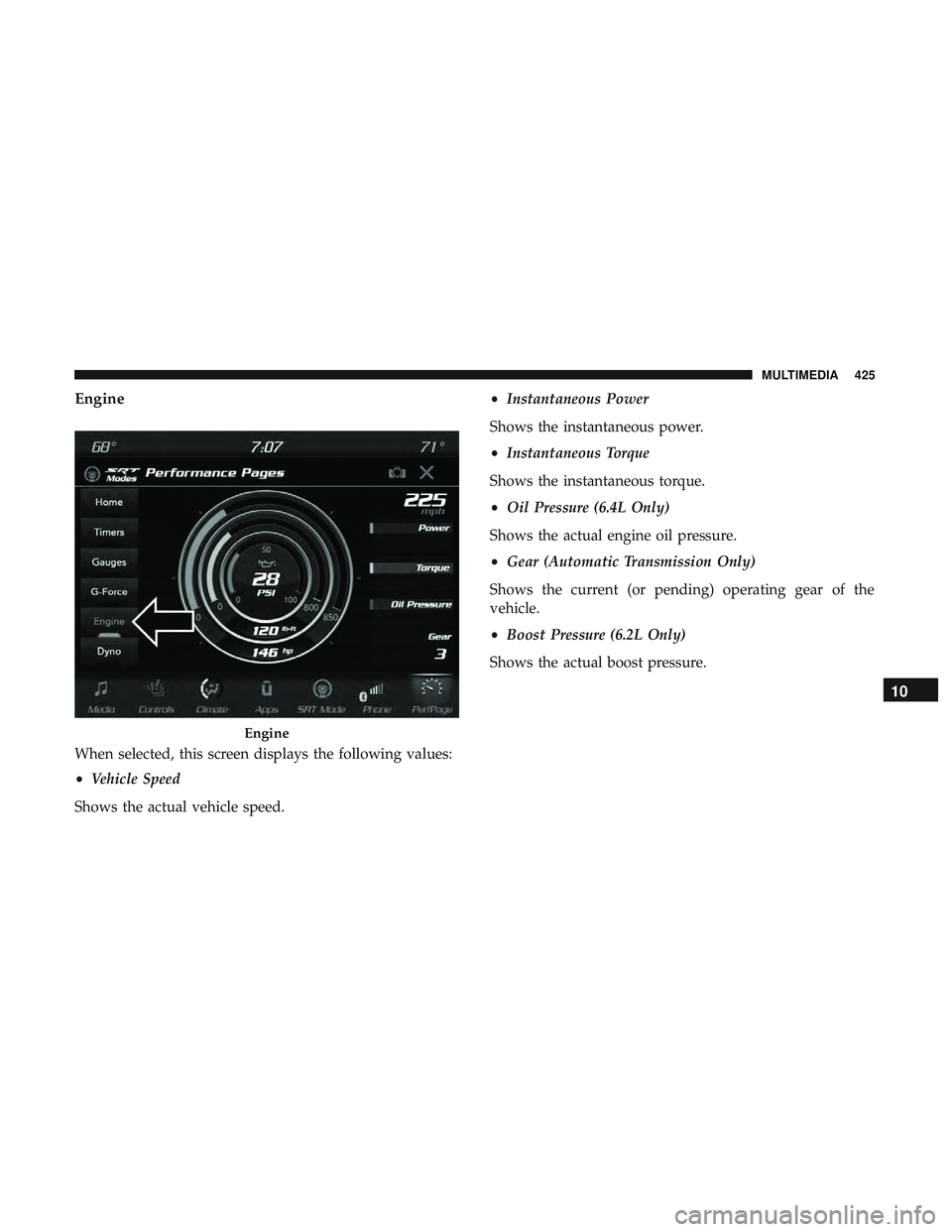
Engine
When selected, this screen displays the following values:
•Vehicle Speed
Shows the actual vehicle speed. •
Instantaneous Power
Shows the instantaneous power.
• Instantaneous Torque
Shows the instantaneous torque.
• Oil Pressure (6.4L Only)
Shows the actual engine oil pressure.
• Gear (Automatic Transmission Only)
Shows the current (or pending) operating gear of the
vehicle.
• Boost Pressure (6.2L Only)
Shows the actual boost pressure.
Engine
10
MULTIMEDIA 425